Slider Widget

Create Your Own Slider in Seconds for Your Website

Build a responsive content slider for homepage heroes, campaigns, galleries, product storytelling, and announcements. Add slide-level copy, buttons, links, media, transitions, navigation, spacing, and styling in a no-code builder.

Create Your Slider - It's Free!


Create Your Own Slider in Seconds for Your Website Hero Bg Image

How to embed Slider Widget to WordPress

1Get your Embed Code

Customize your Jotform Website Widget, click Try it on your website for free, and copy the generated embed code.

2Open the Page Editor

Go to the WordPress post or page where you want to display the widget, then add a new block.

3Add a Custom HTML Block

Select Custom HTML and paste your Jotform Website Widget embed code into the HTML field.

4Update and View

Click Update or Publish, then open the page to check your embedded widget.

Build Each Slide with Copy, Badge, Button, and Media

Turn every slide into a focused content block with its own message, CTA, and background asset.

Per-slide fields include:
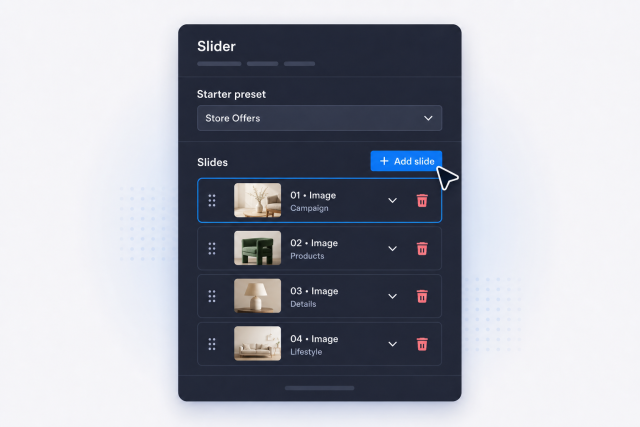
EyebrowBadgeTitleBody textButton textButton URLImage or video
Build Your Slides
Build Each Slide with Copy, Badge, Button, and Media

Place Slide Content Where It Reads Best

Match the layout to each visual by moving the copy card across the canvas and adjusting overlay strength for readability.

Layout controls include:

Left or rightCenterTop or bottomCorner placementsOverlay treatmentMedia fit
Adjust Layout
Place Slide Content Where It Reads Best

Switch Between Motion and Navigation Styles

Use slide or fade transitions, autoplay or manual control, and the pagination style that fits your page density.

Motion controls include:
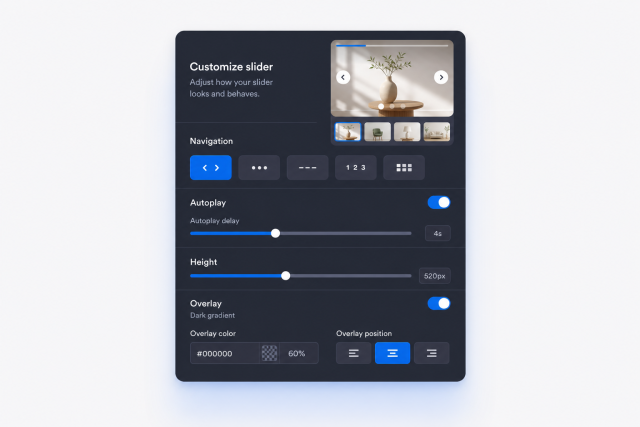
Slide transitionFade transitionAutoplayInfinite loopArrowsBulletsNumbersThumbnails
Choose Navigation
Switch Between Motion and Navigation Styles

Style Width, Height, and Theme for the Final Embed

Keep the slider compact or immersive with custom height settings, preset themes, card styling, and advanced CSS.

Style controls include:

Width modeCustom widthDesktop heightMobile heightTheme presetsCustom CSS
Style Your Slider
Style Width, Height, and Theme for the Final Embed