

Sales reps spend a significant portion of their day writing emails, researching prospects, preparing for calls, and updating CRM notes. Learning how to use ChatGPT in sales dramatically reduces that time. Instead of drafting every message from scratch or manually summarizing meeting notes, reps instead generate structured outreach emails, call briefs, and follow-ups in seconds.
Although ChatGPT accelerates sales workflows, it doesn’t replace sales thinking. In fact, sales personnel are critical to successful ChatGPT use.
Why?
Because the quality of ChatGPT’s output depends entirely on the quality of the input: Structured prompts, clear context, and well-captured lead data are what turn AI into a true sales advantage.
In this article, I share five practical sales use cases for ChatGPT (with prompts that you can use) and show how combining AI tools with sales tools is the key to accelerated workflows, more consistent outputs, and growth.
5 ways ChatGPT helps in sales
Let’s start with some ChatGPT prompts to improve sales workflows. These examples show how AI for sales isn’t just about faster work. It’s about structuring thinking and providing advanced prompts that provide adequate information so sales teams get the best out of AI.
1. Writing high-converting prospecting emails
Cold outreach and follow-ups can take hours each week. ChatGPT helps sales reps generate tailored prospecting emails based on industry, role, pain points, and recent company activity. Instead of sending generic templates, reps quickly create contextual, relevant emails that feel researched and intentional.
The key is structured input: Company background, buyer persona, likely challenges, and desired outcome. With strong prompts, ChatGPT drafts emails aligned to your sales pitch and stage in the sales pipeline.
Sample prompt:
Act as a senior B2B SaaS sales strategist.
Write a concise, personalized cold email to a Vice President of operations at a mid-market logistics company (200–500 employees).
Context:
- Our product is an AI-driven workflow automation platform.
- Common pain points: manual reporting, disconnected systems, and slow turnaround times.
- The company recently expanded into two new regions.
- Goal: Book a 20-minute discovery call.
Requirements:
- Keep under 150 words.
- Strong subject line (three options).
- Clear value proposition tied to operational efficiency.
- Include one thoughtful question to prompt a reply.
- Avoid generic phrases like “just checking in.”
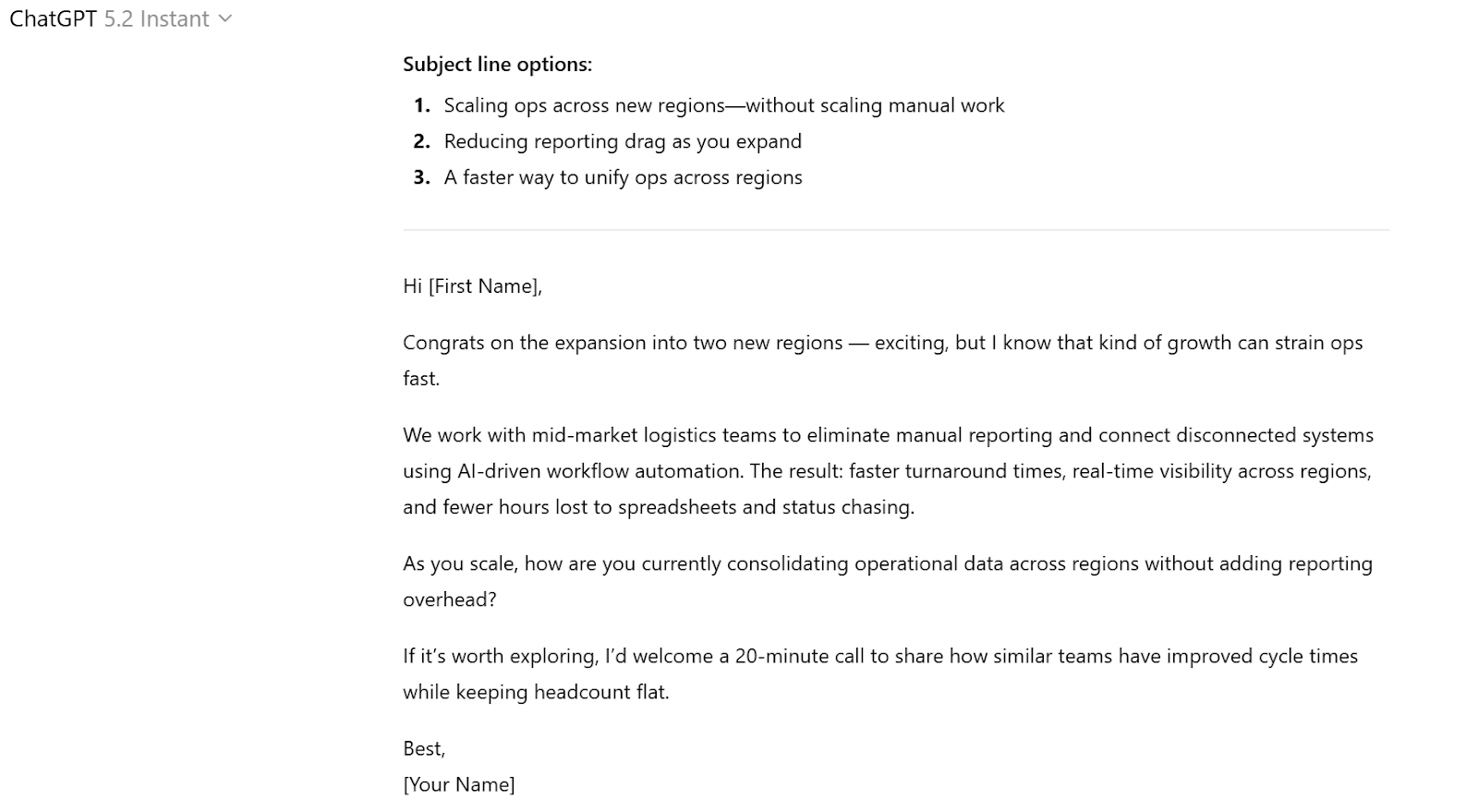
Here’s what the ChatGPT output looks like:
2. Preparing for discovery calls
Call preparation involves researching the company, reviewing CRM notes, understanding industry trends, and anticipating objections. ChatGPT consolidates information and generates structured call briefs in seconds.
Sales teams improve AI outputs by feeding in CRM notes, LinkedIn summaries, website copy, and previous email exchanges. ChatGPT then produces key talking points, relevant questions, and potential risks, helping reps walk into meetings confident and prepared.
Sample prompt:
You are a senior enterprise account executive preparing for a discovery call.
Analyze the following inputs
- Company website summary: [Paste summary]
- LinkedIn bio of the buyer: [Paste bio]
- CRM notes from last interaction: [Paste notes]
Generate:
- A five-bullet executive briefing summary
- Seven strategic discovery questions aligned to their likely business goals
- Three potential objections and suggested positioning to address each
- A suggested meeting agenda (30 minutes)
Prioritize business outcomes, not product features.
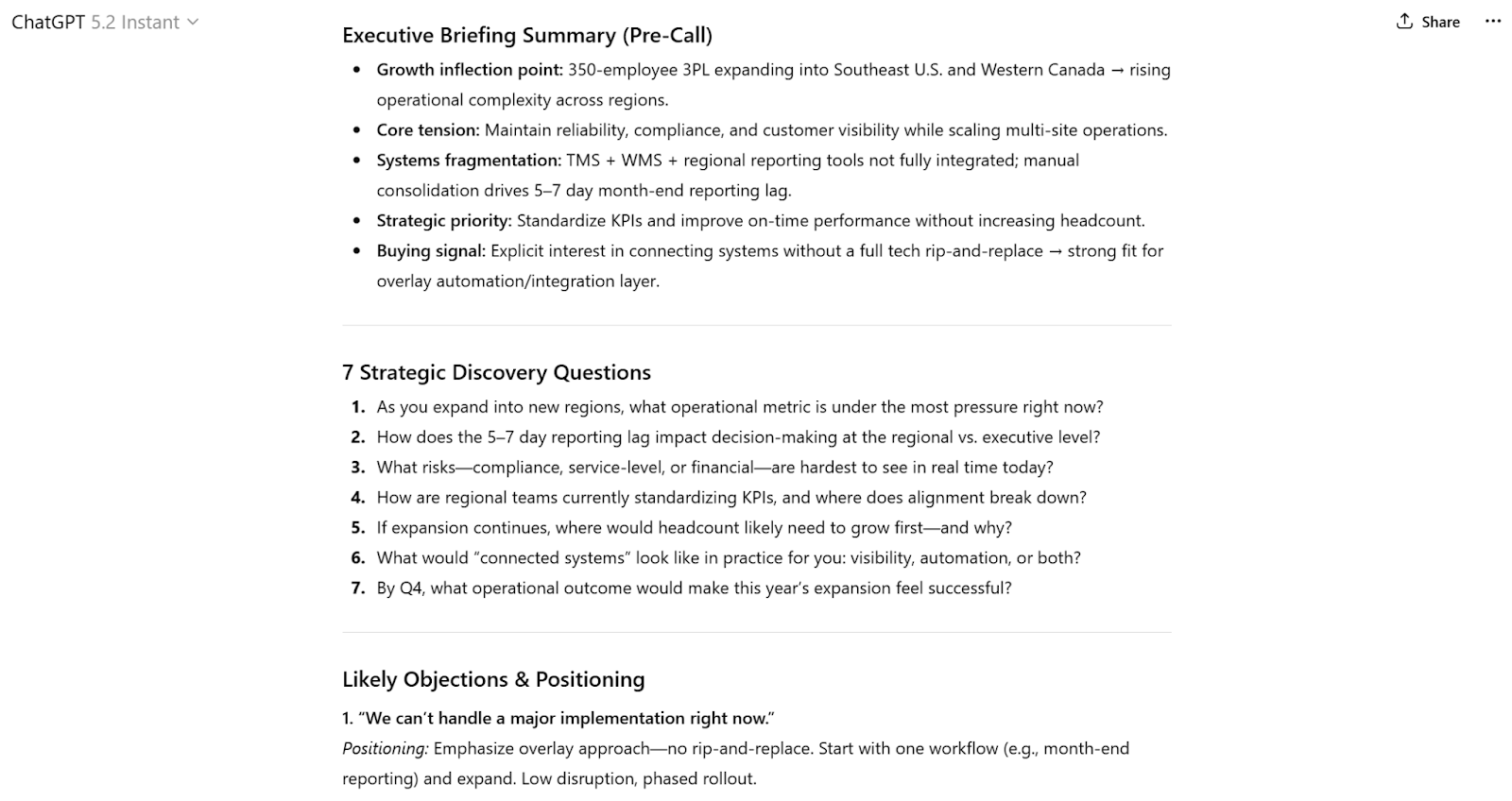
Here’s what the ChatGPT output looks like:
3. Handling objections with strategic framing
Objection handling is one of the most valuable sales use cases for ChatGPT. Instead of reacting emotionally or improvising, reps can prepare structured responses in advance.
By inputting common objections, such as pricing concerns, timing, or competitive comparisons, ChatGPT generates multiple positioning angles.
Sample prompt:
Act as a senior sales coach.
Our prospect says, “Your solution is 30 percent more expensive than Competitor X.”
Context:
- We offer advanced analytics and dedicated onboarding support.
- Our average customer reduces operational costs by 18 percent within six months.
Provide:
- A consultative response (spoken format)
- A value-reframing response (ROI-focused)
- A question-led response that repositions the conversation
- A short follow-up email reinforcing the value discussion
Keep tone confident, not defensive.
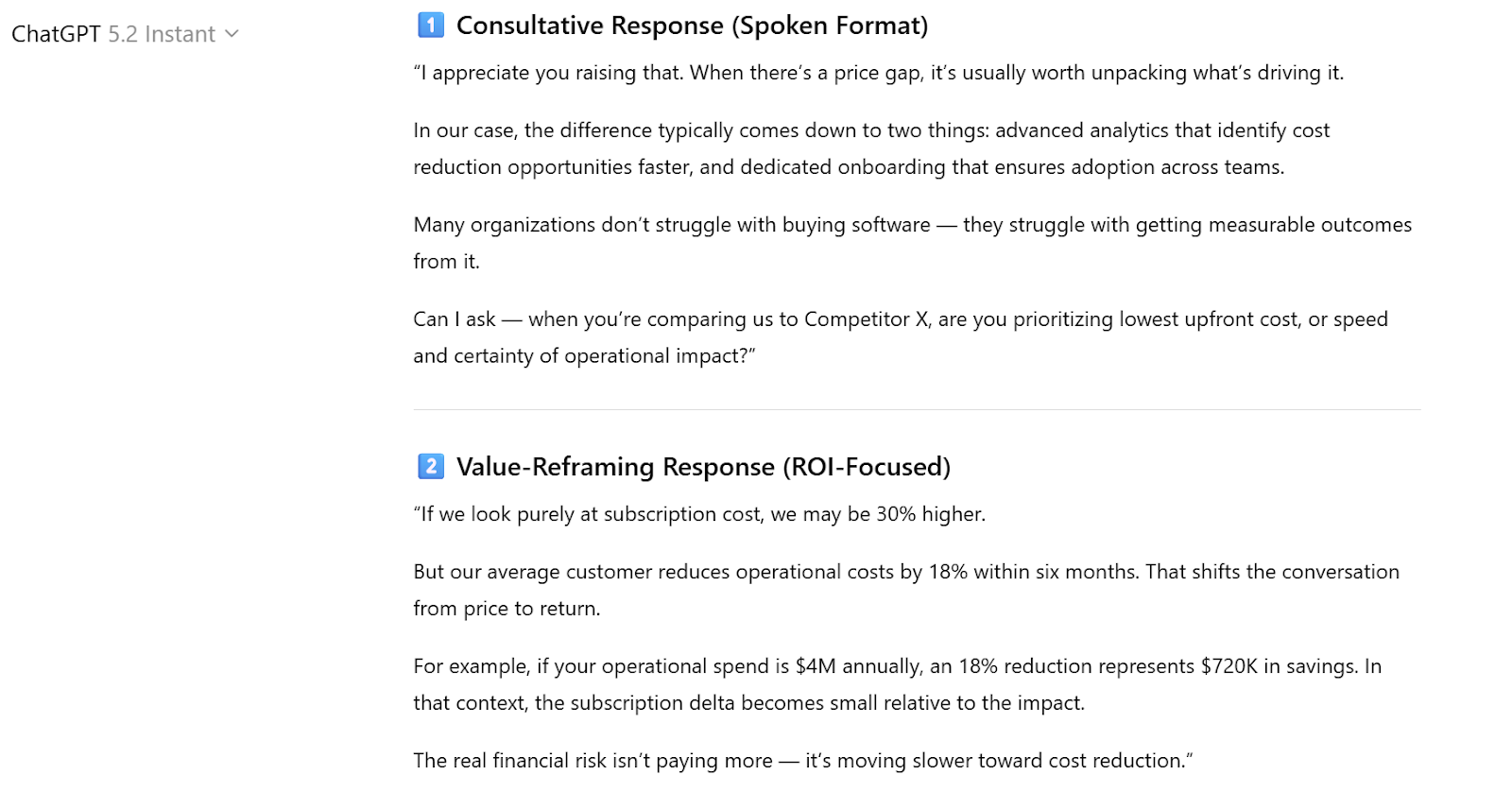
Here’s what the ChatGPT output looks like:
4. Refining and structuring a sales pitch
A strong sales pitch is clear, outcome-driven, and tailored to the buyer’s priorities. ChatGPT helps refine messaging by restructuring messy notes into a sharp, compelling narrative.
Reps can paste their draft pitch or slide outline and ask ChatGPT to tighten positioning, clarify value propositions, or adapt the pitch for different personas (e.g., CFO vs. head of marketing). This is especially powerful when using AI marketing tools to support go-to-market consistency.
Sample prompt:
Act as a strategic sales messaging consultant.
Here is our current pitch outline:
[Paste pitch draft or bullet points]
Improve it by:
- Clarifying the core problem we solve
- Tightening the value proposition into one sentence
- Structuring it into a compelling five-part narrative (Problem → Impact → Solution → Proof → Next Step)
- Adapting tone for a CFO audience focused on ROI and risk reduction
Remove jargon and make it outcome-driven.
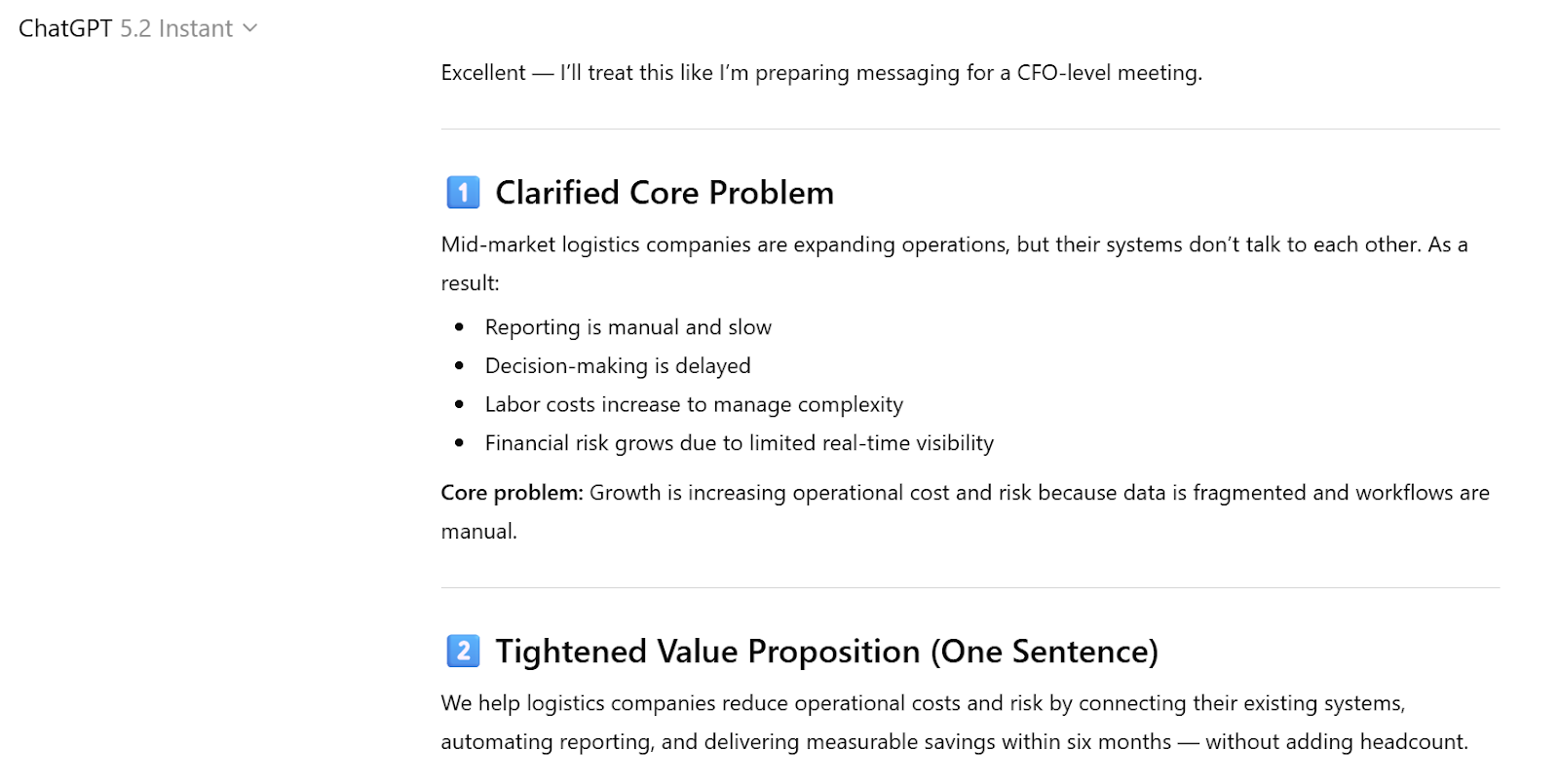
Here’s what the ChatGPT output looks like:
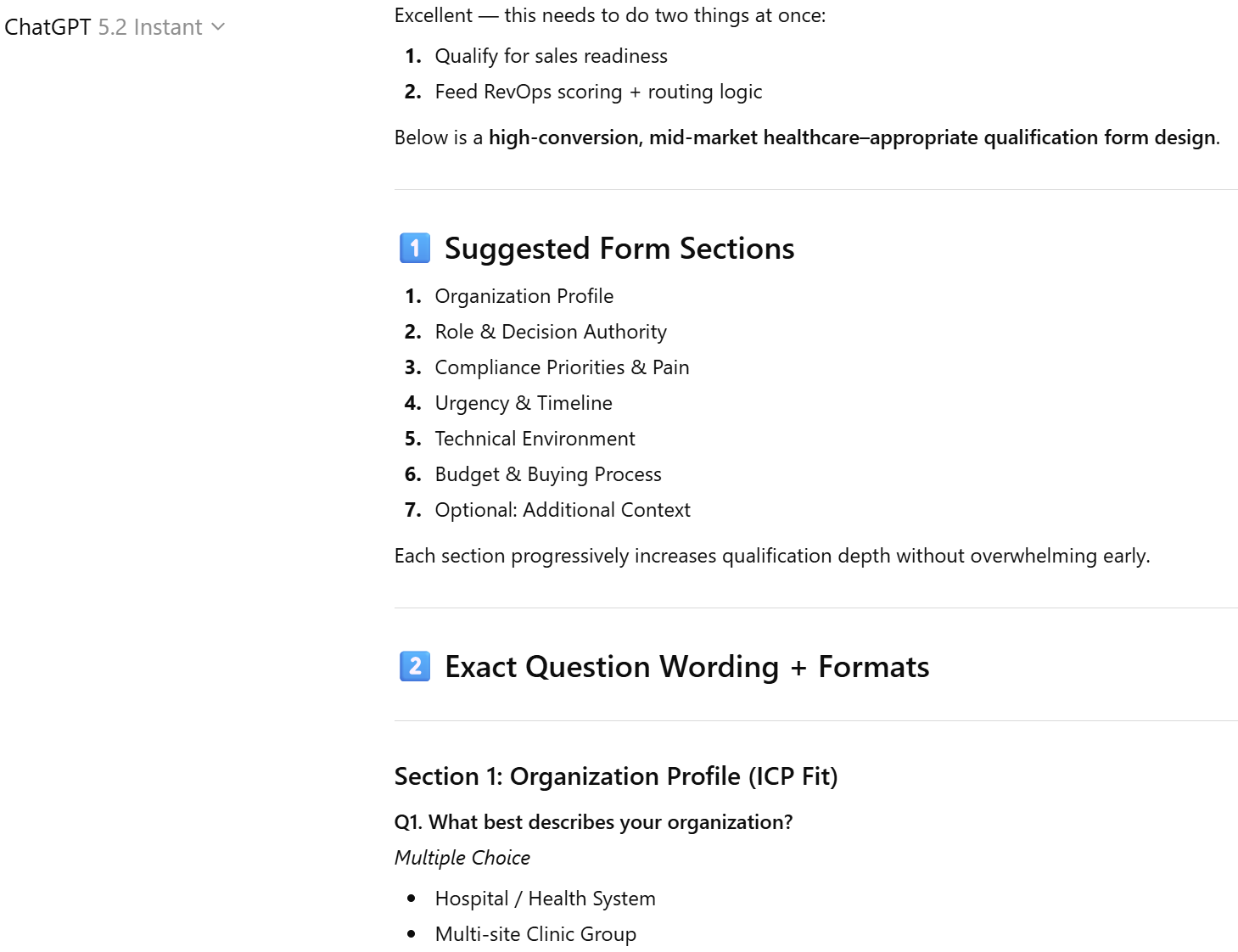
5. Creating structured lead qualification forms
One overlooked way to use AI bots for sale is to design structured qualification workflows. Instead of relying on unstructured emails or scattered notes, reps can generate lead qualification forms that capture consistent, actionable data.
ChatGPT defines which questions to ask, how to sequence them, and how to align responses with your sales pipeline stages. This structured input improves forecasting accuracy and ensures follow-ups are tailored to real buyer needs.
Pro Tip
This use case becomes more powerful when paired with tools that let you create and manage forms directly in ChatGPT. I explore this feature in the next section.
Sample prompt:
Act as a revenue operations leader.
We sell B2B compliance software to mid-market healthcare organizations.
Design a lead qualification form that
- Identifies budget authority
- Assesses urgency and timeline
- Captures current compliance challenges
- Evaluates technical readiness
- Score lead based on ICP fit
Provide:
- Suggested form sections
- Exact question wording
- Recommended answer formats (multiple choice, short text, scale)
- A simple lead scoring logic framework
Here’s what the ChatGPT output looks like:
Want more support with ChatGPT and sales? Read: How to Use ChatGPT to Automate Tasks
Go beyond the simple prompts with Jotform ChatGPT App
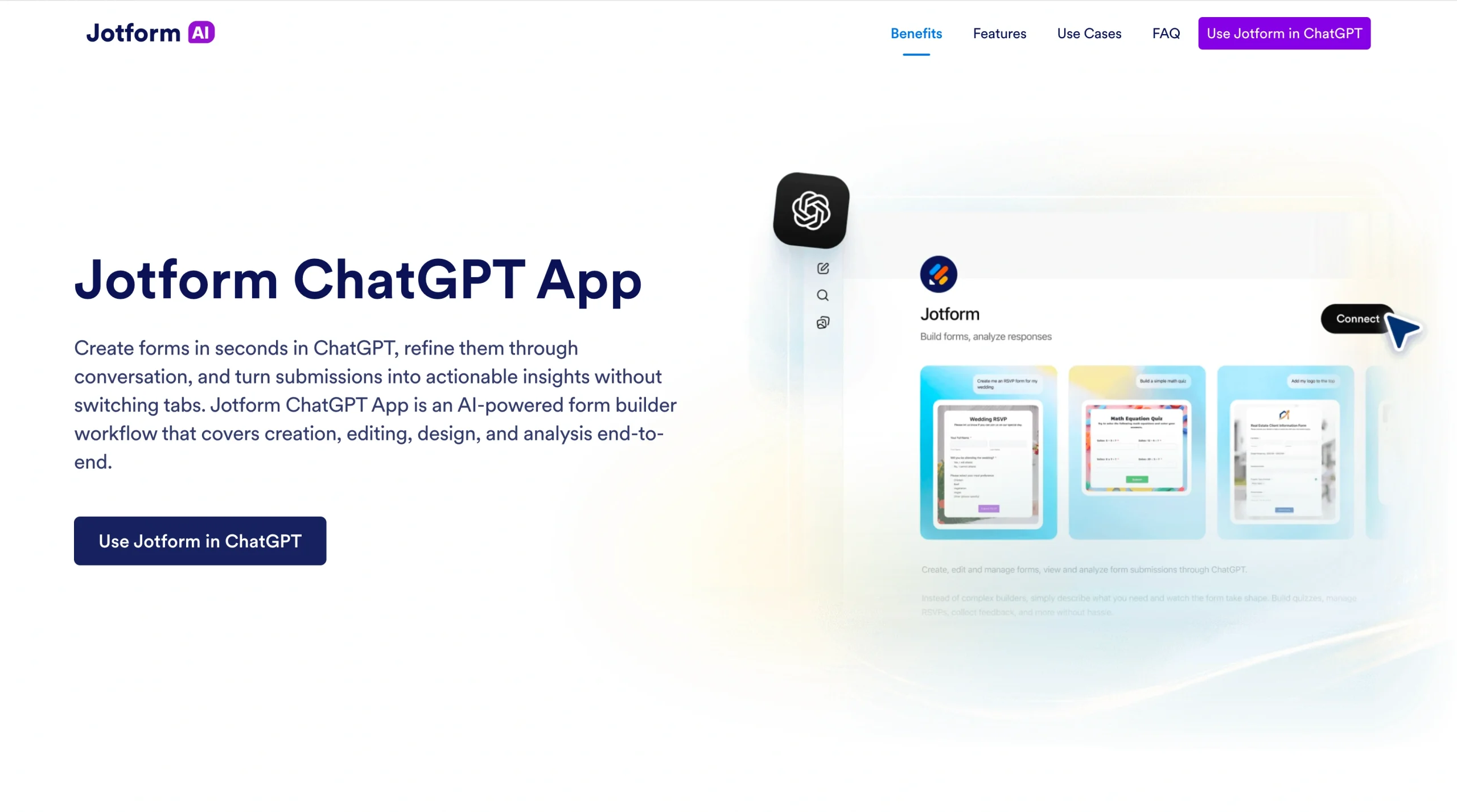
Writing better emails and refining your sales pitches are great, but there are new, more sophisticated ways to connect sales workflows with ChatGPT.
Enter ChatGPT sales apps, especially Jotform ChatGPT App, a gamechanger for modern sales teams.
Instead of switching between your CRM, a separate form builder, spreadsheets, and ChatGPT, the Jotform ChatGPT App lets you create, edit, and manage forms directly inside your ChatGPT conversation.
Sales reps can build
- Qualification forms
- Demo request forms
- Post-call surveys
And they can do it all in seconds.
Better?
You can analyze submissions without ever leaving the chat.
Here’s what makes Jotform ChatGPT App stand out as a must-have sales app:
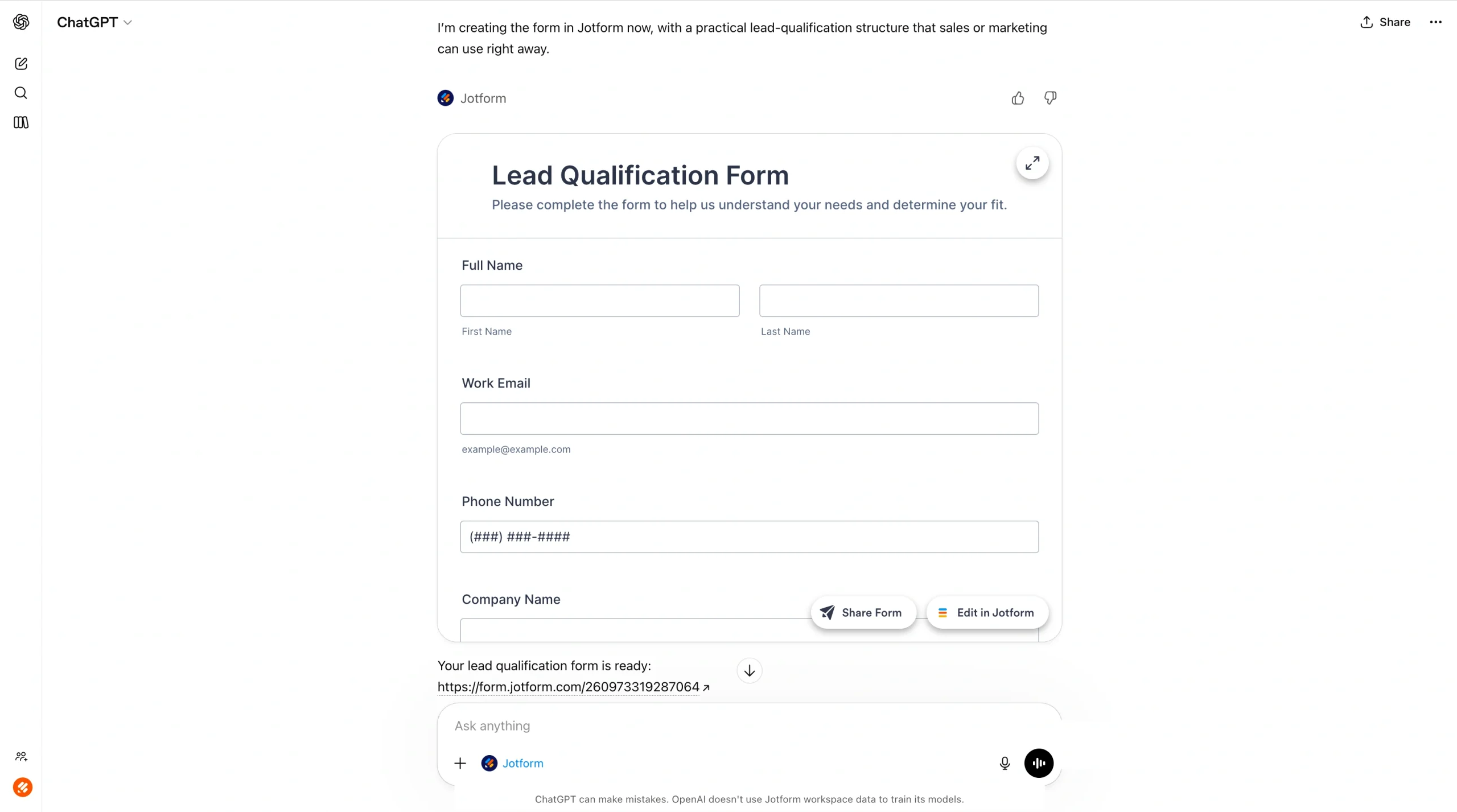
Form creation and editing inside ChatGPT
Forms appear with a full UI directly in the conversation. There’s no device switching or external dashboard required. You can create a form by simply describing what you need.
For example, a simple prompt would be “build a lead qualification form aligned to your sales pipeline.”
Pro Tip
The more details you add to your input, the better the form delivery will be. If you’ve got your logo and branding details, for example, uploaded to your Jotform account, the Jotform ChatGPT App creates a styled, on-brand form and the link will be shareable immediately.
Live customization through prompts
After generating a form, you can refine it conversationally. For example, you might use the following prompts:
- “Add a dropdown for company size.”
- “Reorder the qualification questions by priority.”
- “Rewrite question three to sound more consultative.”
- “Change the background and apply a more corporate design style.”
The form updates in real time, making the workflow feel fast, ChatGPT native, and intuitive.
Submission management and analysis
Once responses start coming in, you can retrieve and analyze them directly inside ChatGPT.
For example:
- “Show me submissions from healthcare companies.”
- “Filter leads with a budget over $50,000.”
- “Summarize the top three compliance challenges mentioned.”
Pro Tip
Once you’ve filtered out your most interesting form fills or leads, combine this information with use case one and have ChatGPT write a high-converting email.
How the Jotform ChatGPT App works for sales teams
If you’re ready for advanced ChatGPT sales workflows, try connecting ChatGPT to Jotform’s AI sales tool, Jotform ChatGPT App.
Instead of using ChatGPT only for writing emails or creating content, you can now build and manage real sales assets, like qualification forms and surveys, without leaving the ChatGPT interface.
| Feature | What It Does | How Sales Teams Use It | Example Prompt |
|---|---|---|---|
|
Form Creation & Editing |
Forms appear with a full interactive UI directly inside ChatGPT conversations. No tab switching or external dashboards required. |
Instantly create lead qualification forms, demo request forms, onboarding surveys, or post-call feedback forms aligned to your sales pipeline. |
“Create a B2B enterprise lead qualification form for compliance software.” |
|
Live Customization |
Refine forms conversationally using prompts. Add, remove, reorder, or rewrite fields in real time. Adjust styling and layout instantly. |
Optimize qualification questions, improve conversion rates, tailor forms by industry, or adjust messaging for different ICPs. |
“Add a required budget dropdown.”“Rewrite question three to sound more consultative.”“Reorder sections so company info comes first.” |
|
Submission Management (Jotform Tables) |
Retrieve, filter, and analyze submissions directly inside ChatGPT. No exporting spreadsheets required. |
Identify high-intent leads, segment responses, summarize key objections, and prioritize follow-ups. |
“Filter leads with budget over $50,000.”“Show healthcare companies only.”“Summarize top compliance challenges mentioned.” |
|
Built-in Sales Workflow Benefits |
Combines AI-generated content with structured data capture and analysis in one environment. |
Draft smarter follow-ups, generate summaries for managers, and maintain consistent lead qualification standards. |
“Draft follow-up emails for leads marked ‘Urgent – 30 days.’” |
Ready for accelerated sales workflows all within ChatGPT?
Try the Jotform ChatGPT App and get started with one of the example prompts above, or feel free to make it your own!
How to use ChatGPT in sales with Jotform ChatGPT App
Here’s a use case demonstrating how a company can use ChatGPT in sales with the Jotform ChatGPT App.
Imagine you’re a senior sales rep at a B2B compliance software company. Your team receives dozens of inbound demo requests every week, but not all of them are qualified. Some leads don’t have the budget. Others aren’t decision-makers. A few are just researching. Without structured qualification, reps waste valuable time chasing low-intent prospects.
Instead of manually emailing back and forth to gather missing information, you open ChatGPT and call the Jotform ChatGPT App directly inside the conversation.
You prompt:
“Create a demo request qualification form for B2B healthcare compliance software. Capture name, company, role, company size, current compliance challenges, budget range, implementation timeline, and decision-making authority.”
Within seconds, the form appears directly inside ChatGPT with a full interactive UI. There’s no switching tabs, no opening a separate form builder, and no breaking your workflow. The form is live in the same environment where you’re already working.
From there, you refine it conversationally. You might say
- “Make the budget field required and convert it to dropdown ranges.”
- “Reorder sections so company information appears first.”
- “Rewrite the timeline question to sound more consultative.”
- “Change the background to a clean, light corporate style.”
The form updates instantly.
You’ll continue optimizing it as your sales strategy evolves, adding conditional logic, adjusting wording, or renaming the form to align with different segments of your sales pipeline.
Everything happens in real time, inside one continuous thread.
Once responses start coming in, the real advantage becomes clear: Instead of exporting spreadsheets or manually reviewing CRM notes, you analyze submissions directly inside ChatGPT using Jotform Tables.
You might ask:
- “Show me submissions from companies with over 200 employees.”
- “Filter leads who selected ‘Urgent – within 30 days.’”
- “Summarize the top three compliance challenges mentioned this week.”
- “Draft tailored follow-up emails for high-priority leads.”
Once the form fills start coming in, you can analyze and monitor responses.
If your workflow calls for more, Jotform AI extends that same conversational approach natively inside Jotform, handling everything from form generation to conditional logic and brand design without leaving the platform.
Build faster with Jotform AIDescribe what you need, and let Jotform AI build it for you instantly.
Get Started Now
Turn ChatGPT into an accelerated, structured sales workflow
ChatGPT dramatically speeds up core sales activities, from writing prospecting emails and refining your sales pitch to preparing for discovery calls and handling objections. It reduces admin time, sharpens messaging, and helps revenue teams move faster across the sales pipeline.
But speed alone isn’t the advantage.
The quality of your outputs depends entirely on the quality of your inputs, which depends on sophisticated sales personnel who know how to leverage the data.
Use ChatGPT for content creation, messaging refinement, and strategic thinking. Then use the Jotform ChatGPT App to consistently capture and organize lead information inside the same workflow. When your qualification data is structured, your prompts become sharper. When your prompts are sharper, your outputs become more relevant and easier to act on.
Together, they transform ChatGPT from a writing assistant into a repeatable, scalable sales execution system.
This article is for sales representatives, sales managers, revenue teams, and anyone who wants to use ChatGPT and AI-powered tools to write better sales emails, prepare pitches faster, capture lead data efficiently, and turn sales inputs into actionable insights.








































































































Send Comment: