
The Contract KPI Review App is an app template for procurement teams, contract managers, operations leaders, consultants, and service organizations that need to evaluate contract performance against agreed targets. It brings contract records, KPI entries, review findings, overall scores, and follow-up activity into one accessible location. Teams can record actual results, compare them with targets, monitor KPI status, and capture periodic contract reviews. This shared view helps stakeholders spot performance gaps, prepare informed discussions, document findings, and maintain accountability throughout the contract lifecycle.
With Jotform Apps, organizations can adapt this Contract KPI Review App without writing code. The drag-and-drop app builder makes it easy to adjust pages, navigation, branding, and content while connecting forms and data-driven workflows. Users can create a practical self-service experience for submitting KPI updates and starting reviews from a phone, tablet, or computer. The app can also be shared through a direct link or QR code, giving authorized team members a convenient way to access current contract information and support consistent review processes.
Related templates
Customizable Contract App
A contract app is used by contractors to manage contract status, contract content, and approval status. Contractors can download this ready-made Contract App on any device and record details such as customer contact information, job request description and status, cost estimate, and more. This app template comes bundled with a Contract Approval Form as well as an easy-to-read Contractor Estimate Table for keeping track of contract details in one secure location.Want to make changes to this app template? No problem — just use Jotform’s drag-and-drop app builder to add form elements, edit text fields and checklist items, choose fonts and colors, upload your brand’s unique logo, install widgets and templates, and much more. Once you’re finished, share your custom app with employees by sending email invites or the app link, and they can begin filing contracts right away. Create a mobile-friendly Contract App for documenting and fulfilling job requests with this free app template from Jotform.
Go to Category:Construction Apps
Legal Case Management App
A legal case management app is used by lawyers and law firms to log and track case files. With this Legal Case Management App from Jotform, you can fill out a form with a client’s general contact information, case number and type, a summary of the case, and total billed hours. You can also attach any relevant documents and photos using a drag-and-drop upload form. Keep track of your cases with an easy-to-understand spreadsheet using Jotform Tables.Want to make some changes to this app template? Jotform’s intuitive app builder allows you to make customizations in seconds without any coding. Simply drag and drop to add form elements, edit text fields, install widgets and integrations, choose fonts and colors, upload your law firm’s branding, and much more. Share your custom app with clients and other lawyers by sending email invites or embedding it on your website, where they can then access and download your app on any device. Go paperless and manage your law firm’s case files from a single location with Jotform’s free Legal Case Management App.
Go to Category:Management Apps
Intellectual Property Personality Quiz App
Intellectual Property Personality Quiz App is a ready-to-use interactive experience for exploring how people approach intellectual property topics, decisions, and responsibilities. Legal consultants, intellectual property educators, innovation teams, entrepreneurs, creators, and training providers can use it to make awareness activities more engaging. Participants can complete the quiz, explore personality types, and review results that highlight a strength, a potential blind spot, and a recommended next action. A supporting quiz guide adds useful context. This app template works well for workshops, educational campaigns, team development sessions, lead generation, and client engagement without presenting the results as legal advice.Jotform App Templates help organizations turn forms and supporting resources into polished, mobile-friendly experiences. With Jotform’s no-code app builder and drag-and-drop interface, you can update quiz content, adjust navigation, apply your branding, and organize data collection without programming. Connect forms with tables, notifications, approvals, and other workflow tools to manage responses or follow-up activities. Once your Intellectual Property Personality Quiz App is ready, publish it through a direct link, share it with a QR code, or embed it online for convenient self-service access.
Go to Category:Quiz Apps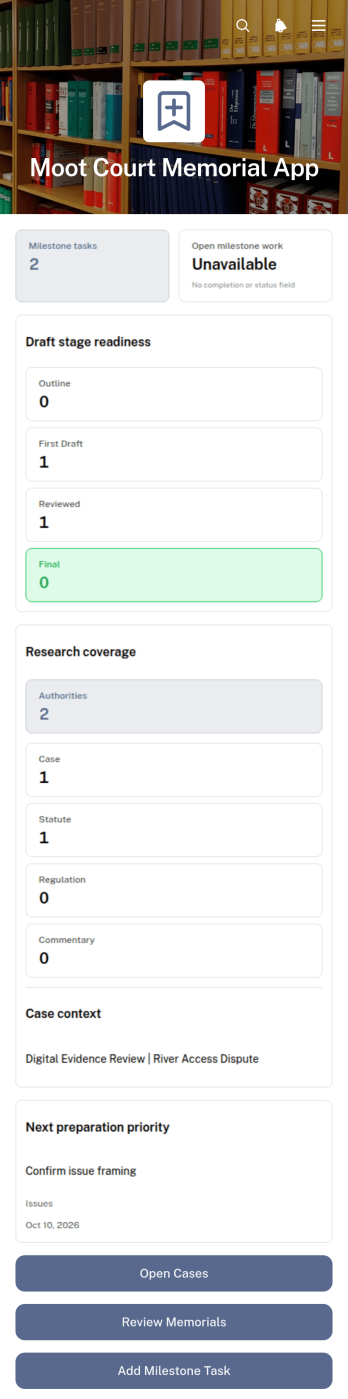
Moot Court Memorial App
The Moot Court Memorial App is an organized workspace for law students, moot court teams, coaches, and faculty advisers preparing written memorials for competitions or classroom exercises. Teams can maintain case records and legal authorities, assign milestone tasks with due dates, and review memorial drafts by stage from one accessible location. This structure helps participants connect research with written arguments, monitor drafting progress, and keep essential competition context visible throughout the preparation period. It is especially useful for teams handling several issues, authorities, deadlines, or draft versions while working toward a complete memorial.Jotform Apps makes this app template easy to adapt without coding. Using the drag-and-drop app builder, organizers can adjust pages, navigation, cards, buttons, colors, and typography to suit a course or competition workflow. Connected forms support data collection for new cases, authorities, tasks, and drafts, while organized records give team members a consistent self-service resource. Once ready, the app can be shared through a direct link or QR code for convenient access on phones, tablets, and computers.
Go to Category:Legal Apps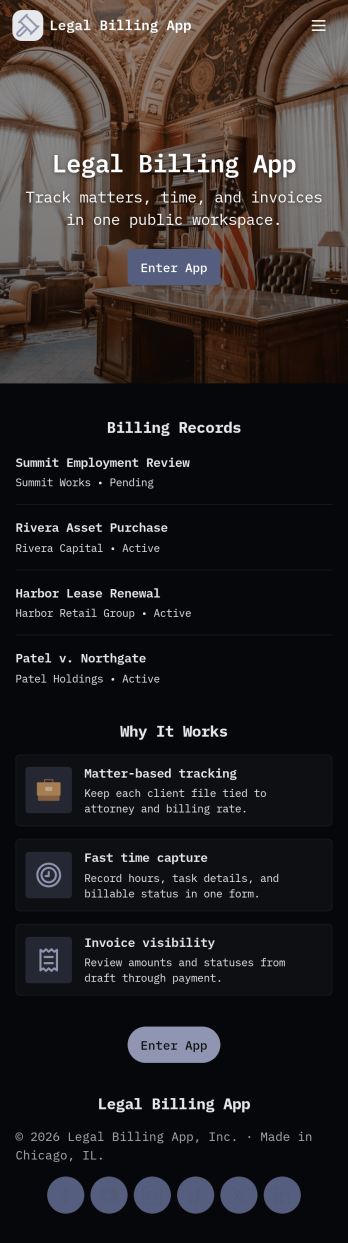
Legal Billing App
Legal Billing App helps law firms and legal teams capture matter details, log billable time, and generate invoices in a consistent, trackable way. It’s a practical fit for solo attorneys, boutique firms, in-house counsel teams, and legal ops staff who need a clearer picture of what work is being performed, what’s ready to bill, and what has already been sent to clients. With guided entry for new matters and time logs, teams can reduce missed billables, keep records organized by matter, and maintain a reliable billing history that’s easy to review.Built with Jotform, this app template combines a no-code app builder experience with a drag-and-drop interface, so you can tailor the layout, fields, and navigation to match how your practice works. Connect the app to your Jotform forms and tables to support ongoing data collection, centralize billing records, and create simple workflows for invoice tracking and internal visibility. Share the app as a self-service workspace for staff, access it on mobile, and update it anytime as your billing process evolves.
Go to Category:Consulting Apps
Bail Bond Client Portal App
The Bail Bond Client Portal App gives bail bond agencies a focused digital space for guiding clients and their families through case-related communication. Clients can start case intake, submit document requests, ask questions about payments, and contact the appropriate team from one convenient location. Agencies can use this app template to reduce scattered inquiries, make important actions easier to find, and provide self-service access at any time. It is well suited to bail bond professionals, case coordinators, administrative teams, and clients who need a clear way to begin or follow up on essential requests.Jotform App Templates help organizations create polished digital experiences without writing code. Using Jotform’s no-code app builder and drag-and-drop interface, teams can customize pages, buttons, forms, colors, fonts, and navigation to match their operational needs. Connected forms support consistent data collection, while workflows and notifications can help staff respond to new requests. Once the Bail Bond Client Portal App is ready, it can be shared through a direct link or QR code for convenient mobile access. Agencies can update content as their processes change and keep client resources organized within one branded app.
Go to Category:Legal Apps