Employee Safety App brings key workplace safety actions into one place so teams can report incidents, run safety checks, and review logged issues without hunting for the right link or paper form. It fits companies with distributed crews, warehouses, job sites, clinics, or offices that want a consistent way to capture what happened, where it happened, and what immediate action was taken. Built-in navigation makes it easy to jump from reporting to an incident list, and the app can also surface quick emergency and safety lead contact options when time matters.
With Jotform, you can turn this employee safety app template into a branded self-service experience using a no-code app builder and a drag-and-drop interface. Connect the app to your incident and safety check forms for reliable data collection, route updates through the right workflow, and keep records organized in one system for follow-up, training, and continuous improvement. Share the app by link or QR code so employees can access it on the go, then refine pages and content as your safety processes evolve.
Related templates
Safety Inspections App
Evaluate and report safety issues on construction sites with this fully-customizable Safety Inspection App from Jotform. This app template includes two forms: a Site Safety Inspection Form for recording construction site safety conditions, hazards, and safety practices, and a Safety Training Evaluation Form for gathering feedback from employees to determine if a safety program is adequate and effective. Once submitted, data from both forms is instantly synced and stored in your secure Jotform account.Customize this app template to your liking with our no-code app builder. Simply drag and drop to add form elements, integrations, and widgets, change form fields, choose fonts and colors, make a custom app icon and splash screen, and more. Download your mobile-ready app onto any device and share it with others by sending email invites or the app link. Keep detailed reports of construction site safety conditions and practices with this free Safety Inspections App.
Go to Category:Inspection Apps
Pipeline Inspection App
A pipeline inspection app is used by safety inspection companies to record the condition of pipelines. With this ready-made Pipeline Inspection App, inspectors can fill out a form with details for each pipeline inspection, including location, type, dimensions, quadrangle, and watershed. There is also space to write down any additional information — for example, if a pipeline needed to be flagged for maintenance. Submissions are compiled and stored securely in your online account, and can be viewed in an easy-to-understand database from any device.This Pipeline Inspection App can be fully customized with no coding. Using our drag-and-drop form builder, it’s easy to swap out forms, change text, choose fonts and colors, upload your logo, and more. Employees can access and download your app with a shareable link, or you can embed it in your website. Keep all your pipeline inspection reports in one place with our free Pipeline Inspection App.
Go to Category:Inspection Apps
Fire Risk Assessment App
A Fire Risk Assessment App is used by fire safety inspection companies to perform inspections for homes, buildings, or businesses. With Jotform’s free Fire Risk Assessment App, members of your team can download the app onto their smartphone, tablet, or computer to submit safety inspection reports electronically. All information is stored securely and protected with Jotform’s advanced security protocols.Customizing this app is simple. Without coding, you can drag-and-drop fields to add your logo, update the splash screen, include more forms, or change fonts and colors. To get your app in front of team members, share it in seconds by copying and pasting the auto-generated app link. Make paper inspection forms a thing of the past and gets organized with a free Fire Risk Assessment App.
Go to Category:Inspection Apps
Fire Inspection App
A fire inspection app is used by inspection companies for performing on-site fire safety inspections. Jotform’s readymade Fire Inspection App contains a form for inspectors to complete a Fire Safety Inspection Checklist ensuring that fire alarms, fire extinguishers, sprinklers, and exit and escape routes are available and in working order. Inspectors can sign and date reports at the bottom of the form using a digital signature box. Reports are automatically synced to your Jotform account and can be conveniently accessed from any device.This app template is ready to use, but customizing it to suit your individual needs is a snap. Our drag-and-drop form builder makes it easy to add or change form elements, swap out checklist items, upload images, create a custom splash page, and more — no coding required. Share your app with a link or embed it in an internal website and safety inspectors can download it on any smartphone, tablet, or desktop. Keep track of all your fire inspection safety reports with this free Fire Inspection App.
Go to Category:Inspection Apps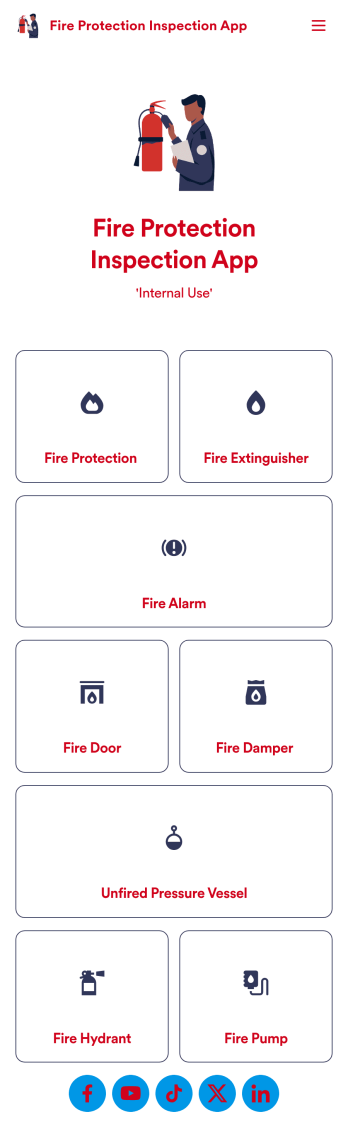
Fire Protection Inspection App
A fire protection inspection app is used to perform fire inspections on any device. Jotform’s free Fire Protection Inspection App allows members of your inspection company or organization to take note of what processes a building has in place to protect themselves from a fire disaster — such as fire extinguishers, fire alarms, and exit routes. Instead of completing inspections with paper forms, you can be more efficient and enter them directly into your mobile device.Want to make changes to the app design? Drag and drop to personalize the app icon or splash screen, add or remove forms, and make other updates with no coding. Every inspection collected through your custom Fire Protection Inspection App will be stored securely in your Jotform account, which you can use to view inspections in a spreadsheet in Jotform Tables, convert inspections into PDF documents with Jotform PDF Editor, and do more with a powerful suite of data management tools.
Go to Category:Inspection Apps
Asbestos Inspection App
An asbestos inspection app is used by asbestos inspection companies to complete and track inspection reports electronically. With this free downloadable Asbestos Inspection App, members of your team can save the app to their personal device — be it a smartphone, tablet, or computer — for quick access to your company’s inspection report form in the field.If you need to add additional forms, update the splash screen or icon, or make other design changes, just drag and drop fields until you get the look you want. No coding knowledge needed! Your custom app will then be shareable with a link, so you can get it in front of your inspection team in no time. Power up your inspection workflow with this free Asbestos Inspection App from Jotform.
Go to Category:Inspection Apps