Sales Employee Tracking App gives sales managers and team leads a clear place to organize employee records, log sales activity, and review performance in one workflow. Use it to add new employees, capture each sale as it happens, and keep a searchable view of sales entries and individual employee details, so coaching and follow-ups are based on real numbers instead of guesswork. It’s a practical fit for small to mid-sized sales teams, agencies, retail organizations, and field sales groups that need consistent tracking across reps, clients, and outcomes.
Built with Jotform, this app template can be customized with a no-code app builder and a drag-and-drop interface, so your team can adjust pages, labels, and navigation in minutes. Connect the app to your data collection forms for adding employees and logging sales, then share a single self-service link for quick updates on mobile or desktop. As your workflow evolves, you can keep everything organized and accessible while Jotform helps centralize day-to-day tracking for better visibility and accountability.
Related templates
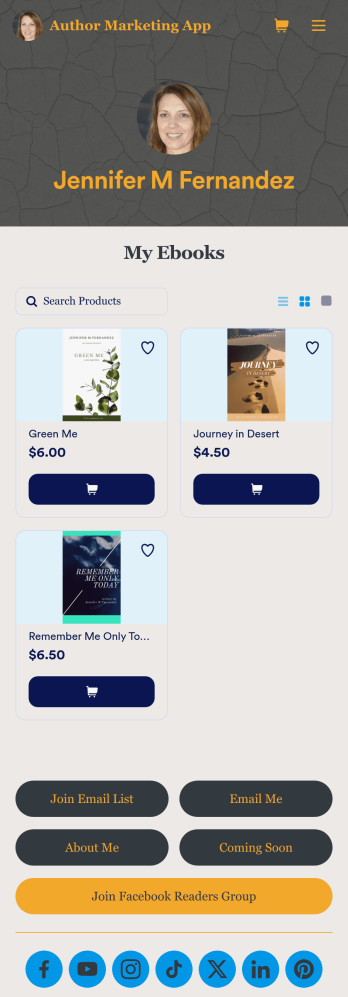
Author Marketing App
An author marketing app is used by authors and writers for sharing their work with their readers. Want to know how to sell books online? This Author Marketing App from Jotform allows authors to create a one-stop-shop for their readers to order books, message the author, follow the author’s social media accounts, or join an email list. Authors can also create a bio page, announce upcoming books, and showcase other titles on the app’s main page by uploading book covers to an image carousel.Personalize this app template with just a few clicks using Jotform’s no-code app builder. Simply drag and drop to add or change form elements, choose fonts and colors, upload a custom avatar and background image, add payment integrations, and much more. Once you’re satisfied, easily share your app with your readers by embedding it in your website or social media, or by sharing the app link in a newsletter email. Create a fully customizable app for marketing your writing and connecting with your readers with this Author Marketing App from Jotform.
Go to Category:Online Store Apps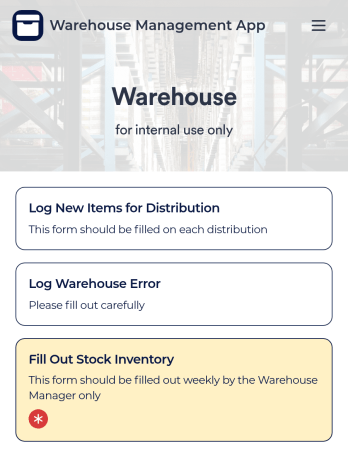
Warehouse Management App
A Warehouse Management App is used by businesses to keep track of new warehouse inventory. With this fully-customizable app, you can record item names, descriptions, quantities, model and serial numbers, as well as account and payment details from the distributor and receiving company. An easy-to-read stock inventory list is stored securely in your online account and can be accessed and downloaded on any device.Want to customize this Warehouse Management App to match your company’s branding? Our drag-and-drop interface makes it easy to add forms, upload your logo, change fonts and colors, create a custom app icon, and more — no coding necessary. When you’re done, employees can download your app on any smartphone, tablet, or desktop for future use. Keep a bird’s eye view on your warehouse inventory with this Warehouse Management App.
Go to Category:Management Apps
Birthday Invitation App
A birthday invitation app is used by event planners or individuals to collect RSVPs and share important details for a birthday party. Whether you’re planning your own party or planning one for your clients, this ready-made Birthday Invitation App makes it easy to collect information like RSVPs, dietary preferences, and more on any device.Customize the app design with Jotform’s drag-and-drop builder — no coding knowledge required. You can update the app icon or background, add or remove forms, and add your party details in seconds. Keep all of your party information organized in one place with this free Birthday Invitation App that works great on any device.
Go to Category:Management Apps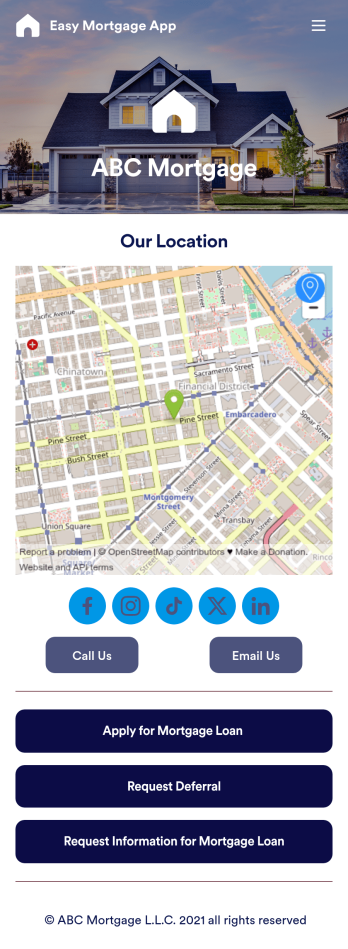
Easy Mortgage App
With Jotform’s Easy Mortgage App, members of your mortgage loan company can collect client information in the field from their smartphone or tablet — no messy paperwork required! Once the app is downloaded onto each employee’s device, they can submit mortgage loan requests for new clients, help clients request deferrals, or accept formal mortgage loan applications online.Customizing this Easy Mortgage App is, well, easy. Just drag and drop to rearrange the design, add or remove forms, include your logo for a professional touch, and make other design changes with no coding. Share the app with a link to be saved to any device instantly, and your team will be ready to start collecting information through the Easy Mortgage App and storing it in your secure Jotform account.
Go to Category:Finance & Accounting Portal Apps
Expense Report App
An expense report app is used by companies for keeping track of employee expenses. This free Expense Report App allows employees to log business expenses by filling out a form with general contact information, cost, description, date and time, and payment and expense type. There is also an upload form for employees to attach any relevant documents and receipts. Expense reports are immediately synced and stored securely in your account, and can be sorted, filtered, and exported from any device.Customize this app template in no time using Jotform’s drag-and-drop form builder. You can easily add or swap out form elements, change text, customize your app icon and splash page, and more — no coding necessary. Share a link to your app in an email or embed it in your website, and employees can access and download it on any smartphone, tablet, or computer for future use. Keep track of all your employees’ business expenses with this Expense Report App.
Go to Category:Company Portal Apps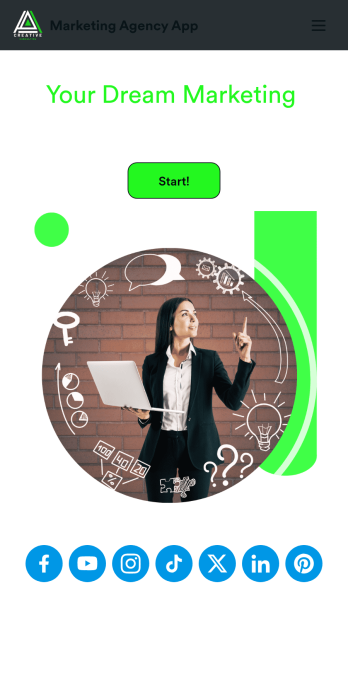
Marketing Agency App
Reach a wider audience and take your marketing agency online with a branded app from Jotform Apps. With this ready-made Marketing Agency App, you can showcase your offered services, marketing portfolio, and link to your social media accounts. Clients can access and download your app onto any smartphone, tablet, or desktop computer in seconds.Want to personalize this Marketing Agency App to suit your needs? No problem! Jotform’s drag-and-drop builder makes it easy to add form elements, install helpful widgets and integrations, change fonts and colors, upload your agency’s unique branding, and much more without any coding or design knowledge. Share your app by sending email invitations, including the app link in social media accounts and posts, or by seamlessly embedding it in your company website with a simple copy-paste code.
Go to Category:Consulting Apps