
The Survey Stakeout Calculator App is an app template for land surveyors, construction crews, civil engineering teams, contractors, and field technicians who need an accessible record of stakeout coordinates. Users can record a stakeout point, browse saved point entries, and review northing, easting, and design elevation values from a dedicated detail page. Keeping these measurements together helps field and office teams reference planned positions, reduce scattered notes, and coordinate layout work across construction, site development, and engineering projects. It also creates a consistent process for documenting points before or during field operations.
Jotform makes it easy to adapt this template to a team’s surveying workflow without writing code. Its no-code app builder and drag-and-drop interface can be used to update pages, adjust branding, connect forms, and organize data collection around project requirements. Teams can add instructions, supporting resources, approval steps, or other connected processes as their operations evolve. Like other Jotform App Templates, the finished app can be shared through a direct link or QR code, giving field personnel convenient mobile access and a practical self-service reference for stakeout information.
Related templates
Time Motion Study App
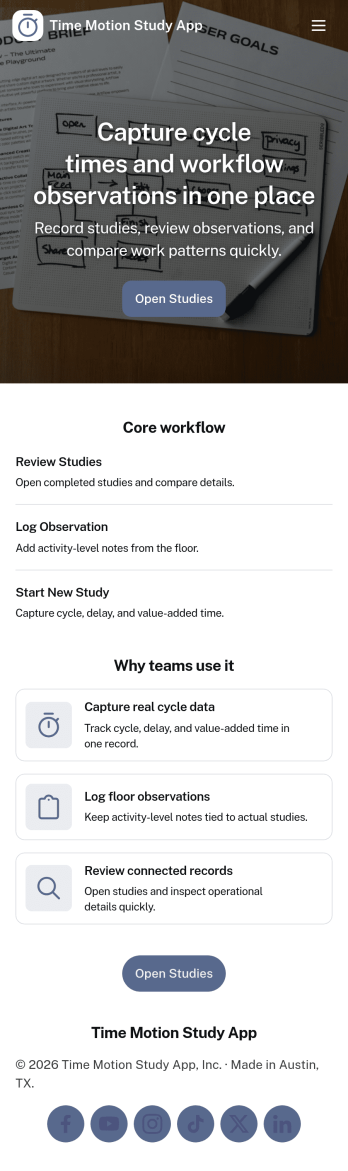
Time Motion Study App helps teams capture how work is performed so they can understand cycle times, spot delays, and standardize repeatable processes. Use it on the floor, in the field, or in an office setting to log a study as it happens, keep a centralized list of studies, and review insight-ready records without relying on scattered notes. It’s a practical fit for operations leaders, industrial engineers, continuous improvement teams, supervisors, and analysts who need consistent time-and-motion documentation across shifts, sites, or job types.With Jotform, you can turn this app template into a branded, self-service experience that’s easy to share and update. Using Jotform’s no-code app builder and drag-and-drop interface, you can connect your study logs to forms and data collection workflows, organize studies into navigable lists, and give stakeholders a simple way to view recent studies and drill into details. As your process changes, you can adjust the app layout and connected workflow in minutes so the same hub keeps supporting ongoing improvement.
Go to Category:Engineering Apps
Asbestos Inspection App
An asbestos inspection app is used by asbestos inspection companies to complete and track inspection reports electronically. With this free downloadable Asbestos Inspection App, members of your team can save the app to their personal device — be it a smartphone, tablet, or computer — for quick access to your company’s inspection report form in the field.If you need to add additional forms, update the splash screen or icon, or make other design changes, just drag and drop fields until you get the look you want. No coding knowledge needed! Your custom app will then be shareable with a link, so you can get it in front of your inspection team in no time. Power up your inspection workflow with this free Asbestos Inspection App from Jotform.
Go to Category:Inspection Apps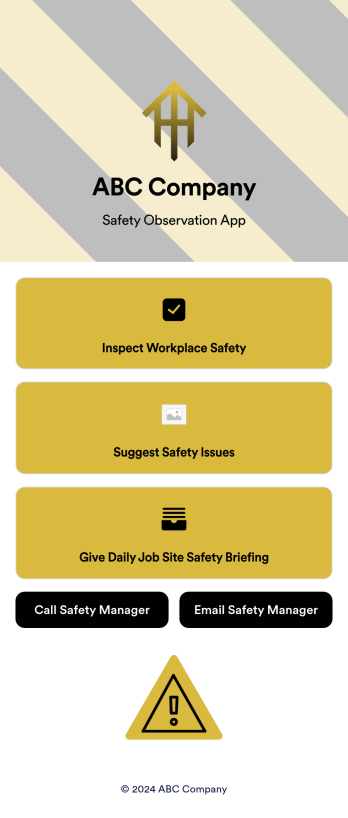
Safety Observation App
A safety observation app is a mobile app that businesses can use to collect and manage information about workplace safety. With a free Safety Observation App from Jotform Apps, you can gather safety reports, give safety briefings, and inspect job site safety from one convenient platform. Plus, include direct buttons to contact safety managers by email or phone. All submissions made in the app will be stored securely in your Jotform account — ready to view, edit, or share on any device.Want to customize your Safety Observation App? No problem! You can use our drag-and-drop app builder to upload images and videos, change fonts and colors, integrate with popular apps, and much more. Give your employees a user-friendly way to submit safety information with a free app from Jotform.
Go to Category:Checklist Apps
Maintenance Log App
A maintenance log app is used by companies to record and keep track of maintenance records. With our free Maintenance Log App, you can use a Maintenance Report Form to track general personnel information, equipment and building issues, and any repairs performed. There is a digital signature box at the bottom of the form to be signed upon completion. Reports are instantly compiled and stored in an Equipment Maintenance Log, which is accessible from your Jotform account.You can easily customize this app to suit your needs by adding or changing forms, uploading your logo, choosing fonts and colors, and more — no coding required. Share your app with a link or embed it in an internal website, and maintenance staff can begin using it right away on any device. Say goodbye to paperwork and start keeping all your maintenance records online with this free Maintenance Log App.
Go to Category:Engineering Apps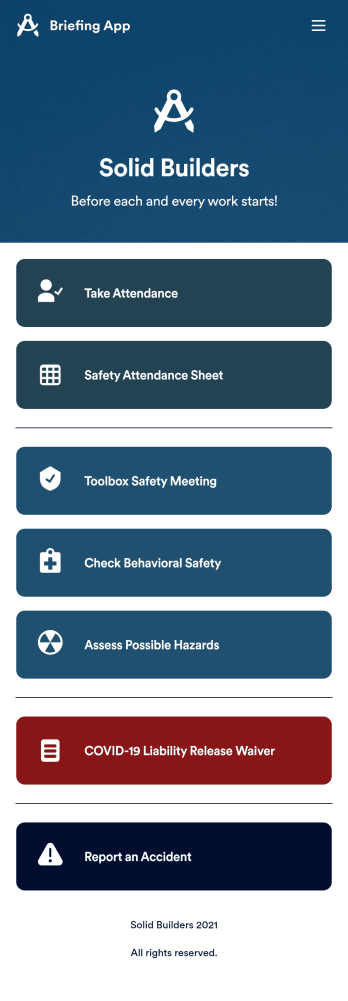
Briefing App
A briefing app is used by worksite safety managers and employees for taking attendance and reviewing safety procedures prior to beginning work. Our readymade Briefing App bundles several forms, including an attendance tracking sheet, and safety guidelines and checklists for tools and equipment, PPE, and hazardous materials and conditions. Employees can also fill out and digitally sign a COVID-19 liability waiver and report worksite accidents directly from the app. Attendance and form submissions are instantly synced and stored in your secure Jotform account, so you can keep everything organized in one convenient location.Make this app template your own in just a few clicks with Jotform’s no-code app builder. Simply drag and drop to add form elements, edit existing forms, attach documents, upload your own branding, and more. You can even use the main page of your app to post work schedules, make announcements, and link to external resources. After you’re done, share your app with employees via email or the app link, and they can download and use it on their preferred devices directly from the jobsite. Build an app to keep everyone safe and accounted for with Jotform’s fully-customizable Briefing App.
Go to Category:Construction Apps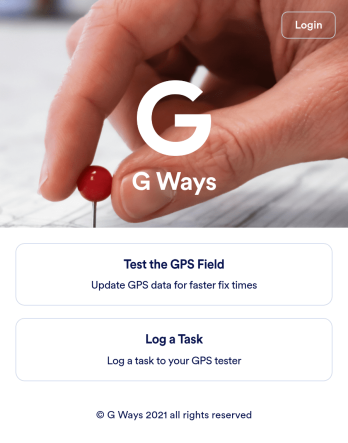
Gps Field Testing App
A GPS field testing app is used by GPS businesses for adjusting and servicing location data. Our GPS Field Testing App is a convenient way for field employees to create on-site GPS testing reports using a Field Testing Form and a Task Log Form. Employees can document device configuration, weather conditions, and note any obstructions. There is also space to record additional notes and upload photos of the sites. Reports are synced and stored in your secure Jotform account so you can keep them organized in one centralized location.Want to make this app template your own? No problem — just use our drag-and-drop app builder to customize the perfect app in seconds. Without any coding, you can add or change form elements, edit text fields and checklist items, choose fonts and colors, upload your branding, and more. Sharing your app by sending email invites or the app link, and employees can start filling out forms right away on any device. Ditch the paperwork and go digital with this free GPS Field Testing App from Jotform.
Go to Category:Engineering Apps