

Field Service Apps

Property Inspection App
A property inspection app makes it easy for property inspectors and contractors to record and submit reports from any device. Build your own Property Inspection App without any coding using our free, fully-customizable template. This ready-to-use app comes with an online Rental Inspection Report Form that can be easily filled out from your smartphone or tablet. Submitted inspection reports and repair requests will be stored in your secure Jotform account, ready to view, download, and share.Customize your Property Inspection App without any coding. Simply drag and drop to add other report forms, embed links to other websites, upload branding elements, and change app settings such as name and icon. When it’s ready to use, you can download it onto your favorite device for easy access and share it with others via app link. Make it easier to identify, record, and solve issues in a rental property or building with an easy-to-use and fully-customizable Property Inspection App in hand.
Go to Category:Home Inspection Apps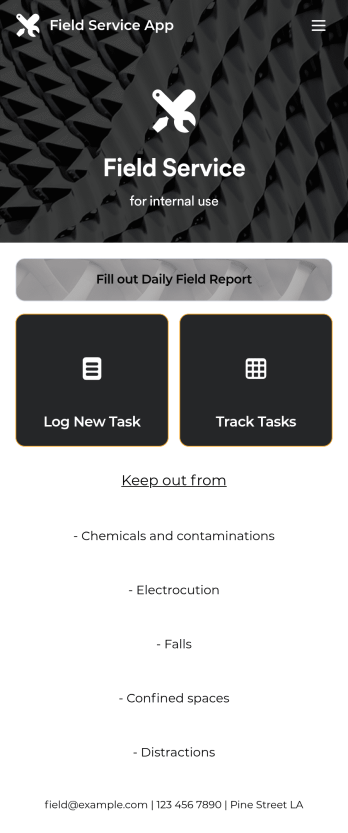
Custom Field Service App
A field service app makes it easier for technicians and other employees who work offsite to submit reports while in the field. Instead of using paper forms or waiting until you’re back at your office computer to submit reports, use this free Field Service App powered by Jotform to work anywhere, anytime. This customizable app template includes forms for submitting daily reports, logging new tasks, and tracking completed tasks. All submissions are instantly synced to your secure Jotform account.Need to modify this Field Service App to meet your needs? Just use our drag-and-drop builder to add forms, links, documents, buttons, pages, text, images, videos, tables, data grids, and much more. When it’s ready to use, download your app onto your smartphone, tablet, laptop, or computer for easy access. You can also share it with others via the app link or email invites. Get work done wherever you are with a custom, easy-to-use Field Service App.
Go to Category:Company Portal Apps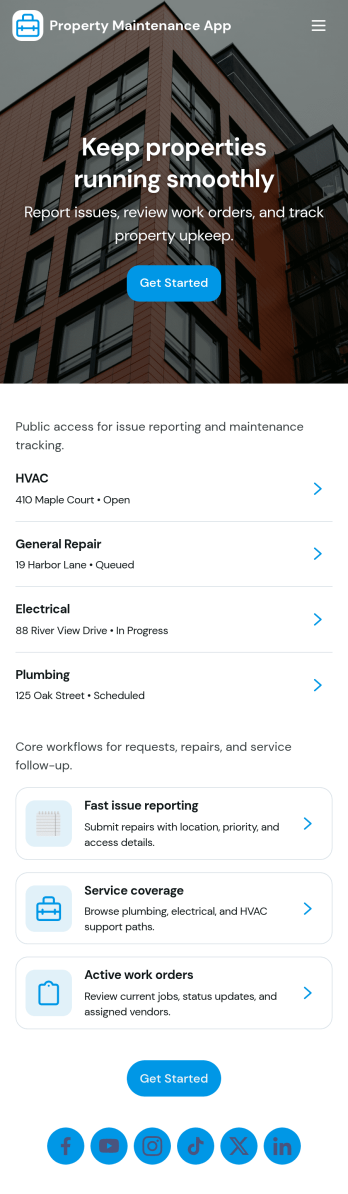
Property Maintenance App
Property Maintenance App gives teams a clear place to log maintenance issues, route them to the right property, and keep work moving without losing context. It’s a practical fit for property managers, landlords, HOAs, and service coordinators who handle recurring repairs across multiple locations and need an easy way to capture new requests, review properties, and follow what’s already been reported.Built with Jotform, this app template brings together self-service request intake and ongoing request visibility in one mobile-friendly experience. Using Jotform’s no-code app builder and drag-and-drop interface, you can tailor pages for your process, connect requests to your data collection, and centralize updates so your maintenance workflow stays organized as volume grows.
Go to Category:Equipment Maintenance Software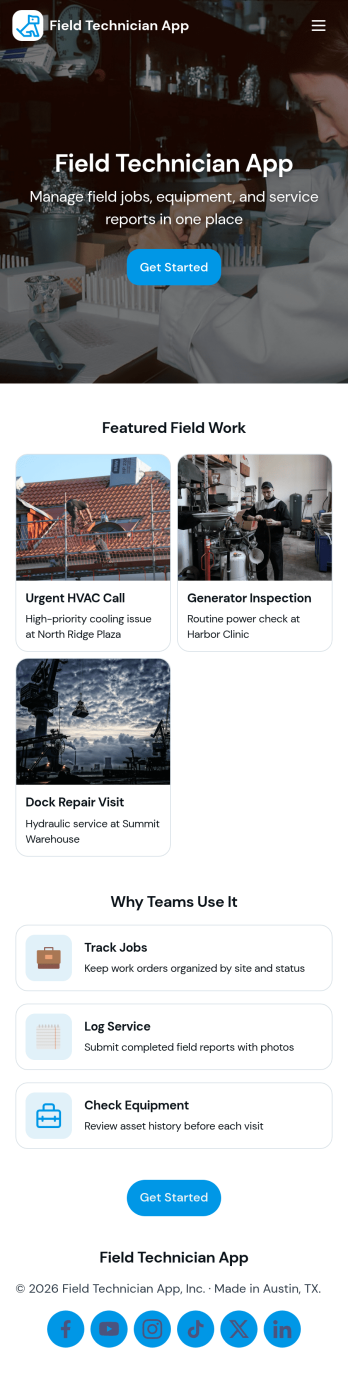
Field Technician App
Field Technician App brings open jobs, job details, and on-site visit logging into one mobile-friendly place for teams that work in the field. It’s built for service managers and coordinators who need technicians to see assigned work, review customer and asset information, and record what happened on a visit without chasing updates through calls or scattered notes. With pages for Open Jobs and job records, plus a simple Log Visit action, this app helps keep day-to-day service work organized while technicians move from site to site.Jotform makes it easy to publish this kind of self-service experience using App Templates and a no-code app builder with a drag-and-drop interface. Connect the app to your existing workflow for data collection, route field updates into the same records your office team relies on, and keep information current with quick refresh actions. You can customize navigation, add your branding, and share the app with your team using a link or QR code so everyone stays aligned from dispatch to completion.
Go to Category:Home Services Apps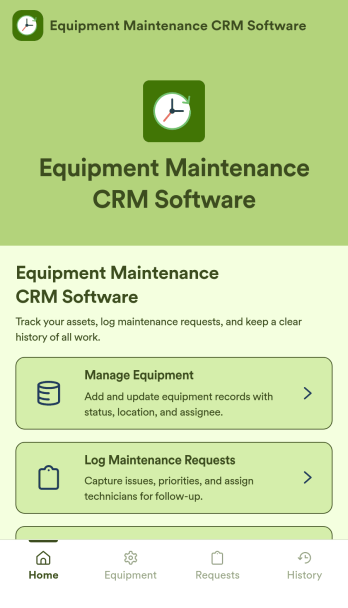
Equipment Maintenance CRM Software
Equipment Maintenance CRM Software is an app template designed to streamline the management of customer data, service histories, and maintenance activities. This robust template is intended for maintenance service companies, field service teams, asset managers, and operations departments who are keen on enhancing their service delivery. It centralizes customer data and service history, significantly reducing downtime and boosting operational efficiency. This template is particularly beneficial in scenarios of regular equipment maintenance checks, enabling a smoother scheduling process and better coordination of service delivery. What's more, it's ready to use right out of the box, making data collection a breeze for teams, whether they're in the field or at the office. This template is best suited for organizations seeking to maintain a comprehensive record of equipment maintenance activities in one accessible system.With Jotform, the Equipment Maintenance CRM Software template becomes an operational powerhouse. Jotform's ease of use and customization abilities allow you to tailor the template to your specific needs without requiring any technical skills. The ability to collect electronic signatures simplifies the verification process of maintenance activities, making it an extremely convenient feature for field service teams. Furthermore, you can generate easily digestible reports and sheets from collected data for an overview of maintenance activities. With Jotform, keeping up with maintenance schedules and coordinating service delivery has never been easier. Collect, track, and manage your maintenance data with precision using the Equipment Maintenance CRM Software from Jotform.
Go to Category:CRM Apps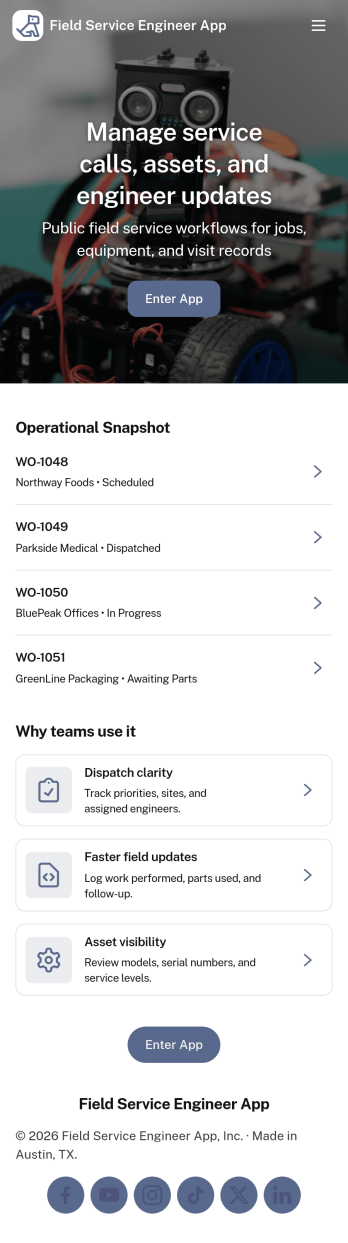
Field Service Engineer App
Field Service Engineer App helps field engineers manage daily site work by organizing today’s jobs, keeping work orders easy to browse, and providing a clear path to close out completed jobs. It’s a practical fit for service and maintenance teams, engineering contractors, and operations groups that need a simple way for technicians to check what’s next, open a job to review details, and finish work in the field without digging through messages or paperwork.With Jotform, you can turn this app template into a branded, self-service experience for your team using a no-code app builder and a drag-and-drop interface. Connect job closeout to a form for consistent data collection, keep work order records organized, and refine the workflow as your processes evolve, then share the app with a link or QR code so engineers can access it on any device.
Go to Category:Engineering Apps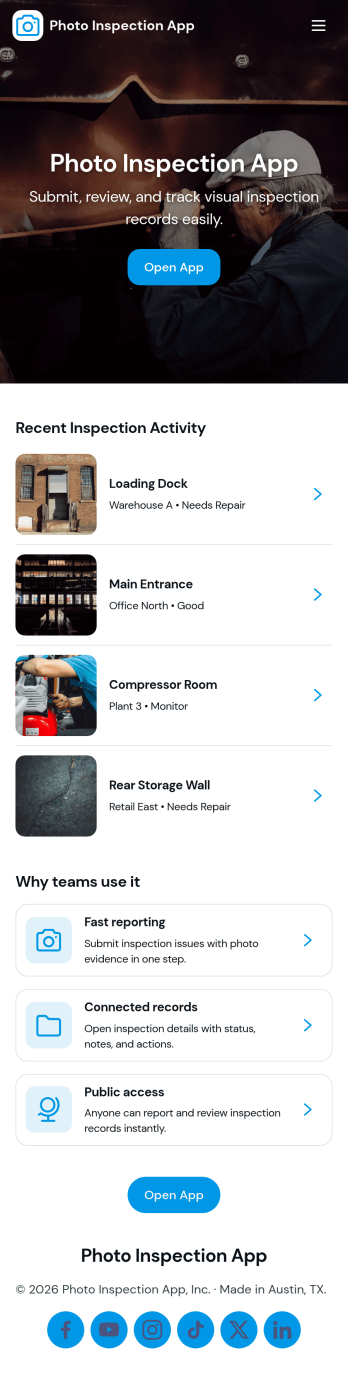
Photo Inspection App
Photo Inspection App helps teams collect visual proof, review requests, and keep a searchable history of inspections in one place. It’s a practical fit for field services, property managers, construction crews, and operations teams who need consistent photo-based documentation for sites, equipment, rooms, or deliveries. With simple navigation and dedicated detail views, staff can quickly open a request, verify images, and record outcomes without digging through emails or scattered folders.Built with Jotform App Templates, this app template can be tailored in a no-code app builder and published fast for internal or customer-facing self-service. Use Jotform’s drag-and-drop interface to adjust pages, connect your existing forms for data collection, and keep your workflow organized from intake to review to archived records. Share by link or QR code so the right people can submit and check inspection details from anywhere.
Go to Category:Inspection Apps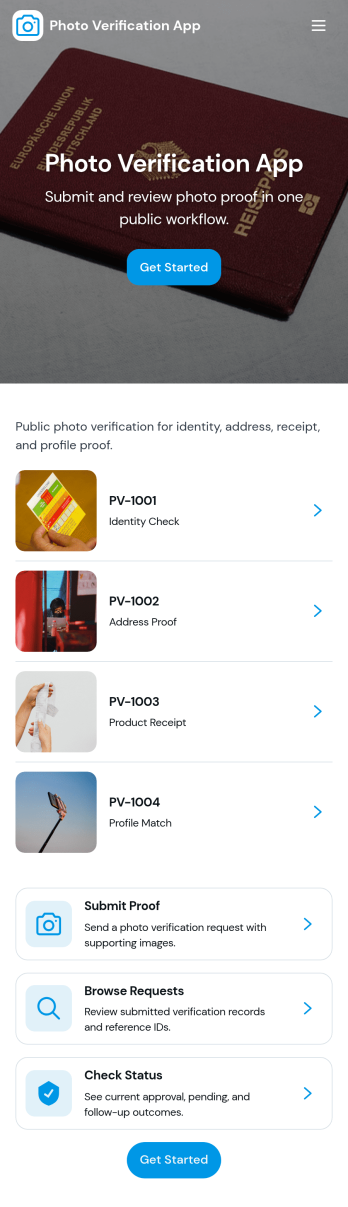
Photo Verification App
Photo Verification App helps teams collect photo-based proof and review it in one organized flow, making it easier to confirm identity, condition, or completion before moving work forward. It fits field service companies validating completed jobs, property managers confirming move-in or move-out conditions, event teams checking credential photos, and operations groups that need quick visual confirmation without relying on scattered messages. With a clear start verification entry point and a dedicated review queue, reviewers can sort what needs attention, open individual records, and keep photo checks consistent across staff.Jotform makes it simple to publish this app template and adapt it to your process using a no-code app builder and a drag-and-drop interface. Connect your verification form to a central list for tracking, route entries to the right reviewers, and keep data collection structured as volume grows. Share the app through a link or QR code so submitters can send photos from mobile, while your team stays focused on approvals, follow-ups, and keeping the workflow moving.
Go to Category:Inspection Apps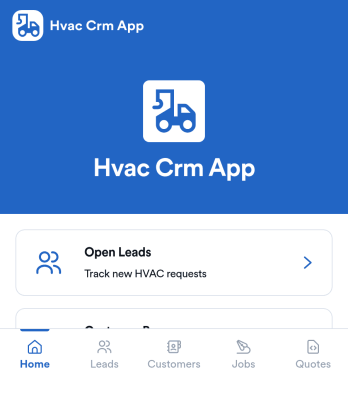
Hvac Crm App
HVAC Crm App helps heating and cooling businesses manage sales and customer relationships in one place, from capturing new inquiries to tracking active jobs and keeping customer histories organized. Use it to review open leads, browse your customer base, create jobs from qualified opportunities, and add customer notes so your team always has the latest context before a call, site visit, or follow-up.Built with Jotform App Templates, this app template can be tailored in a no-code app builder with a drag-and-drop interface, so you can match your workflow without technical overhead. Connect the app to forms and tables for consistent data collection, route updates to the right people, and share a self-service experience with your office staff or field team using a simple link or QR code.
Go to Category:CRM Apps
TV Repair Tracking App
The TV Repair Tracking App gives television repair shops, independent technicians, electronics service teams, and field service managers a central place to manage repair work from intake through completion. Staff can log a repair, review open jobs, and generate repair reports without relying on scattered notes or spreadsheets. Each request can preserve essential service context such as the television model, customer details, preferred contact method, reported issue, diagnosis, required parts, estimated cost, and completion notes. This clearer view of repair progress helps teams prioritize active work, prepare customer updates, coordinate parts, and maintain consistent service records across workshop and on-site jobs.Jotform makes this app template easy to adapt with a no-code app builder and drag-and-drop interface. Teams can adjust pages, navigation, branding, and connected workflows to reflect their repair process, then organize data collection and self-service access in one mobile-friendly experience. The app can connect with forms, tables, notifications, approvals, and other operational tools so repair information stays accessible as work advances. Publish it with a shareable link or QR code to give authorized technicians and service staff convenient access from a phone, tablet, or computer.
Go to Category:Equipment Maintenance Software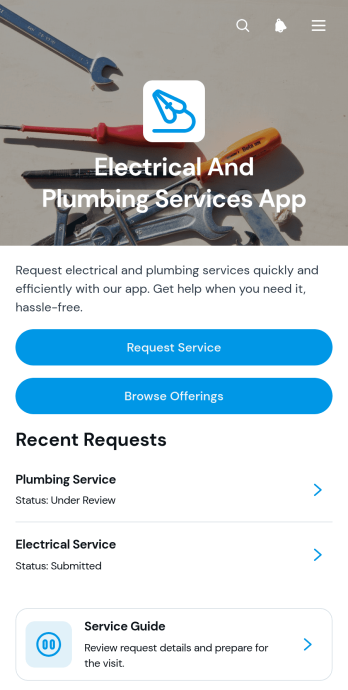
Electrical And Plumbing Services App
Electrical And Plumbing Services App gives electricians, plumbers, contractors, property maintenance teams, and home service businesses one convenient place to present services and receive customer requests. Customers can browse available electrical and plumbing offerings, review essential details such as what is included and starting prices, and submit a request with their issue, address, and preferred date. Teams can also display request summaries and current service statuses, helping customers understand what comes next without relying on scattered calls or messages. This app template is well suited to residential repairs, commercial maintenance, property management support, installation work, and recurring service operations.Jotform App Templates help businesses turn service information and connected processes into accessible digital experiences. Using Jotform’s no-code app builder and drag-and-drop interface, teams can customize pages, buttons, colors, fonts, and navigation to match their operations and visual identity. Forms and tables can support data collection, record organization, notifications, and workflow updates from one connected workspace. Once the app is ready, it can be shared through a direct link or QR code for convenient mobile access. This makes it easier to provide self-service options, organize incoming jobs, maintain accurate service records, and adapt the experience as business needs change.
Go to Category:Home Services Apps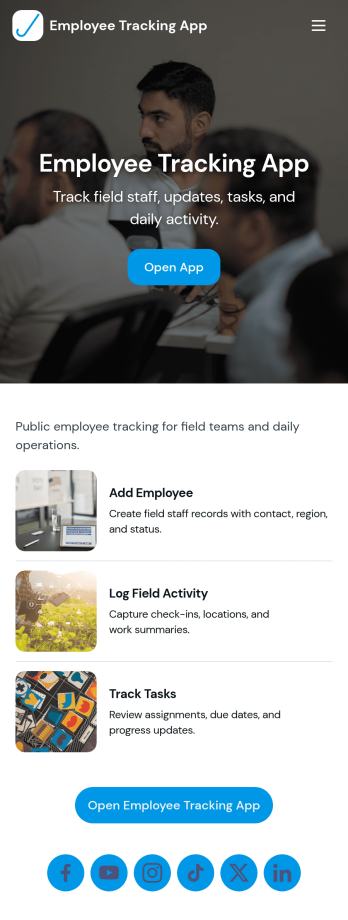
Field Employee Tracking App
Field Employee Tracking App helps teams monitor and coordinate employees who work off-site by keeping key details, check-ins, and daily activity in one place. Use it to maintain an employee list, capture new check-ins from the field, and review activity records without relying on scattered messages or spreadsheets. It fits supervisors managing mobile crews, operations teams overseeing routes or service calls, and HR or admin staff who need a clear view of who is working where and when.With Jotform, you can turn this app template into a branded self-service experience using a no-code app builder and a drag-and-drop interface. Connect the app to forms and tables for ongoing data collection, keep records organized for fast lookup, and share access with the right people through a simple link. As your workflow evolves, you can adjust pages, buttons, and navigation so the app matches how your field team actually works.
Go to Category:Activity Tracking Apps
Maintenance Work Order Management App
Maintenance Work Order Management App helps teams receive, organize, and follow up on maintenance requests in one place, from new issues reported by staff to repairs assigned to technicians. It’s built for facilities teams, property managers, operations leaders, and service organizations that need a clearer way to route requests, review details by work order, and keep everyone aligned on what’s being worked on. With quick navigation to submit a new work order, browse all requests, and open a maintenance dashboard, the app supports faster intake, better visibility, and more consistent handoffs across locations, buildings, and assets.Jotform makes it simple to create and publish app templates like this with a no-code app builder and a drag-and-drop interface, so you can match the experience to your workflow without developer help. Connect the app to your work order form and keep records organized for ongoing data collection, updates, and internal self-service. As your process evolves, you can adjust pages, refine what users see, and share the app through a link or QR code to make maintenance reporting and coordination easier for everyone involved.
Go to Category:Equipment Maintenance Software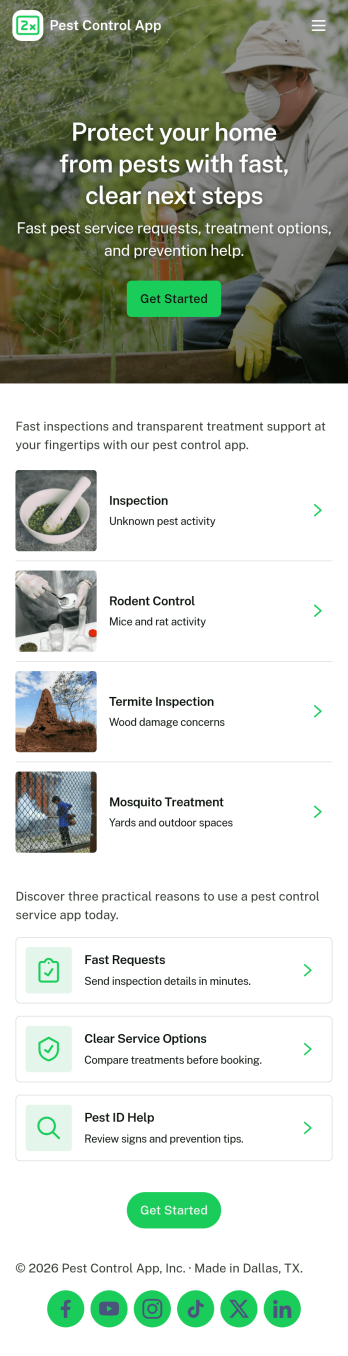
Pest Control App
Pest Control App helps pest control businesses and home service teams offer a simple, customer-friendly way to request treatment, explore common pests, and understand pricing before booking. Visitors can submit a service request, browse pest information to identify what they’re dealing with, and quickly reach your team using built-in contact options like phone, email, and a website link. It’s a practical fit for local exterminators, property managers, and facilities teams who want to reduce missed calls, standardize intake details, and guide customers to the right service faster.With Jotform, you can customize this app template using a no-code app builder and a drag-and-drop interface, then connect it to your forms for consistent data collection. Update service offerings, adjust pricing details, and route requests to the right workflow without rebuilding your process. Share the app through a link or QR code so customers can self-service from any device while your team stays organized with a central place for requests and updates.
Go to Category:Customer Portal Apps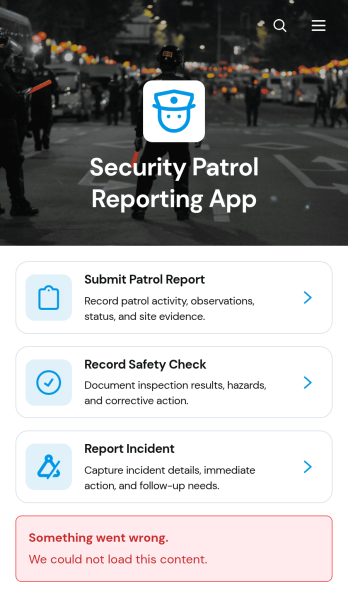
Security Patrol Reporting App
The Security Patrol Reporting App is an app template for documenting patrol activity, safety checks, and incidents across offices, residential properties, construction sites, warehouses, campuses, and other monitored locations. Security officers can submit patrol reports from the field, record inspection findings, and report incidents while details are still current. Supervisors, property managers, facility teams, and security service providers can review records by date, officer, location, status, severity, and follow-up needs. Bringing these activities into one accessible reporting experience reduces missing information, improves visibility across shifts, and helps teams respond to identified concerns.Jotform App Templates make it easy to adapt this reporting experience to an organization’s procedures without writing code. With Jotform’s no-code app builder and drag-and-drop interface, teams can update pages, branding, navigation, and connected forms to suit different properties or patrol assignments. Collected data can feed into tables, notifications, approvals, and related workflows, giving managers a central place to organize reports and monitor next steps. Once ready, the app can be shared with officers through a direct link or QR code for convenient mobile access and field-based self-service.
Go to Category:Report Apps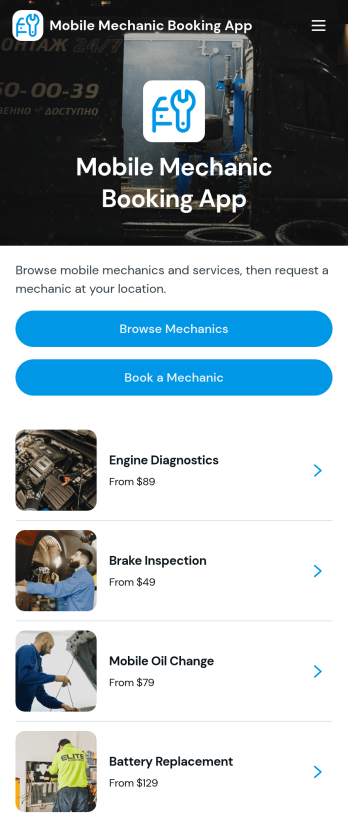
Mobile Mechanic Booking App
The Mobile Mechanic Booking App helps independent mechanics, roadside service providers, automotive repair businesses, and field service teams connect drivers with vehicle repair services at a convenient location. Customers can browse mechanic profiles, review service areas and availability, explore repair options, and submit a booking request from one mobile-friendly destination. This app template reduces the effort involved in finding a suitable professional while giving businesses a clear way to present experience, service details, typical duration, and starting prices. It is useful for scheduled maintenance, minor repairs, diagnostics, emergency assistance, and other services performed at homes, workplaces, or roadside locations.Jotform makes it easy to adapt the Mobile Mechanic Booking App to your brand and operating process without writing code. Use the no-code app builder and drag-and-drop interface to update pages, reorganize navigation, add mechanic information, and connect booking forms to your workflow. Requests and data collection can be managed through connected Jotform tools, helping teams coordinate appointments and provide customer self-service. Like other Jotform App Templates, this ready-made app template can be shared through a direct link or QR code, giving customers convenient access from phones, tablets, and computers.
Go to Category:Appointment & Booking Apps
Land Mapping App
Land Mapping App helps teams capture and organize parcel details and mapping needs in one place, so field staff and office coordinators can stay aligned from the first record to the final request. Use it to add new parcels as they come in, browse an up-to-date list of parcel entries, and submit mapping requests with clear location notes for survey work, boundary review, planning, or internal documentation. It’s a practical fit for surveyors, engineering groups, construction and land development teams, real estate operations, and municipalities that need a simple way to centralize parcel intake and track ongoing mapping work without relying on scattered emails or spreadsheets.Built with Jotform App Templates, this app template is powered by Jotform’s no-code app builder and a drag-and-drop interface, making it easy to tailor pages, buttons, and navigation to your workflow. Connect the app to forms and tables for reliable data collection, route updates across your workflow, and share a self-service link with the right people so they can add parcels, submit mapping requests, and review records from any device.
Go to Category:Engineering Apps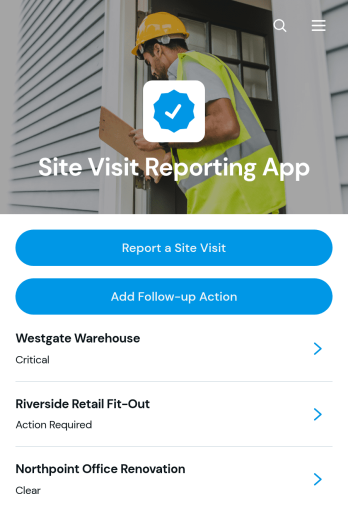
Site Visit Reporting App
The Site Visit Reporting App is an app template for recording field visits, documenting observations, and coordinating actions that need attention afterward. It suits construction teams, field service providers, consultants, property managers, inspectors, and operations staff who need a consistent record of activity across multiple locations. Users can submit site visit reports, browse previous records by site, and add follow-up actions from one accessible location. This helps managers maintain visibility into fieldwork, preserve useful visit details, address identified issues, and reduce delays caused by scattered notes or disconnected communication.Jotform Apps makes this Site Visit Reporting App easy to adapt with a no-code app builder and an intuitive drag-and-drop interface. Teams can update pages, branding, navigation, and content while connecting forms, tables, approvals, and other workflow steps that support data collection. The app can be shared through a direct link or QR code, giving field staff convenient mobile access without requiring coding knowledge. Start with one of Jotform’s App Templates, tailor the experience to your reporting process, and create a practical self-service resource for field teams and decision-makers.
Go to Category:Report Apps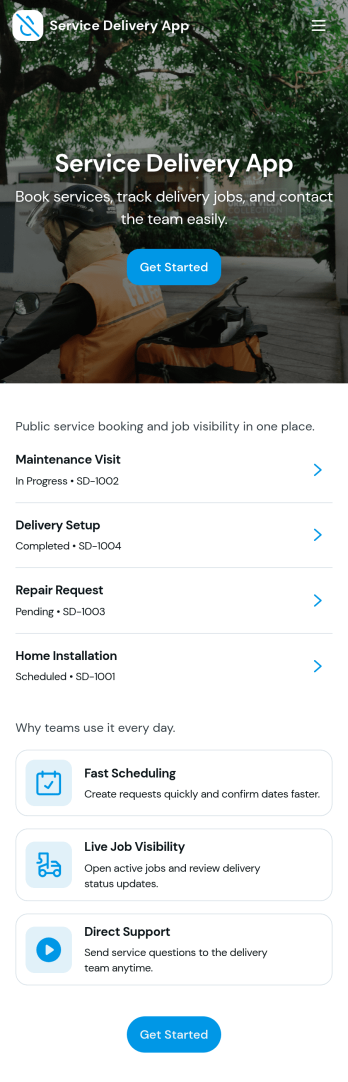
Service Delivery App
Service Delivery App helps service teams capture new requests, keep active jobs organized, and close out completed work without losing track of details. It fits field service providers, internal operations teams, and managed service groups that need one place to collect incoming work and monitor progress from start to finish. With quick navigation to a new request flow and clear sections for active and completed jobs, it supports everyday service delivery when volume is high and turnaround time matters.Jotform makes it easy to turn service workflows into a mobile-friendly self-service experience using App Templates and a no-code app builder. With a drag-and-drop interface, you can tailor pages, buttons, and lists to match how your team works, then connect the app to Jotform forms and tables for consistent data collection and smoother workflow handoffs. Share the app with a link or QR code so customers or staff can submit requests and review updates in one streamlined space.
Go to Category:Online Service Apps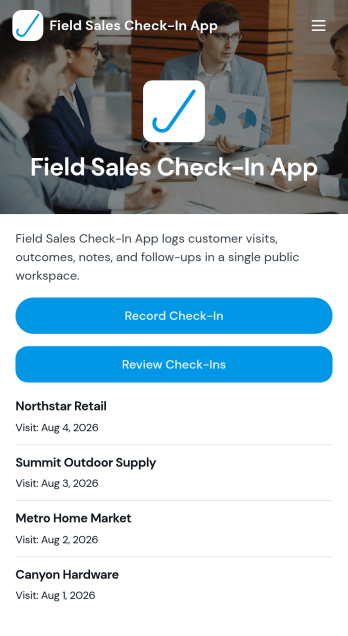
Field Sales Check-In App
Field Sales Check-In App helps field reps capture consistent visit check-ins and keep a searchable record of customer activity in one place. Use it to log who was visited, when the visit happened, outcomes, and the next follow-up, while giving your team fast access to customer lists and visit history for better day-to-day execution. It’s a practical fit for outside sales teams, route-based reps, territory managers, and growing businesses that need a reliable way to confirm visits, reduce missed follow-ups, and standardize reporting across locations.With Jotform, you can turn this app template into a mobile-friendly self-service experience for your team using a no-code app builder and a drag-and-drop interface. Connect your check-in form to organized records, review visits over time, and share the app with the right people using a simple link or QR code. As your workflow evolves, you can adjust pages, add steps like approvals, and keep data collection aligned with how your field sales operation actually runs.
Go to Category:Sales & Marketing Portal Apps
Forest Metrics Calculator App
The Forest Metrics Calculator App is an app template for recording field measurements and reviewing calculated forest indicators in one accessible workspace. Forestry consultants, land managers, field crews, researchers, educators, and conservation teams can use it to document new measurements, browse practical guidance, and view results by tree species. It supports consistent data collection across plots while bringing key figures such as plot area, tree count, average dimensions, and carbon estimates into a clear results view. Formula and notes sections also help users review how each metric is interpreted before using findings in assessments, planning, teaching, or project reports.Jotform makes this App Template easy to adapt with a no-code app builder and an intuitive drag-and-drop interface. Teams can update pages, navigation, visual branding, guidance, and connected forms without programming, then organize the complete measurement workflow for convenient self-service access. The app can be shared through a direct link or QR code and opened on mobile devices, helping crews collect information in the field while office teams access the same connected process. Jotform also supports tables, notifications, approvals, and other workflows when broader review or recordkeeping is needed.
Go to Category:Estimation Apps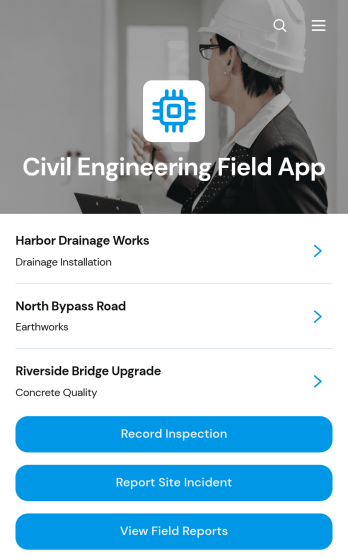
Civil Engineering Field App
Civil Engineering Field App is an app template for civil engineers, site inspectors, project managers, contractors, and construction teams that need a reliable way to document activity across active project sites. It brings inspection recording, incident reporting, field report access, and maintenance requests into one mobile-friendly experience. Teams can capture findings while conditions are fresh, review project-specific information, assign context such as location and inspector, and document follow-up needs. This shared field resource reduces fragmented records, helps office and site teams stay informed, and supports consistent oversight of infrastructure, land development, and construction work.Jotform makes this Civil Engineering Field App easy to adapt with a no-code app builder and an intuitive drag-and-drop interface. Customize pages, navigation, buttons, colors, and branding, then connect forms, tables, approvals, notifications, and other workflow tools as needed. Collected data can remain organized for faster review and follow-up, while direct links and QR codes give field personnel convenient self-service access from phones, tablets, or computers. Start with this ready-made option from Jotform App Templates and publish a tailored app without writing code.
Go to Category:Engineering Apps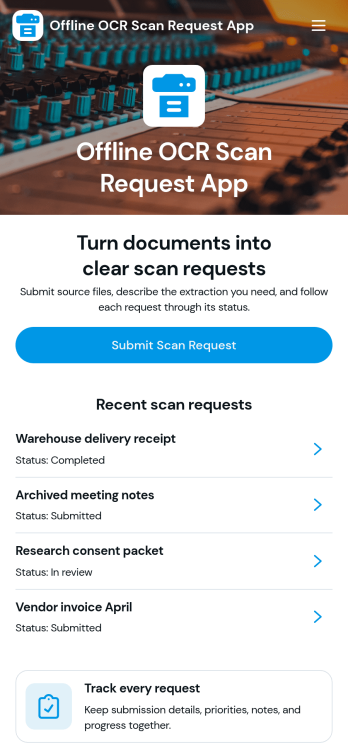
Offline OCR Scan Request App
Offline OCR Scan Request App helps teams capture text from printed pages even when there’s no internet connection. It’s useful for field technicians digitizing serial numbers, healthcare and education staff transcribing handouts, retailers capturing product labels, and small businesses turning paper notes into searchable records. Use it to guide users through scanning, reviewing, and saving extracted text so information doesn’t get lost between the paper source and the system it needs to reach.Jotform makes it easy to turn this use case into a mobile-friendly experience with App Templates you can publish and share in minutes. Using Jotform’s no-code app builder and drag-and-drop interface, you can customize pages, add clear calls to action, and connect the app to data collection and workflow tools like forms, tables, approvals, and notifications. Build a self-service scanning experience for your team, then update it anytime as your process evolves.
Go to Category:Field Service Apps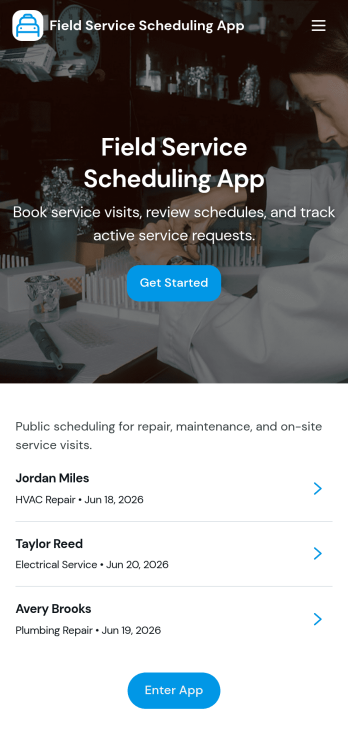
Field Service Scheduling App
Field Service Scheduling App helps service teams coordinate customer requests, schedule appointments, and keep job details organized in one place. It supports fast booking and request intake, job browsing for dispatch and technicians, and quick customer follow-up with a tap-to-call action. Use it for home services, equipment repair, maintenance visits, inspections, and any on-site work where timing and assignment changes happen often. Operations managers, dispatchers, and field technicians can rely on it to reduce missed appointments, standardize job information, and keep everyone aligned from the initial request through the daily schedule.Built with Jotform App Templates, this app template is easy to tailor to your workflow using Jotform’s no-code app builder and drag-and-drop interface. Connect your request form and job lists to keep data collection consistent, route updates through a shared dispatch table, and publish a mobile-friendly self-service experience for customers and staff. With Jotform, you can customize pages, branding, and navigation, then share the app by link or QR code so your team can access schedules and job info wherever they work.
Go to Category:Home Services AppsAbout Field Service Apps
Field Service Apps are specialized mobile and web apps designed to streamline and enhance the operations of businesses that require work to be done outside of the traditional office setting. These apps are commonly used in industries such as maintenance, installation, repair, and inspection services, where field agents are dispatched to various locations to perform their duties. Field Service Apps facilitate real-world workflows by enabling efficient task management, time tracking, and communication between office-based teams and their field personnel, helping businesses to deliver timely and effective services to their clients.
Jotform Apps stands out as a premier no-code app builder in this category, offering businesses the flexibility to create custom Field Service Apps without the need for extensive technical expertise. Utilizing Progressive Web App (PWA) technology, these apps can be installed directly via a web browser, eliminating the need for traditional app store downloads and ensuring seamless operation across iOS, Android, tablet, and desktop devices. With centralized data management through Jotform Tables, businesses can maintain a cohesive view of all operations, ensuring that data collected from the field is consistently synchronized and accessible for analysis and decision-making.
Why Use Field Service Apps?
- Field Service Apps significantly enhance operational efficiency by providing real-time updates and data sharing between field agents and office teams. This capability ensures that all stakeholders are informed and can make prompt decisions, leading to improved service delivery and customer satisfaction.
- These apps facilitate effective task management by allowing managers to assign, track, and adjust tasks on the go. As a result, field agents can prioritize their daily activities based on real-time instructions, minimizing downtime and maximizing productivity.
- With integrated payment options, Field Service Apps enable businesses to collect payments directly from clients in the field, streamlining financial transactions and reducing the administrative burden on office staff. This feature is particularly beneficial for services rendered on the spot, such as repairs or maintenance.
- The use of push notifications within these apps ensures that important updates, such as schedule changes or urgent tasks, are communicated instantly to field agents. This immediate communication helps in maintaining service quality and responsiveness, even in dynamic or unpredictable work environments.
- Jotform Apps’ offline mode capability allows field personnel to continue working without interruption, even in areas with limited internet connectivity. Data collected offline is automatically synchronized once a connection is re-established, ensuring that no critical information is lost.
Common Problems Solved by Field Service Apps
- A frequent challenge in field service is the lack of real-time communication, which can lead to delays and miscommunications. Field Service Apps solve this by providing a centralized communication platform that keeps all team members updated and aligned, regardless of their location.
- Managing a mobile workforce often results in scheduling conflicts and inefficient task allocation. These apps allow for dynamic scheduling and real-time task adjustments, ensuring that field agents are optimally deployed and reducing the risk of overlapping appointments or idle time.
- Handling paperwork and manual data entry in the field can be error-prone and time-consuming. Field Service Apps digitize these processes, allowing for instant data capture and entry, which not only improves accuracy but also expedites the processing of client information.
- Ensuring that equipment and inventory are available when needed is a common logistical hurdle. Field Service Apps provide inventory management features that help track and manage supplies in real-time, ensuring that field agents have the necessary tools to complete their assignments without delays.
Matching Use Cases to Features
- For businesses requiring seamless communication with field agents, the use of push notifications in Jotform Apps ensures timely updates for schedule changes or urgent tasks, enhancing responsiveness and service quality.
- Companies looking to streamline their payment collection process can leverage the payment integrations available in Jotform Apps, such as Stripe and PayPal, allowing field agents to process transactions on-site and improve cash flow.
- The drag-and-drop interface of Jotform Apps empowers managers to quickly create and customize forms and workflows tailored to their specific field operations, enhancing adaptability to changing business needs.
- For organizations with sensitive data, the ability to publish apps with options for public, private, or company-only access ensures that information is shared securely and appropriately, maintaining data privacy and integrity.
- Sharing methods such as Direct Link, Email, and QR Code offer versatile ways to distribute the app to field agents and clients, ensuring easy access and widespread adoption.
- Workflow automation within Jotform Apps enables businesses to set up automatic triggers for routine tasks, reducing manual intervention and freeing up resources for more critical activities.
- The centralized data feature via Jotform Tables allows for comprehensive data analysis and reporting, providing insights that drive strategic business decisions and operational improvements.
How to Create a Field Service App
- Choose a category-relevant template from the Template List or start from scratch.
- Customize using the Drag-and-Drop Interface to tailor the app to your business needs.
- Share via Link, QR Code, or Embed to distribute the app to field agents and clients.
Top Use Cases for Field Service Apps
- For Managers: Field Service Apps offer managers a robust platform to oversee field operations in real-time. They can effortlessly assign tasks, track progress, and adjust schedules as needed to optimize team performance and service delivery. By utilizing centralized data, managers gain valuable insights into operational efficiencies and areas for improvement, enabling data-driven decision-making that enhances overall business outcomes.
- For Teams: Field agents benefit significantly from the streamlined workflows and communication features provided by Field Service Apps. These apps allow team members to receive task updates, log work progress, and access critical information directly from their mobile devices. The offline mode ensures that work continues uninterrupted, even in remote locations, boosting productivity and ensuring that service standards are consistently met.
- For Customers: Customers experience enhanced service quality and convenience through the use of Field Service Apps. They benefit from quicker response times and the ability to make payments on-site, simplifying the transaction process. The reliable communication channel established by the app ensures that customers are kept informed about service schedules and any changes, fostering trust and satisfaction.
Summarizing Field Service Apps
Field Service Apps are invaluable assets for businesses looking to enhance their field operations. By leveraging Jotform’s no-code app builder and PWA technology, companies can create customized apps that address specific operational needs without the complexity of traditional development. These apps not only improve communication and task management but also streamline data collection and payment processes, ultimately leading to increased efficiency and customer satisfaction. As organizations continue to adapt to dynamic business environments, the strategic use of Field Service Apps will be crucial in maintaining competitive advantage and operational excellence.
Frequently Asked Questions
1) Is it free to create and use Field Service apps on Jotform?
Creating and using Field Service apps on Jotform can be done for free under the Starter plan, which provides access to basic features and functionalities. This plan is ideal for small businesses or individuals who are just beginning to explore the benefits of field service management. For more advanced needs, Jotform offers various paid plans that include additional features and increased usage limits, allowing businesses to scale their operations effectively.
2) Are the data and payments collected through the app secure?
Yes, the data and payments collected through Jotform Apps are secure, as Jotform is committed to maintaining high standards of data protection and compliance. Jotform employs robust security measures, including encryption and compliance with GDPR requirements, to ensure that sensitive information is safeguarded. This commitment to security provides peace of mind for businesses and their customers, knowing that their data and transactions are protected.
3) Do I need any coding skills to create a Field Service app with Jotform?
No coding skills are required to create a Field Service app with Jotform, thanks to its intuitive no-code app builder. The drag-and-drop interface allows users to easily customize app templates or build from scratch, making it accessible to individuals without technical expertise. This ease of use empowers businesses to quickly deploy functional apps tailored to their specific field service needs.
4) Can I collect payments for services directly through the app?
Yes, Jotform Apps support payment collection directly through the app, utilizing integrations with popular payment gateways such as Stripe and PayPal. This feature enables field agents to process payments on-site, providing convenience for customers and improving cash flow for the business. The ability to handle transactions seamlessly within the app streamlines the overall service delivery process.
5) Does Jotform support offline data collection for Field Service apps?
Jotform does support offline data collection for Field Service apps, allowing field agents to continue working without internet connectivity. This feature is particularly useful in remote areas where connectivity may be limited, ensuring that data is captured accurately and stored securely until a connection is re-established. Once online, the app automatically syncs the data, maintaining consistency and completeness in records.
6) Are Jotform Apps compatible with both iOS and Android devices?
Yes, Jotform Apps are compatible with both iOS and Android devices, as well as tablets and desktops. The use of Progressive Web App (PWA) technology ensures that the apps function seamlessly across different platforms without the need for separate app store downloads. This cross-platform compatibility enhances accessibility and ensures that all users can interact with the app regardless of their device preferences.
7) How do Field Service Apps improve communication between office teams and field agents?
Field Service Apps improve communication by providing real-time data sharing and updates that keep both office teams and field agents informed and aligned. Features like push notifications ensure that important information, such as schedule changes or task assignments, are communicated instantly. This real-time connectivity reduces the risk of miscommunications and enhances overall collaboration, leading to more efficient service delivery.
8) Can Field Service Apps help with inventory management for field operations?
Yes, Field Service Apps can assist with inventory management by allowing businesses to track and manage their equipment and supplies in real-time. The apps provide visibility into inventory levels, ensuring that field agents have the necessary tools to complete their assignments without delays. This capability helps prevent stockouts and overstock situations, optimizing resource allocation and operational efficiency.