
The Utility Move-In Tracker App helps property managers, leasing teams, landlords, housing coordinators, and relocation professionals monitor utility setup for incoming occupants. Teams can add each move-in, record utility services by property address, review setup details, and check progress before an occupant arrives. Provider information and follow-up dates keep pending tasks visible, reducing missed connections and scattered records. The app is well suited to rental turnovers, managed housing, residential portfolios, and relocation programs that need a consistent process for confirming electricity, water, gas, internet, or other essential services.
With Jotform Apps, teams can turn this app template into a branded, mobile-friendly workspace without writing code. The no-code app builder and drag-and-drop interface make it easy to adjust pages, navigation, buttons, and visual elements. Connect forms and tables to support data collection, organize records, trigger notifications, and maintain a practical workflow from intake through follow-up. Among Jotform App Templates, this option provides a focused starting point for utility coordination and staff self-service. Publish it through a direct link, personalized app URL, QR code, or embedded experience so authorized team members can access current move-in information wherever work takes place.
Related templates
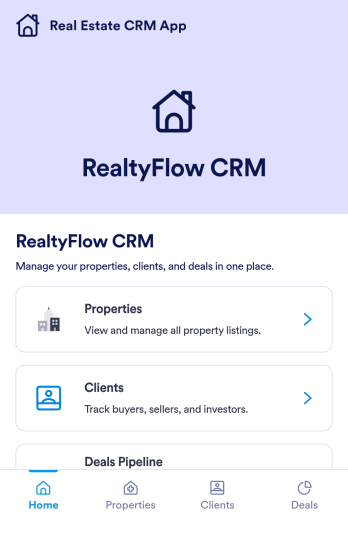
Real Estate CRM App
Real Estate CRM App is an app template designed to centralize client interactions, property listings, and sales activities in a unified management system. It's a ready-to-use solution that efficiently streamlines the inner workings of real estate agencies, brokers, property managers, and sales teams by organizing their client and property relationships into one digital platform. This app is optimized for the collection of critical data, including client communication, property details, and sales records, providing a clear and consistent overview for more effective decision-making. By replacing ad-hoc data collection methods with this template, real estate professionals benefit from a more organized and efficient workflow, thus contributing to improved productivity and client satisfaction. This app is particularly beneficial for those who aim to reduce manual tasks, minimize errors, and optimize operational efficiency in their real estate operations.Jotform's Real Estate CRM App is a robust platform that makes the task of real estate management simple and seamless. With Jotform's user-friendly interface, you can easily customize the app to your specific needs, from adjusting the app's layout and design to adding or modifying data fields. The easy-to-use drag-and-drop feature allows you to personalize your app without any coding required. Furthermore, the app supports the collection of electronic signatures, making it convenient for clients to sign off on important documents digitally. Jotform also features a comprehensive reporting system, enabling you to generate sheets and reports from your collected data with ease. The simplicity and flexibility of Jotform's Real Estate CRM App make it a formidable ally in your daily real estate operations, helping you maintain a high level of efficiency and client satisfaction.
Go to Category:Real Estate Apps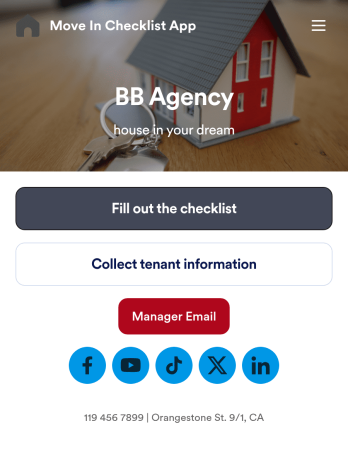
Move In Checklist App
A move-in checklist app is used by landlords and property managers to document the condition of an apartment prior to move-in and after a tenant moves out. This app template contains two forms: a Move In - Move Out Inspection Form, and a Property and Tenant Information Form for recording a new tenant’s contact information and uploading any relevant documentation. There is also a place to include a property manager’s phone number and email address, and to add links to your company’s website and social media.Need to make some changes to this app template? No coding required — just use Jotform’s drag and drop app builder to add or change form elements and text fields, edit checklist items, choose fonts and color schemes, upload your company’s branding, and more. Your app can be accessed and downloaded onto any device such a smartphone or tablet, so filling out this checklist on the go is quick and easy. Keep all your apartment condition checklists and tenant information in one convenient place with this Move In Checklist App from Jotform.
Go to Category:Checklist Apps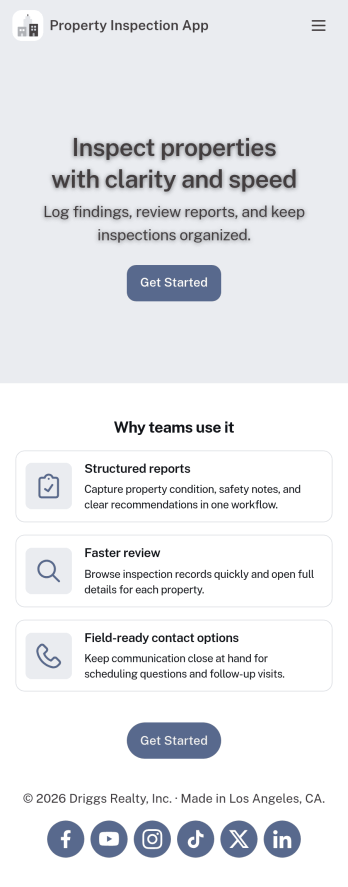
Property Inspection App
A property inspection app makes it easy for property inspectors and contractors to record and submit reports from any device. Build your own Property Inspection App without any coding using our free, fully-customizable template. This ready-to-use app comes with an online Rental Inspection Report Form that can be easily filled out from your smartphone or tablet. Submitted inspection reports and repair requests will be stored in your secure Jotform account, ready to view, download, and share.Customize your Property Inspection App without any coding. Simply drag and drop to add other report forms, embed links to other websites, upload branding elements, and change app settings such as name and icon. When it’s ready to use, you can download it onto your favorite device for easy access and share it with others via app link. Make it easier to identify, record, and solve issues in a rental property or building with an easy-to-use and fully-customizable Property Inspection App in hand.
Go to Category:Home Inspection Apps
Insurance Agency App
An insurance agency app is used by insurance agencies to provide customers with insurance policy quotes. Clients can download your custom Insurance Agency App onto their preferred device and fill out forms requesting quotes for car, life, business, or medical insurance. There are separate pages to showcase insurance agents and provide contact information. Client submissions are stored in your secure Jotform account, which you can access and manage from any device.Want to make changes to this app template? Jotform’s drag-and-drop app builder makes it easy to add or change form elements, edit text fields and checklist items, create additional pages, choose fonts and colors, upload your unique logo, and more — all without any coding. Share your custom app with clients by sending email invites, sharing the app link in your social media bios, or embedding it in a company website. Making shopping for insurance quotes simple and convenient with this free Insurance Agency App from Jotform.
Go to Category:Automotive Apps
House Appraisal App
A house appraisal app is used by real estate appraisal companies to accept appraisal requests from their customers. With this free House Appraisal App, you can create a custom mobile app for your business with no coding required! Start by customizing the design to match your company’s needs and branding — then share the app with a link for your customers to download instantly onto their iOS or Android smartphone or tablet.Customize the app design with our drag-and-drop builder. Upload your logo, add or remove forms, change the app background or icon, and make other changes in a few easy clicks. All submissions are stored in your Jotform account, ready for your team to respond to on any device. Eliminate back-and-forth emails and quickly get all the information you need with this House Appraisal App.
Go to Category:Real Estate Apps
Home Buying Checklist App
When renting or selling a house, it is important to know the preferences of potential buyers and sellers. How about collecting the necessary information with the Home Buying Checklist App? The Home Buying Checklist App includes forms used by real estate agents to collect information about home buyers' preferences, show their portfolios to potential buyers, and inform them about contact and location information through maps where customers can easily find the home addresses. Use the Home Buying Checklist App to better serve customers and find solutions for their needs!Would you like to make this app your own with Jotform’s easy-to-use drag-and-drop form builder? You can add or switch form elements' places, choose fonts and colors, and upload your logo. Moreover you can customize the splash page. After you’re done with the look, you can embed it in your website or share it with a link so your customers can download it on any smart devices. No coding is necessary.
Go to Category:Checklist Apps