

Home Inspection Apps

Property Inspection App
A property inspection app makes it easy for property inspectors and contractors to record and submit reports from any device. Build your own Property Inspection App without any coding using our free, fully-customizable template. This ready-to-use app comes with an online Rental Inspection Report Form that can be easily filled out from your smartphone or tablet. Submitted inspection reports and repair requests will be stored in your secure Jotform account, ready to view, download, and share.Customize your Property Inspection App without any coding. Simply drag and drop to add other report forms, embed links to other websites, upload branding elements, and change app settings such as name and icon. When it’s ready to use, you can download it onto your favorite device for easy access and share it with others via app link. Make it easier to identify, record, and solve issues in a rental property or building with an easy-to-use and fully-customizable Property Inspection App in hand.
Go to Category:Home Inspection Apps
Home Buying Checklist App
When renting or selling a house, it is important to know the preferences of potential buyers and sellers. How about collecting the necessary information with the Home Buying Checklist App? The Home Buying Checklist App includes forms used by real estate agents to collect information about home buyers' preferences, show their portfolios to potential buyers, and inform them about contact and location information through maps where customers can easily find the home addresses. Use the Home Buying Checklist App to better serve customers and find solutions for their needs!Would you like to make this app your own with Jotform’s easy-to-use drag-and-drop form builder? You can add or switch form elements' places, choose fonts and colors, and upload your logo. Moreover you can customize the splash page. After you’re done with the look, you can embed it in your website or share it with a link so your customers can download it on any smart devices. No coding is necessary.
Go to Category:Checklist Apps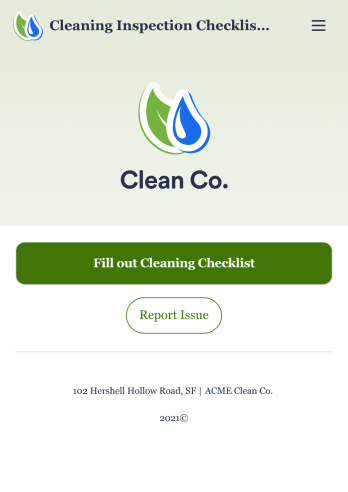
Cleaning Inspection Checklist App
A cleaning inspection checklist app is used by cleaning companies to keep track of what has and hasn’t been cleaned in a home or building. If you own or manage a cleaning company, employees can fill out a Cleaning Inspection Checklist form straight from their smartphone on Jotform’s free Cleaning Inspection Checklist App. All responses are stored in your Jotform account, ready to view on any device.Need to make changes to this app template? Add your logo, update the checklist form, and customize other design elements in seconds with our drag-and-drop builder — no coding necessary. You can then share the app by copying and pasting the app link, so members of your team can save it onto their devices instantly. Ditch paper checklists and manage your cleaning process more efficiently with a free Cleaning Inspection Checklist App.
Go to Category:Checklist Apps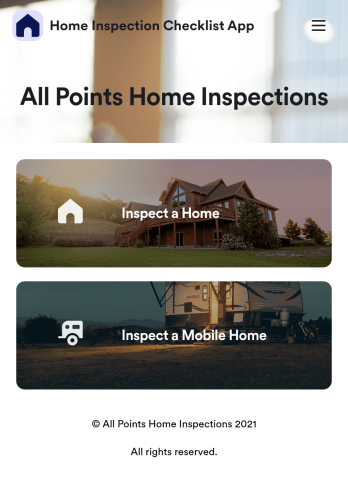
Home Inspection Checklist App
A home inspection checklist app is used by home inspectors to perform inspections from their mobile device. Whether you run a home inspection company or are inspecting your own home, use this free Home Inspection Checklist App to complete inspections on the go! You can record information like dimensions, property condition, the date of the inspection, and sign off your inspection report with an e-signature.Customize this app template in minutes with our drag-and-drop app builder. Add forms, spreadsheets, links, images, and more with no coding required — or customize visual elements like font type, app icon, and splash screen. Then download the app onto your mobile device or share it with members of your team to download onto theirs. Ditch messy paper forms and complete your inspections with a Home Inspection Checklist App from Jotform.
Go to Category:Checklist Apps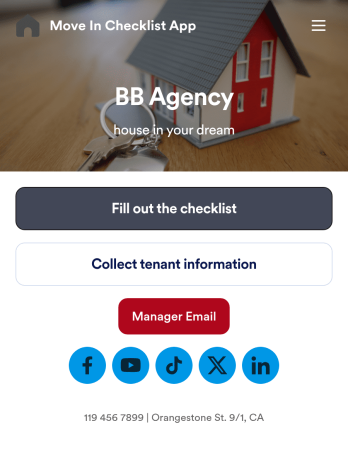
Move In Checklist App
A move-in checklist app is used by landlords and property managers to document the condition of an apartment prior to move-in and after a tenant moves out. This app template contains two forms: a Move In - Move Out Inspection Form, and a Property and Tenant Information Form for recording a new tenant’s contact information and uploading any relevant documentation. There is also a place to include a property manager’s phone number and email address, and to add links to your company’s website and social media.Need to make some changes to this app template? No coding required — just use Jotform’s drag and drop app builder to add or change form elements and text fields, edit checklist items, choose fonts and color schemes, upload your company’s branding, and more. Your app can be accessed and downloaded onto any device such a smartphone or tablet, so filling out this checklist on the go is quick and easy. Keep all your apartment condition checklists and tenant information in one convenient place with this Move In Checklist App from Jotform.
Go to Category:Checklist Apps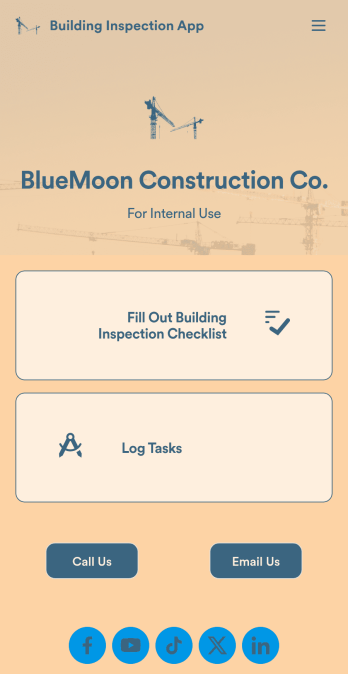
Building Inspection App
A building inspection app allows building inspectors to complete their work using any device. Conduct inspections from any smartphone, tablet, or computer with Jotform’s free Building Inspection App. This readymade template comes with a building inspection checklist and task log, but with our drag-and-drop builder you can add whatever else you need to make the app your own. All entries will be stored in your secure Jotform account and ready to view at any time.Customize your Building Inspection App without any coding. Just drag and drop to add more forms, checklists, documents, links, and even your branding. When you’re done, download it onto your favorite device or share it with other building inspectors via link or email invite. With a fully-custom Building Inspection App, you’ll be able to efficiently conduct building inspections and write reports no matter where you are!
Go to Category:Construction Apps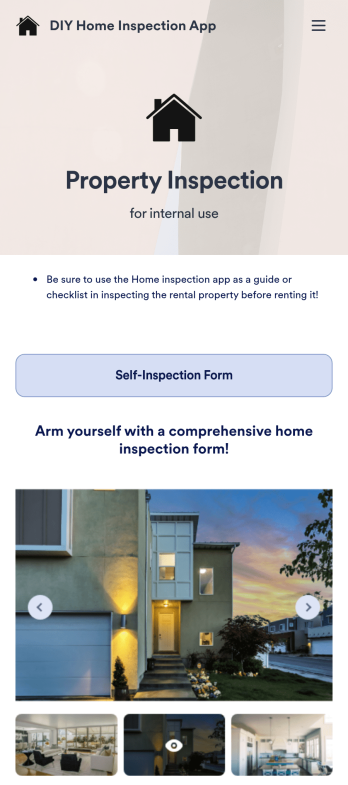
DIY Home Inspection App
A DIY home inspection app is used by individuals who wish to create and fill out a rental inspection record prior to moving into a unit and after vacating it. This DIY Home Inspection App allows renters to record general rental information, fill out room condition checklists, and upload photos through a Rental Property Self-Inspection Form. There is also an e-signature field at the bottom for landlords to sign upon completion of the rental inspection. Your personalized rental document is then stored securely in your Jotform account, which you can access and update once your rental period ends.This app template is ready to use, but you can customize it to fit your individual needs with no coding. Jotform’s drag-and-drop app builder makes it easy to add or change form elements, modify checklists, install widgets, and more. After you’re finished, download your app onto any smartphone, tablet, or desktop to fill out and keep for future use. Make sure your rental unit is up to par with this DIY Home Inspection App from Jotform.
Go to Category:Inspection Apps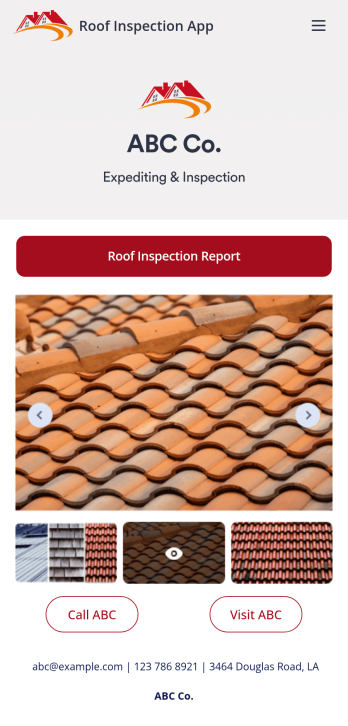
Roof Inspection App
A roof inspection app is used by inspection companies for identifying and reporting roofing issues. With this readymade Roof Inspection App, safety inspectors can fill out a Roofing Inspection Form with client name, inspection date, roof and building type, and a checklist for noting the condition of a roof’s interior and exterior. There is also an upload form for attaching images and videos. Inspectors can sign individual reports using a digital signature box at the bottom of the form. Reports are stored securely in your Jotform account and can be accessed and exported from any device.Want to customize this app template? No coding required — just use our drag-and-drop form builder to add or change forms, choose fonts and colors, upload your logo, and more. After you’re done, simply share your app with a link so others can download it on any smartphone, tablet, or desktop for future use. Stay on top of roofing issues and repairs with this Roof Inspection App from Jotform.
Go to Category:Inspection Apps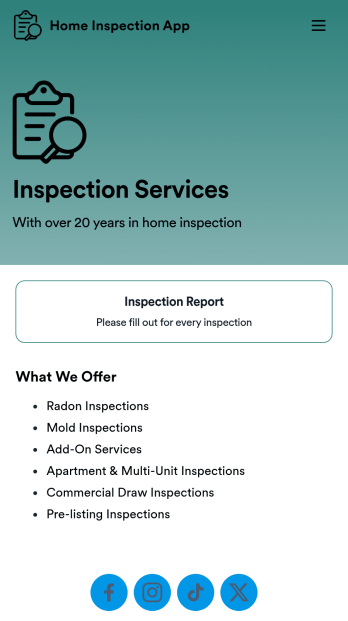
Home Inspection App
A home inspection app is used by property managers and homeowners to document the condition of a home. Our readymade Home Inspection App allows you to record property address and inspection date, and specify which rooms and areas were inspected. There is also a large text Rental Inspection Report Form for including any additional information, such as repair requests. Inspection reports are compiled and stored in your account for ease of access. Reports can be easily sorted, filtered, searched, and exported from any device.This app template can be fully customized to suit your needs. Using our drag-and-drop interface, you can add or change form elements, choose fonts and colors, add contact information to your splash page, and more — all without any coding. Download your app on any smartphone, tablet, or desktop, and easily share it with others via link. Simplify home inspections and start keeping detailed reports with this Home Inspection App from Jotform.
Go to Category:Inspection Apps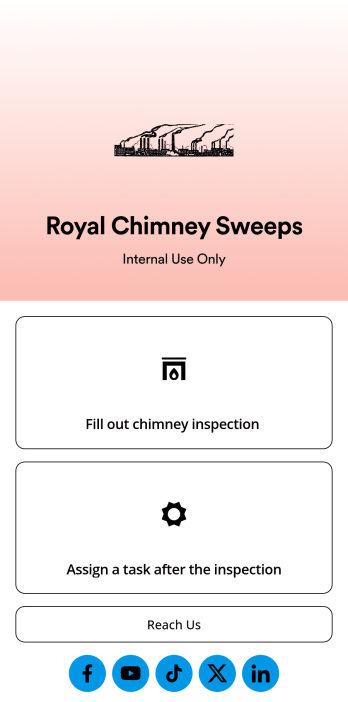
Chimney Inspection App
A chimney inspection app is used by chimney sweep companies when inspecting chimneys and fireplaces. Inspectors can download this free app template on any device and log inspection date, customer contact information, and fill out chimney and fireplace condition report checklists. Once an inspection is complete, customers and inspectors can sign at the bottom of the report form using an e-signature. Reports are stored in your secure Jotform account for easy access.You don’t need any coding knowledge to make changes to this Chimney Inspection App. With Jotform’s drag-and-drop app builder, you can add form elements, edit text fields and checklist items, choose fonts and colors, upload your company’s branding, and more. Share your custom app by sending email invites or the app link, where employees can then download it on any smartphone, tablet, or computer. Streamline your chimney and fireplace inspection process with this readymade Chimney Inspection App.
Go to Category:Construction Apps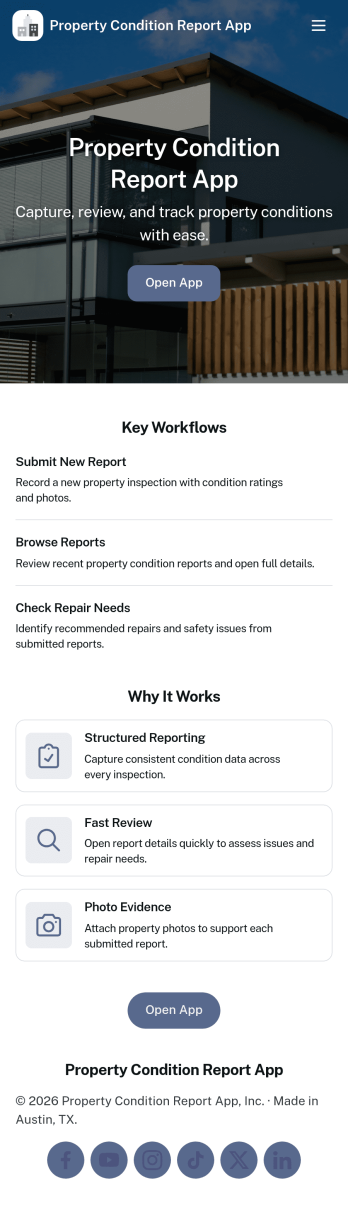
Property Condition Report App
Property Condition Report App helps teams document the state of a home or unit before, during, or after a tenancy, showing, maintenance visit, or turnover. Use it to browse a property list, open a property detail page, and create a new report with consistent notes and supporting photos so every inspection follows the same standard. It’s a practical fit for property managers, landlords, leasing teams, field inspectors, and home service providers who need clear records for handoffs, deposit discussions, and maintenance planning.With Jotform, you can turn this workflow into a mobile-friendly self-service experience using App Templates and a no-code app builder. Customize pages with a drag-and-drop interface, connect the app to forms and tables for reliable data collection, and keep reporting organized from a single hub. Share the app by link or QR code, update the layout as your process evolves, and keep property condition information easy to find for everyone involved.
Go to Category:Real Estate Apps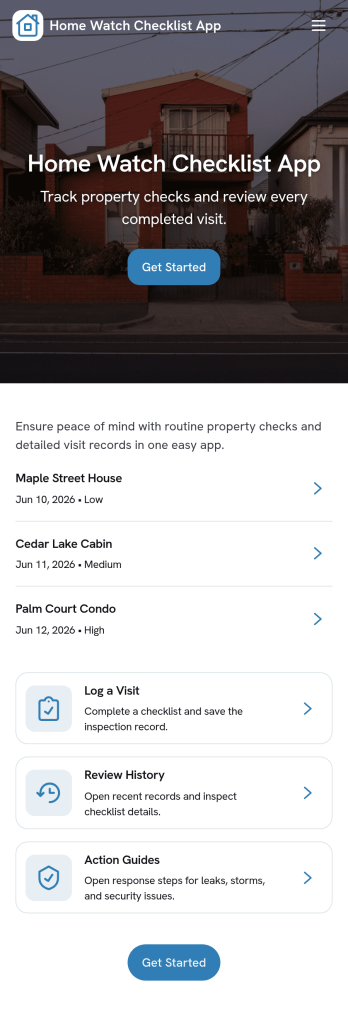
Home Watch Checklist App
Home Watch Checklist App helps home watch professionals and property managers document routine property checks during vacancy or between guests. Use it to keep a clear visit log, review open issues, and reference inspection history across multiple properties, so every walkthrough is consistent and nothing gets missed. It’s a practical fit for vacation rental operators, real estate teams, HOA managers, and independent home watch providers who need a repeatable process for periodic visits and quick reporting.With Jotform, you can turn this app template into a branded, self-service workflow for your team without coding. Build with a drag-and-drop interface, connect the app to forms for data collection during each visit, and keep records organized for follow-ups. Share the app by link or QR code so staff can log visits from the field, then update issues and maintain a reliable inspection trail from one central place.
Go to Category:Checklist Apps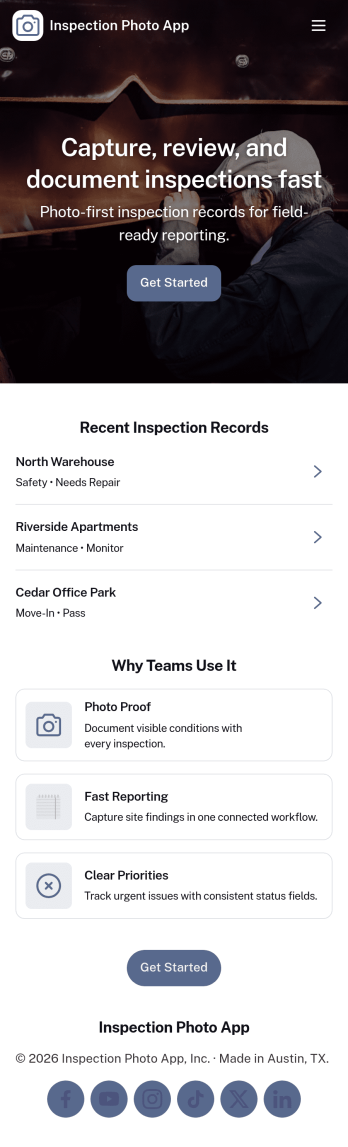
Inspection Photo App
Inspection Photo App helps teams capture and organize photo-based inspection documentation in one place. Use it to start a new inspection, attach images for proof of condition, and keep details tied to a clear inspection ID for easy reference later. It’s a practical fit for field inspectors, property managers, maintenance crews, safety teams, and service businesses that need consistent visual records across sites, equipment, or locations.With Jotform, you can publish this app template quickly and tailor it to your workflow using a no-code app builder and a drag-and-drop interface. Connect the app to a form for data collection, store entries as records you can review anytime, and share the finished self-service experience through a link or QR code so teams can submit updates from the field while you keep work organized and moving.
Go to Category:Inspection Apps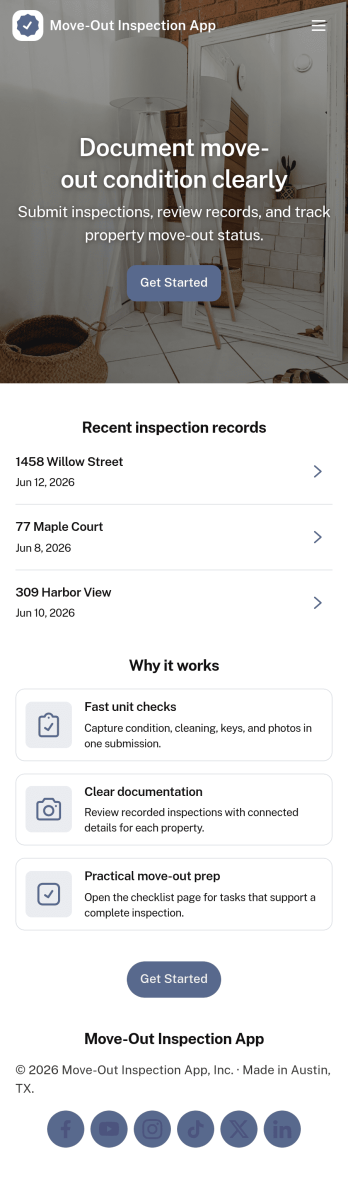
Move-Out Inspection App
Move-Out Inspection App helps landlords, property managers, and maintenance teams document unit condition at tenant move-out with a consistent, repeatable process. Use it to start a new inspection on-site, run through room checks, and capture clear records that support deposit decisions, turnover planning, and follow-up work. With quick navigation between Start Inspection, Room Checks, and Inspection History, teams can stay organized while walking a property and reduce missed details across kitchens, bathrooms, bedrooms, and common areas.Jotform makes it easy to turn this move-out workflow into a mobile-friendly self-service experience using App Templates and a no-code app builder. Customize pages with a drag-and-drop interface, connect forms to standardize data collection, and keep inspection records easy to review later from one place. Share the app by link or QR code so staff can complete inspections in the field, while your office team can track history and maintain a reliable workflow for every unit.
Go to Category:Rental Apps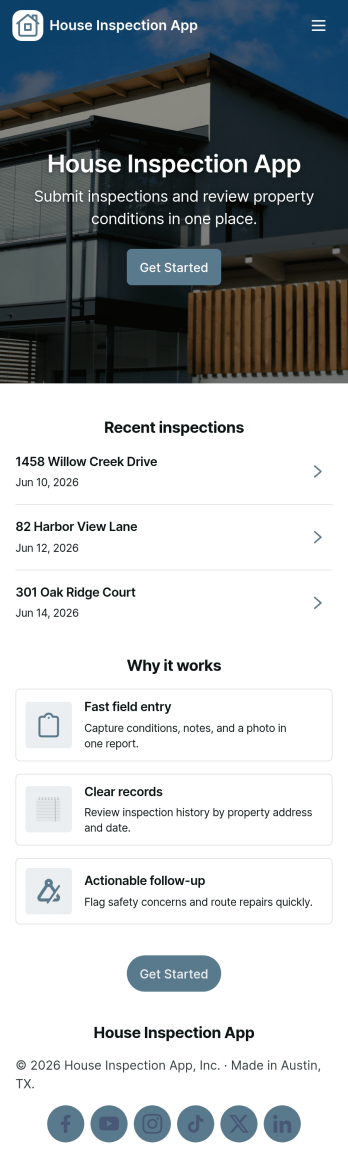
House Inspection App
House Inspection App helps inspectors and home service teams manage properties and capture inspection details in one place. Use it to keep a clear list of open properties, collect owner contact information, and build consistent inspection summaries without chasing notes across texts, emails, or paper checklists. It’s a practical fit for independent home inspectors, property managers, real estate professionals, and contractors who need a repeatable way to document findings, track what’s still in progress, and keep property records easy to reference during busy weeks.With Jotform, you can customize this app template with a no-code app builder and a drag-and-drop interface to match your workflow. Connect buttons to forms for data collection like adding a new property or submitting an inspection report, then keep everything organized for quick self-service access on-site or at the office. Share the app with your team through a link so everyone works from the same up-to-date information, and update the layout as your inspection process evolves.
Go to Category:Home Inspection Apps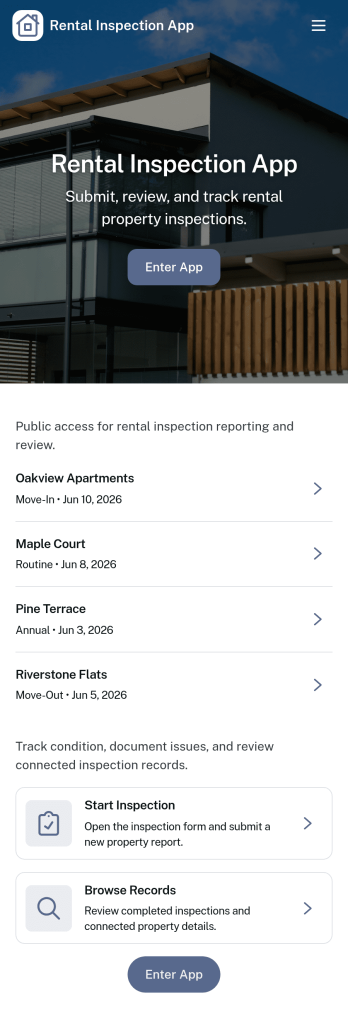
Rental Inspection App
Rental Inspection App helps property teams run consistent move-in, move-out, and routine unit checks while keeping inspection activity organized in one place. From the home screen, inspectors can start an inspection, log findings for a specific unit, and submit issue reports with supporting details when something needs attention. It’s a practical fit for landlords, property managers, leasing offices, and maintenance coordinators who want clearer unit visibility across multiple properties without relying on scattered notes, photos, or messages.Jotform App Templates make it easy to turn inspection workflows into a guided, self-service experience you can share with your team. Using Jotform’s no-code app builder and drag-and-drop interface, you can connect inspections and issue reports to forms and tables, review inspection logs, and keep history searchable by unit. Customize the layout, add your branding, and publish the app to support reliable data collection and smoother workflows across your rental operations.
Go to Category:Rental Apps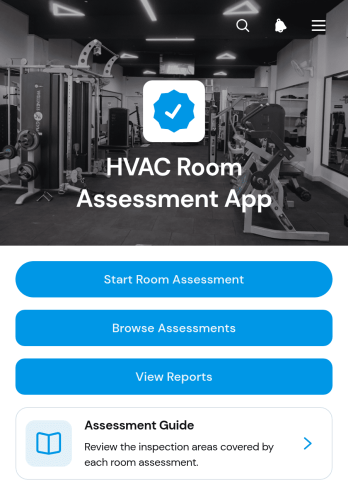
HVAC Room Assessment App
HVAC Room Assessment App helps technicians, contractors, property teams, and facility managers document room conditions during heating, ventilation, and air conditioning inspections. Users can start a room assessment, browse previous assessments, and review reports from one organized location. Key readings such as temperature, humidity, airflow, and filter condition support consistent evaluations across homes, offices, rental properties, schools, and commercial facilities. Recorded room names and review statuses make it easier to compare findings, identify areas requiring attention, and maintain a useful history for maintenance planning. It also gives field teams a practical way to replace scattered notes with accessible digital records.Jotform App Templates make it easy to adapt this app template to an existing inspection workflow without writing code. With Jotform’s no-code app builder and drag-and-drop interface, teams can update pages, navigation, instructions, branding, and connected forms to match their assessment process. Collected data can be organized through connected tables and workflows, while notifications help staff respond to new entries or follow-up needs. Publish the app for mobile access, then share it with technicians through a direct link, personalized URL, or QR code. This creates a convenient self-service resource for completing assessments in the field and reviewing information from one place.
Go to Category:Home Inspection Apps
In-Home Assessment App
The In-Home Assessment App is a ready-to-customize template for professionals who evaluate a person’s living environment, needs, safety concerns, or service eligibility during a home visit. It suits home service teams, care coordinators, consultants, field assessors, property specialists, and community organizations that need a consistent digital starting point for each assessment. The app can provide guided assessment access, connect users with data collection forms, and organize supporting resources in one mobile-friendly place. It helps reduce scattered paperwork, promote consistent visits, and simplify follow-up for office and field teams without tying the template to a single assessment method.With Jotform Apps, teams can turn this In-Home Assessment App template into a branded experience using a no-code app builder and an intuitive drag-and-drop interface. Add pages, buttons, instructions, images, forms, tables, approvals, or workflow links as your process develops. Staff can open the app on a phone, tablet, or computer, while managers can update content centrally and support self-service access where appropriate. Publish it through a direct link, personalized URL, QR code, or embedded experience to give assessors a practical tool for visits and ongoing operations.
Go to Category:Home Inspection Apps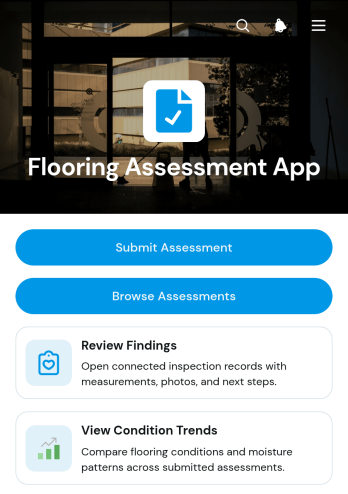
Flooring Assessment App
The Flooring Assessment App is an app template for documenting floor conditions across homes, rental properties, commercial spaces, and active job sites. Flooring contractors, home service teams, property managers, inspectors, and renovation consultants can use it to submit assessments, browse previous records, and review findings by property area. The app brings condition notes, moisture signs, measured area, flooring type, recommended next steps, and condition trends into an accessible experience. This consistent process helps teams prepare estimates, prioritize repairs or replacement, monitor changes over time, and give office staff clearer information from field visits.Jotform Apps helps businesses turn this flooring assessment workflow into a branded, mobile-friendly resource without writing code. Customize the app template through a drag-and-drop interface, adjust pages and navigation, and connect forms or tables for organized data collection. Teams can share the finished app by direct link or QR code, making it convenient for field staff to add records and review information from their phones. With Jotform’s no-code app builder, organizations can create a practical self-service workspace that supports faster follow-up, consistent documentation, and better coordination between assessors, project teams, and property stakeholders.
Go to Category:Inspection Apps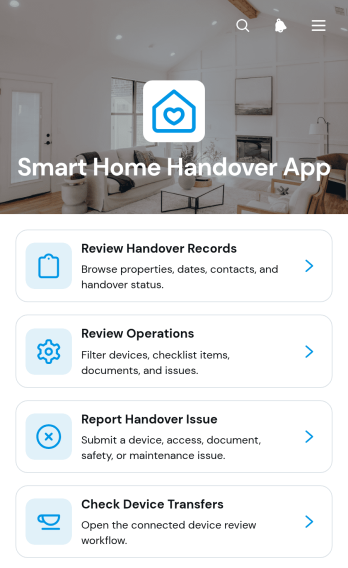
Smart Home Handover App
The Smart Home Handover App is an app template for coordinating the transfer of connected-home systems, property details, and operating responsibilities between outgoing and incoming contacts. Property developers, contractors, installers, estate teams, and property managers can use it during new-home completion, tenancy changes, sales, or service transitions. Users can review handover records, check operational and device transfer information, and report issues associated with a property. Keeping these actions in one accessible experience reduces missing information, clarifies responsibilities, and helps teams resolve outstanding handover concerns before they disrupt occupants or operations.Jotform App Templates make it easier to turn recurring property processes into organized digital experiences. With Jotform’s no-code app builder and drag-and-drop interface, teams can customize pages, navigation, colors, and content without programming. Connect the app template to forms and tables to support data collection, notifications, and follow-up workflows, then share it by direct link or QR code. This creates a convenient self-service resource that works across mobile devices and helps everyone access current handover information from one place.
Go to Category:Construction Apps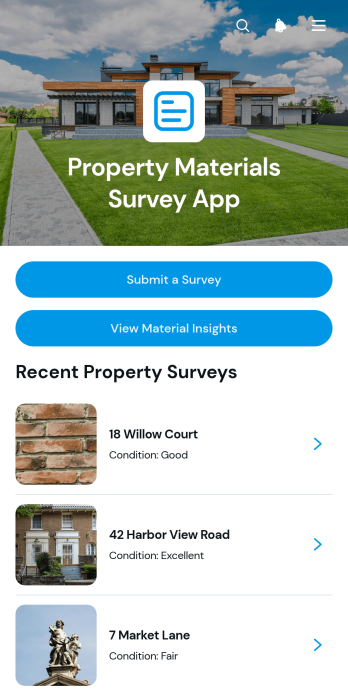
Property Materials Survey App
The Property Materials Survey App is an app template for documenting the materials, estimated age, and condition of buildings during property visits. Surveyors, home inspectors, construction teams, contractors, property managers, real estate professionals, and insurers can use it to submit surveys, browse property records, and review material insights from one accessible location. Each property profile brings key observations and survey notes together, helping teams maintain consistent records across inspections. It is especially useful for site assessments, renovation planning, maintenance reviews, portfolio analysis, and preliminary risk evaluations where organized material information supports better decisions.Jotform Apps helps organizations turn this Property Materials Survey App into a branded, mobile-friendly resource without writing code. Its no-code app builder and drag-and-drop interface make it easy to adjust pages, navigation, colors, fonts, and content to suit an existing workflow. Users can connect forms for data collection, organize responses in tables, trigger notifications, and provide self-service access to approved team members. Start with one of Jotform’s App Templates, tailor the app template to your surveying process, and share it through a direct link or QR code for convenient use in the field or office.
Go to Category:Home Inspection Apps
Window Inspection App
The Window Inspection App is an app template for documenting window conditions across homes, rental properties, commercial buildings, and active construction sites. Home inspectors, contractors, property managers, maintenance teams, and field service professionals can use it to start new inspections, organize windows by location, and review inspection records from one central workspace. Findings for glass, frames, and seals help teams document defects consistently, while recommended actions and a follow-up queue make unresolved repairs easier to prioritize. A dashboard also gives supervisors a practical view of inspection activity without relying on scattered notes or separate files.Jotform Apps helps organizations turn this inspection process into a mobile-friendly experience without writing code. Using the no-code app builder and its drag-and-drop interface, teams can customize pages, navigation, colors, fonts, and branding to suit their operations. Connected forms support data collection in the field, while tables, notifications, approvals, and other workflow tools can help route findings to the right people. This Window Inspection App can be shared by link or QR code, giving inspectors and service teams convenient access from phones, tablets, or computers. Jotform App Templates also provide a flexible starting point that can be adapted for recurring inspections, repair coordination, property handovers, and preventive maintenance.
Go to Category:Inspection Apps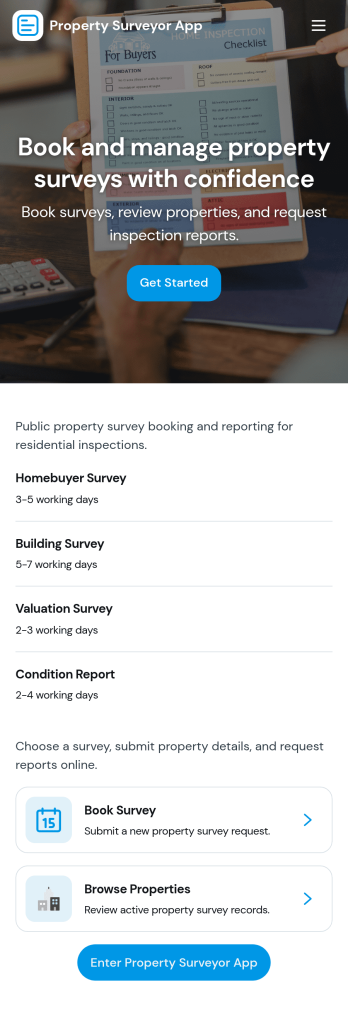
Property Surveyor App
Property Surveyor App helps surveyors and property teams capture intake details, manage survey visits, and keep property records organized across multiple jobs. It brings key actions into one place, including a button to open a property intake flow and views for both personal and team-wide property submissions, so nothing gets lost between site work and the office. Use it to coordinate valuations, track what still needs a visit, and quickly pull up a property address when you’re on the move.Built with Jotform, this app template pairs a no-code app builder with a drag-and-drop interface so you can adjust pages, navigation, and branding to match your workflow. Connect forms and tables to centralize data collection, review entries in real time, and support self-service updates for staff in the field. Share the app by link to keep survey activity consistent across your team and make everyday property surveying work easier to run.
Go to Category:Real Estate AppsAbout Home Inspection Apps
Home Inspection Apps are specialized mobile and web applications designed to streamline the process of conducting property inspections. These apps are instrumental for professionals in real estate, construction, and property management, facilitating tasks such as documenting conditions, capturing photos, and generating reports. By utilizing a Home Inspection App, inspectors can efficiently manage their workflow, ensuring comprehensive and accurate assessments. Across industries such as real estate firms, construction companies, and property management agencies, Home Inspection Apps facilitate seamless communication and documentation, assisting professionals in maintaining high standards of safety and quality assurance.
Jotform Apps, leveraging the power of Progressive Web App technology, offer a no-code app building platform specifically tailored for Home Inspection purposes. These apps can be easily installed via a browser, requiring no App Store, and are compatible across various devices including iOS, Android, tablets, and desktops. With Jotform’s centralized data solution, Jotform Tables, inspection data is organized and accessible, optimizing workflow management and collaboration across teams. Jotform Apps empower users to create custom inspection apps that align with specific business processes, significantly enhancing operational efficiencies and data management.
Why Use Home Inspection Apps?
- Home Inspection Apps streamline the process of documenting inspections by enabling digital entry of data, reducing the time spent on paperwork and minimizing errors. This digital transformation leads to higher productivity and more accurate record keeping, which is essential for maintaining compliance and quality control.
- These apps enhance communication and coordination among team members and stakeholders by providing a centralized platform for sharing inspection reports and updates. Enhanced communication leads to quicker decision-making and improved project outcomes.
- By incorporating real-time data collection and reporting capabilities, Home Inspection Apps facilitate immediate feedback and action, which can be crucial in maintaining safety standards and addressing issues promptly.
- The integration of multimedia elements such as photos and videos within inspection reports provides a more comprehensive view of the inspected property, aiding in better assessment and documentation.
- Jotform’s no-code app builder allows users to easily customize their Home Inspection Apps to fit their unique business needs without requiring technical expertise. This ease of customization ensures that the app can evolve with the business’s changing requirements.
Common Problems Solved by Home Inspection Apps
- Traditional paper-based inspection processes can be time-consuming and prone to data entry errors. Home Inspection Apps digitize the entire process, eliminating the need for manual data entry and reducing the likelihood of errors.
- Coordinating inspections and reports across multiple locations and teams can be challenging. Home Inspection Apps provide centralized data access, ensuring all team members have real-time information regardless of their location.
- Managing and storing large volumes of inspection documents can be cumbersome. Home Inspection Apps provide a digital archive, simplifying the storage and retrieval of inspection data, which enhances efficiency and organization.
- Ensuring consistency and standardization in inspection reports across different inspectors can be difficult. Home Inspection Apps facilitate standardized reporting templates and processes, ensuring uniformity and reliability in reports.
Matching Use Cases to Features
- A common use case is the need for real-time data entry during property inspections. The Drag-and-Drop Interface allows inspectors to quickly create and modify forms in the app, enabling seamless data capture and reducing time spent on administrative tasks.
- For businesses requiring a branded app experience, Jotform Apps offer Publish Options (Public, Private, Company-only) that allow companies to control who can access their app, ensuring that sensitive information is protected while maintaining brand integrity.
- Sharing inspection reports with stakeholders is simplified through Sharing Methods such as Direct Link, Email, QR Code, and Social Media, which facilitate easy distribution and accessibility, ensuring that all parties are informed and aligned.
- Companies looking to streamline payment processes can integrate Payment Integrations like Stripe and PayPal directly within their Home Inspection App, allowing for secure and efficient transaction handling during inspections.
- Workflow Automation within Jotform Apps enables automatic notifications and task assignments, ensuring that each inspection step is completed promptly and that all team members remain informed and engaged throughout the process.
How to Create a Home Inspection App
- Choose a category-relevant template from the Template List or start from scratch.
- Customize using the Drag-and-Drop Interface to fit your specific inspection needs.
- Share via Link, QR Code, or Embed to distribute your app to your team and stakeholders.
Top Use Cases for Home Inspection Apps
- For Managers: Home Inspection Apps provide managers with a comprehensive overview of inspection activities, allowing them to monitor progress and ensure compliance with industry standards. Managers can utilize the centralized data from the app to identify trends and areas for improvement, ensuring that teams are operating efficiently and effectively. The ability to access real-time data and reports empowers managers to make informed decisions quickly, enhancing overall project management and strategic planning.
- For Teams: Inspection teams benefit significantly from Home Inspection Apps as they facilitate easy data entry and sharing, streamlining communication and collaboration. Team members can easily access inspection checklists and submit reports directly through the app, reducing the time spent on administrative tasks. The app’s offline mode ensures that teams can continue their work uninterrupted, even in areas with poor connectivity, maintaining productivity and efficiency across all inspection activities.
- For Customers: Home Inspection Apps provide customers with transparent and detailed inspection reports that enhance their understanding of the property’s condition. Customers receive timely updates and comprehensive documentation, which helps them make informed decisions regarding property maintenance or purchase. The app’s ability to integrate multimedia elements into reports offers customers a clearer picture of the inspection findings, fostering trust and satisfaction with the inspection process.
Summarizing Home Inspection Apps
Home Inspection Apps are essential for enhancing operational efficiency, accuracy, and communication in property inspections. By digitizing and streamlining the inspection process, these apps reduce paperwork, minimize errors, and improve data accessibility. Jotform Apps, with their no-code builder and PWA technology, empower businesses to create custom inspection solutions that align with their specific workflows and requirements. The integration of features such as real-time data collection, multimedia integration, and centralized data management ensures that all stakeholders remain informed and engaged, ultimately driving better business outcomes.
Frequently Asked Questions
1) Is it free to create and use Home Inspection apps on Jotform?
Creating and using Home Inspection apps with Jotform is free under the Starter plan. This plan provides users with the essential tools needed to build and deploy their apps without any initial investment. Users can always upgrade to paid plans to access more advanced features and higher usage limits as their needs grow.
2) Are the data and payments collected through the app secure?
Yes, Jotform ensures that all data and payments collected through the app are secure. The platform is compliant with GDPR and other privacy regulations, offering encryption and secure payment gateways like Stripe and PayPal. This commitment to security ensures that users' information and transactions are protected against unauthorized access.
3) Do I need any coding skills to create a Home Inspection app with Jotform?
No coding skills are required to create a Home Inspection app with Jotform. The platform provides a user-friendly Drag-and-Drop Interface that allows users to customize their apps without any technical expertise. This no-code approach empowers users to build functional and professional apps with ease.
4) Can I collect payments for services directly through the app?
Yes, you can collect payments directly through the app using integrations with payment processors such as Stripe and PayPal. These integrations allow you to handle transactions securely and efficiently, providing a seamless payment experience for your clients.
5) Does Jotform support offline data collection for Home Inspection apps?
Jotform does support offline data collection for Home Inspection apps through its Mobile Forms feature. This capability allows users to collect data even without an internet connection, ensuring that inspections can proceed uninterrupted in areas with limited connectivity.
6) Are Jotform Apps compatible with both iOS and Android devices?
Yes, Jotform Apps are fully compatible with both iOS and Android devices. Built on Progressive Web App technology, they can be accessed via any web browser, making them versatile and accessible across different platforms and devices.
7) How can Home Inspection Apps improve communication between teams?
Home Inspection Apps enhance communication by providing a centralized platform for data sharing and report distribution. Features like real-time updates and workflow automation ensure that all team members are aligned, reducing misunderstandings and improving collaboration.
8) What are the benefits of using multimedia elements in inspection reports?
Using multimedia elements such as photos and videos in inspection reports provides a more comprehensive view of the property condition. This visual documentation aids in more accurate assessments and enhances the clarity and detail of the reports, ultimately improving decision-making for all stakeholders involved.