
The Video Channel Feedback App is a ready-to-use feedback experience for creators, media teams, educators, and organizations that publish recurring video content. Viewers can share their reactions, while content teams can review feedback and explore insights from one organized location. Responses can be associated with individual video titles and cover audience recommendations, what worked well, and what could be improved. This app template helps teams replace scattered comments and informal surveys with focused data collection that supports editorial planning, audience research, training content reviews, and ongoing channel development.
Jotform Apps makes it easy to customize this experience with a no-code app builder and an intuitive drag-and-drop interface. Add branded pages, adjust navigation, connect forms and tables, or build a workflow that routes viewer feedback to the right team members. Jotform App Templates can be shared by direct link or QR code, giving audiences mobile-friendly self-service access without requiring a separate download. Start with the Video Channel Feedback App, tailor its appearance and questions, and publish a polished feedback destination in minutes.
Related templates

Anonymous Feedback App
Anonymous Feedback App gives people a safe, simple way to share honest input without attaching their name to it. Use it for employee suggestions, student feedback, customer experience notes, event comments, or community concerns when participation drops due to fear of being identified. The app supports quick feedback submission, topic-based browsing to guide what people comment on, and an insights view that helps teams spot patterns and prioritize next steps.With Jotform, you can publish this app template using a no-code app builder and tailor it to your organization in minutes. Use the drag-and-drop interface to update pages, adjust navigation cards, and match your branding, then connect the feedback form to your workflow for organized data collection and follow-up. Share the app through a link or QR code so anyone can access self-service feedback on desktop or mobile.
Go to Category:Community & Engagement Portal Apps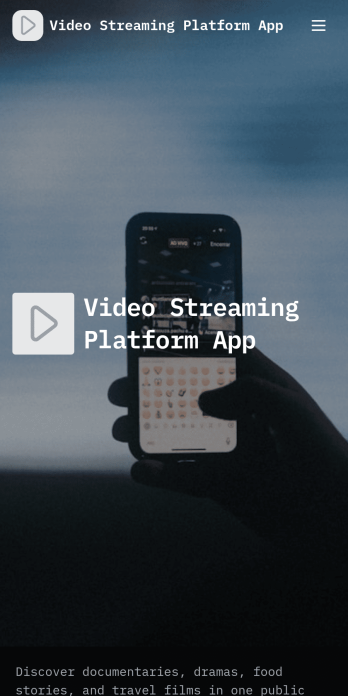
Video Streaming Platform App
Video Streaming Platform App brings your video library into one place so viewers can discover content and creators can contribute new uploads without confusion. Use it to publish a public video collection for a community, classroom, organization, or media team, with simple navigation for browsing by category and keeping up with the latest uploads. It’s a practical fit for influencers sharing series content, nonprofits spotlighting stories, training teams curating tutorials, or event organizers posting session recordings, while keeping the experience easy for audiences to explore.With Jotform App Templates, you can launch this experience quickly and tailor it to your brand using Jotform’s no-code app builder and drag-and-drop interface. Connect the app to a video submission form for data collection, manage entries in your workflow, and share the finished app through a link or QR code for self-service access on any device. Update categories, featured content, and pages anytime, so your streaming-style hub stays current as your library grows.
Go to Category:Entertainment Apps
Audience Voting App
Audience Voting App is an interactive app template for collecting audience opinions during live events, competitions, presentations, community programs, classroom activities, and online campaigns. Event organizers, educators, entertainment teams, marketers, and community leaders can present polls, help participants browse questions and available choices, and provide a clear path for casting a vote. Bringing voting access into one organized experience reduces confusing instructions, makes participation easier on mobile devices, and gives audiences a convenient self-service option. It can support anything from choosing a contest winner to gathering quick feedback on a topic.Jotform App Templates help teams create polished digital experiences without writing code. Customize the Audience Voting App with the no-code app builder, adjust pages and navigation through a drag-and-drop interface, and connect forms or other workflow assets for data collection. Branding, text, images, buttons, and poll content can be adapted to suit a specific event or campaign. Once the app is ready, share it through a direct link or QR code so participants can reach the voting experience from their preferred device.
Go to Category:Customer Engagement Apps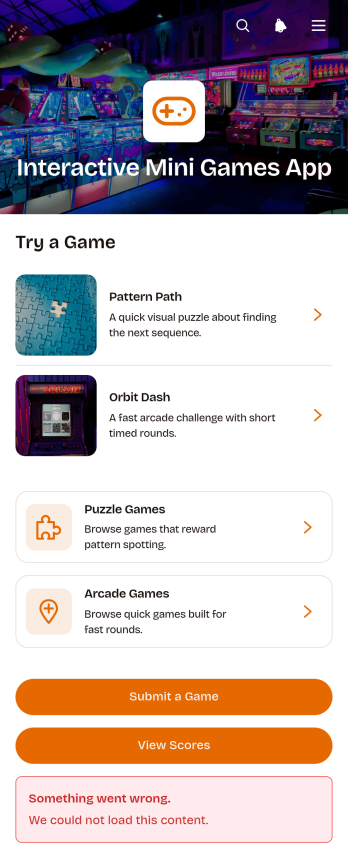
Interactive Mini Games App
The Interactive Mini Games App is a ready-to-use app template for event organizers, educators, community managers, marketing teams, and employers who want to offer casual digital entertainment from one convenient destination. It organizes game discovery and participation through browsable puzzle and arcade collections. Players can review difficulty levels, categories, and instructions before launching a game, then access score records or submit a game for consideration. The template works well for virtual events, classroom breaks, community activities, employee engagement programs, and promotional campaigns. Bringing game links, participation options, and results together gives players simple self-service access while helping organizers avoid scattered resources.Jotform App Templates make it easy to adapt this experience without coding. Use the no-code app builder and drag-and-drop interface to update pages, cards, buttons, images, and navigation so they match your audience and visual style. You can connect forms to support data collection, organize score-related workflows, and gather new game suggestions. Once your Interactive Mini Games App is ready, publish it with a direct link or QR code for convenient mobile access. Jotform also makes ongoing updates simple, so teams can refresh game selections and content without rebuilding the app.
Go to Category:Entertainment Apps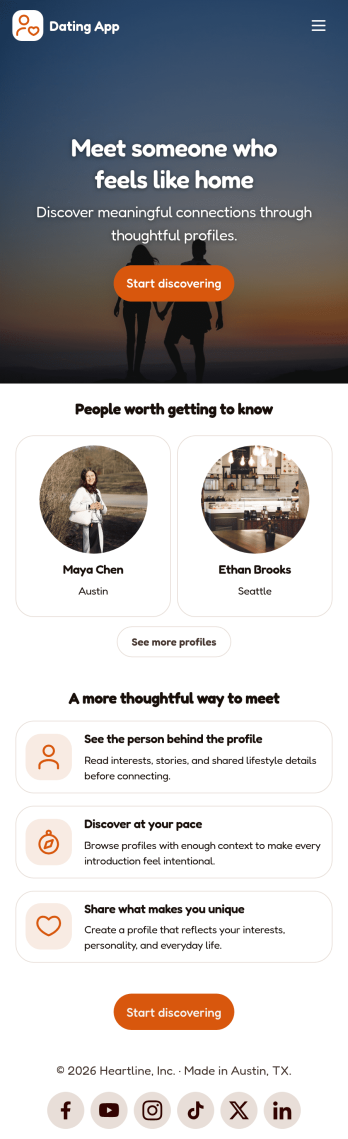
Dating App
Dating App helps you create a simple, mobile-friendly space where people can discover profiles, learn the basics at a glance, and take the next step to connect. It’s a practical choice for community organizers, niche social groups, matchmakers, and entrepreneurs who want a lightweight way to present dating or connection information without building complex features. Use it to highlight introductions, share guidelines, and point users to the right place to start a conversation or request more details.With Jotform, you can publish polished App Templates using a no-code app builder and a drag-and-drop interface that makes updates easy as your community grows. Customize the look and feel, adjust your page content in minutes, and support your workflow with connected data collection when you add forms later. Share your app with a link or QR code so users can access it anytime for quick self-service.
Go to Category:Community & Engagement Portal Apps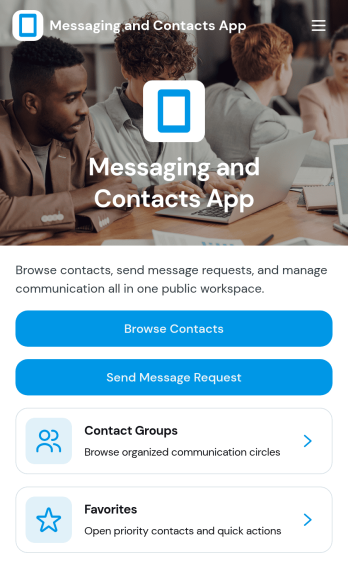
Messaging and Contacts App
Messaging and Contacts App helps teams organize contact details and send message requests from one central, easy-to-share workspace. It’s a practical fit for customer support, sales, community managers, and internal departments that need a simple way to browse contacts, group people by purpose, and quickly reach out when a follow-up is needed. With built-in navigation for browsing contacts, viewing favorites, and working with contact groups, this app keeps communication tasks moving without digging through spreadsheets or scattered tools.Jotform makes it easy to build and publish app templates like Messaging and Contacts App using a no-code app builder with a drag-and-drop interface. Connect buttons to forms for data collection, keep contact records organized, and support a smoother workflow for self-service updates and requests. Share your app through a link or QR code, tailor the branding to match your organization, and update the experience as your contact list and communication needs grow.
Go to Category:CRM Apps