

Customer Engagement Apps

Point Reward System App
Point Reward System App helps businesses and organizations run a simple loyalty-style points experience where people can earn points, view available rewards, review activity, and redeem rewards from one place. It’s a practical fit for retail shops, gyms and studios, cafés, online communities, and internal teams that want to encourage repeat engagement without juggling scattered spreadsheets or manual updates. With dedicated areas for earning points, browsing rewards, and checking activity, users can understand how points are gained and what they can redeem next.Built with Jotform, this app template pairs a no-code app builder with a drag-and-drop interface so you can tailor the flow to your program in minutes. Connect the app to forms and tables for data collection and ongoing tracking, then share it as a self-service experience for customers or employees. You can also keep point entries organized in one place, update reward options as your program evolves, and maintain a clear workflow from point entry to reward redemption.
Go to Category:Community & Engagement Portal Apps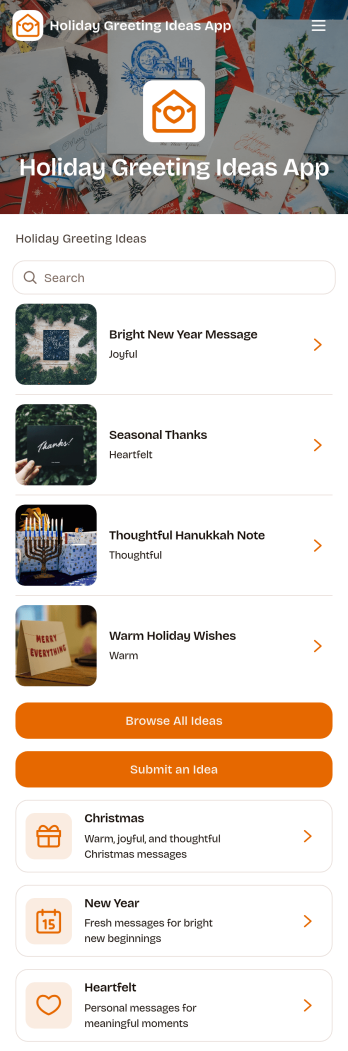
Holiday Greeting Ideas App
The Holiday Greeting Ideas App gives individuals, marketing teams, community managers, nonprofits, and small businesses a welcoming place to discover and share seasonal messages. Users can browse greeting ideas for Christmas, New Year, and heartfelt occasions, then review useful context such as the intended audience, occasion, and tone. A connected submission form also makes it easy for contributors to suggest similar ideas. This app template helps teams maintain a useful source of inspiration, reduce the time spent drafting messages, and keep holiday communication thoughtful across cards, campaigns, community updates, and personal notes.With Jotform Apps, you can adapt the Holiday Greeting Ideas App through a no-code app builder and an intuitive drag-and-drop interface. Update pages, cards, buttons, imagery, fonts, and colors to reflect your brand or seasonal theme. Jotform App Templates can also connect forms, tables, notifications, and workflows, helping you manage data collection and review new contributions from one place. Publish the finished experience with a direct link or QR code so visitors can enjoy convenient self-service access on phones, tablets, and computers.
Go to Category:Customer Engagement Apps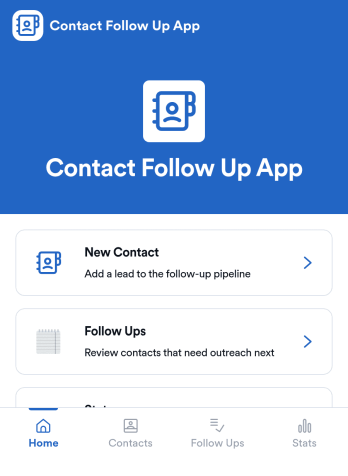
Contact Follow Up App
Contact Follow Up App helps you capture new leads and keep every conversation moving forward without losing track of who needs a reply. It’s built for sales reps, small business owners, agencies, and client-facing teams who juggle outreach across events, referrals, inbound inquiries, and repeat customers. With a simple New Contact entry point and a dedicated Follow Ups area, you can quickly log contact details, review people who need attention, and open an individual contact view when it’s time to act.Jotform makes it easy to turn this kind of follow-up workflow into a shareable, branded experience using a no-code app builder and a drag-and-drop interface. Connect your app to forms and tables for consistent data collection, keep information organized in one place, and publish updates fast as your workflow evolves. Whether you’re tracking lead status, prioritizing outreach, or reviewing simple stats, Jotform app templates help you deliver reliable self-service and internal processes without extra tools.
Go to Category:Customer Engagement Apps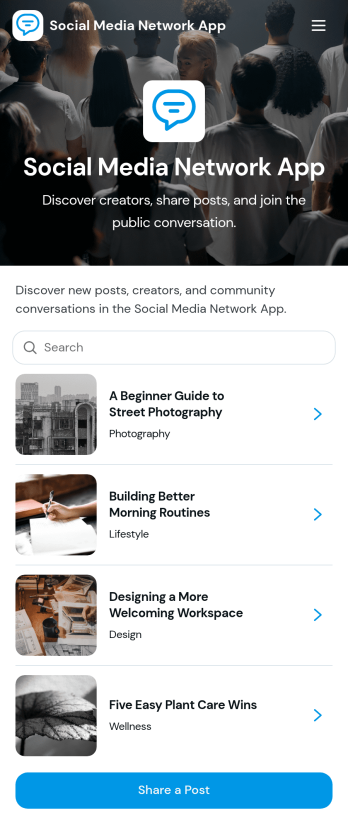
Social Media Network App
Social Media Network App brings a community-style social space into one simple, shareable experience so people can post updates, explore creators, and discover new messages as they’re published. It works well for creator communities, clubs, nonprofits, internal culture groups, alumni networks, and niche interest spaces that want a lightweight feed where members can share posts, publish profiles, and browse what others are talking about without complicated setup.Built with Jotform, this app template helps you launch a mobile-friendly social hub using App Templates and a no-code app builder with a drag-and-drop interface. Connect your app to forms and workflows for data collection, then organize posts and creator profiles into scrollable lists and cards that are easy to navigate. Share your Social Media Network App with a link, keep content organized in one place, and update the experience anytime as your community grows.
Go to Category:Community & Engagement Portal Apps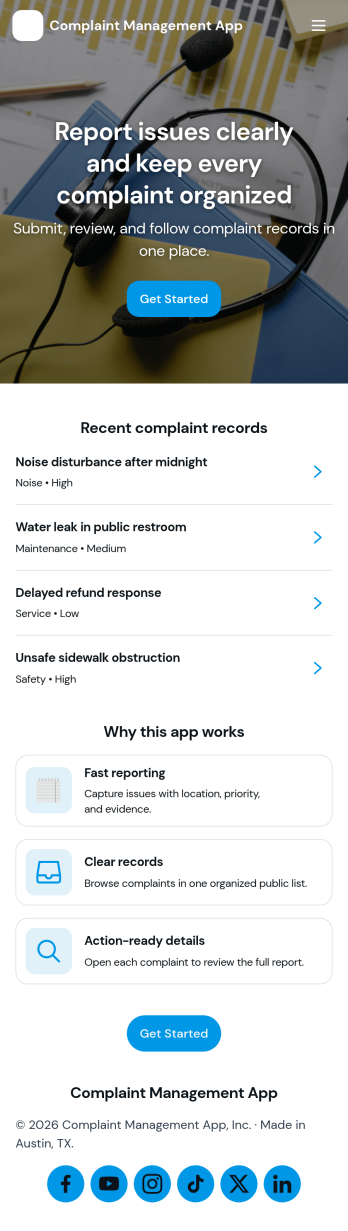
Complaint Management App
Complaint Management App helps organizations capture, organize, and follow up on customer or employee complaints in one place. It supports a simple intake experience with a Submit Complaint page, a Browse Complaints area for reviewing records, and a Support Contact page for quick escalation when someone needs help. Use it in retail, hospitality, property management, internal HR operations, or any service team that wants clearer visibility into issues, faster handoffs, and more consistent responses across locations or departments.Jotform makes it easy to turn this app template into a branded self-service experience with a no-code app builder and a drag-and-drop interface. Connect your complaint forms to the app, keep information organized, and share a single link or QR code so people can submit issues and teams can review them from anywhere. With Jotform, you can update pages, adjust what you collect, and refine the workflow as your support process evolves.
Go to Category:Customer Portal Apps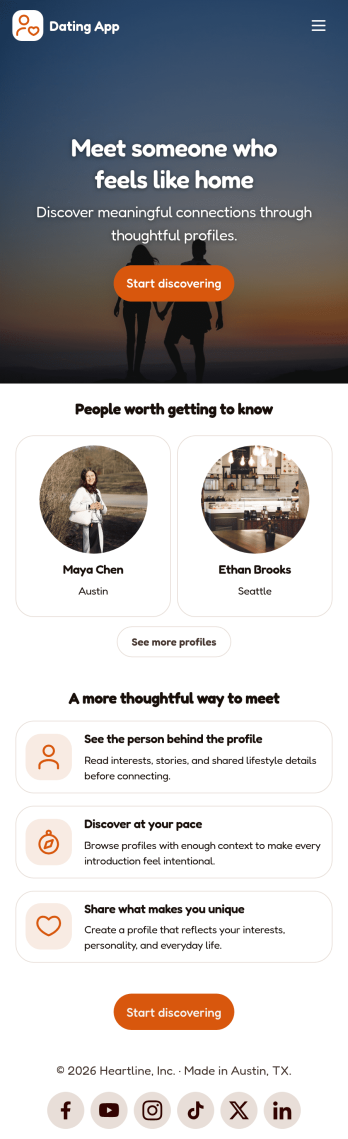
Dating App
Dating App helps you create a simple, mobile-friendly space where people can discover profiles, learn the basics at a glance, and take the next step to connect. It’s a practical choice for community organizers, niche social groups, matchmakers, and entrepreneurs who want a lightweight way to present dating or connection information without building complex features. Use it to highlight introductions, share guidelines, and point users to the right place to start a conversation or request more details.With Jotform, you can publish polished App Templates using a no-code app builder and a drag-and-drop interface that makes updates easy as your community grows. Customize the look and feel, adjust your page content in minutes, and support your workflow with connected data collection when you add forms later. Share your app with a link or QR code so users can access it anytime for quick self-service.
Go to Category:Community & Engagement Portal Apps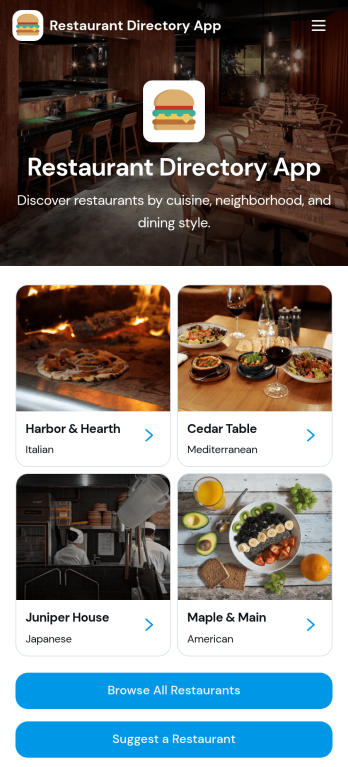
Restaurant Directory App
Restaurant Directory App brings your restaurant listings into one place so customers, tourists, and local communities can quickly discover where to eat. Use it to publish a curated guide for a neighborhood, campus, hotel concierge desk, food festival, or chamber of commerce, with list-style browsing and dedicated restaurant pages that highlight key details. Visitors can explore options, open a restaurant profile, and take action with one-tap calling or a direct website link, while your team keeps the directory consistent and easy to navigate.Jotform makes it simple to turn this restaurant directory app template into a branded, mobile-friendly experience using a no-code app builder and a drag-and-drop interface. Connect your directory to data collection with linked forms, route updates through a workflow your team controls, and publish changes fast without relying on developers. Share your Jotform app through a link or QR code so people can access the directory anytime and suggest new restaurants as your guide grows.
Go to Category:Food & Beverage Apps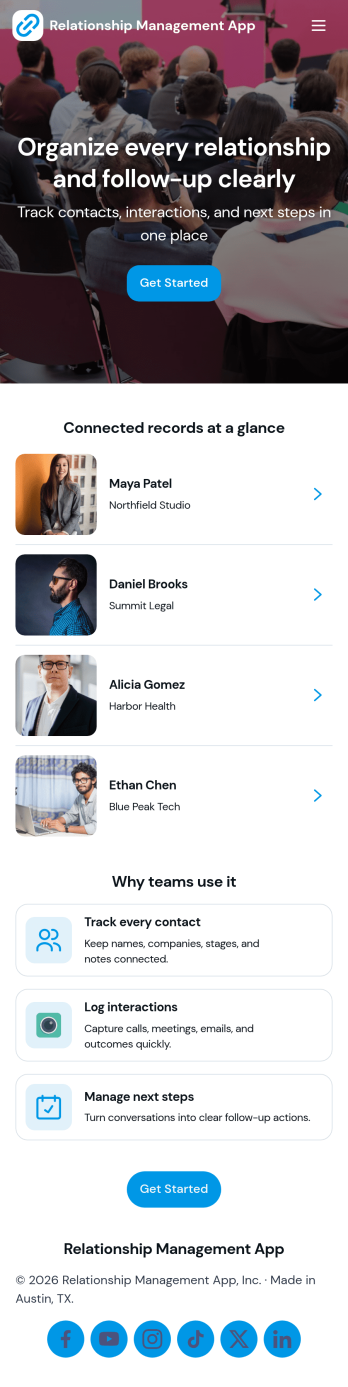
Relationship Management App
Relationship Management App helps teams keep important connections organized and easy to follow up on, whether you’re managing customers, leads, partners, donors, or community members. It brings key contact details into a simple contacts view and supports consistent outreach with interaction logging and reminders, so nothing gets missed after a call, meeting, or email. This works well for small businesses, sales and marketing teams, agencies, consultants, and nonprofits that need a lightweight way to track relationship history without juggling scattered notes or separate spreadsheets.With Jotform, you can turn relationship tracking into a shareable self-service experience using app templates and a no-code app builder. Customize pages with a drag-and-drop interface, connect your app to forms and tables for reliable data collection, and keep your workflow moving with quick updates and centralized records. Publish the app for your team, align on the same source of truth, and expand it as your process evolves.
Go to Category:Customer Engagement Apps
Audience Voting App
Audience Voting App is an interactive app template for collecting audience opinions during live events, competitions, presentations, community programs, classroom activities, and online campaigns. Event organizers, educators, entertainment teams, marketers, and community leaders can present polls, help participants browse questions and available choices, and provide a clear path for casting a vote. Bringing voting access into one organized experience reduces confusing instructions, makes participation easier on mobile devices, and gives audiences a convenient self-service option. It can support anything from choosing a contest winner to gathering quick feedback on a topic.Jotform App Templates help teams create polished digital experiences without writing code. Customize the Audience Voting App with the no-code app builder, adjust pages and navigation through a drag-and-drop interface, and connect forms or other workflow assets for data collection. Branding, text, images, buttons, and poll content can be adapted to suit a specific event or campaign. Once the app is ready, share it through a direct link or QR code so participants can reach the voting experience from their preferred device.
Go to Category:Customer Engagement Apps
Secure Messaging App
Secure Messaging App helps teams and organizations share sensitive updates, quick instructions, and internal notes in one private place, especially when email threads and public chat tools feel too exposed. Use it for employee communications, client check-ins, on-call announcements, incident coordination, or confidential project discussions where clarity and controlled access matter most. It fits HR teams, IT and operations groups, healthcare and nonprofit staff, and any distributed team that needs a simple, focused channel for protected communication.With Jotform, you can build and publish a branded, mobile-friendly experience using a no-code app builder and a drag-and-drop interface. Start from this app template, tailor the content to your workflow, and share it by link or QR code for fast self-service access. As your needs grow, you can connect the app to Jotform forms and workflows to support structured data collection, internal requests, and organized follow-ups without adding complexity.
Go to Category:Customer Engagement Apps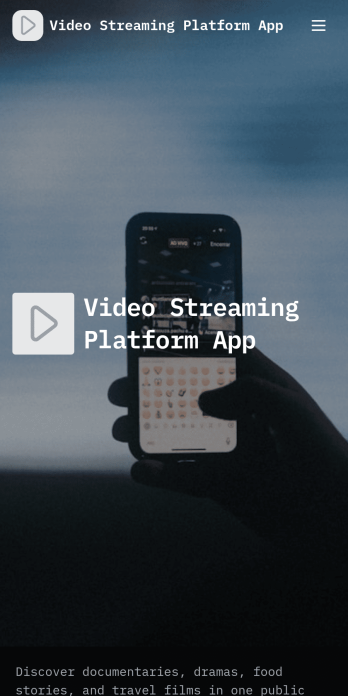
Video Streaming Platform App
Video Streaming Platform App brings your video library into one place so viewers can discover content and creators can contribute new uploads without confusion. Use it to publish a public video collection for a community, classroom, organization, or media team, with simple navigation for browsing by category and keeping up with the latest uploads. It’s a practical fit for influencers sharing series content, nonprofits spotlighting stories, training teams curating tutorials, or event organizers posting session recordings, while keeping the experience easy for audiences to explore.With Jotform App Templates, you can launch this experience quickly and tailor it to your brand using Jotform’s no-code app builder and drag-and-drop interface. Connect the app to a video submission form for data collection, manage entries in your workflow, and share the finished app through a link or QR code for self-service access on any device. Update categories, featured content, and pages anytime, so your streaming-style hub stays current as your library grows.
Go to Category:Entertainment Apps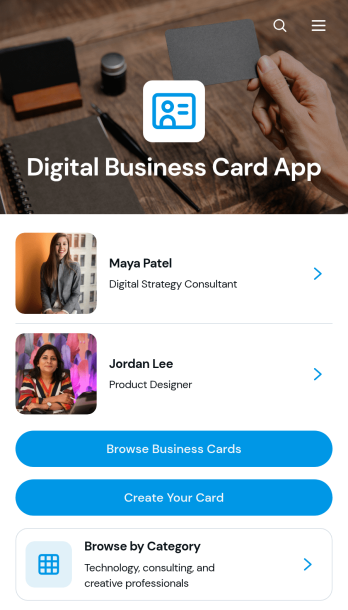
Digital Business Card App
The Digital Business Card App is a mobile-friendly directory for creating, publishing, and discovering professional profiles. Individual professionals, consultants, agency teams, networking groups, and business communities can use it to make contact details easier to share and explore. Visitors can browse business cards, filter profiles by professional category, and contact a listed person by email, phone, or website. It is well suited to conferences, membership networks, referral groups, company directories, and lead generation campaigns where printed cards are inconvenient or quickly become outdated. Centralized profiles help people present consistent information while giving prospective clients, partners, and peers a convenient way to connect.Jotform Apps makes the Digital Business Card App easy to adapt with a no-code app builder and an intuitive drag-and-drop interface. Start with this app template, update the pages and branding, connect forms for profile data collection, and organize records through related Jotform workflows. Teams can add useful links, adjust navigation, and publish changes without rebuilding the experience from scratch. Jotform App Templates also support self-service access through a direct link or QR code, helping users share a polished professional directory across mobile and desktop devices.
Go to Category:Social Bio Link Apps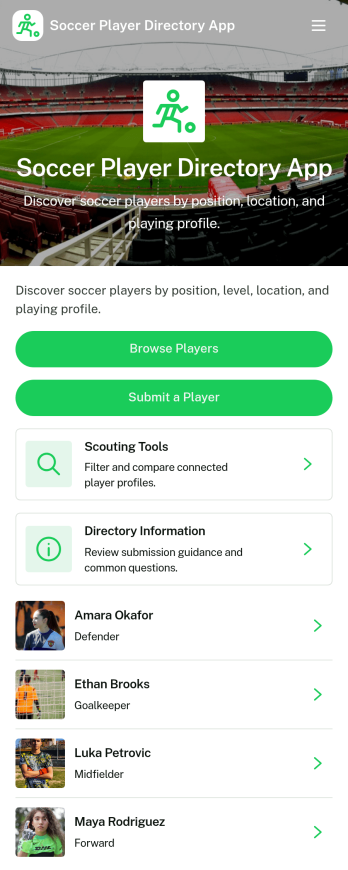
Soccer Player Directory App
Soccer Player Directory App helps coaches, scouts, clubs, and academies organize player profiles in one place so it’s easy to browse talent, review key details, and make faster outreach decisions. Use it to showcase rosters, maintain a scouting shortlist, or publish a searchable directory for tryouts and recruitment pipelines. With a browseable player list, individual profile views, and a built-in way to submit a player for inclusion, teams can keep information current without relying on scattered spreadsheets or long message threads.Jotform makes it simple to turn this directory into a polished self-service experience using a no-code app builder and a drag-and-drop interface. Connect the app to your data collection form to capture new players, update records over time, and keep your workflow organized as your directory grows. Share your Soccer Player Directory App as a link or QR code, customize branding and navigation, and give staff an easy way to explore players and contact them from a single place.
Go to Category:Sports Apps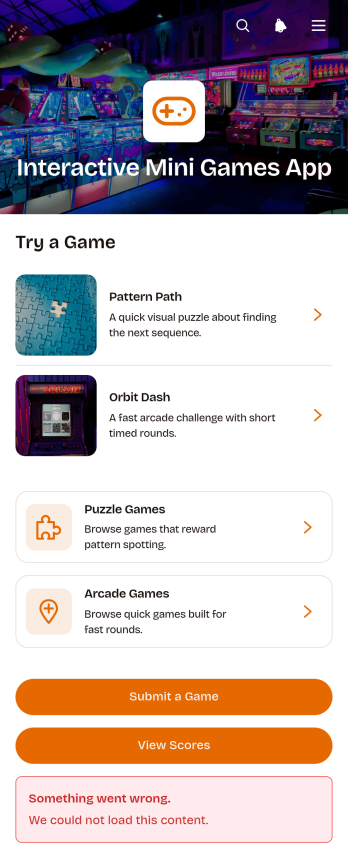
Interactive Mini Games App
The Interactive Mini Games App is a ready-to-use app template for event organizers, educators, community managers, marketing teams, and employers who want to offer casual digital entertainment from one convenient destination. It organizes game discovery and participation through browsable puzzle and arcade collections. Players can review difficulty levels, categories, and instructions before launching a game, then access score records or submit a game for consideration. The template works well for virtual events, classroom breaks, community activities, employee engagement programs, and promotional campaigns. Bringing game links, participation options, and results together gives players simple self-service access while helping organizers avoid scattered resources.Jotform App Templates make it easy to adapt this experience without coding. Use the no-code app builder and drag-and-drop interface to update pages, cards, buttons, images, and navigation so they match your audience and visual style. You can connect forms to support data collection, organize score-related workflows, and gather new game suggestions. Once your Interactive Mini Games App is ready, publish it with a direct link or QR code for convenient mobile access. Jotform also makes ongoing updates simple, so teams can refresh game selections and content without rebuilding the app.
Go to Category:Entertainment Apps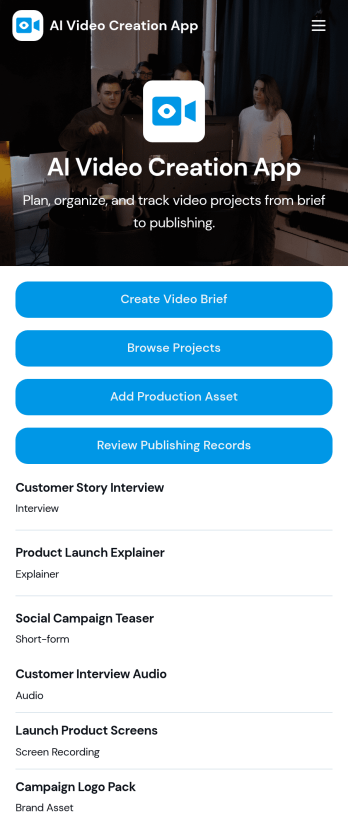
AI Video Creation App
AI Video Creation App brings your video production workflow into one place, so teams can move from concept to publish-ready content without scattered docs and endless status checks. Use it to capture consistent video briefs, organize projects, and maintain a shared library of production assets like scripts, brand guidelines, and creative references. It’s a practical fit for marketing teams, content creators, agencies, and social media managers who juggle multiple campaigns and need a dependable way to track what’s being made, what assets are approved, and what’s ready to go live.With Jotform, you can turn this AI Video Creation App into a branded self-service experience using a no-code app builder and a drag-and-drop interface. Connect buttons to forms for fast data collection, keep project and asset records organized, and build a repeatable workflow that teammates can follow across launches. Share your app with a link or QR code, update pages as your process evolves, and keep everyone aligned from brief intake to publishing records.
Go to Category:Sales & Marketing Portal Apps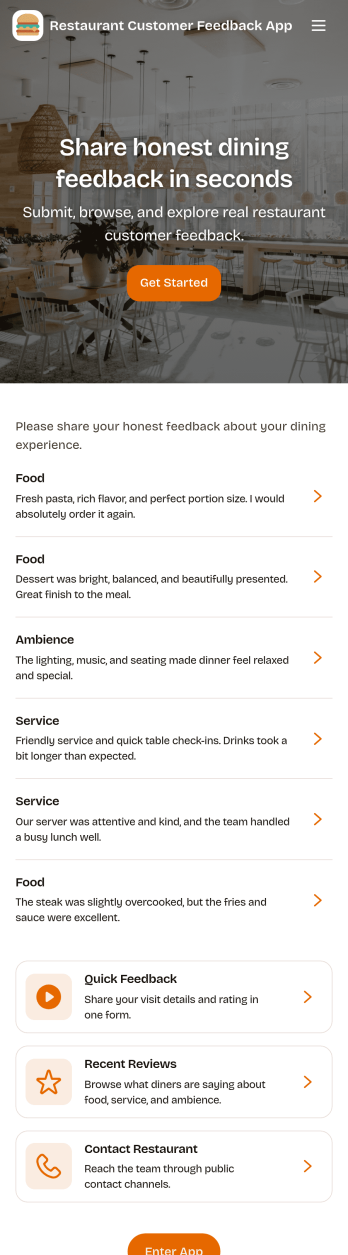
Restaurant Customer Feedback App
Restaurant Customer Feedback App gives restaurants a simple, guest-friendly place to collect comments right after a meal and learn what to improve next. Guests can tap Leave Feedback to share their experience, while staff can Browse Reviews to see recent entries and open a detailed review from the list. This works well for quick post-visit feedback, tracking recurring issues by shift or day, and capturing compliments you can share with the team.Jotform makes it easy to turn this idea into a polished, shareable experience using App Templates and a no-code app builder with a drag-and-drop interface. Connect your app to forms for data collection, keep feedback organized, and route insights into your workflow without extra tools. Publish a link or QR code so guests can use self-service feedback on their phones, and update pages, branding, and navigation as your restaurant grows.
Go to Category:Food & Beverage Apps
Private Community Forum App
Private Community Forum App is a dedicated online space for private groups to exchange ideas, share updates, ask questions, and build stronger connections. It suits membership organizations, professional networks, nonprofits, educators, customer communities, clubs, and internal teams that want conversations and resources in one accessible destination. Administrators can shape the page around focused discussions, community announcements, feedback collection, and useful links without sending members across disconnected channels. This app template helps create a more organized experience where invited participants can find relevant information, contribute to conversations, and stay involved in shared activities.Jotform Apps makes it easy to turn this Private Community Forum App into a branded community experience without writing code. Use the drag-and-drop interface to customize the layout, add pages and navigation, or connect forms for member questions, feedback, registrations, and other data collection needs. Related workflows, approvals, tables, and notifications can also support community operations from one place. Among Jotform App Templates, this flexible starting point gives organizers a practical way to build self-service access, publish updates, and share the finished app through a direct link, scannable code, or embedded experience.
Go to Category:Community & Engagement Portal Apps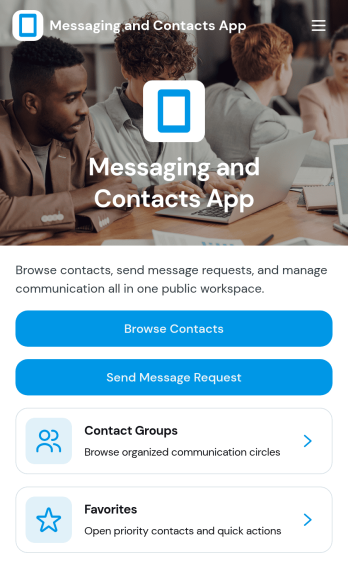
Messaging and Contacts App
Messaging and Contacts App helps teams organize contact details and send message requests from one central, easy-to-share workspace. It’s a practical fit for customer support, sales, community managers, and internal departments that need a simple way to browse contacts, group people by purpose, and quickly reach out when a follow-up is needed. With built-in navigation for browsing contacts, viewing favorites, and working with contact groups, this app keeps communication tasks moving without digging through spreadsheets or scattered tools.Jotform makes it easy to build and publish app templates like Messaging and Contacts App using a no-code app builder with a drag-and-drop interface. Connect buttons to forms for data collection, keep contact records organized, and support a smoother workflow for self-service updates and requests. Share your app through a link or QR code, tailor the branding to match your organization, and update the experience as your contact list and communication needs grow.
Go to Category:CRM Apps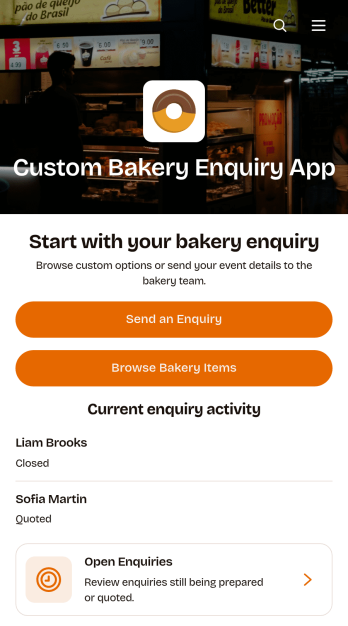
Custom Bakery Enquiry App
The Custom Bakery Enquiry App is an app template for bakeries, cake studios, pastry shops, and catering teams that need a clear way to receive and manage requests for made-to-order baked goods. Customers can browse bakery items, send an enquiry, and provide details such as the occasion, guest count, budget range, requested work, and design direction. Staff can review open enquiries, view each request in context, and monitor its current status from one organized location. This setup is useful for handling wedding cakes, celebration desserts, corporate orders, themed creations, and other projects that require consultation before pricing or confirmation. It reduces scattered messages and gives bakery teams a consistent data collection process for evaluating new opportunities.Jotform Apps helps businesses turn customer interactions and internal workflows into polished, mobile-friendly experiences without coding. Start with this app template, then use the no-code app builder and drag-and-drop interface to adjust pages, buttons, colors, typography, and navigation around your bakery brand. Connect enquiry forms with tables, notifications, approvals, or other workflow steps so staff can coordinate responses and follow-up tasks. Jotform app templates can be shared through a direct link, quick response code, or embedded experience, making customer self-service accessible from social profiles, websites, in-store displays, and marketing campaigns.
Go to Category:Food & Beverage Apps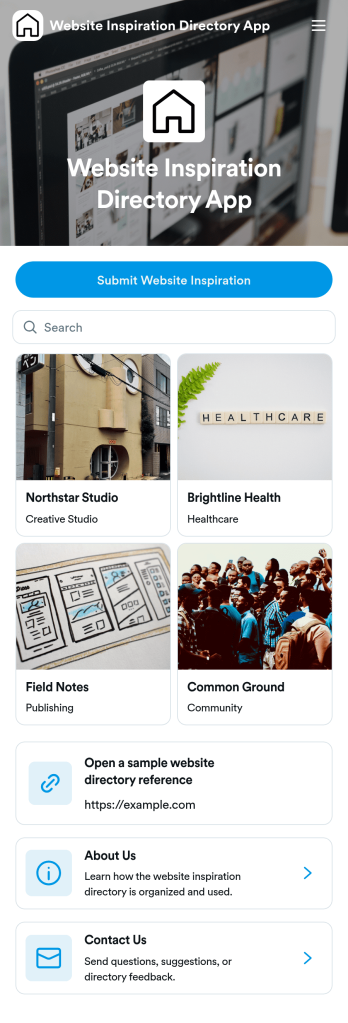
Website Inspiration Directory App
Website Inspiration Directory App gives teams a simple way to collect, organize, and browse great website examples in one place. Use it to discover references by category like landing pages or brand sites, open a detailed view for each entry, and jump out to the live site when you’re ready to explore further. It’s a strong fit for design agencies, marketing teams, freelancers, and product teams that want a shared library for moodboarding, competitive research, and creative reviews without losing links in chats or scattered spreadsheets.With Jotform, you can turn this idea into a polished, shareable experience using app templates and a no-code app builder built for speed. Customize pages with a drag-and-drop interface, connect your directory to structured data collection, and route new example submissions into a repeatable workflow your team can maintain over time. Share the finished app through a link or QR code so collaborators can browse inspiration and contribute new references from any device.
Go to Category:Sales & Marketing Portal Apps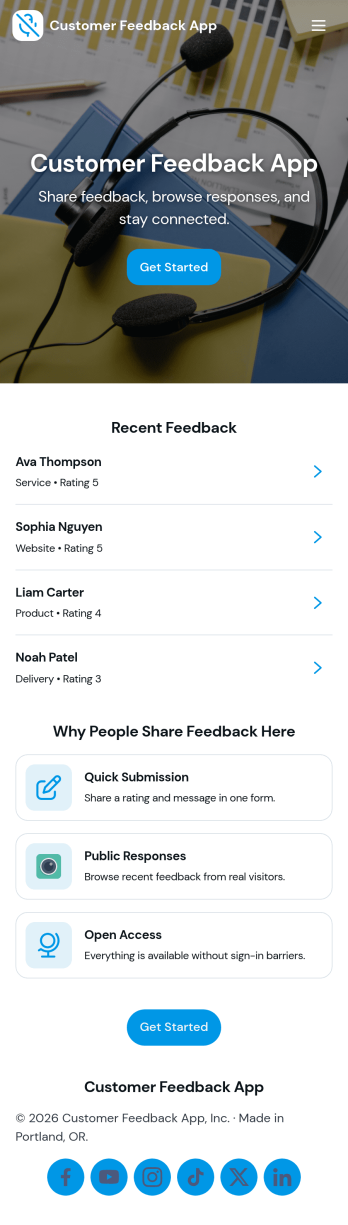
Customer Feedback App
Customer Feedback App helps you collect, organize, and review customer input in one place so teams can act on it without losing context. Use it to invite customers to send feedback, let internal users browse past messages, and sort responses by topic for faster follow-up. It fits product teams tracking feature requests, support managers monitoring recurring issues, retail and service businesses capturing post-visit comments, and community programs looking for a simple way to hear from participants.With Jotform, you can publish this app template quickly and tailor it to your brand using a no-code app builder and a drag-and-drop interface. Connect the app to your feedback form for consistent data collection, route updates through a workflow that matches how your team triages feedback, and share a single self-service link that works on desktop or mobile. As needs change, you can adjust pages, navigation, and what feedback is visible, keeping the experience clear for customers and staff.
Go to Category:Community & Engagement Portal Apps
Anonymous Feedback App
Anonymous Feedback App gives people a safe, simple way to share honest input without attaching their name to it. Use it for employee suggestions, student feedback, customer experience notes, event comments, or community concerns when participation drops due to fear of being identified. The app supports quick feedback submission, topic-based browsing to guide what people comment on, and an insights view that helps teams spot patterns and prioritize next steps.With Jotform, you can publish this app template using a no-code app builder and tailor it to your organization in minutes. Use the drag-and-drop interface to update pages, adjust navigation cards, and match your branding, then connect the feedback form to your workflow for organized data collection and follow-up. Share the app through a link or QR code so anyone can access self-service feedback on desktop or mobile.
Go to Category:Community & Engagement Portal Apps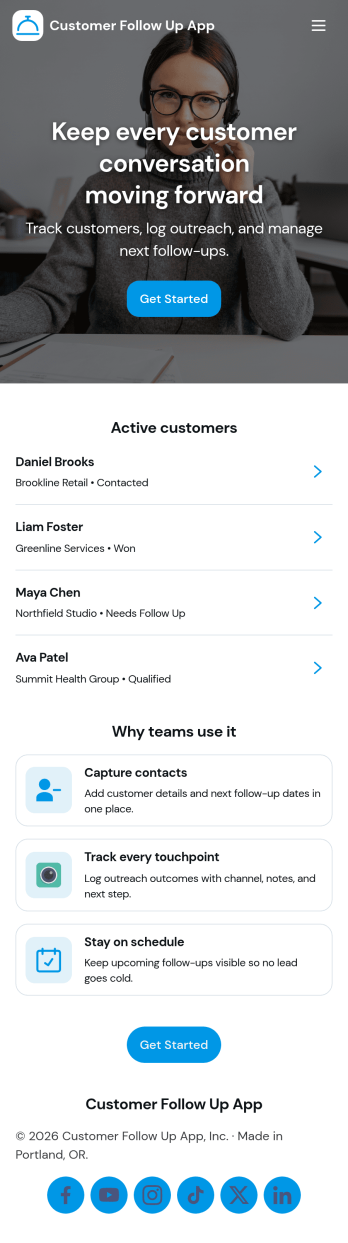
Customer Follow Up App
Customer Follow Up App helps teams keep post-sale and post-service communication organized so no customer slips through the cracks. Use it to monitor follow-up activity, capture key notes, and keep a clear view of what needs attention next. It’s a practical fit for sales reps, account managers, customer success teams, and service businesses that rely on timely check-ins to improve retention and satisfaction. With a dashboard snapshot and a simple way to log each follow up, the app supports consistent outreach without turning your process into a messy spreadsheet.Jotform makes it easy to build and publish app templates like Customer Follow Up App with a no-code app builder and a drag-and-drop interface. Connect buttons to forms for data collection, guide teammates through repeatable workflow steps, and share a self-service experience through a link or QR code. As your follow-up process evolves, you can adjust pages, update branding, and keep your customer information organized in one place with Jotform.
Go to Category:Customer Portal Apps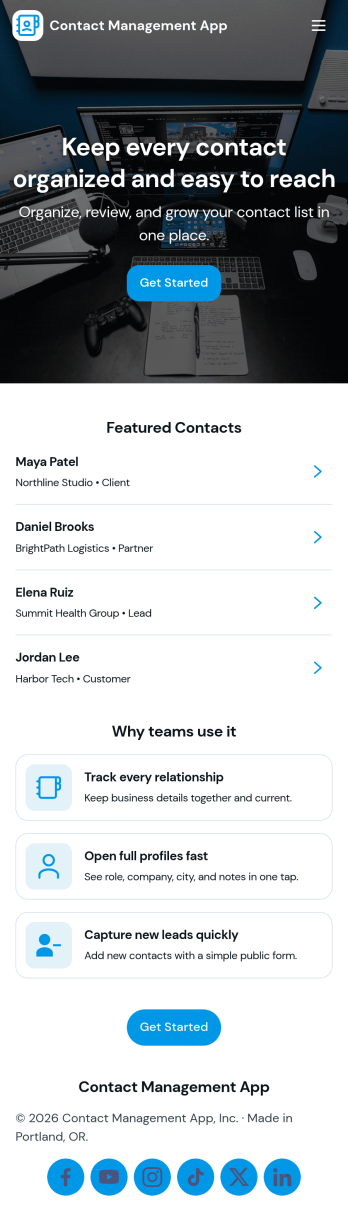
Contact Management App
Contact Management App brings your contacts, follow-ups, and quick insights into one place so you can stay on top of every relationship without hunting through spreadsheets or scattered notes. It’s a practical fit for sales teams, agencies, real estate professionals, recruiters, and service businesses that need a simple way to add new contacts, browse a growing list, and capture follow-up actions tied to each person.With Jotform App Templates, you can publish a branded, self-service experience that connects directly to your forms and tables for ongoing data collection and day-to-day workflow. Use Jotform’s no-code app builder and drag-and-drop interface to adjust navigation, tailor fields, and keep your contact records organized, then share the app with your team so everyone works from the same up-to-date information.
Go to Category:Customer Portal AppsAbout Customer Engagement Apps
Customer Engagement Apps are specialized applications designed to enhance the interaction between businesses and their clients. These apps serve a variety of operational use cases, such as managing customer relationships, facilitating feedback collection, or streamlining communication processes. Industries ranging from retail to healthcare employ these apps in real-world workflows to ensure seamless interactions and improved customer satisfaction.
Jotform Apps, as a no-code app builder, stands out in this category by leveraging Progressive Web App (PWA) technology. Users can install these apps directly from their browsers without the need for an App Store, offering compatibility across iOS, Android, tablets, and desktops. Jotform Apps' centralized data management through Jotform Tables ensures that all information is accessible and organized, allowing businesses to focus on optimizing their workflows efficiently.
Why Use Customer Engagement Apps?
- Customer Engagement Apps facilitate a streamlined communication process between businesses and their clients, ensuring that feedback and queries are addressed promptly. This enhances customer satisfaction and loyalty, which are critical for long-term business success.
- These apps enable businesses to gather valuable insights through customer feedback, which can be used to tailor services and products more effectively to meet client needs. By understanding customer preferences, companies can improve their offerings and stand out in competitive markets.
- The apps allow for efficient management of customer data, centralizing information in a way that makes it easily accessible and actionable. This organized data management helps in creating targeted marketing campaigns and improving service delivery.
- With integrated payment options, Customer Engagement Apps simplify the transaction process, providing a seamless payment experience for customers. This convenience encourages more frequent transactions and enhances the overall customer experience.
- The apps also support workflow automation, reducing the need for manual intervention in repetitive tasks. This not only saves time but also minimizes errors, leading to more efficient operations and resource allocation.
Common Problems Solved by Customer Engagement Apps
- Businesses often struggle with maintaining consistent communication channels with their customers, leading to dissatisfaction. Customer Engagement Apps solve this by offering integrated communication features that ensure messages are delivered and responded to in a timely manner.
- Managing customer feedback and queries can become overwhelming, causing delays in response times. These apps streamline the process by organizing feedback in a centralized location, making it easier for businesses to address customer concerns quickly.
- Payment processing can be a complex issue, especially for businesses handling multiple transactions. By integrating payment features directly into the app, businesses can simplify the process, ensuring secure and efficient transactions.
- Data management is a common pain point, with businesses often dealing with scattered information across various platforms. Customer Engagement Apps centralize data collection and storage, allowing for easier access and better-informed decision-making.
Matching Use Cases to Features
- Businesses looking to enhance customer engagement can utilize the Drag-and-Drop Interface to create intuitive and user-friendly apps. This feature allows for easy customization, ensuring that the app aligns with the brand’s identity and meets specific customer needs.
- For companies aiming to expand their digital storefronts, the Store Builder feature is invaluable. It enables the creation of a comprehensive online store within the app, facilitating product listings, inventory management, and customer purchases all in one place.
- Push Notifications are essential for businesses that want to keep their customers informed about updates or promotions. This feature allows for real-time communication, ensuring that customers are always aware of the latest offerings.
- By integrating Payment Integrations such as Stripe and PayPal, businesses can streamline their payment processes, providing customers with secure and convenient transaction options directly through the app.
- The Publish Options feature offers flexibility in how the app is distributed, whether it’s public, private, or limited to company-only access. This ensures that the app is shared in a way that aligns with the business’s privacy and accessibility preferences.
How to Create a Customer Engagement App
- Choose a category-relevant template from the Template List or start from scratch.
- Customize using the Drag-and-Drop Interface, tailoring the app’s appearance and functionality to meet specific business needs.
- Share via Link, QR Code, or Embed, making it accessible to your intended audience with ease.
Top Use Cases for Customer Engagement Apps
- For Managers: Managers can leverage Customer Engagement Apps to oversee and enhance customer interaction strategies effectively. By centralizing customer data and feedback, managers gain valuable insights into client preferences and behavior. This enables them to make informed decisions that drive customer satisfaction and business growth. Additionally, the ability to automate workflows and streamline communication processes helps managers focus on strategic planning and execution.
- For Teams: For teams, these apps provide a cohesive platform to collaborate on customer engagement initiatives. Team members can easily access centralized data and customer feedback, allowing them to work together more effectively in addressing client needs. The integration of workflow automation reduces repetitive tasks, freeing up time for team members to focus on creative and strategic projects. This collaborative environment fosters innovation and improves overall team performance.
- For Customers: Customers benefit significantly from these apps as they provide a seamless and efficient way to interact with businesses. The ease of communication and the availability of integrated payment options enhance the customer experience, making transactions and feedback processes straightforward and convenient. Customers appreciate the personalized engagement and timely responses, which build trust and loyalty to the brand.
Summarizing Customer Engagement Apps
Customer Engagement Apps play a crucial role in enhancing the interaction between businesses and their clients. By centralizing data and facilitating streamlined communication, these apps empower businesses to provide a more personalized and efficient customer experience. The integration of payment options and workflow automation further enhances operational efficiency, driving business growth and customer satisfaction. Overall, Jotform's no-code app builder provides the tools needed to create impactful Customer Engagement Apps that cater to the evolving needs of modern businesses.
Frequently Asked Questions
1) Is it free to create and use Customer Engagement apps on Jotform?
Yes, Jotform offers a Starter plan that allows users to create and use Customer Engagement apps for free. This plan provides access to essential features, enabling businesses to explore the capabilities of Jotform Apps without financial commitment. As businesses grow and require more advanced features, they can opt for paid plans that offer additional functionalities and increased limits.
2) Are the data and payments collected through the app secure?
Absolutely. Jotform takes data security very seriously, ensuring that all information collected through the app is protected with industry-standard security measures. This includes data encryption, secure payment processing, and compliance with GDPR regulations, providing peace of mind for businesses and their customers when handling sensitive information.
3) Do I need any coding skills to create a Customer Engagement app with Jotform?
No coding skills are required to create a Customer Engagement app with Jotform. The platform is designed with a user-friendly interface that allows anyone to build and customize apps using the Drag-and-Drop Interface. This empowers businesses to develop functional and attractive apps without the need for technical expertise.
4) Can I collect payments for services directly through the app?
Yes, you can collect payments directly through the app by integrating popular payment gateways like Stripe and PayPal. These integrations allow your customers to make secure and seamless transactions, enhancing their overall experience and making it easier for your business to manage payments efficiently.
5) Does Jotform support offline data collection for Customer Engagement apps?
Yes, Jotform supports offline data collection through its Mobile Forms feature. This allows users to collect data even when there is no internet connection, ensuring that no information is lost and that data can be synced once the device reconnects to the internet. This feature is particularly useful for businesses operating in areas with unreliable connectivity.
6) Are Jotform Apps compatible with both iOS and Android devices?
Indeed, Jotform Apps are compatible with both iOS and Android devices, thanks to their Progressive Web App (PWA) technology. Users can access the apps directly from their browsers without needing to download them from an App Store, ensuring a seamless experience across different platforms and devices.
7) How can Customer Engagement Apps benefit the retail industry?
In the retail industry, Customer Engagement Apps can greatly enhance the shopping experience by providing personalized communication and easy access to product information. These apps can streamline the checkout process with integrated payment options and keep customers informed about promotions and new arrivals through push notifications.
8) How do Customer Engagement Apps improve client relationships in the healthcare sector?
In the healthcare sector, these apps facilitate better patient engagement by enabling efficient communication between healthcare providers and patients. Patients can easily schedule appointments, receive timely reminders, and provide feedback on their experiences, all of which contribute to improved patient satisfaction and trust in healthcare services.