

CRM Apps

Client Management App
Looking for a way to manage clients without relying on expensive CRM software? Our free Client Management App is just the tool your team needs for tracking all your company’s relationships and interactions with clients. This customizable app shares all your forms at once, so you can register new clients, access your CRM database, log tasks, generate reports, and collect feedback all in one place.Customize your Client Management App to meet your company requirements. No coding necessary—just drag and drop to add or delete forms, embed links to your spreadsheets or other sites, change text and images, and even update your app icon and name to match your branding. Jotform’s List Element feature lets you connect Tables and Role-based features; you can control access so admins and other users see only the parts of the app relevant to them. When your app is ready to use, send the link to teammates to open and download on any smartphone, tablet, or computer. Increase customer loyalty and retention for your company with a custom Client Management App as your go-to CRM tool!
Go to Category:Management Apps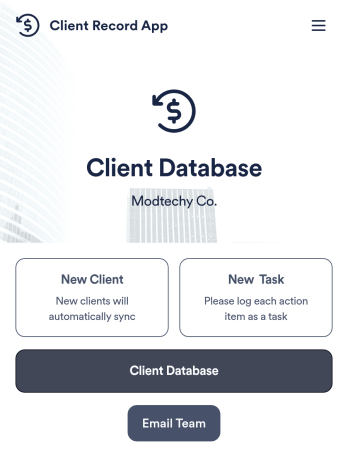
Client Record App
A client record app is used by companies to keep track of clients in a Jotform Tables database. With our Client Record App, you can add general contact information for new clients and view a list of existing clients. There is also a separate task form for employees to log projects. Submissions are stored securely in your online account and can be accessed directly through your app from any smartphone, tablet or computer.This Client Record App can be easily customized without any coding. Our drag-and-drop builder allows you to add and change forms, upload your logo, choose fonts and colors, create a custom app icon and splash screen, and more. When you’re finished, your team can access and download your app on any device with a share link. Keep all your business contacts in one convenient location with this Client Record App!
Go to Category:Freelancer Apps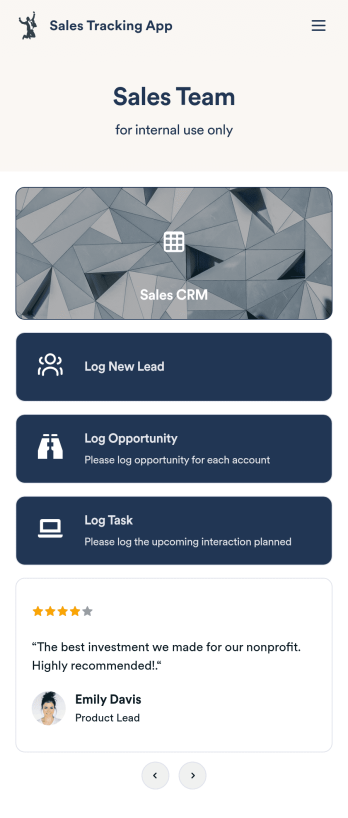
Customizable Sales Tracking App
A sales tracking app enables you to track your sales from any device. Get started with our free Sales Tracking App for businesses of all sizes. This ready-to-use app bundles multiple forms that you can sync to your CRM, so you can create a seamless workflow for generating leads and logging tasks. To get started, customize the template for your company using our drag-and-drop app builder. When you’re satisfied with the look and feel of your app, download it on your smartphone, tablet, or desktop computer, or share it with other members of your sales team to save onto their own devices.Customizing this Sales Tracking App for your sales team won’t require any coding. In just a few clicks, you can create new forms, integrate them with your CRM, embed links, add images and buttons, and change app settings such as name, icon, and splash screen for a fully-custom experience. To share it, just copy and paste the app link in emails or messages to your sales team members. Your Sales Tracking App will be easy to pull up on any device, so you can track and grow sales no matter where you are — even on the go.
Go to Category:Company Portal Apps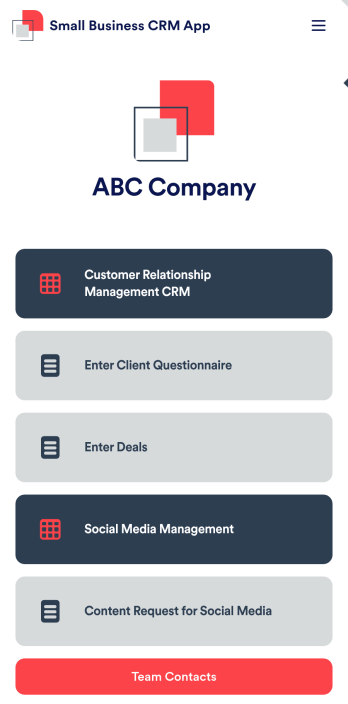
Small Business CRM App
A small business CRM app is used by small businesses for customer relationship management (CRM). This Small Business CRM App lets you receive client questionnaires, track and manage deals, submit content requests for social media, and more. Simply customize the app to perfectly match your needs with no coding required, then share the app to start collecting form submissions.Need to customize this free app template? Drag and drop to get the design you want. Add your company logo and branding, update the included forms, split your app into multiple pages, and make other changes in seconds. You can even integrate the app with 200+ other platforms to automatically sync submissions to your other accounts! Streamline your business’ workflow with a ready-made Small Business CRM App from Jotform.
Go to Category:Company Portal Apps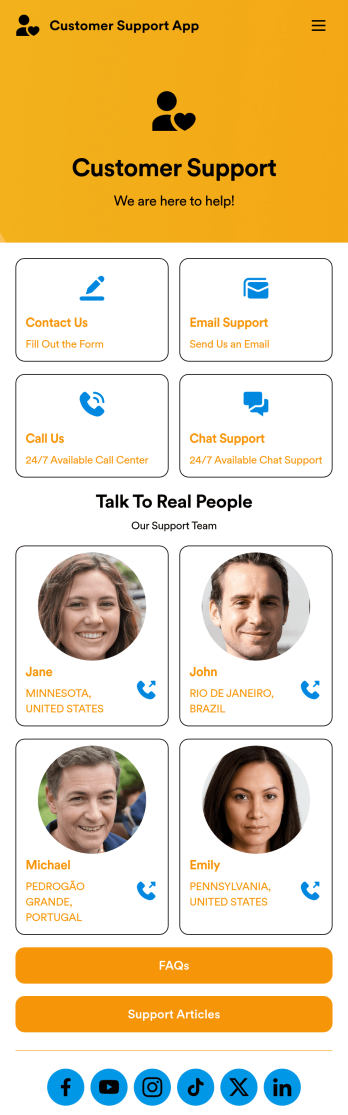
Customer Support App
A customer support app is a type of mobile application used by customer support teams to respond to customer tickets and support requests. Use this free Customer Support App to build a central hub for your support operations. Collect support tickets, link to your chat support, list FAQs, and more. To get started, use this ready-made template and customize it to your liking.Drag and drop to make any changes to this Customer Support App. Upload branding assets and logos, select a custom app icon, add or remove support forms, change your app’s backsplash, and more. You can even integrate your app with 200+ platforms to add an extra layer of customization. Streamline your support process with Jotform Apps.
Go to Category:Customer Portal Apps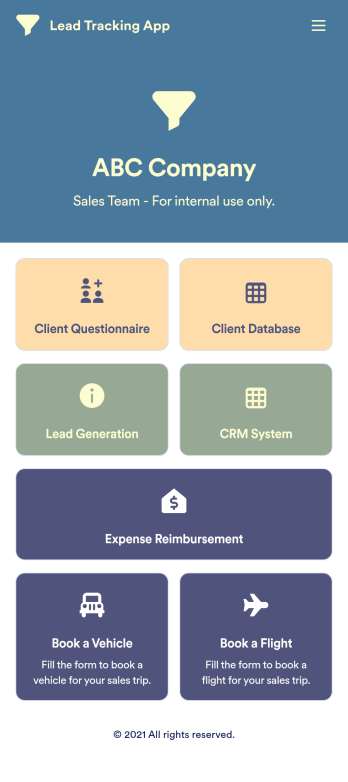
Lead Tracking App
A lead tracking app lets sales teams track and follow up with new and existing leads from any device. Make it easier for your sales team to capture, nurture, and manage your leads with a fully-customizable Lead Tracking App powered by Jotform. This ready-to-use app template includes multiple tools to help you keep track of your leads and sales pipeline, including a client database, CRM system, client questionnaire, lead-gen form, expense reimbursement form, and more. You and your team can download the app onto any mobile device or computer for easy access to your leads at any time.This Lead Tracking App has everything you need to successfully manage your leads — but if you’re looking for even more, customize the template to meet your each and every need. Our drag-and-drop builder lets you add forms, pages, links, documents, buttons, images, photos, data grids, and other app elements without any coding. When it’s ready to use, your app can be saved onto any device and shared with teammates via email invite or the app link. Turn leads into returning customers with a powerful and easily-accessible Lead Tracking App in your sales toolkit.
Go to Category:Management Apps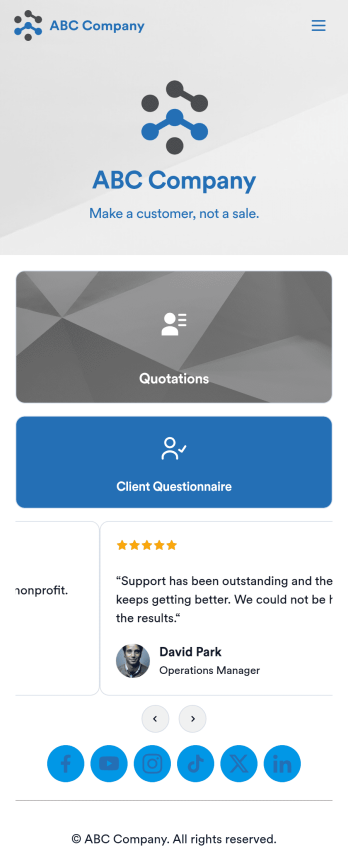
Customizable Quotation Management App
Create and manage quotes for your customers using Jotform’s free Quotation Management App for sales teams. This fully customizable mobile app includes a client questionnaire and a quotation log that syncs to our Simple CRM template. You and other members of your sales team can download and use the app on any computer, tablet, or smartphone to fill out the attached forms or view data in the tables.Customize this Quotation Management App for your business in just a couple of clicks. No coding is necessary — just drag and drop to customize the look and feel of your app. You can easily add forms, tables, links, documents, images, logos, and much more. Then share your mobile with others via the app link or by sending email invites. Make it easier to generate and track customer quotes with a custom Quotation Management App for your sales team.
Go to Category:Management Apps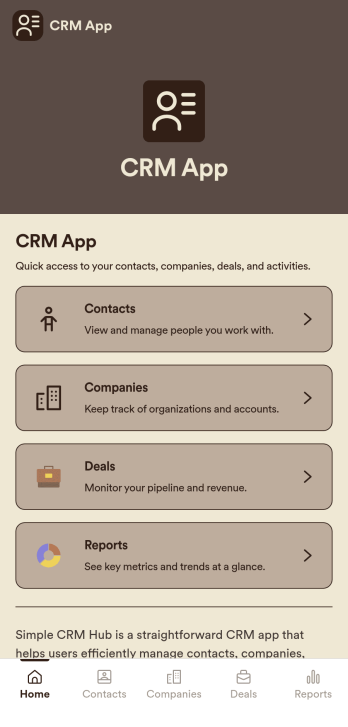
CRM App
CRM App is a practical app template designed to streamline operations for businesses, sales teams, customer support teams, and organizations. It acts as a centralized hub for customer data, allowing easy traceability of every interaction, and supporting sales and service workflows for effective relationship management. This ready-to-use app template is adept at collecting essential data from customers such as contact information, past interactions, preferences, and other crucial details. The CRM App benefits businesses by providing clarity in data management, ensuring consistency across departments, and simplifying data collection processes. It offers a systematic approach to maintaining customer records and is ideal for businesses aiming to eliminate manual data tracking and foster data-driven decision-making.With Jotform’s drag-and-drop interface, customizing the CRM App to match your business requirements is an effortless process. You can integrate electronic signature fields for seamless onboarding of clients, or for validating important transactions. The app proves to be a user-friendly solution for data collection and management, with its intuitive interface making it incredibly easy to use. The CRM App also enables you to generate comprehensive reports and create data sheets for further analysis. Leveraging these features, businesses can efficiently manage and monitor their customer relationships, resulting in improved customer satisfaction and retention. Experience the simplicity and efficiency of Jotform’s CRM App in managing your customer relationships today.
Go to Category:Activity Tracking Apps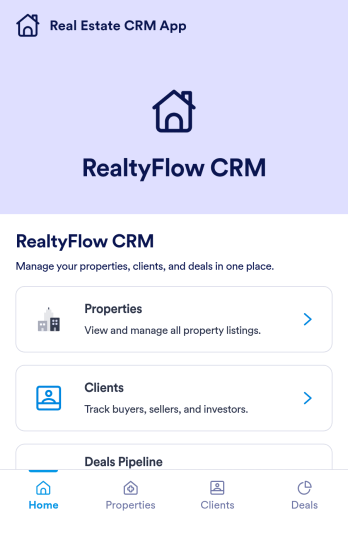
Real Estate CRM App
Real Estate CRM App is an app template designed to centralize client interactions, property listings, and sales activities in a unified management system. It's a ready-to-use solution that efficiently streamlines the inner workings of real estate agencies, brokers, property managers, and sales teams by organizing their client and property relationships into one digital platform. This app is optimized for the collection of critical data, including client communication, property details, and sales records, providing a clear and consistent overview for more effective decision-making. By replacing ad-hoc data collection methods with this template, real estate professionals benefit from a more organized and efficient workflow, thus contributing to improved productivity and client satisfaction. This app is particularly beneficial for those who aim to reduce manual tasks, minimize errors, and optimize operational efficiency in their real estate operations.Jotform's Real Estate CRM App is a robust platform that makes the task of real estate management simple and seamless. With Jotform's user-friendly interface, you can easily customize the app to your specific needs, from adjusting the app's layout and design to adding or modifying data fields. The easy-to-use drag-and-drop feature allows you to personalize your app without any coding required. Furthermore, the app supports the collection of electronic signatures, making it convenient for clients to sign off on important documents digitally. Jotform also features a comprehensive reporting system, enabling you to generate sheets and reports from your collected data with ease. The simplicity and flexibility of Jotform's Real Estate CRM App make it a formidable ally in your daily real estate operations, helping you maintain a high level of efficiency and client satisfaction.
Go to Category:Real Estate Apps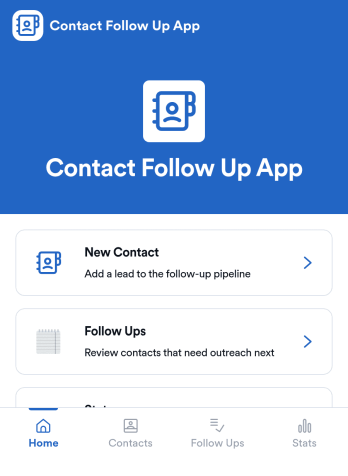
Contact Follow Up App
Contact Follow Up App helps you capture new leads and keep every conversation moving forward without losing track of who needs a reply. It’s built for sales reps, small business owners, agencies, and client-facing teams who juggle outreach across events, referrals, inbound inquiries, and repeat customers. With a simple New Contact entry point and a dedicated Follow Ups area, you can quickly log contact details, review people who need attention, and open an individual contact view when it’s time to act.Jotform makes it easy to turn this kind of follow-up workflow into a shareable, branded experience using a no-code app builder and a drag-and-drop interface. Connect your app to forms and tables for consistent data collection, keep information organized in one place, and publish updates fast as your workflow evolves. Whether you’re tracking lead status, prioritizing outreach, or reviewing simple stats, Jotform app templates help you deliver reliable self-service and internal processes without extra tools.
Go to Category:Customer Engagement Apps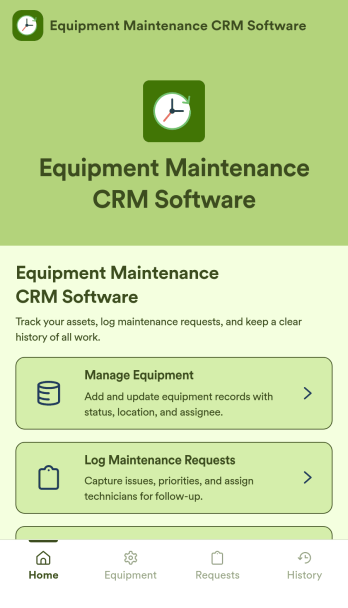
Equipment Maintenance CRM Software
Equipment Maintenance CRM Software is an app template designed to streamline the management of customer data, service histories, and maintenance activities. This robust template is intended for maintenance service companies, field service teams, asset managers, and operations departments who are keen on enhancing their service delivery. It centralizes customer data and service history, significantly reducing downtime and boosting operational efficiency. This template is particularly beneficial in scenarios of regular equipment maintenance checks, enabling a smoother scheduling process and better coordination of service delivery. What's more, it's ready to use right out of the box, making data collection a breeze for teams, whether they're in the field or at the office. This template is best suited for organizations seeking to maintain a comprehensive record of equipment maintenance activities in one accessible system.With Jotform, the Equipment Maintenance CRM Software template becomes an operational powerhouse. Jotform's ease of use and customization abilities allow you to tailor the template to your specific needs without requiring any technical skills. The ability to collect electronic signatures simplifies the verification process of maintenance activities, making it an extremely convenient feature for field service teams. Furthermore, you can generate easily digestible reports and sheets from collected data for an overview of maintenance activities. With Jotform, keeping up with maintenance schedules and coordinating service delivery has never been easier. Collect, track, and manage your maintenance data with precision using the Equipment Maintenance CRM Software from Jotform.
Go to Category:CRM Apps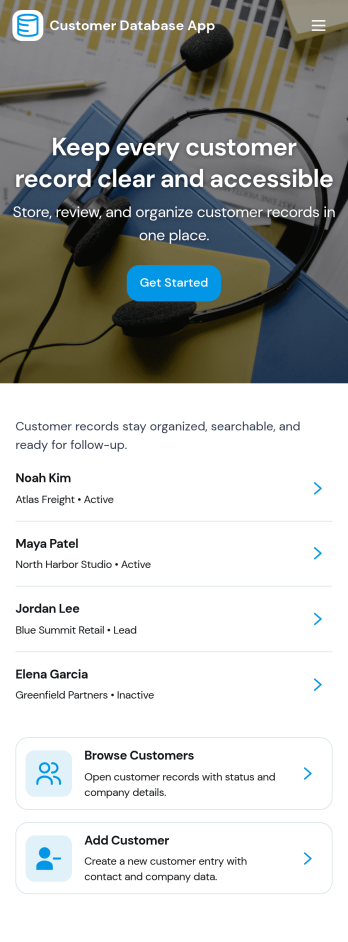
Customer Database App
Customer Database App brings your customer information into one organized place so you can add new customers, browse profiles, and keep a reliable record of every relationship. It fits teams that need quick access to names and details across sales, support, operations, and account management, especially when information is scattered across spreadsheets, inboxes, or individual devices. With an in-app option to add customers and a browse view for customer profiles, staff can find the right record faster and reduce duplicate entries as the list grows.Built with Jotform, this app template can be tailored in a no-code app builder with a drag-and-drop interface, making it easy to adjust pages, navigation, and the customer intake flow as your process evolves. Connect the add-customer form to a central record list, share the app through a link for self-service access, and keep work moving with a clear workflow for capturing and reviewing customer data collection. You can also provide a personal view like My Submissions so team members can quickly revisit the profiles they created or updated.
Go to Category:Customer Portal Apps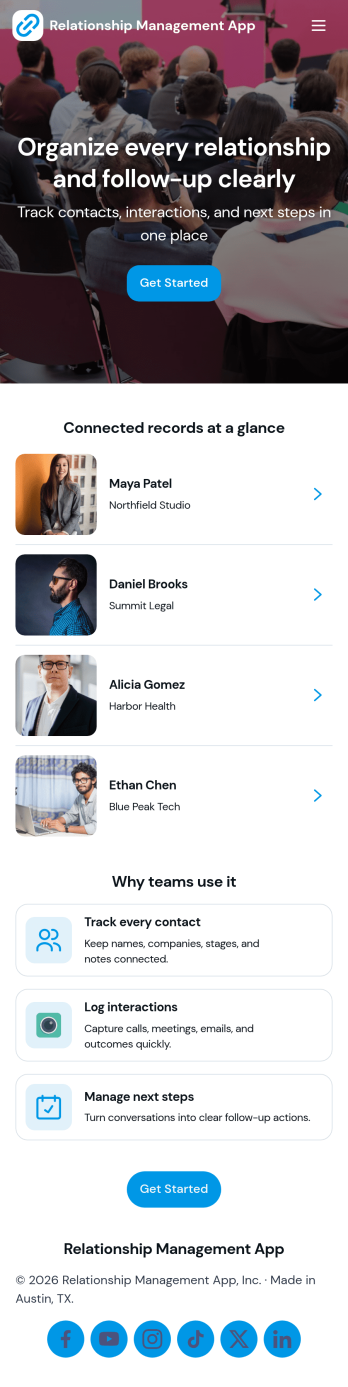
Relationship Management App
Relationship Management App helps teams keep important connections organized and easy to follow up on, whether you’re managing customers, leads, partners, donors, or community members. It brings key contact details into a simple contacts view and supports consistent outreach with interaction logging and reminders, so nothing gets missed after a call, meeting, or email. This works well for small businesses, sales and marketing teams, agencies, consultants, and nonprofits that need a lightweight way to track relationship history without juggling scattered notes or separate spreadsheets.With Jotform, you can turn relationship tracking into a shareable self-service experience using app templates and a no-code app builder. Customize pages with a drag-and-drop interface, connect your app to forms and tables for reliable data collection, and keep your workflow moving with quick updates and centralized records. Publish the app for your team, align on the same source of truth, and expand it as your process evolves.
Go to Category:Customer Engagement Apps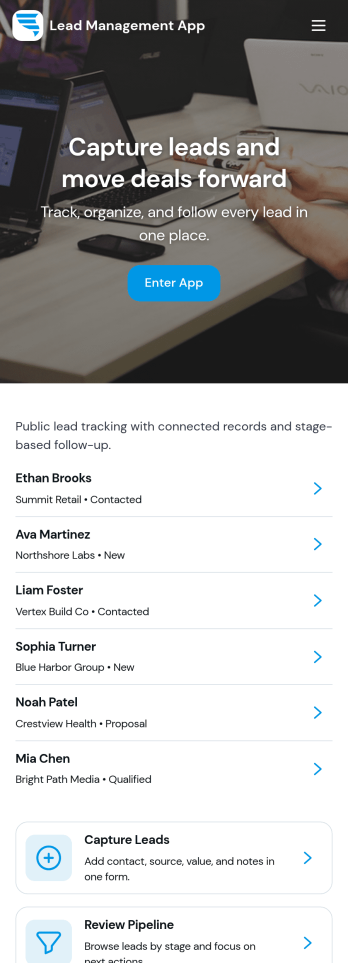
Lead Management App
Lead Management App helps sales and marketing teams capture new leads, keep contact details organized, and move prospects through a simple pipeline from first touch to follow-up. Use it to centralize lead intake from events, inbound interest, referrals, or outbound outreach, then quickly review lead records, flag high-priority opportunities, and keep your pipeline from going stale. With guided navigation for capturing a lead, opening the pipeline, and viewing insights, it’s a practical fit for agencies, consultants, real estate teams, startups, and any growing business that needs visibility into what’s coming in and what needs attention.Jotform makes it easy to turn this lead workflow into a branded, shareable app experience using a no-code app builder and a drag-and-drop interface. Connect your lead form to the app for fast data collection, keep records consistent as your team updates lead details, and create a self-service experience you can share by link for internal use or with partners. As your process evolves, you can adjust pages, layout, and connected workflows in minutes without rebuilding from scratch.
Go to Category:Customer Portal Apps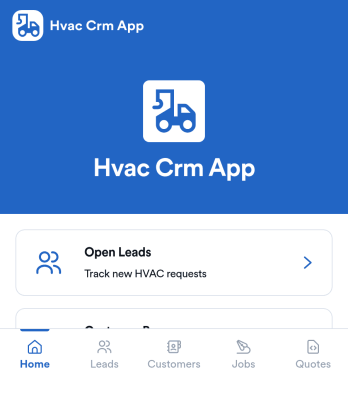
Hvac Crm App
HVAC Crm App helps heating and cooling businesses manage sales and customer relationships in one place, from capturing new inquiries to tracking active jobs and keeping customer histories organized. Use it to review open leads, browse your customer base, create jobs from qualified opportunities, and add customer notes so your team always has the latest context before a call, site visit, or follow-up.Built with Jotform App Templates, this app template can be tailored in a no-code app builder with a drag-and-drop interface, so you can match your workflow without technical overhead. Connect the app to forms and tables for consistent data collection, route updates to the right people, and share a self-service experience with your office staff or field team using a simple link or QR code.
Go to Category:CRM Apps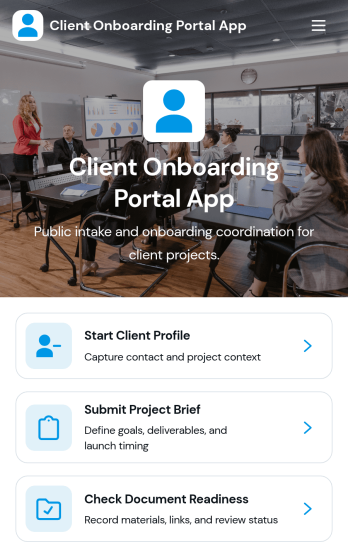
Client Onboarding Portal App
The Client Onboarding Portal App is a centralized onboarding experience for agencies, consultants, professional service providers, and account teams welcoming new clients. It gives customers one place to create a client profile, submit a project brief, and confirm document readiness. Organized client and project records help teams reduce scattered communication, identify missing information, and prepare for kickoff with greater clarity. Use this app template when starting consulting engagements, creative projects, managed services, or other client relationships that require accurate contact details, project requirements, and supporting documents.Jotform Apps makes it easy to adapt this Client Onboarding Portal App to your process using a no-code app builder and an intuitive drag-and-drop interface. Customize pages, branding, navigation, and connected forms without writing code. You can bring data collection, resource access, and workflow steps into a mobile-friendly self-service experience, then share it through a direct link or QR code. Jotform App Templates provide a ready-made starting point while giving your team the flexibility to update content, organize records, and connect approvals or other processes as onboarding needs evolve.
Go to Category:Customer Portal Apps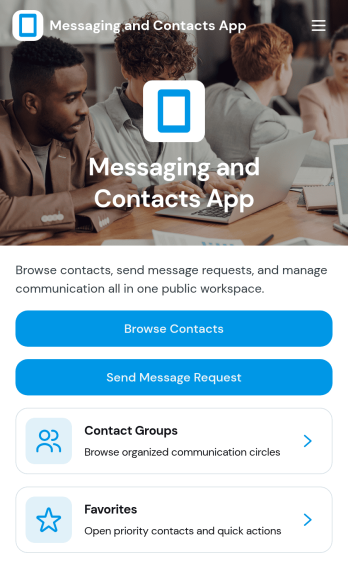
Messaging and Contacts App
Messaging and Contacts App helps teams organize contact details and send message requests from one central, easy-to-share workspace. It’s a practical fit for customer support, sales, community managers, and internal departments that need a simple way to browse contacts, group people by purpose, and quickly reach out when a follow-up is needed. With built-in navigation for browsing contacts, viewing favorites, and working with contact groups, this app keeps communication tasks moving without digging through spreadsheets or scattered tools.Jotform makes it easy to build and publish app templates like Messaging and Contacts App using a no-code app builder with a drag-and-drop interface. Connect buttons to forms for data collection, keep contact records organized, and support a smoother workflow for self-service updates and requests. Share your app through a link or QR code, tailor the branding to match your organization, and update the experience as your contact list and communication needs grow.
Go to Category:CRM Apps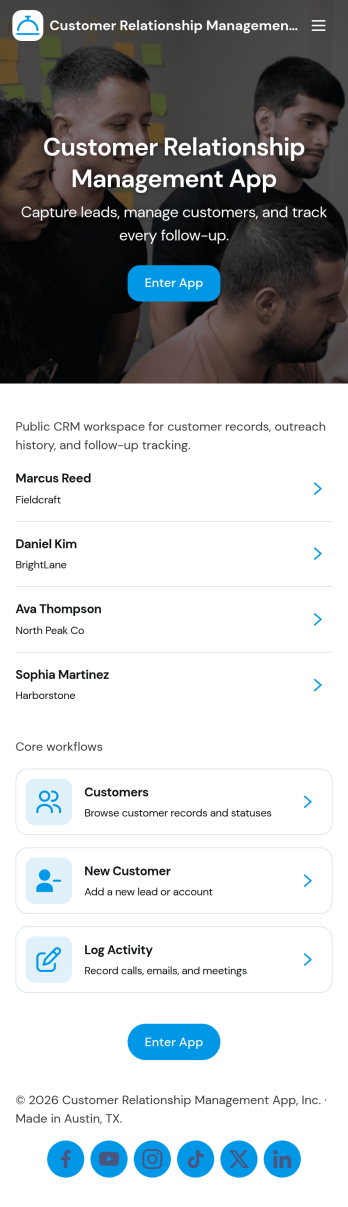
Customer Relationship Management App
Customer Relationship Management App brings your relationships, pipeline, and follow-ups into one place so teams can stay on top of every interaction. Use it to capture and update contacts, review deal progress, and keep daily work moving with task tracking. It fits sales teams, account managers, consultants, and service businesses that need a simple way to organize customer details, monitor opportunities, and avoid missed next steps as leads move from first touch to closed deal.With Jotform, you can tailor this app template to match how your team works using a no-code app builder and a drag-and-drop interface. Connect your contact, deal, and task forms to your workflow, keep data collection consistent across pages, and share a self-service experience with teammates from a single link. As your process grows, you can adjust fields, add steps, and organize records so everyone has clear visibility into customer activity.
Go to Category:Customer Portal Apps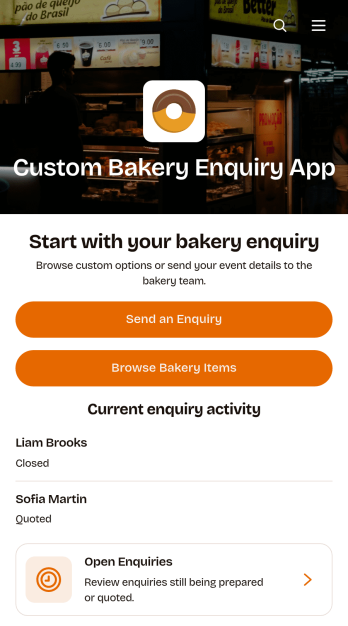
Custom Bakery Enquiry App
The Custom Bakery Enquiry App is an app template for bakeries, cake studios, pastry shops, and catering teams that need a clear way to receive and manage requests for made-to-order baked goods. Customers can browse bakery items, send an enquiry, and provide details such as the occasion, guest count, budget range, requested work, and design direction. Staff can review open enquiries, view each request in context, and monitor its current status from one organized location. This setup is useful for handling wedding cakes, celebration desserts, corporate orders, themed creations, and other projects that require consultation before pricing or confirmation. It reduces scattered messages and gives bakery teams a consistent data collection process for evaluating new opportunities.Jotform Apps helps businesses turn customer interactions and internal workflows into polished, mobile-friendly experiences without coding. Start with this app template, then use the no-code app builder and drag-and-drop interface to adjust pages, buttons, colors, typography, and navigation around your bakery brand. Connect enquiry forms with tables, notifications, approvals, or other workflow steps so staff can coordinate responses and follow-up tasks. Jotform app templates can be shared through a direct link, quick response code, or embedded experience, making customer self-service accessible from social profiles, websites, in-store displays, and marketing campaigns.
Go to Category:Food & Beverage Apps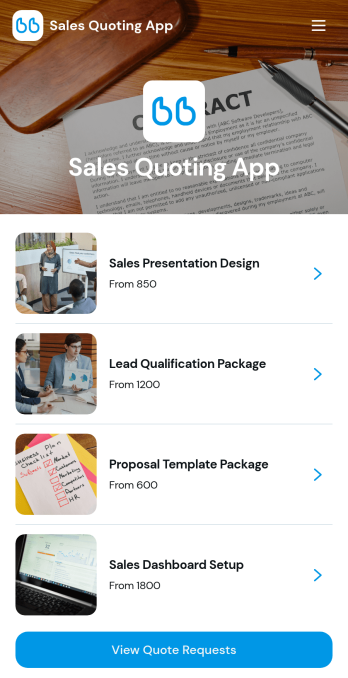
Sales Quoting App
Sales Quoting App is an app template for sales representatives, account managers, consultants, contractors, and small to medium-sized businesses that need a clear way to prepare and manage customer quotes. Teams can present products with relevant pricing and availability, build quotes based on selected items, and review incoming quote requests from one organized experience. Estimated totals and customer details help sales staff respond with greater consistency while reducing scattered spreadsheets, disconnected messages, and manual calculations. It is well suited to product sales, business services, wholesale inquiries, custom projects, and other situations where prospects need tailored pricing before making a purchase decision.With Jotform Apps, teams can customize this Sales Quoting App through a no-code app builder and an intuitive drag-and-drop interface. Update the branding, organize navigation, add supporting content, and connect forms, tables, approvals, payments, or notifications to match an existing sales workflow. Jotform App Templates make it easier to launch a mobile-friendly quoting experience without programming, while connected data collection keeps customer requests and quote information accessible in one place. Share the finished app using a direct link, QR code, or embedded experience to give sales teams and customers convenient self-service access.
Go to Category:Estimation Apps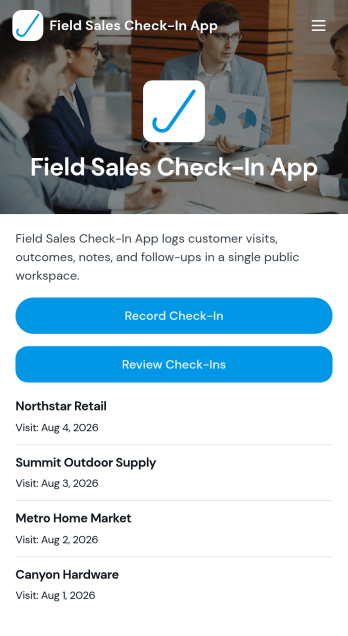
Field Sales Check-In App
Field Sales Check-In App helps field reps capture consistent visit check-ins and keep a searchable record of customer activity in one place. Use it to log who was visited, when the visit happened, outcomes, and the next follow-up, while giving your team fast access to customer lists and visit history for better day-to-day execution. It’s a practical fit for outside sales teams, route-based reps, territory managers, and growing businesses that need a reliable way to confirm visits, reduce missed follow-ups, and standardize reporting across locations.With Jotform, you can turn this app template into a mobile-friendly self-service experience for your team using a no-code app builder and a drag-and-drop interface. Connect your check-in form to organized records, review visits over time, and share the app with the right people using a simple link or QR code. As your workflow evolves, you can adjust pages, add steps like approvals, and keep data collection aligned with how your field sales operation actually runs.
Go to Category:Sales & Marketing Portal Apps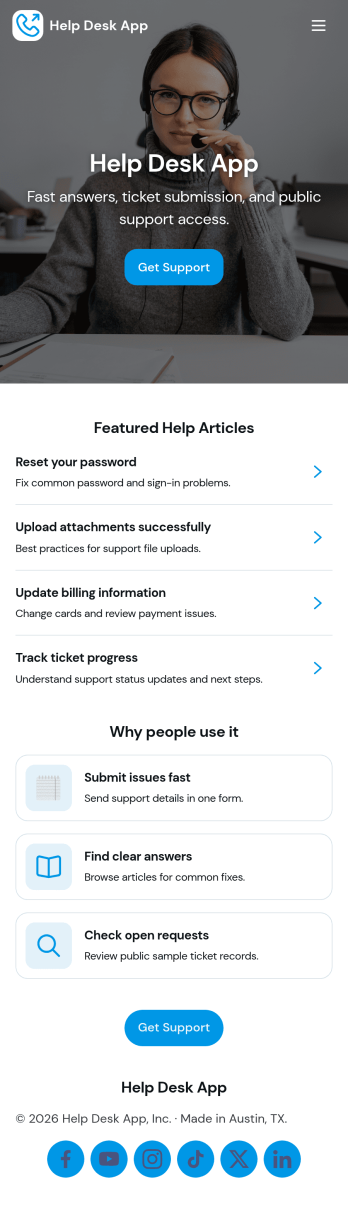
Help Desk App
Help Desk App gives teams a simple, organized way to receive support requests, share answers, and keep ticket updates easy to find. Use it to route “New Ticket” requests to the right place, let requesters check “My Tickets” and “Open Tickets,” and point users to “Help Articles” before they submit a new issue. It works well for internal IT support, facilities and operations requests, HR help inquiries, or customer support for small businesses that want one mobile-friendly place to manage common problems and follow-ups.With Jotform, you can build and publish app templates like Help Desk App using a no-code app builder and a drag-and-drop interface. Connect your app to forms and tables for data collection, assign ownership for each request, and keep a clear workflow from intake to resolution. Share your app through a link or QR code, update content like help articles anytime, and give both end users and admins a self-service experience without adding complexity.
Go to Category:Customer Portal Apps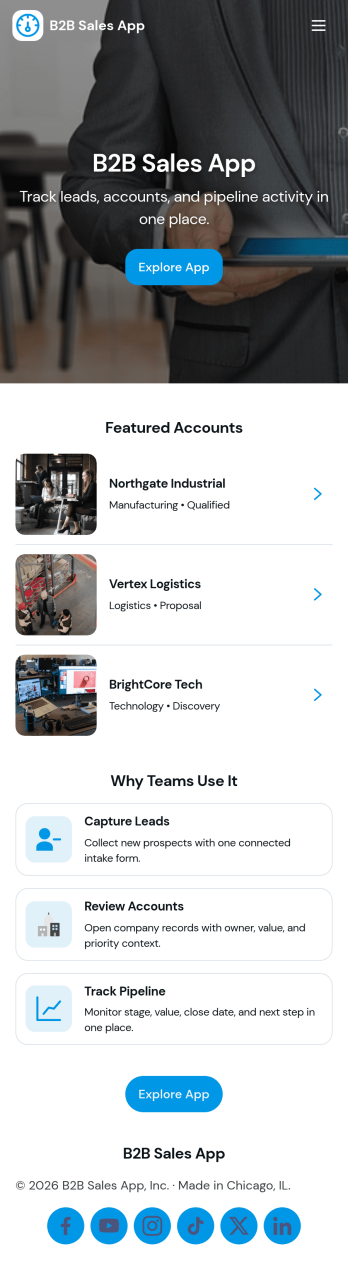
B2B Sales App
B2B Sales App helps sales teams organize account-based selling in one place, so reps can move opportunities forward without losing track of conversations, next steps, and deal status. Use it to review your pipeline, capture and qualify new leads, and keep a lightweight activity log that supports consistent follow-up across accounts. It fits inside sales, business development, and revenue operations workflows, especially for teams that want a simpler alternative to sprawling systems while still keeping visibility for managers and collaborators.With Jotform, you can turn this app template into a branded sales workspace using a no-code app builder and a drag-and-drop interface. Connect buttons to forms for fast data collection, route updates through repeatable workflow steps, and keep lead information organized so your team can act on it quickly. Share the app as a self-service hub for internal use, publish updates instantly, and adjust pages as your pipeline stages and prospecting process evolve.
Go to Category:Customer Portal Apps
Customer Intake Form App
The Customer Intake Form App gives service teams, consultants, contractors, and growing businesses a central place to collect and review new customer requests. Customers can submit intake details, while authorized team members can browse requests and open individual records showing key information such as the request type, preferred contact method, and email address. It is useful for initial consultations, project inquiries, support requests, account setup, and other situations where consistent information is needed before work begins. By replacing scattered emails and manual notes with an organized intake experience, teams can respond with better context, reduce missing details, and keep new opportunities visible.Jotform helps businesses turn this app template into a branded, mobile-friendly experience without writing code. Its drag-and-drop app builder makes it easy to adjust pages, navigation, colors, fonts, and content while maintaining a modern layout. Teams can connect forms to data collection and workflow tools, provide self-service access, and share the finished app through a direct link or QR code. Among ready-to-use App Templates, this option offers a practical starting point that can be customized and published quickly as intake needs evolve.
Go to Category:Customer Portal AppsAbout CRM Apps
CRM Apps are specialized applications designed to streamline and optimize the interactions and relationships between businesses and their customers. These apps are integral in managing sales processes, tracking customer interactions, and automating marketing efforts, making them indispensable across various industries such as retail, finance, healthcare, and more. In real-world workflows, CRM Apps help businesses maintain comprehensive customer profiles, manage sales pipelines, and ensure that communication with clients is timely and effective, thus enhancing customer satisfaction and loyalty.
Jotform Apps offers a no-code app builder specifically tailored for creating CRM Apps, leveraging Progressive Web App (PWA) technology. This allows businesses to install these apps directly via a browser without needing an App Store, ensuring seamless functionality across iOS, Android, tablets, and desktops. Centralized data storage through Jotform Tables ensures that all customer information is easily accessible and manageable, supporting efficient workflow management and decision-making processes. Jotform’s app builder is designed to make the creation of CRM Apps simple and accessible, even for users without programming experience.
Why Use CRM Apps?
- CRM Apps help businesses automate and streamline customer interactions, which can lead to improved customer satisfaction and retention. By using these apps, companies can ensure that customer service representatives have access to up-to-date customer information, resulting in more personalized and efficient service.
- These apps provide valuable insights into customer behavior through data analysis, helping businesses tailor their marketing strategies to better meet customer needs. With detailed analytics, companies can understand purchasing patterns and predict future trends, leading to more effective sales strategies.
- CRM Apps enable better communication within sales teams by providing a centralized platform for updates and information sharing. This helps eliminate miscommunications and ensures that all team members are on the same page regarding customer interactions and sales goals.
- The ability to integrate payment processing directly into CRM Apps simplifies the sales process for both businesses and customers. By using integrated payment solutions like Stripe or PayPal, companies can offer secure, convenient payment options directly within the app.
- Customizable CRM Apps allow businesses to tailor their CRM system to specific industry needs, enhancing operational efficiency. Whether it’s managing appointments in healthcare or tracking orders in retail, these apps can be adapted to meet unique industry challenges.
Common Problems Solved by CRM Apps
- One of the most common challenges businesses face is managing customer data efficiently. CRM Apps provide a centralized database that ensures all customer information is stored in one place, easily accessible to all authorized personnel, thereby reducing data silos.
- Businesses often struggle with disjointed communication between departments, leading to inconsistent customer experiences. CRM Apps offer a unified communication platform that aligns all teams, ensuring consistent messaging and service quality across the board.
- Many companies find it difficult to track customer interactions over time, which can lead to missed opportunities. CRM Apps allow for detailed tracking and logging of all customer interactions, enabling businesses to build comprehensive customer profiles and track engagement history.
- Managing sales pipelines can be complex and prone to errors. CRM Apps streamline this process by automating lead tracking and providing clear visibility into the sales funnel, allowing sales teams to prioritize leads effectively and close deals faster.
Matching Use Cases to Features
- For businesses looking to enhance customer engagement, using the Push Notifications feature in CRM Apps can significantly improve customer interaction. This feature allows businesses to send timely updates and personalized messages, ensuring customers remain informed and engaged.
- Organizations that need to manage sales and inventory can benefit from the Store Builder feature. By creating a digital storefront within their app, businesses can showcase products, manage stock levels, and process orders seamlessly, leading to improved sales efficiency.
- Companies aiming to facilitate easy payment transactions can utilize Payment Integrations such as Stripe and PayPal. This feature enables secure and efficient processing of payments directly through the app, enhancing customer convenience and satisfaction.
- Businesses seeking to distribute their CRM App broadly can leverage the Publish Options feature, allowing them to share the app publicly, privately, or company-only. This flexibility ensures that the app reaches the intended audience while maintaining control over access.
- For teams that work remotely or in areas with limited internet access, the Offline Mode capability ensures that data collection and management can continue without interruption. This feature is crucial for maintaining productivity and data integrity in all environments.
How to Create a CRM App
- Choose a category-relevant template from the Template List or start from scratch.
- Customize using the Drag-and-Drop Interface to tailor the app to specific business needs.
- Share via Link, QR Code, or Embed to ensure easy access for users.
Top Use Cases for CRM Apps
- For Managers: CRM Apps provide managers with a comprehensive overview of all customer interactions and sales activities, enabling them to make informed decisions. By having access to centralized data and analytics, managers can identify trends, allocate resources effectively, and set strategic goals that align with business objectives. Additionally, managers can use CRM Apps to monitor team performance and ensure customer service standards are met consistently.
- For Teams: CRM Apps enhance collaboration among team members by providing a unified platform for communication and data sharing. Sales teams can track leads, manage customer relationships, and update client information in real-time, ensuring that everyone is aligned and informed. This level of coordination helps teams work more efficiently, reduces the risk of errors, and improves overall productivity.
- For Customers: For customers, CRM Apps offer a seamless and personalized interaction with businesses. Customers can use these apps to access their account information, track orders, and communicate with customer service representatives. The convenience of handling transactions and inquiries directly through the app enhances the customer experience, fostering loyalty and satisfaction.
Summarizing CRM Apps
CRM Apps built with Jotform provide businesses with powerful capabilities to enhance customer management and streamline operations. These apps enable companies to maintain detailed customer profiles, automate communication, and integrate payment processing, all while ensuring data security and accessibility. By leveraging Jotform’s no-code app builder, businesses can create customized CRM Apps that meet their unique needs without requiring technical expertise. This flexibility and ease of use make CRM Apps an essential component for any business looking to optimize customer interactions and drive growth.
Frequently Asked Questions
1) Is it free to create and use CRM apps on Jotform?
Jotform offers a Starter plan that allows users to create and use CRM Apps for free. This plan includes basic features and is ideal for small businesses or those just starting to explore the benefits of CRM Apps. As businesses grow and require more advanced functionality, they can upgrade to a paid plan that offers additional features and support.
2) Are the data and payments collected through the app secure?
Yes, Jotform ensures that all data and payments collected through CRM Apps are secure. Jotform complies with GDPR and other data protection regulations to safeguard user information. Additionally, payment integrations like Stripe and PayPal provide secure processing of transactions, ensuring customer data is protected at all times.
3) Do I need any coding skills to create a CRM app with Jotform?
No coding skills are required to create a CRM app with Jotform. The platform’s no-code app builder uses a Drag-and-Drop Interface that makes it easy for anyone to design and customize an app. This accessibility allows businesses to develop functional CRM Apps without needing technical expertise or hiring developers.
4) Can I collect payments for services directly through the app?
Yes, you can collect payments for services directly through the app using integrations like Stripe and PayPal. These payment gateways offer secure and efficient processing of transactions, allowing businesses to handle payments smoothly within the app. This feature is particularly useful for businesses that offer services or sell products online.
5) Does Jotform support offline data collection for CRM apps?
Jotform supports offline data collection for CRM Apps through its Mobile Forms feature. This capability allows users to collect and manage data without an internet connection, ensuring that operations can continue uninterrupted even in remote or low-connectivity areas. Once a connection is restored, the data syncs automatically with the central database.
6) Are Jotform Apps compatible with both iOS and Android devices?
Yes, Jotform Apps are compatible with both iOS and Android devices. Jotform’s use of Progressive Web App (PWA) technology ensures that the apps can be installed directly via browser and function seamlessly across different operating systems. This cross-platform compatibility provides users with a consistent experience regardless of the device they use.
7) How can CRM Apps improve customer retention?
CRM Apps improve customer retention by providing businesses with the tools to deliver personalized and timely customer service. By maintaining comprehensive customer profiles and automating communication, businesses can ensure that interactions are relevant and engaging, fostering stronger customer relationships and loyalty.
8) Can CRM Apps be used for marketing automation?
Yes, CRM Apps can be used for marketing automation by integrating features that allow for automated email campaigns, push notifications, and personalized customer interactions. This automation helps businesses streamline their marketing efforts, target the right audience, and improve the efficiency of their campaigns.