A wedding checklist app brings your planning into one organized place, helping you keep track of what needs to happen next and who’s involved. Use it to manage task lists by milestone, keep a running guest list, store vendor details, and watch your budget as decisions change. It’s a practical fit for engaged couples, wedding planners, and anyone coordinating a ceremony and reception who wants a clear view of progress without scattered notes or multiple spreadsheets.
With Jotform, you can turn this Wedding Checklist App into a polished self-service planning space using an app template and a no-code app builder with a drag-and-drop interface. Connect buttons to forms for fast data collection, display updates in lists, and share the app with your partner or planning team so everyone stays aligned as your workflow evolves.
Related templates
Shopping List App
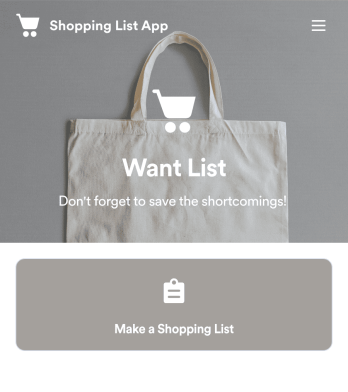
Keep track of your shopping list with a free Shopping List App from Jotform. Whether you’re gathering ingredients for your restaurant or grocery shopping for your home, quickly jot down the items you need and store them securely in your online account. The app includes sections for fruits and vegetables, meat and poultry, and other items like snacks, toiletries, and canned goods.Make changes to the Shopping List App design with our drag-and-drop app builder. No coding required — you can update forms and add links, spreadsheets, images, and other elements at the touch of a button. You can even change the app background and icon for a personal touch! Then download your custom Shopping List App instantly, or share it with a link for employees or family members to fill out on their own devices.
Go to Category:Checklist Apps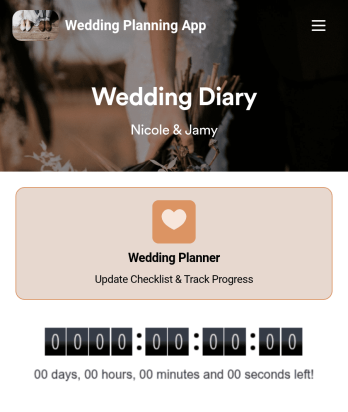
Wedding Planning App
Plan your wedding like a pro with a free Wedding Planning App from Jotform! Whether you’re a professional wedding planner or getting things ready for your own wedding, use this app to create a wedding checklist, track your progress, and view a countdown timer ticking off the seconds until the big day. You can also use the app to log expenses, manage your guestlist, and keep track of venue information.Make changes to this Wedding Planning App template in seconds with our drag-and-drop builder. Add new forms, pages, links, images, and personalize design elements like splash screen and app icon with no coding required. Your custom Wedding Planning App can then be downloaded instantly onto any device — including your computer or any iOS or Android device — so you can prepare for your event seamlessly on the go.
Go to Category:Checklist Apps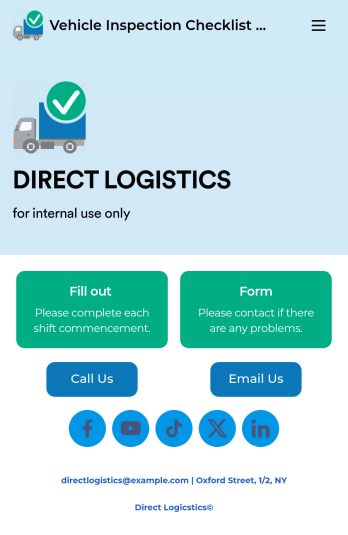
Vehicle Inspection Checklist App
A vehicle inspection checklist app is used by businesses to keep track of vehicle inspection reports for company vehicles. With this free Vehicle Inspection Checklist App, employees can fill out a pre-trip inspection checklist documenting the fuel level and overall condition of a vehicle. Employees can also add notes and attach any relevant pictures using an image upload form. There is a separate contact form employees can use to report issues. Inspection reports are synced automatically to your account, and can be sorted, filtered, and exported from any device.Customize this free app template using Jotform’s drag-and-drop interface. With just a few clicks, you can add or swap out form elements, choose fonts and colors, upload your logo, and more — no coding required. When you’re done, embed a link in an email or on your company website to have employees download your app on any smartphone, tablet, or computer. Create and store vehicle inspection reports in one convenient place with this Vehicle Inspection Checklist App.
Go to Category:Checklist Apps
Home Buying Checklist App
When renting or selling a house, it is important to know the preferences of potential buyers and sellers. How about collecting the necessary information with the Home Buying Checklist App? The Home Buying Checklist App includes forms used by real estate agents to collect information about home buyers' preferences, show their portfolios to potential buyers, and inform them about contact and location information through maps where customers can easily find the home addresses. Use the Home Buying Checklist App to better serve customers and find solutions for their needs!Would you like to make this app your own with Jotform’s easy-to-use drag-and-drop form builder? You can add or switch form elements' places, choose fonts and colors, and upload your logo. Moreover you can customize the splash page. After you’re done with the look, you can embed it in your website or share it with a link so your customers can download it on any smart devices. No coding is necessary.
Go to Category:Checklist Apps
Baby Birthday Planner App
Plan your baby birthday like a pro with this free Baby Baby Planner App from Jotform! From your smartphone, tablet, or computer, you can use this downloadable app to complete your baby birthday preparation checklist or manage your guest list with ease. All submissions are stored securely in your Jotform account and easy to access on any device.Want to customize this Baby Birthday Planner App template? Add photos, change the app icon or splash screen, and add more elements like forms, spreadsheets, and links with no coding knowledge required. You can then share the app with your partner or download it onto your own device instantly. Make sure your baby birthday goes off without a hitch with your own custom Baby Birthday Planner App from Jotform.
Go to Category:Checklist Apps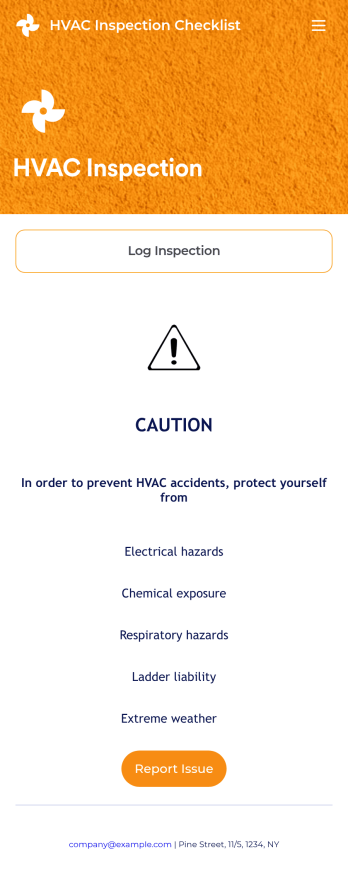
HVAC Inspection Checklist
An HVAC inspection app makes it easy for inspectors to inspect heating, ventilation, and air condition systems and log reports from any mobile device. If you’re a certified HVAC inspector or technician, create your own mobile app with our free HVAC Inspection Checklist App. This ready-to-use app template comes with an inspection report form where you can provide inspection details such as date and location, and check off inspection checklist items such as air intake, fans, and filters.Customizing your HVAC Inspection Checklist App for your specific needs will only take a few clicks. No coding required — simply drag and drop to update the checklist form, create and add new forms, embed links, include instructions or images, and change app settings such as name or icon. Once you’re satisfied with how your app looks, you can download and open it to any smartphone, tablet, or computer. Say goodbye to paper checklists with an efficient, easy-to-use HVAC Inspection Checklist App that keeps all your submitted reports in one secure place.
Go to Category:Checklist Apps