AI-generated form templates provide a smarter and faster way to manage and automate your organization’s daily tasks and form creation process. As an admin, you can decide whether your organization can generate form templates with AI or not using the admin console.
You can follow the guide below to learn how to disable or enable the AI-generated form templates feature.
Enabling AI-Generated Form Templates
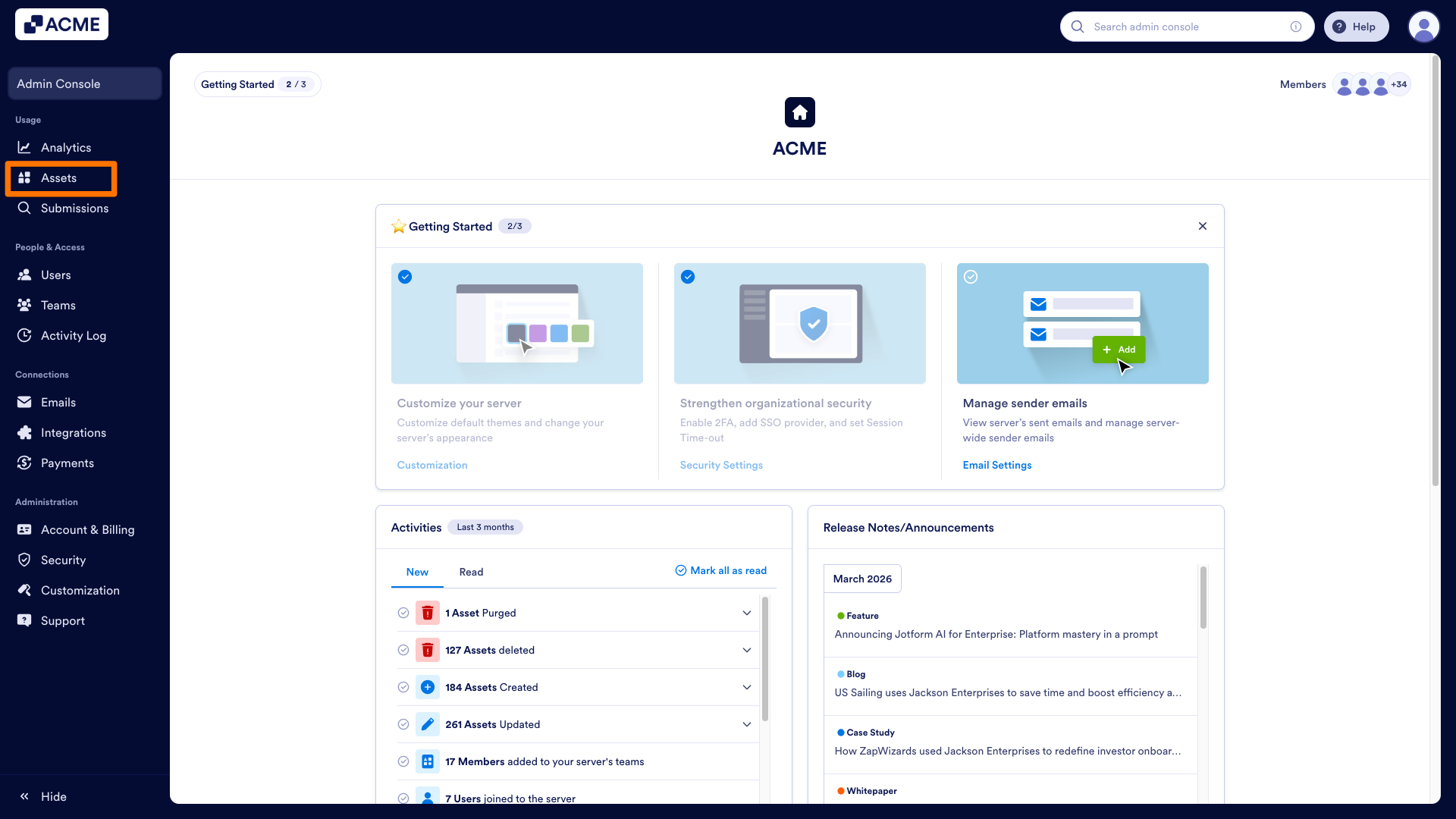
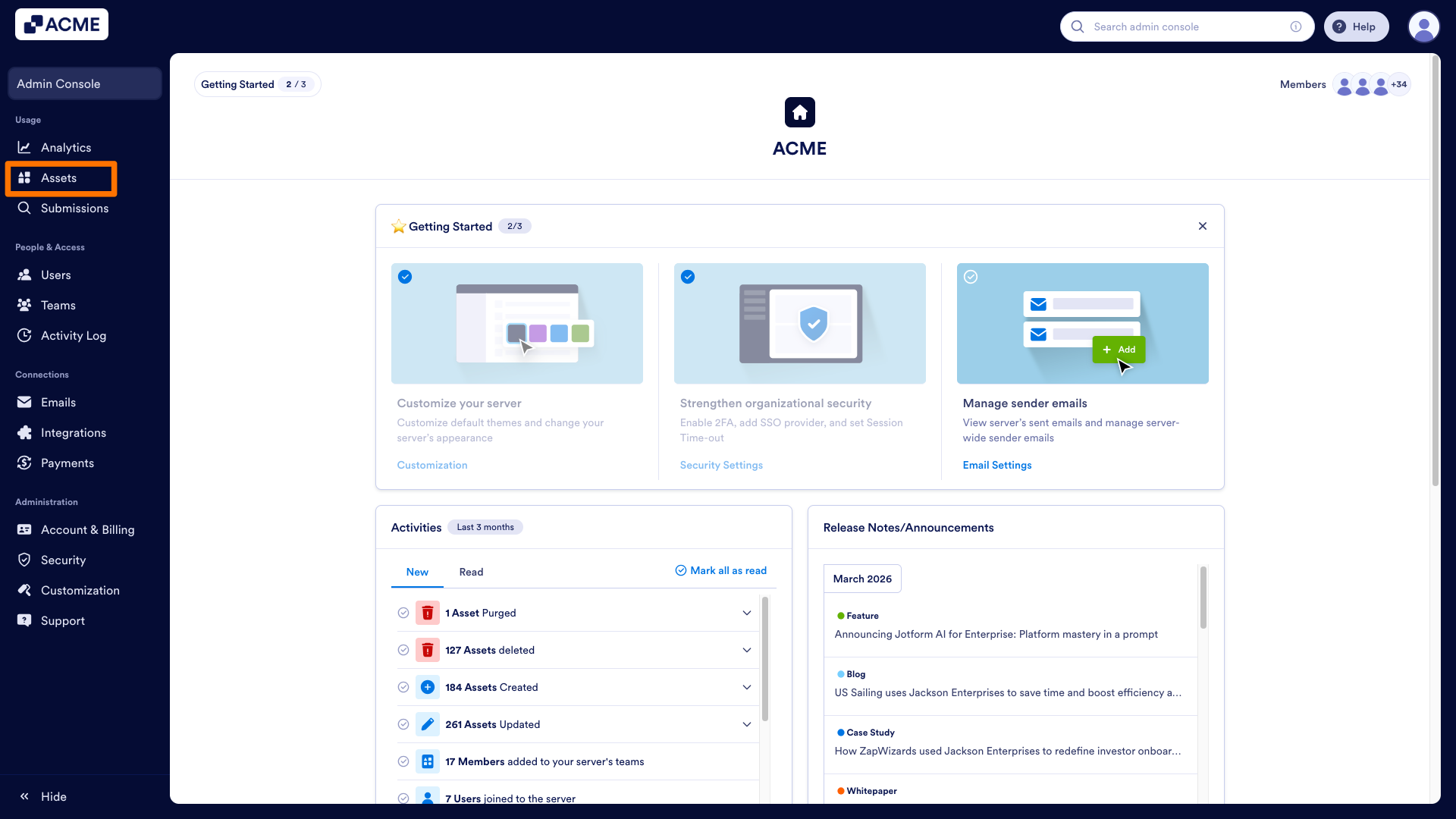
- In the Admin Console, click on Assets in the menu on the left side of the screen.
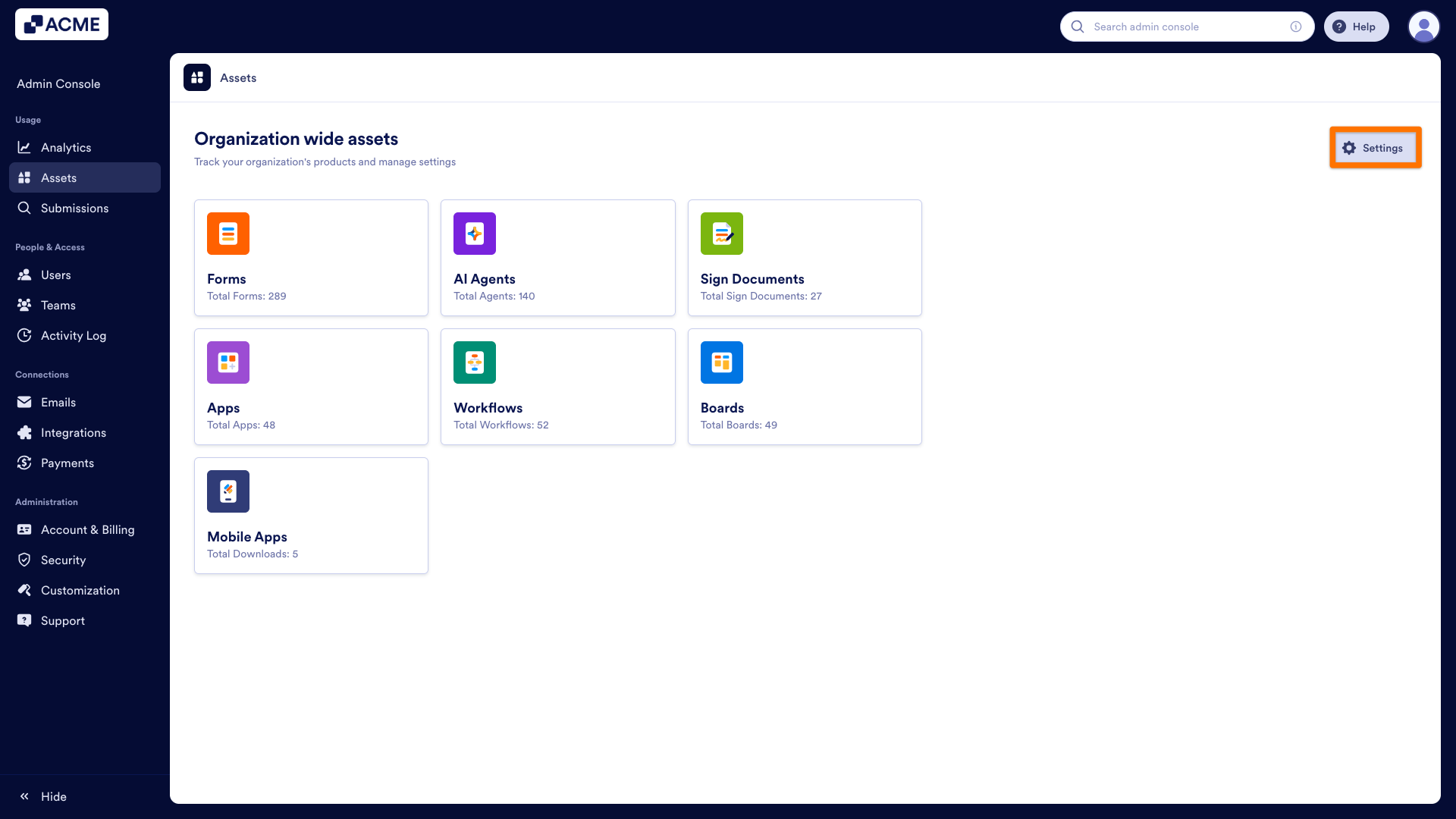
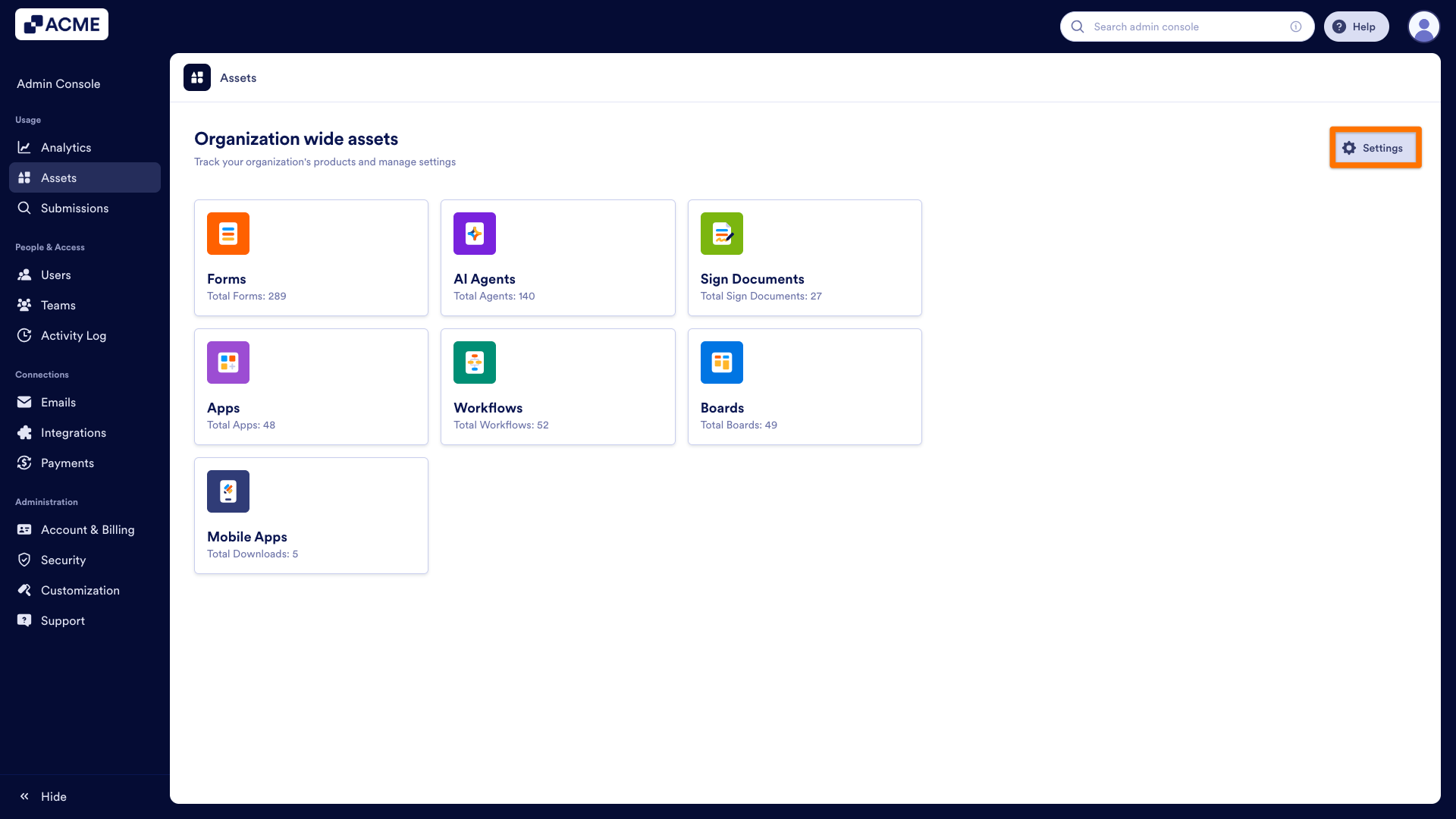
- Under the Assets tab, go to Settings from the top-right side of the screen.
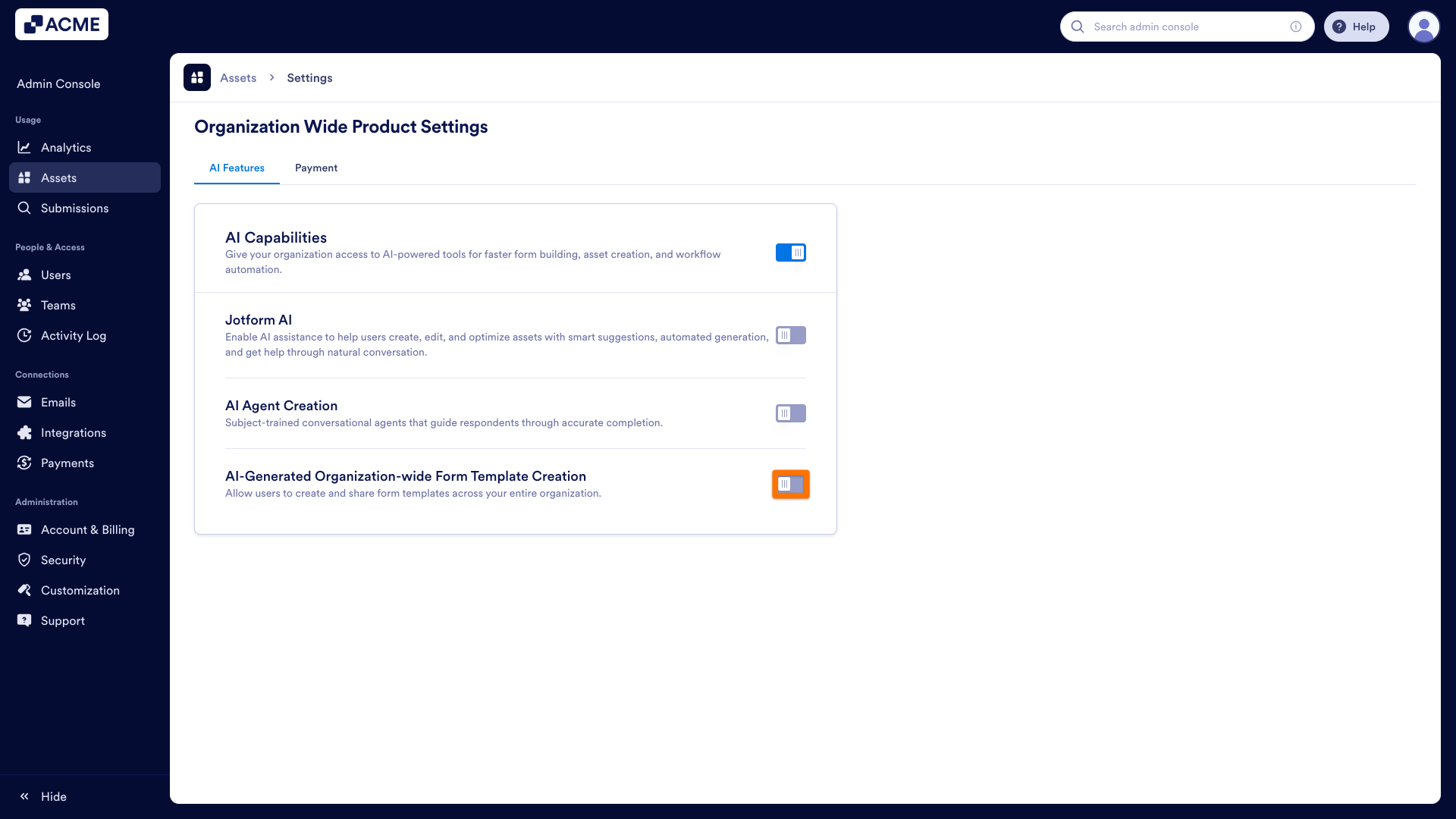
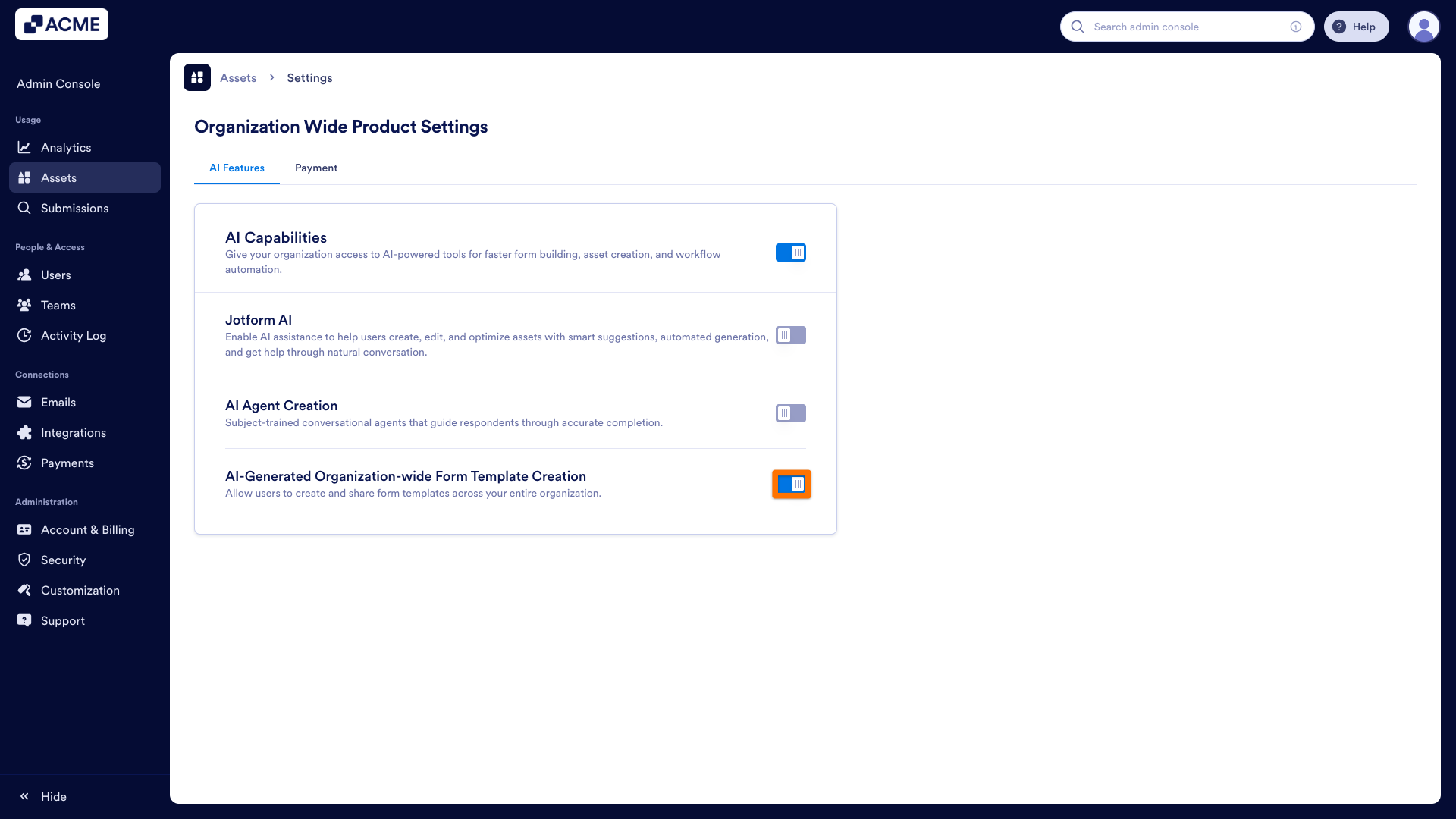
- In the AI Features section, toggle ON the AI-Generated Organization-wide Form Template Creation.
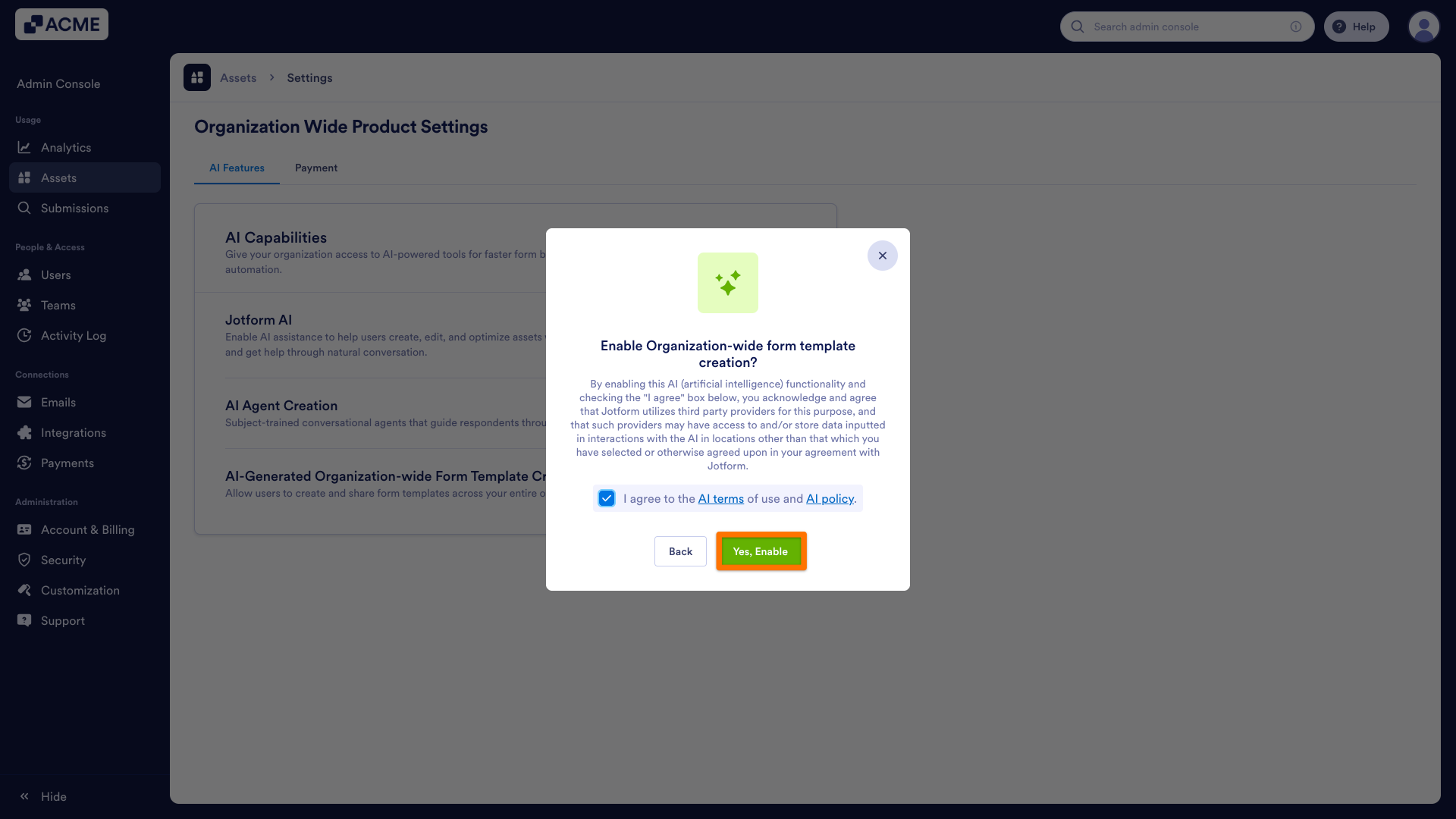
- In the confirmation pop-up, click the checkbox next to “I agree to the AI terms of use and AI policy.“
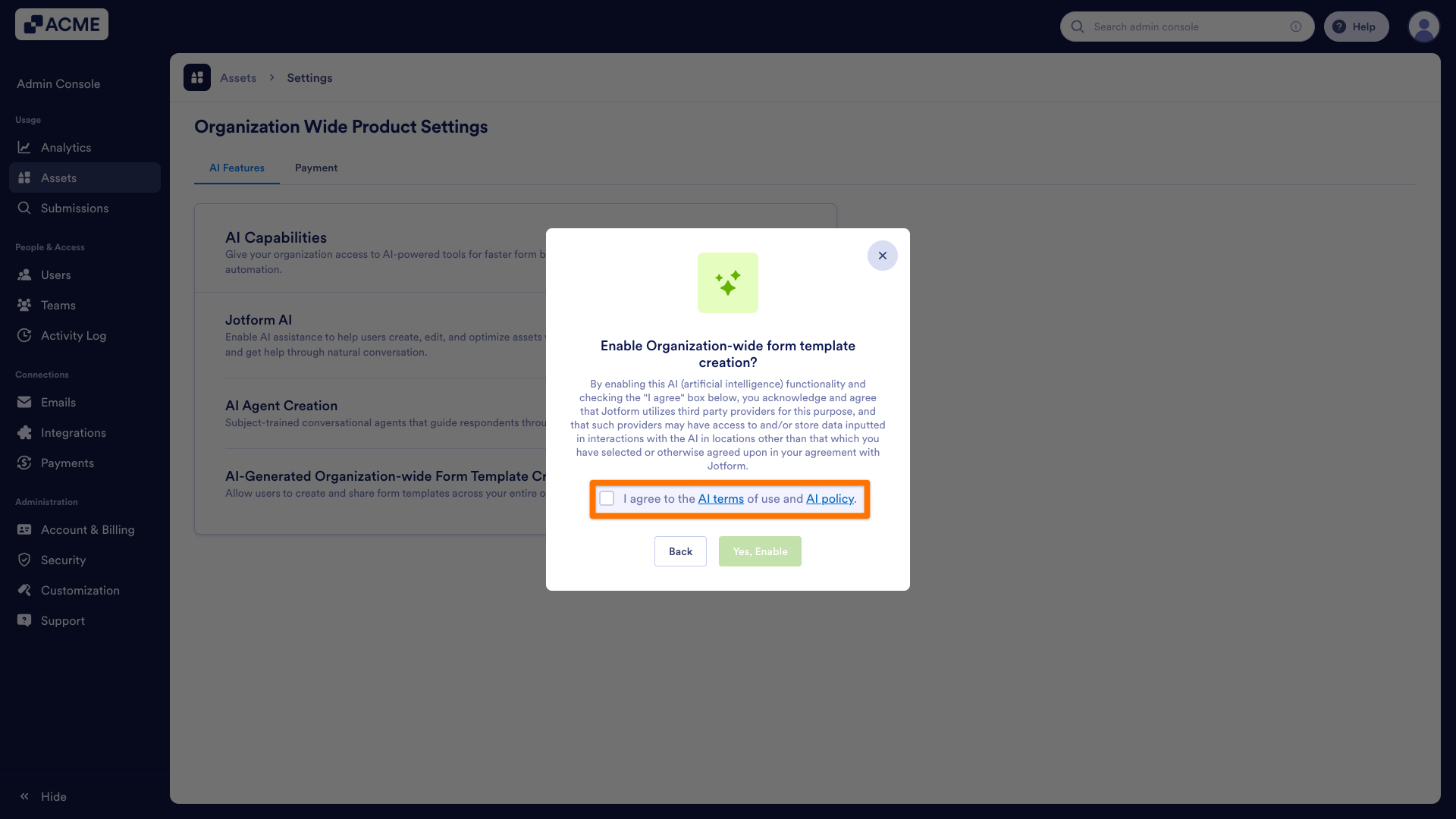
- Finally, click Yes, Enable.
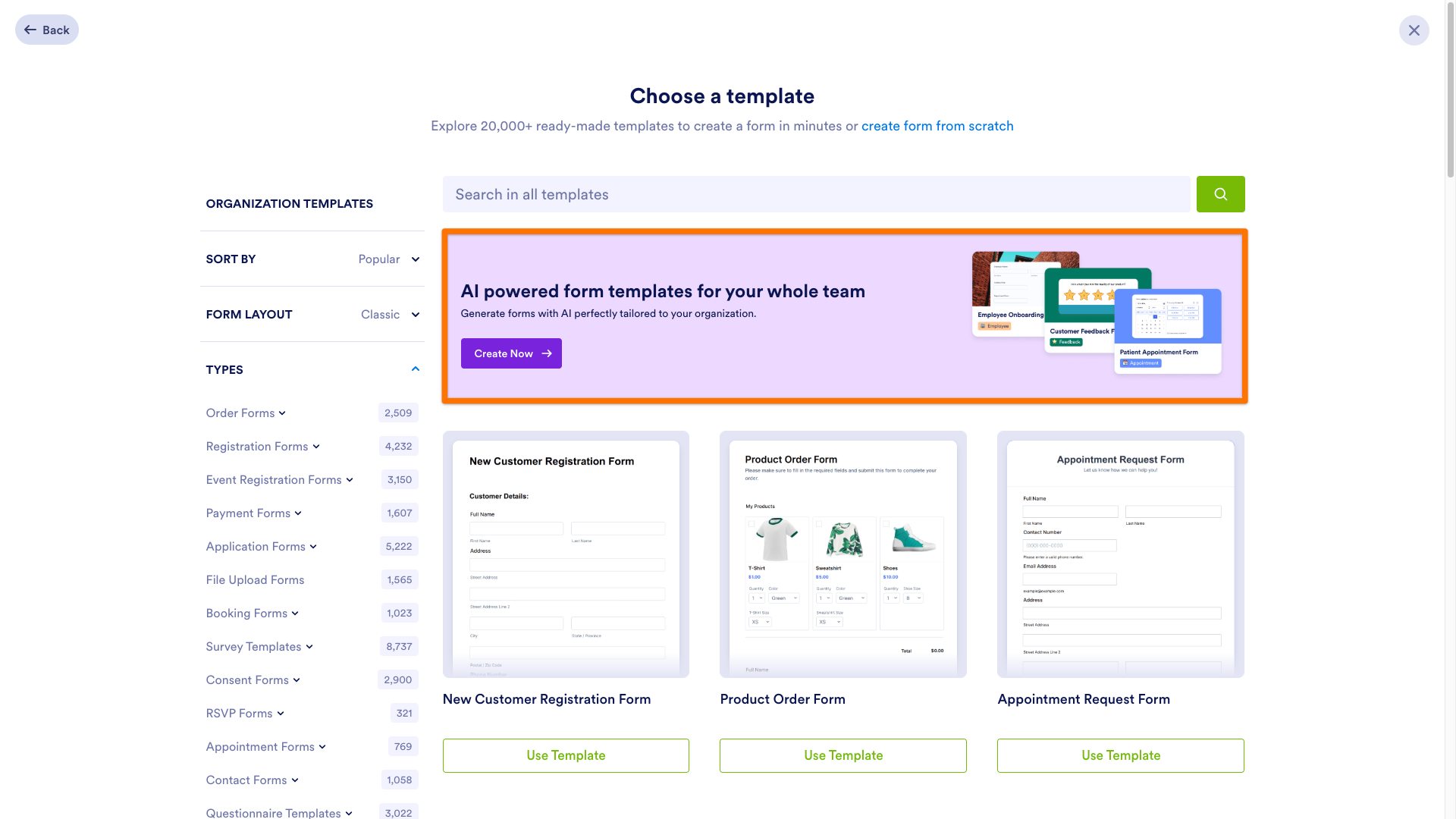
When enabled, you will be able to see the Create Now button under the AI-powered form templates for your whole team section in the Templates page.
Disabling AI-Generated Form Templates
- In the Admin Console, click on Assets in the menu on the left side of the screen.
- Under the Assets tab, go to Settings from the top-right side of the screen.
- In the AI Features section, toggle OFF the AI-Generated Organization-wide Form Template Creation.
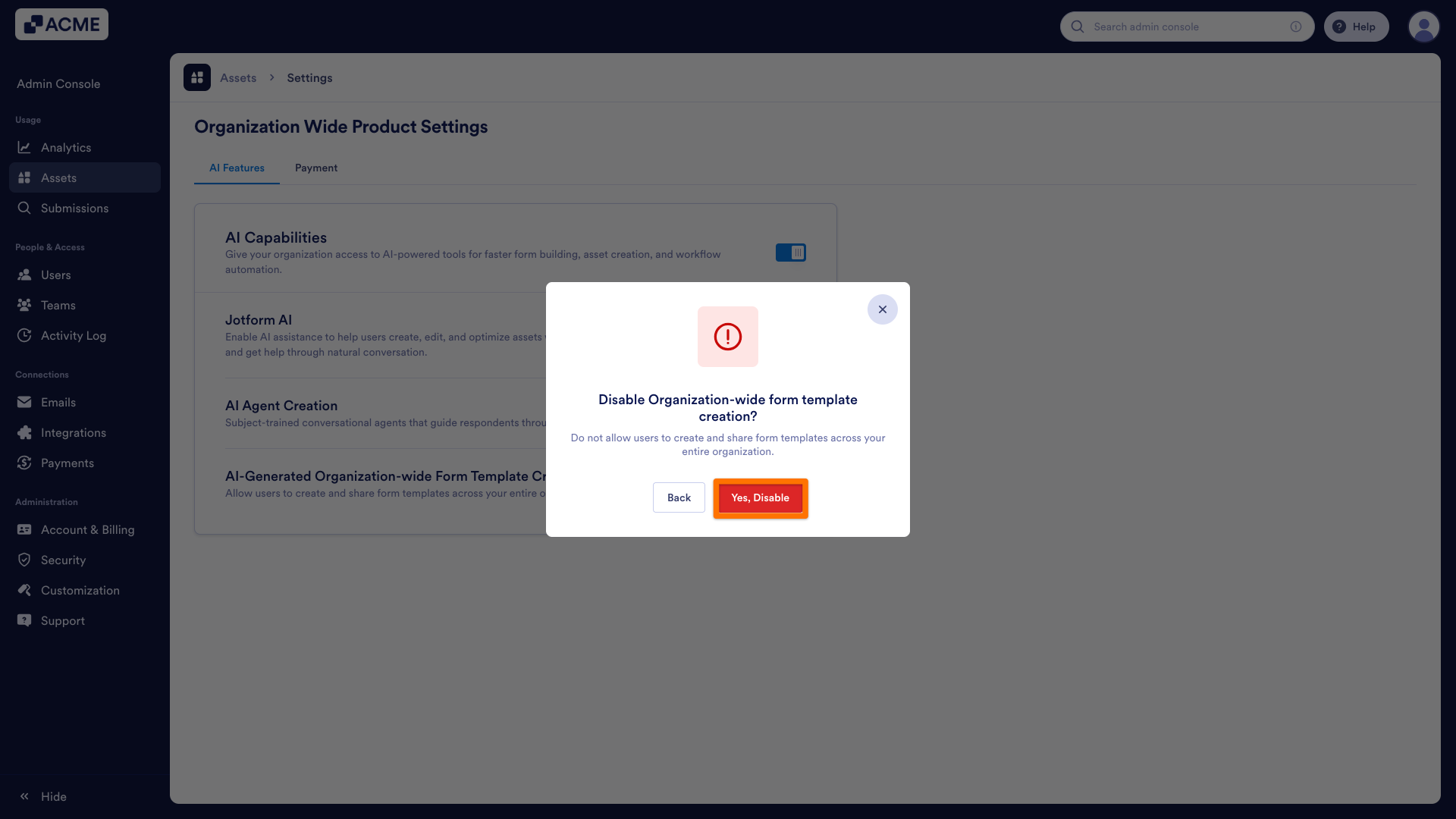
- Finally, in the pop-up window, click Yes, Disable.
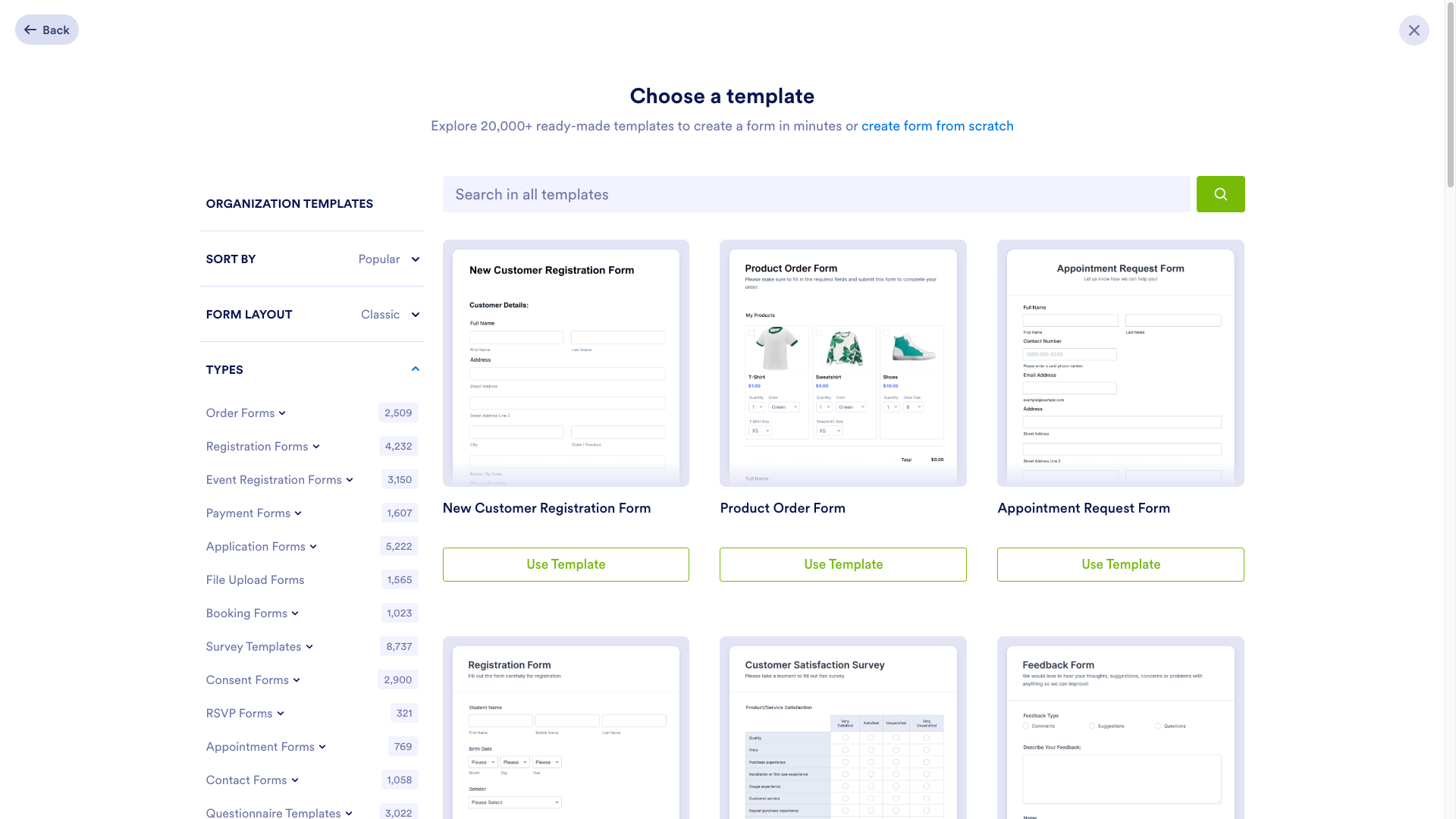
When you disable this feature, the templates page will only show manually created templates from your organizations and the templates we provided.

Send Comment: