
Top 6 Google reviews widget
The power of social proof is undeniable, and Google reviews are one of the most potent examples out there. Displaying Google reviews on your website shows prospective customers what you’ve done for other clients and can help build trust. There’s just one small catch: Google doesn’t offer a tool for displaying reviews on your site.
The good news is that there are plenty of Google reviews widgets out there, and I tried out a handful of the best ones. Whether you want a standalone Google reviews widget, a WordPress-native plug-in, or a flexible offering available in both formats, adding one of these widgets will boost your credibility and help you win over potential clients.
Here’s everything I learned about widgets for Google reviews, including the six best picks for showcasing what customers think of your brand in 2026. At the end, I provide resources to help you acquire more Google reviews. Let’s dive into this topic.
Why is it essential to showcase Google reviews on your site?
Research suggests that conversion rates increase by up to 2.8% for every 10 new Google reviews you earn. A widget for Google reviews makes it easy to show off all your positive reviews and build trust with your leads.
You can make the review process as frictionless as possible for consumers by embedding Google reviews directly into your website.
Google reviews widgets comparison table
| Tool | Best for | Key features | Pricing |
|---|---|---|---|
 Jotform Google Reviews Widget |
Any website, no-code users |
Free, auto-syncing, multiple layouts |
Free |
 Widgets for Google Reviews (Trustindex) |
WordPress users |
Advanced filtering and moderation |
Free/Paid |
 Smash Balloon Reviews Feed Pro |
WordPress power users |
Multi-platform review feeds |
Paid |
 WP Business Reviews |
WordPress agencies |
Aggregating multiple review sources |
Free/Paid |
 Review Widget |
Small business websites |
Simple embeds |
Paid |
 OpenWidget |
Lightweight embeds |
Quick setup |
Free |
How I tested Google reviews plug-ins
As always, there is a method to my madness so that my findings are as useful to you as possible. I tested the WordPress-specific plug-ins on WP. I also tried the more versatile Google reviews widgets on several platforms, including WordPress, Shopify, Wix, and static HTML sites. I scored each tool on
- Ease of setup
- Design flexibility
- Layout options
- Review syncing reliability
- SEO impact and page performance
- Mobile responsiveness
- Pricing transparency and value
- Support quality
I also paid close attention to how well each widget handles live review updates. If all the reviews displayed are months or years old, it defeats much of the purpose of social reviews.
6 Best Google reviews plug-ins & widgets
Here are the six Google reviews plug-ins and widgets that made the cut after a thorough evaluation:
1. Jotform Google Reviews Widget

The Jotform Google Reviews Widget is a free, no-code solution for embedding live Google reviews on any website. It’s one of the best ways to showcase customer feedback. And it syncs automatically with your Google Business Profile so that new reviews always display. That means you won’t have to manually update your display as new reviews come in.
I tested Jotform’s widget on WordPress, Wix, and a static HTML site. I was impressed by how consistently it performed. The auto-sync feature worked flawlessly, pulling in new reviews within hours of them being posted to the profile.
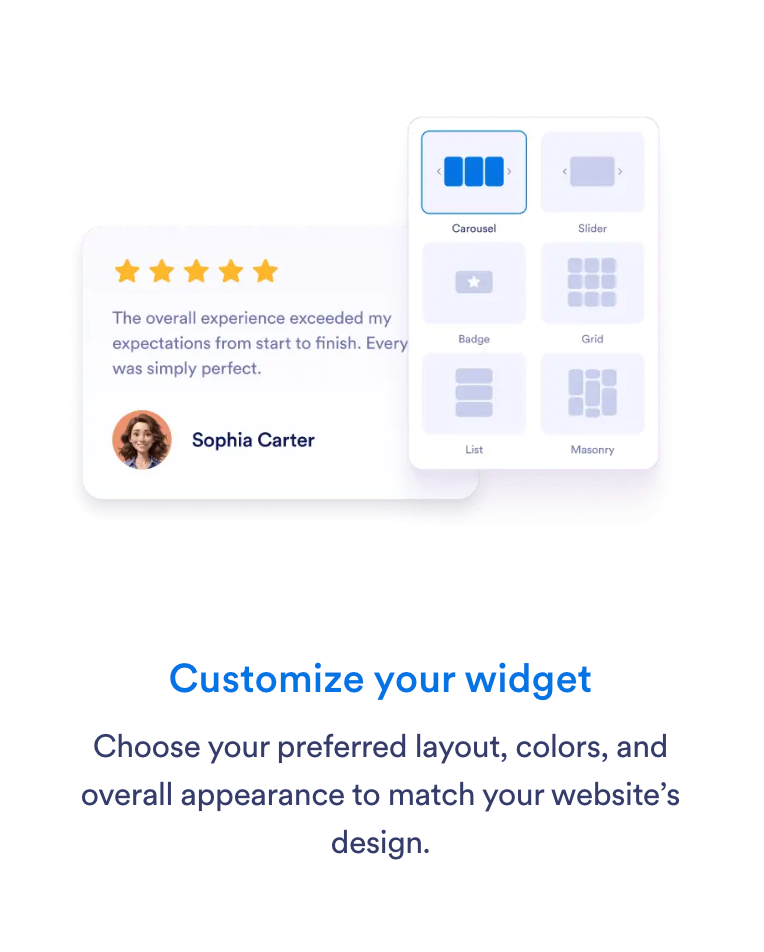
Jotform has several display and layout options, including
- Carousel
- Slider
- Badge
- Grid
- List
- Masonry
With Jotform’s Google Reviews Widget, you can
- Boost credibility with authentic customer testimonials
- Increase conversions by showcasing social proof at key decision-making points
- Improve local SEO visibility
- Signal trust to search engines
Additionally, Jotform is easy to add to your website. You can integrate the widget in three simple steps:
- Customize the widget layout, colors, and display.
- Copy the auto-generated embed code.

- Paste it anywhere on your website.

As a Jotform product, the widget works seamlessly with the library of powerful forms. You can combine trust-building reviews with payments, automation, and lead capture into a single experience. With the power of Jotform, you can capture the data you need while showcasing the positive client experiences you deliver.
- Best for: Businesses and marketing teams that want a free, no-code way to embed Google reviews on any website
- Key features:
- Automatic sync with your Google Business Profile
- Multiple layout options, including carousel and slider
- Full design customization
- Branding (with paid plans)
- Copy-and-paste embed code
- Seamless integration with Jotform forms for lead capture
- Pros:
- Completely free to use
- No plug-in or technical setup required
- Works on any website platform
- Updates reviews automatically
- Clean, modern layouts
- Cons:
- Requires a Google Business Profile
- Must upgrade to a paid plan to add your own branding
- Pricing:
- Free plan includes full Google reviews functionality
- Paid Jotform plans add automation, more integrations, and custom branding
- Bronze: $34 per month (billed annually)
- Silver: $39 per month (billed annually)
- Gold: $99 per month (billed annually)
- Enterprise custom pricing
- Why it’s a good choice for your business: Jotform’s widget removes friction from both setup and ongoing management. It gives you a conversion-focused tool that delivers relevant social reviews. You can integrate the widget with Jotform forms to further simplify the customer journey.
- Is it on WordPress? No, it is a standalone widget that is compatible with WordPress and multiple hosting services, as well as static HTML sites.
2. Widgets for Google Reviews (Trustindex)
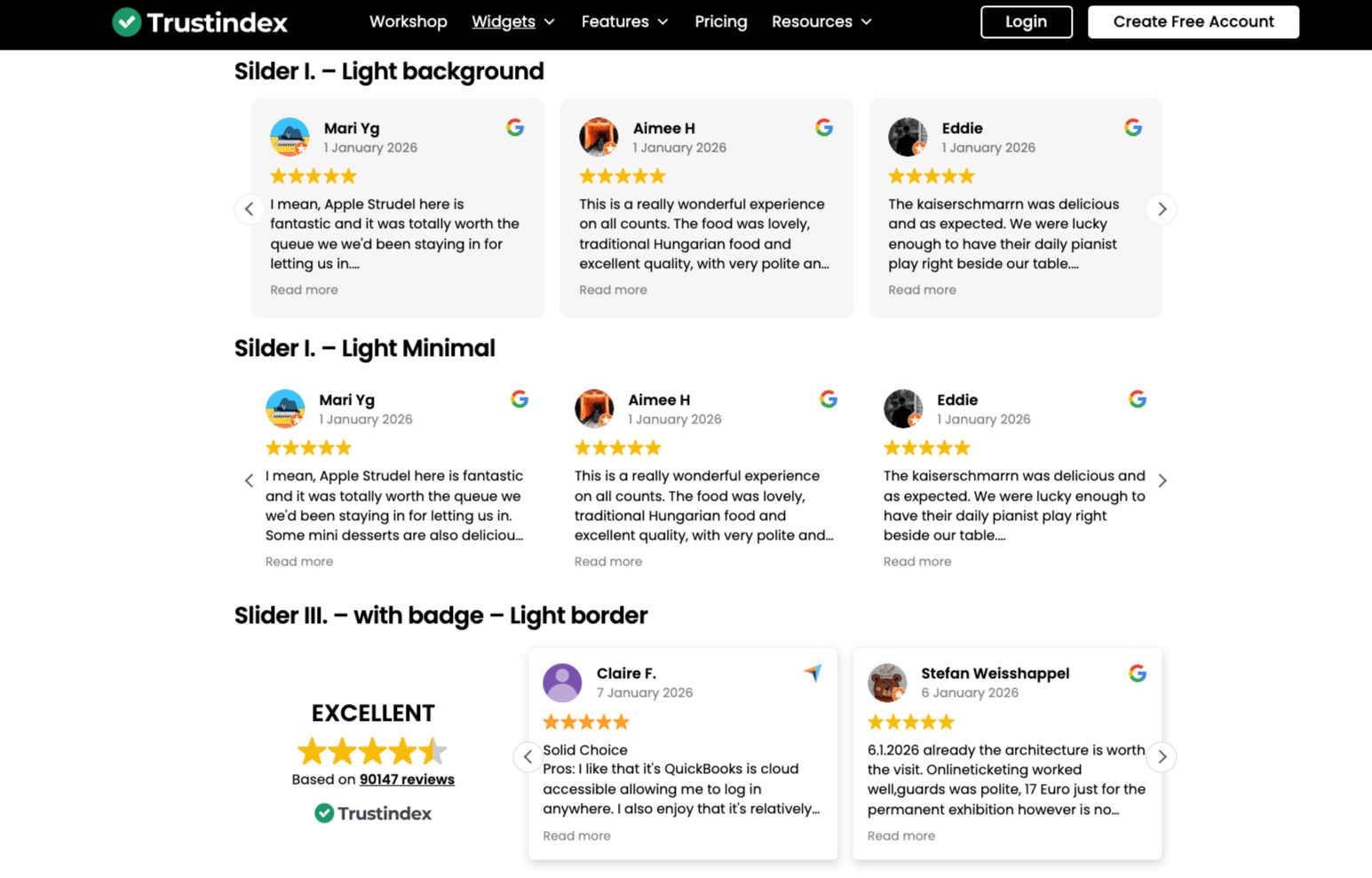
When it comes to widgets for Google reviews, Trustindex is known as one of the most popular and user-friendly options. Trustindex feels very familiar if you’ve spent time managing WordPress plug-ins in the past.
I appreciated the level of control it gave me over which reviews showed up and how they were presented. The tool works well if you already know exactly what you want your review section to look like and you’re comfortable configuring settings inside WordPress.
I found it especially useful for sites with many reviews. You can curate the reviews and prioritize recent, positive feedback. It does require a bit more setup and attention than simpler widgets, but I’ve found that you often get what you put into these tools. If you want a dedicated WordPress setup that gives you precision and oversight, this widget fits neatly into an existing plug-in-based workflow.
- Best for: WordPress users who want tight control over which Google reviews appear on their site
- Key features:
- Review filtering by rating and keywords
- Moderation controls
- Multiple display themes
- SEO-friendly schema markup
- Pros:
- Strong filtering and moderation options
- Designed specifically for WordPress
- Good customization depth
- Cons:
- Advanced features require paid plans
- Free version includes branding
- WordPress only
- Pricing:
- Review widgets are free, but you’ll need to upgrade to a paid plan to access Trustindex’s comprehensive review management tool.
- Single: $65 per year
- Pro: $125 per year
- Ultimate: $349 per year
- Why it’s a good choice for your business: Is your site built on WordPress? Do you want granular control over how reviews are displayed? Trustindex gives you the tools to fine-tune the presentation and protect your brand’s reputation.
- Is it on WordPress? Yes
3. Smash Balloon Reviews Feed Pro
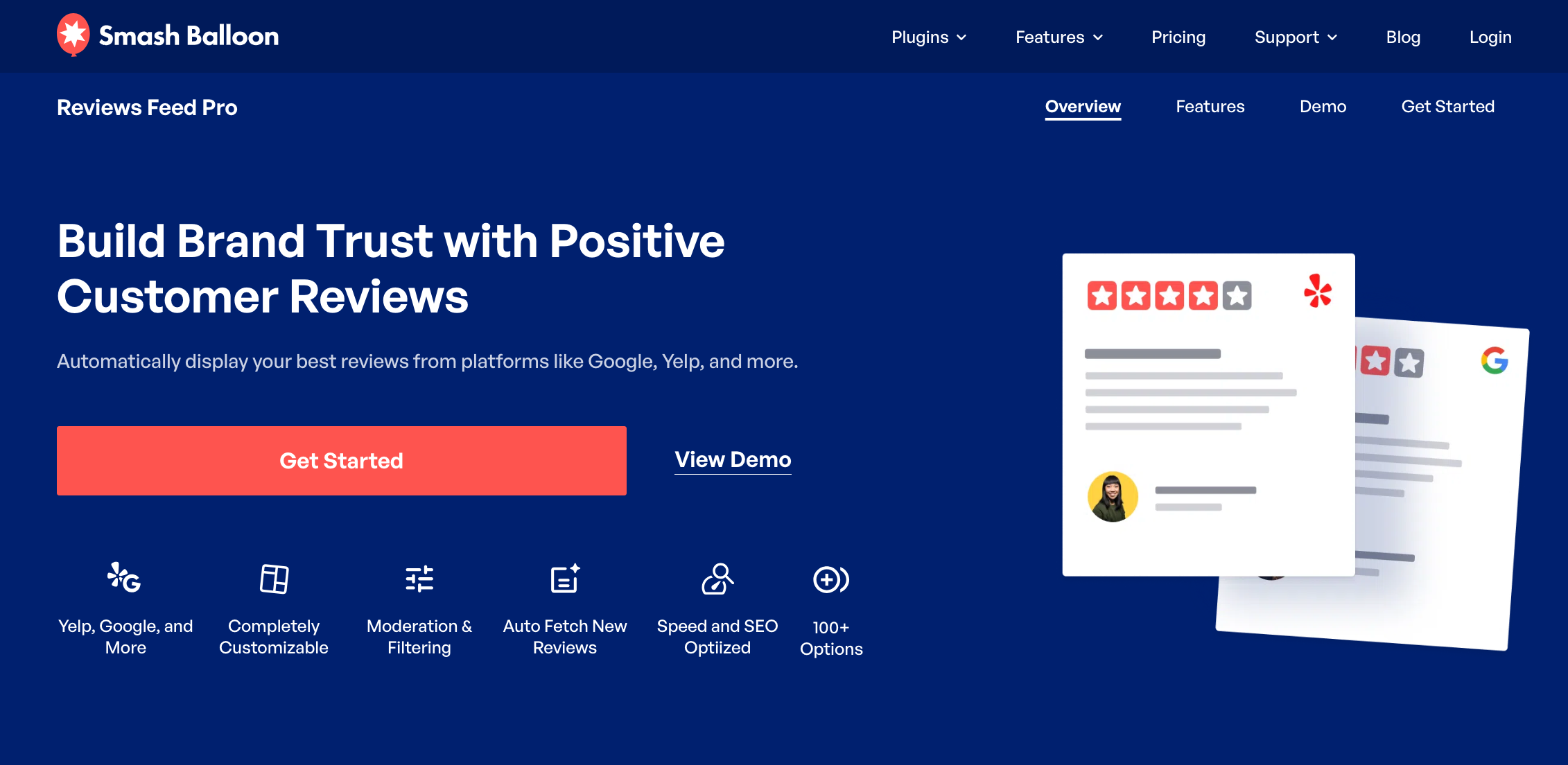
Smash Balloon Reviews Feed Pro felt like a polished, enterprise-ready option during testing. I’m familiar with its social feed tools, and that same attention to design and performance shows up here. I was able to quickly set up the tool, but it’s clearly built for users who want to invest time in customization and have more complex needs.
I believe it’s a great fit for brands that want everything displayed in one cohesive feed. If you primarily rely on Google reviews, Smash Balloon is probably overkill. But it makes a lot of sense if you want to build a cohesive social proof and branding strategy that blends feedback from your social channels.
- Best for: WordPress power users who want to display reviews from multiple platforms in one feed
- Key features:
- Supports Google, Facebook, Yelp, and more
- Highly customizable layouts
- Performance-optimized loading
- Pros:
- Excellent design flexibility
- Trusted WordPress ecosystem brand
- Multi-platform support
- Cons:
- Paid-only solution
- Overkill for Google-only reviews
- Pricing:
- No free plans
- Basic: $49 per year; includes Google and Yelp integrations for one website
- Plus: $99 per year; includes Basic integrations plus Facebook and Trustpilot for up to five websites
- Elite: $149 per year; includes Tripadvisor and WordPress.org additional integrations for up to 10 websites
- All Access Bundle: $299 per year; includes all Pro plug-ins for unlimited websites
- Why it’s a good choice for your business: Smash Balloon is ideal if your brand collects reviews from multiple platforms, such as Google, Facebook, and Yelp. It gives you a unified, professional-looking feed on your WordPress site.
- Is it on WordPress? Yes
4. WP Business Reviews

If you’re looking for Google reviews WordPress plug-ins, WP Business Reviews is a great choice. However, it has strong agency vibes. It’s practical and functional. WP Business Reviews can also handle reviews from several sources without requiring multiple tools.
However, the interface feels dated. It gets the job done reliably, but I would prefer it to have a more modern feel. Once I got accustomed to the layout, I found the tools useful. I could experiment with different layouts until I found the arrangement I preferred.
It’s not flashy, but it’s serviceable. It’s a consistent, dependable option within WordPress. And the price tag is reasonable for what it provides.
- Best for: Agencies and businesses managing reviews across several platforms from a single WordPress site
- Key features:
- Reviews from Google, Facebook, and Yelp
- Shortcodes for flexible placement
- Multiple layout styles
- Pros:
- Multiple review sources
- Useful for agencies managing client sites
- Flexible placement options
- Cons:
- Interface feels dated
- Advanced features require paid extensions
- Pricing:
- No free plans
- Basic: $49 per year for basic support and one site license
- Pro: $99 per year with priority support and 10 site licenses
- Agency: Custom pricing for more than 10 sites and VIP support
- Why it’s a good choice for your business: If you want centralized control over multiple review platforms without relying on a separate widget for each source, WP Business Reviews works well.
- Is it on WordPress? Yes
5. Review Widget
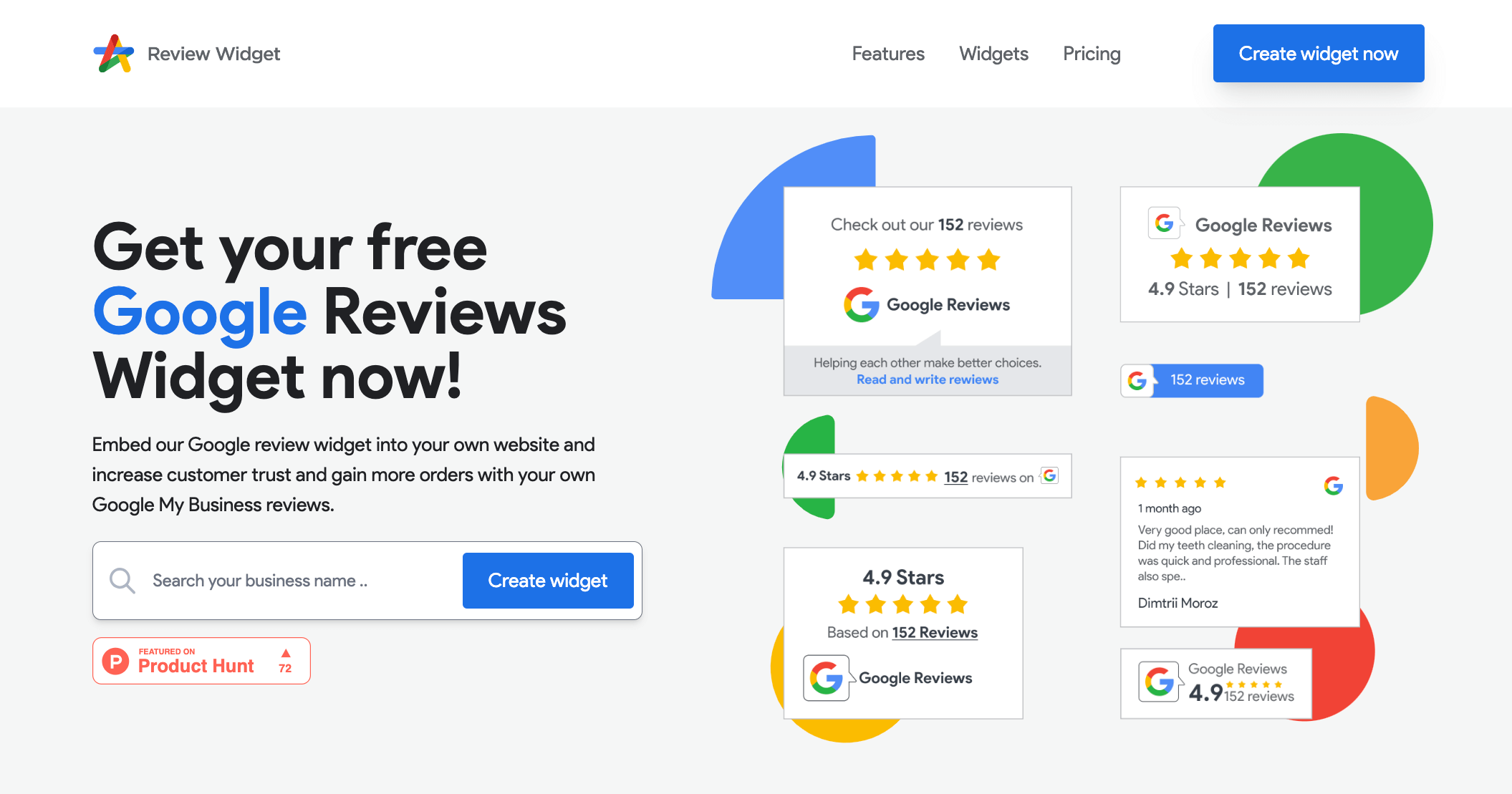
Want something simple and predictable? Review Widget felt like a straightforward solution for small businesses. I didn’t have to spend much time tweaking the settings. It’s very much a “Set it and move on” tool. That simplicity can be a big draw if you don’t want to manage plug-ins or deal with deeper customization options.
I found it worked best when the goal was to simply show recent reviews without making them the centerpiece of your page. It’s not built for heavy experimentation or conversion optimization. I would recommend it for small sites that need something simple, affordable, and easy to install.
- Best for: Small businesses that want a simple, paid solution for displaying Google reviews on any website
- Key features:
- Google reviews embed
- Basic layout options
- Platform-agnostic
- Pros:
- Easy to implement
- Works on platforms beyond WordPress
- Minimal setup
- Cons:
- Limited customization
- Paid subscription required for full features
- Pricing:
- Free and paid options available
- Free plan includes basic reviews widgets, standard templates, light customization, reviews sync every 30 days
- Widget Pro is $80 annually and includes premium widget templates, advanced customization options, and daily review syncing
- Why it’s a good choice for your business: Review Widget is a simple option if you want a hands-off way to show Google reviews. You don’t have to deal with the hassle of code-intensive plug-ins or complex settings.
- Is it on WordPress? Yes
6. OpenWidget

While there are plenty of WordPress plug-ins for Google reviews, OpenWidget is one of the best no-cost options out there. Its library of free widgets and plug-ins can be customized using OpenWidget’s no-code tools.
I was able to deploy OpenWidget’s Google reviews widget in no time. Its learning curve is minimal, and it requires almost no setup. It’s designed for users who want results without having to spend time fine-tuning design or layout details.
It would be a good fit for basic pages where reviews support your content, not drive it. I wouldn’t rely on it for highly customized landing pages, but it would be appropriate for smaller sites or secondary pages. It does what it promises, nothing more and nothing less. You can expect speed, simplicity, and a free-forever widget for Google reviews.
- Best for: Websites that need a lightweight Google reolviews embed with minimal setup
- Key features:
- Simple Google reviews widgets
- Fast embed
- Basic display options
- Pros:
- Quick to set up
- Lightweight and fast-loading
- Totally free
- Cons:
- Limited customization
- No paid upgrades to unlock bonus features
- Pricing: Free
- Why it’s a good choice for your business: OpenWidget is a great fit if you want a quick, low-effort way to display reviews and don’t need advanced styling or integrations.
- Is it on WordPress? No
What’s next: Pick the best widget and put it to work
Google reviews widgets aren’t just decoration to spice up your website. They’re strategic tools that allow you to highlight social proof and earn the trust of site visitors. Use my experience testing these tools to help you identify which options offer the best mix of features and value for your business.
While free isn’t always best, free versions such as Jotform offer incredible value. The Jotform Google Reviews Widget is available with all plans, including the free tier.
Getting started with a code-free tool
Adding a Google reviews widget to your website doesn’t require any coding experience or technical skills. All you need is a code-free tool and a few minutes. With the Jotform Google Reviews Widget, you can use social proof to win more business and boost your conversion rate.
Ready to add reviews to your website? Check out the Jotform Google Reviews Widget. It offers quick setup and easy customization.
Want more tips for showcasing Google reviews? Check out our free guide, How to improve Google reviews, for strategies to display and actively grow your review count.
Frequently asked questions
First, connect the widget to your Google Business Profile so it can pull in your reviews. Next, customize the layout, design, and display settings. Last, copy the generated embed code or install the plug-in and place it on your website.
You can create a Google review link shortcut directly from your Google Business Profile by logging in to your profile, going to the “Get more reviews” or “Share review form” section, and copying the provided link. It will send customers directly to your review submission form. Many businesses share this shortcut via email, SMS, and website buttons.
Google doesn’t offer any review widgets. However, as you’ve seen, there are plenty of options available through third-party tools such as Jotform. They are available as WordPress plug-ins or, in the case of Jotform, as standalone widgets. Some tools are platform-specific, while others work on any website using embed codes.
This article is for website operators, content managers, and marketing professionals who want to boost credibility, enhance SEO, and drive conversions by embedding and optimizing Google Reviews widgets on their sites.






















Send Comment: