Free Data Collection Software
Data collection software is used to gather information through structured inputs and store it in a centralized system for review and analysis. Teams use it to collect responses, documents, and records consistently across projects or departments. With Jotform, data collection is built using forms for input, approvals for review, and tables for tracking and organization.
Build a data collection form that matches your process
Different teams collect different types of data, such as applications, requests, surveys, inspections, or internal reports. Jotform lets you start from a data collection form template and customize fields, logic, and file uploads so the form matches how your team works.
Meet Jotform AI Data Assistant
Turn collected data into insights with AI
Use Jotform AI Data Assistant to summarize responses, organize records, uncover trends, and create charts from your form, table, survey, and feedback data, all with simple prompts.
Explore Data Assistant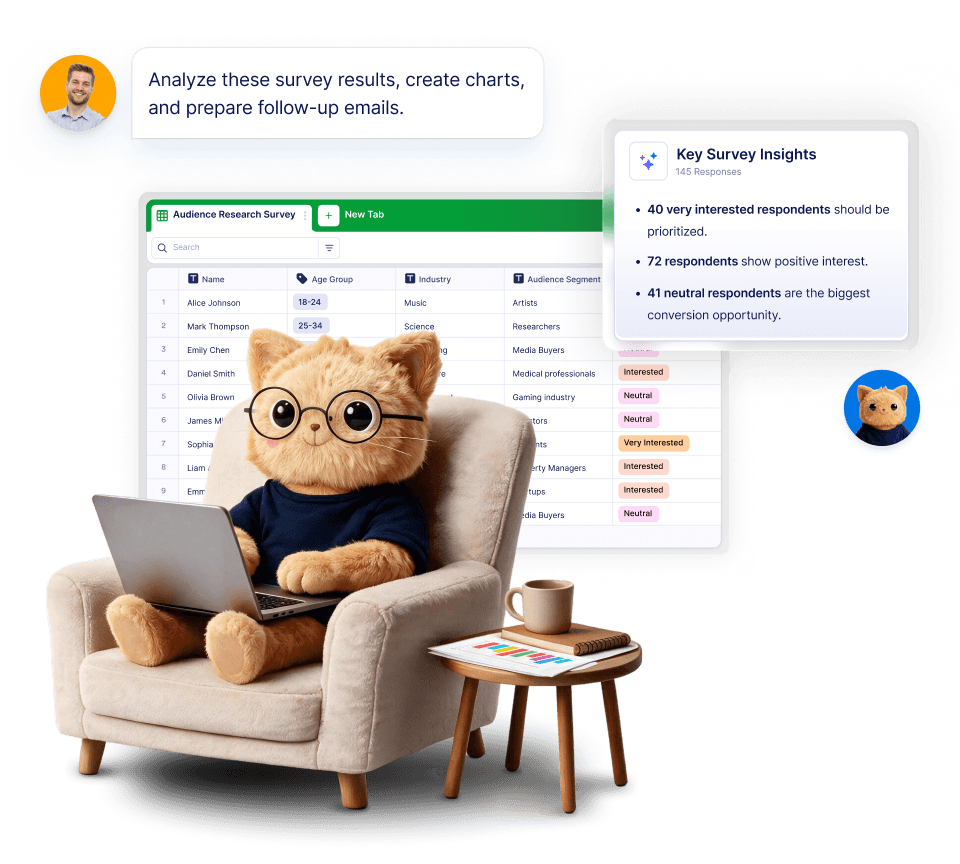
How it works in 3 steps
- Create
Create a data collection form using drag-and-drop or generate one with a prompt, then define the fields you need. - Customize and publish
Add rules, uploads, and access settings, then publish and share the form as a link, embed, or QR code. - Track
Review and manage submissions in a centralized table that supports filtering and exporting.
Benefits
Benefits of using Jotform as data collection software
Collect structured data with custom forms
Data collection starts with consistent inputs. Jotform lets you create data collection forms using text fields, dropdowns, checkboxes, and more, so each submission follows the same structure. You can start from a ready-made template, build a form from scratch, or generate a form with a prompt.
Accept files and supporting documents
Many data collection workflows require documents such as IDs, images, PDFs, or confirmations. Using file upload fields, submissions can include attachments that stay linked to the original record throughout its lifecycle.
Apply rules with conditional logic
Data collection often depends on context. Conditional logic lets you show or hide questions, require additional details, or route submissions based on answers, helping keep data relevant and complete.
Organize records in a centralized database
All submitted data can be stored in Jotform Tables, which provides a spreadsheet-style view for managing records. Tables allow filtering, sorting, grouping, and exporting data without moving it to another tool.
Control access and sharing
Collected data often includes sensitive information. Jotform supports role-based access, so only authorized users can view, edit, or approve submissions. This helps teams manage internal access while keeping data centralized.
Support mobile and on-site data collection
Data collection does not always happen at a desk. Jotform forms are mobile-friendly and can be shared via QR codes, making them suitable for on-site data capture at events, facilities, or field locations.
Common use cases
Business and operational data collection
Teams collect operational data such as requests, inventory updates, and internal reports using standardized forms. Submissions are reviewed and stored in tables for ongoing tracking and reporting.
Research and survey data collection
Researchers and analysts use data collection software to gather structured responses, apply logic for branching questions, and export datasets for analysis. Consistent fields help ensure clean data sets.
Applications and registrations
Organizations collect applications and registrations by combining required fields, document uploads, and approval steps. This approach keeps applicant data organized and reviewable in one place.
Field and on-site data capture
Forms shared by link or QR code are used to collect data in physical locations, such as inspections, check-ins, or assessments, with entries syncing back to a central table.
Testimonials
What our users say about Jotform
Frequently Asked Questions
All your questions about Jotform — answered. Check out our FAQs for answers to common questions, or contact our support team for further information.
Data collection software is a tool used to gather information through forms or apps and store it in a centralized system. It helps ensure data is collected consistently and can be reviewed, organized, and exported.
Data is collected via a form, submitted, and stored in a database. Submissions can include files, follow rules, and pass through approval steps depending on the workflow.
Data collection software can collect text responses, selections, numbers, dates, files, and structured records. The exact data types depend on the fields included in the form.
- Customizable form fields and layouts
- Support for file uploads and attachments
- Conditional logic and validation rules
- Approval or review workflows
- Centralized data storage with filtering
- Export options for reporting and analysis
- Mobile-friendly data entry
- Access controls and permissions
Yes. File upload fields allow users to attach documents, images, or PDFs to their submissions, keeping files linked to the data record.
Yes. Approval steps can be added so submissions are reviewed, approved, or rejected before further processing or sharing.
Collected data is stored in a centralized table view where it can be filtered, sorted, grouped, and exported as needed.
Most modern data collection software supports mobile use. Forms can be accessed and submitted from phones and tablets without additional setup.
Survey tools focus primarily on questionnaires and analysis, while data collection software supports broader workflows such as document uploads, approvals, and operational tracking.