With Jotform, you can update the submission heading and subheading to show the details that make the most sense for you. Instead of being stuck with just one field, you can combine things like a name and date, or an email and phone number, so your submission list is easier to scan at a glance.
This comes in handy when you’re managing many entries and need context right away without opening each one. Whether it’s orders, appointments, or sign-ups, customizing the headings keeps everything neat and makes checking submissions much quicker.
Updating submission headings in Jotform Mobile Forms only takes a minute—here’s how:
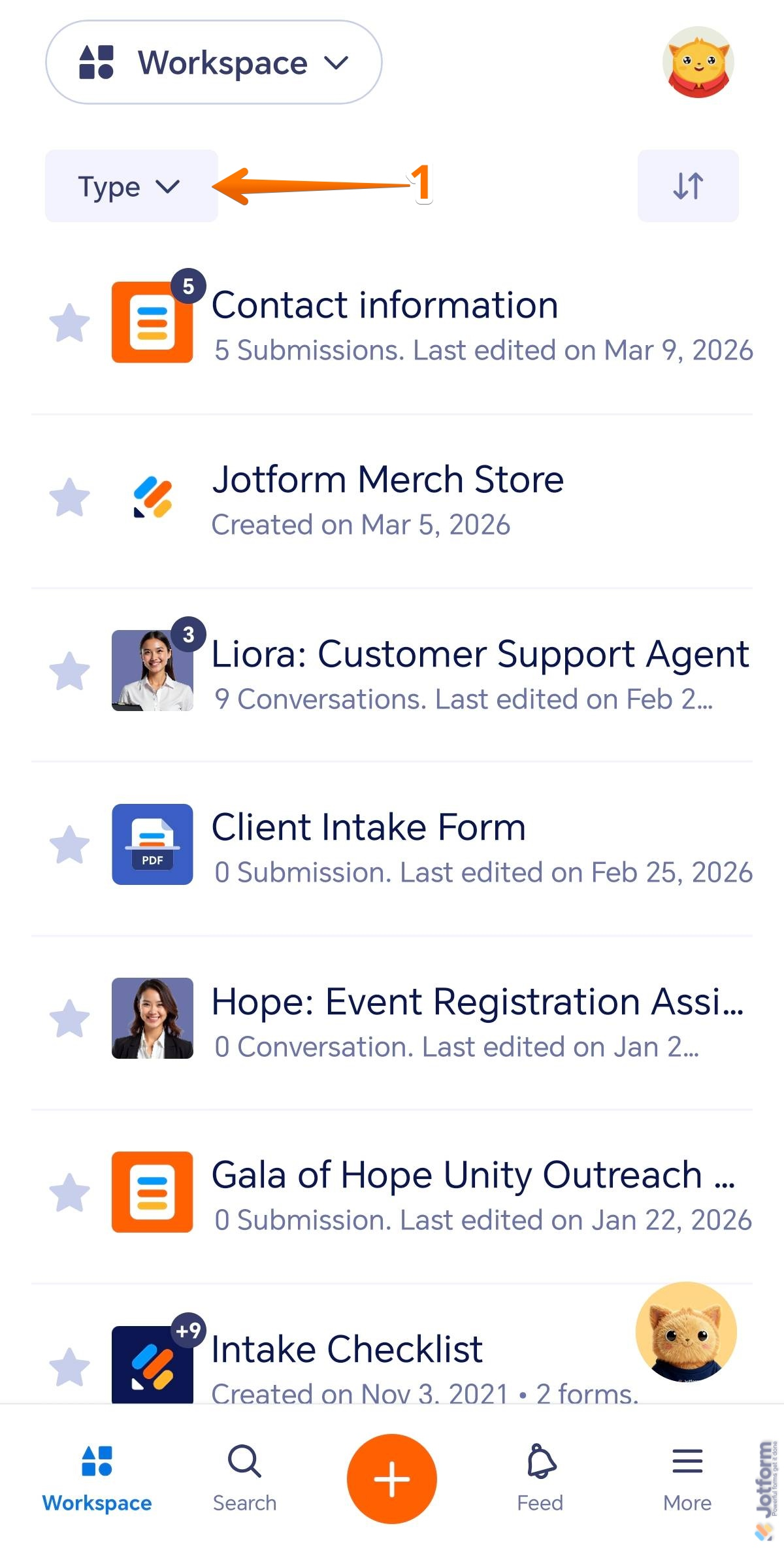
- In the Jotform Mobile App, on the top-left side of the screen, tap on the Type dropdown.
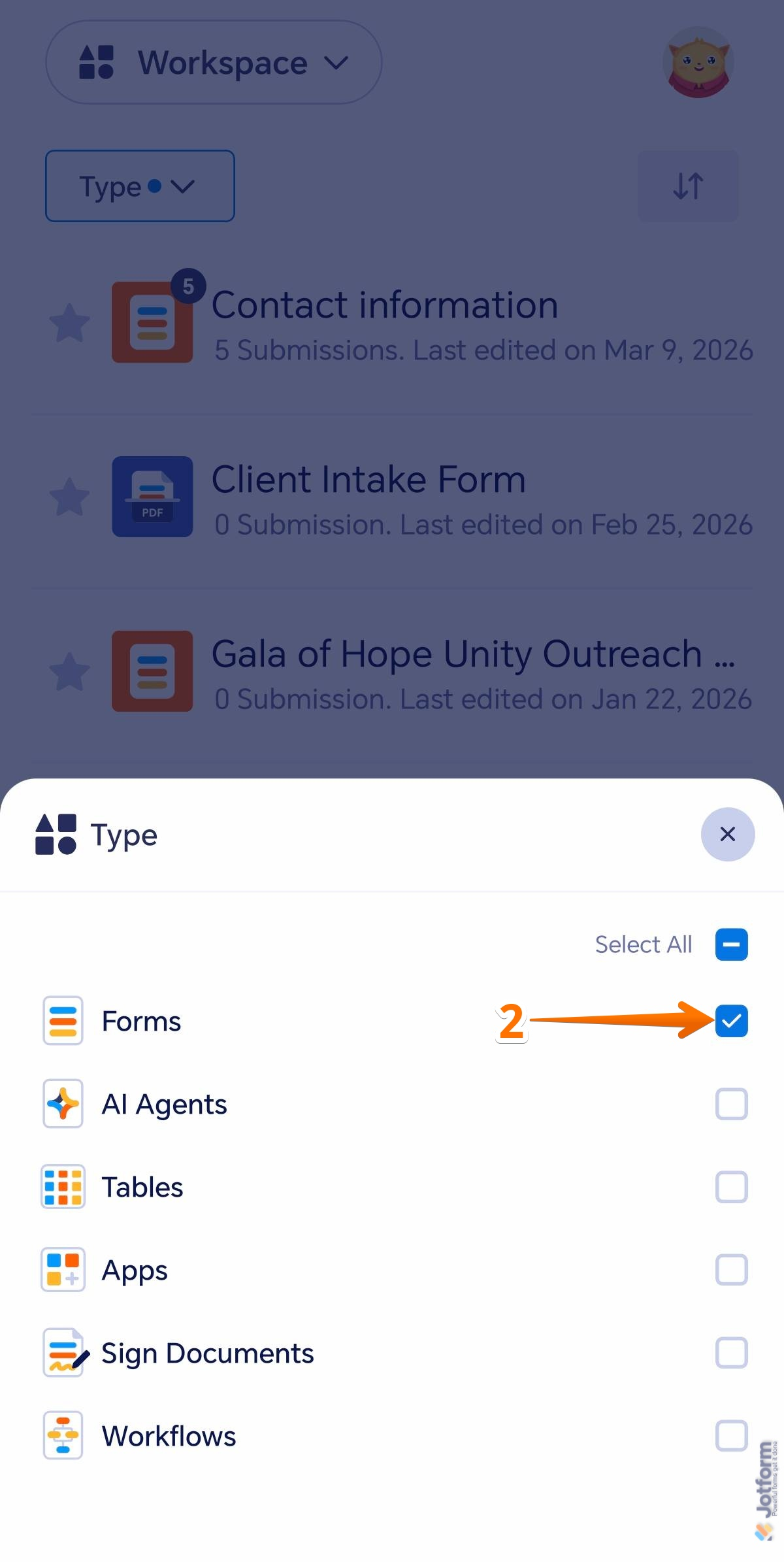
- Then, in the menu that opens at the bottom, uncheck the boxes next to all assets except Forms, so only Forms are shown on the page.
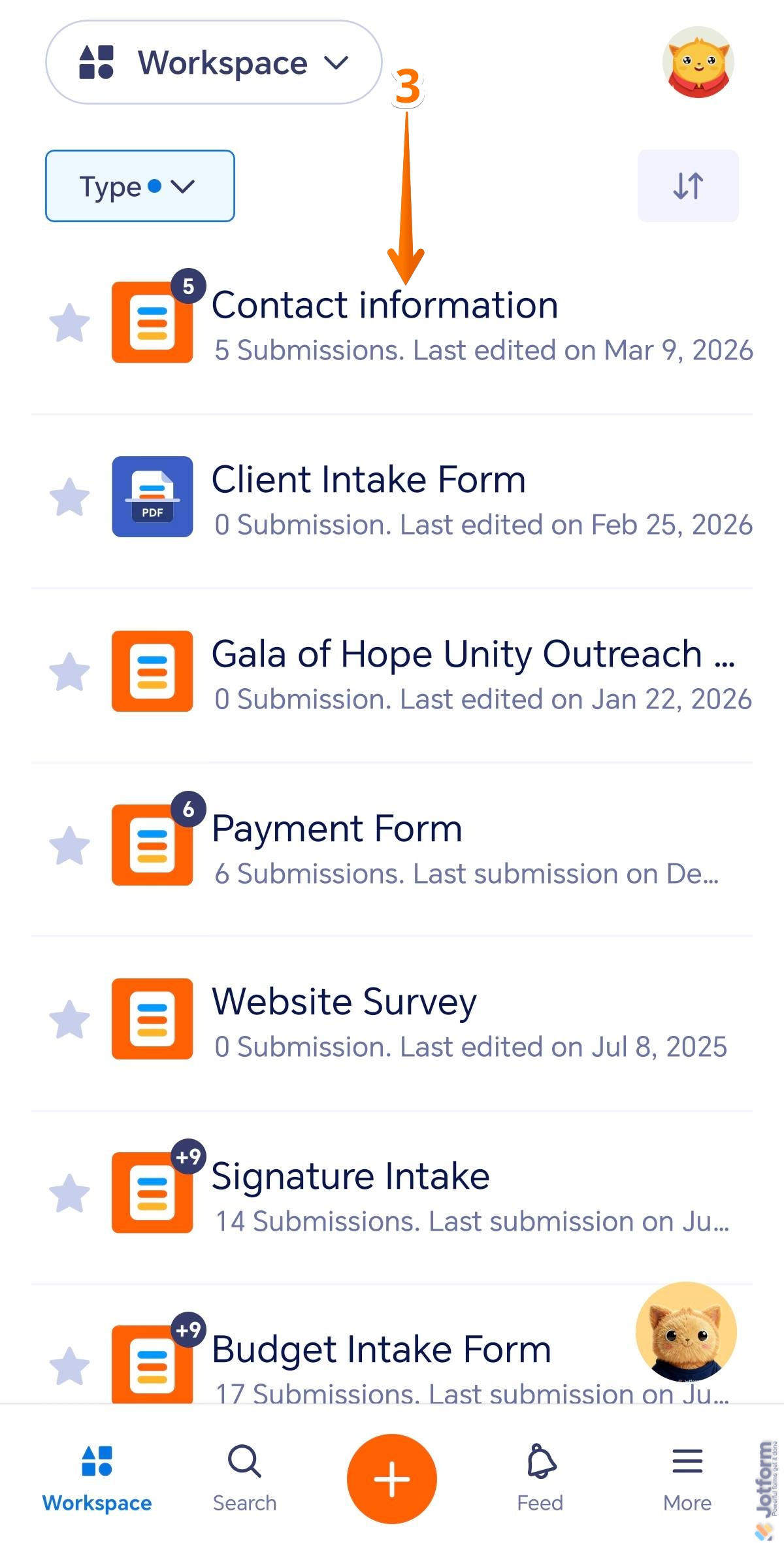
- Next, tap on the form you want to change the submission headings for. For example, Contact Information.
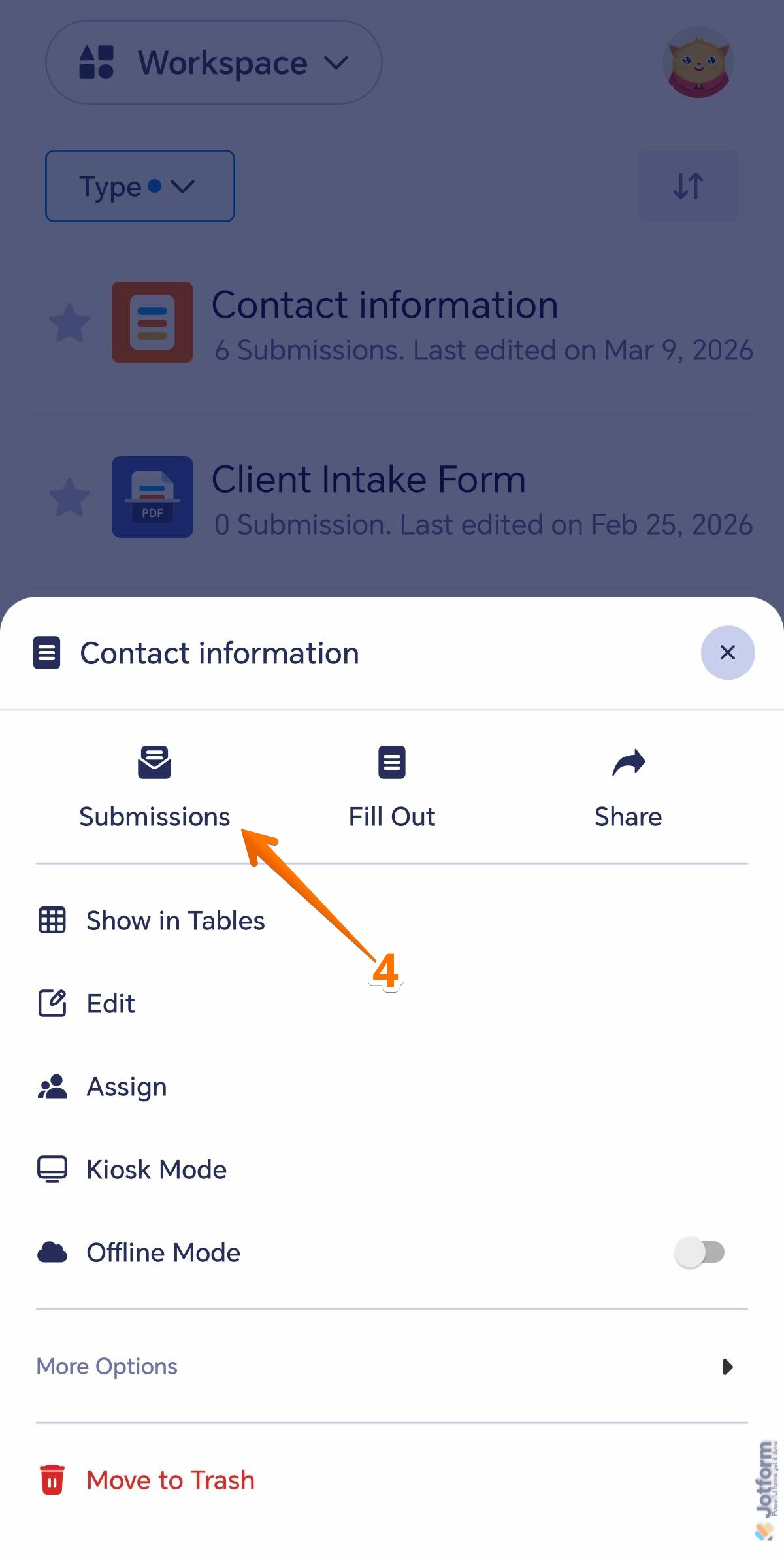
- Then, in the menu that opens, tap on Submissions.
- Then, on the top-right side of the Submissions screen, tap on the Three Dots icon.
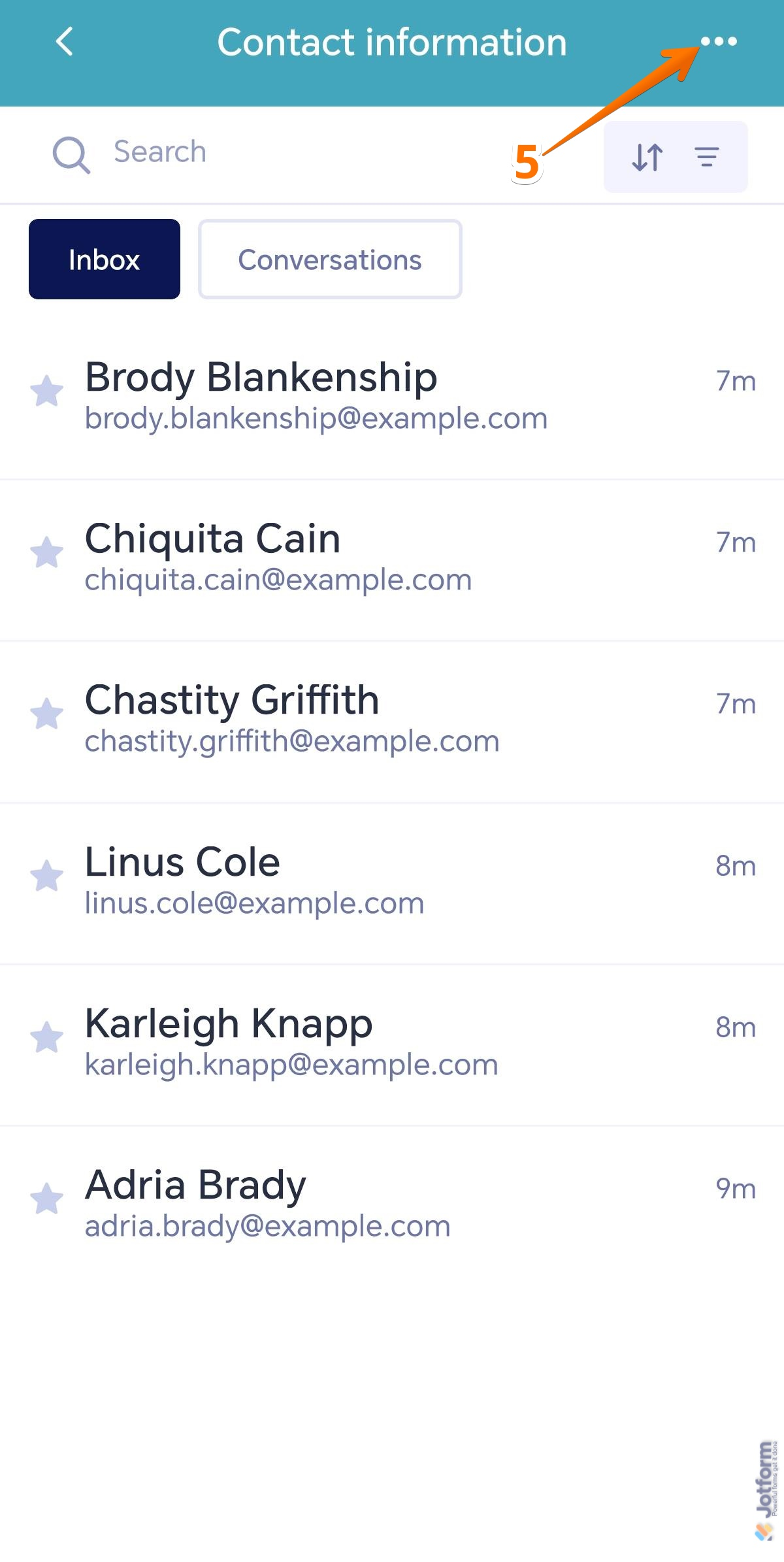
- Next, in the menu that comes up, tap on Settings.
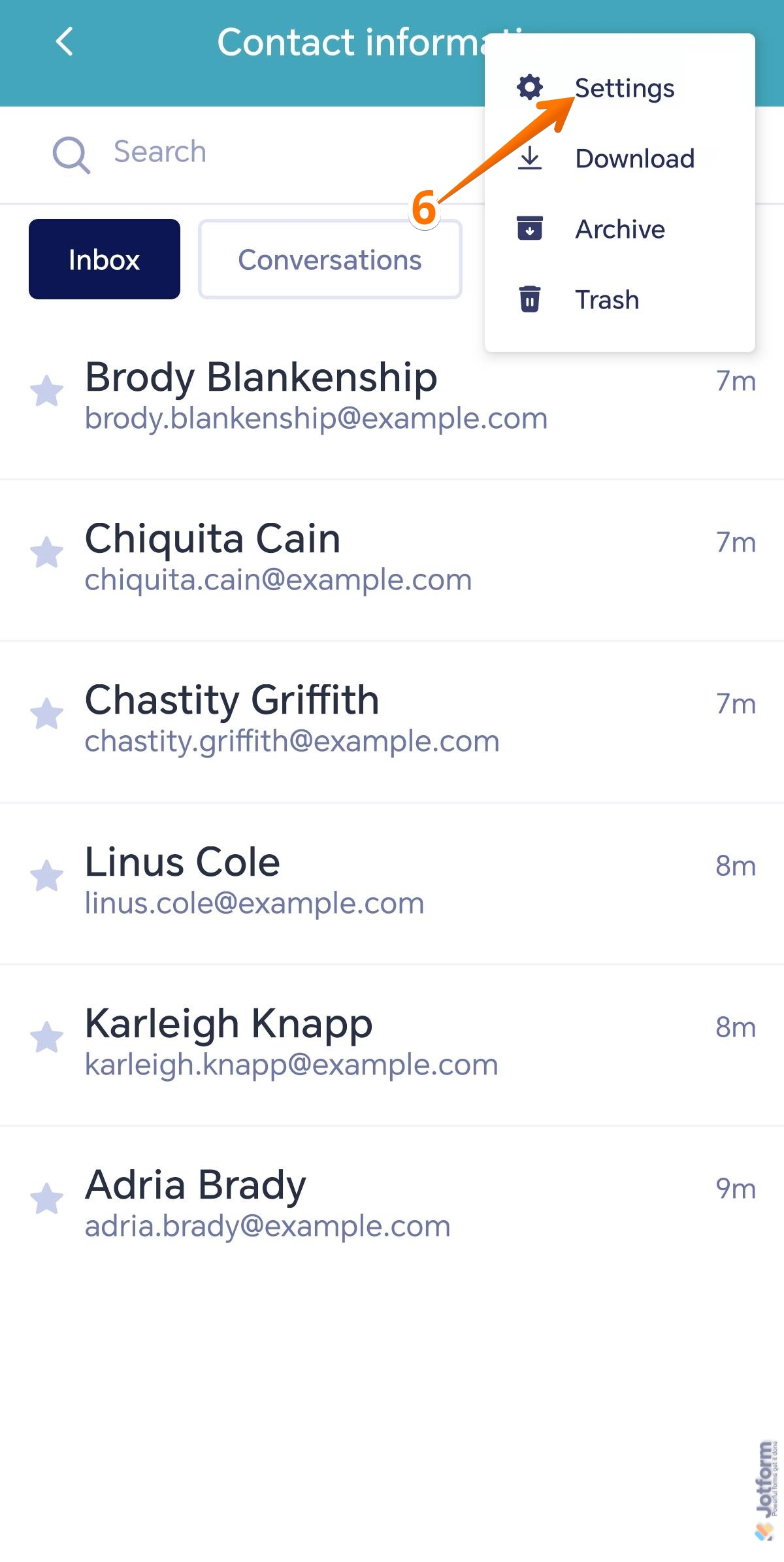
- Now, in View Settings, under the Header Settings section, tap on the Select Field to Use as Header dropdown.
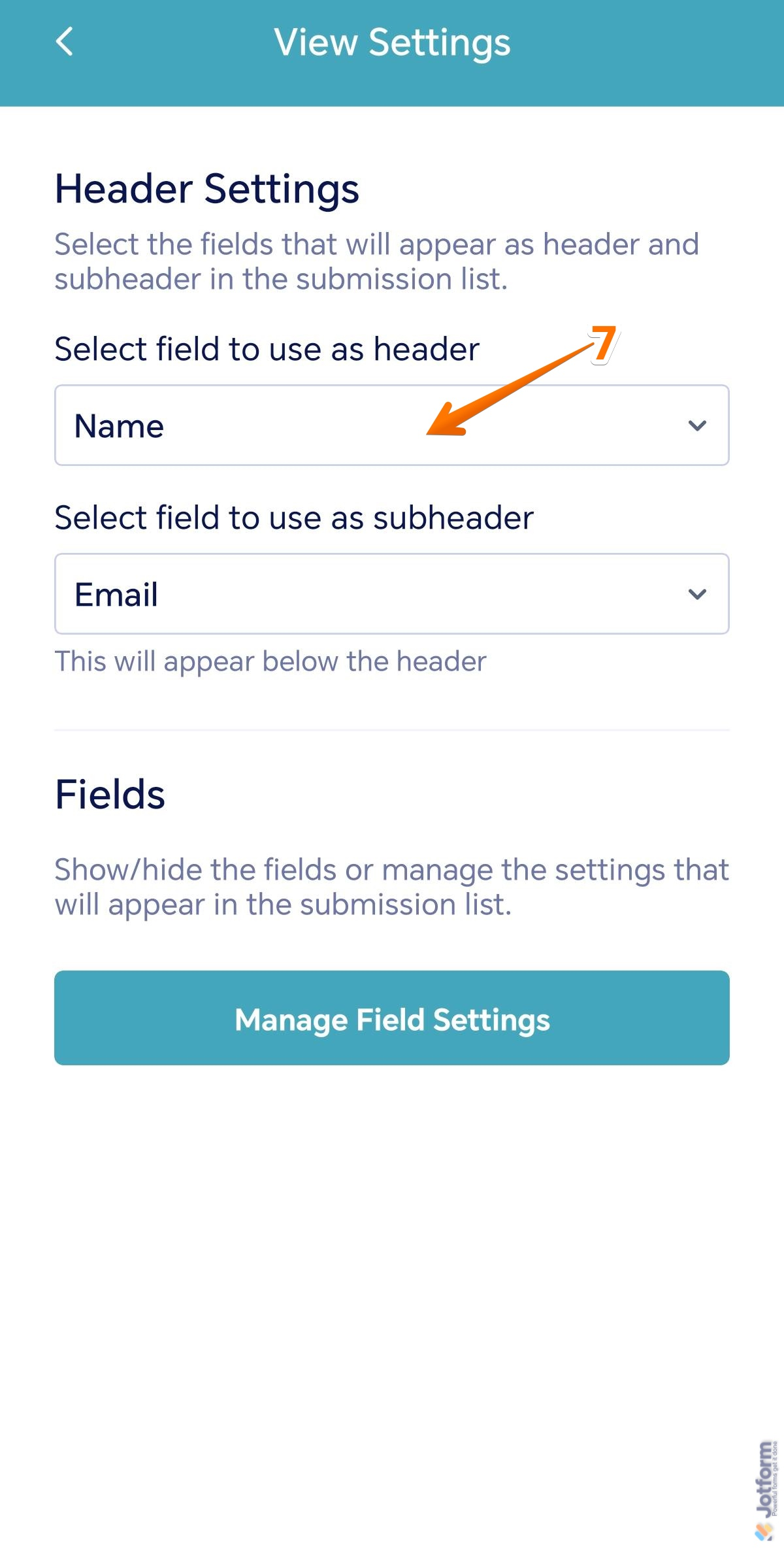
- Then, in the menu that comes up, select a form field.
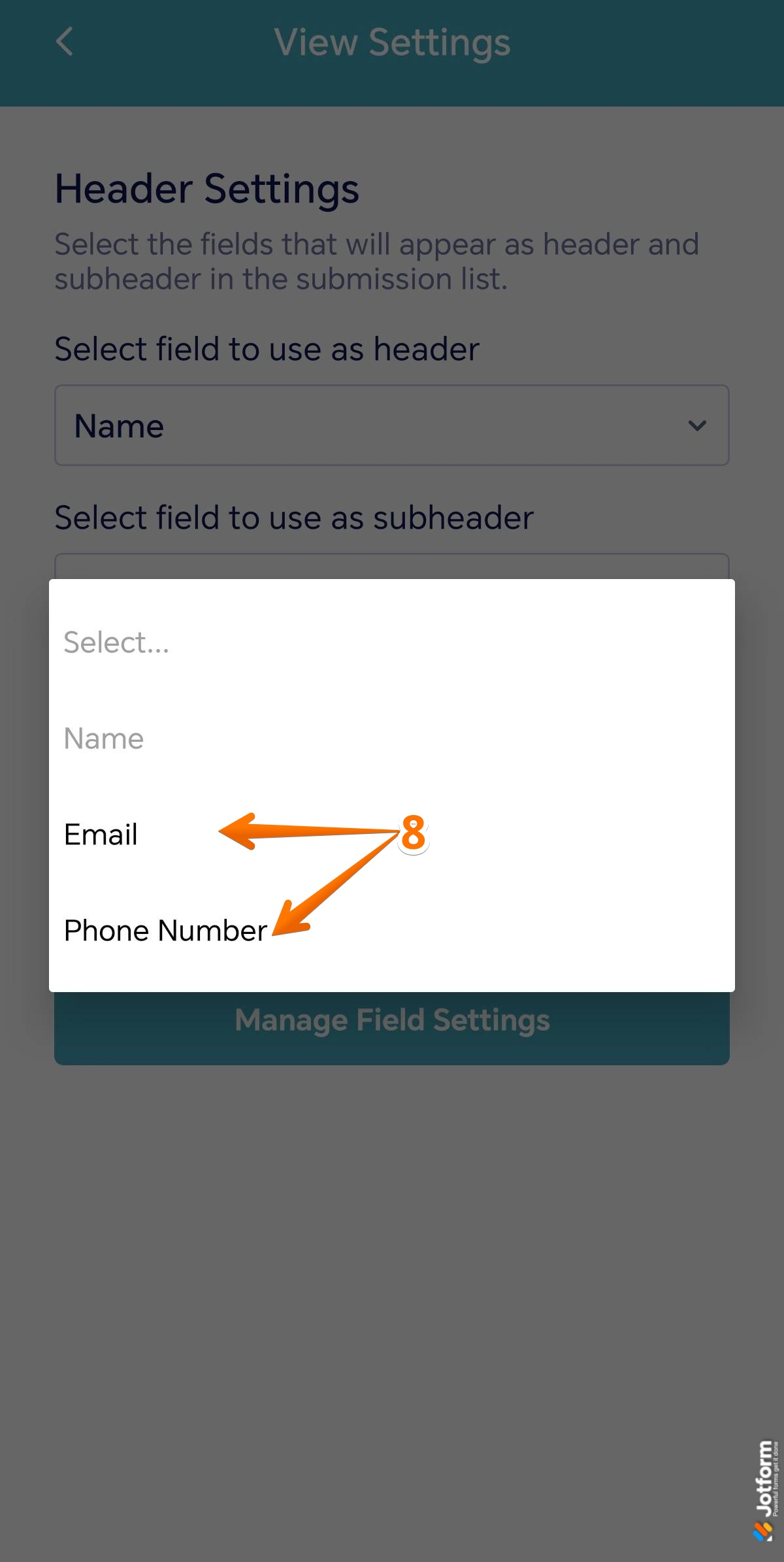
- Next, tap on the Select Field to Use as Subheader dropdown.
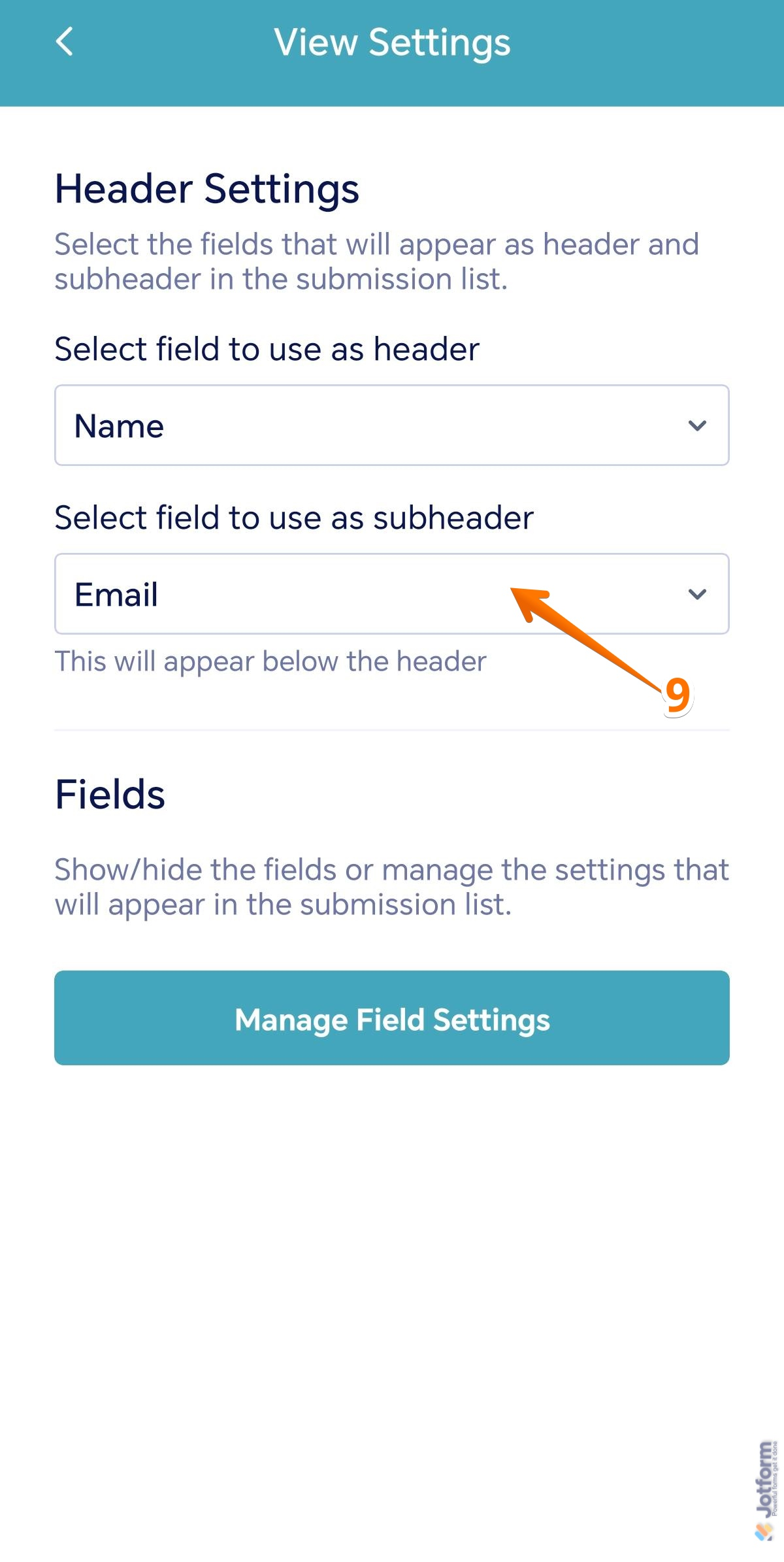
- Then, in the menu that comes up, select a form field. If you don’t want the subheader to show, select None.
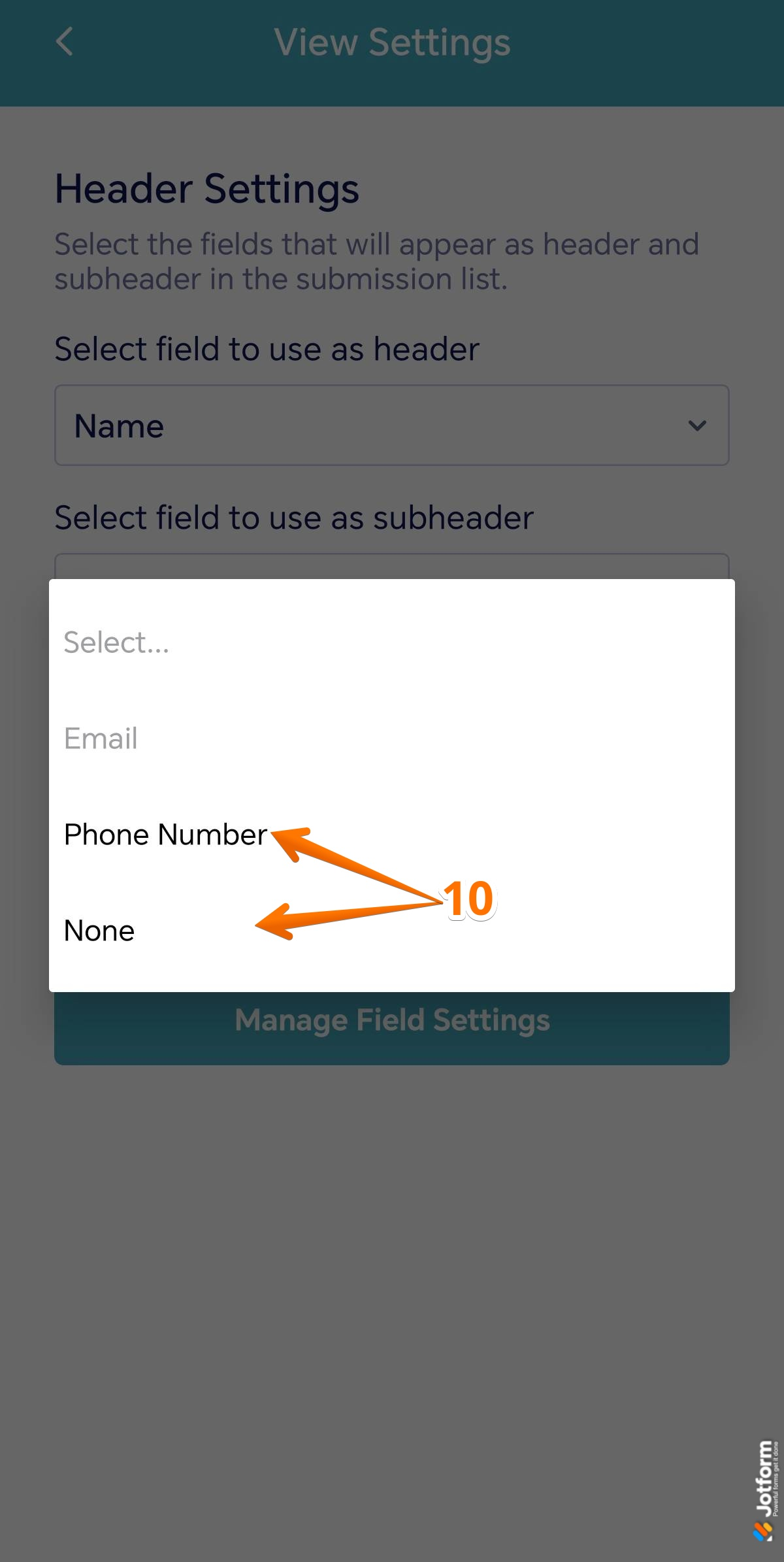
That’s it. Once you’ve changed your submission headings, you’re ready to check entries more easily.

Send Comment:
4 Comments:
February 25, 2023
After I put in my fields that I want showing I click on the back arrow like the instructions say. However once I’m back looking at the submissions it still isn’t showing what I need it to because it didn’t save the view settings. Any suggestions?
February 14, 2023
The field I want to use as a heading is not displayed as an option.
January 24, 2022
everything was fine but yesterday all of a sudden my headers started to come through as a question from my form, it won't give me the option to choose date when submitted.
I can only choose the header to be questions from my form. And I want it to be date and time
June 11, 2021
This was helpful but the only options I am give is email or phone number. I use the header name but change it to rider. I want to be able to seek my submissions with name