Web-friendly fonts can easily supplement the readability and design of your web forms. However, you shouldn’t base your font choices solely on looks. It’s always a good idea to look into your user’s perspective.
At Jotform, we’ve searched and gathered the best web-friendly fonts for your forms, which you can apply through the Form Builder or the Advanced Designer. Changing the font is straightforward, but we’ve also linked a separate guide below if you wish to try custom or Google fonts.


Note
The options below are available for Classic Forms only. Visit Cards or Classic: Which One Should I Use to learn more about the difference.
Changing the Font via the Form Designer
You can change the form’s fonts via the Form Designer in just a few clicks. Here’s how:
- In the Form Builder, click the Form Designer (paint roller icon) on the right side of the page.
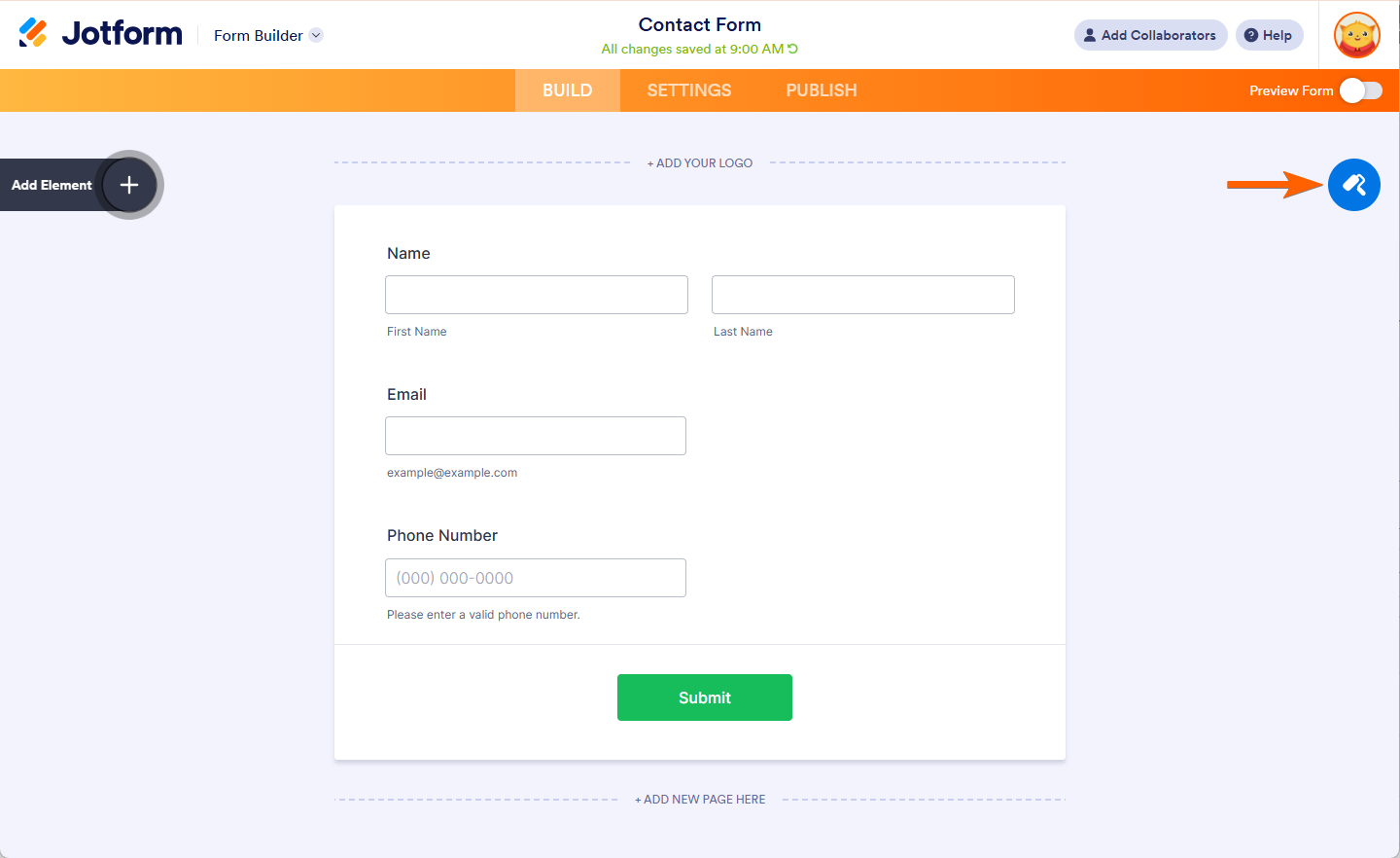
- Go to the Styles tab.
- Look for the Font dropdown and choose your preferred font from the list.
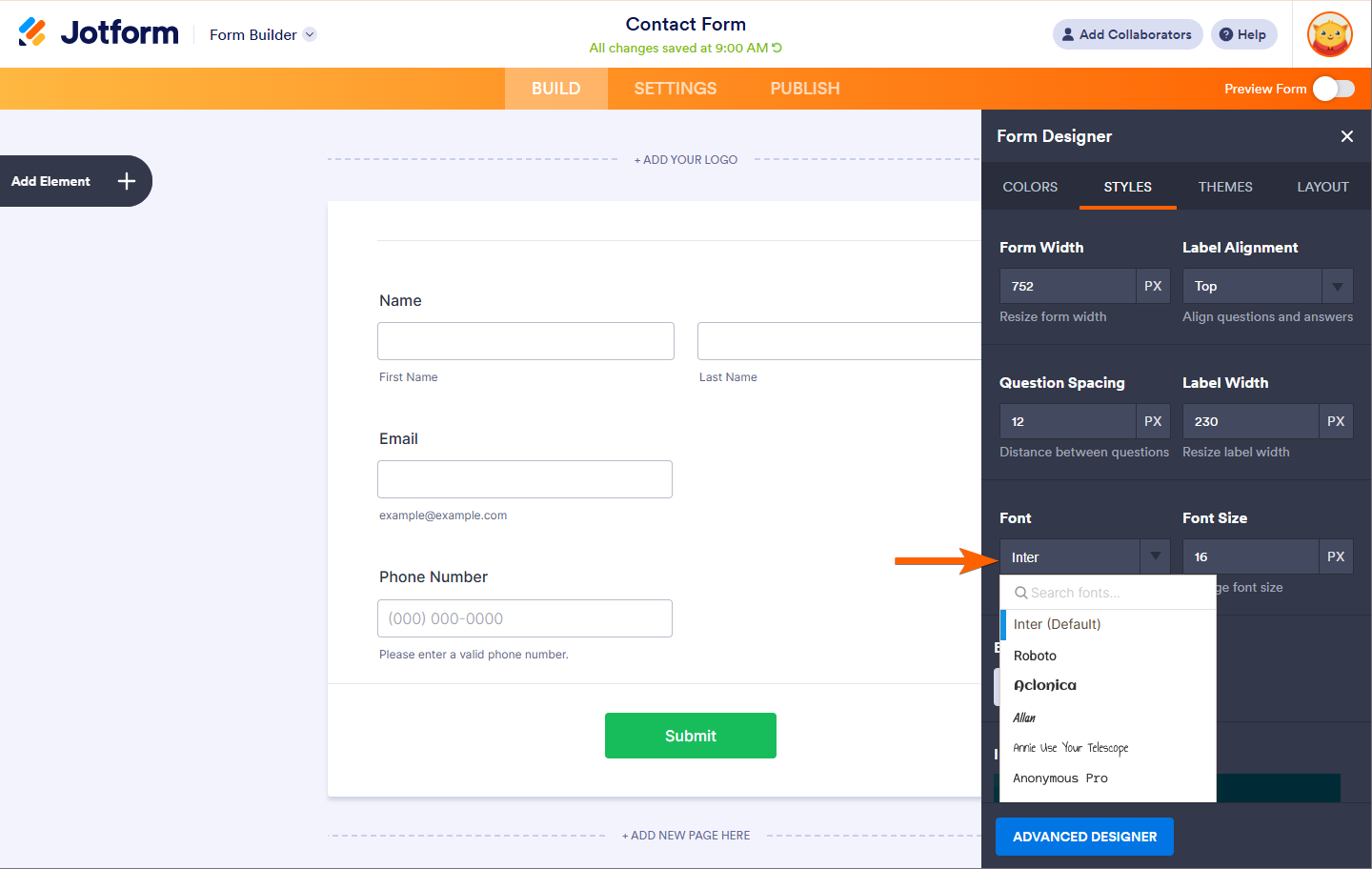
The form builder automatically saves the changes.
Changing the Font via the Advanced Designer
You can access the Advanced Designer within the Form Designer panel
- In the Form Builder, click the Form Designer (paint roller icon) on the right side of the page.
- In the Form Designer, click the Advanced Designer button at the bottom part to load your form into the Advanced Designer page.
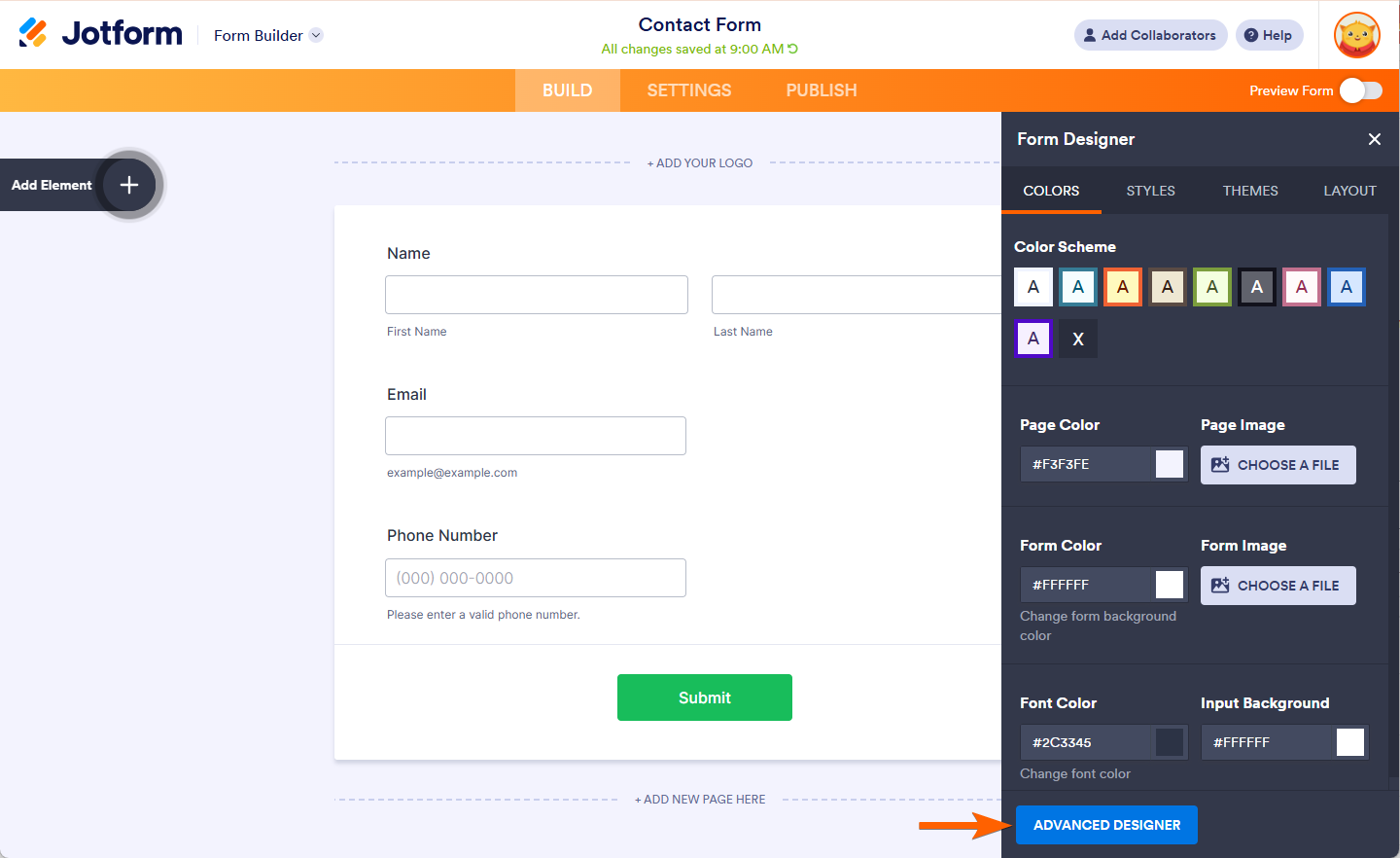
- Next, expand the Font Options section in the Design tab.
- Choose your desired font from the list.
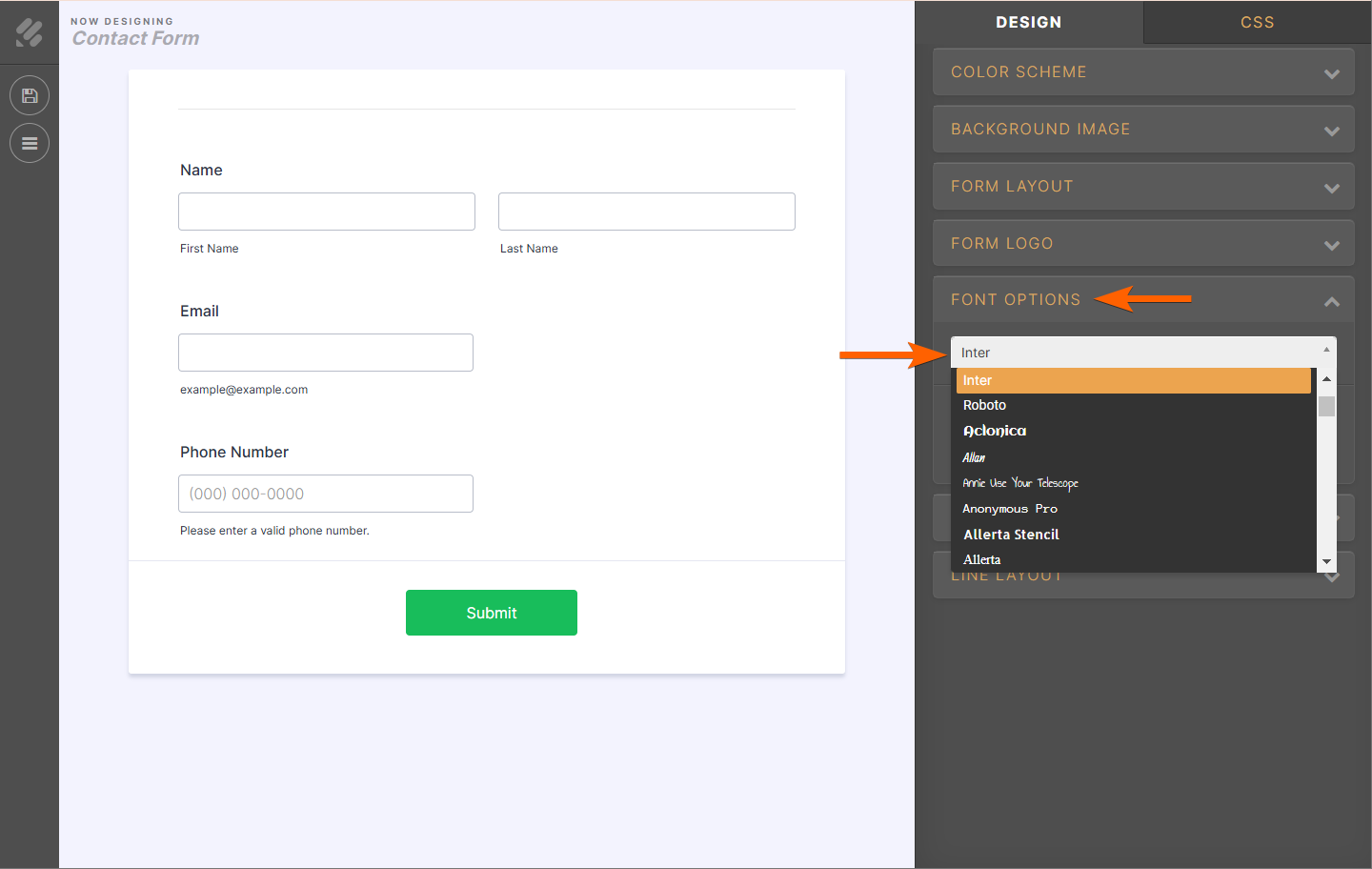
- Click the Save button on the top-left side to apply the changes.
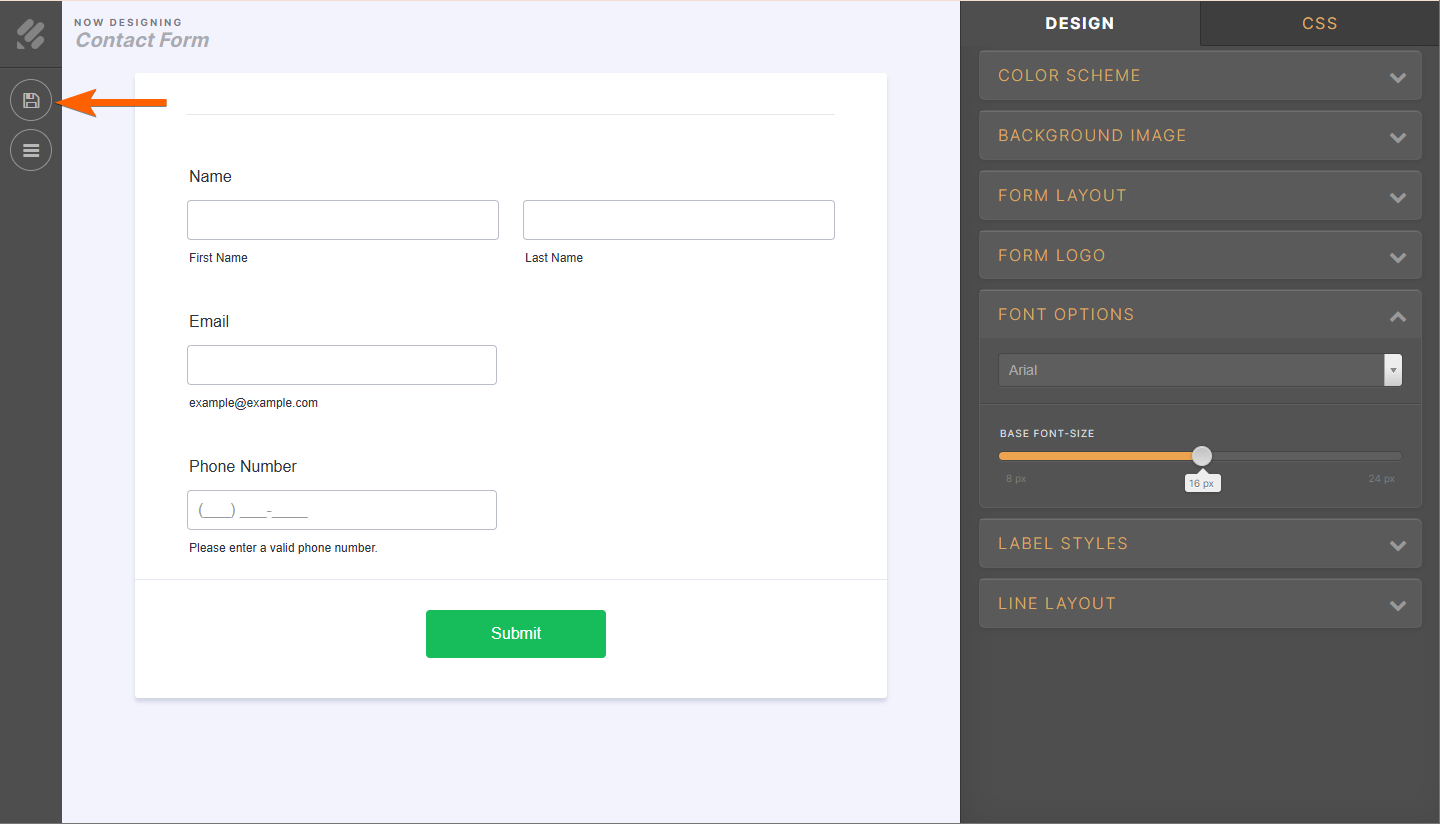
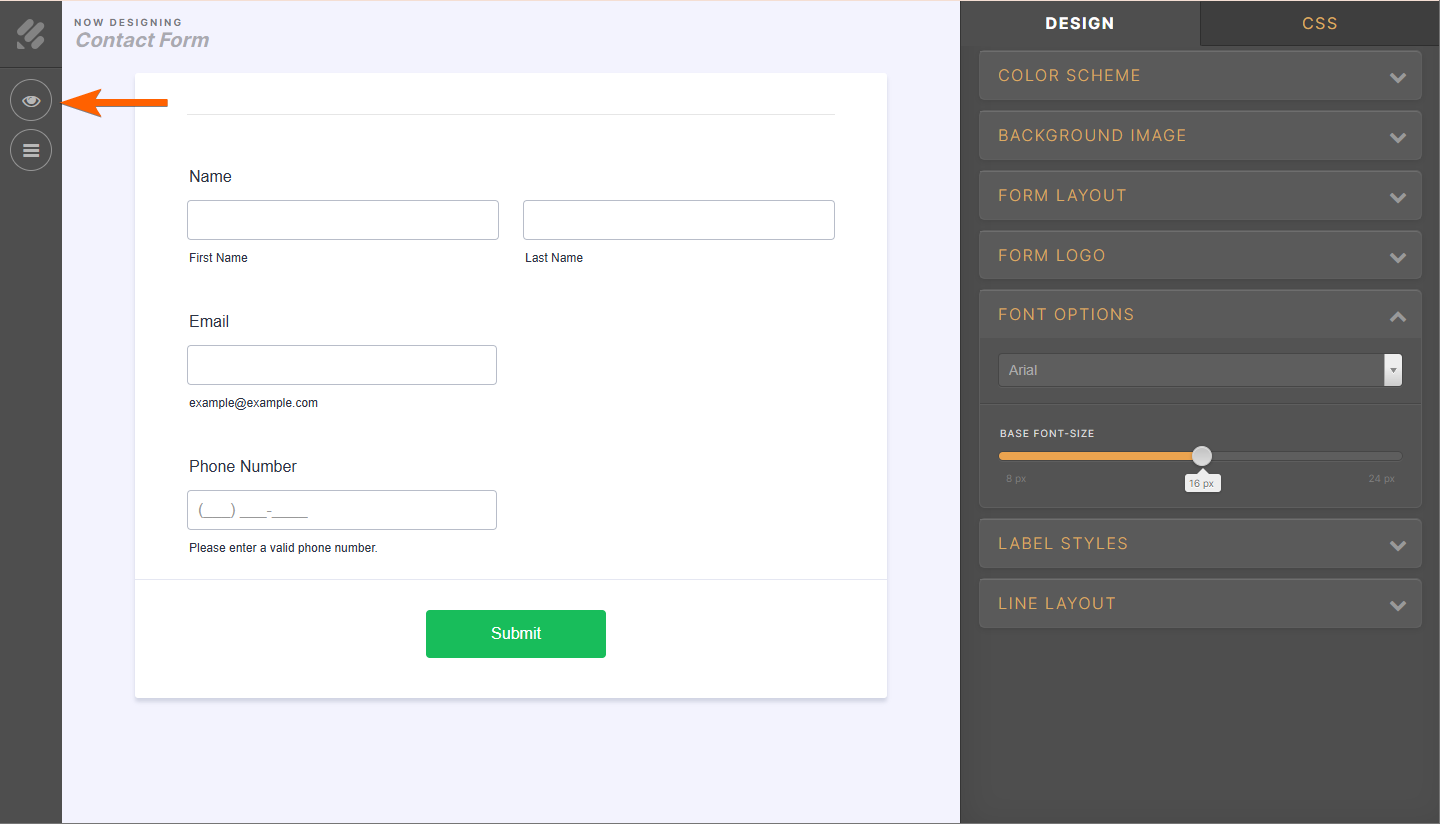
If the changes are already saved, you should see the preview (eye) icon instead of the save icon.
If you are familiar with Google Fonts, you can also use them on your form. Check out our user guide on How to Use Google Fonts and Custom Fonts in Your Form for more details.

Send Comment:
19 Comments:
November 20, 2024
I don't have styles as an option?
May 10, 2023
How I can install new font?
July 8, 2022
how can you change font in a form that is already done and in the done for you group
May 12, 2022
😀😀
March 4, 2021
I need a human being to contact me. I keep trying to edit a form and it keeps wiping out all my edits. But I have so many questions and am getting very frustrated with your website and your system -- starting with the fact that you changed my user name and password when I signed in -- all the way to re-creating a form I had already created and now can't seem to access. Please have someone contact me IN PERSON.
December 19, 2020
Only the answer font size, the question size isnt affected, zzz
November 23, 2020
Advanced form designer option not showing up under form design. No box at bottom on any tab. Please advise.
April 6, 2020
i need japanese fonts, there is a way?
September 25, 2019
This is all I see.
Where is the Styles tab?
September 21, 2018
Hello Jotform team,
I can't change the font size because I use the option "single question by page". Is there a workaround to change the font size when I have only one question by page ? This is too big.
Thanks,
Perrine
November 8, 2017
I'm having the same issue as ThomasBDay, all i get when I open designer is choices of Palette, Themes and Custom. There's no option for me to change layout to legacy as was suggested in response to ThomasBDay's question.
October 4, 2017
When I open form designer I get something much different. My choices are only Palette, Themes and Custom
November 5, 2015
Please see the URL below.
November 4, 2015
Fonts are changing when converted to PDF even after I have followed the steps above.
I went in and changed the font family on the designer tool and in settings but when I convert the document to PDF it is giving me a different font on the text boxes and rating scale.
October 13, 2015
How I can use a font source other than Google fonts, but is included in my project?
March 18, 2014
What about the font weight? I want to remove the bold in the text field labels.
Thanks,
February 4, 2014
how to change fonts?
February 3, 2014
Hi,
I am trying to change the font of my Header and Sub Header to Tahoma font but every time I try, it reverts back to its default. I have tried both methods shown above but to no avail.
Irish Veterans
September 30, 2013
This does not seem to allow different font sizes in different text boxes - does it all have to be the same font within the entire form? Thank you.