Jotform’s Authorize.Net Integration supports Sandbox Mode, so you can test the entire payment flow without touching real money. It gives developers and merchants a safe space to run through transactions, trigger error responses, and review test reports. If you want to see exactly how payments look and work on your form—both for customers and on your end—Sandbox Mode makes it simple.
What You Need to Set Up Sandbox Mode:
- Sandbox Account — A test account from Authorize.Net. You can sign up at developer.authorize.net.
- API Login ID and Transaction Key — These come from your Sandbox account. If you’re not sure how to get them, check out our guide on How to Obtain API Login ID, Transaction Key, and Client Key for Authorize.Net. The guide shows live credentials, but the steps are the same for test credentials. And be sure to save them—you’ll need them when setting up Sandbox Mode.
Enabling Sandbox Mode on Your Payment Field
Whether you’re creating a new Authorize.Net payment form or updating an existing one, switching to Sandbox Mode for safe testing only takes a minute. Here’s how to get started:
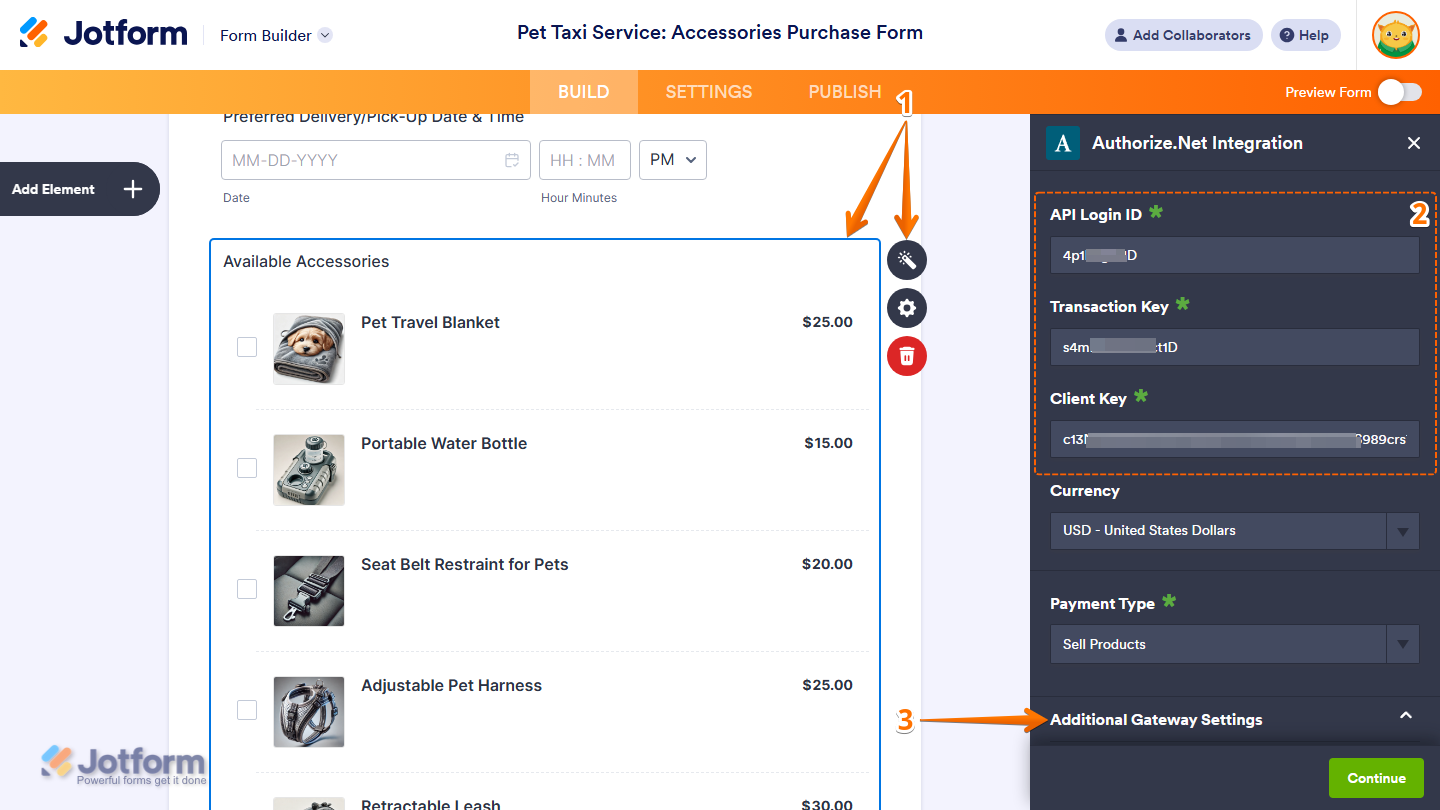
- In Form Builder, select your Payment field and then, on the right side of it, click on the Wand icon.
- Now, in the Authorize.Net Integration window that opens on the right side of the page, enter the API Login ID, Transaction Key, and Client Key from your Authorize.Net sandbox account.
- Then, click on Additional Gateway Settings to expand it.
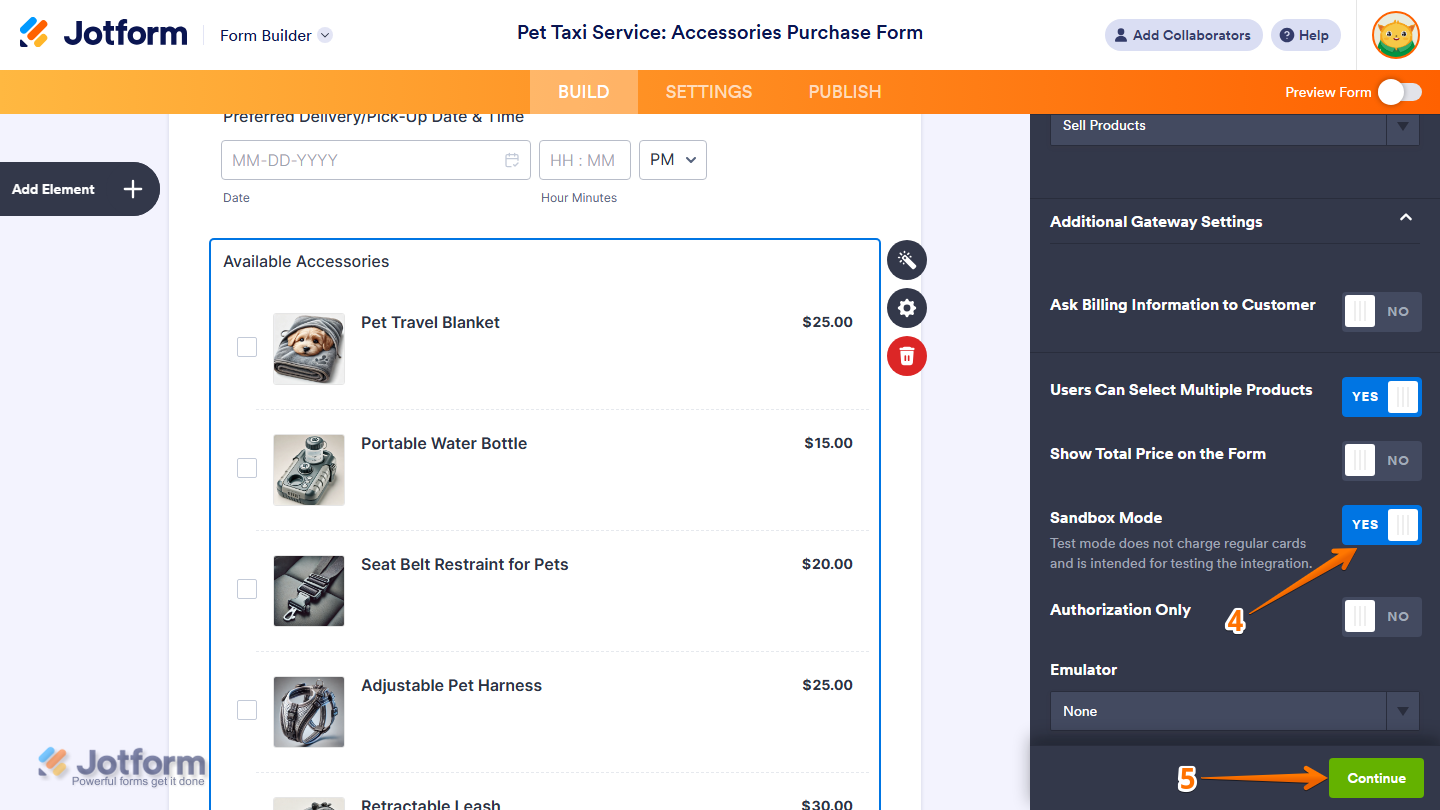
- Next, in the Additional Gateway Settings section, scroll down to Sandbox Mode and, on the right side of it, toggle it on.
- Once everything’s set, click on Continue.
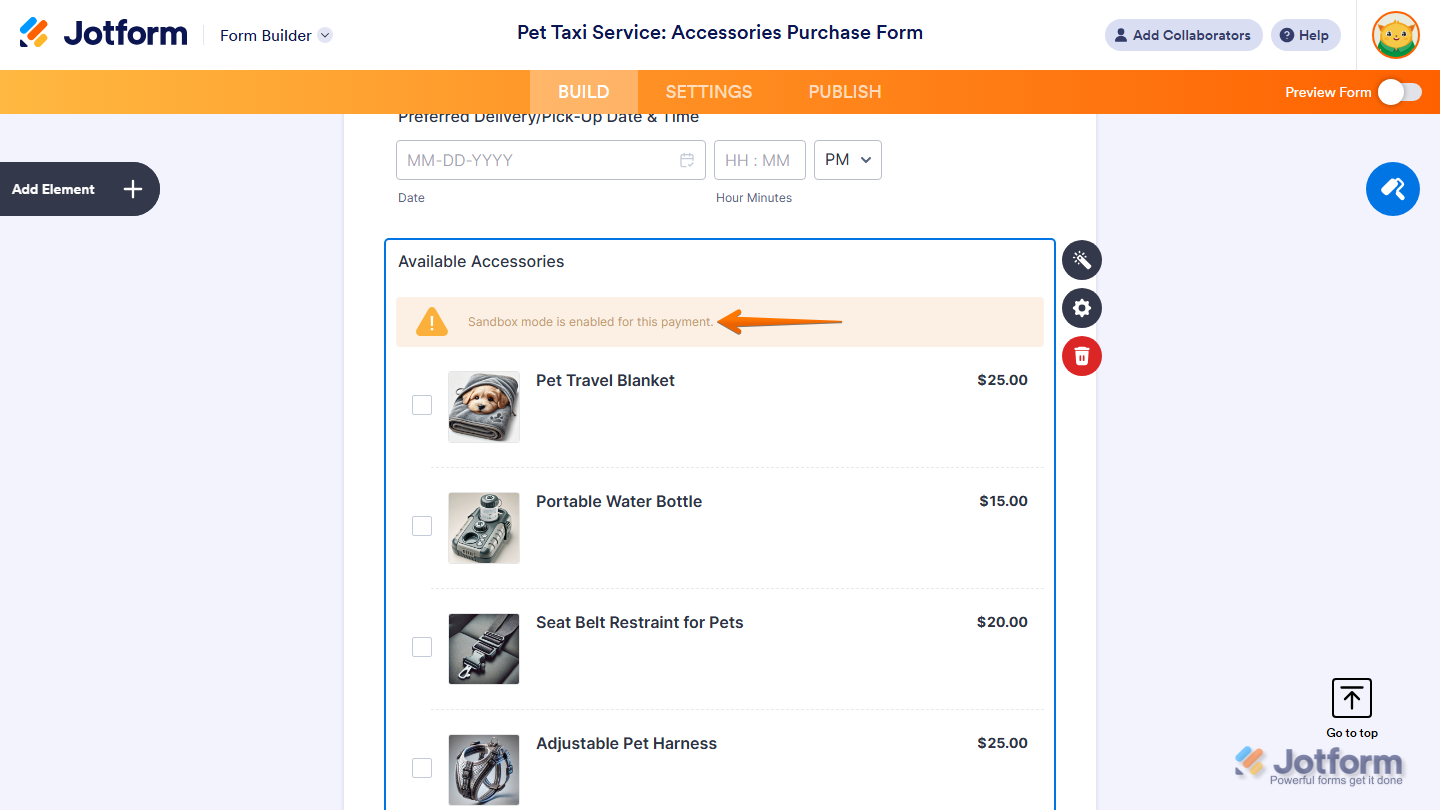
That’s it. You’ll see a message on your Payment field that Sandbox Mode’s enabled. The message only shows in Form Builder.
Note
Payments submitted through Authorize.Net while Sandbox Mode is enabled will not count towards your account’s Payment Submissions Limit.
Testing Sandbox with Authorize.Net
After signing up, Authorize.Net will send you an email confirming that your sandbox account is ready. The email also includes a link to their Testing Guide, which lists test card numbers you can use.
You can try this test card to simulate a successful transaction:
Card Number: 4111 1111 1111 1111
Security Code/CVV: 900
Expiration Month: You can set this to any future month.
Expiration Year: You can set this to any future year.
When you test this sample Authorize.Net payment form, using the test card above will simulate a successful transaction. This lets you check the payment flow without charging real money.

Send Comment: