In some cases, knowing a user’s browser setup can help diagnose issues or understand how your website performs across different devices. The Hidden Box widget allows you to automatically collect browser-related data when a form is submitted.
The widget can provide:
- Browser — The user’s browser (example: Chrome, Safari, Edge)
- OS — The operating system (example: Windows, macOS, Android, iOS)
- Device — Whether the form was submitted from a desktop or mobile device
- Language — The browser language setting
- Resolution — The device display resolution
- Timezone — The user’s timezone
- User Agent — Information that identifies the browser and device used
This information can be helpful for debugging, supporting workflows, analytics, and technical reporting.
Adding and Setting Up the Hidden Box Widget
Whether you’re creating a new form or updating an existing one, you can add and set up the Hidden Box Widget in a few easy steps. Here’s how to do it:
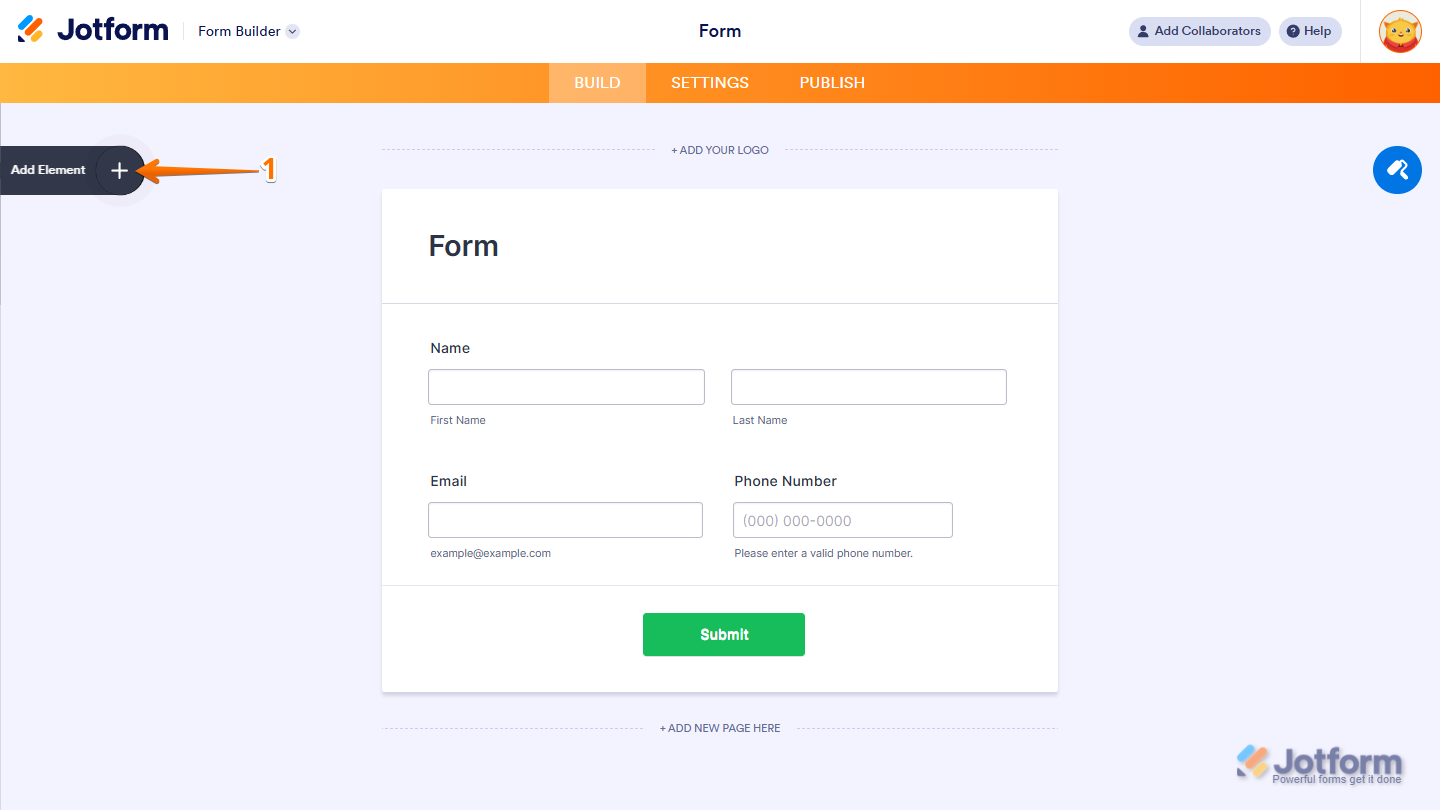
- In Form Builder, click on Add Element on the left side of the page.
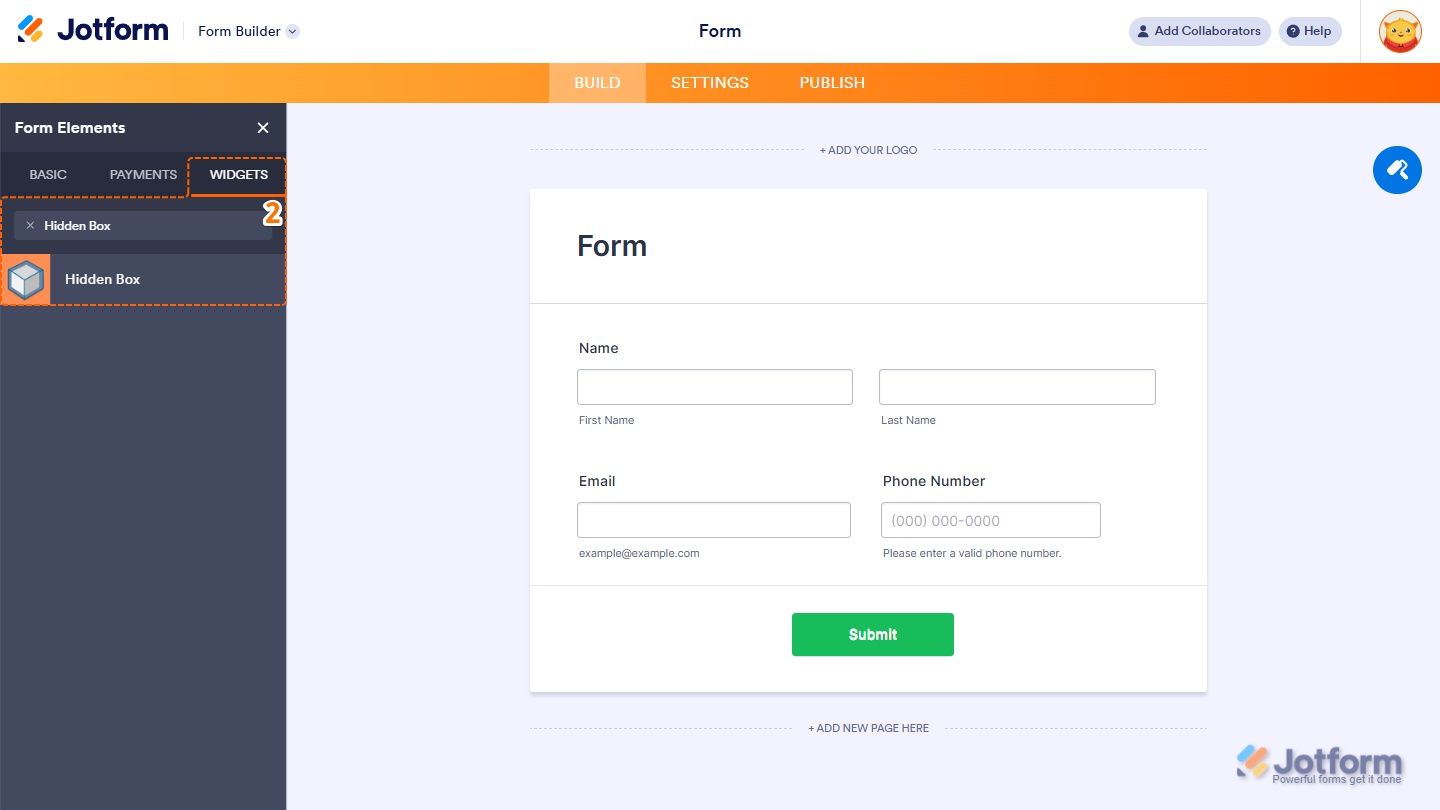
- Now, in the Form Elements menu, under the Widgets tab, search for Hidden Box, and then click on it. Or, just drag and then drop it to where you want it to be on your form.
- Next, in the Widget Settings window that opens on the right side of the page, under the General tab, set the Browser Info to Yes to collect the user’s browser details, and you’re done.
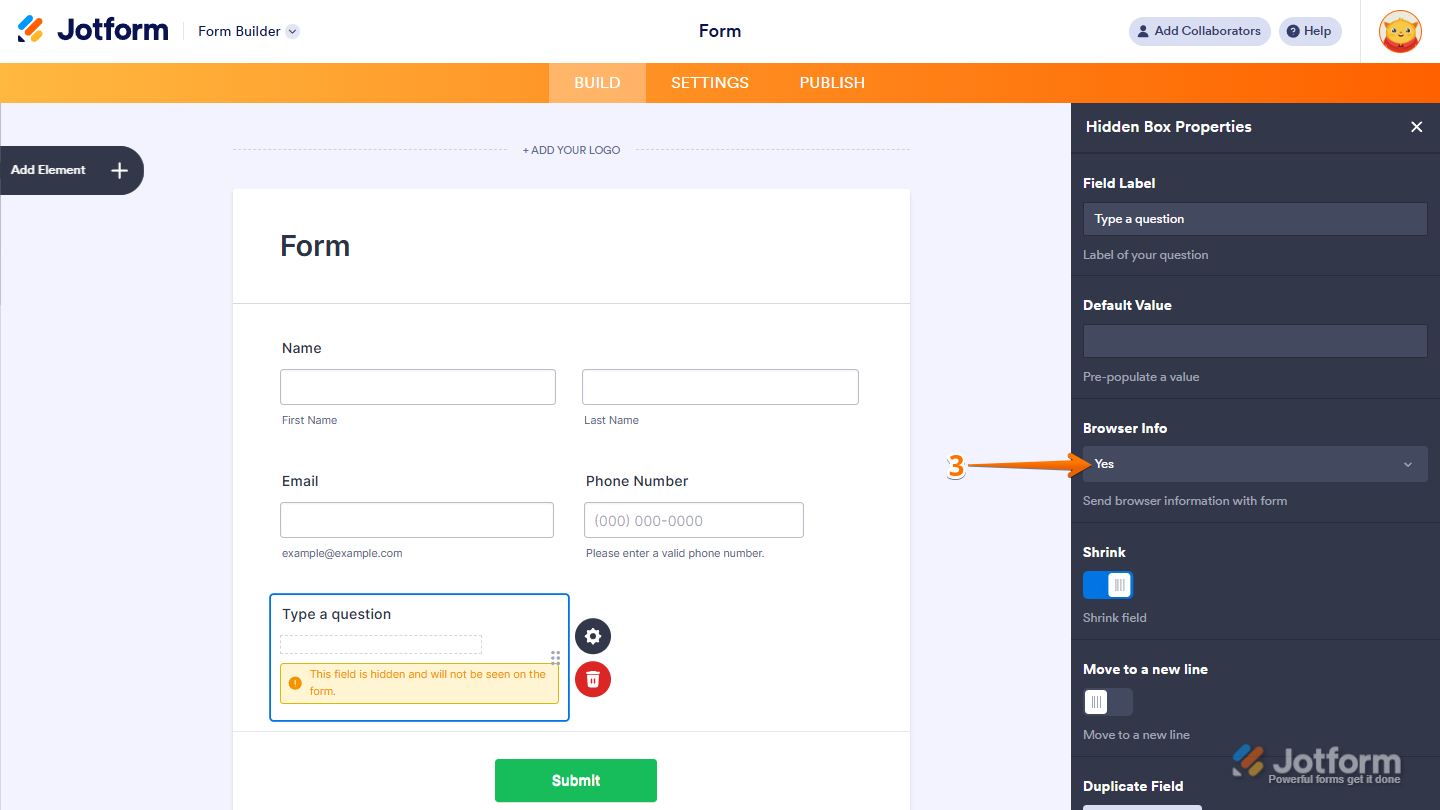
Once enabled, the widget automatically gathers information when the form is submitted—no user interaction required.
Viewing the Browser Information
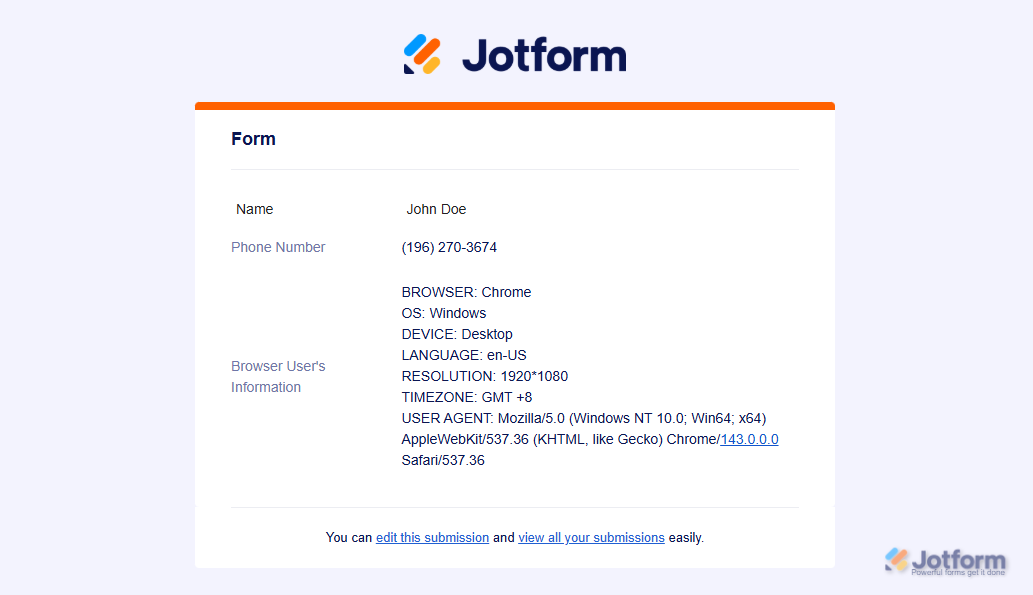
When a submission comes in, the collected browser data will appear in your Autoresponder or Notification Emails or in Jotform Tables as part of the submission record. Here’s an example of how it appears in an email notification.
Note
The Hidden Box widget is invisible to users filling out the form. They won’t see the field or be prompted to enter anything.

Send Comment:
2 Comments:
March 9, 2022
In the other fields types, under field properties > advanced , we are able to give a unique name to a field. How can we give a unique name to the hidden field?
November 16, 2021
Have added browser info hidden box - thanks
Will watch it for a few more days