Allowing people to print your form can be helpful if they need a hard copy or want to fill it out offline. Some users may be more comfortable completing forms by hand, so adding a print button gives them that option, and makes your form more accessible.
Adding a Print button to your form is really easy. Here’s how to do it:
- In Form Builder, click on the Submit button, and then click on the Gear icon to open Submit Properties.
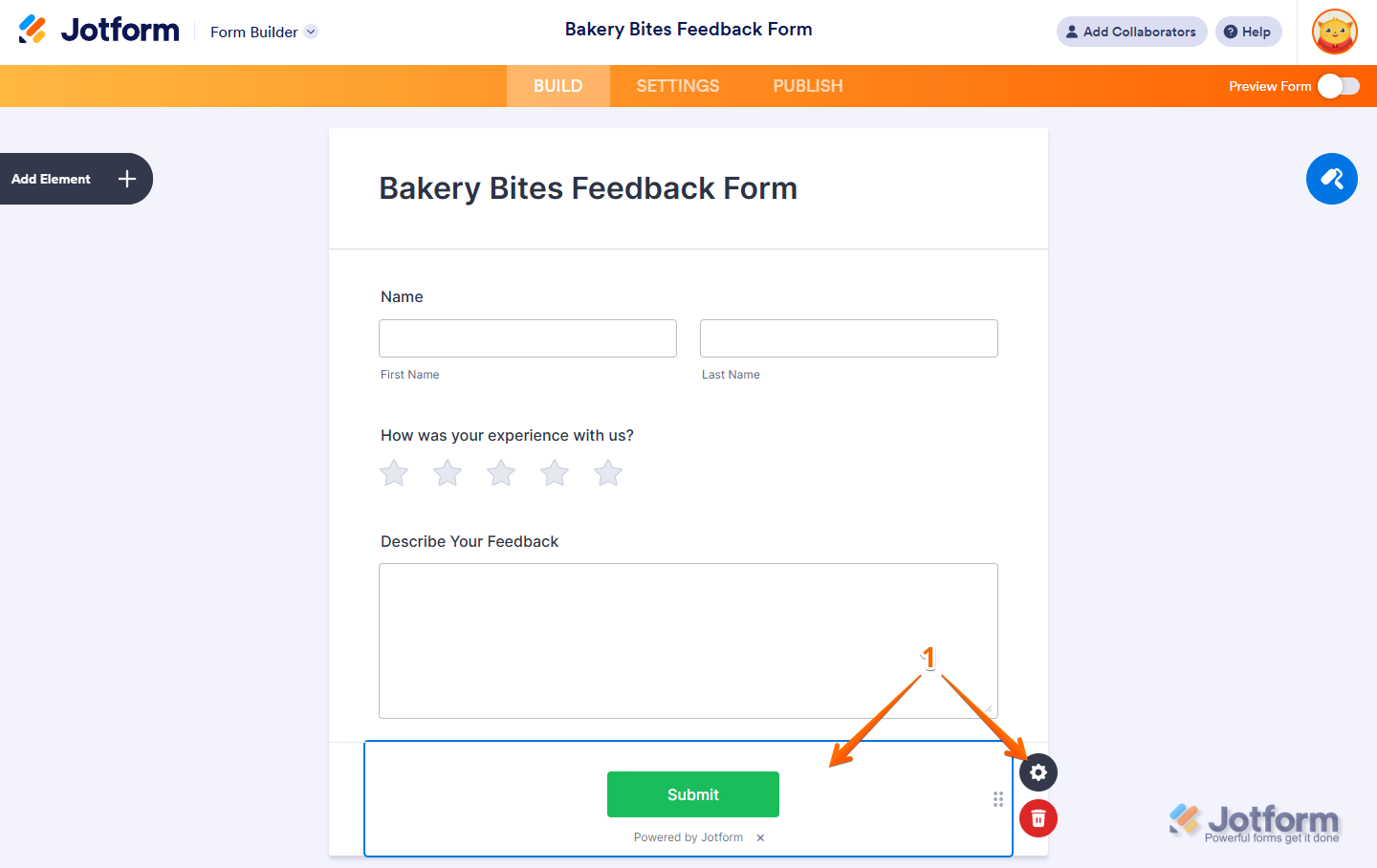
- Next, in the Submit Properties window that opens on the right side of the page, under the Advanced tab, toggle the Print button to On.
- Now, change the Print button text to what you want it to be, and you’re all set.
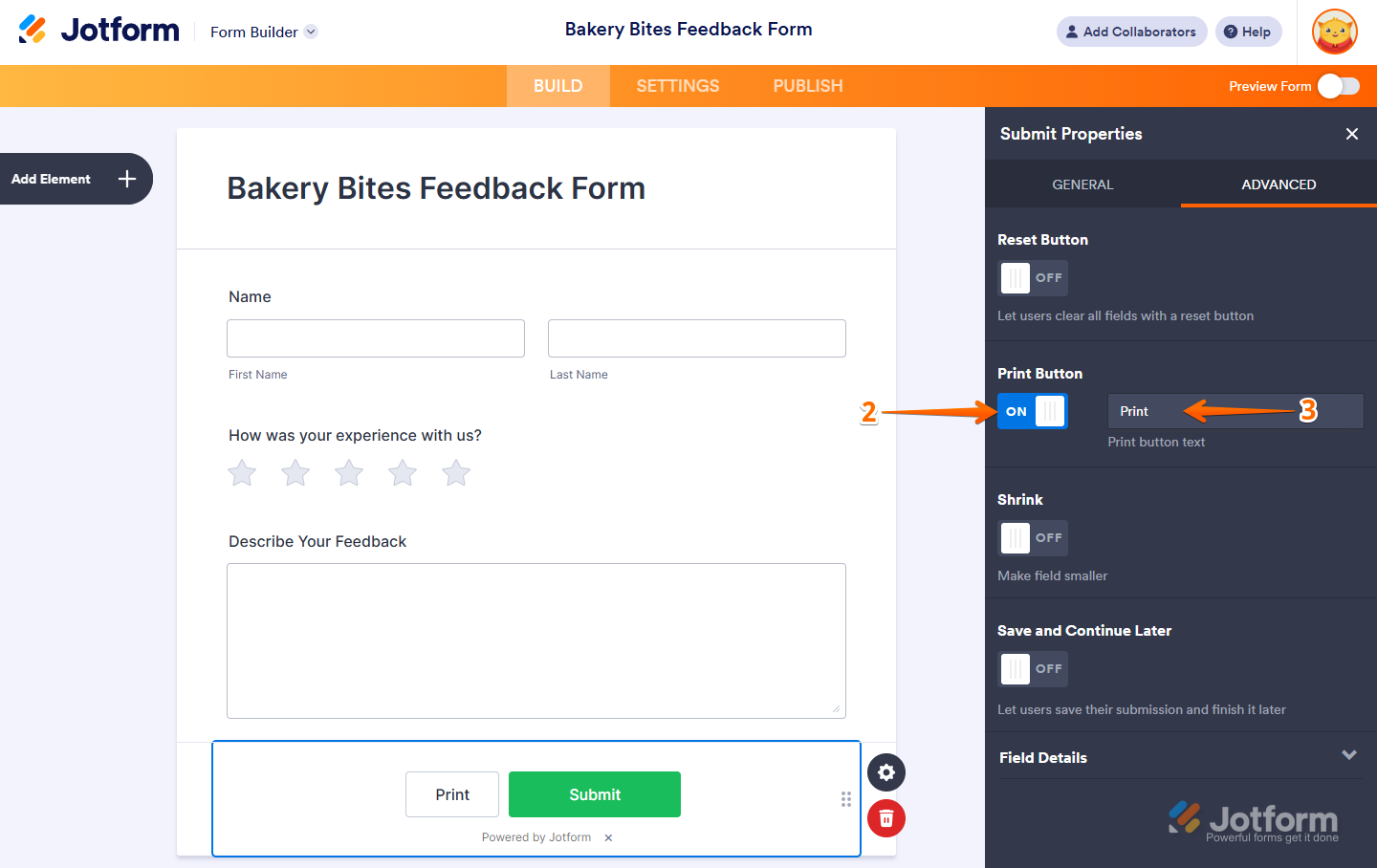
And that’s it! Your form now has a Print button, so anyone who wants a physical copy can easily print it out.

Send Comment:
141 Comments:
December 1, 2023
I need a print option for my esign documents. Either that or I need an easy way to put my current esign docs into "form's" I see a lot of help topics on how to add the option to the "submit" option but nothing on the esign option prior to it being complete. I just need a way to view the esign as a pdf ideally
July 21, 2023
Hi, I am trying to use jotform to create a H&S form. I would like to have questions with option check boxes which are conditional upon response and then for the person to be able to print their form & save it as a PDF showing only the options that they selected not all of the choices that were available. Is that possible?
October 6, 2022
How can I print only the filled-out fields and not the all fields with the print button?
February 1, 2022
Want to take print out
December 14, 2021
Aloha,
I used to be able to print our waivers directly from the website but now when I attempt to print, the waivers only come out as dashes instead of the information.
Any idea on how to help fix this issue?
Thank you in advance!
December 13, 2021
Can we specify element that we need to print ?
August 24, 2020
that is more informative post for everyone to get more info I share it Limpieza pamplona
July 22, 2020
Recently I've created a Course Instructor form,, on page 3 I've both Back & Submit button,, I'm unable to align them in line,, like what I'm looking for is,,, Back button should Left and Submit should Right aligned. Presently submit is above Back.
June 8, 2020
I like to add a print button - but not a submit-button. How could I do this?
May 18, 2020
I asked how to add a print button at the bottom of the form I'm making. I realized that I could add a print button on the same line as a submit button...but I wanted a print button at the bottom of the form. Is that possible?
May 18, 2020
Is there a way I can print or save a filled form with the layout as it is shown on the webpage? for example I would also like to see the answers they did not chosen in a multipulchoice quenstion.
Thanks
January 8, 2020
No matter how we try, the document does not print with the intended page breaks. How do we get the document to print page by page as we have it set up and it shows on the screen?
Thank you,
December 2, 2019
Is there any way to control formatting of the printed form. My printed form looks very different depending on which browser the form is printed from.
August 23, 2019
i know the default..but what about create another print button?
Can i do it?
July 9, 2019
It is excellent for students wandering here and there they can fill and submit the forms but both the things to be there that is submit as well as print form please be replied
June 19, 2019
I wanted to know how the person who is making the form can print a hard copy of it so they can review it etc
June 4, 2019
Is there print button or some css code available to allow the printing of just an image on a jotform instead of the entire form?
June 4, 2019
Dear Sir How to create for print button in submit form? please reply me>
Please urgent reply for me.
December 27, 2018
I have created a form and would like to have the print button BEFORE the SUBMIT button please. Will you explain how I can do this?
August 22, 2018
Is there a way to add a print button to the "Thank you" page after they submit? I added their summary there and want them to be able to print there.
July 16, 2018
Because a mass email had gone out, I had to remove the PRINT button from the forms to keep people from trying to print when they couldn't. I had the print button on the forms and I had gone into the settings as instructed before. One of the answers was correct in that I did not have page breaks set so I will try that.
February 28, 2018
There is no SUBMIT properties button on the BUILD section of this form
This form uses the 1 QUESTION PER PAGE format.
How do we ADD the print function?
January 3, 2018
Hey guys, when I do this, I'm left with BOTH the "Submit" & the "Print Form" in the same line. How do I remove the "Submit" option?
Tom
December 30, 2017
It seems to be difficult to create 2 fields side by side.
Eg: I want to create 2 fields, one for name and one for contact number, but I want them to next to each other. I only seem to be able to create boxes below each other.
November 21, 2017
How the participant can recive an email that the form is conclude