With Inbox, managing your form submissions has never been easier. In addition to organizing and viewing them, Inbox allows you to Archive and Unarchive them with ease. When a submission is archived, it’s hidden from your main Inbox view but remains fully accessible if you need it later.
Archiving Submissions
If you don’t want to delete your submissions, but want them excluded from the Inbox view, you can move them to your Archive folder. Here’s how to archive your submissions:
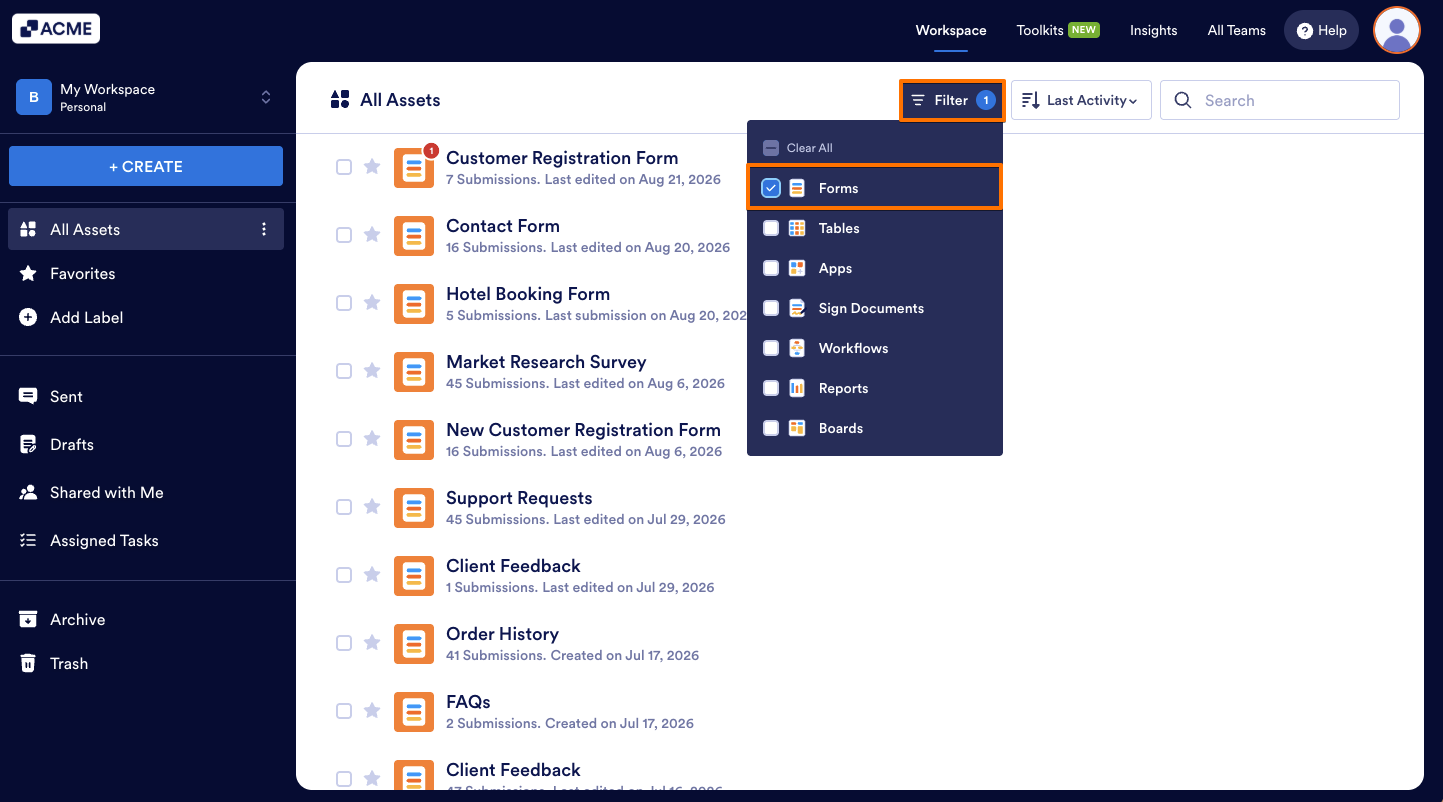
- On Workspace page, click on Type at the top and in the Dropdown menu that opens, uncheck the boxes next to all the assets except Forms, so only they’ll be shown on the page.
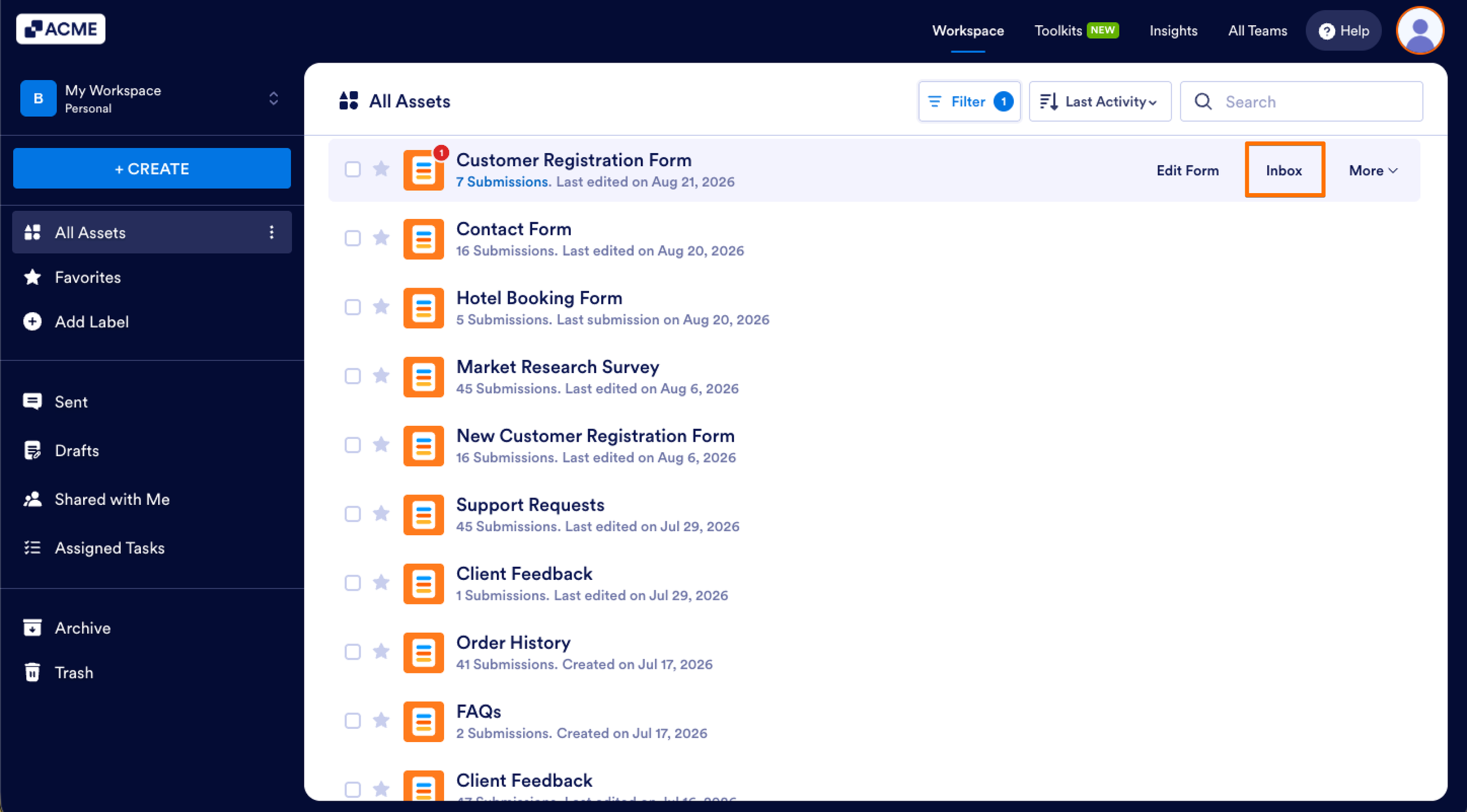
- Now, hover your mouse over the form you want to archive submissions for and click on Inbox on the right side of the page.
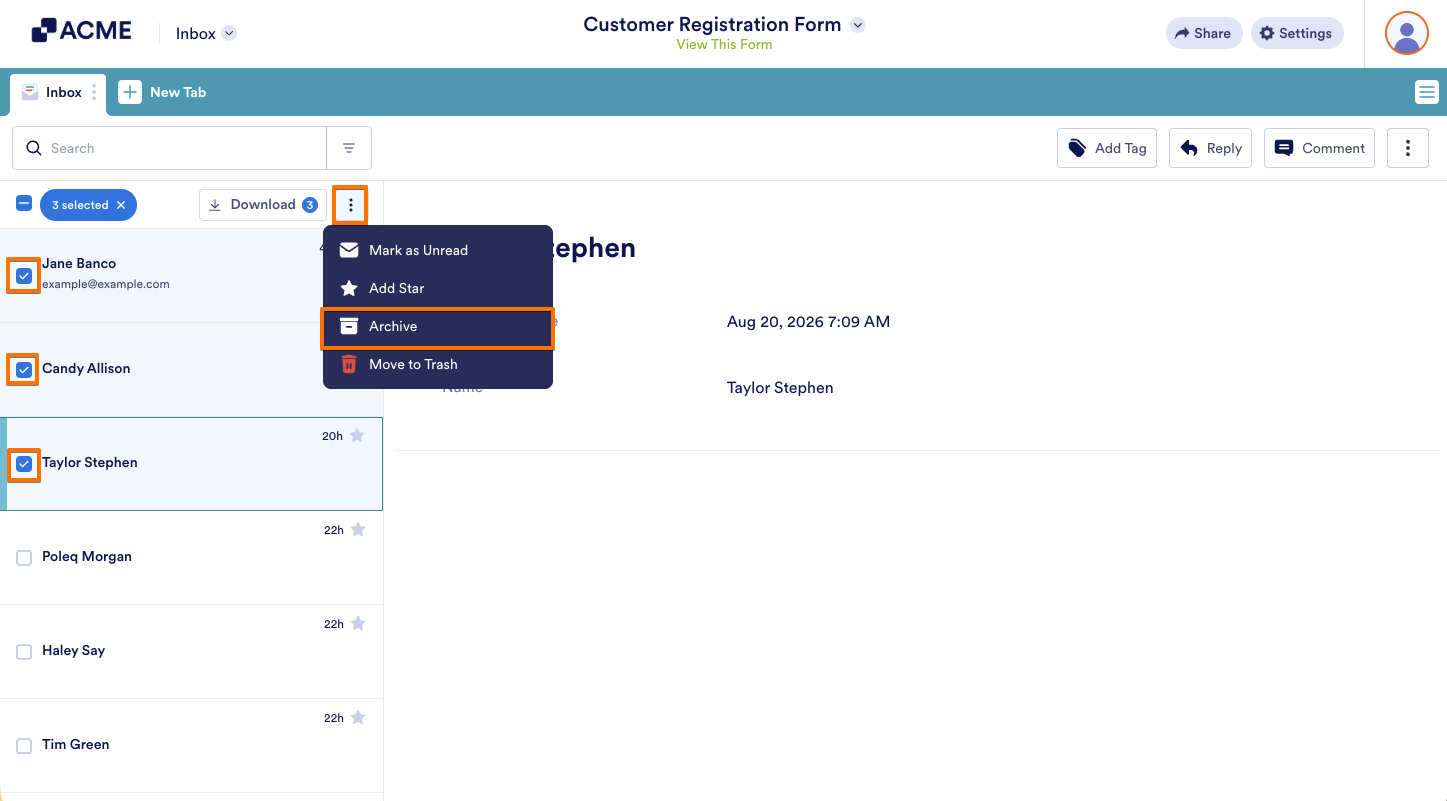
- In Inbox, put checks in the boxes next to the submissions you want to archive.
- Then, in the menu that comes up, click on the Three Dots icon and then click on Archive.
And that’s it! Your submissions are now in Archived.
Unarchiving Submissions
You can also bring archived submissions back to your Inbox anytime by unarchiving them. And, it’s easier than you think—here’s how:
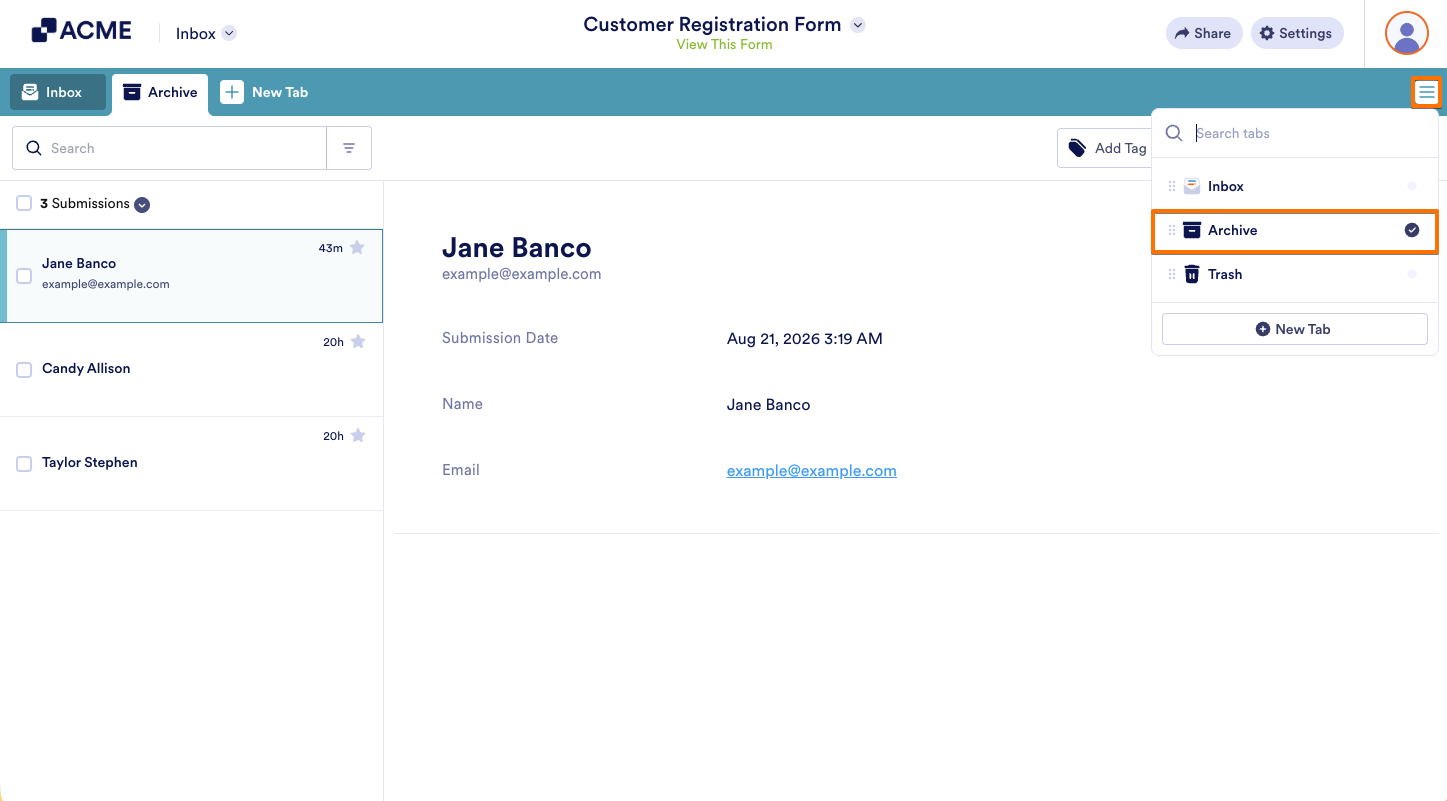
- While in Inbox, in the top-right corner of the page, click on the Three Lines icon.
- Then, in the menu that comes up, click on Archive.
- Now, put checks in the boxes next to the submissions you want to unarchive.
- Then, in the menu that comes up, click on the Three Dots icon and then click on Move to Inbox.
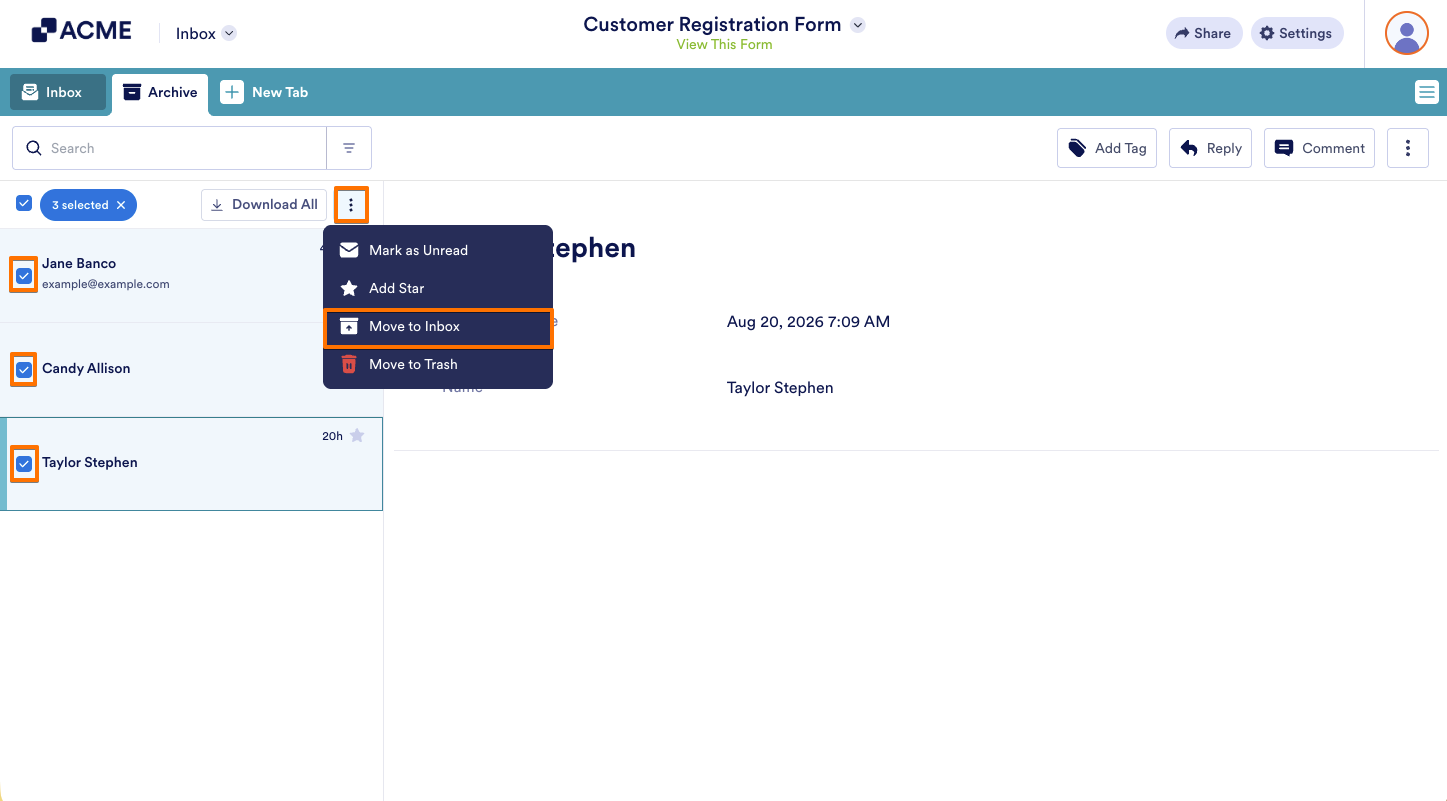
And you’re done! Your archived submissions have now been successfully moved back to your Inbox.

Send Comment: