Jotform makes it easy for you to get in touch with our Customer Success Managers whenever you need support. Whether you’re looking for setup guidance, best practices, or just have a few questions about getting the most out of your experience, we’re here to help every step of the way.
Notes
- Availability may vary: Customer Success Managers are available during standard business hours based on your region. Please check the scheduling page for available time slots.
- Zoom link required: All meetings with Customer Success Managers are hosted via Zoom, so please ensure you have access to the platform before your scheduled time.
Scheduling a Call with a Customer Success Manager
At Jotform Enterprise, your success is our top priority. It only takes a minute to schedule a call with a Customer Success Manager, and it’s the fastest way to get personalized support exactly when you need it. Here’s how:
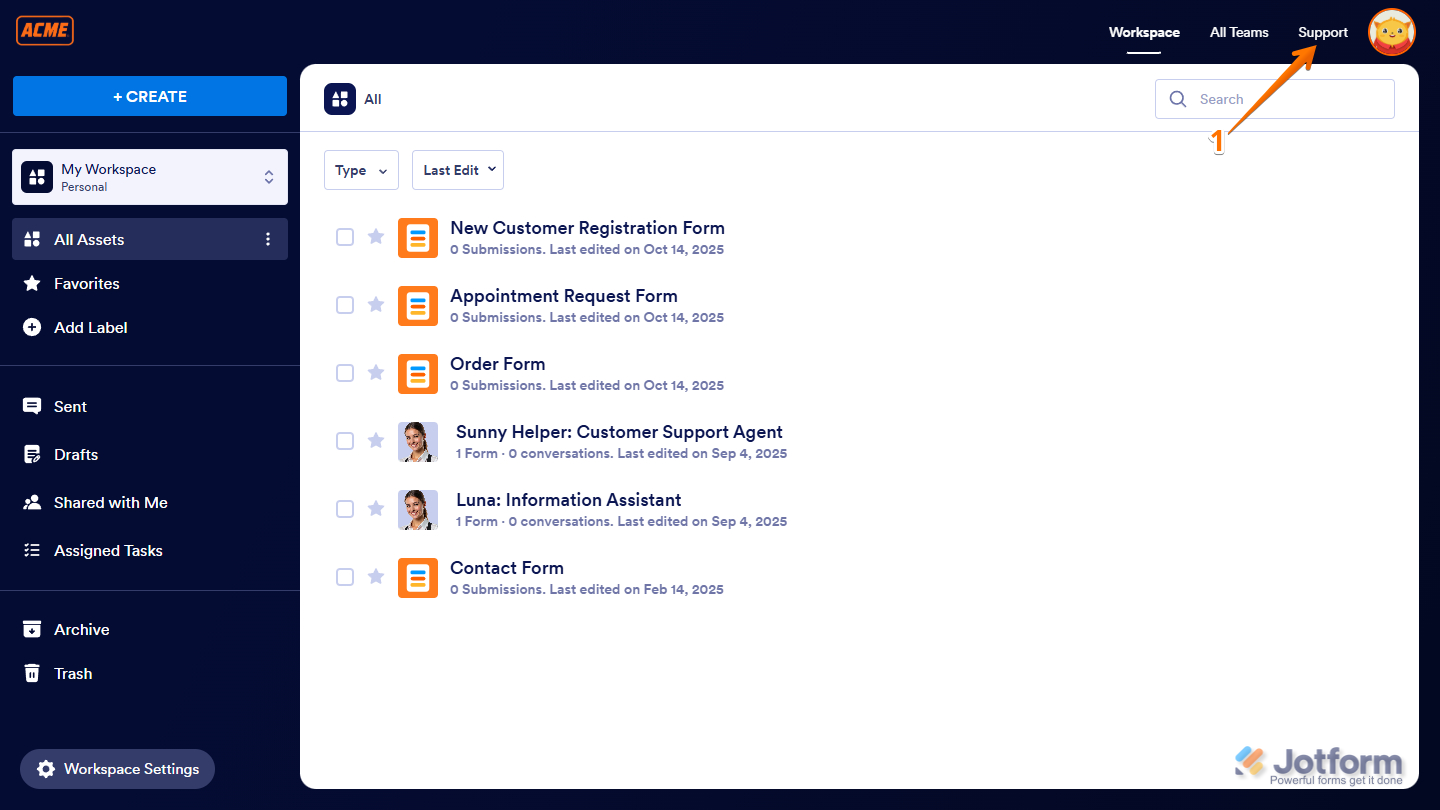
- On your Workspace page, click on Support on the top-right side of the page.
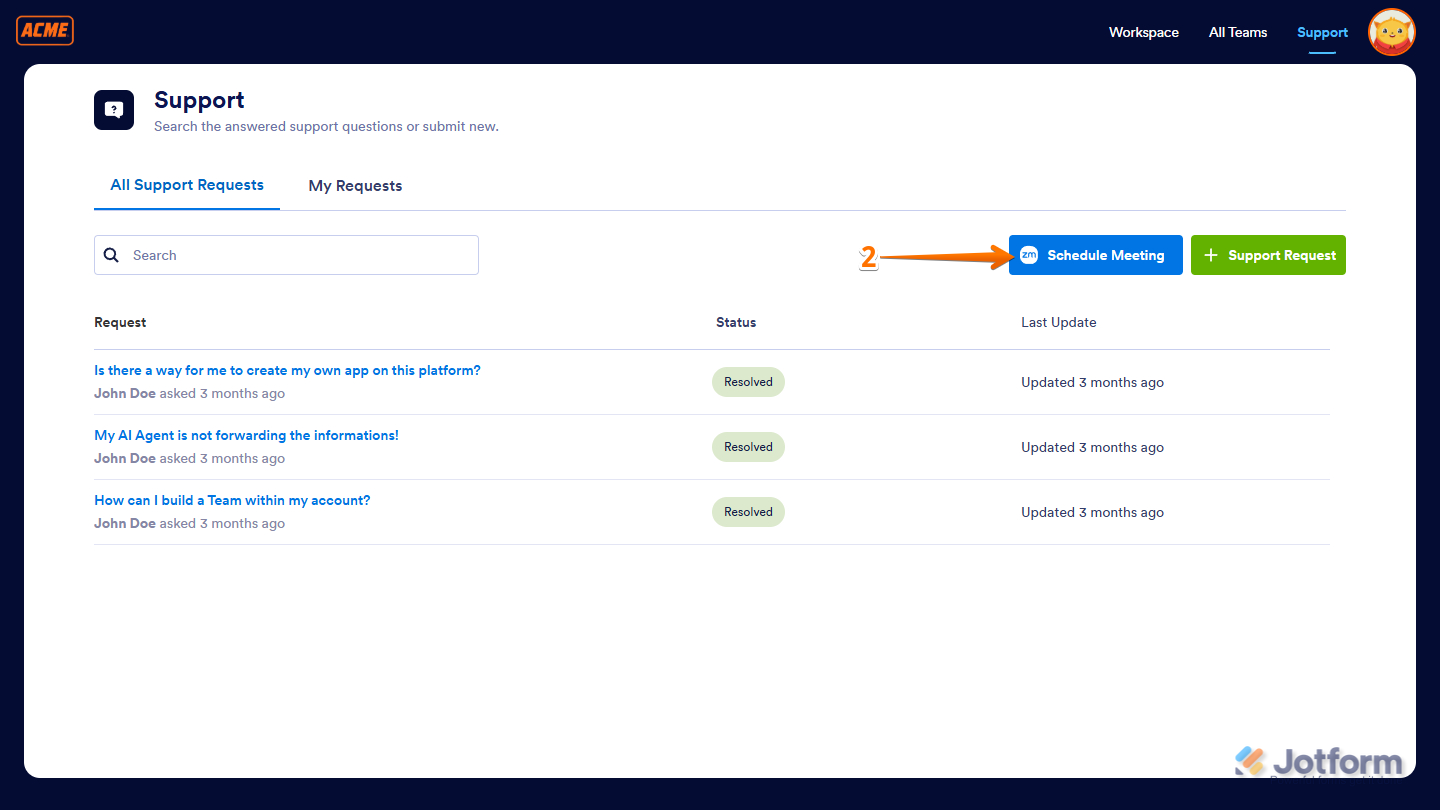
- Next, click on Schedule Meeting on the upper-right side of the page.
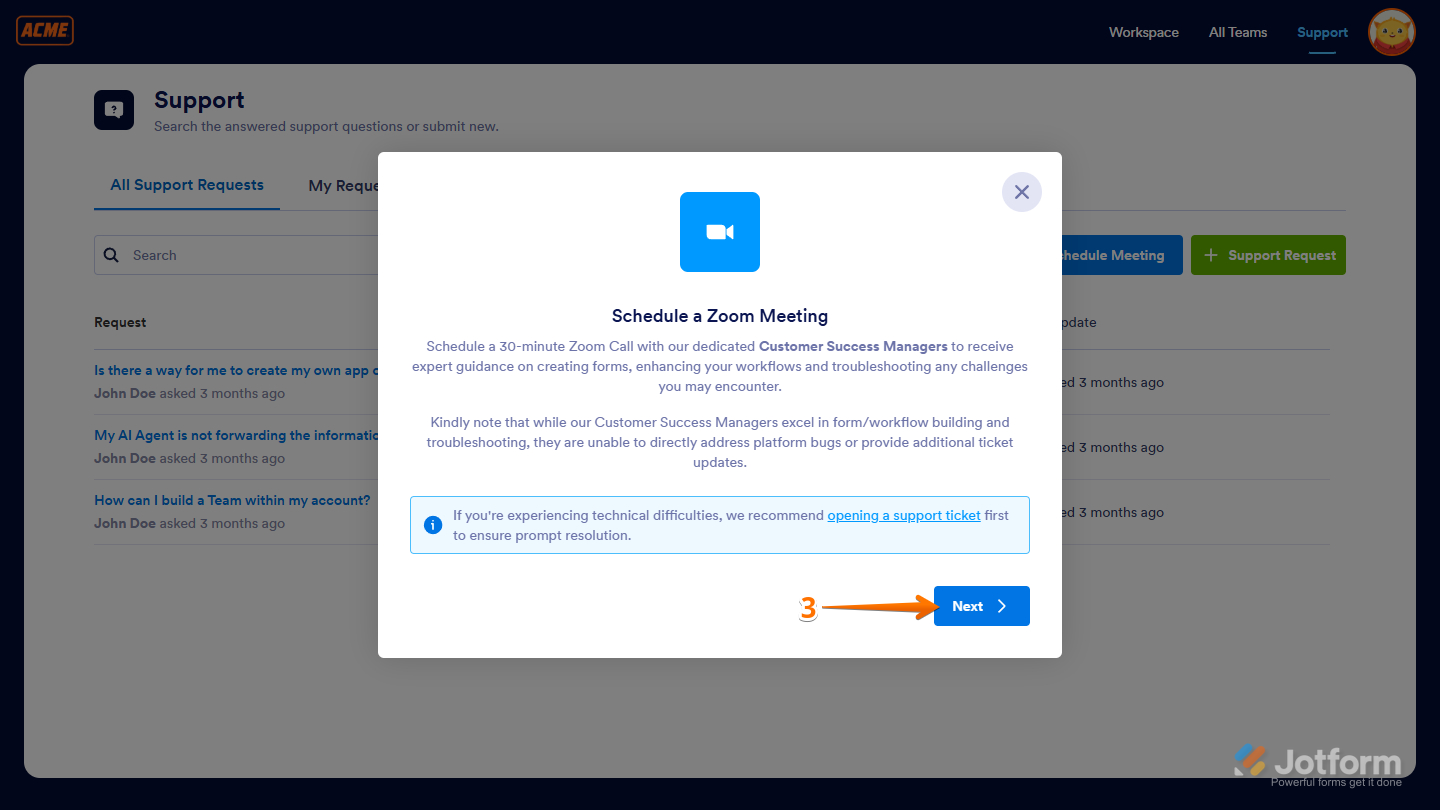
- In the Schedule a Zoom Meeting window that opens, click on Next to open the Calendar.
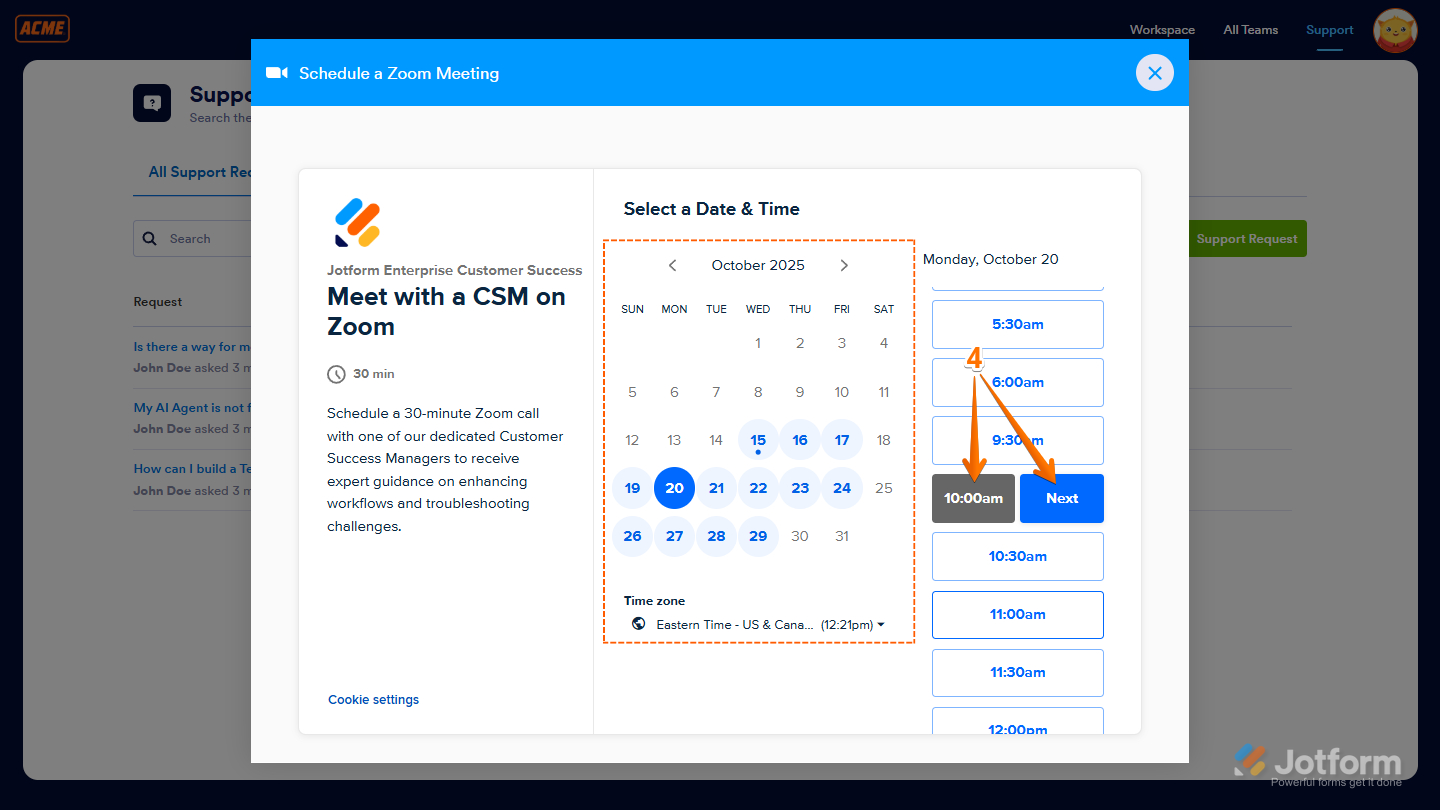
- Now, pick a date and time that works best for you to meet with a Customer Success Manager, and then click on Next to continue.
- After that, fill out the form, and when you’re ready, click on Schedule Event to book your meeting.
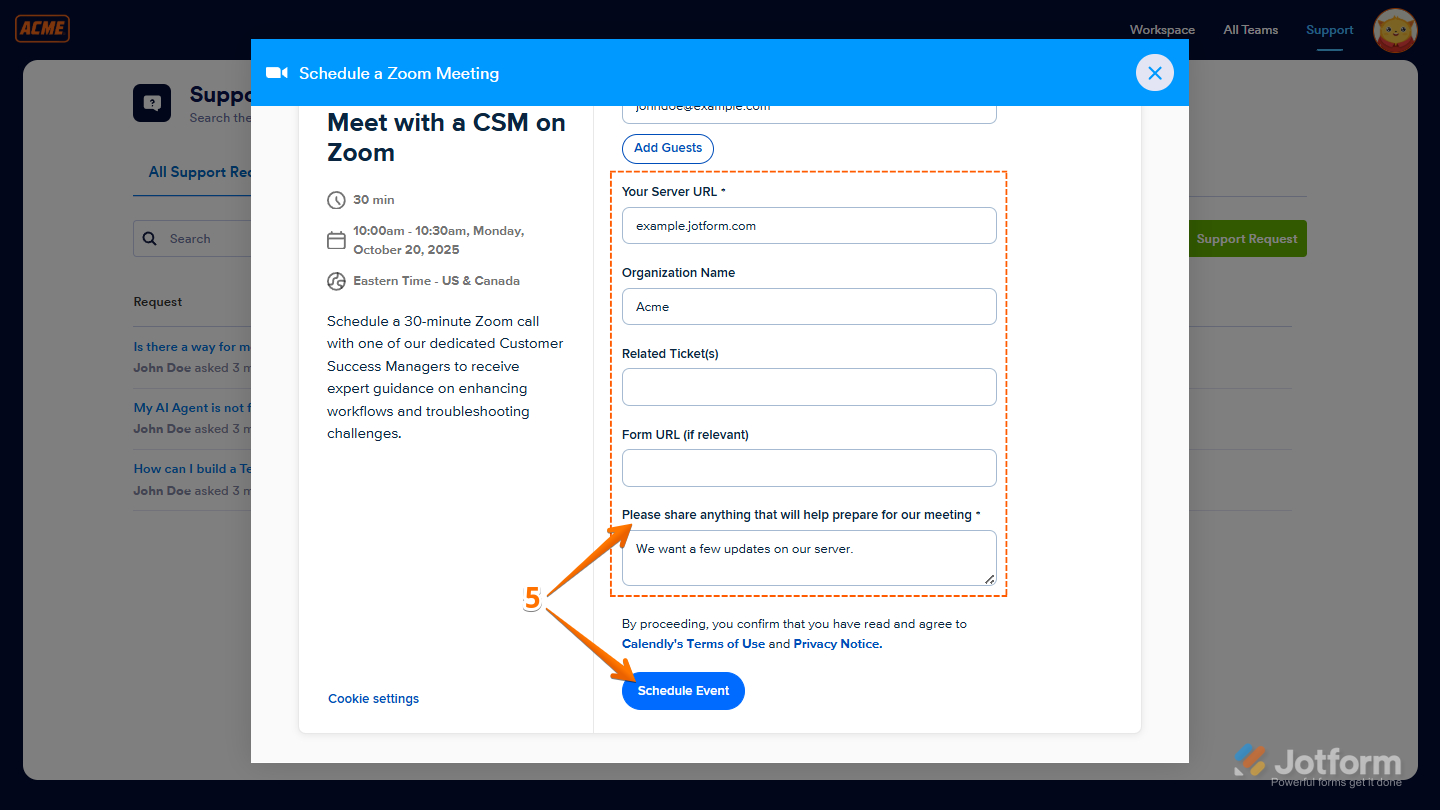
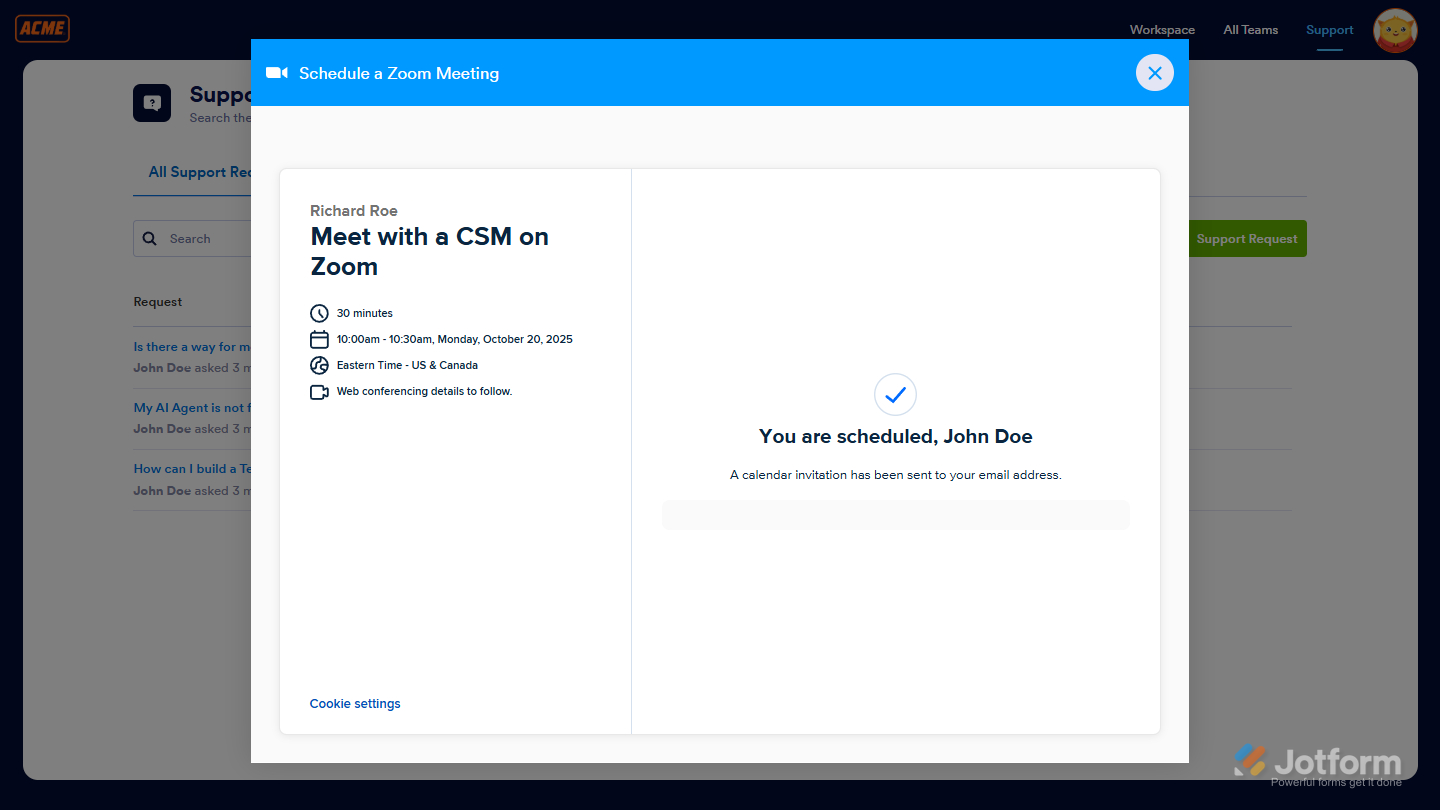
Once done, you’ll see a confirmation for your scheduled Zoom meeting with the Customer Success Manager.
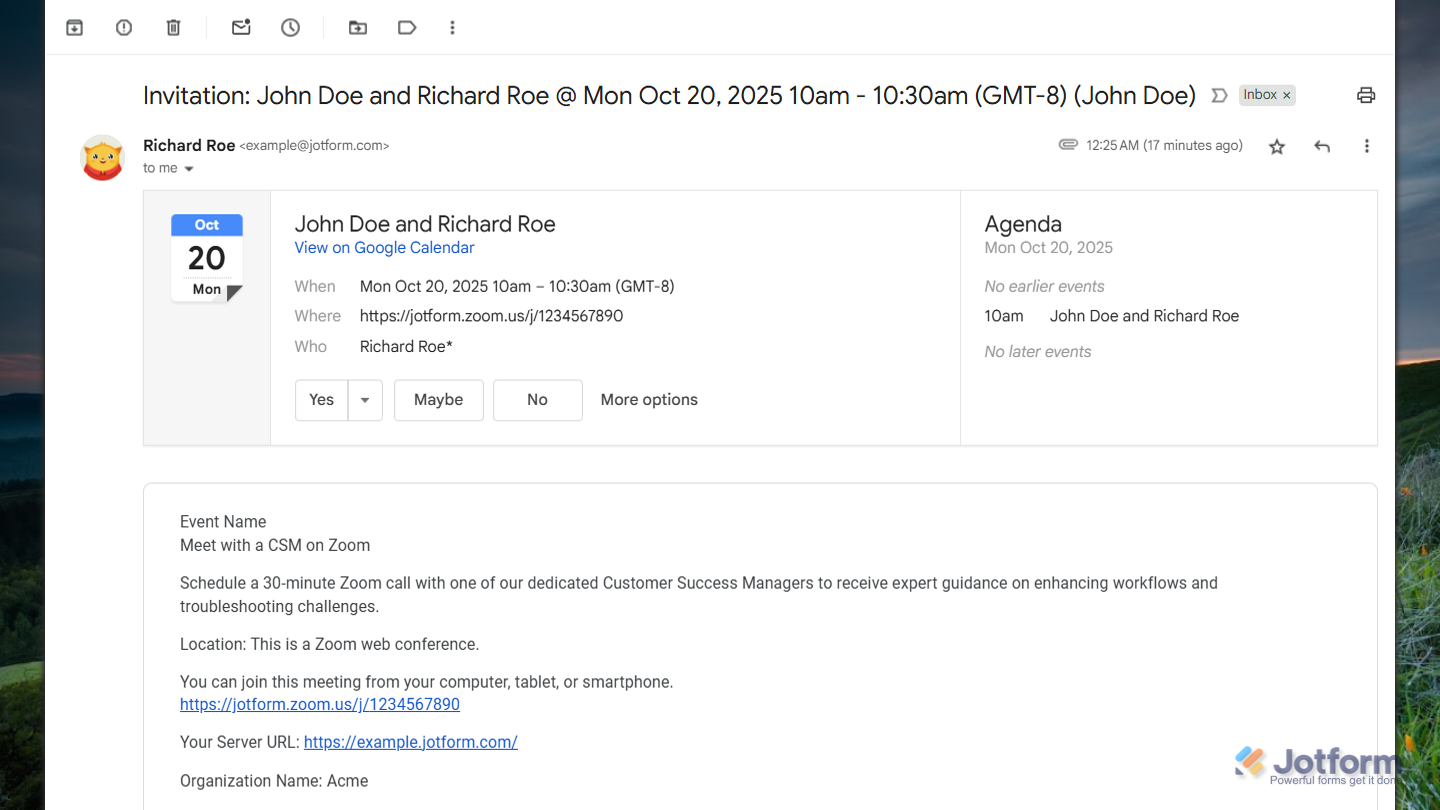
You’ll also get an email invite with the Zoom link and a summary of the details you provided.
Scheduling a Meeting with a Customer Success Manager as an Administrator
As an administrator, you can schedule a meeting with a Customer Success Manager to get personalized support, guidance, or help with your Jotform Enterprise needs. Here’s how to do it:
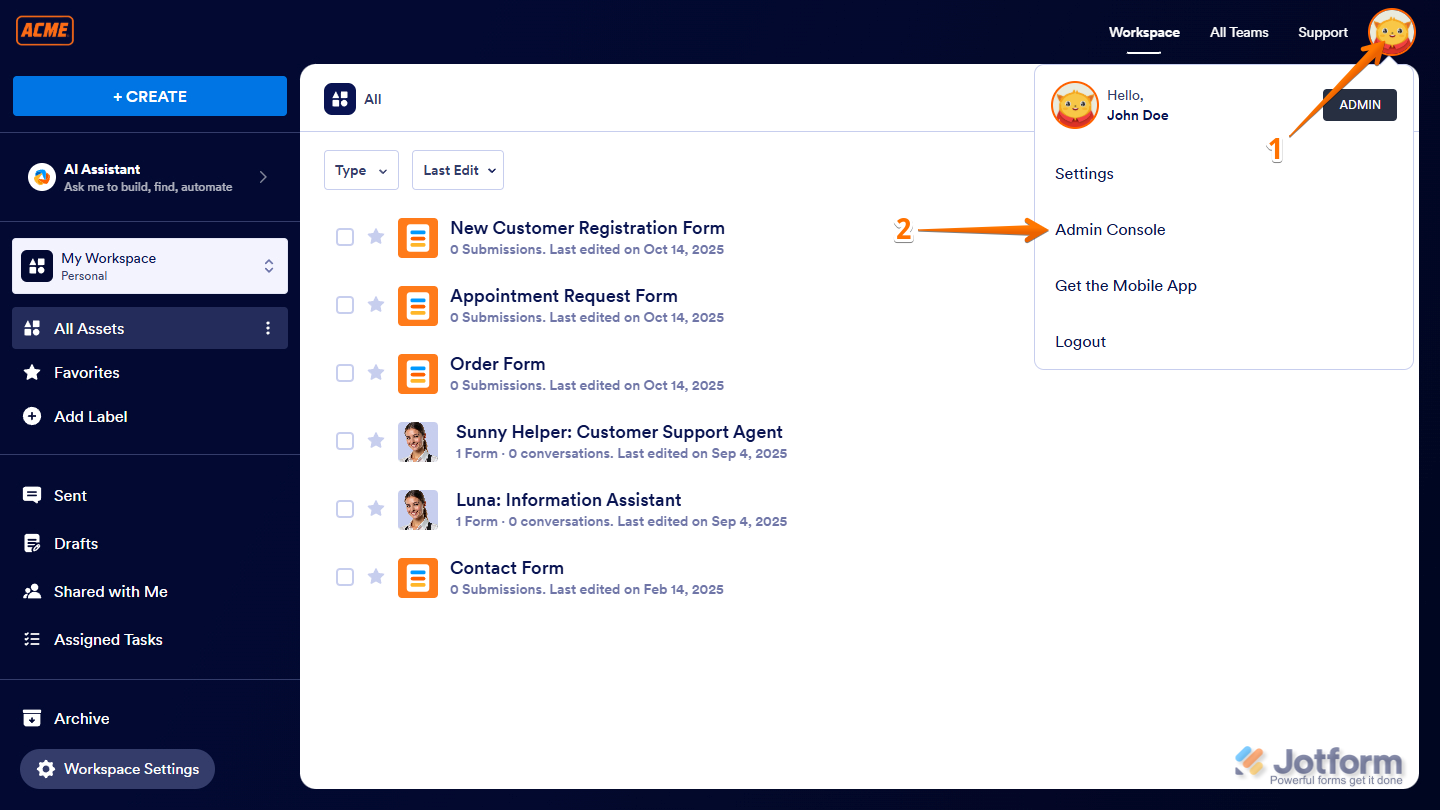
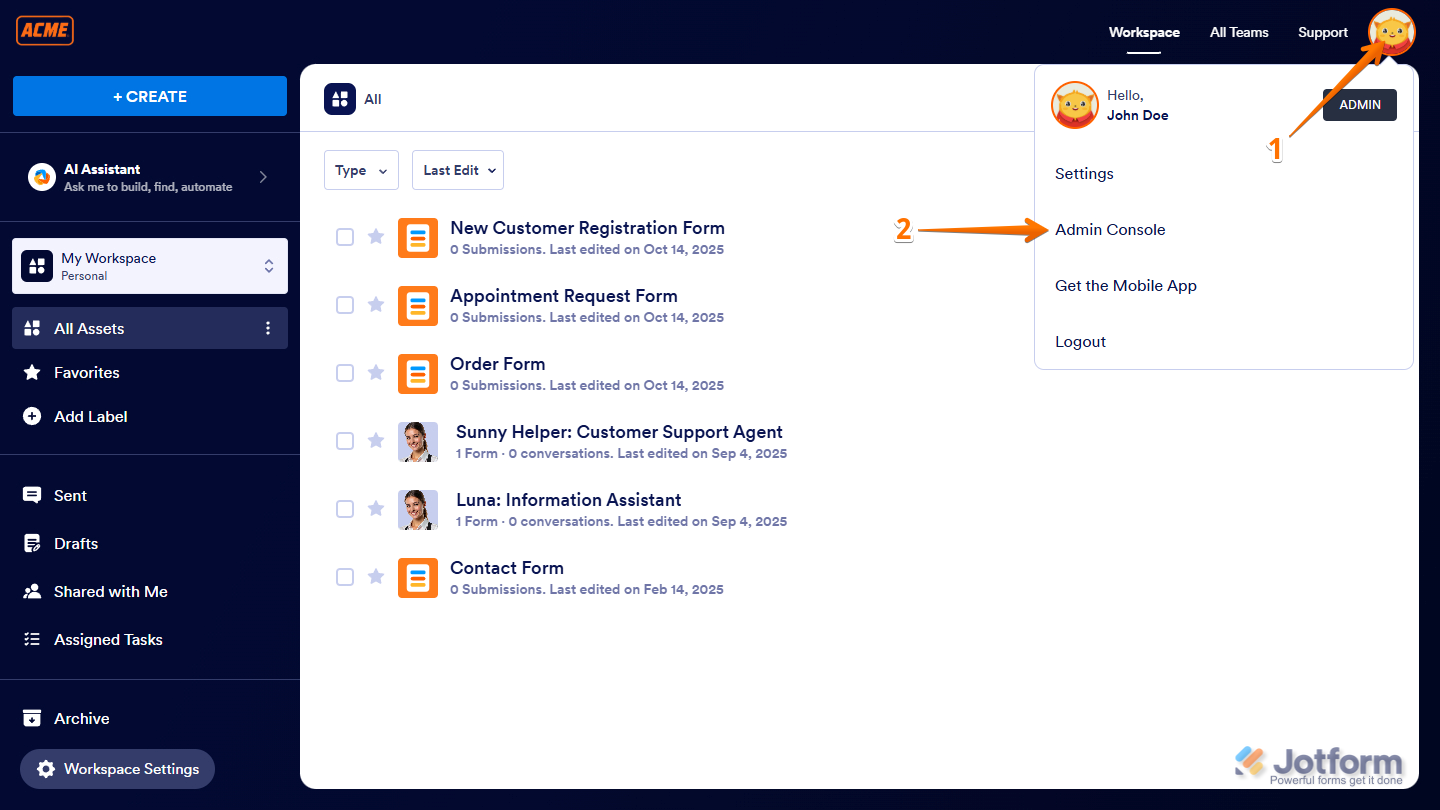
- On your Workspace page, click on your Avatar/Profile picture on the top-right side of the screen.
- Then, in the menu that comes up, click on Admin Console.
- Next, in the menu on the left, under the Administration section, click on Support.
- Then, under the Schedule a Zoom Call section, click on Schedule Meeting.
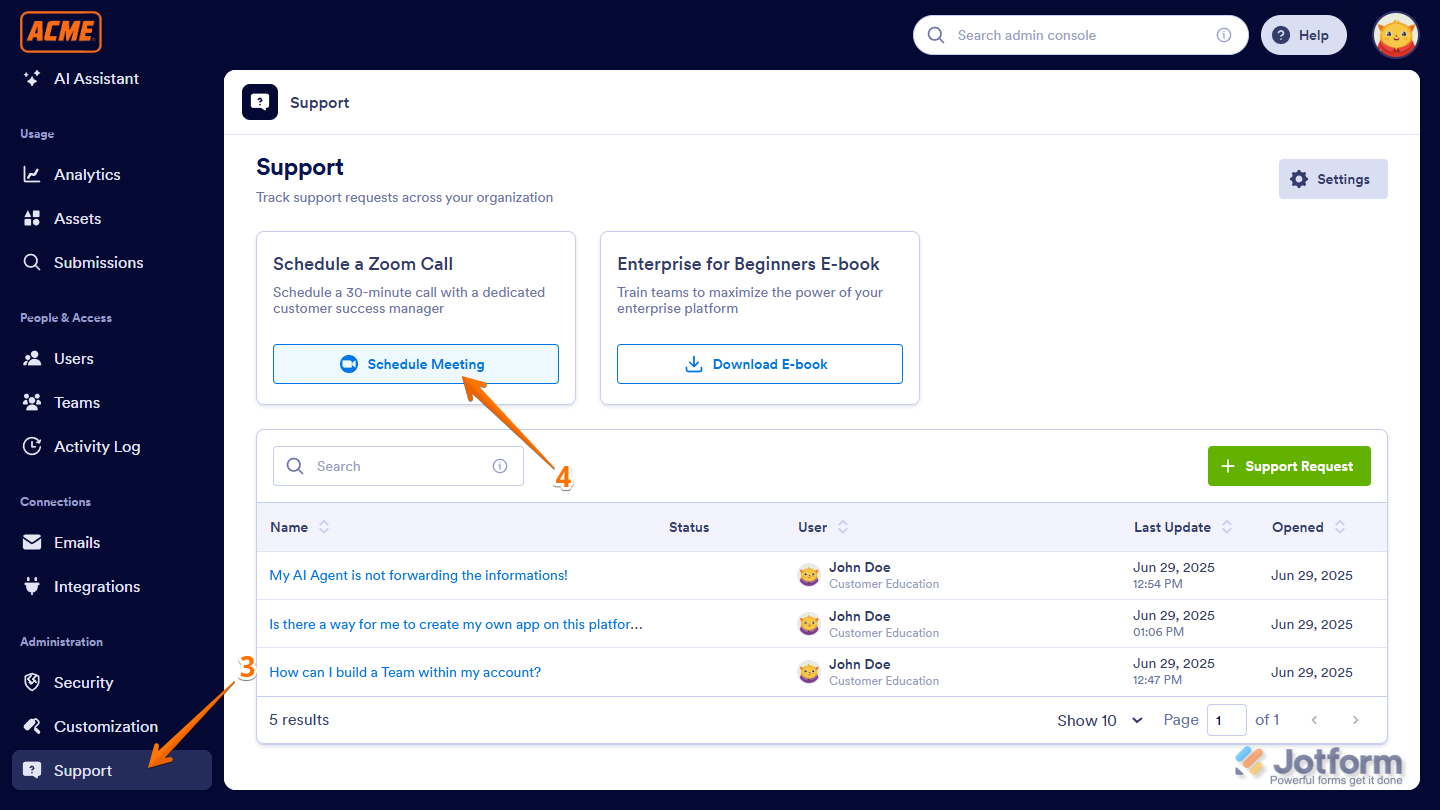
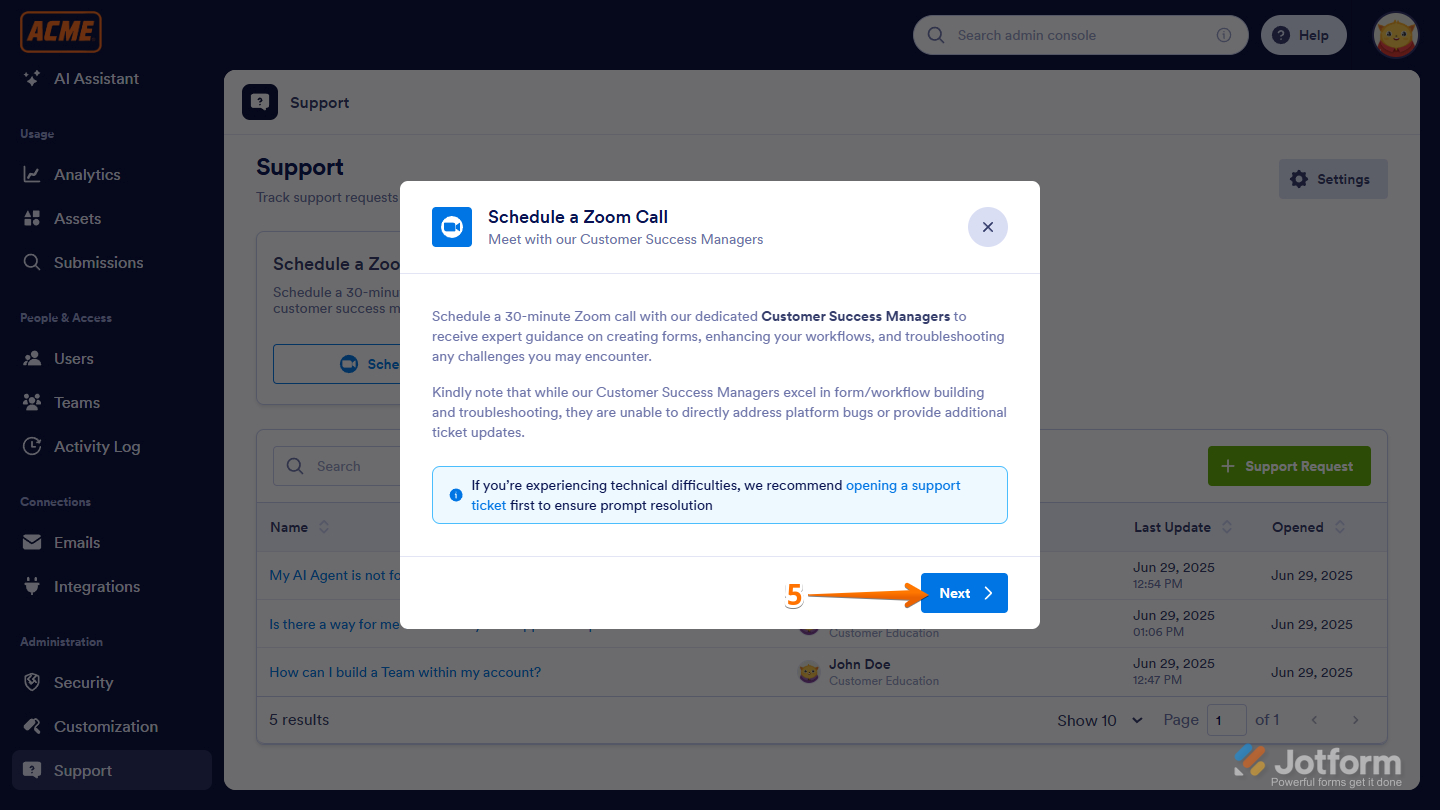
- In the Schedule a Zoom Call window that comes up, click on Next to open the Calendar.
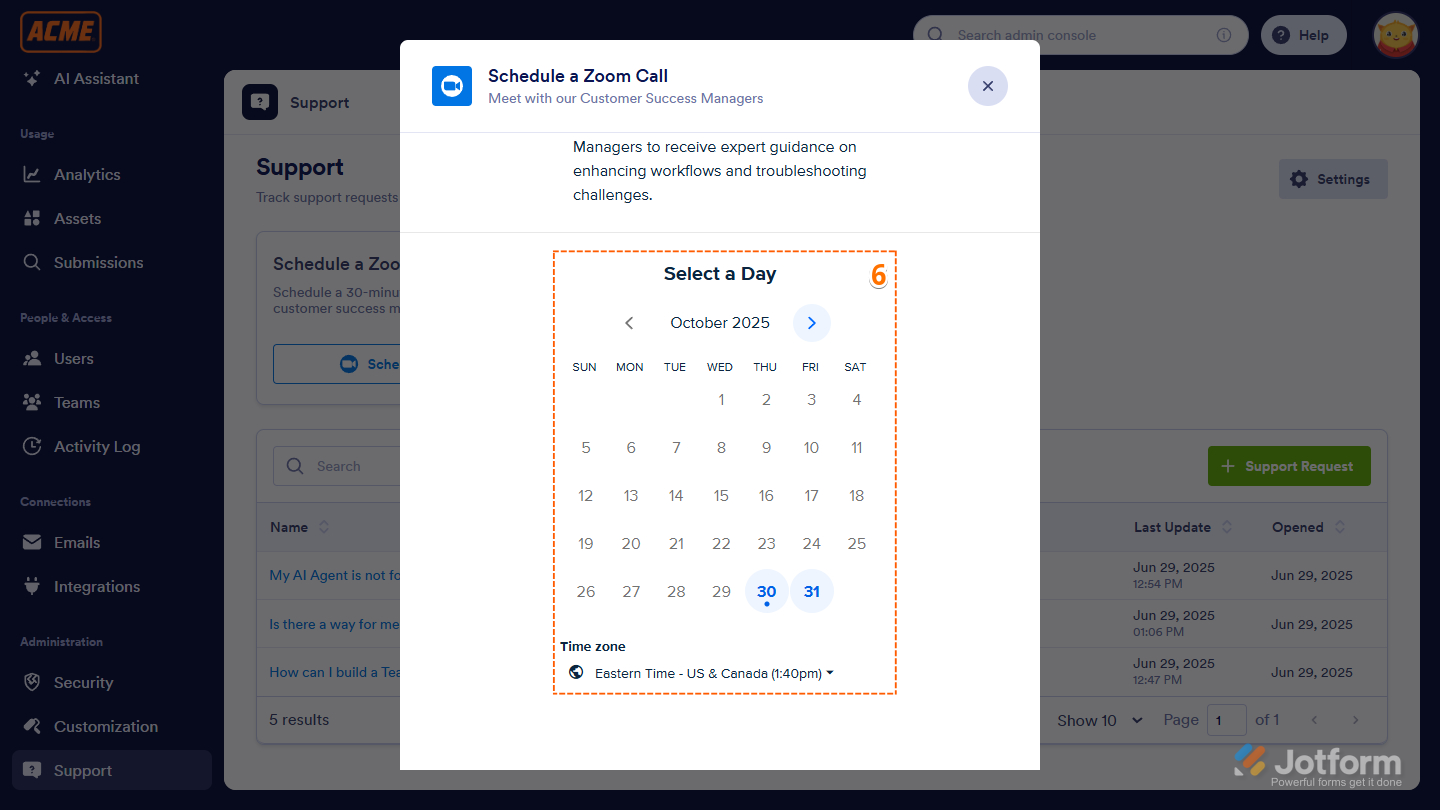
- Now, pick a date from the calendar that works best for you to meet with a Customer Success Manager.
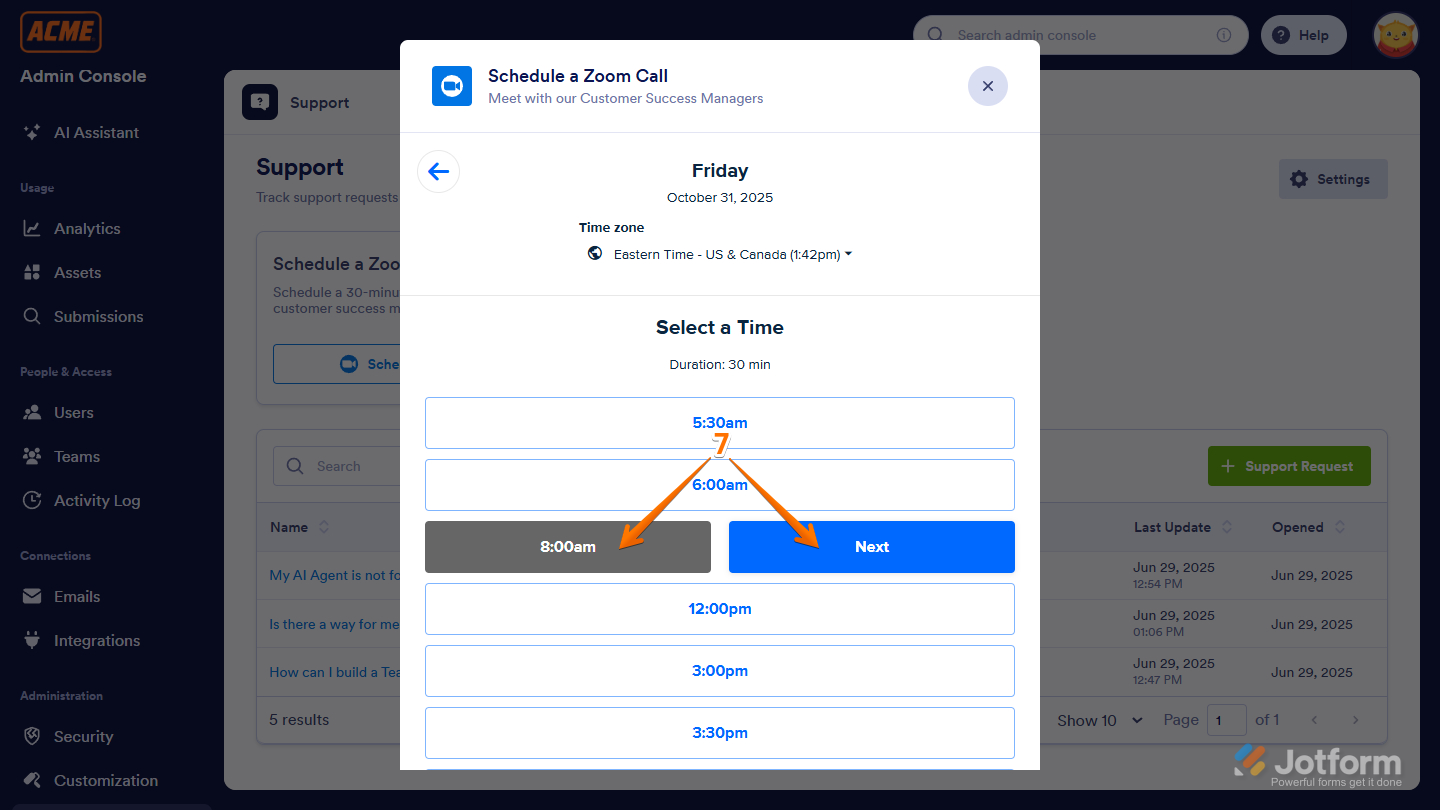
- Then, select a time that works best for you, and click on Next to proceed.
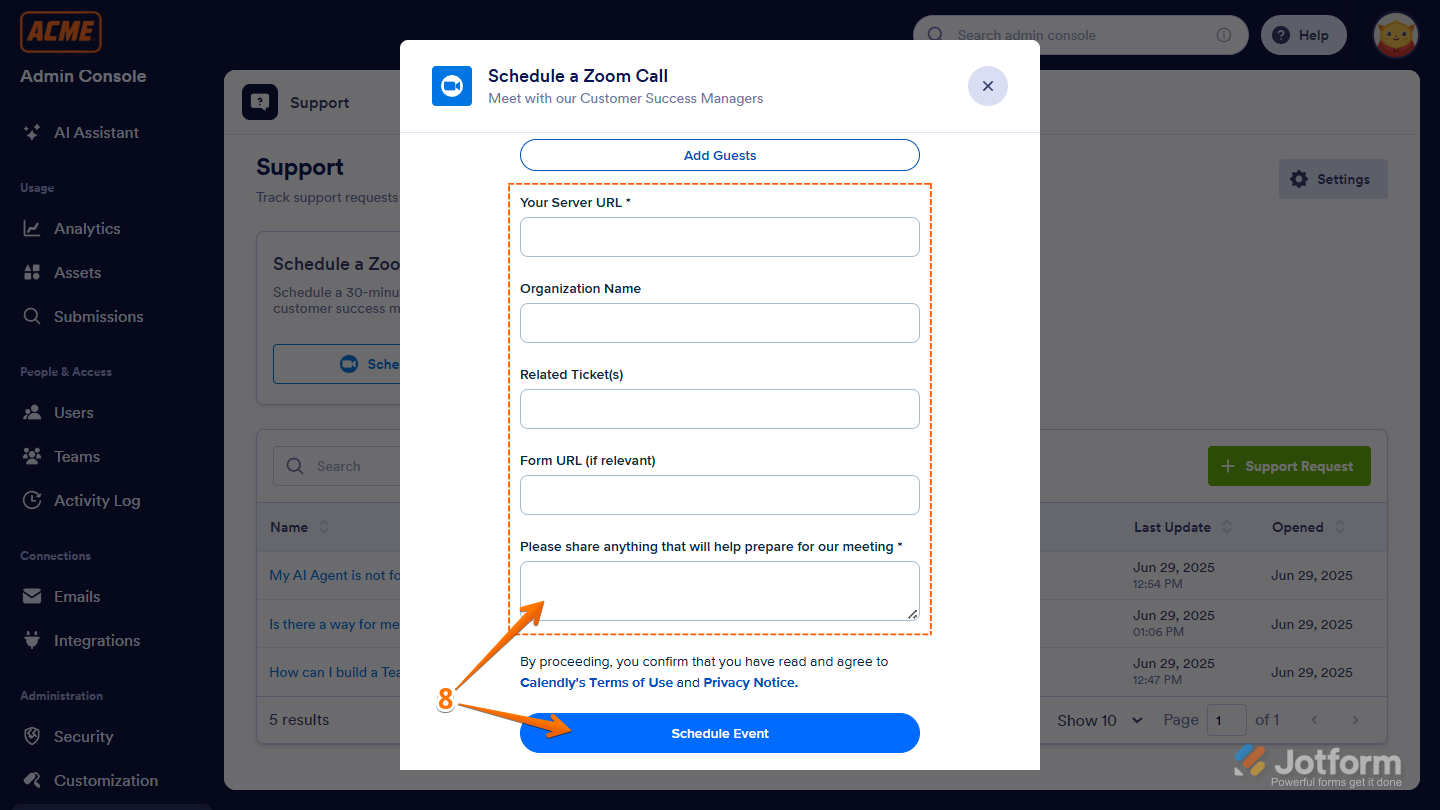
- After that, fill out the form, and when you’re ready, click on Schedule Event to book your meeting.
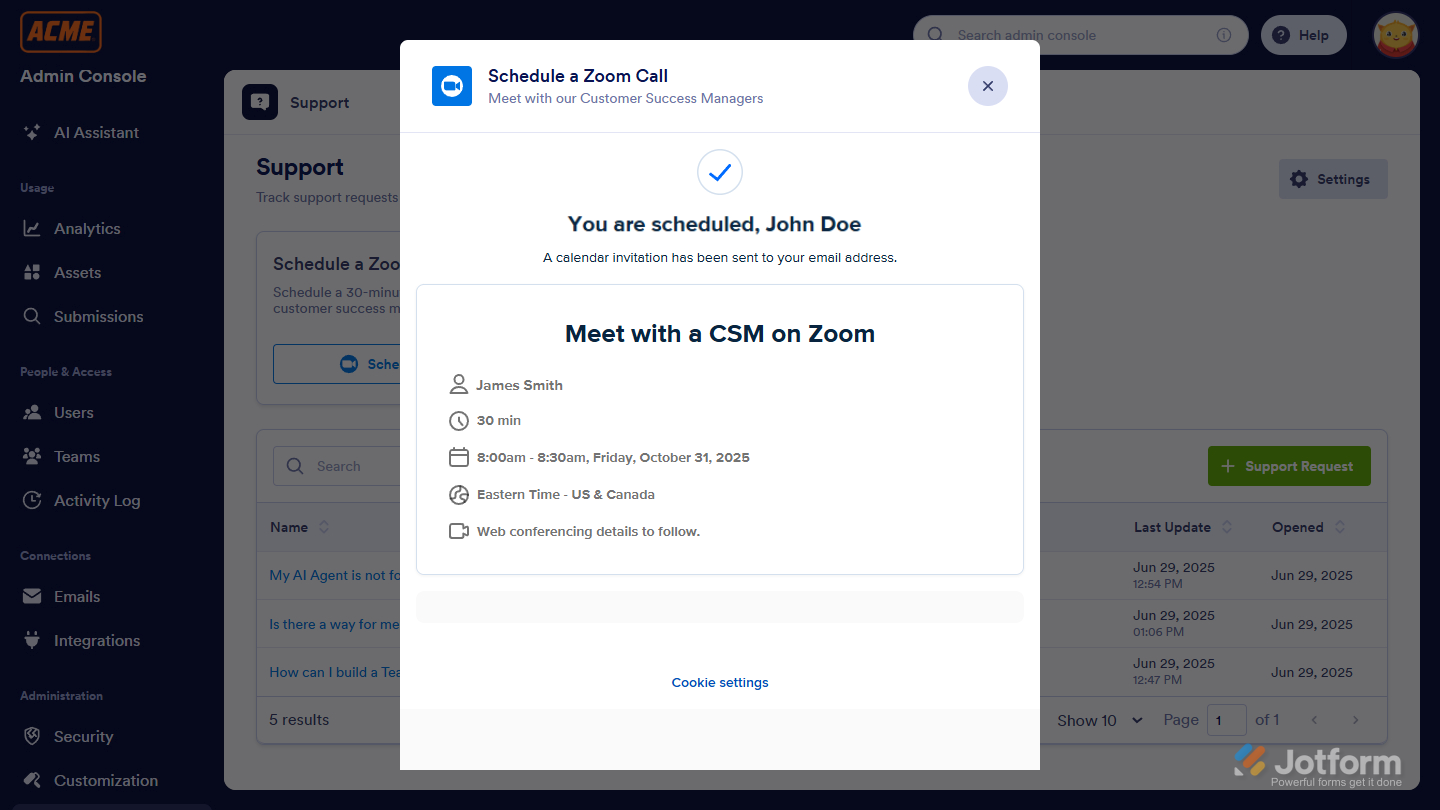
Once done, you’ll see a confirmation window for your scheduled Zoom meeting with the Customer Success Manager.
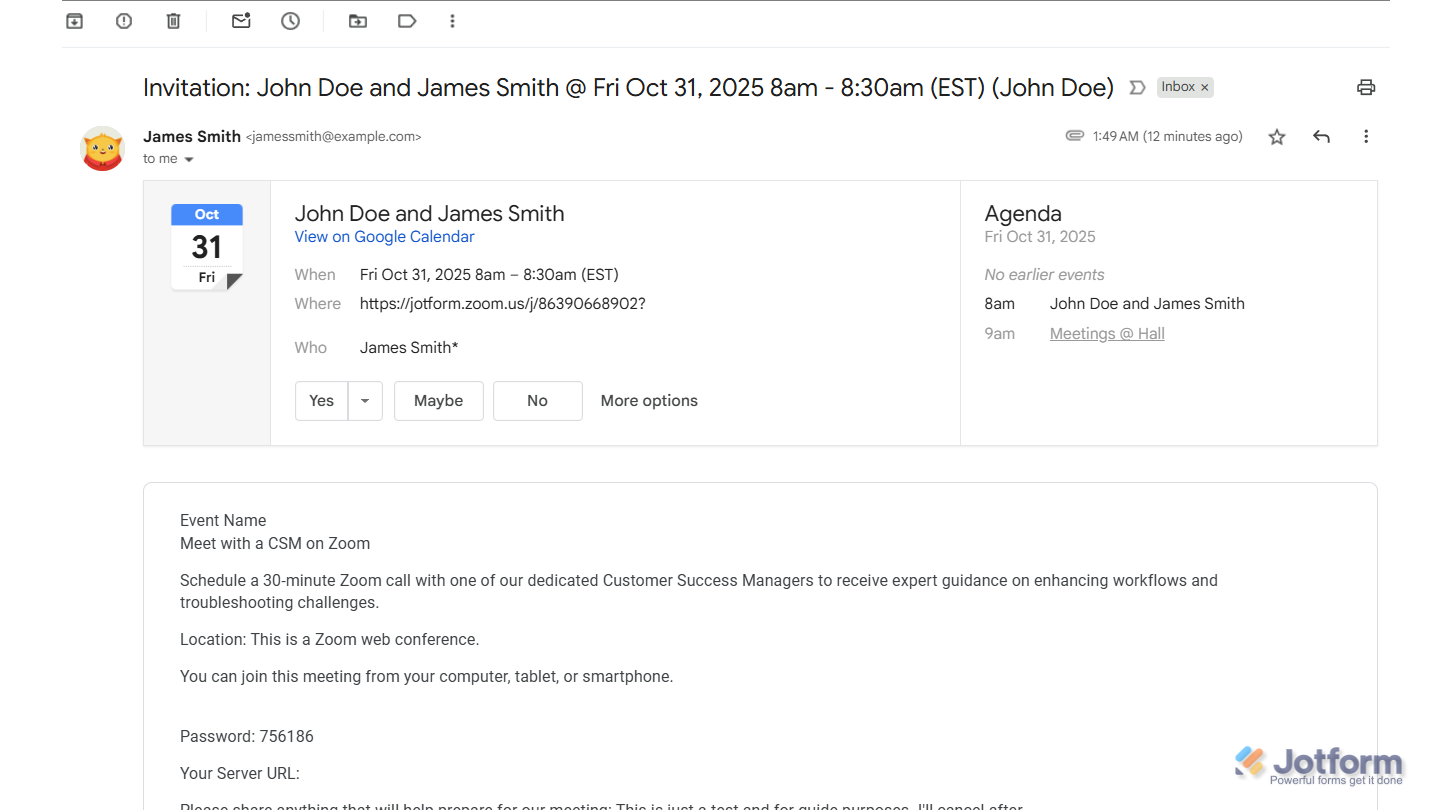
You’ll also get an email invite with the Zoom link and a summary of the details you provided.
Enabling or Disabling Zoom Meeting Permissions for Your Users
Just like Support Threads, you can let users schedule Zoom calls—or keep the option available only to Administrators if you prefer. To manage this setting, ensure that the Ticketing System for Users is enabled. Here’s how to set it up:
- On your Workspace page, click on your Profile Picture/Avatar on the top-right side of the page.
- In the menu that opens, click on Admin Console to open the Admin Console page.
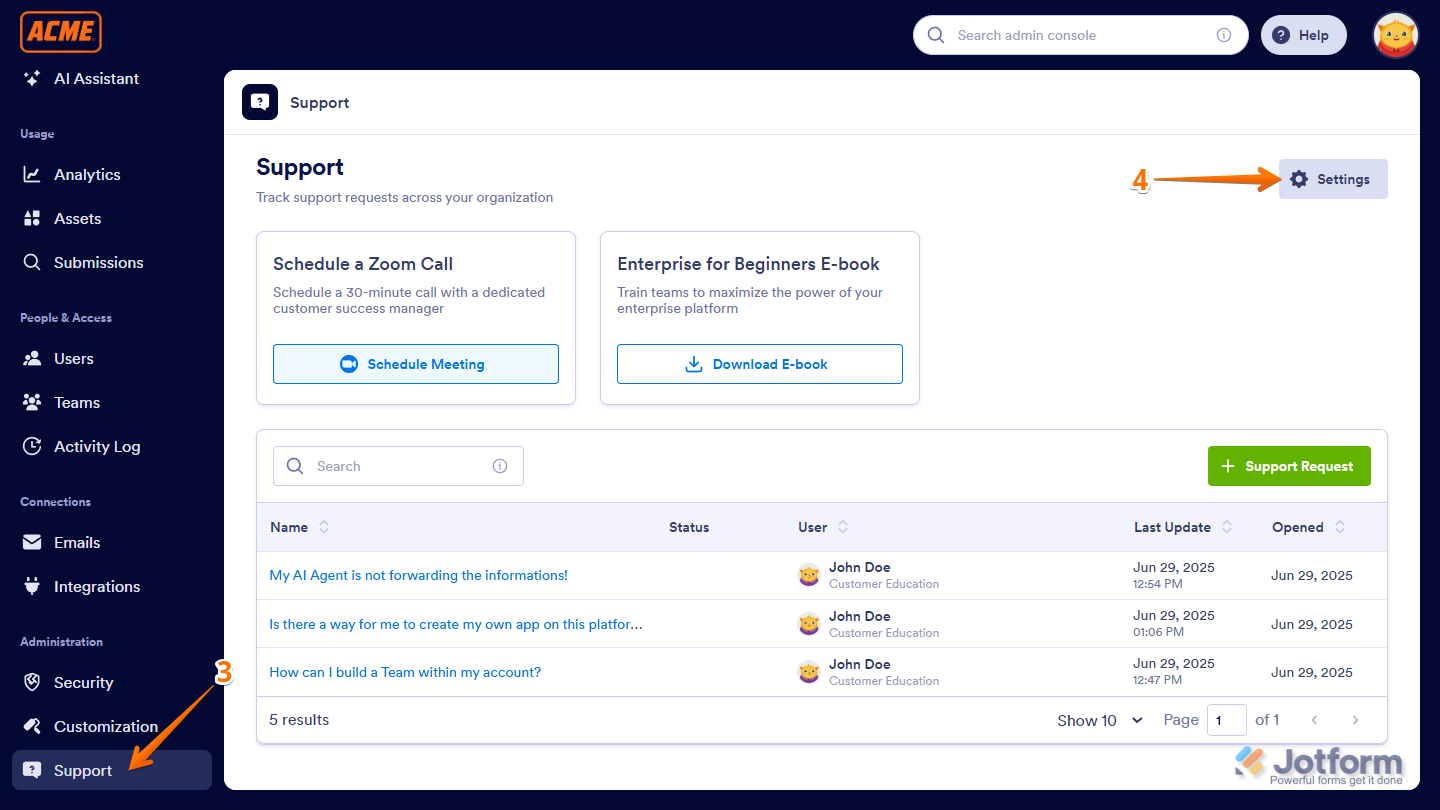
- Next, in the menu on the left, under the Administration section, click on Support.
- Then, on the top-right side of the Support page, click on Settings.
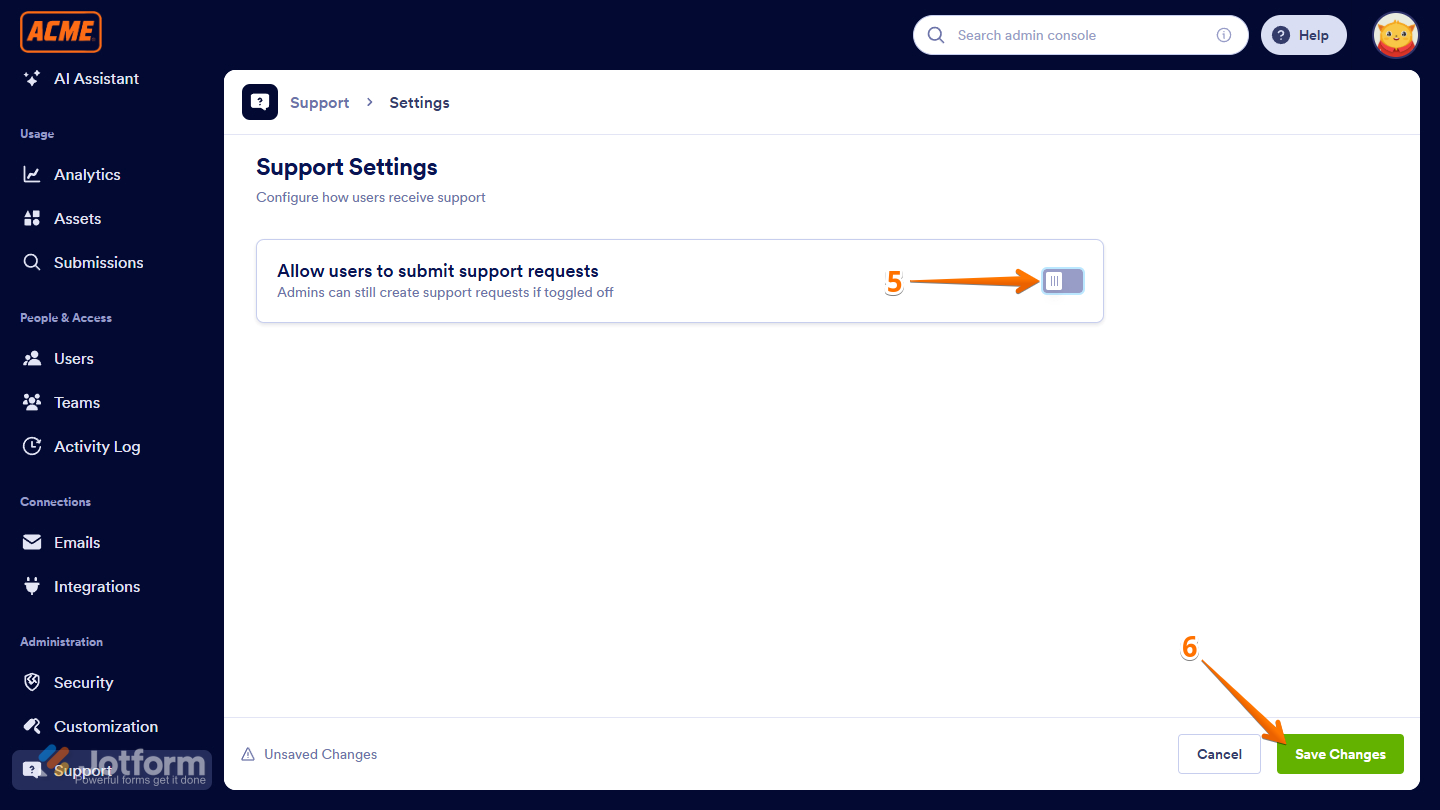
- Next, toggle off Allow Users to Submit Support Requests.
- Finally, click on Save Changes, and that’s it!
Pro Tips
- Prepare your questions ahead of time: To make the most of your session, jot down any specific issues, goals, or topics you’d like to cover.
- Invite your team: You can include relevant team members in the meeting to get everyone aligned and involved in the conversation.
- Check the Help Center first: For quick answers or step-by-step guides, the Jotform Help Center is a great place to start before reaching out.

Send Comment:
1 Comment:
March 9, 2026
エンタープライズの見積もりがほしいです。