Sometimes, you need users to submit a form more than once, whether they’re registering for multiple events, placing repeat orders, or submitting updated information. Jotform makes it easy to let users send another response without having to start from scratch.
Note
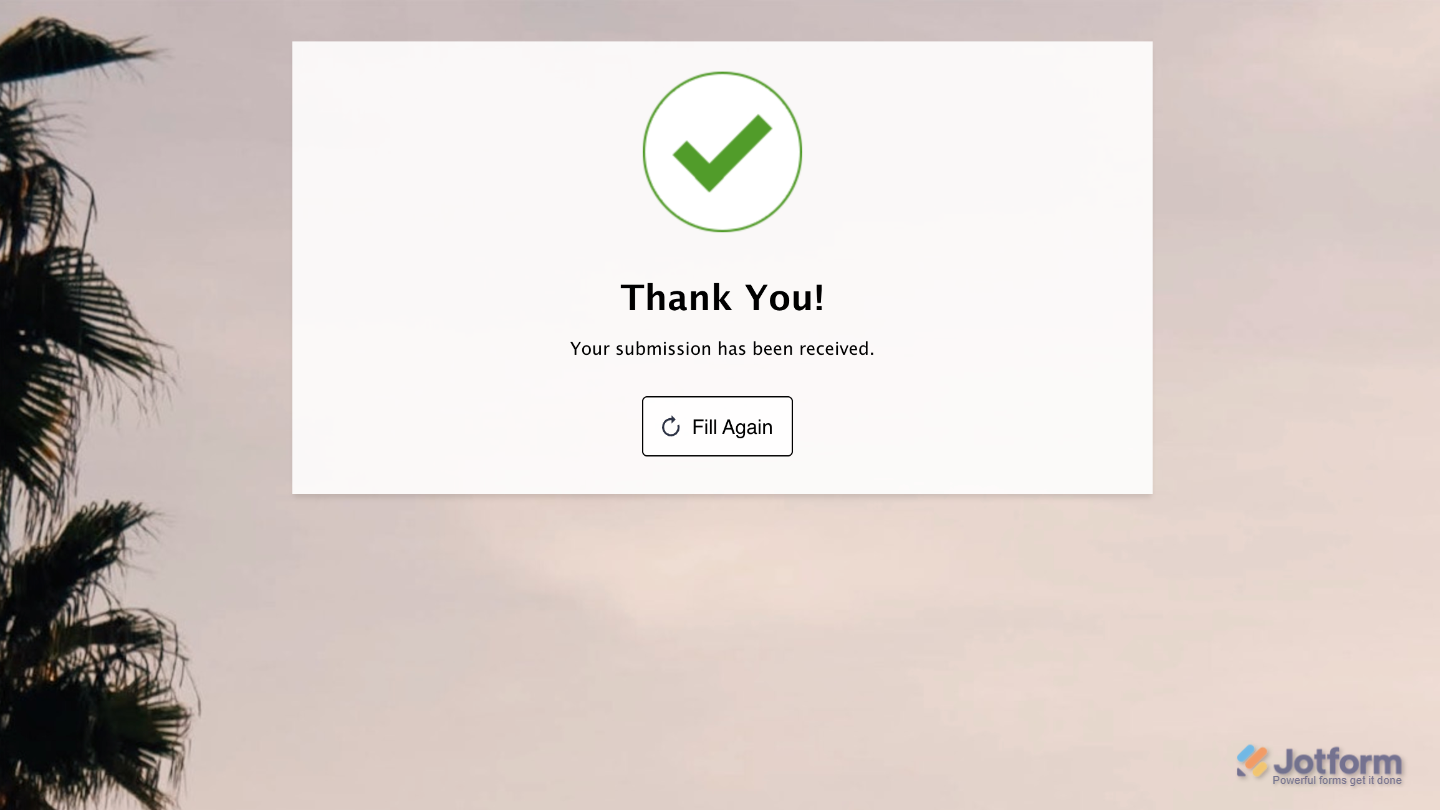
The Fill Again button appears on the Thank You Page after a user submits the form.
Adding the Fill Again Button to Your Form’s Thank You Page
Adding the Fill Again button to your Thank You Page gives users a quick and convenient way to submit another response without having to navigate back to your form. Here’s what to do:
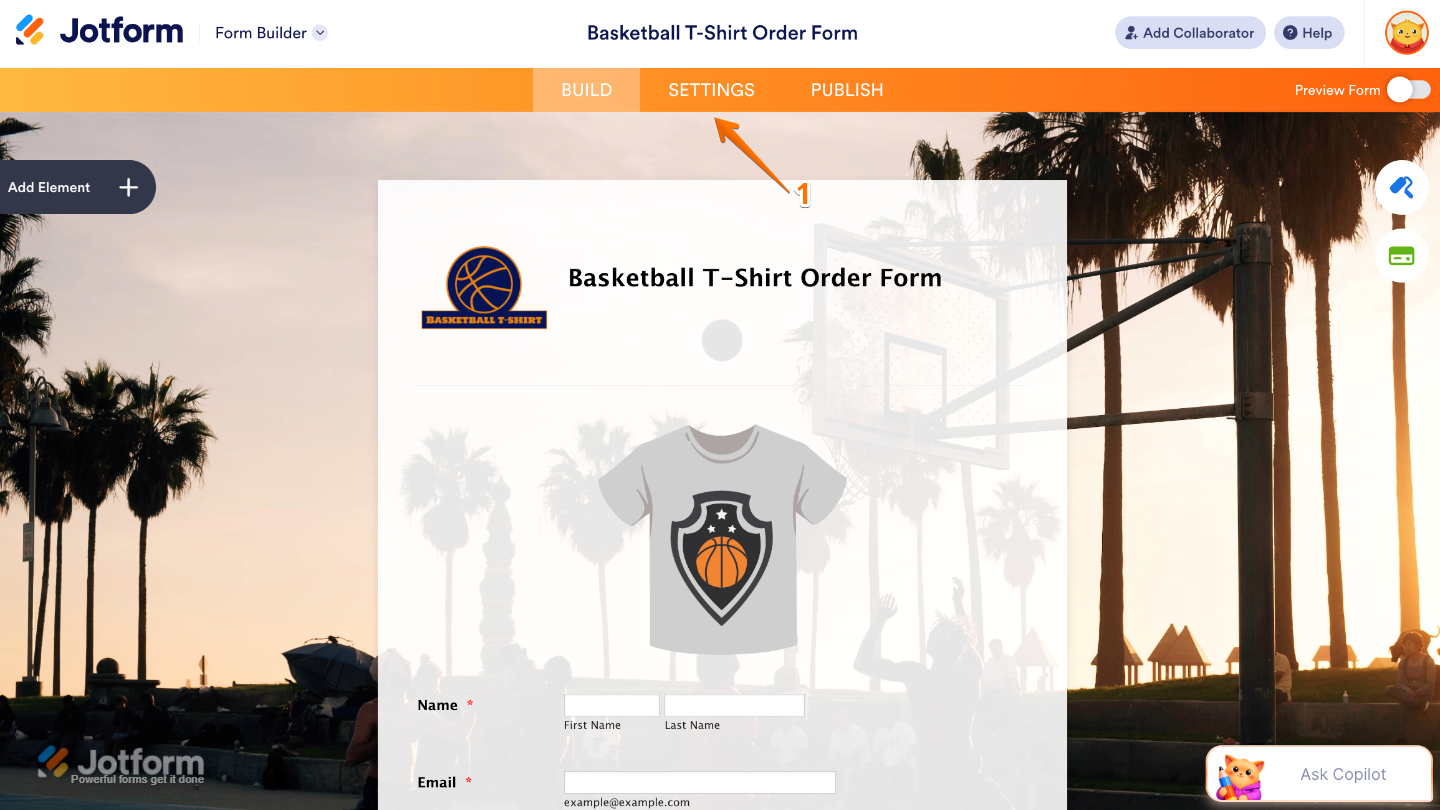
- In Form Builder, in the orange navigation bar at the top of the page, click on Settings.
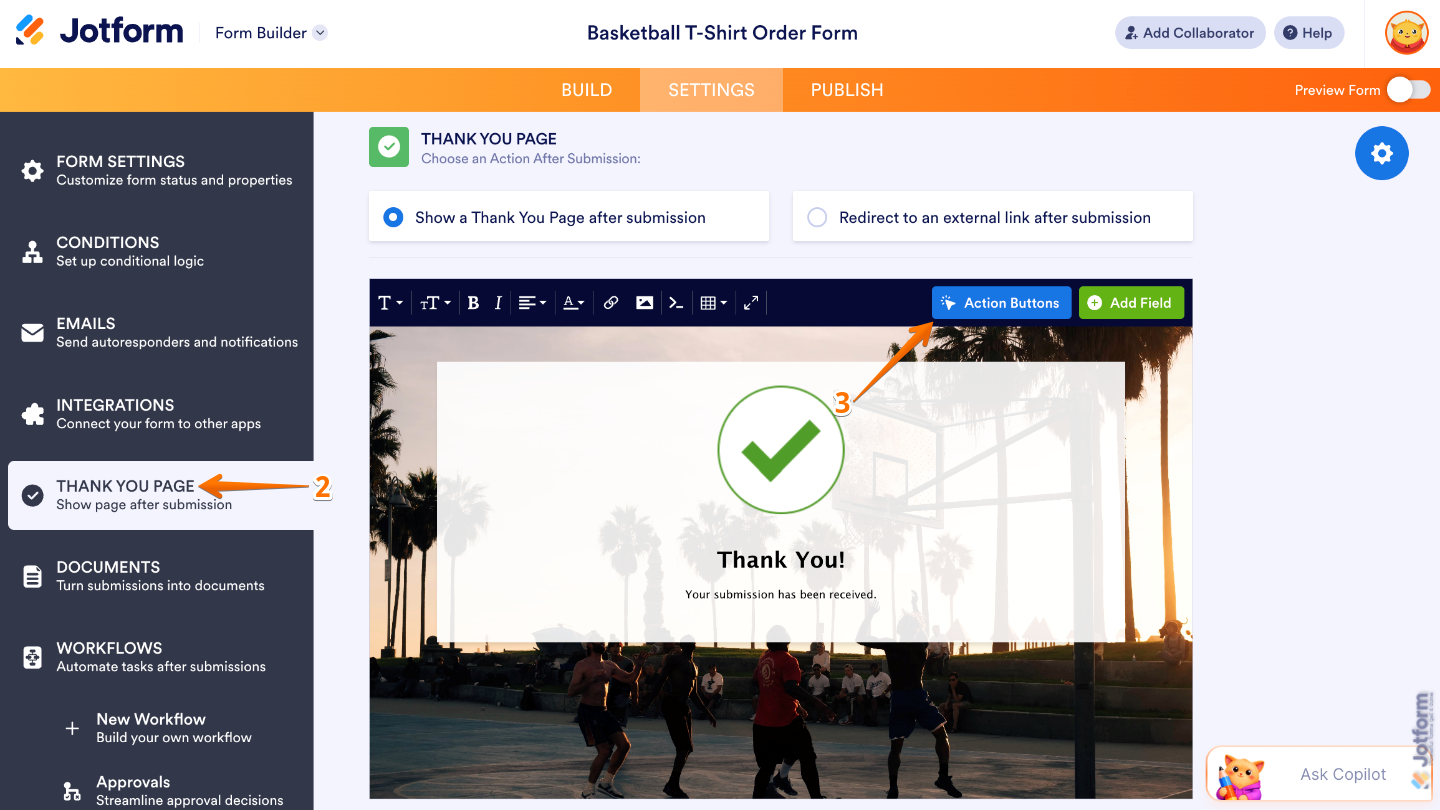
- Then, in the menu on the left side of the page, click on Thank You Page.
- Now, in the Thank You Page section on the right, click on Action Buttons.
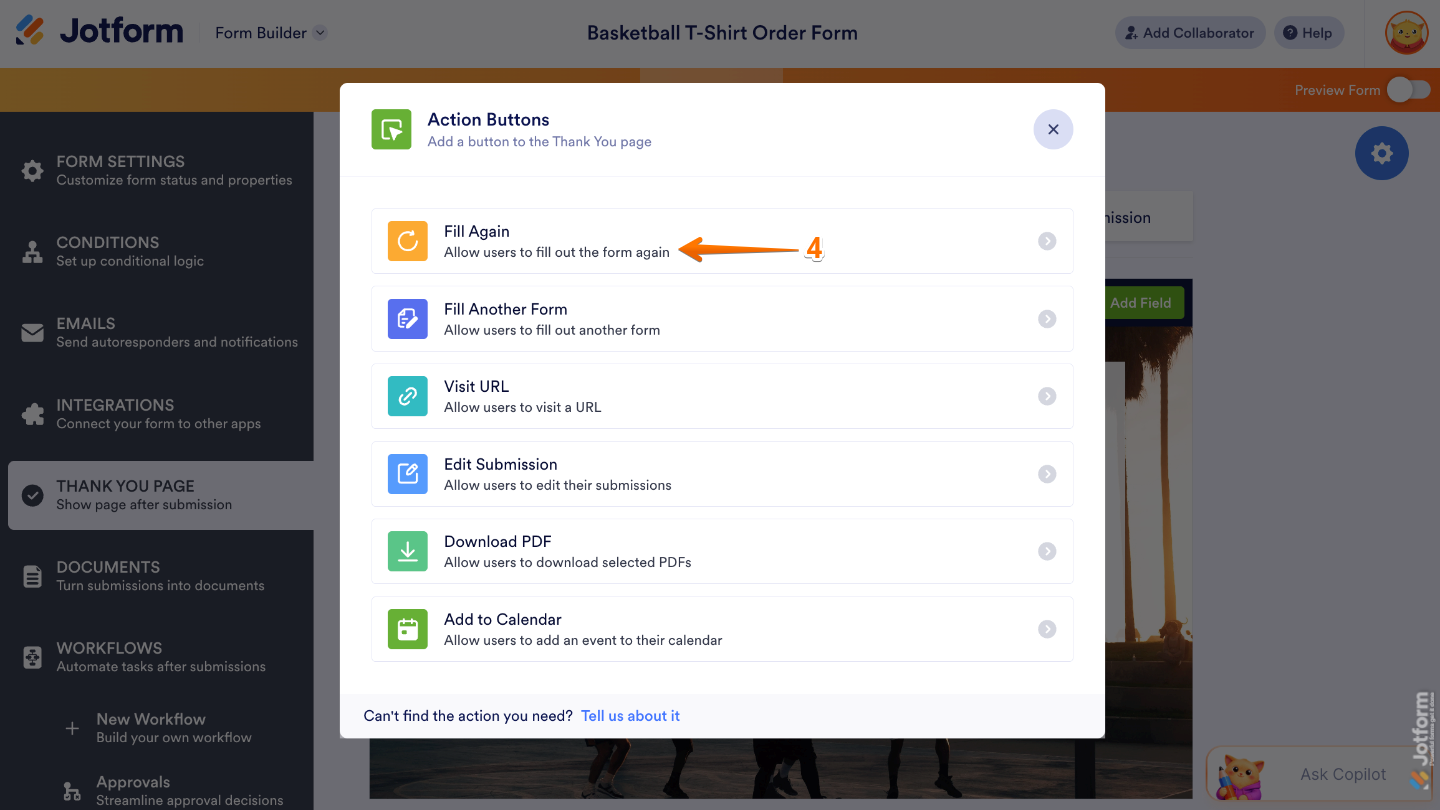
- In the Action Buttons menu that comes up, select the Fill Again option.
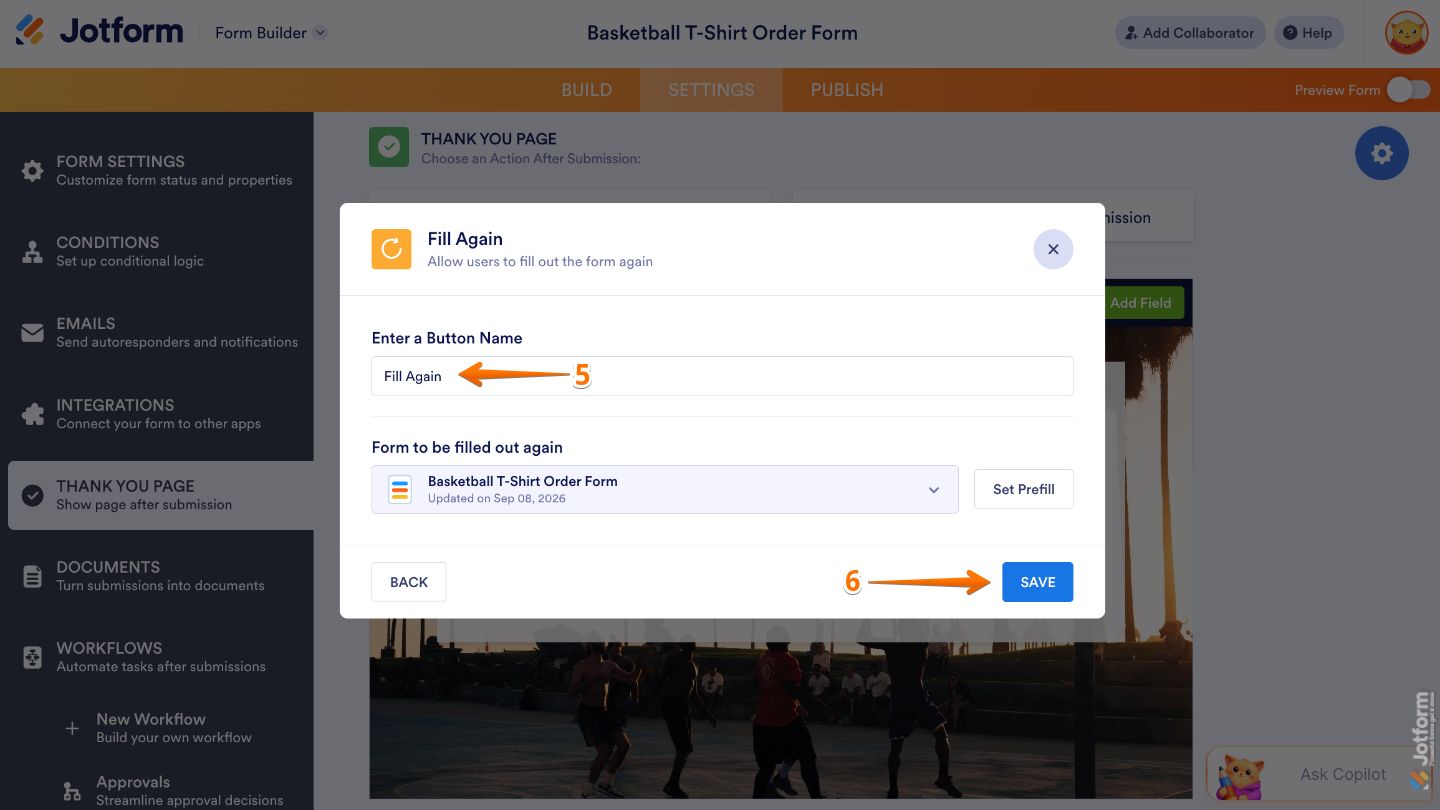
- Next, enter a name for the button in the Button Name field.
- Once you’re done, click on Save.
That’s it! The Fill Again button is now on your Thank You Page, so users can easily submit another response whenever they need to.

Send Comment: