Admins can review the Asset Domains available to a Team and set a default domain for that Team. The default domain becomes the Team’s preferred domain when members publish supported assets.
Before you begin, make sure the Asset Domain is available to the Team. To review or change organization-level availability, an admin has to give access to the team.
Managing a Team’s Asset Domains
Reviewing Which Asset Domains Are Available to the Team
- In the Team Workspace, click the Team Settings button on the bottom left of the page.
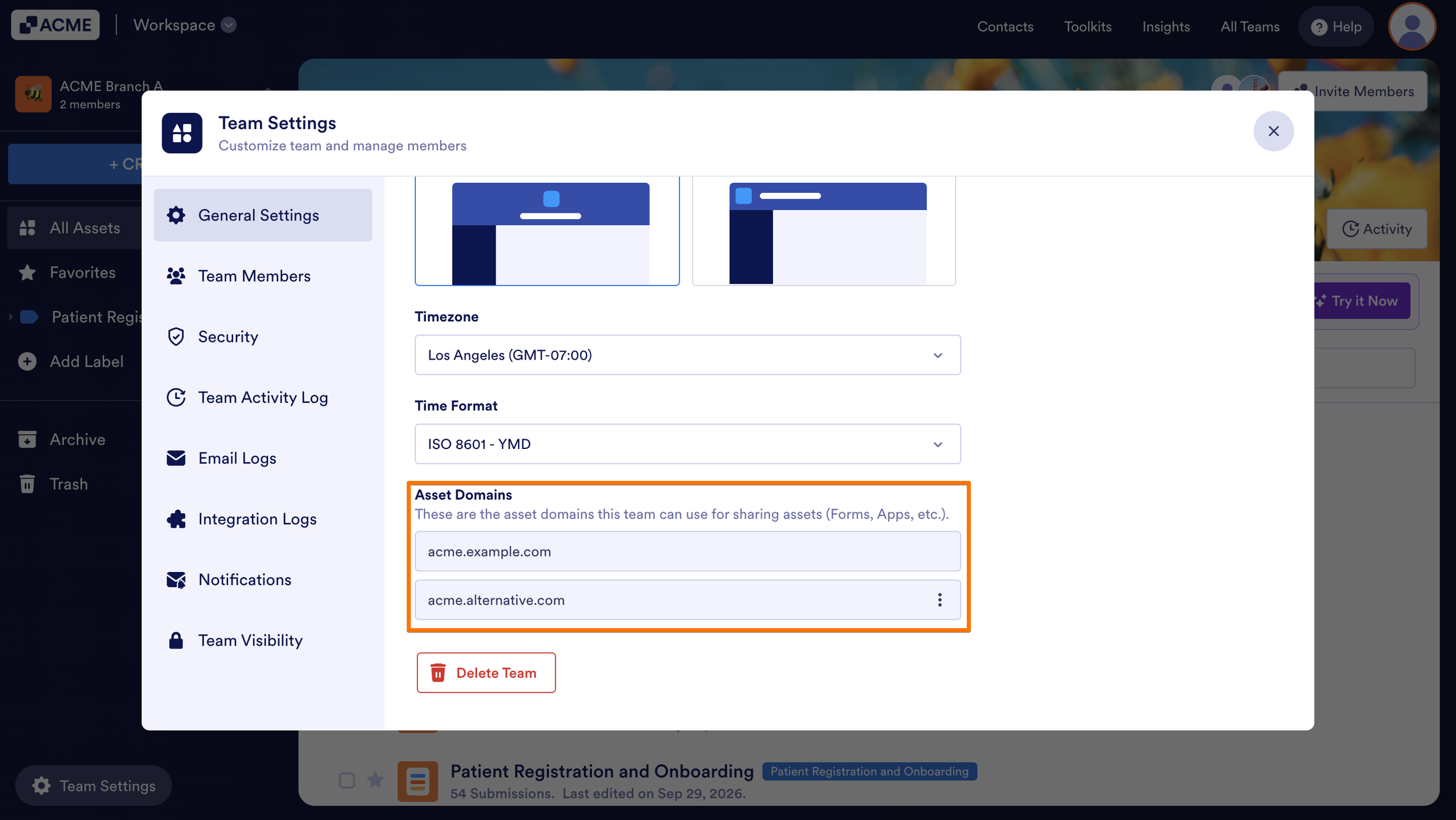
- In the General Settings, scroll down to the Asset Domains section.
The asset domains available to the team will be listed here.
Setting an Asset Domain as Default
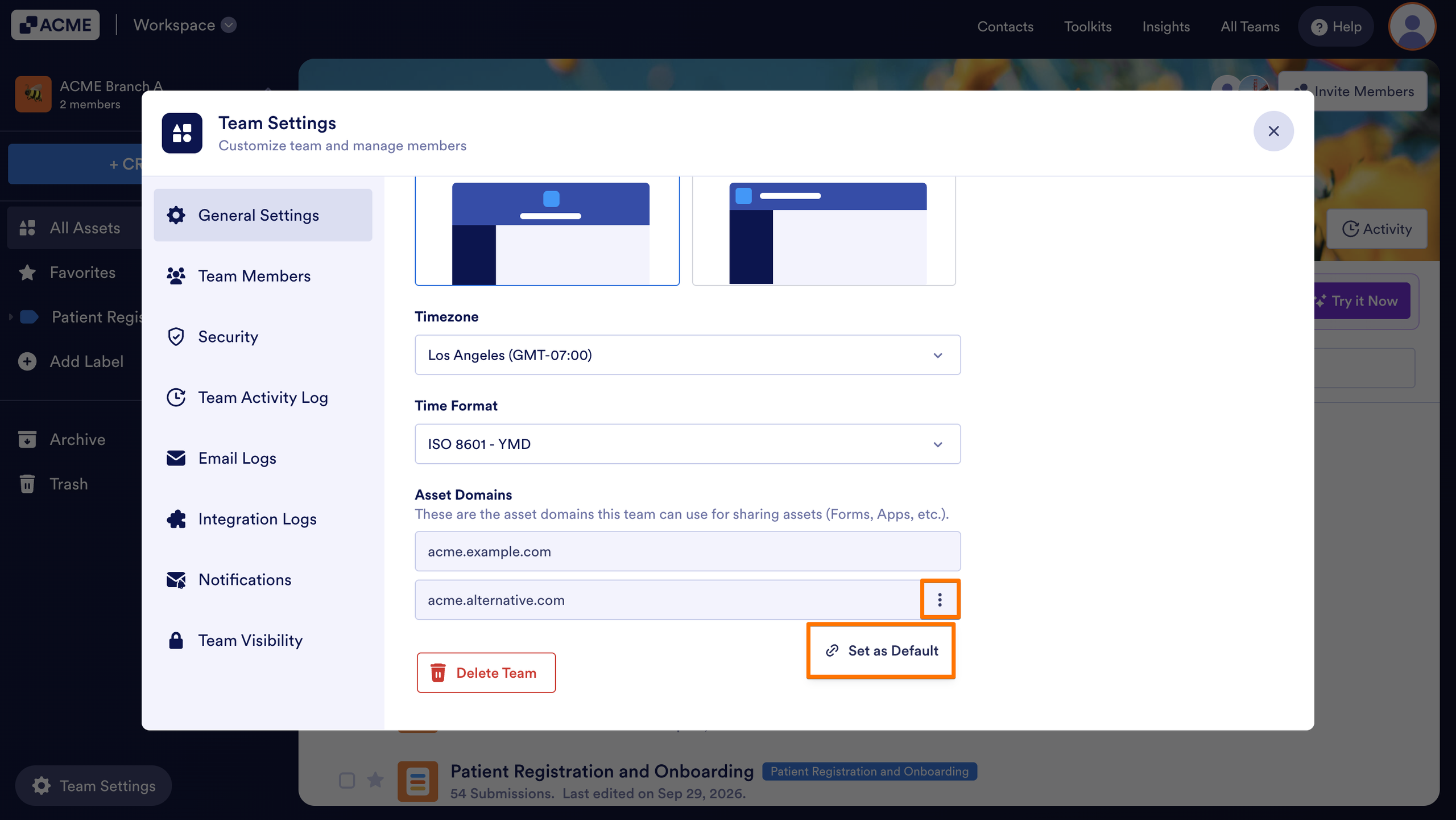
- In the Asset Domain section, find the domain you want to use and click the Three Dots icon.
- Then, select Set as Default.
- Finally, in the popup, click Set as Default.
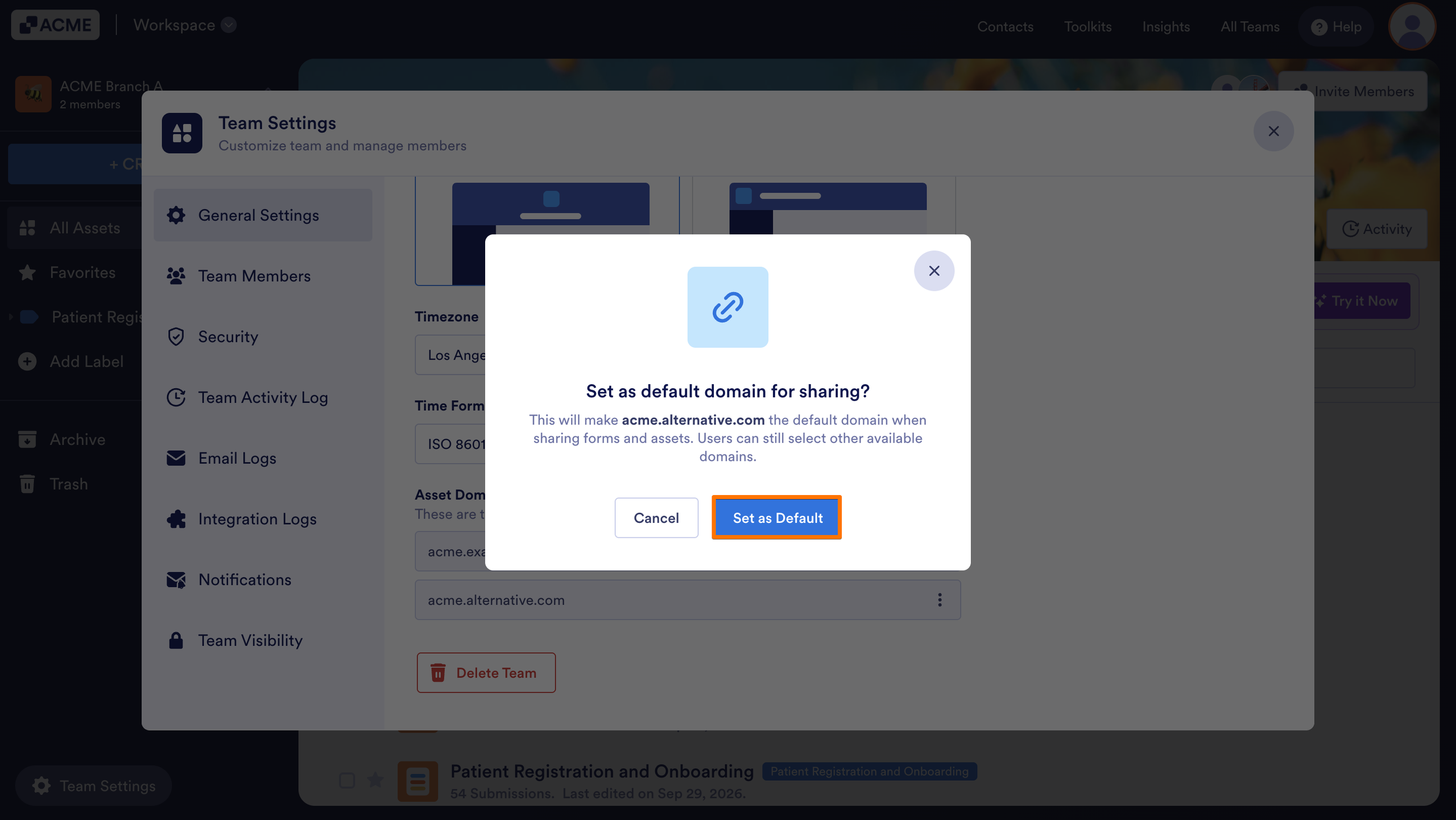
The selected Asset Domain becomes the Team’s default choice for sharing supported assets. Team members can use only the domains made available to their Team through the organization-level access settings.
To learn how asset creators uses an available domain, see the guides below:

Send Comment: