Deleted submissions remain in the Trash section for a set period before they are permanently removed. Restoring deleted submissions is useful when you need to recover important responses, continue managing conversations, or bring back entries that were removed by mistake.
You can restore deleted submissions directly from the Trash section in Inbox. Here’s how to set it up:
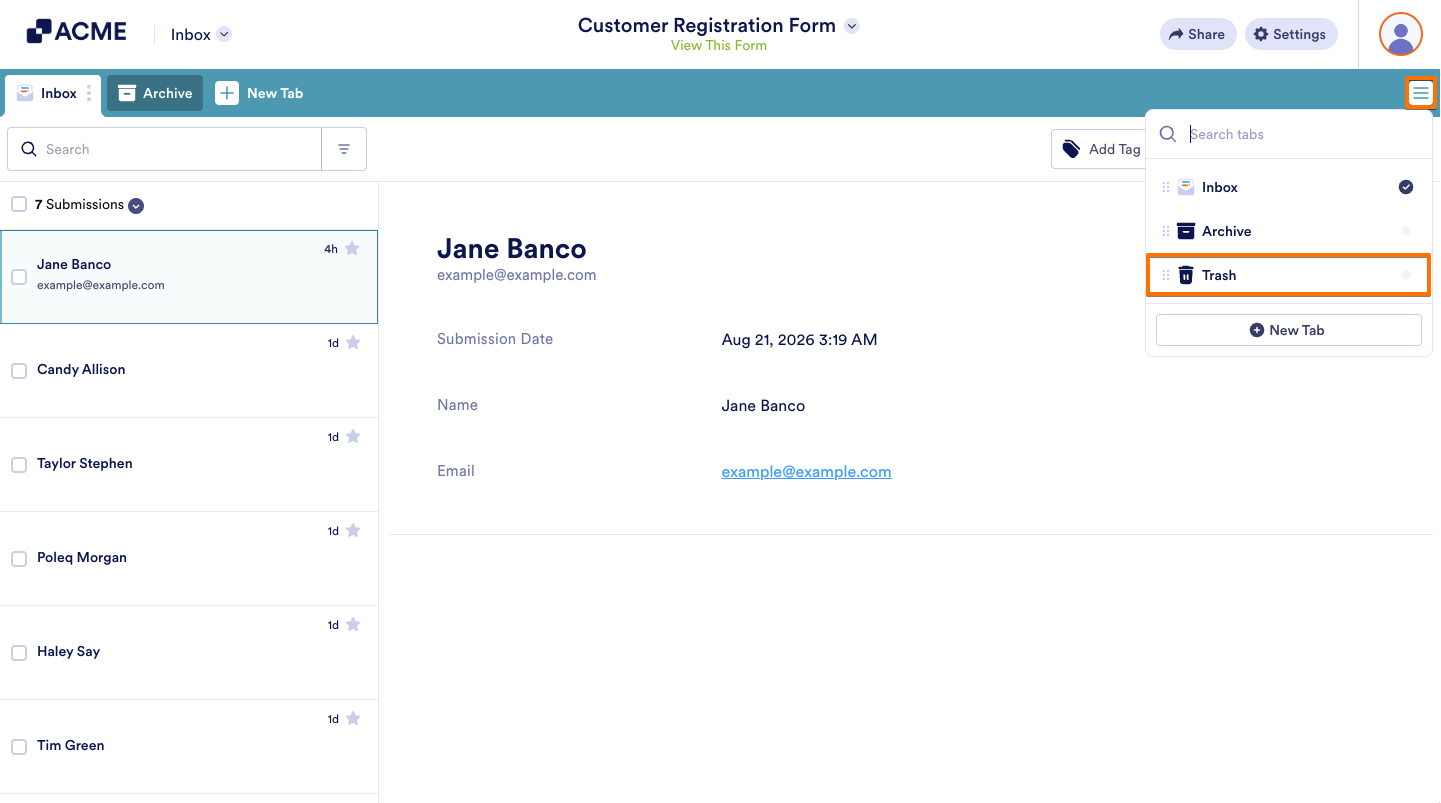
- In Inbox, click on the Three Lines icon on the upper right side of the page.
- Then, in the Dropdown menu, click on Trash to open and add the Trash tab.
- Next, on the left side of the screen, check the boxes next to the submissions you want to restore.
- Now click on the Three Dots icon below the search bar on the upper left side of the page, and then select Restore.
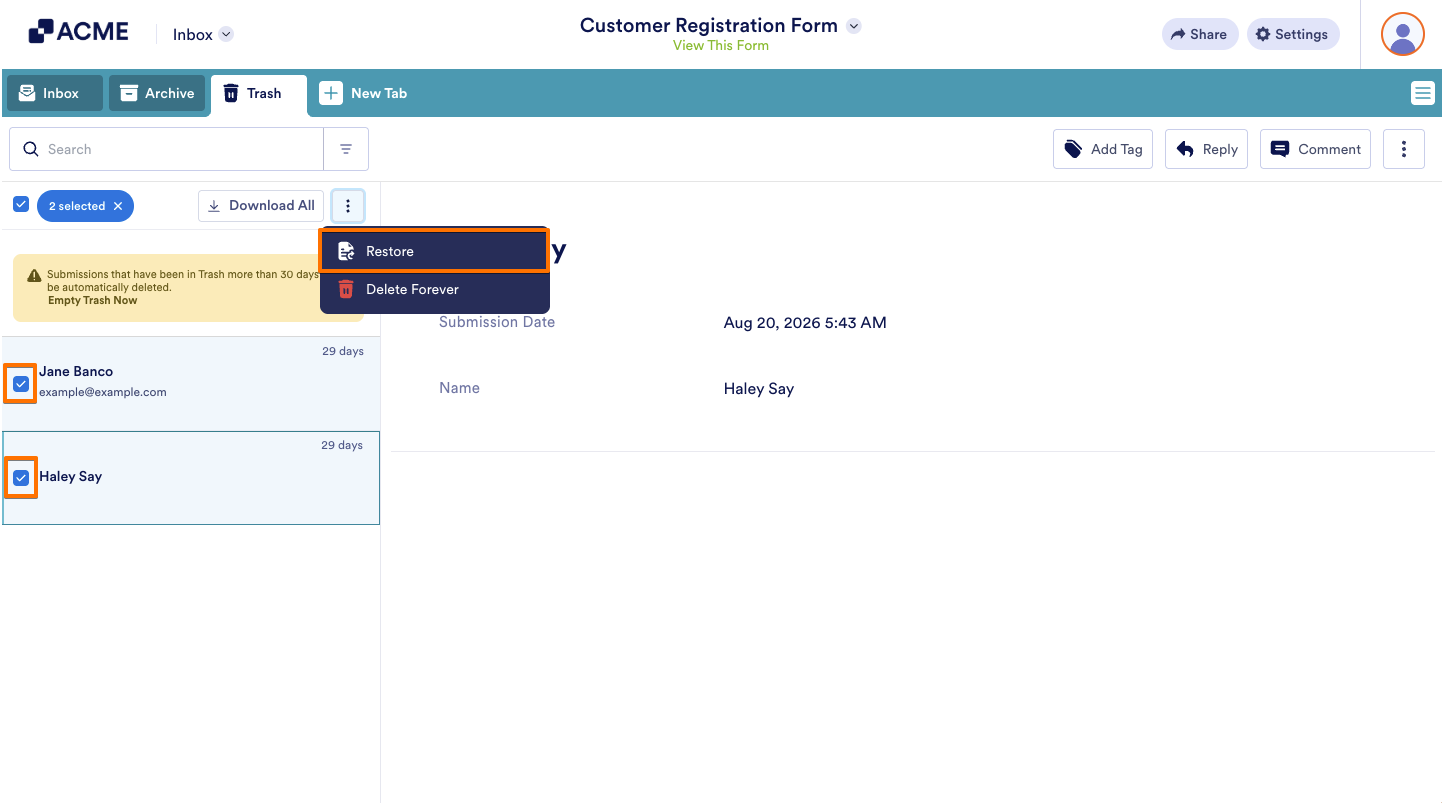
That’s it. Your submissions will automatically be restored to the Inbox section.
Note
Deleted submissions remain in the Trash section for a set period before they are permanently removed.

Send Comment: