Deleting unnecessary submissions helps optimize storage and keeps your account organized. If you accidentally delete submissions, Tables conveniently keeps the entries in Trash for a certain period, allowing you to check and restore them if needed.
Note
Entries in Trash are automatically purged or deleted permanently after 30 days.
To restore deleted submissions:
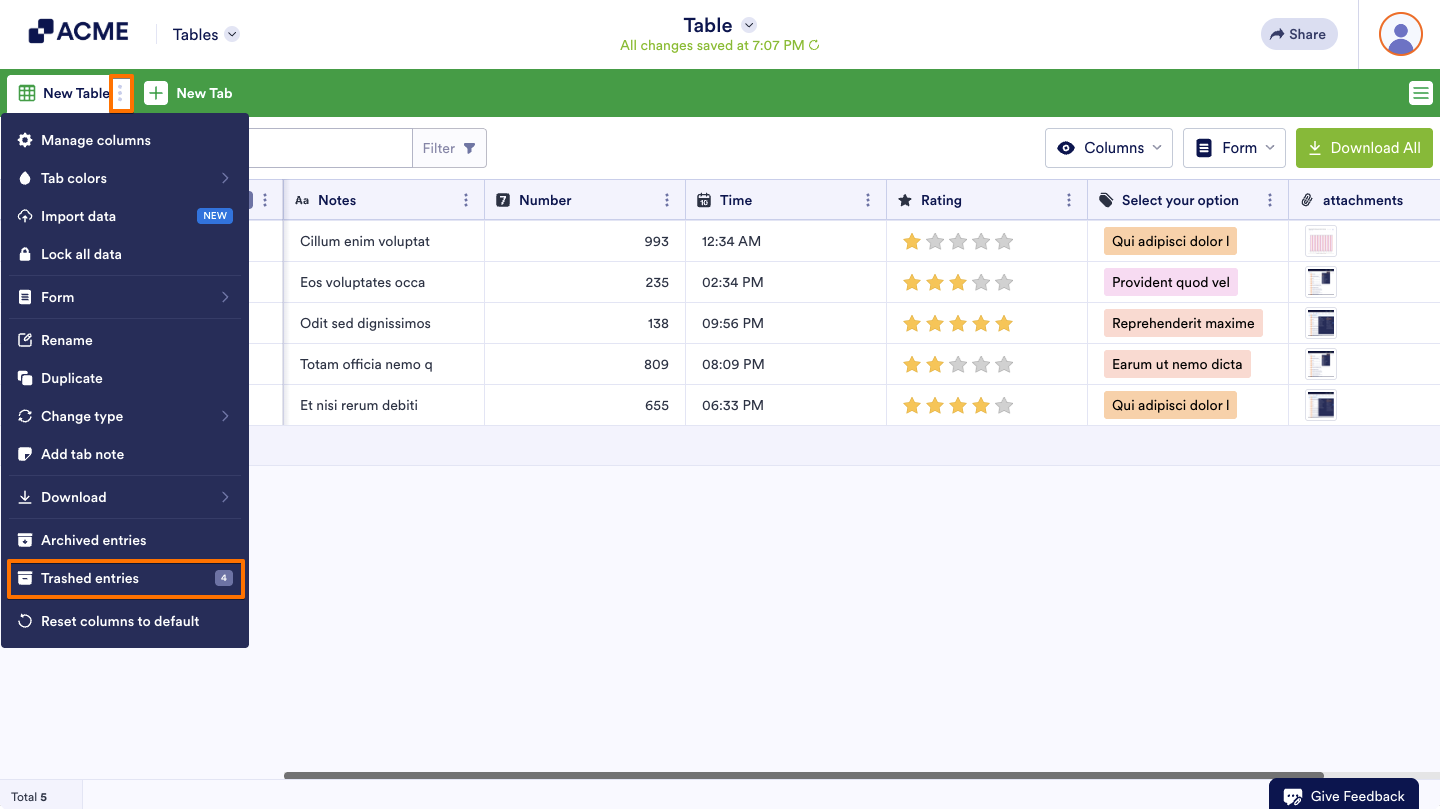
- In Tables, open the tab menu at the top.
- Select Trashed entries.
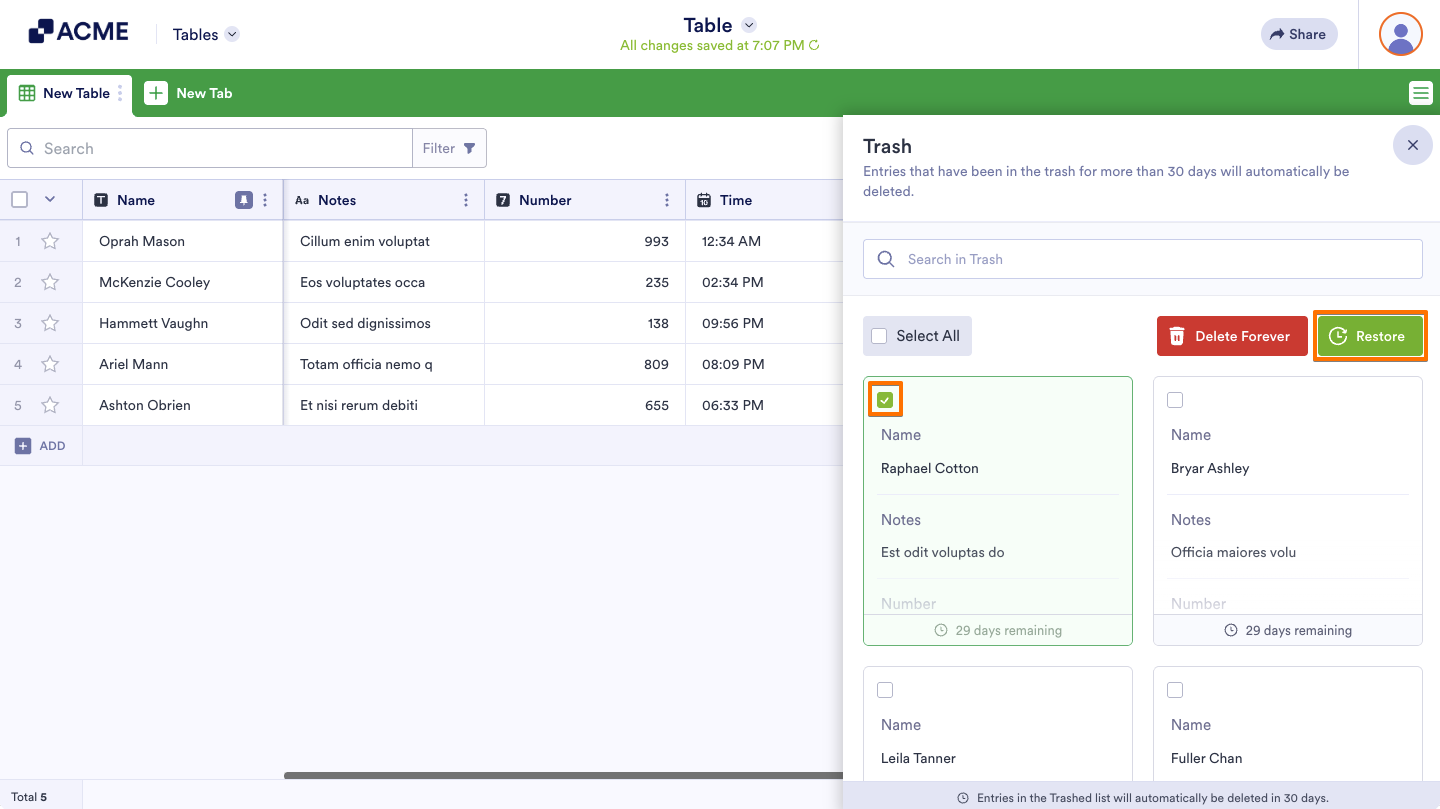
- In Trash, check the boxes of the entries and select Restore.
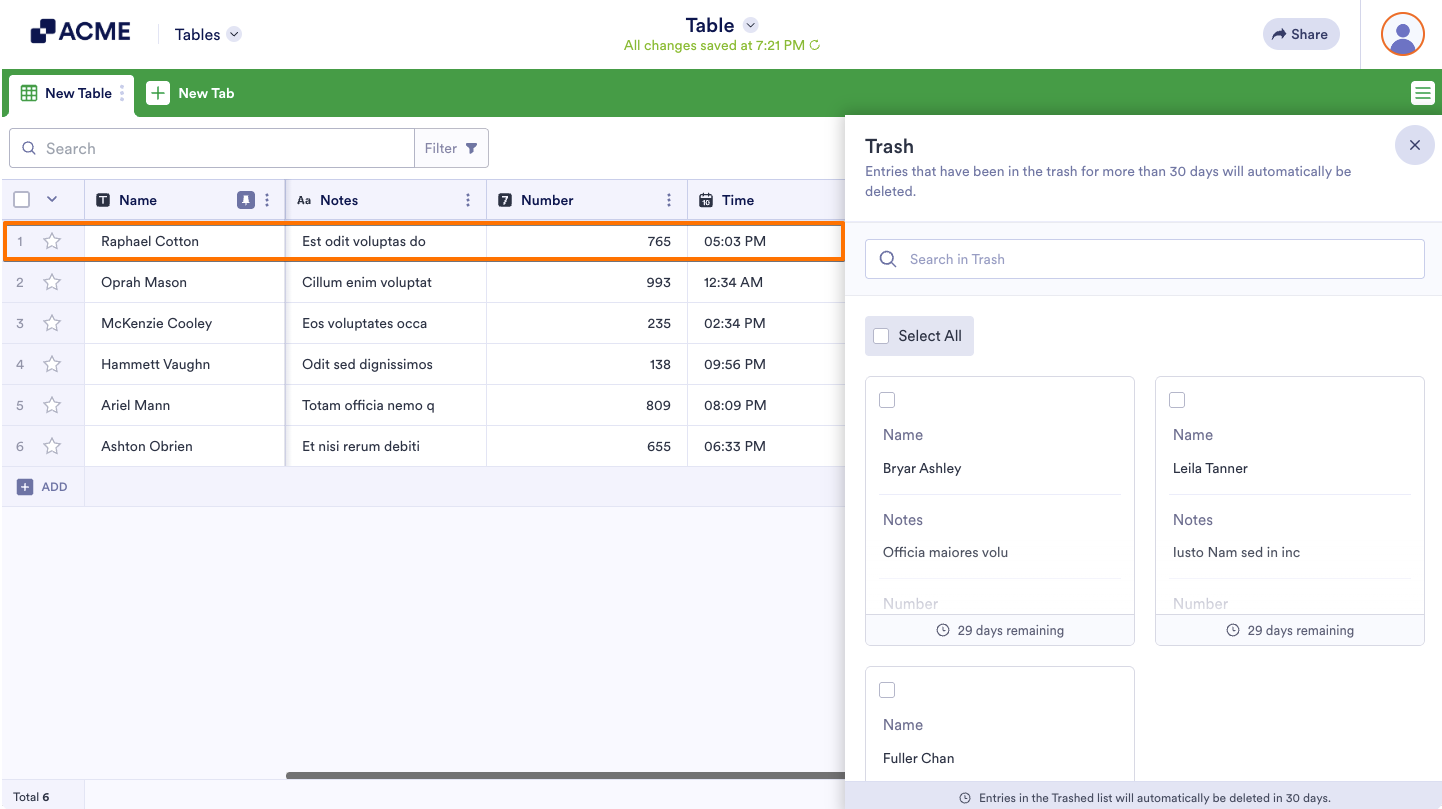
Restored entries will appear at the top until the table is refreshed or sorted.

Send Comment: