How to View the Activity Log of a Team

December 2, 2025

In Jotform Teams, team members can track and monitor the changes and activities of their teams.

Here’s how:

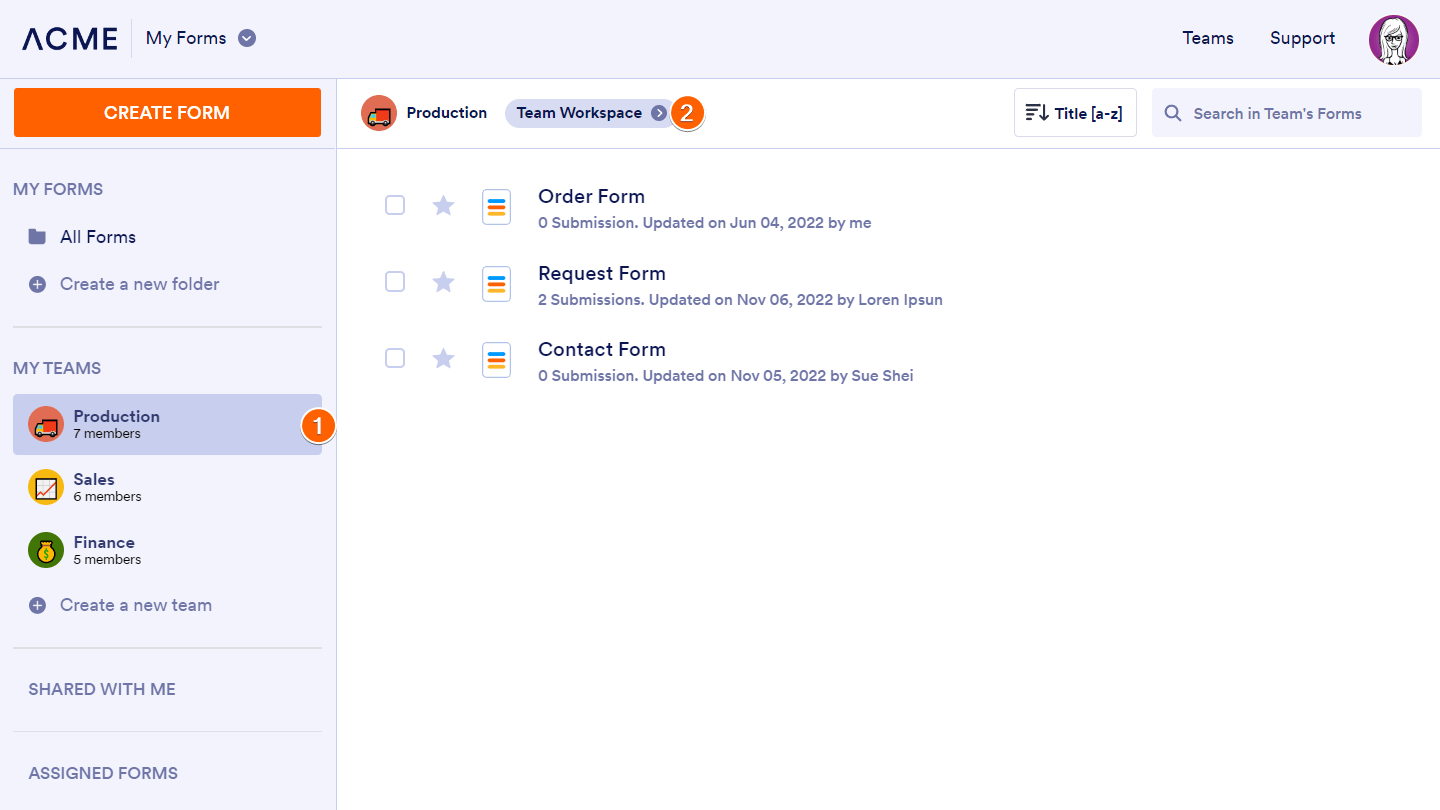
  1. Go to My Forms and select your team on the left.
  2. Click on Team Workspace at the top.
enterprise-my-forms-production-workspace-min
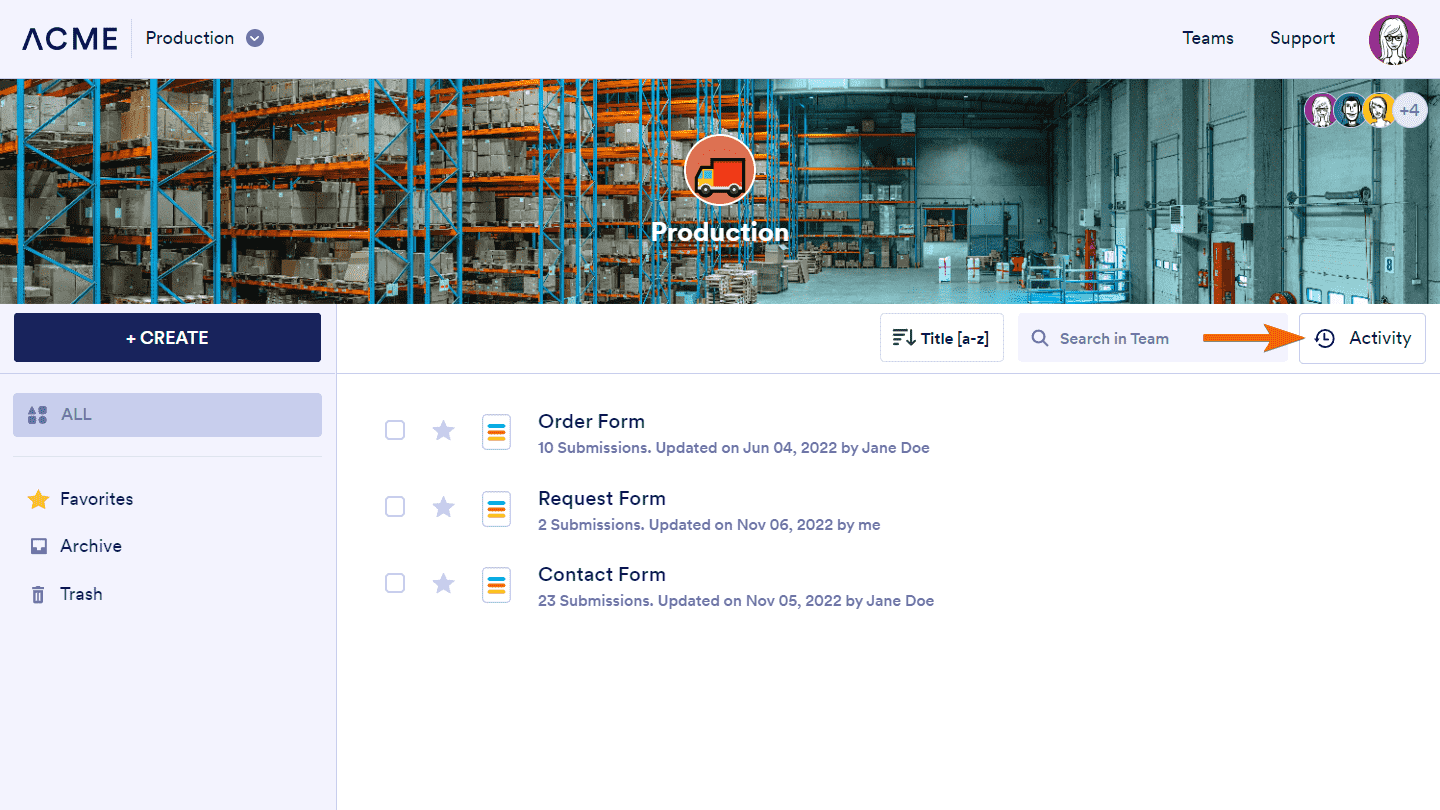
  1. Next, click on Activity on the right.
teams-production-workspace-activity-min

You should now see the latest changes in the Activity panel.
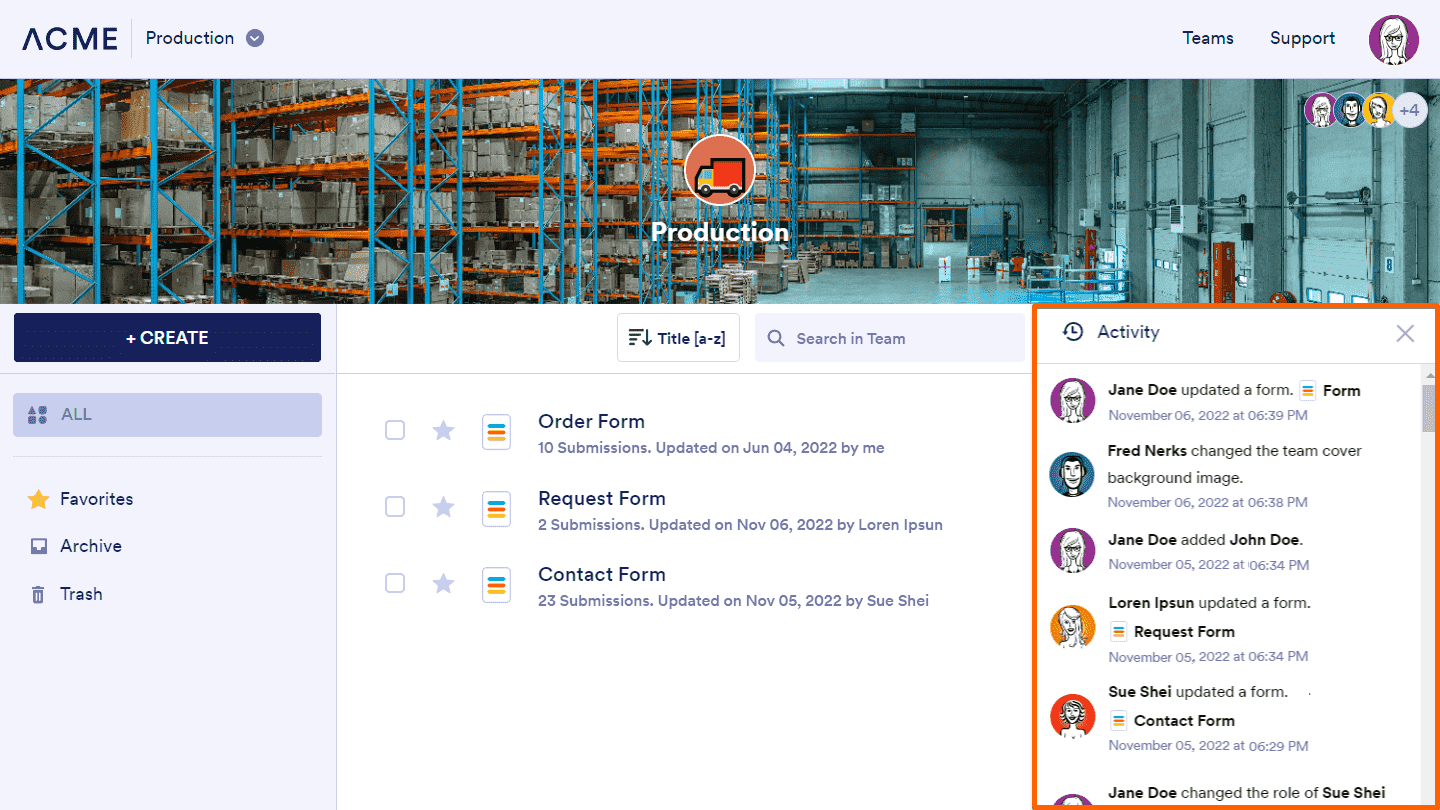
teams-production-workspace-activity-log-min
enterprise-my-forms-production-settings-min-png

For team admins, you can go to Team Settings to filter or download the activity logs.
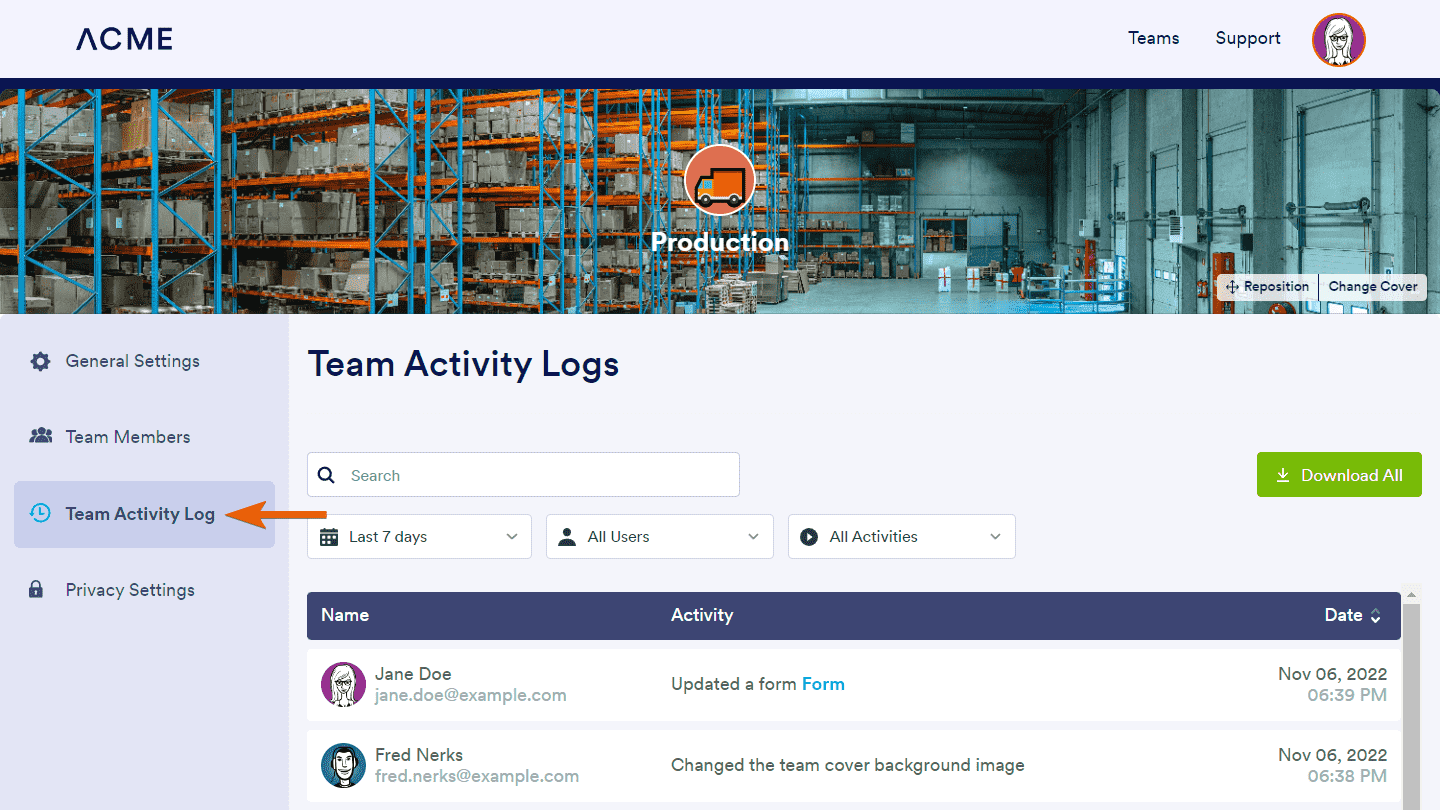
teams-production-activity-log-min

Send Comment:

Jotform Avatar
This site is protected by reCAPTCHA and the Google Privacy Policy and Terms of Service apply.

Podo Comment Be the first to comment.
Still have unanswered questions?

We’re here for you 24/7, anytime you need us day or night. Have a question or need a hand with something? Our team is always ready to help out.