

İnsan Kaynakları (İK) Form Şablonları

İş Başvuru Formu, CV, İnsan Kaynakları Formu
Kısa sürede çok iş başvurusu toplamak istiyorsanız kuşkusuz ihtiyacınız olan şey online iş başvuru formu kullanmaktır. Bu basit iş başvuru formu örneği ile kısa zamanda pek çok insana ulaşabilir, başvurulari kolayca gözden geçirip sizin için en uygun olanlarını ön plana çıkarabilirsiniz. Bu iş talep formu örneğini klonlayabilir ve kendi ihtiyacınıza göre herhangi bir ücret ödemeden kişiselleştirebilirsiniz.
Kategoriye git:İnsan Kaynakları Formları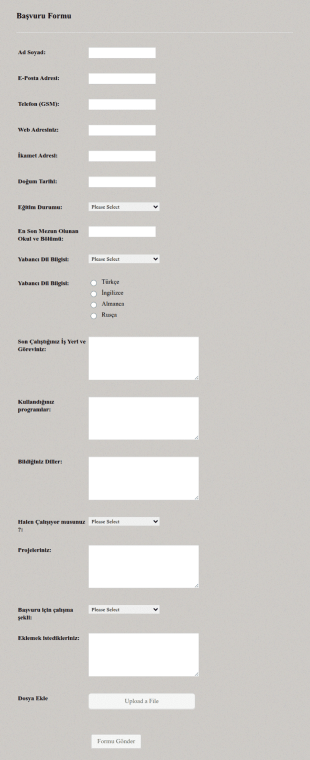
Gunluk Saha Raporu
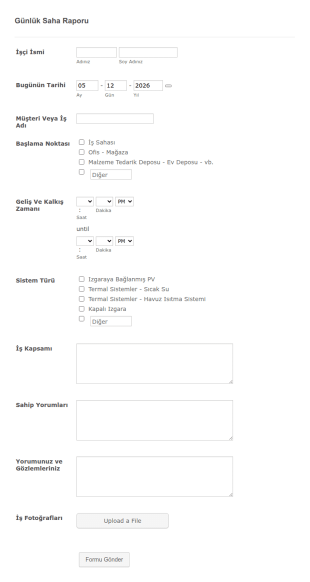
Günlük işleri raporlamak için örnek bir form. Bu günlük çalışma raporu örneği, isim, tarih, müşteri ismi, başlama noktası, geliş ve kalkış zamanı, sistem türü, iş kapsamı, sahip yorumları gibi alanları içerir. Ayrıca, raporu yazan kişi yorum ve gözlemlerini de sizinle paylaşabilecek. Ek olarak da bu günlük iş raporu örneğinde iş fotoğraflarını yükleyebilecekleri bir alan bulunuyor.
Kategoriye git:İş Formları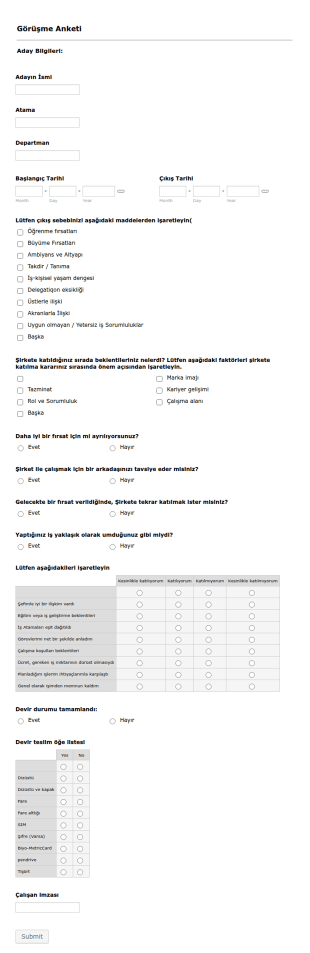
Çıkış Mülakatı Anket Formu
Kuruluşunuzdan ayrılan çalışanınızın düşüncelerini ve nedenlerini bilmek mi istiyorsunuz? Kuruluşunuzda tam olarak neyin geliştirilesi gerektiğini anlamak için onlar tarafından doldurulacak bu formu kullanın.
Kategoriye git:İnsan Kaynakları Formları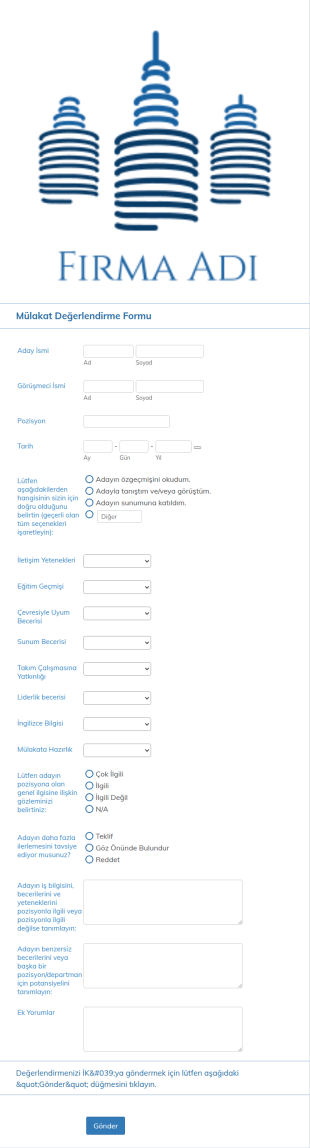
Mülakat Değerlendirme Formu
Mülakat değerlendirme formu, mülakatçıların başvuranların becerilerini, bilgilerini ve niteliklerini değerlendirmesine olanak tanıyan bir değerlendirme formudur.
Kategoriye git:İnsan Kaynakları Formları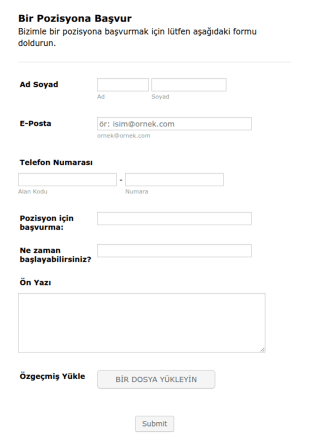
İşe Başvuru Formu
Kolayca müşteri adayları ve uygulamaları için kısa bir iş başvuru formu. İnsan kaynakları departmanınız için oldukça faydalı.
Kategoriye git:İnsan Kaynakları Formları
360 Derece Performans Değerlendirme Formu
Etkili liderlik üzerine yıllık değerlendirmelerde kullanabileceğiniz 360 Derece Değerlendirme Formu.
Kategoriye git:İnsan Kaynakları Formları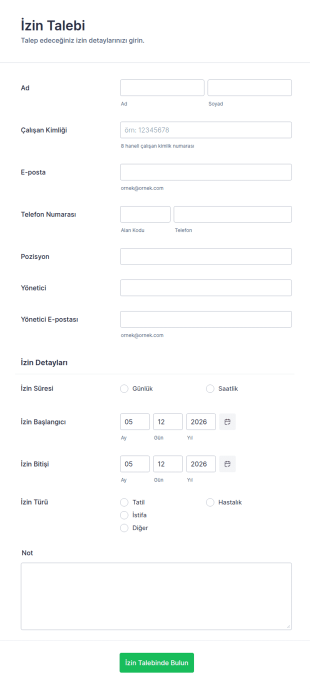
İzin Talep Formu
Şablon, çalışanlardan gerekli tüm bilgileri içeren anlık izin taleplerini toplamanızı sağlar. Jotform ile daha fazla özelleştirilmiş alan da ekleyebilirsiniz.
Kategoriye git:İnsan Kaynakları Formları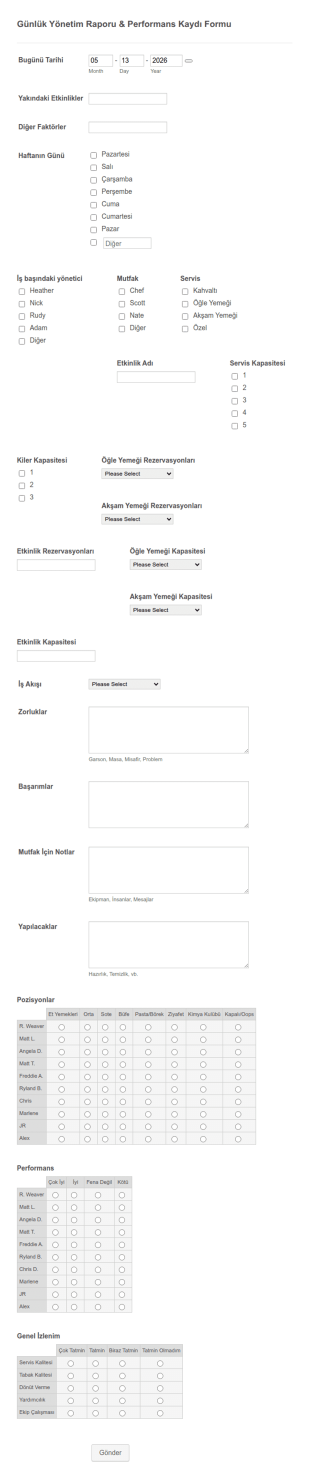
Performans Değerlendirme Formu
Çalışanlarınızın günlük performanslarını değerlendirebileceğiniz pratik bir form
Kategoriye git:İnsan Kaynakları Formları
Personel Avans Formu
Gerekli tüm bilgileri sağlayan Personel Avans Formu ile avans talep sürecinizi hızlandırın ve iyileştirin. Kod gerekmez!
Kategoriye git:İnsan Kaynakları Formları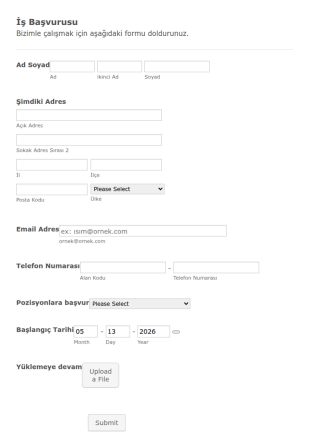
İş Başvuru Ve Bilgi Formu
İş Başvuru ve Bilgi Formu'nu kullanarak iş başvurularını yönetebilirsiniz. Bu form şablonunu gelişmiş biçimlendirme seçenekleri ile özelleştirebilir, dilerseniz şirket logonuzu ekleyerek şirketinize uyumlu hale getirebilirsiniz.
Kategoriye git:İnsan Kaynakları Formları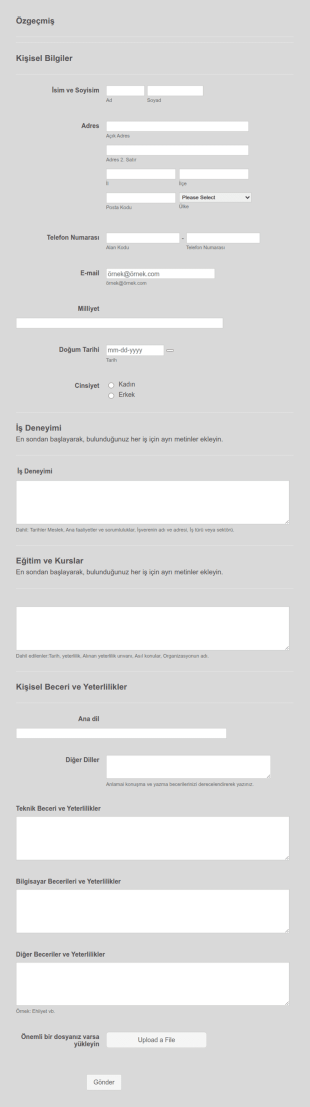
Özgeçmiş Şablon Formu
Bu çevrimiçi formu, özgeçmiş bilgilerini doldurmalarına izin vererek CV'lerinde farklı formatlar gönderen başvuru sahiplerinin problemini çözebilirsiniz.
Kategoriye git:İnsan Kaynakları Formları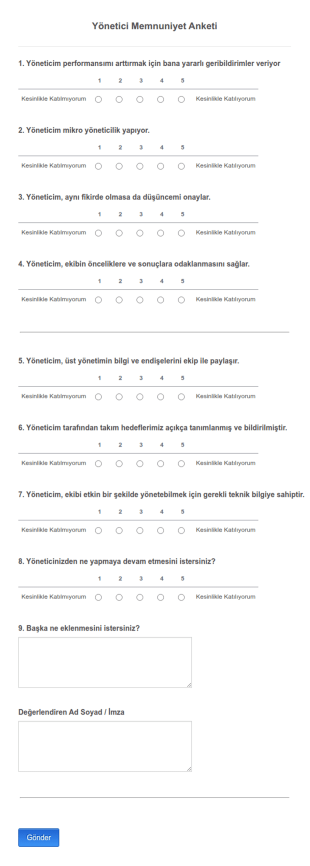
Yönetici Memnuniyeti Anketi
Yöneticilerimizi Değerlendirmek için faydalı olacağına inanıyorum.
Kategoriye git:İnsan Kaynakları Formları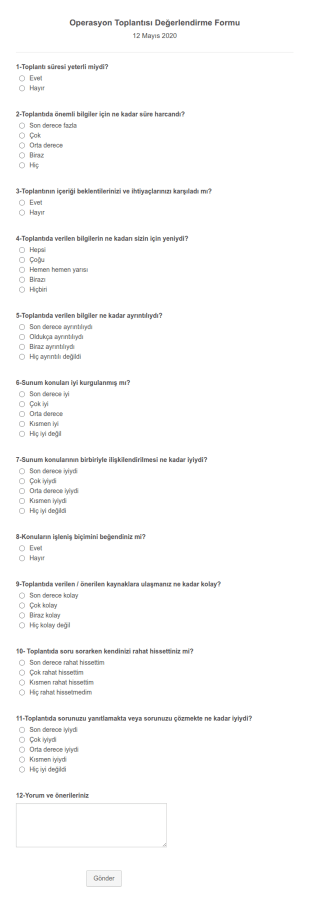
Toplantı Değerlendirme Formu
Toplantılarınızı daha verimli hale getirmenizi sağlamak amacıyla çalışanlarınıdan geri bildirimlerini ve önerilerini toplamanıza yarayan form şablonu.
Kategoriye git:İş Formları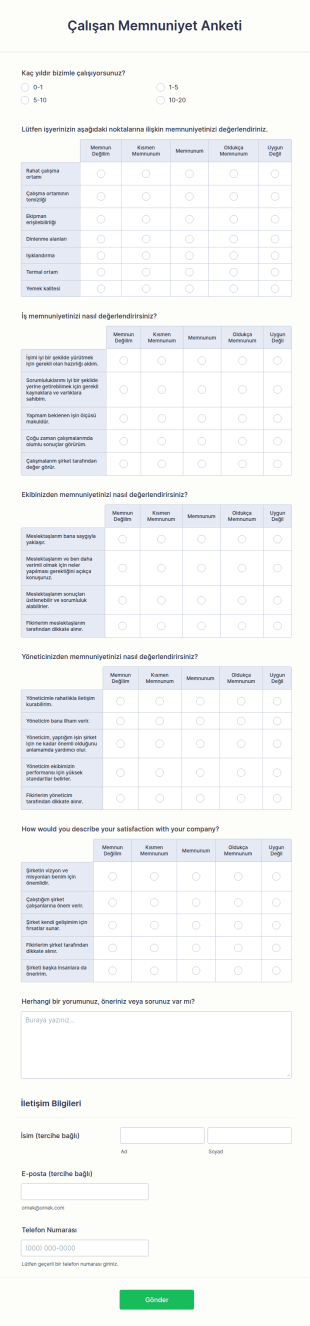
Çalışan Memnuniyet Anketi
Çalışanlarınızın başarısı, verimliliği, mutluluğu ve rahatı işyeriniz için oldukça önemlidir. Çalışanlarınızın iyi şartlar altında çalıştığından emin olmak istemez misiniz? Çalışanlarınızın işyerinde mutlu ve enerjik olmasını istemez misiniz? Çalışan Memnuniyet Anketi tüm bu ihtiyaçlarınız için burada! Çalışan Memnuniyet Anketini kullanarak çalışma şartlarınızı iyileştirebilmek için çalışanlarınızın şirketinizden ne kadar memnun olduklarını öğrenebilirsiniz. Böylelikle, çalışanlarınızın beklentilerini öğrenebilir ve onları daha iyi şartlar altında daha verimli çalışmaları için gereken iyileştirmeleri yapabilirsiniz.Jotform, Çalışan Memnuniyet Anketini ücretsiz bir şekilde sunmaktadır. Formu istediğiniz gibi değiştirmekten, detay ekleyip çıkartmaktan çekinmeyin. İhtiyacınız olan bilgileri toplamak için soruları kişiselleştirmeyi, Google Drive ve DropBox dahil 100’den fazla popüler platformlara formunuzu entegre etmeyi unutmayın. Jotform’un kodlama gerektirmeyen özellikleriyle gelişiminizi hızlandırın. Artık etrafa dağılmış belgelere gerek kalmadı!
Kategoriye git:İnsan Kaynakları Formları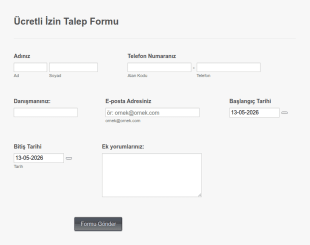
Ücretli İzin Talep Formu
Çalışanlarınızın, izin gün ve saatlerini kolayca yönetmek ve izin zamanlarına yönelik bilgileri toplamanız için bu formu kullanabilirsiniz.
Kategoriye git:İş Formları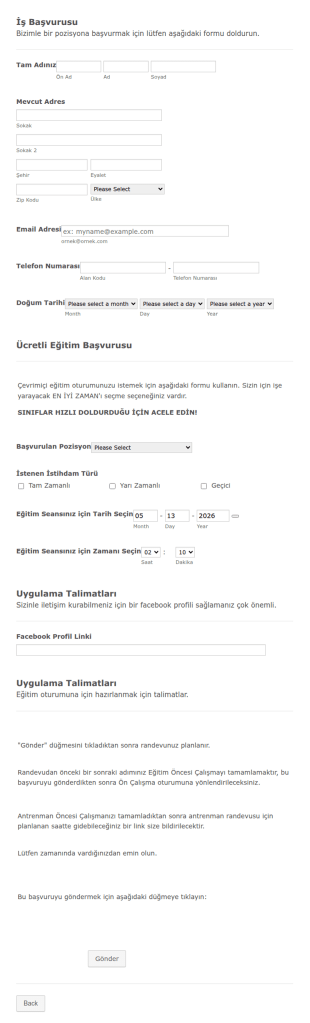
İş Görüşmesi Randevu Formu
Şirketinize gelen iş başvurularını düzene sokmak, görüşme zamanlarını düzenlemek için oldukça kullanışlı bir formdur. Başvuru sahipleri kendileri hakkında gereken tüm bilgileri verebilir ve rande saatini belirleyebilirler.
Kategoriye git:İnsan Kaynakları Formları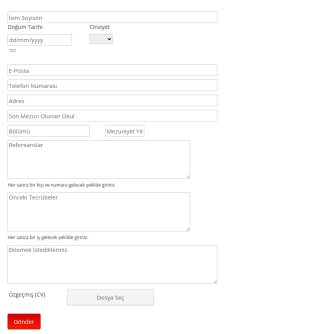
IK Formu
Başvuru yapan kişilerin temel kişisel ve iletişim bilgilerini, eğitim bilgilerini, referans ve tecrübelerini toplayan bir IK Formu.
Kategoriye git:İnsan Kaynakları Formları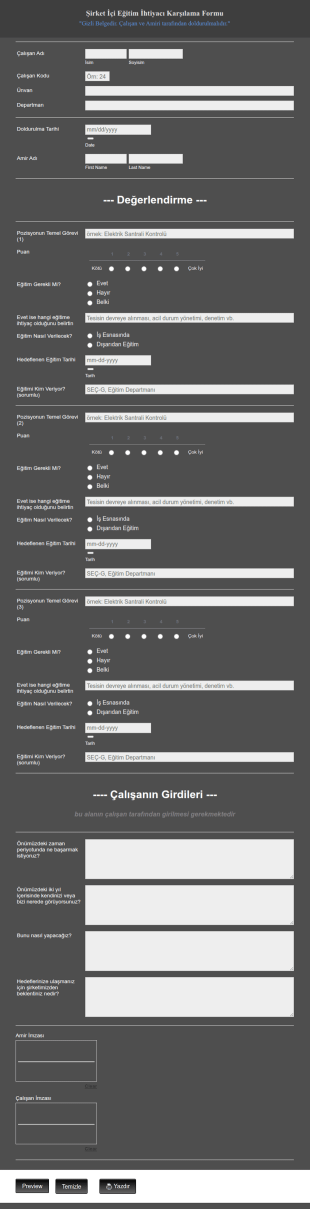
Şirket İçi Eğitim İhtiyacı Belirleme Formu
Şirketlerin veya kurumlarının personellerini eğitmesi gerektiği noktalarda bu ihtiyacın gerekliliğini ve kim tarafından sağlanabileceğinin tespiti noktasında kullanılabilecek bir formdur.
Kategoriye git:İş Formları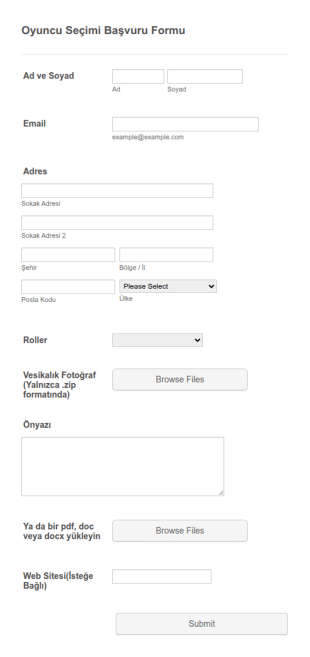
Oyuncu Seçimi Başvuru Formu
Kast ajansı seçimleri için oluşturulan formun içinde oyuncu adaylarının bilgileri, adresleri, seçmek istedikleri roller ve fotoğraflarını yüklemeleri için gerekli alanlar bulunuyor.
Kategoriye git:Spor Kayıt Formları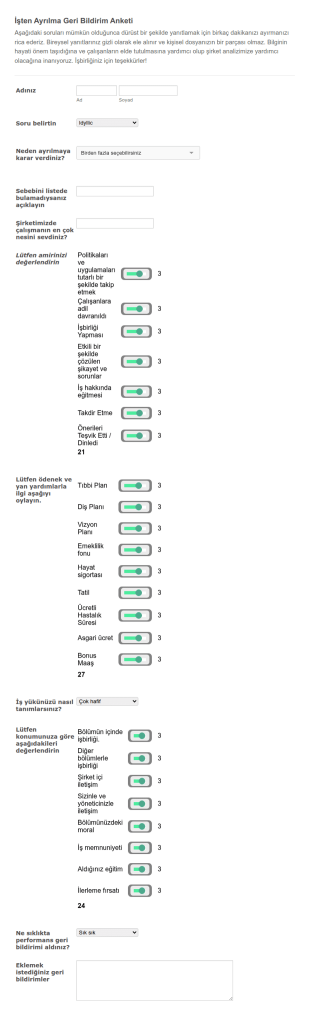
İşten Ayrılma Geri Bildirim Formu
Çalışanın ayrılması durumunda sebeplerinin öğrenip ileriye dönük aksiyon alınabilmesini sağlayan bir formdur.
Kategoriye git:İş Formları
Temizlik İş Başvuru Formu
Temizlik firmanıza özel çalışan ihtiyacınız için detaylı iş ilanı formu.
Kategoriye git:İnsan Kaynakları Formları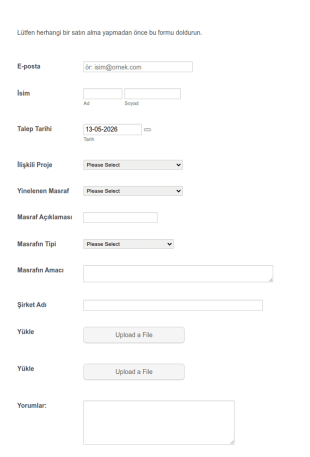
Harcama Talep Formu
Harcamaları takip etmek ister misiniz? Bu harcama talebi formu herhangi bir satın alma işleminde izin almak için kullanılacak. Bu form şablonu iletişim bilgilerini, istek tarihini, ilgili projeyi, abonelik, harcama türü ve amacını içerir.
Kategoriye git:İnsan Kaynakları Formları
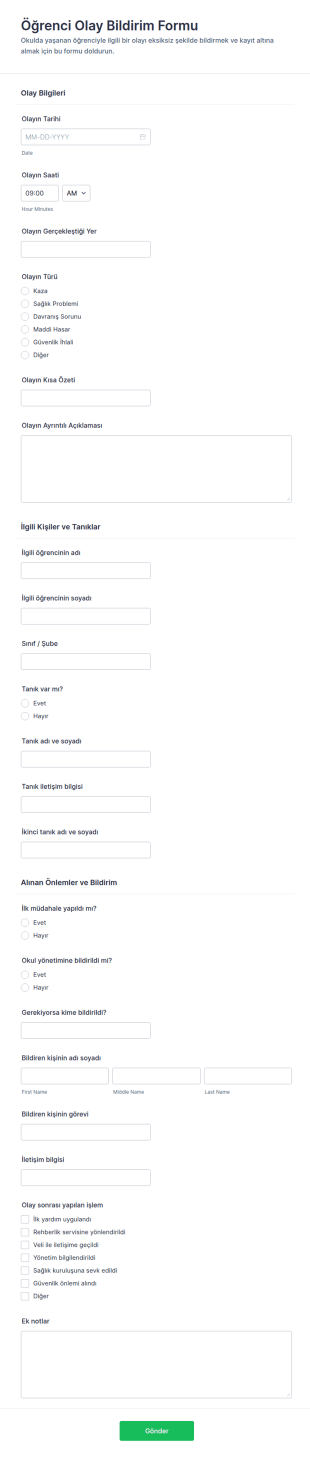
Öğrenci Olay Bildirim Formu
Okullarda yaşanan öğrenci olaylarını kayıt altına almak, tanık ve bildirim süreçlerini tek merkezde toplamak ve veri toplama düzenini güçlendirmek için Öğrenci Olay Bildirim Formu kullanın.
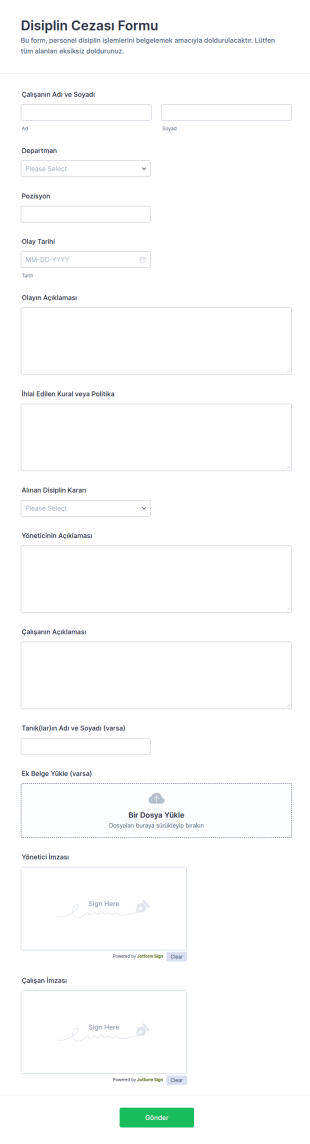
Disiplin Cezası Formu
Disiplin Cezası Formu, iş yerindeki disiplin olaylarını belgelemek, karar sürecini kayıt altına almak ve veri toplama düzenini korumak isteyen yöneticiler ve personel birimleri için hazırlanmış bir form şablonudur.
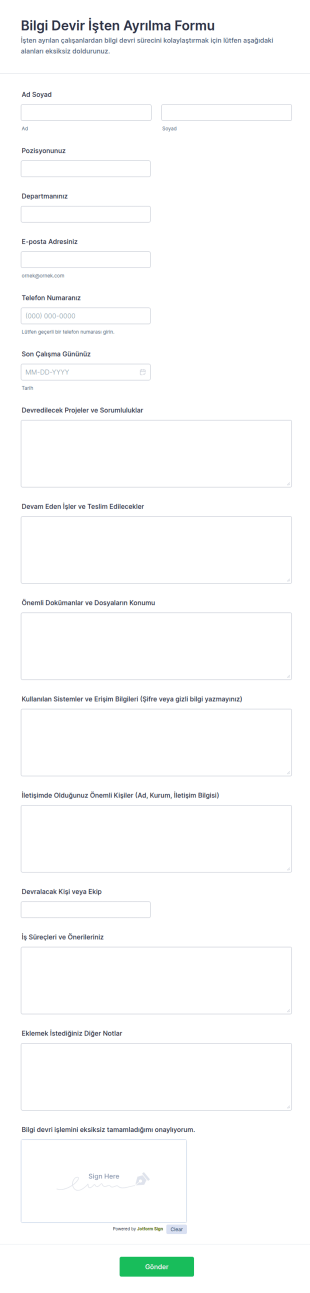
Bilgi Aktarımı Kapanış Formu 🎓
Bilgi Devir ve İşten Ayrılma Formu, çalışan ayrılıklarında devir teslim sürecini netleştirmek isteyen ekipler için veri toplama ve form yanıtı takibini tek yerde toplayan pratik bir form şablonudur.
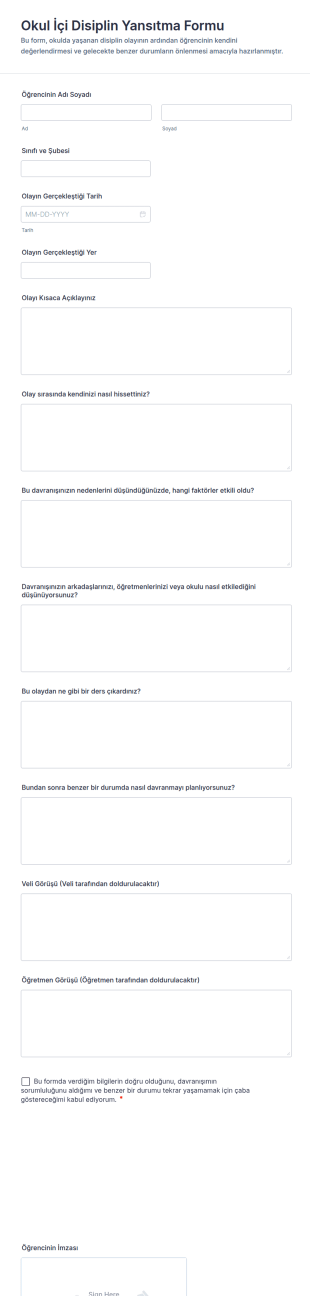
Okul İçi Disiplin Yansıtma Formu
Okul İçi Disiplin Yansıtma Formu, okulda yaşanan disiplin olayları sonrası öğrencinin yansıtma yapmasını, veli ve öğretmen görüşlerinin toplanmasını ve Jotform ile veri toplama sürecinin düzenli yürütülmesini destekler.
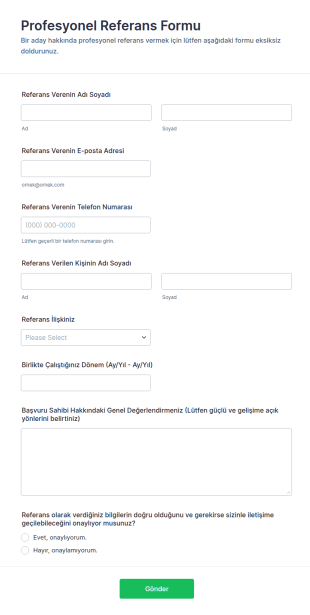
Profesyonel Referans Formu
Profesyonel Referans Formu, işverenlerin ve İK ekiplerinin adaylar hakkında referans bilgilerini standart şekilde toplamasına, değerlendirmesine ve işe alım süreçlerine entegre etmesine yardımcı olur.
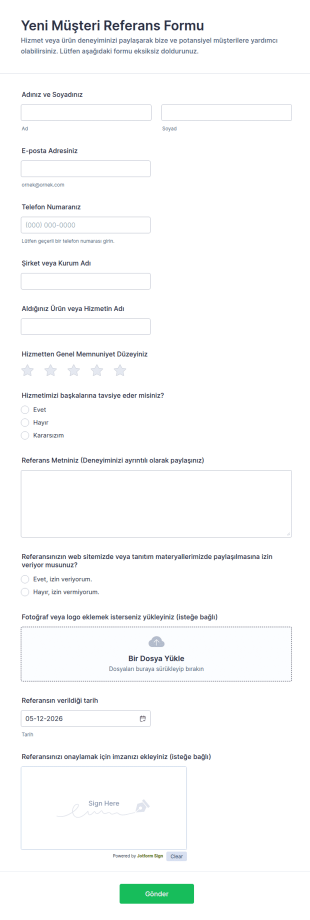
Yeni Müşteri Referans Formu
Yeni Müşteri Referans Formu, müşterilerden onaylı referans ve geribildirim toplayarak web siteniz ve tanıtım çalışmalarınız için güvenilir içerik üretmenize yardımcı olur.
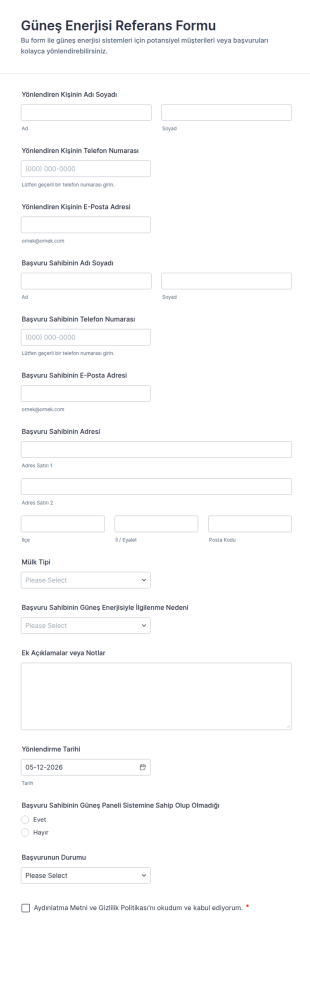
Güneş Enerjisi Referans Formu
Güneş Enerjisi Referans Formu, yönlendirmeleri tek merkezde toplayıp takip etmeyi kolaylaştırır ve güneş enerjisi firmalarının veri toplama ile form yanıtı yönetimini daha düzenli yürütmesine yardımcı olur.
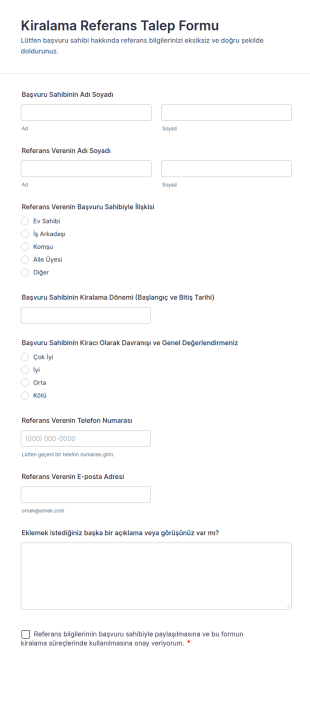
Kiralama Referans Talep Formu
Kiralama Referans Talep Formu, emlak profesyonellerinin ve mülk sahiplerinin kiracı adayları için önceki ev sahiplerinden referans toplayarak kiralama kararlarını daha güvenilir verilere dayandırmasına yardımcı olur.
İnsan Kaynakları (İK) Form Şablonları Hakkında
İnsan kaynakları formları, şirketin insan kaynakları departmanının işe alım ve çalışan yönetimi için kullandığı belgelerdir. Jotform'un online insan kaynakları form şablonları ile İK departmanınız çalışan bilgilerini, işe alım doğrulamasını, iş memnuniyetini, özgeçmiş gönderimlerini, iş başvurularını ve izin taleplerini yönetebilir. Ücretsiz düzenlemek için aşağıdaki şablondan birini seçerek başlayın.
Jotform, insan kaynakları (İK) formları oluşturmak ve yönetmek için önde gelen online form oluşturucudur. Kullanıcı dostu arayüzüyle Jotform, İK profesyonellerinin formları zahmetsizce özelleştirmesine ve belirli kurumsal ihtiyaçlara göre uyarlamasına olanak tanır. Platformun veri toplama süreçlerini otomatikleştirme özelliği, bilgilerin tutarlı ve doğru şekilde elde edilmesini sağlayarak hata riskini azaltır. Ayrıca Jotform Tablolar, merkezi veri yönetimi sunarak İK ekiplerinin verileri tek ve güvenli bir konumdan düzenlemesine, analiz etmesine ve erişmesine olanak tanır. Bu kapsamlı çözüm, İK departmanlarının verimliliğini artırmasını ve stratejik İK girişimlerine daha fazla odaklanmasını sağlar.
Neden İnsan Kaynakları (İK) Formları Kullanmalısınız?
- İnsan kaynakları (İK) formları, insan hatalarına açık olan manuel veri girişi ihtiyacını ortadan kaldırarak veri doğruluğunu önemli ölçüde artırır. Kuruluşlar, çalışanların dijital formları doldurmasını sağlayarak elde edilen verilerin kesin ve güvenilir olmasını temin eder ve bu da daha iyi karar alma süreçlerine yol açar.
- İnsan kaynakları formlarıyla veri toplama hızı büyük ölçüde artar. Dijital insan kaynakları formları, geleneksel kağıt formların aksine bilgilerin anında gönderilip işlenmesine olanak tanır. Böylece İK ekipleri, ister yeni çalışanların işe alımı ister izin taleplerinin işlenmesi olsun, aldıkları veriler üzerinde hızla harekete geçebilir.
- Profesyonel veri işleme, insan kaynakları formlarının en belirgin özelliğidir ve hassas çalışan bilgilerini yönetmek için yapılandırılmış bir yaklaşım sunar. İnsan kaynakları formları, veri koruma ve gizlilik konusundaki sektör standartlarına uyarak toplanan tüm verilerin en üst düzeyde özen ve güvenlikle işlenmesini sağlar.
- İK formları, çalışanlar ile İK departmanları arasında kusursuz iletişimi kolaylaştırır. Soruları, geribildirimleri ve talepleri göndermek için merkezi bir platform sağlayan bu formlar, iletişim kanallarını kolaylaştırmaya yardımcı olur ve tüm tarafların aynı fikirde olmasını sağlar.
- Rutin İK görevlerinin otomasyonu dijital formlarla mümkün hale gelir. Kuruluşlar, İK formlarını mevcut sistemler ve iş akışlarıyla entegre ederek e-posta onayları göndermek veya çalışan kayıtlarını güncellemek gibi tekrarlayan görevleri otomatikleştirebilir, böylece İK profesyonelleri için değerli zaman kazanır.
İnsan Kaynakları (İK) Formlarıyla Çözülen Yaygın Sorunlar
- İK departmanlarının karşılaştığı temel sorunlardan biri, verimsizliklere ve belgelerin kaybolmasına yol açabilen ezici miktardaki evrak işidir. İK formları bu evrak işini dijitalleştirir, böylece yönetimi kolaylaşır ve belgelerin kaybolma riski azalır.
- Çalışan verilerinin elle girilmesi yalnızca zaman alıcı olmakla kalmaz, aynı zamanda hata olasılığını da artırır. İK formları bu süreci otomatikleştirir, böylece bilgiler doğru bir şekilde yakalanır ve tekrarlayan veri girişi ihtiyacı azalır.
- Kaybolan veriler, özellikle uyumluluk ve çalışan yönetimi söz konusu olduğunda bir kuruluş için önemli sonuçlar doğurabilir. İK formları, verileri depolamak ve yönetmek için güvenli ve güvenilir bir yol sunar, böylece tüm bilgiler korunur ve gerektiğinde kolayca erişilebilir.
- Çalışan taleplerini ve onaylarını standart bir süreç olmadan takip etmek zor olabilir. İK formları, yanıtlar ve onaylar için yapılandırılmış bir format sağlayarak bu iş akışlarını kolaylaştırır ve hiçbir şeyin gözden kaçmamasını sağlar.
Kullanım Senaryolarını Özelliklerle Eşleştirme
- Sürükle-Bırak Form Oluşturucu, İK formlarını belirli departman ihtiyaçlarına göre özelleştirmek için idealdir. İK profesyonelleri, performans değerlendirmeleri veya çalışan geribildirimi gibi çeşitli amaçlar için formları uyarlamak üzere alanları kolayca ekleyebilir, kaldırabilir veya değiştirebilir, böylece gerekli tüm bilgiler verimli bir şekilde toplanır.
- İK formlarındaki Koşullu Mantık, dinamik form etkileşimlerine olanak tanıyarak kullanıcı deneyimini daha kullanımı kolay hale getirir. Örneğin, formlar önceki yanıtlara göre belirli soruları gösterecek şekilde ayarlanabilir, böylece veri toplama süreci kolaylaşır ve çalışanlardan yalnızca ilgili bilgiler istenir.
- 30'dan fazla Ödeme Ağ Geçidi ile İK formları, çalışan geri ödemeleri veya etkinlik kayıtları gibi işlemleri kolaylaştırabilir. Kuruluşlar, bu ağ geçitlerini dahil ederek finansal işlemleri doğrudan form içinde yönetebilir, böylece kolaylık ve verimlilik sağlar.
- Elektronik İmzalar (Jotform İmza), İK departmanlarının yasal olarak bağlayıcı imzaları doğrudan formlar üzerinden toplamasına olanak tanır. Bu özellik, sözleşmeler ve anlaşmalar için özellikle faydalıdır ve tüm belgelerin zamanında tamamlanıp imzalanmasını sağlar.
- PDF Düzenleyici, form yanıtlarından profesyonel belgeler oluşturarak otomatik PDF oluşturmaya olanak tanır. Bu, çalışan kayıtları, sözleşmeler veya raporlar oluşturmak için özellikle faydalıdır ve tüm belgelerin tutarlı ve kolayca paylaşılabilir olmasını sağlar.
- Jotform's 100+ Third-party Integrations, such as with Google Sheets or Salesforce, enhance workflow efficiency by ensuring that data collected through HR forms is seamlessly integrated into existing systems. This connectivity allows for real-time data updates and streamlined operations.
- Onay İş Akışları, formların gerekli onaylar için yönlendirilmesini kolaylaştırır, böylece izin başvuruları veya masraf talepleri gibi istekler zamanında uygun şekilde incelenir ve yetkilendirilir.
İnsan Kaynakları Formu Nasıl Oluşturulur
- İnsan Kaynakları (İK) şablonu için Şablon Listesi'ne göz atın veya boş bir formla başlayın. Bu adım, kuruluşunuzun gereksinimlerine en uygun başlangıç noktasını seçmenize olanak tanır.
- Sürükle-Bırak Form Oluşturucu'yu kullanarak tasarımı ve alanları özelleştirin. Bu kullanımı kolay süreç, belirli veri toplama ihtiyaçlarınızı karşılayan bir form oluşturmak için alanlar eklemenize veya değiştirmenize olanak tanır.
- Direkt Bağlantı, E-posta veya Web Sitesine Yerleştirme yoluyla yayınlayın ve paylaşın. Bu, formunuzun tüm hedef katılımcılar tarafından kolayca erişilebilir olmasını sağlayarak sorunsuz veri toplanmasını kolaylaştırır.
İnsan Kaynakları (İK) Formları için Başlıca Kullanım Alanları
- Yöneticiler İçin: Yöneticiler, çalışan değerlendirmelerini, hedef belirlemeyi ve geribildirim toplamayı kolaylaştırmak için İK formlarından yararlanabilir. Dijital formları kullanarak yöneticiler, değerlendirmelerin tutarlı bir şekilde yapılmasını ve geribildirimin yapılandırılmış bir şekilde toplanmasını sağlayabilir. Bu, yalnızca performans değerlendirme sürecini geliştirmekle kalmaz, aynı zamanda çalışanın gelişim ve büyüme alanlarını belirlemeye de yardımcı olur.
- Ekipler İçin: Ekipler, kolaylaştırılmış iletişim ve iş birliği sayesinde İK formlarından yararlanır. Ekip geribildirim anketleri veya departmanlar arası talepler gibi formlar, verimli bilgi alışverişini kolaylaştırır ve tüm ekip üyelerinin kurumsal hedeflerle uyumlu olmasını sağlar. Bu iş birlikçi yaklaşım, uyumlu bir çalışma ortamını besler ve ekip sinerjisini teşvik eder.
- Müşteriler İçin: Öncelikli olarak dahili kullanım için tasarlanmış olsalar da İK formları, İK ile ilgili soruların ve süreçlerin sorunsuz ve profesyonel bir şekilde ele alınmasını sağlayarak müşteri etkileşimlerini de geliştirebilir. Örneğin, formlar müşteri eğitim oturumlarını yönetmek veya İK hizmet sunumu hakkında geribildirim toplamak için kullanılabilir, böylece müşteri beklentilerinin karşılanması ve aşılması sağlanır.
İnsan Kaynakları (İK) Formlarını Özetleme
İnsan kaynakları (İK) formları, modern İK yönetiminin hayati bir bileşenidir ve veri toplamayı kolaylaştırmak, iletişimi güçlendirmek ve rutin görevleri otomatikleştirmek için kapsamlı bir çözüm sunar. Kuruluşlar dijital formları benimseyerek İK ekiplerinin üzerindeki idari yükü önemli ölçüde azaltabilir ve böylece iş başarısını yönlendiren stratejik girişimlere odaklanmalarını sağlayabilir. Jotform'un güçlü özellikleri ve entegrasyonları sayesinde İK departmanları, iş akışlarını verimli şekilde yönetmek için gereken araçlarla donatılır ve çalışan verilerinin hassasiyet ve güvenlikle işlenmesi sağlanır.
Sıkça Sorulan Sorular
1) Is it free to create Human Resources (HR) Forms on Jotform?
Evet, Jotform temel özelliklerle İnsan Kaynakları (İK) Formları oluşturmanıza ve kullanmanıza olanak tanıyan ücretsiz bir plan sunar. Ancak daha gelişmiş özellikler ve daha yüksek yanıt limitleri için ücretli planlardan birine geçiş yapmayı değerlendirebilirsiniz.
2) Formlar ve gönderilen veriler güvenli mi?
Kesinlikle. Jotform veri güvenliğine öncelik verir ve tüm formların ve gönderilen verilerin yetkisiz erişime karşı korunmasını sağlamak için SSL şifrelemesi gibi endüstri standardı önlemler uygular.
3) Do I need coding knowledge to build a Human Resources (HR) Form?
Hayır, Jotform'da İnsan Kaynakları (İK) formları oluşturmak için kodlama bilgisine ihtiyacınız yoktur. Platformun kullanımı kolay sürükle-bırak Form Oluşturucusu, formları zahmetsizce oluşturmanıza ve özelleştirmenize olanak tanır.
4) Ödemeleri doğrudan formlarım aracılığıyla toplayabilir miyim?
Jotform'un ücretsiz şablonlarından birini kullanarak dakikalar içinde bir İK formu oluşturabilirsiniz! Şablon rehberimize gidin ve ihtiyaçlarınıza en uygun şablonu seçin. Şablonu kullanımı kolay online form oluşturucumuzda özelleştirmeyi tamamladığınızda anında doldurabilmeleri için çalışanlarınızla e-posta, bağlantı veya QR kodu aracılığıyla paylaşabilirsiniz.
5) Bu formlar mobil cihazlarda kullanılabilir mi?
Evet, Jotform formları mobil uyumludur ve herhangi bir mobil cihazdan erişilip doldurulabilir; bu da dilediğiniz yerden çalışan personel ve insan kaynakları ekipleri için kolaylık sağlar.
6) Form yanıtlarını profesyonel PDF belgelerine dönüştürebilir miyim?
Birçok farklı türde İK formu bulunmaktadır! Bunlar arasında iş başvuru formları, teklif mektupları, personel bilgi formları, katılım formları ve sözleşmeler yer alabilir. İK genellikle performans değerlendirme formlarını, izin taleplerini, geri ödemeleri ve eğitim formlarını yönetmekten de sorumlu olacaktır. İşe alma ve işten çıkarma süreçleri de genellikle bir dizi İK formu gerektirir.
7) İK formları işe alım sürecini nasıl kolaylaştırır?
İK formları, yeni işe alınanlardan gerekli bilgi ve belgelerin toplanmasını otomatikleştirerek işe alım sürecini basitleştirir. Bu, sorunsuz bir geçiş sağlar ve İK ekiplerinin idari iş yükünü azaltır.
8) İK formları mevcut İK sistemlerimizle entegre olabilir mi?
Evet, Jotform 100'den fazla üçüncü taraf entegrasyonu sunar; bu sayede İK formları Google E-Tablolar, Salesforce ve Slack gibi mevcut İK sistemleri ve uygulamalarıyla kusursuz şekilde bağlanarak iş akışı verimliliğini artırır.