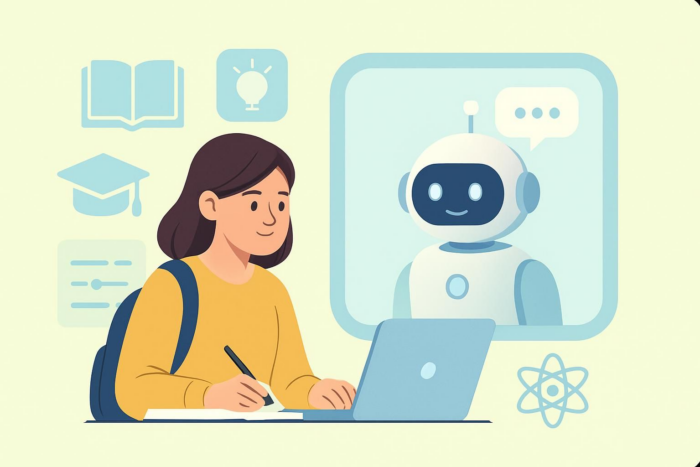
In the past, most conversations about artificial intelligence in education focused on stopping students from using the technology to cheat. Today, the tables have turned. EDUCAUSE’s 2025 international research shows that faculty, staff, and students in educational institutions are all using AI.
In the same study, 37 percent of college and university workers said their schools now have institution-wide chatbot licenses that give access to everyone on campus, from students to staff. Another 14 percent said their institutions have built their own custom bots.
But how exactly are chatbots in education transforming the learning experience for students and streamlining administrative tasks for staff? Where and how can you implement them in your own school? Keep reading to learn more.
Benefits of AI chatbots in education
Let’s start with some of the key benefits of AI chatbots in education.
1. Personalized learning support
AI-powered chatbots can track how students learn, spot where they’re struggling, and adjust lessons to fit their individual needs. Insights like these show who is at risk of failing, so teachers can step in early to increase a student’s chances of academic success.
Studies show that providing students with personalized support can help them learn more effectively and perform better academically.
2. Immediate feedback
AI chatbots give students instant answers 24-7 — no waiting around for office hours or email replies from teachers.
With immediate feedback, students can fix mistakes or misunderstandings right away to prevent minor misunderstandings from turning into major learning gaps.
And because students can ask questions anytime, learning doesn’t have to stop when class ends or when they hit a tricky topic during personal studies. This promotes continuous learning.
3. Administrative efficiency
AI chatbots in higher education and K–12 environments can also automate administrative tasks, such as
- Answering frequently asked questions (FAQs) and directing complex inquiries to the appropriate departments
- Grading assignments
- Scheduling classes, exams, assignment deadlines, and academic events
- Designing enrollment forms
When a chatbot handles repetitive administrative tasks, educational staff have more time to focus on critical responsibilities like supporting students and improving learning programs.
4. Enhanced student engagement
AI chatbots make learning more engaging because students can talk directly to them, ask questions anytime, and get instant answers. In other words, they encourage active participation, which keeps students involved.
Research backs this up, showing that chatbots make learning more engaging, interesting, and enjoyable for students.
Applications of chatbots in educational institutions
In a survey of 31 school districts across the US, 93 percent reported that at least some of their institutions were using AI in the classroom. Chatbots are one of the most popular AI applications in education. Their most common use cases include the following:
Virtual teaching assistants
Chatbots can act as virtual teaching assistants by automating routine classroom tasks, such as tracking attendance, answering FAQs, and managing course reminders.
They can also provide supplementary learning materials, explain key concepts, and support classroom management by helping students stay organized and engaged. This allows instructors to focus more on interactive teaching and personalized student support.
Student support services
Chatbots enhance student services by providing 24-7 assistance for inquiries about campus life, enrollment procedures, course information, and technical support.
They help reduce response time and ensure that students receive accurate information whenever they need it. This continuous availability improves the student experience and reduces the workload on administrative staff.
Language learning aids
Chatbots create interactive environments where users can practice conversation skills without fear of judgment.
Through natural language processing (NLP), these tools can simulate real-life dialogues, offer vocabulary suggestions, and correct grammar in real time. This low-pressure approach helps learners who want to master a language, building confidence and fluency while reinforcing classroom instruction.
Educators can use chatbots to sharpen their own language skills too, whether they’re leading a parent-teacher meeting, guiding a class discussion, or assessing a student’s language proficiency.
Assessment and feedback tools
AI-powered chatbots can administer quizzes and grade objective responses instantly, providing immediate, tailored feedback to learners. Real-time feedback supports continuous learning.
Teachers can look at anonymous chatbot conversations to better understand how students are using the tool and see what kinds of questions they’re asking. That way, educators can spot common problems or topics that many learners are confused about.
What’s more, educators can design AI chatbots to run anonymous surveys, helping them gather feedback that can be used to improve the learning experience.
Challenges and considerations
AI chatbots in education come with many benefits. But they’re not perfect. Schools still need to tackle a few challenges to make sure they are using the tools ethically, safely, and fairly.
Data privacy and security
Chatbots for educational institutions often involve collecting and processing sensitive student information, such as academic records and personal information.
Without robust security measures in place, online thieves may steal the data and expose it to the public — or sell it on the dark web. The education sector is one of the top targets for cyberattackers.
Compliance with relevant data security and confidentiality laws can help you protect sensitive information when using AI chatbots in education. Two of the most important regulations in education include
- General Data Protection Regulation (GDPR): Governs organizations that handle personal data of EU citizens
- Family Educational Rights and Privacy Act (FERPA): Federal law in the US that protects students’ personal and education records from unauthorized access
Limitations in understanding complex queries
Despite advances in AI technology, chatbots may still struggle to handle complicated questions adequately. And depending on a tool’s ability to process context, misunderstandings or incomplete responses can occur, especially in academic topics that require deep subject matter knowledge. For this reason, human oversight remains critical to provide accurate guidance and maintain a high standard of support.
Ensuring accessibility
One significant challenge of using chatbots in education is making sure everyone in the institution — including those with disabilities — can use them easily. If the bots aren’t inclusive, schools risk excluding people with visual, hearing, and motor impairments.
Here are some things you can do to design accessible chatbots:
- Follow standards like the Web Content Accessibility Guidelines (WCAG).
- Add accessibility features, such as keyboard navigation, voice options, and high-contrast colors.
- Test your chatbot with real users who rely on assistive tools.
Accessible design promotes equal access, which ultimately prevents some groups from feeling left out.
Implementing chatbots in your own institution
Want to bring a chatbot on board? Awesome! Follow these steps to make sure you set it up correctly and enjoy the resulting benefits.
- Assess your institutional needs
Don’t implement an AI chatbot just because other learning institutions are doing so. Before setting up the technology, you should first identify where it could actually make a difference and what you would like to achieve with its use.
For example, are you looking to lighten the administrative load, give students personalized support, or both? Your needs will shape how you set up the chatbot and what features you prioritize. Most importantly, they’ll determine how you measure the tool’s success in your organization.
- Choose the right chatbot platform
AI chatbots for education are definitely not one-size-fits-all. And there are numerous options out there. How do you choose the right one for your learning institution?
A suitable chatbot platform should meet your school’s needs rather than simply being another layer of tech in your institution. When picking one, consider the following factors:
- Chatbot setup process: A reliable platform, like the Jotform AI Chatbot Builder, allows you to create an AI chatbot without any coding. You simply describe the role and function of the bot to set it up.
- Security and compliance: A robust chatbot platform like Jotform offers compliance features for relevant data protection regulations, which may include the GDPR and FERPA. It also works to uphold globally accepted data security standards such as the SOC 2 framework.
- Language support: Before choosing a chatbot platform, make sure it supports the languages your students speak and understand best.
- Integration capabilities: Choose an AI chatbot solution that readily connects with the technologies your staff and students already use, such as any learning management systems (LMSs), calendar tools, and student information systems.
- User-friendliness: A suitable chatbot solution has a simple interface that even people without a tech background can use.
- Customization: You should be able to adjust the chatbot’s responses, tone, and appearance to align with your institution’s policy, brand, and teaching style.
- Train and test the AI chatbot
One of the most important steps when setting up an AI chatbot is training it with your own data. Unlike old-school rule-based chatbots, today’s AI-powered chatbots can learn from the data you feed them and respond meaningfully when users interact with them.
Depending on the platform you use, you can train your chatbot in at least one or all of the following ways:
- Manually provide the training information you want the chatbot to know.
- Upload your school’s documents or files.
- Add webpage links with relevant content.
- Create question-and-answer pairs based on the most common queries students or staff usually ask.
Then, after training your AI chatbot, you’ll need to test and optimize it to make sure it’s working perfectly before deployment. Otherwise, you might end up launching a bot that frustrates users instead of helping them.
During testing, check whether your AI chatbot
- Provides correct answers to your questions
- Handles different ways people might phrase questions, including typos and casual language
- Engages in logical, human-like conversations that make sense, rather than getting stuck and repeating itself
- Integrates seamlessly with your LMS, website, and other key systems
- Offers a great user experience — it’s easy to use and every element (buttons, menus, and commands) works as expected
The resulting insights will help you solve functional issues and make the chatbot as reliable as possible before students or staff members start using it.
- Deploy your AI chatbot
Once testing is complete, deploy your AI chatbot by connecting it to your school’s website. This process could be as easy as installing a plug-in, depending on the chatbot platform you use and your site’s hosting provider. If you use WordPress, for example, Jotform has an AI Chatbot for WordPress plug-in, so you can easily embed the bot on your website without writing any code.

In addition to your website, be sure to integrate the chatbot with other tools you already use in your organization, such as your LMS and calendar.
- Monitor and continuously improve
After launching your chatbot, keep an eye on how people are using it. Real-world usage can reveal things or situations you didn’t consider when building and testing your tool.
Checking chatbot interactions regularly will also allow you to tweak and improve the tool, making it smarter and more helpful. For questions that are too complex for the AI solution, add an option (in the chatbot conversations) for users to seek human assistance.
Using Jotform AI Chatbot for education
Looking to create a custom AI chatbot that meets your institution’s needs? You don’t need programming skills to build one.
Jotform AI Chatbot Builder helps you create custom chatbots without any coding. Instead, you just describe the type of AI bot you want to set up and then let the builder do the rest for you. This makes chatbot development just as straightforward for beginners as for those with technical expertise.
Whether you want a chatbot for automating admin tasks, improving communication, providing real-time student assistance, or handling any other educational task, Jotform AI Chatbot Builder is the place to set it up.
Why choose Jotform AI Chatbot Builder for education?
Many chatbot platforms come with no-code capability. Here’s what sets Jotform AI Chatbot Builder apart:
- Easy-to-create customized chatbots: With Jotform AI Chatbot Builder, you can make a chatbot in just a few minutes using simple text prompts. There’s no coding and no stress. The platform’s interface is super easy to use, whether you’re a tech pro or totally new to chatbot development. And once you’ve built a chatbot, you can adjust colors, fonts, and styles to meet your branding needs.
- Flexible knowledge base: Jotform offers multiple ways of training and improving your chatbot’s intelligence. For example, you can type in the training data manually, provide website links, upload relevant files, or use FAQs.
- Industry-specific templates: Instead of designing your chatbot from scratch, Jotform offers several ready-to-use templates for educational institutions. You can easily customize them to meet your needs.
Jotform’s chatbot templates for education
Jotform offers plenty of AI-powered chatbot templates for educational institutions, making the development and implementation process seamless. Here are a few examples:
Quiz Manager AI Agent
The Quiz Manager AI Agent makes it easy to create, distribute, and manage quizzes. It even comes with forms you can use to
- Set assessment questions.
- Collect participants’ registration data, such as name, gender, and contact information.
- Track the number of participants and quiz submissions.
Once you set up the quiz, students can take it right in the AI Agent’s chat interface — the tool automatically saves their answers.
By automating data collection and quiz setup, Jotform’s Quiz Manager AI Agent reduces manual work as well as errors in information gathering. The instant feedback it provides makes the quiz experience more engaging for students.
College Admissions AI Chatbot
As the name suggests, the College Admissions AI Chatbot helps students navigate the admissions process. When you use it in your institution, it can
- Answer FAQs about admission requirements and deadlines.
- Collect applicants’ details and interests, such as name, academic background, contact information, and favorite extracurricular activities.
- Provide students with tailored guidance on programs based on their profiles.
With the College Admissions AI Chatbot, applicants get immediate assistance, which can improve engagement throughout the application process.
Education AI Chatbot
The Education AI Chatbot is a general tool that helps institutions obtain data from students through engaging conversations. Your school can use it to
- Gather students’ personal details for course registration and enrollment.
- Collect feedback on classes, instructors, and programs.
- Run quick, anonymous surveys to measure student satisfaction and learning outcomes.
By engaging in friendly conversations and streamlining data collection, the Education AI Chatbot enhances the user experience for both students and staff.
The future of AI chatbots in education
As branches of artificial intelligence, such as natural language processing (NLP) and machine learning (ML), continue to advance, AI chatbots in education will get smarter and more accurate.
In return, they’ll increasingly be a reliable source for anyone, anywhere to learn anything they want at any time. Students and teachers will have smart AI buddies that can explain any topic clearly and adapt to their comprehension level. Learning will feel more personal and tailored to individual needs.
They will also help with internet searches. As a Forbes article explains, web searches are now cluttered with clickbait and long content that most people don’t have the time or patience to read. That’s why more folks are turning to AI chatbots for quick, straight responses that answer their specific questions. In the education sector, this trend will continue to be popular and, as a result, make AI chatbots the new go-to learning companions.
And that’s not all.
According to Brookings, public schools in the US have taken one of three approaches to generative-AI tools like chatbots: banning them, weaving them into the curriculum, or putting them on hold for further review.
But as Forbes points out, trying to ban or restrict AI in education is a losing battle. Why? AI is finding its way into almost every technology people and organizations use daily — phones, laptops, apps, and even productivity tools. To avoid holding students back from learning the skills they’ll need in tomorrow’s workforce, every school will ultimately have to embrace AI, not resist it.
Ready to develop AI chatbots for your school?
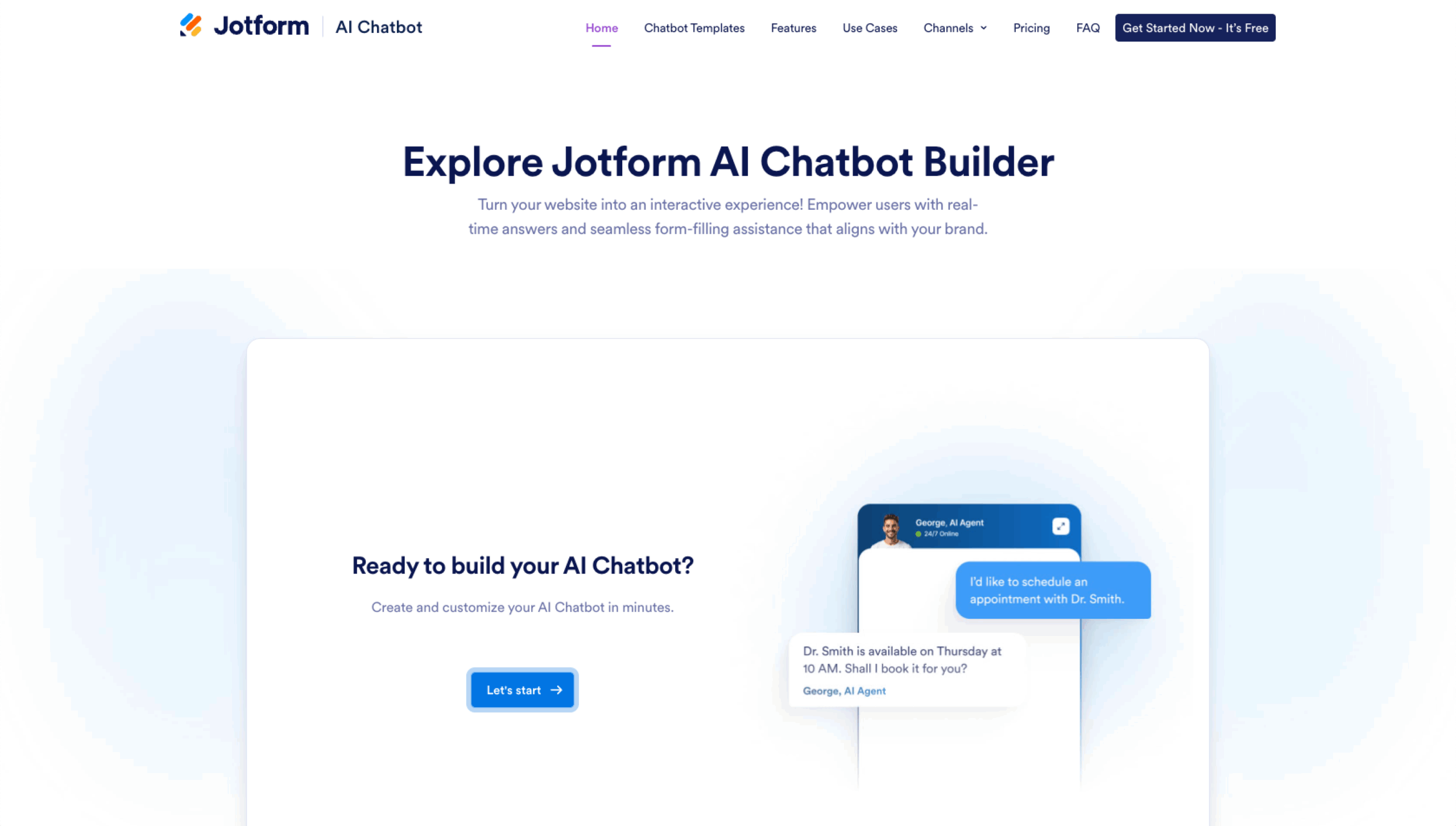
Creating a chatbot for educational institutions is super simple with the Jotform AI Chatbot Builder. No coding skills required — you can set one up with text prompts or with a ready-made chatbot template.
Try Jotform AI Chatbot Builder for free, and build chatbots that streamline learning for students while reducing administrative tasks for educators.
This guide is for K–12 and higher-ed decision-makers who are ready to move from “should we use chatbots?” to “where and how do we roll them out responsibly.”




































































Send Comment: