
Top 10 GetStream alternatives
- Jotform AI Chatbot: For AI text and voice chat without coding
- Twilio: For building phone, SMS, video, chat, and WhatsApp features via API
- PubNub: For building real-time social networking features at scale
- Rocket.Chat: For secure, in-house chat in your app
- Sendbird: For building a custom live chat interface
- MirrorFly: For social network, chat, calls, live streaming, and AI agent APIs in a single platform
- Ably: For building any real-time application with APIs
- CometChat: For adding chat, calls, and agents without needing to code
- Sceyt: For fast, scalable in-app chat
- Pusher: For syncing real-time data between apps
The era of single-purpose apps is over. Alongside the core functionality, customers expect community-focused features, live chat, notifications, and social network-inspired updates. None of that is easy to deliver. You need real-time syncing, low latency, and scalability to support millions of interactions.
Building all of that from scratch is daunting. Platforms like GetStream make it far easier — helping you add scalable network features to a site or app without worrying about backend complexities.
GetStream was founded to solve for others what had been the Fashiolista team’s thorniest problem in “scaling the activity feed as the social network grew to millions of users,” recalled cofounder Thierry Schellenbach. “We realized that many developers and product owners struggled with similar scaling issues.”
Bit by bit, the product that’s commonly referred to both as Stream and GetStream grew to include live chat, streaming video, and social media-style feeds. Today it’s used by over a billion people, powering chat and feeds in apps like Vimeo, Taskrabbit, and Nextdoor.
But it’s far from the only way to build those features into your app. GetStream’s pricing starts at $499 per month for 10,000 monthly active users and scales mostly linearly, making it much more expensive as your company grows. Its hosting makes it easy to get started but it can also be difficult to fit into regulatory and industry-specific needs around data storage. Apps that need more than in-app notifications and feeds will need to add email, SMS, and other notifications separately — or switch to an all-in-one platform.
From simpler single-purpose tools for artificial intelligence (AI) powered chat to enterprise-focused chat and open-source feed tools, here are what some of the best GetStream alternatives offer.
GetStream alternatives at a glance
 Jotform AI Chatbot |  Twilio |  PubNub |  Rocket.Chat |  Sendbird |  MirrorFly |  Ably |  CometChat |  Sceyt |  Pusher | |
|---|---|---|---|---|---|---|---|---|---|---|
| Core focus | AI-powered chatbots | Phone, SMS, and chat APIs | Social media feed APIs | Secure, open-source team chat | Building live chat into your apps | Enterprise chat and social network APIs | Real-time sync APIs | Group chat without coding | Customized team chat | Real-time push APIs |
| Ease of use | Easy | Advanced | Advanced | Moderate | Moderate | Advanced | Advanced | Moderate | Advanced | Advanced |
| Integrations | Salesforce, WhatsApp, Facebook Messenger, Instagram | Salesforce, WhatsApp, Apiway, Zapier | Amazon Web Services, Agora, Slack, Microsoft Azure, Stripe | Microsoft Teams, Salesforce, HubSpot, WhatsApp, Zapier, Zoom | Salesforce, Zendesk, Notion, Confluence, Google Drive | Manual via API | Microsoft Azure, Google Cloud, Zapier, IFTTT | Manual via API | Manual via API | Zapier, n8n |
| Pricing model | Monthly subscription | Metered billing | Monthly subscription | Free open-source or per-user billing | Monthly subscription | Custom enterprise pricing | Monthly subscription plus metered billing | Monthly subscription plus metered billing | Monthly subscription plus metered billing | Monthly subscription |
| Key differentiator | Automatically train an AI chatbot from your site’s content | Conversation API to build real-time chat across SMS, chat, and social | Building a custom social media feed that can scale to hundreds of millions of users | Support for air-gapped and classified systems | UIKit to quickly customize chat interfaces | Deep feature set with over 100 social network features | Spaces to build a collaborative workspace | Supports custom AI-powered moderation | Optimizing files and videos to speed up chat | Affordably priced for building live applications |
Jotform AI Chatbot: For AI text and voice chat without coding
Jotform’s AI chatbot builder isn’t a drop-in GetStream replacement. It’s not a tool to build a social media feed or real-time community chat into your application. Instead, it’s one of the easiest ways to add an AI-powered chatbot to your site to guide users, drive upsells, and reduce customer support costs — giving you more time to focus on building your company and community.
You could build a similar chatbot by manually plugging OpenAI or other large language model APIs into GetStream or other hosted chat services, but Jotform AI Agents makes the task so simple that anyone can pull it off.
Jotform bots learn from the content on your website, blog, and social media, and use that knowledge to answer new customer questions. Add it to an e-commerce store, for example, to share product listings and return policies automatically. You can also chat with the bot to refine its training without code, or get notified via email whenever someone asks a question that stumps the AI so that you can train it how to handle that query next time. Your support team can take over the AI conversation when needed, resolving trickier issues or helping when people ask for a human.
Once built, you can add the chatbot wherever your customers tend to ask questions — whether that’s in a popup on your site; inside Facebook Messenger, Instagram, or WhatsApp; or on the phone with voice, SMS, and phone call support.
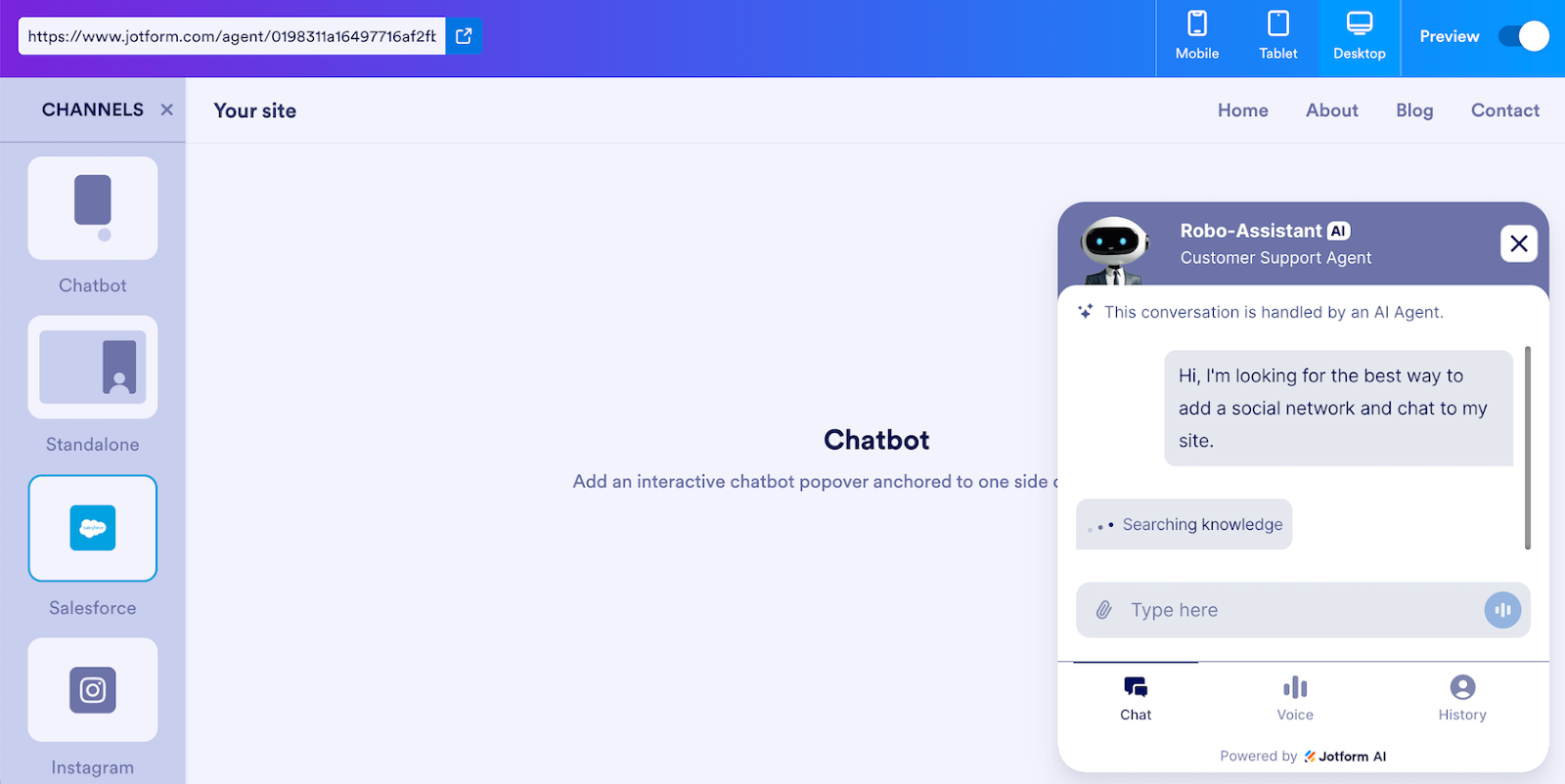
You can also integrate it with other software, including Salesforce, to automate tasks across your company. Jotform’s Salesforce Agents can create leads, check on ticket resolution, book appointments, and more — all from the same AI chat that handles the rest of your customer support.
It can’t replace GetStream if you need to build a social network into your app, but it can be the fastest way to add AI chat features without coding.
Twilio: For building phone, SMS, video, chat, and WhatsApp features via API
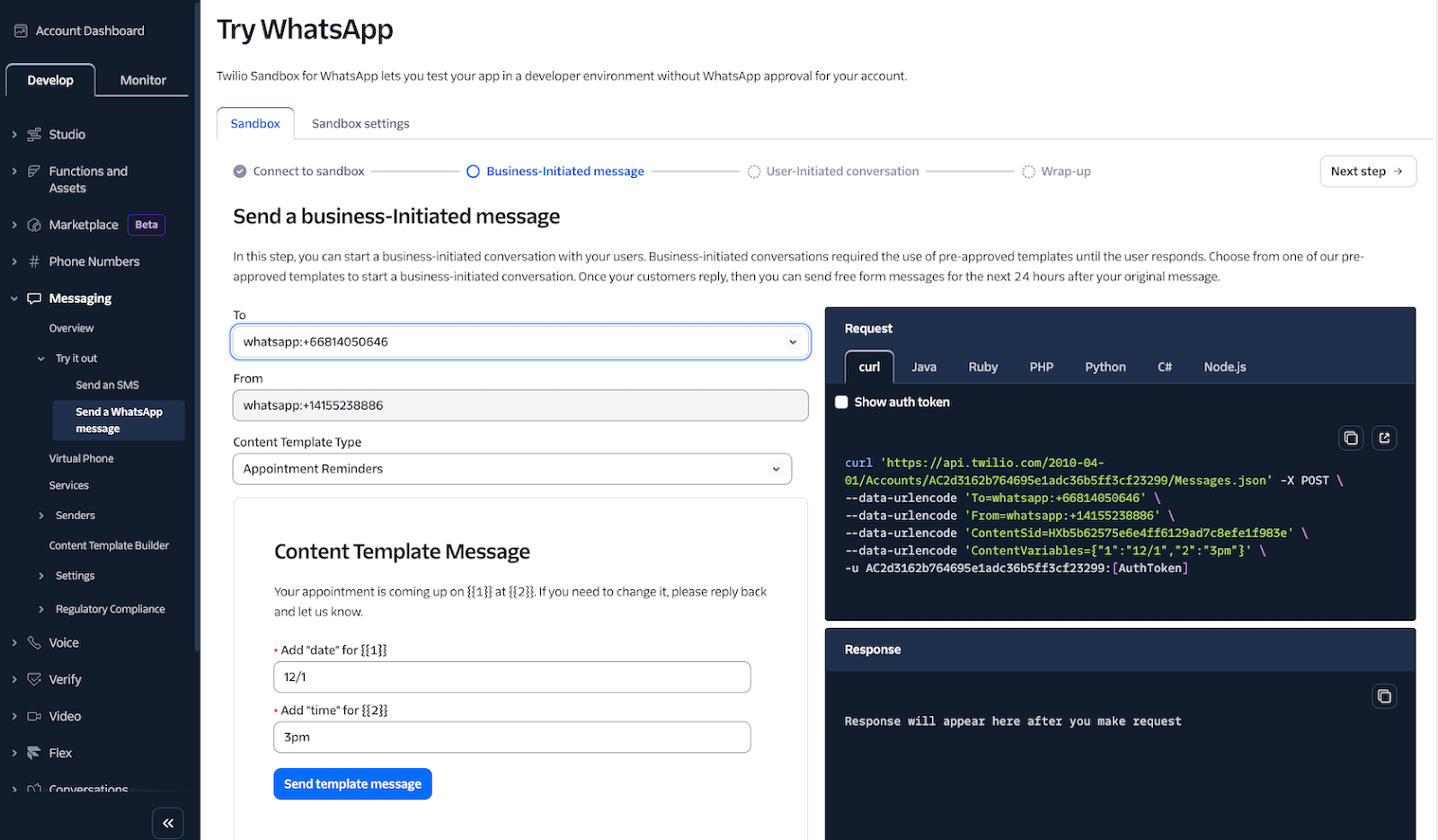
“Ask your developer,” read Twilio’s early billboard ad campaign. With documentation that’s often held up as the ideal example of dev docs, Twilio’s APIs are unsurprisingly popular among developers when it comes to adding SMS and other communication features to apps, and they’re commonly used in workflow automation tools like Zapier and Make for no-code messaging solutions.
Rather than a single, monolithic product, Twilio offers individual APIs to build voice, chat, and video features into your applications. Much like Amazon Web Services, you could use any Twilio API without making use of the entire suite. For instance, you could use Twilio’s SMS feature to send SMS notifications, or its phone APIs to build a company phone with an IVR menu, and skip its other features. Or you could use Twilio’s Conversations API to pull everything together with real-time chat that works seamlessly across web, SMS, Facebook Messenger, WhatsApp, and native push notifications, with AI in the loop to automate replies or help your team find data to quickly answer questions.
You can’t use Twilio without developer skills. Even with them, Twilio isn’t an out-of-the-box, five-minute-install type solution. Instead, it’s a set of APIs that let you build the chat and messaging features you need — making it best for teams with very custom needs or those who want to supplement existing features with additional communication channels.
- Best for: Developer teams adding communication features via API
- Pros: Build SMS, chat, voice, video, push, and email notifications into your app with a single provider; manage all communications from the same dashboard; support WhatsApp as a core part of your notifications strategy
- Cons: Conversations API is built more for one-on-one conversations than group chat, all Twilio features require developer experience, each Twilio service uses a separate API
- Plans/pricing: Twilio offers pay-as-you-go pricing for all its services, billed based on usage:
- SMS, MMS, and RCS (from 0.83¢ per message sent or received)
- WhatsApp messages (from 0.5¢ per message sent or received)
- Chat conversations (from $0.05 per active user per month)
- Voice and phone calls (from 0.83¢ per minute to receive and 1.4¢ per minute to place outbound calls, and from $1.15 per month for a dedicated phone number)
- Video calls (from 0.4¢ per minute)
- Email (100 emails per day for free; 50,000 emails per month from $19.95 per month)
PubNub: For building real-time social networking features at scale
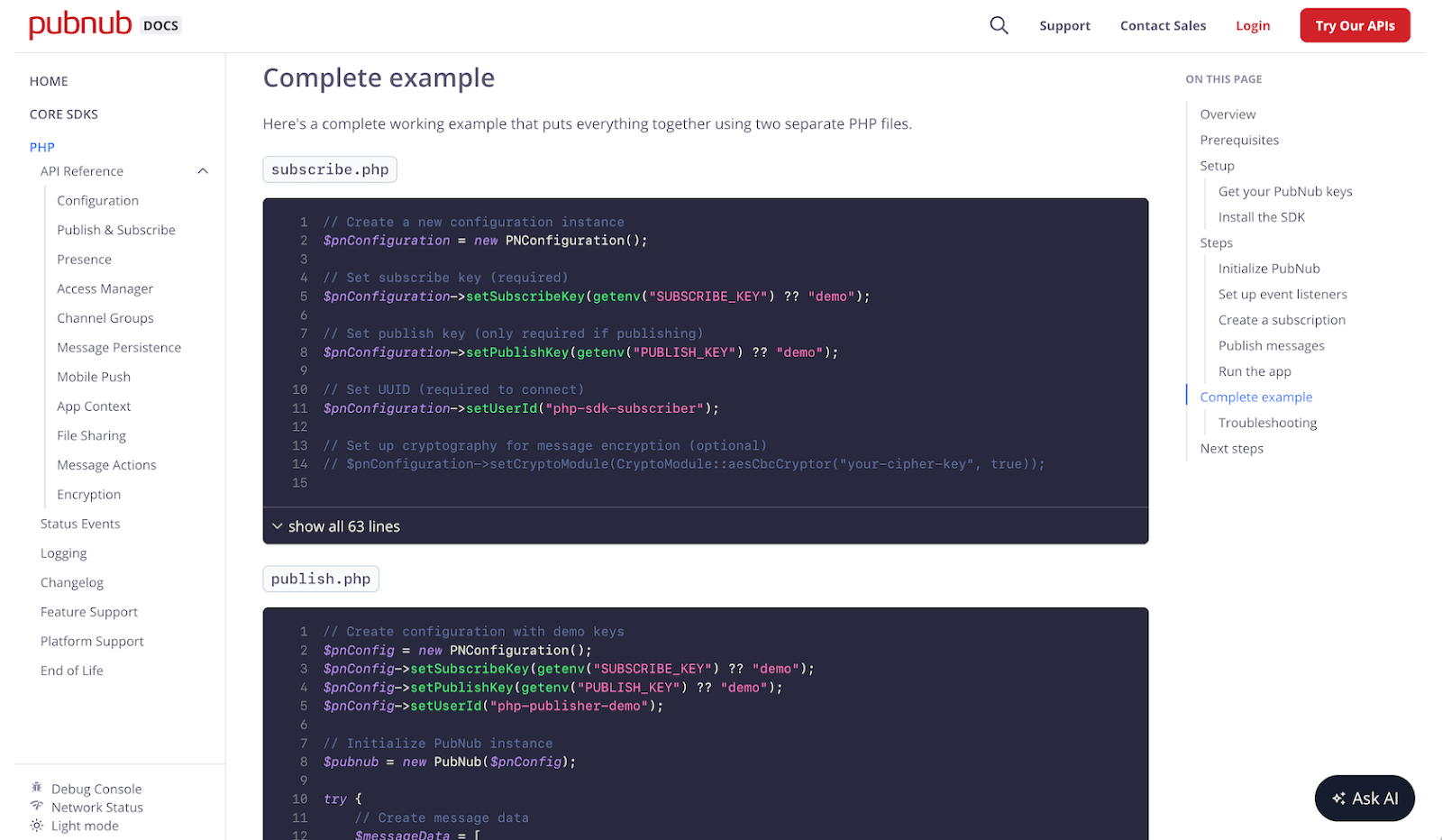
PubNub picks up where Twilio leaves off, with APIs to build social network feeds. It powers social interactions for apps like Clubhouse, Ticketmaster, and Yelp, and is built for scale — supporting up to 100 million concurrent connections with under 40 ms latency. Yet it’s still a developer platform that, like Twilio, anyone can use with an API key and SDKs.
The platform’s core APIs add real-time interactions to apps. You can build social network-style feeds powered by a social graph of people that each user follows, paired with team chat, push notifications, likes and comments, and AI-powered auto-moderation to keep the conversation civil. Or you can use its APIs to add collaboration features to software for real-time creation, synced edits, and comments for feedback. You can also connect with AI APIs to translate and analyze text, push messages to social networks like X or chat apps like Slack, and tie Internet of Things devices into your software.
You can’t stream audio and video with PubNub, and you need to rely on other APIs or integrations for bandwidth-intensive content and phone-specific messaging. But it’s the API you’d reach for to build real-time community and collaboration features into your app, for fully custom chat and feeds without the complexity of pushing the data to users in real time.
- Best for: Developer teams adding social network feeds via API
- Pros: APIs to build in-app social feeds, likes, comments, and more; SDK building blocks to add read receipts, reactions, threads, push notifications, and more to chat; priced based on users, with messaging, calls, and storage included
- Cons: Fully developer API focused, separate support and service plans alongside core subscription
- Plans/pricing:
- Free: 200 monthly active users or one million transactions
- Starter ($98 per month): 1,000 monthly active users
- Pro (from $170 per month): 1,000 monthly active users with advanced network tuning, 99.999 percent uptime, single sign-on, custom domains, and HIPAA compliance
Rocket.Chat: For secure, in-house chat in your app
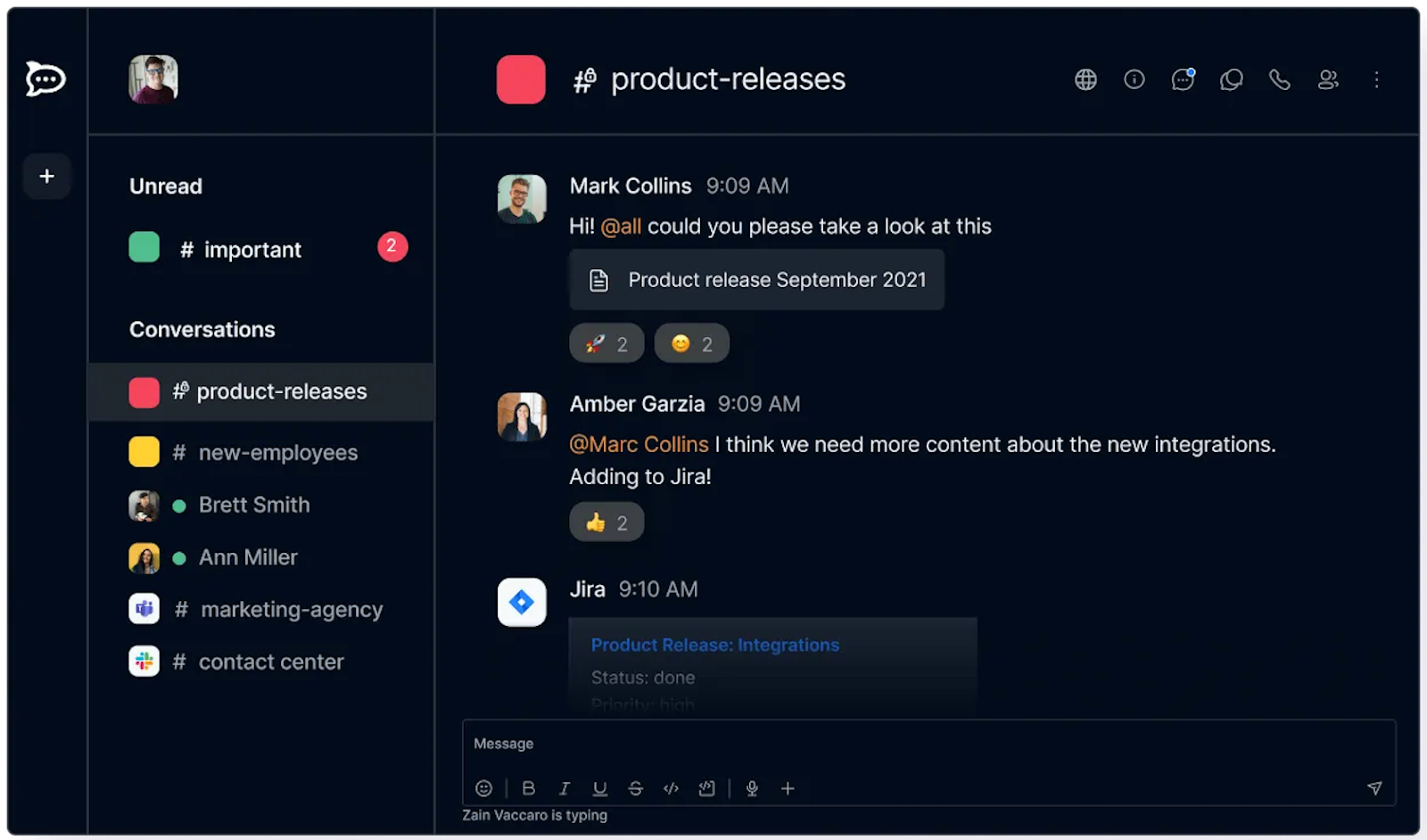
Rocket.Chat is, at first glance, more of a Slack competitor than a GetStream alternative. It’s both an open-source team chat app that supports text, voice, and video communications and a secure, hosted chat solution with custom data storage options built for government, healthcare, and other secure communication needs. Unlike other tools on this list, Rocket.Chat is built for air-gapped communications and is used in secure networks like the U.S. Department of Defense’s SIPRNet. It includes apps for macOS, Windows, iOS, and Android to chat with your team in a Slack-like interface.
But it’s the open source foundation behind Rocket.Chat that makes comparisons with GetStream more reasonable. You can host Rocket.Chat on your own servers for a free team chat solution, complete with voice and video support. You can embed either version of Rocket.Chat into your site for in-app chat, or add your branding to its native apps. Rocket.Chat integrates with WhatsApp and Facebook Messenger as well.
You get all of that with a pre-built Slack-style chat interface, meaning you don’t need to build everything from scratch with a chat API. That makes Rocket.Chat well worth considering, especially for teams that want to build in-house, full-featured chat solutions or unique chat tools from an open-source base.
- Best for: No-code and developer teams customizing a Slack-style chat for their community
- Pros: Free, open-source, embeddable team chat; secure, on-premises hosting with support for air-gapped classified systems; text chat, VoIP calls, and video in a single platform
- Cons: Per-user pricing is prohibitively expensive for consumer-focused apps, focused on core chat app more than in-app conversations, no social-focused feeds
- Plans/pricing:
- Free: Open source on your server
- Starter (free): Up to 50 users with self-managed hosting
- Pro (from $8 per user per month, billed annually): Up to 500 users, with self-managed or premium hosting and support for air-gapped deployment
- Enterprise (custom pricing): Over 500 users
Sendbird: For building a custom live chat interface
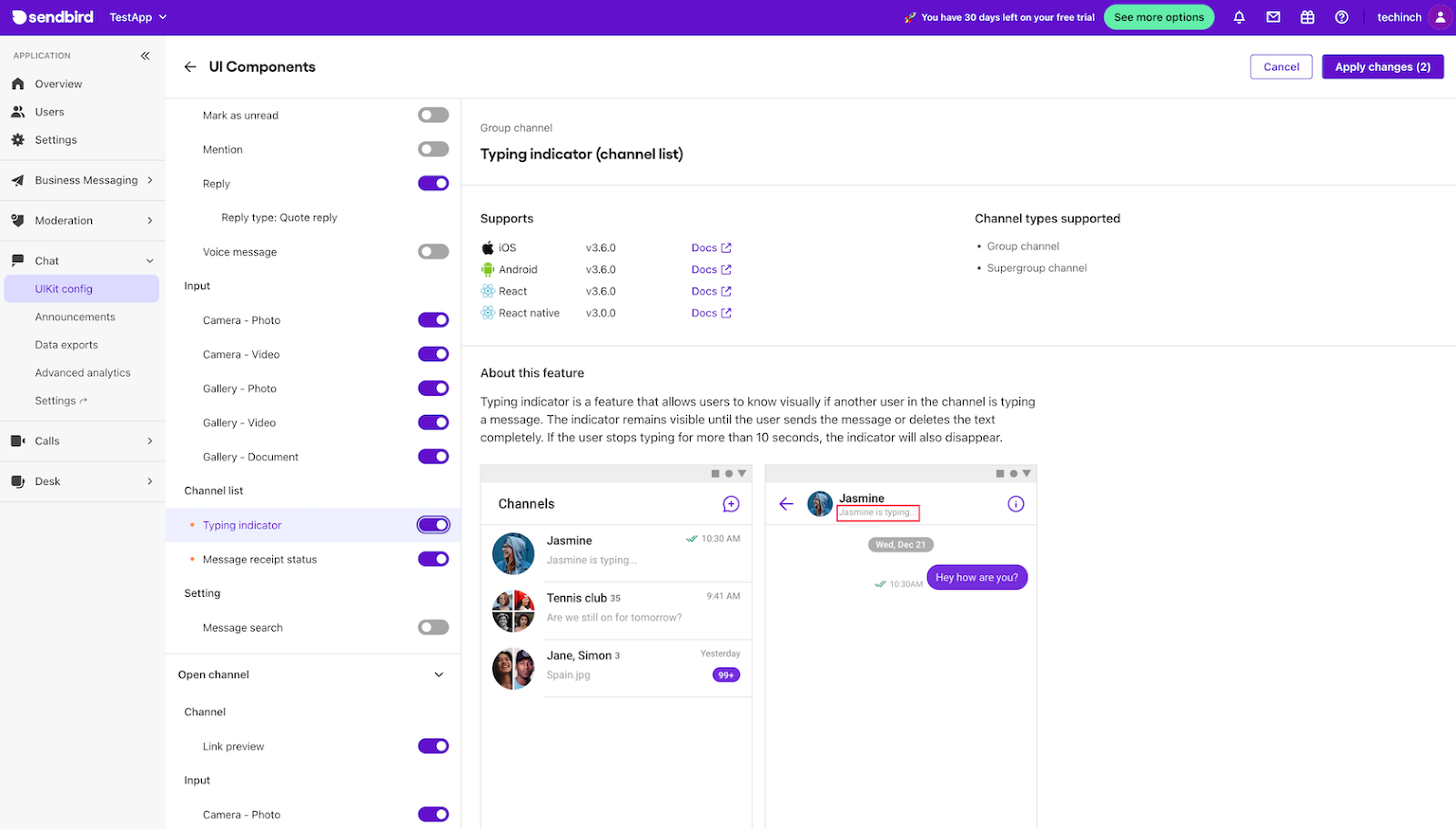
Sendbird takes much of the complexity out of building real-time multiuser chat into your app. With its chat UIKit, you can toggle features like read receipts, document uploads, typing indicators, and more on the fly — each designed to work directly with Sendbird’s iOS, Android, React, and React Native SDKs. That makes it easy to build a native-feeling chat that looks and works like your users expect, with the same tools that DoorDash, Hinge, and Redfin use to build their chat.
The platform’s chat APIs support user presence, unread messages, image previews, and pinned messages. They also help to handle moderation, with profanity filters, spam protection, and user bans. Sendbird’s Delight.ai can respond to messages, too, as well as remember important customer details from chats automatically. And it includes one-to-one and group voice and video calls, backed by the same SDKs. There’s no social feed, but for the chat side of the community, Sendbird covers all the bases out of the box.
- Best for: Design and development teams quickly building customized group chats
- Pros: UIKit to quickly build a custom chat interface; built-in support for threads, polls, offline messages, delivery receipts, translation, and moderation; direct and group voice and video calls
- Cons: Moderation and HIPAA features require a custom Enterprise plan, over 100,000 monthly active users and over five percent peak concurrent connection requires custom Enterprise plan
- Plans/pricing:
- Free trial: Up to 1,000 monthly active users and 20 peak concurrent connections
- Starter 5K (from $349 per month, billed annually): From 5,000 monthly active users with messaging essentials, basic moderation, and ticketed support
- Pro 5K (from $499 per month, billed annually): From 5,000 monthly active users with Starter features plus translation, data export, and image moderation
- Usage fees (from 0.1¢ per minute for peer-to-peer voice calls, and 0.1¢ per minute for video calls)
MirrorFly: For social network, chat, calls, live streaming, and AI agent APIs in a single platform
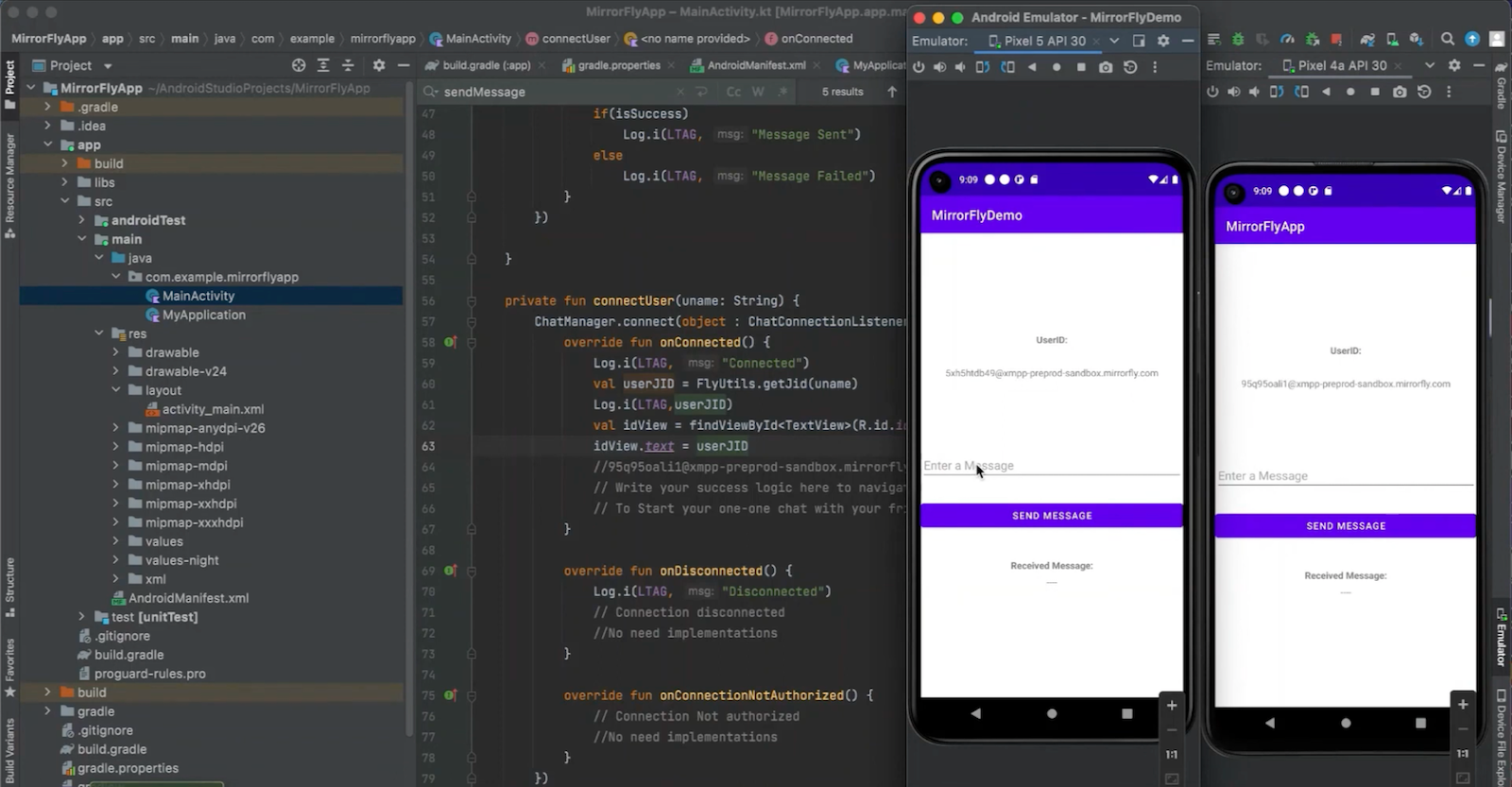
MirrorFly has perhaps the largest number of features of any platform on this list. It offers APIs for building social media feeds, live chat, video and voice calls, streaming media, and AI agents — both with a hosted service or with on-premises support for in-house and secure applications. Its social network-style activity feeds alone list over 100 features, from followers and feeds to trending topics and threads.
You can use individual MirrorFly features to add chat, feeds, or live streaming to your app. Or you can pull them all together, with pre-built solutions for virtual consultation and KYC that combine private video calls and messaging, or for live streaming with video feeds paired with reactions and comments. MirrorFly additionally offers a UIKit for Android, iOS, React, Flutter, and more to quickly style and implement chat features.
MirrorFly is enterprise focused, though, and requires a demo or sales call to get started and see pricing. It’s designed for enterprise-focused deployment, with source code access, custom hosting, and tech support. That makes it more of a fit for building custom apps for telecommunications, logistics, and other large corporations.
- Best for: Developer teams adding social network feeds, chat, and calls via API
- Pros: Activity feeds API to build custom enterprise social networks, VoIP and video calls with live streaming support, on-premises or hosted solutions
- Cons: No listed pricing or self-service trial, focused on enterprise-level companies
- Plans/pricing: Contact MirrorFly for information on plans and pricing
Ably: For building any real-time application with APIs
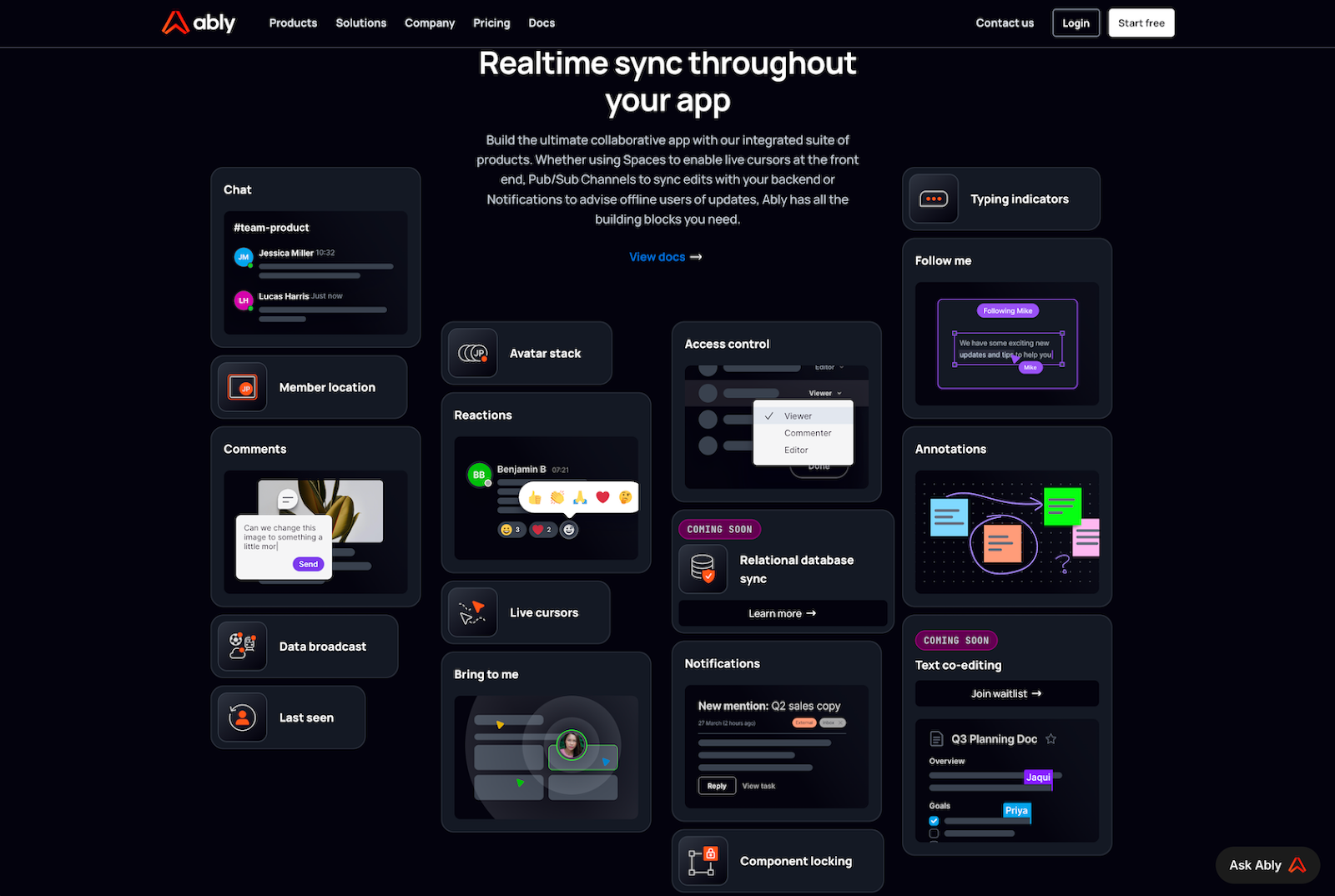
Ably isn’t the platform to use if you want off-the-shelf social networking, collaboration, and chat. It’s the platform to build applications designed for collaboration and real-time sync, from the ground up.
It starts with Ably Pub/Sub, a real-time API to sync any data you want, with data groups into channels, users logged with presence, rewind support to send new changes to users, and push notifications that work on iOS and Android. With those tools, you could build a social network with Ably getting the right data to the right people.
Ably’s newest tools, including Spaces for collaborative work and Chat for live chat, are built on the same stack for reliable collaboration at scale. It even includes Asset Tracking to build delivery services that show order locations without handling the updates on your own.
- Best for: Developer teams adding live-sync features via API
- Pros: APIs to sync anything in your application; build collaborative applications with spaces, synced databases, and cross-device application state sync; live chat built for scale with message batching
- Cons: Ably APIs are more low-level, and require more work to build a social network; pricing can be confusing, with both monthly subscriptions and usage or user-based pricing
- Plans/pricing: Ably plans include both tiers of concurrent usage and message caps, then either pay-per-message or pay-per-monthly-active-user pricing on top:
- Free: 200 concurrent connections, 500 messages per second, and six million messages per month
- Standard ($29 per month, plus usage): 10,000 concurrent connections and 2,500 messages per second
- Pro ($399 per month, plus usage): 50,000 concurrent connections and 10,000 messages per second
- Usage fees ($2.50 per million messages and $1 per million minutes on channels and connections, or 5¢ per active user per month)
CometChat: For adding chat, calls, and agents without needing to code
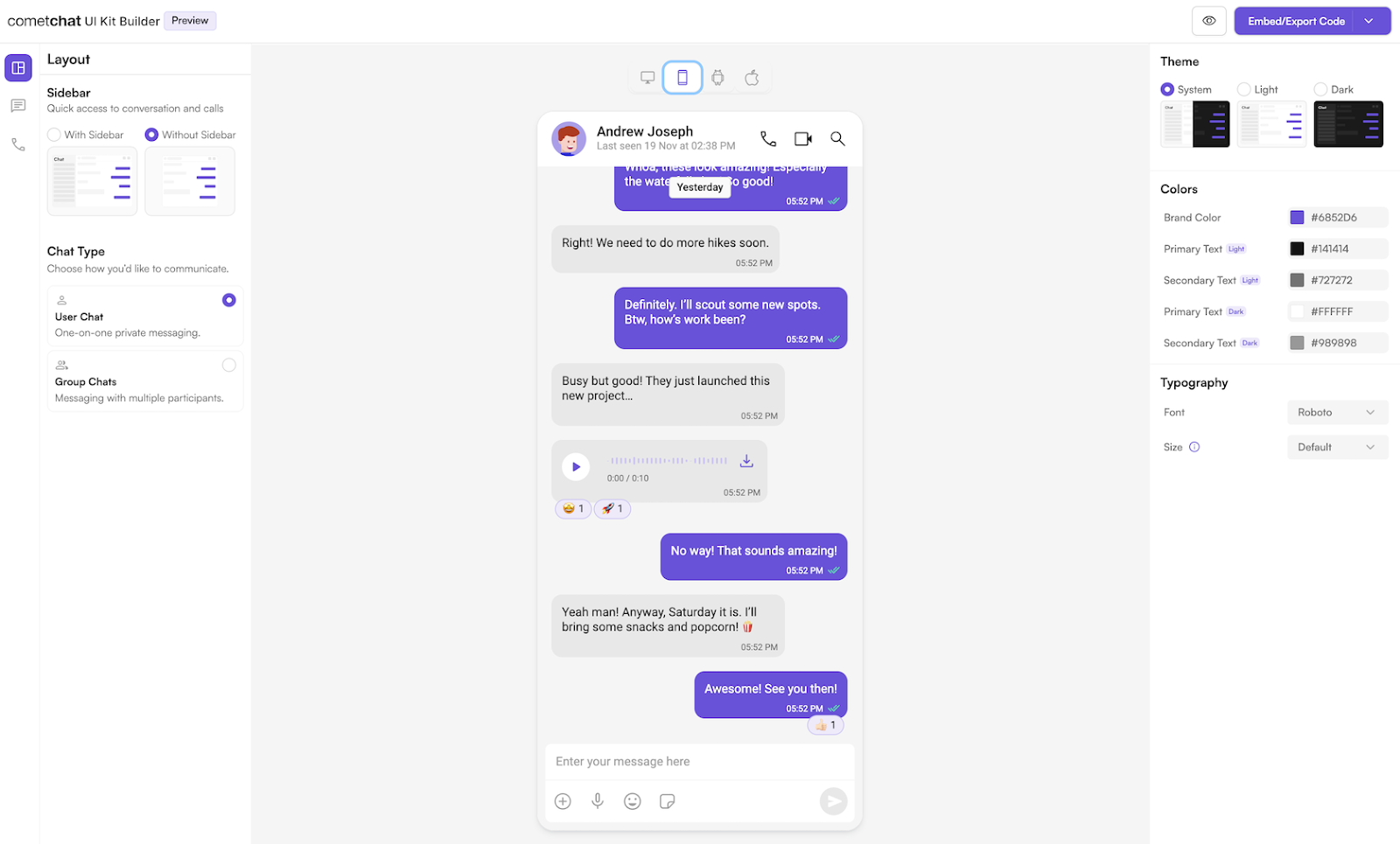
CometChat is the only tool on this list that lets you build a custom team chat app with voice and video calls, and then embed it in your site or app with no-code widgets. It includes pre-made code for Shopify e-commerce stores and WordPress blogs, alongside native React, Android, and iOS code to build it into custom apps.
Instead of using APIs only for the backend, CometChat handles most things on its own. But there’s still room for customization. It includes AI content moderation, or you can customize an OpenAI moderation engine or bring your own. The same goes for chat, where you can use its pre-made chat or rely on CometChat’s APIs and build a custom interface yourself.
CometChat also works the way your users want, with notifications that show up in-app when they’re around or revert to email, push, or SMS when they’re away — much like Slack’s customizable notifications.
- Best for: No-code teams building customized team chat
- Pros: Add chat and calls to your app without code or with native SDKs; live chat with smart notifications that send via push, email, or SMS; built-in moderation, or option to use OpenAI or a custom AI integration to moderate messages
- Cons: Pricing goes up with monthly active users, voice and video calls and AI agents aren’t included in core plans
- Plans/pricing: CometChat charges a monthly subscription for chat and messaging features, plus metered billing for voice and video calls:
- Build (free): 100 users, and the first 10,000 voice and video minutes
- Basic (from $239 per month, billed annually): From 1,000 monthly active users with core features
- Advanced (from $339 per month, billed annually): From 1,000 monthly active users with AI rule-based moderation, email and SMS notification, and HIPAA compliance
- Usage fees (0.1¢ per minute for voice calling, and 0.3¢ per minute for video calls)
Sceyt: For fast, scalable in-app chat
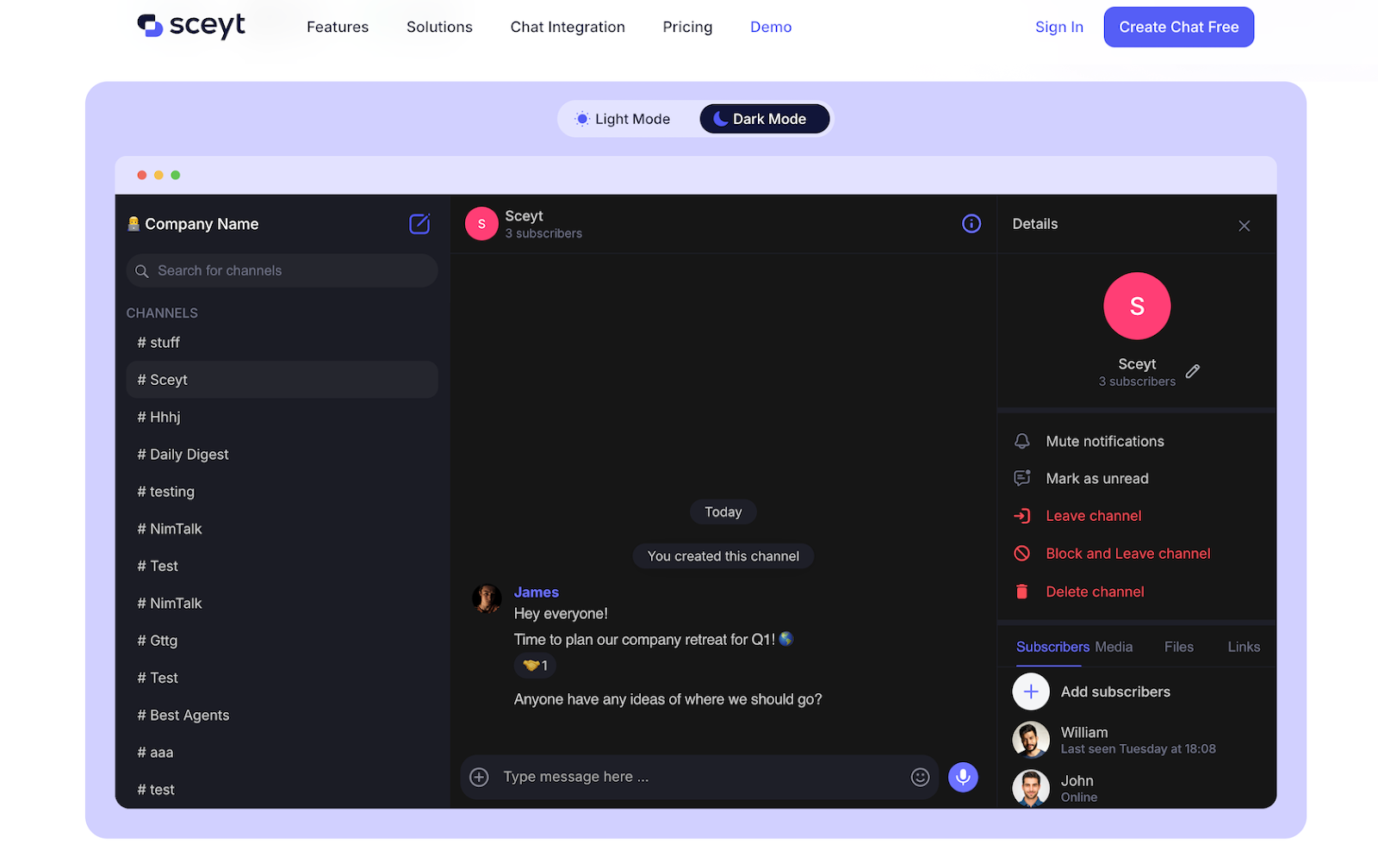
Sceyt includes everything needed to build a custom, Slack-style team chat tool that fits your branding. It’s built for speed — promising lower latency than other platforms — and for scale, with support for millions of people per channel.
The platform includes audio recording and file and video sharing, with on-device image and video resizing in its SDK to save space and keep chats fast. It can organize messages into channels and folders, show when users were last seen, and support rich text formatting in chat messages. Sceyt fits best when you want more control over the way your chat looks, without needing to implement each part of the chat stack manually.
- Best for: Developer and design teams building customized team chat
- Pros: Quickly build team chat into your app with SDKs and UI kits, supports sharing files and recording audio messages, on-device image optimization to save space
- Cons: No voice, video, or social network APIs; search only included in higher-tier plan
- Plans/pricing:
- Free: 100 monthly active users
- Starter (from $99 per month): From 1,000 monthly active users with unlimited messages and concurrent users
- Growth (from $249 per month): From 1,000 monthly active users with message search and priority support
- 8¢ per month per additional monthly active user
Pusher: For syncing real-time data between apps
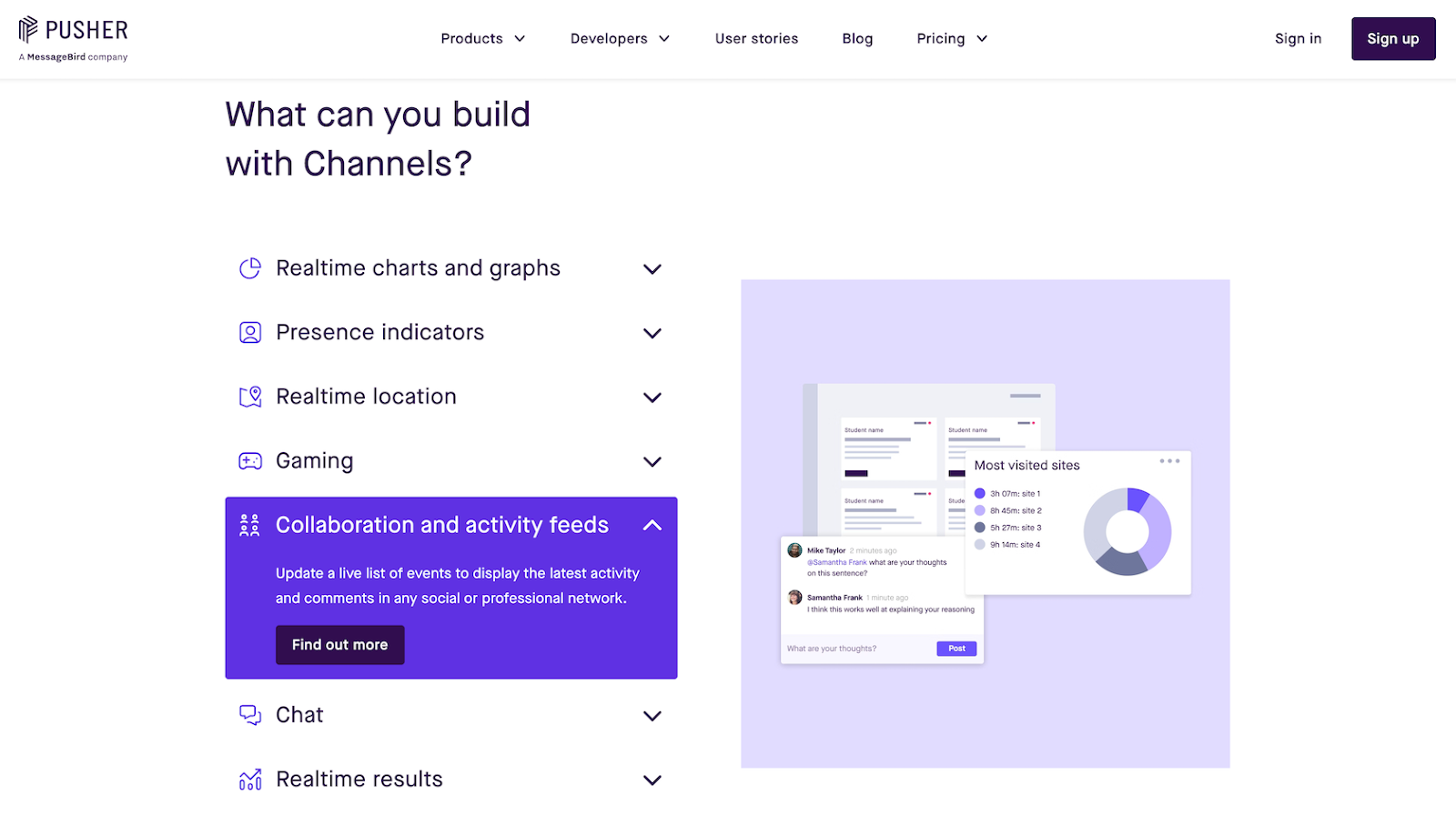
Pusher is built for a single thing: Pushing data between applications. With that foundational feature, you can build anything on top of the platform. The Washington Post used its tools to push real-time election results across its website and apps, and the Tokyo Olympics used it to sync lights across devices. Those same features are used to add live chat to education apps, share real-time location in exercise apps, sync turns in games, and more.
You could build a social network, a chat app, a collaboration tool, or anything else with Pusher. It doesn’t include pre-built components for any of those things, but its tech makes it easier to build them — and at a lower price point than most other GetStream competitors.
- Best for: Advanced developer teams building live sync features via API
- Pros: Real-time APIs to push data between apps, can use the same APIs to build any collaborative features, affordably priced and flexible
- Cons: Pure sync API, without chat or other pre-built apps; no message history — all new data is sent in real time
- Plans/pricing:
- Scalable (free): 200,000 messages per day and 100 concurrent connections
- Startup ($49 per month): One million messages per day and 500 concurrent connections
- Pro ($99 per month): Four million messages per day and 2,000 concurrent connections
How to choose the right GetStream alternative
Every tool here can power live chat. Finding the right one for your business depends on how much control you want and how much you want the platform to handle.
- Build-it-yourself: Pusher is best for building chat and social networking from scratch, powered by low-level real-time syncing APIs. Ably, Twilio, and PubNub all handle more for you, but leave the architectural and user experience decisions to your team.
- Full-featured chat and feeds: Sendbird, MirrorFly, and Sceyt all offer APIs and SDKs so that you can quickly build live chat and social feeds — complete with reactions, comments, and threads — without worrying about the implementation details.
- Pre-built, no-code live chat: Rocket.Chat’s open-source chat apps and CometChat’s no-code widget let you drop a full-featured chat into your site or app with an embed code in minutes.
- Pre-built no-code AI chat: Jotform AI Agents is the simplest way to add live AI and support-centric chat to your site without coding.
If your team’s still at the stage of researching what a chatbot is, then you’ll likely want an easy-to-use option like Jotform (which supports both human chat and AI-powered chatbots) or the no-code live chat options of CometChat or Rocket.Chat. If your team includes developers, though, you can build the advanced social and community features you’d like into your app with the other tools in this list, without worrying about backend complexity.
Ultimately, what matters most is the features and community you build around the chat and social networking APIs. GetStream and its alternatives do the hard work of syncing messages and filling feeds for you, so you can focus on creating a community where people want to hang out.
This article is for product teams, SaaS developers, no-code builders, and anyone who wants to find a flexible, cost-effective, and customizable alternative to GetStream’s chat and activity feed APIs to better align with their growth, integration, or compliance needs.






















































































Send Comment: