

Top 6 AI tools for research
Research used to mean long hours or even weeks digging through books, databases, and PDFs to find the right sources. Today, the challenge isn’t access to information alone — it’s also volume. Across academic, professional, and creative fields, researchers deal with more data, more sources, and tighter timelines than ever. And this shift is driving the rapid adoption of AI tools in research.
AI research tools are designed to support tasks like literature discovery, summarization, data analysis, citation management, and drafting. Researchers use them to synthesize information at scale and reduce the manual workload slowing research down. If you use them this way, you can focus on more critical thinking, interpretation, and decision-making.
As a lawyer and marketing professional, I spend a lot of time navigating dense information across research papers, industry reports, case law, and technical documentation. But as the volume of content continues to grow, manual research is becoming increasingly demanding, making AI research tools an essential part of my workflow rather than a nice-to-have.
Whether you’re conducting academic research, evaluating options for work, or developing ideas for creative projects, the right AI tools take the weight off information sourcing, synthesis, and writing. For this article, I spent weeks researching and testing popular AI research tools, narrowing them down to the six best. Below, I’ll walk you through the six best AI tools for research in 2026, how they work, and their pros and cons.

Categories of AI research tools
AI research tools span all phases of the research lifecycle, so they’re increasingly used by researchers and even students learning how to use AI for studying. But while some tools focus on a single phase — for example, citation tracking — others support multiple phases at the same time, letting researchers conduct studies faster, gain deeper insights, and make decisions without juggling platforms.
Below are the main categories of AI research tools, with example tools and when to use them.
1. Literature review and discovery tools: AI research tools like Consensus find relevant academic papers and scientific sources using semantic search, citation analysis, and recommendation engines.
2. Summarization and note-taking tools: Tools like SciSpace and Scholarcy digest large volumes of information by summarizing papers, extracting key points, and turning them into structured notes.
3. Citation and bibliography managers: AI tools like Litmaps and Zotero find papers by generating citations, mapping citation networks, and providing context around sources.
4. AI writing assistants: Once your research foundation is solid, the best AI for academic writing turns your inputs into structured drafts, summaries, or explanations while maintaining clarity and consistency.
5. Research planning and organization tools: AI tools like Notion and Mem structure research workflows, organize sources, and keep projects manageable as they scale, especially during long-term or collaborative research.
6. Survey and data collection automation tools: An AI market research tool like Jotform automates the collection and early analysis of primary research data for market research and validating assumptions with real-world input.
Build faster with Jotform AIDescribe what you need, and let Jotform AI build it for you instantly.
Get Started Now
How I chose which AI research apps to test
To build this list, I looked up popular AI research tools on the market and compiled an initial list of 30 tools across different stages of the research process. Those were too many to test meaningfully, so I dug into researcher-focused communities — forums, academic circles, and professional spaces — to discover the AI research tools people are actually working with in practice. That helped me cut the list down to 12 tools. I created accounts on all 12 platforms and spent days testing each platform across multiple research topics and workflows to compare their use cases objectively. I prioritized tools that were easy to use, had positive user reviews, and supported academic research tasks to reduce platform switching.
I cut out tools that felt clunky, had steep learning curves, didn’t offer trials, or made simple tasks unnecessarily difficult. For those that made the cut, I spent more days conducting searches, retrieving and summarizing information, exploring citation networks, and evaluating their core features. Accuracy mattered to me as much as speed, so I focused on tools that drew information from credible data sources, such as Google Scholar and PubMed. The result is a carefully curated list of the best AI tools for academic research that balance efficiency, usability, and trust.
Important note before we get into the tools
The AI tools below significantly speed up your research workflows, but they do not replace critical thinking, subject matter expertise, or academic judgment. AI tools produce results based on their training data set. So, they work best as support tools while the responsibility for accuracy, interpretation, and conclusions rests with you — the researcher. Treat AI suggestions, especially generative content, as starting points, not final answers.
The 6 best AI tools for research in 2026 compared
| Tool | Best for | Key features |
|---|---|---|
 Elicit |
Literature discovery |
|
 SciSpace |
Summarizing research papers |
|
 Litmaps |
Literature tracking and citation mapping |
|
 Julius AI |
Data analysis |
|
 Jenni.ai |
Academic writing |
|
 Grammarly |
Editing and polishing drafts |
|
1. Elicit: Best for literature discovery
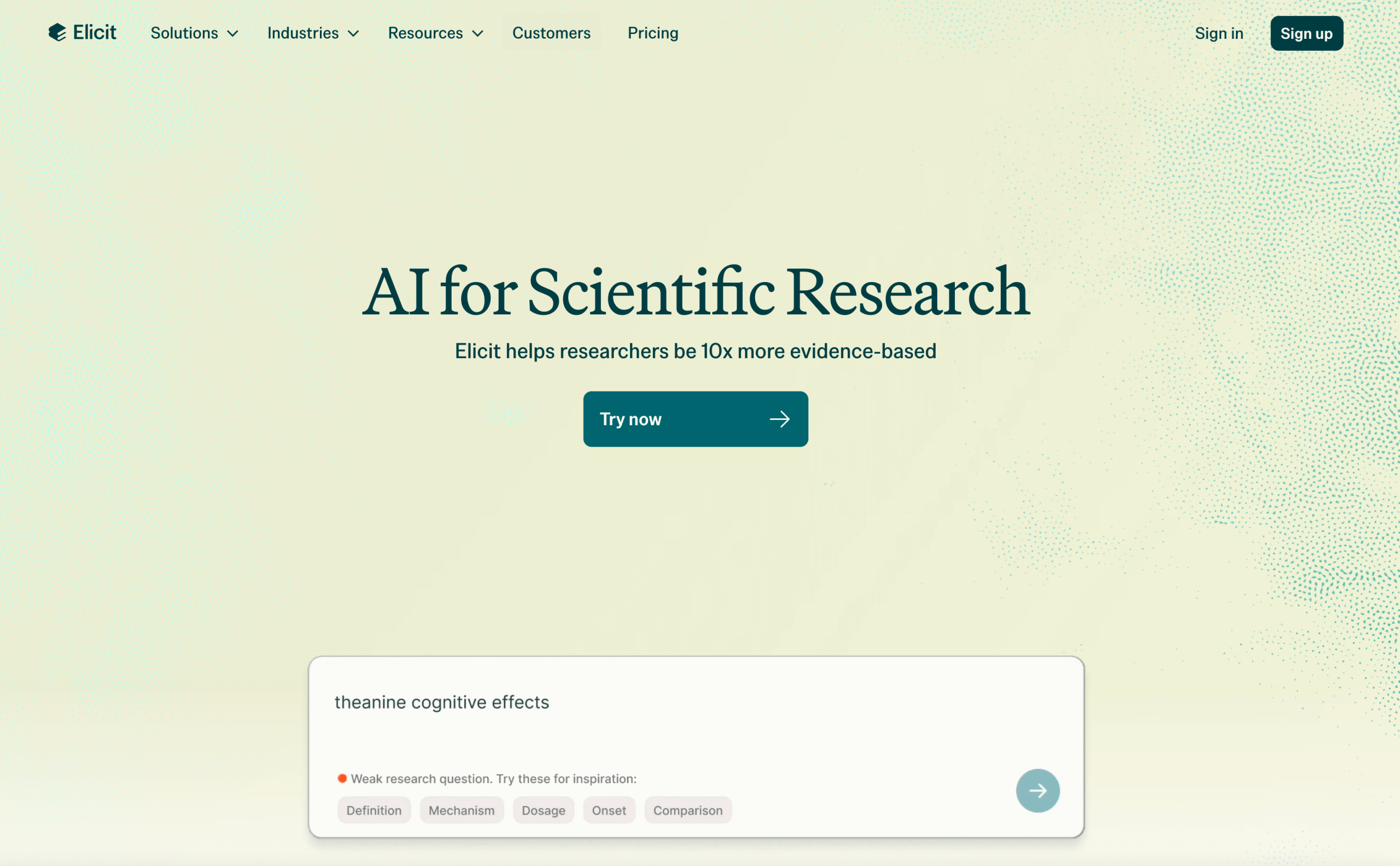
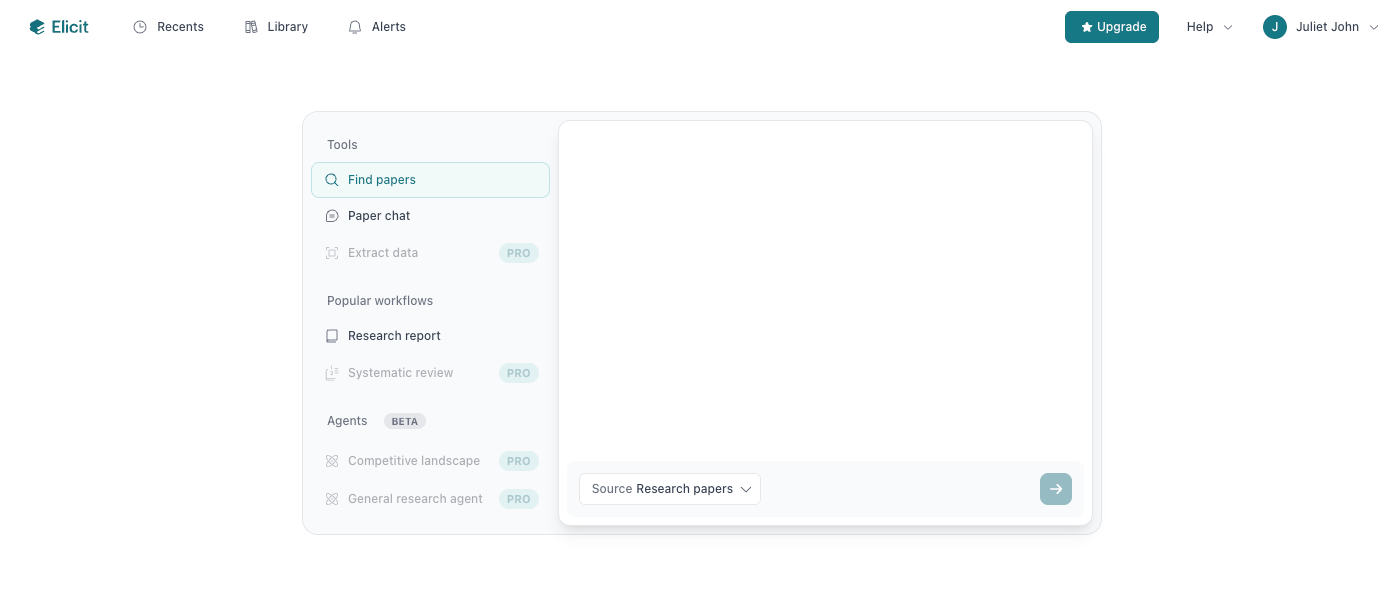
Whether you’re starting new research or simply looking to get an overview of the current landscape of a topic, Elicit is the best place to search, understand, and review existing literature. The AI research assistant gives you access to about 138 million pieces of scholarly literature, drawn from databases such as Semantic Scholar, PubMed and OpenAlex. Once you sign up and log in to Elicit, you’ll find a clean search engine-like dashboard where you can ask your research question in natural language.
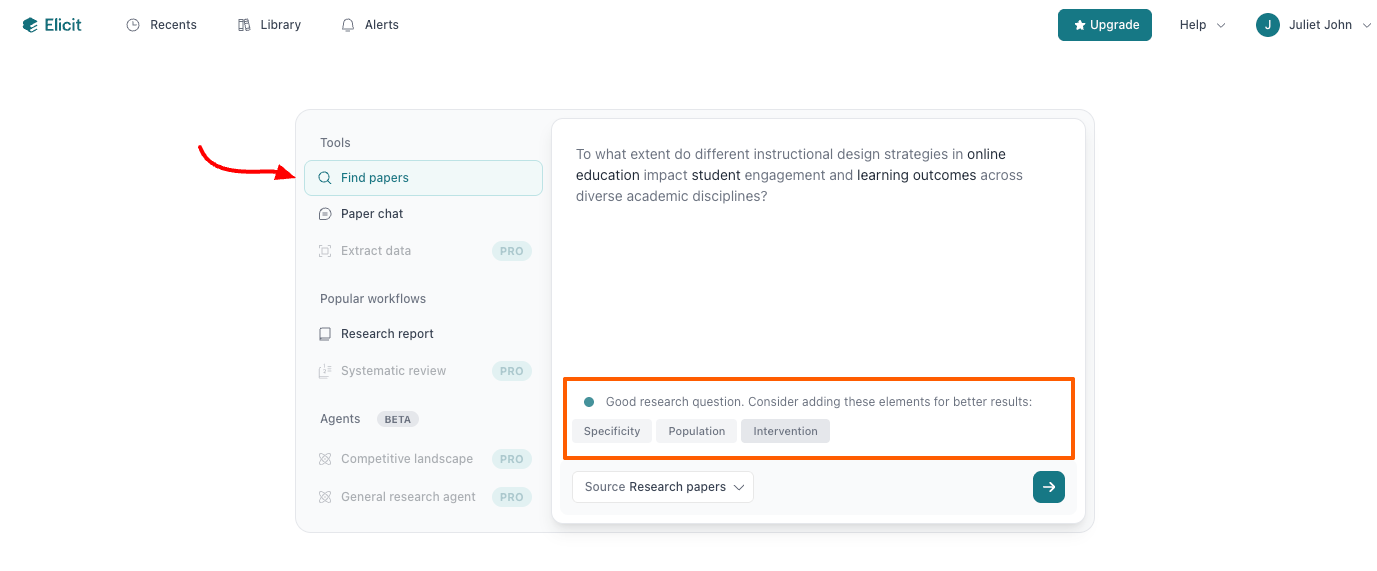
If you’re looking for existing literature, start with the Find papers option. I prompted Elicit with an academic-leaning question: “What are the main factors that influence student learning outcomes in online education?” The tool evaluated my question, rated it a good research question, and suggested semantic elements for improving it and yielding better results.
Within minutes of running the search, Elicit returned a concise answer to my question, complete with proper citations and multiple research papers. Each paper included an abstract summary, with supporting quotes and explanations that added context. Cited papers came with a Digital Object Identifier (DOI) for tracking, and I could filter the search results using many options, including keywords, journal quality, publication date, and study type. I could also specify the kind of data I wanted the AI research assistant to extract from the papers by adding new columns to the result.
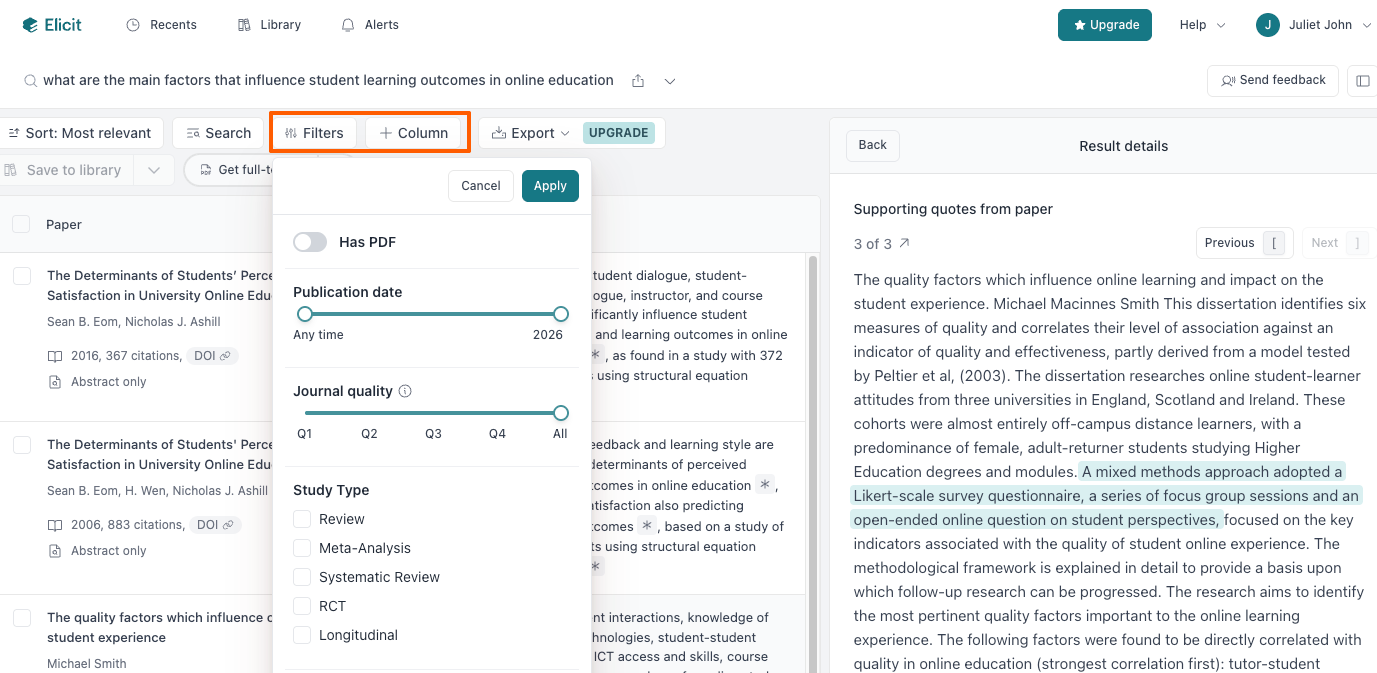
One feature I found particularly interesting in Elicit, which I think every researcher would appreciate, is Chat with paper, which lets you dig deep into your research by asking the AI anything about a paper. This way, you can comprehensively compare materials, identify themes, uncover gaps, and clarify methodologies quickly. With Chat with paper, the responses you get are based on specific academic or scientific literature, reducing the risk of AI hallucinations. Elicit also allows you to upload your own literature in PDF format and extract data from it using the chat feature. Once you’ve found relevant articles with Elicit, you can export them to your device using different formats, including .bib, CSV, and RIS. Plus, you can export the research results to your Zotero instance for proper organization.
- Pros:
- Well-cited papers with sentence-level citations
- Powerful data extraction from owned PDFS and other published sources
- Cons:
- No research writing support
- Plans/Pricing:
- Basic: Free with unlimited searches, two automated monthly reports, import from Zotero, and more.
- Plus: $10 per user per month (billed annually), everything in Basic plus additional export options, 4 automated reports, unlimited search across more than 500,000 clinical trials.
- Pro: $42 per user per month, everything in Plus and systematic review workflow, 12 automated reports, custom extractions from uploaded papers, and more.
- Team: $65 per user per month, everything in Pro and live editing, real-time collaboration with your team, 20 reports, an admin panel with usage tracking and seat management, and more.
- Enterprise: Custom per user per month, everything in Team plus custom usage limits, volume discounts, custom workflow development, and more.
2. SciSpace: Best for summarizing research papers
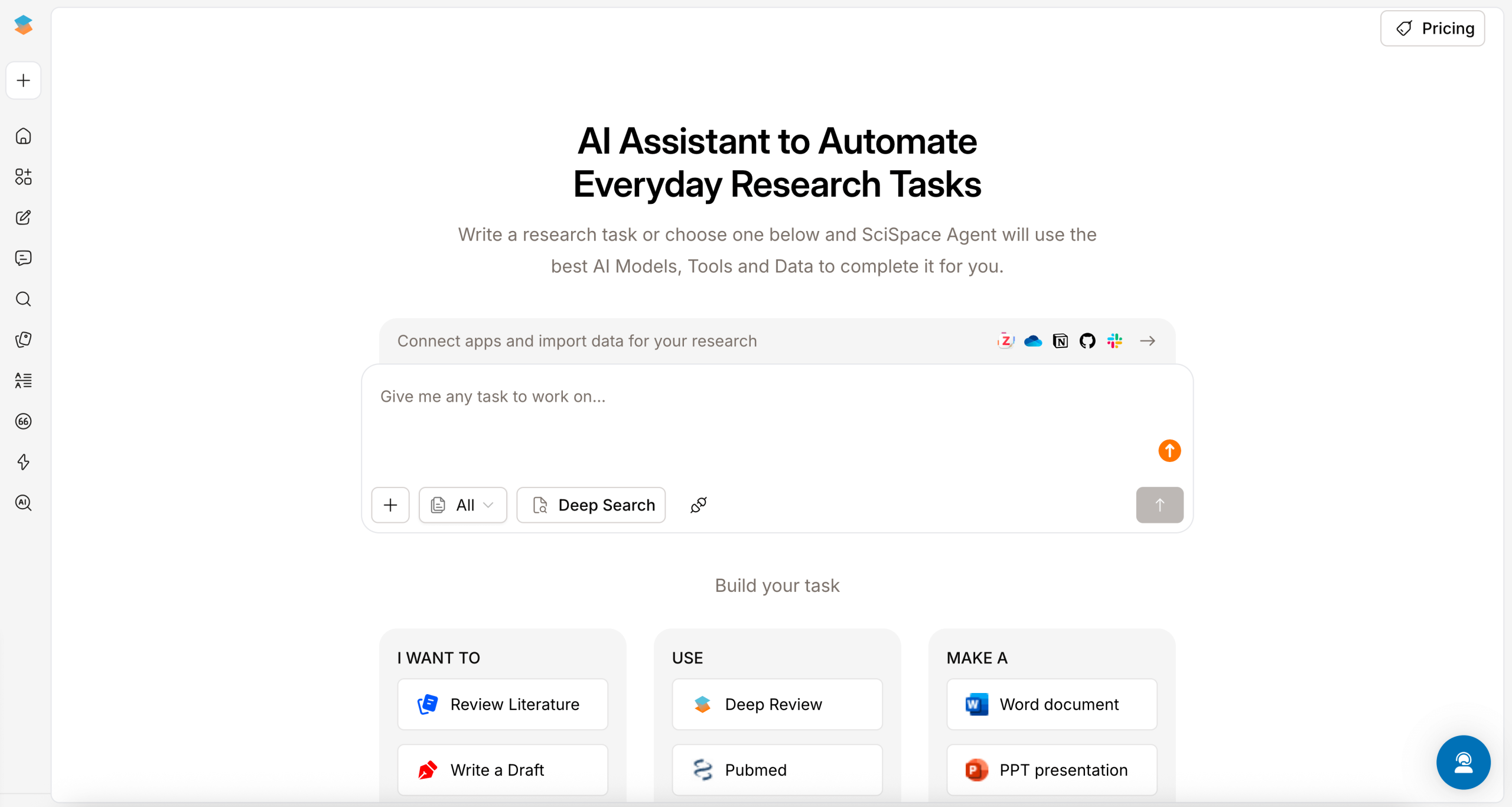
A traditional literature review requires weeks or even months of reading, analyzing, and summarizing papers to get a basic understanding of a topic. But with SciSpace AI for academic research, you can get familiar with any topic and put a literature review together in a matter of hours.
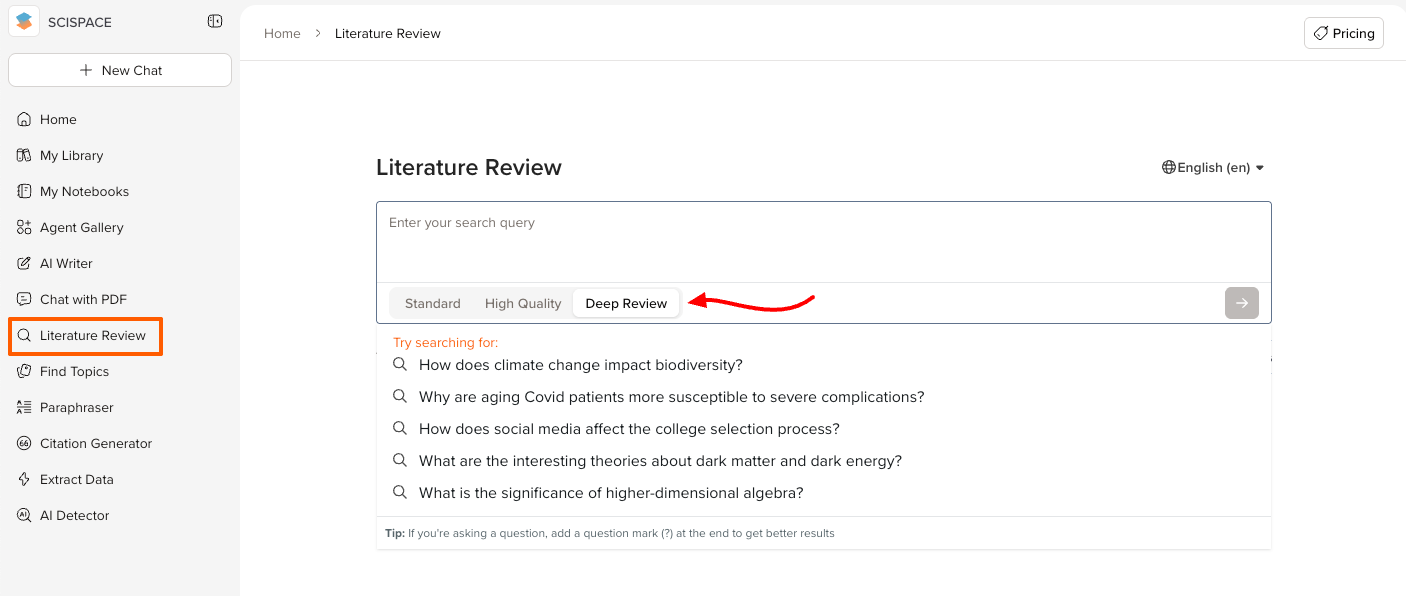
SciSpace offers an AI research agent called Deep Review, designed to think, extract, and summarize research papers into comprehensive sections. Once you sign in to SciSpace, navigate to Literature Review from the right-hand panel and select Deep review in the text area on your screen. There, you can search SciSpace using a question.
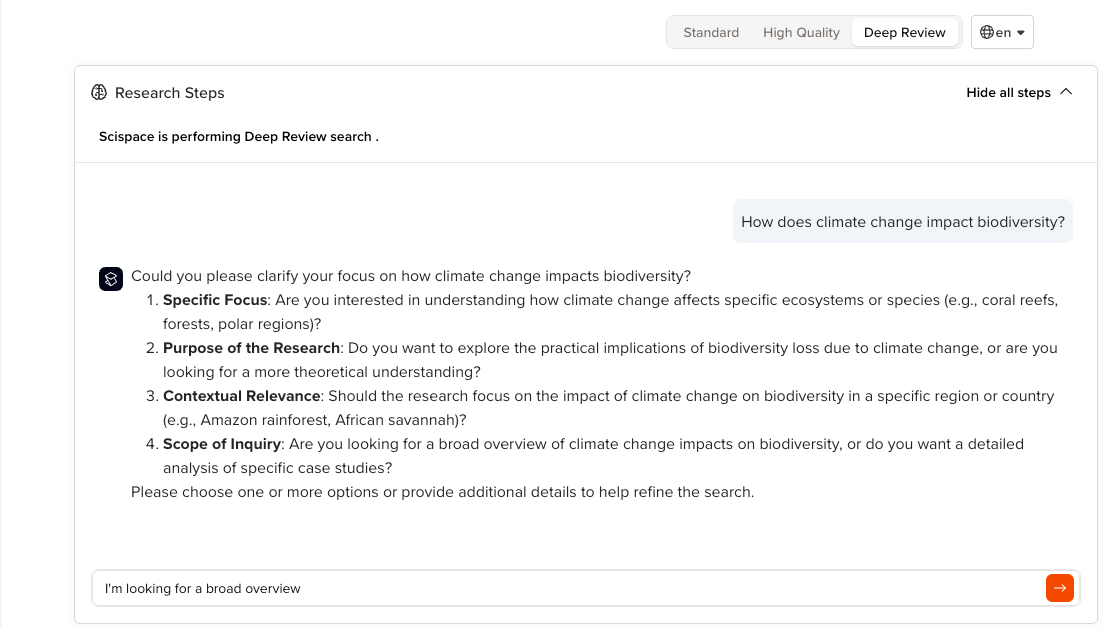
SciSpace emphasizes clarity. The moment you run the search, the AI agent prompts you to clarify your focus by asking questions about the purpose of your research, contextual relevance, or scope of inquiry. Selecting one or more options refines the search and gives you more relevant results. For the purpose of this article, I prompted SciSpace to give me a broad overview of the impact of climate change on biodiversity.
Within 10 minutes, the AI agent executed multiple relevant queries to broaden the search, found papers for each query, reviewed citations and references of additional relevant works, sorted all the papers by relevance, and created a deep review summary of my topic based on highly relevant papers. The summary included citation-rich insights organized into sections. These sections included the abstract, introduction, purpose and scope of the review, methodology of literature selection, results, overall synthesis, conclusion, and references.
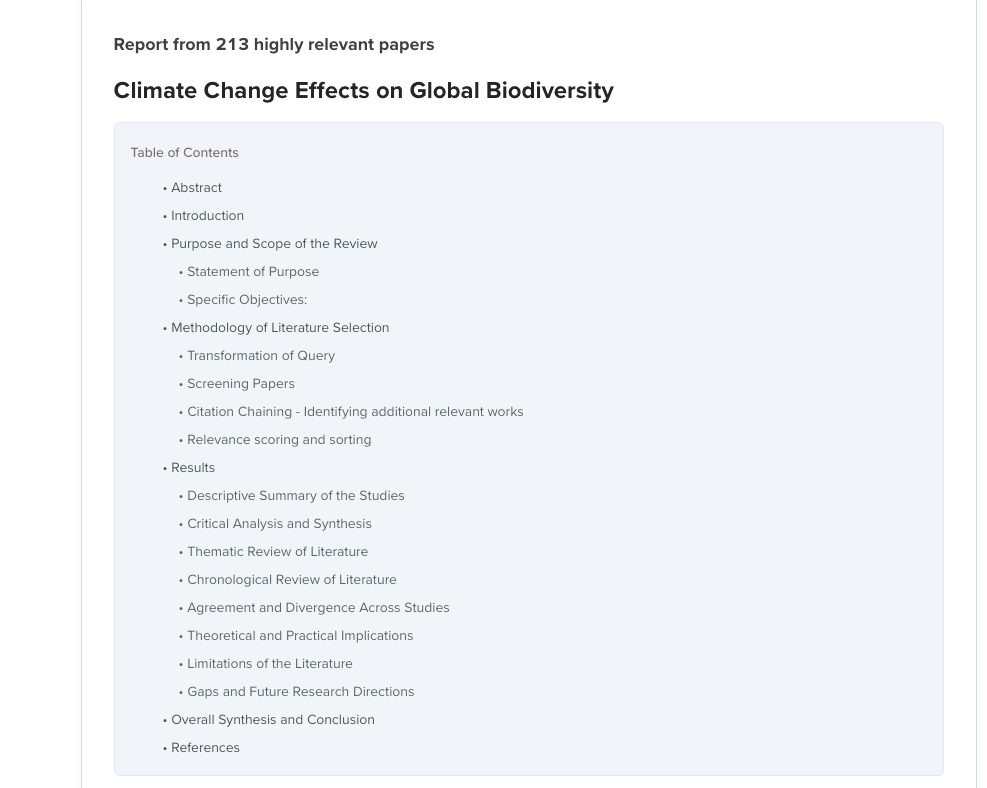
The summary had relevant tables, all properly referenced, along with follow-up prompts to expand the search and add more detail to the output. After summarizing papers, SciSpace gives you access to its sources by downloading them from a library or requesting access from the author(s). You can chat with a specific paper to uncover deeper insights or listen to its content as a podcast. When you’re happy with the summary, the AI research tool offers export options, including RIS, CSV, BIB, Excel, and XML.
Apart from its excellent summarization capability, SciSpace includes an AI writer to support with drafting your manuscript, a citation generator, and an AI detector. With these features, you save on specialized academic writing tools as you get into the drafting stages of research.
- Pros:
- Integrates with credible databases such as PubMed, Google Scholar, and ArXiv for extended paper access.
- Allows you to chat with the AI directly to get specific answers
- Cons:
- Potentially expensive paid plan
- Plans/Pricing:
- Basic: $0 with limited access to the platform
- Premium: $20 per month (billed annually), two parallel tasks, unlimited literature review, high-quality model access, unlimited paper summaries, export options, and more.
- Advanced: $70 per month, four parallel tasks, everything in Premium plus deep review access
- Teams: From $8 per user, up to four parallel tasks, everything in Premium/Advanced, role management, and discounted pricing with more users
- Enterprise: Custom
3. Litmaps: Best for literature tracking and citation mapping
Finding studies is only half the battle — understanding how those studies connect, which ones matter most, and what you’re missing is another story. That’s where Litmaps, an AI research tool for scientific literature, comes in.
Litmaps shows you how papers relate to one another in a single interactive map. This user-friendly platform relies on citation relationships, letting you easily track the evolution of ideas over time and across disciplines. Unlike other AI research tools that prompt you to start searching with a question, Litmaps lets you search for literature using a keyword, author, DOI, PubMed ID, or arXiv ID. When you search for your keyword/topic, Litmaps suggests a list of relevant articles. Choosing an article with a higher number of citations and references lets the AI discover related literature and build a visual map (Litmap) of recommended papers.
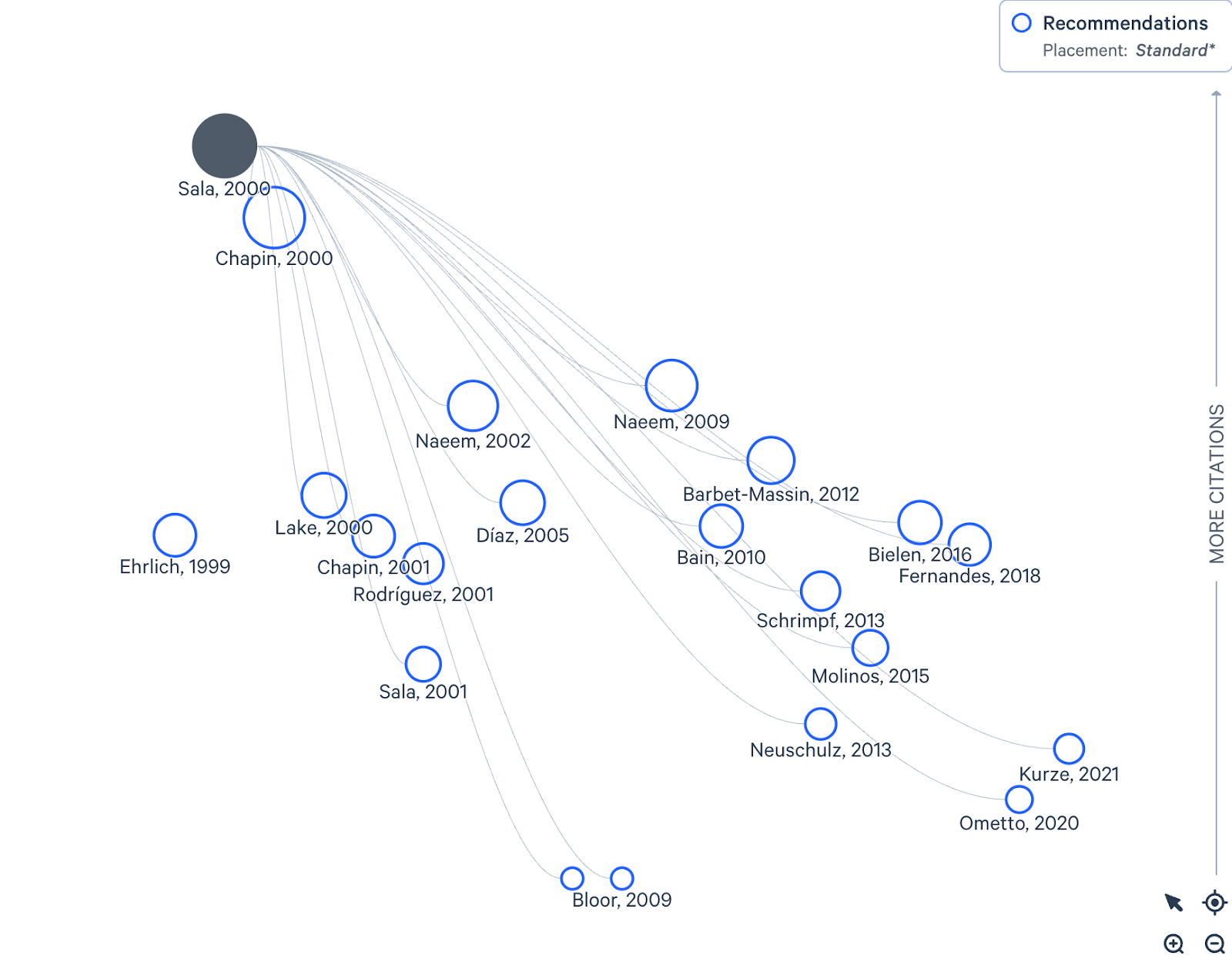
You can grow your citation map to include all relevant articles on your topic by clicking on the More like this button next to other articles you’re interested in, and the AI will add them to your Litmap.
As I added more connected articles, Litmaps let me organize the research papers into categories, such as subtopics and methodology, using tags and color codes. With this, I built a massive citation network showing how subtopics and articles interact to inform my research topic.
A beneficial feature you’ll find in Litmaps is Automatic monitoring. Once enabled, Litmaps automatically runs your map through its search algorithm weekly to discover new connected papers and add them to your citation network for your review. After writing your paper, you can add it to your Litmap and reference all the existing literature you reviewed. And if you want to share your Litmap with colleagues, the platform lets you email it, create a shareable public link, or export your map as a screenshot.
- Pros:
- A visualization map makes understanding connected articles easier than using list-based databases
- It draws from credible databases like OpenAlex, Crossref, and Semantic Scholar.
- Cons:
- Can be slow when processing large datasets
- Plans/Pricing:
- Free: Basic search with up to 20 inputs, two Litmaps with 100 articles
- Pro (Education for $10 per month or Commercial for $40 per month, billed annually): Advanced search with unlimited inputs, unlimited Litmaps with unlimited articles
- Team: Custom price with everything in pro and team-wide collaboration
4. Julius AI: Best for data analysis
For a long time, data analysis in research meant slow, manual work — especially for researchers without experience in programming languages like Python or tools like Power BI. AI data analysis tools like Julius AI change that by helping researchers of all skill levels prepare data, identify patterns, and uncover trends.
Julius AI lets you interact with, analyze, and understand data in plain language. It combines Python, Excel, and ChatGPT to perform statistical analysis and generate graphs, tables, and summaries from simple natural language prompts. Inside Julius’ ChatGPT-style interface, start by uploading a data file or connecting a data source such as Snowflake, BigQuery, or Google Drive. For this test, I uploaded a large CSV-style dataset on remote work and productivity.
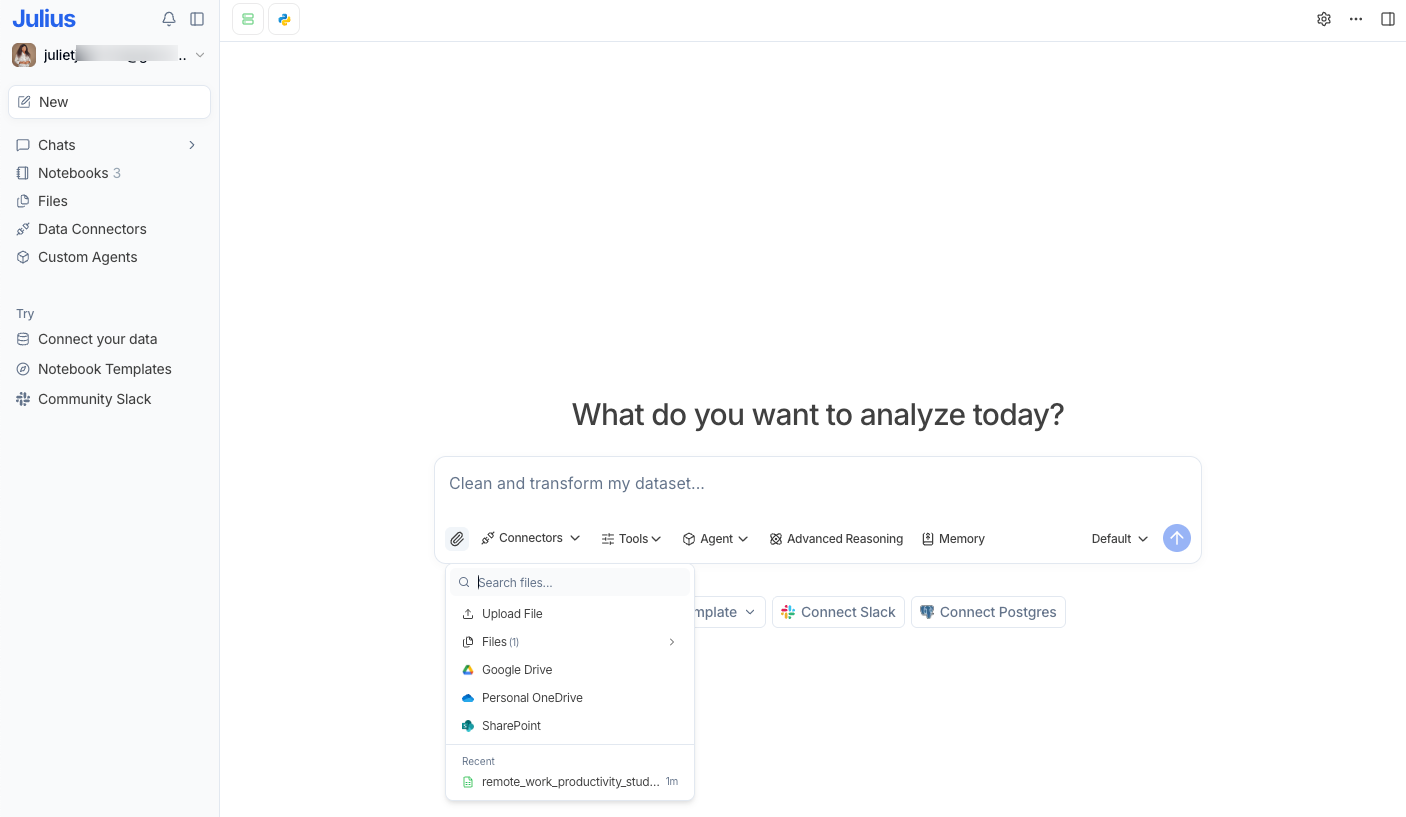
Once uploaded, the AI tool formatted the data into a table and provided a quick overview of its content.
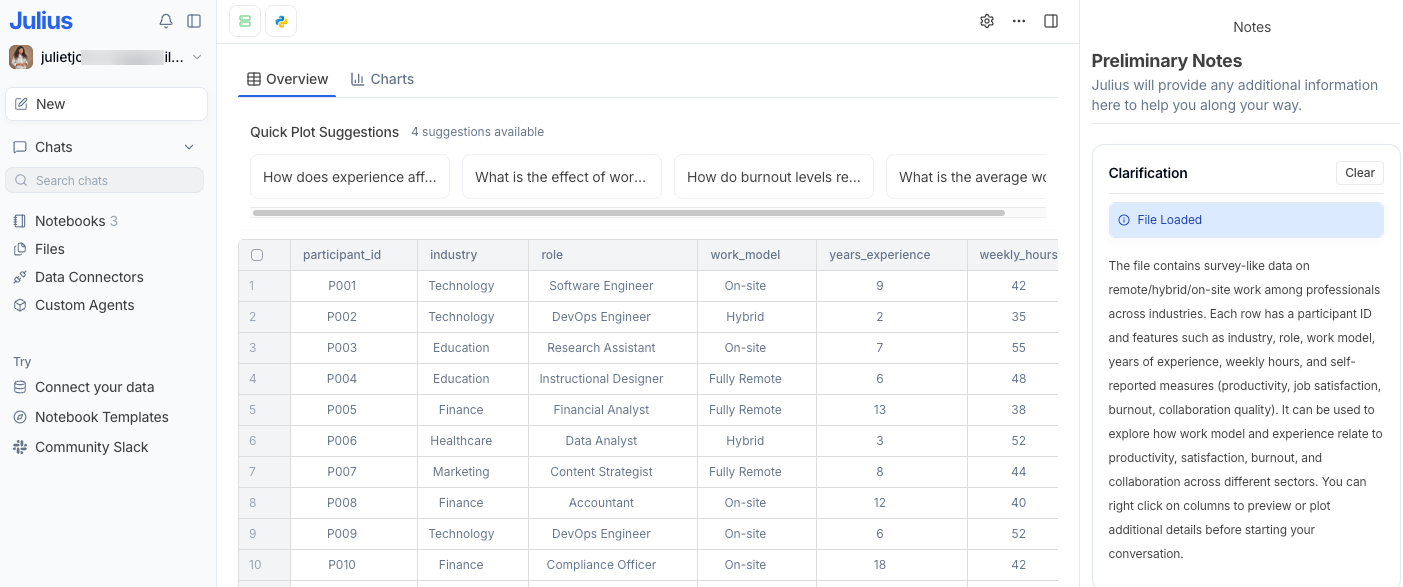
From here, I could chat with the AI and ask it to surface every kind of insight from the data. For instance, I started by asking Julius to summarize how work models impact productivity, job satisfaction, burnout, and collaboration quality. In response, Julius AI generated Python code and delivered a clean, high-level summary in table and plain-text formats. It also created boxplots and stripplots so I could visualize the distribution of metrics within the dataset.
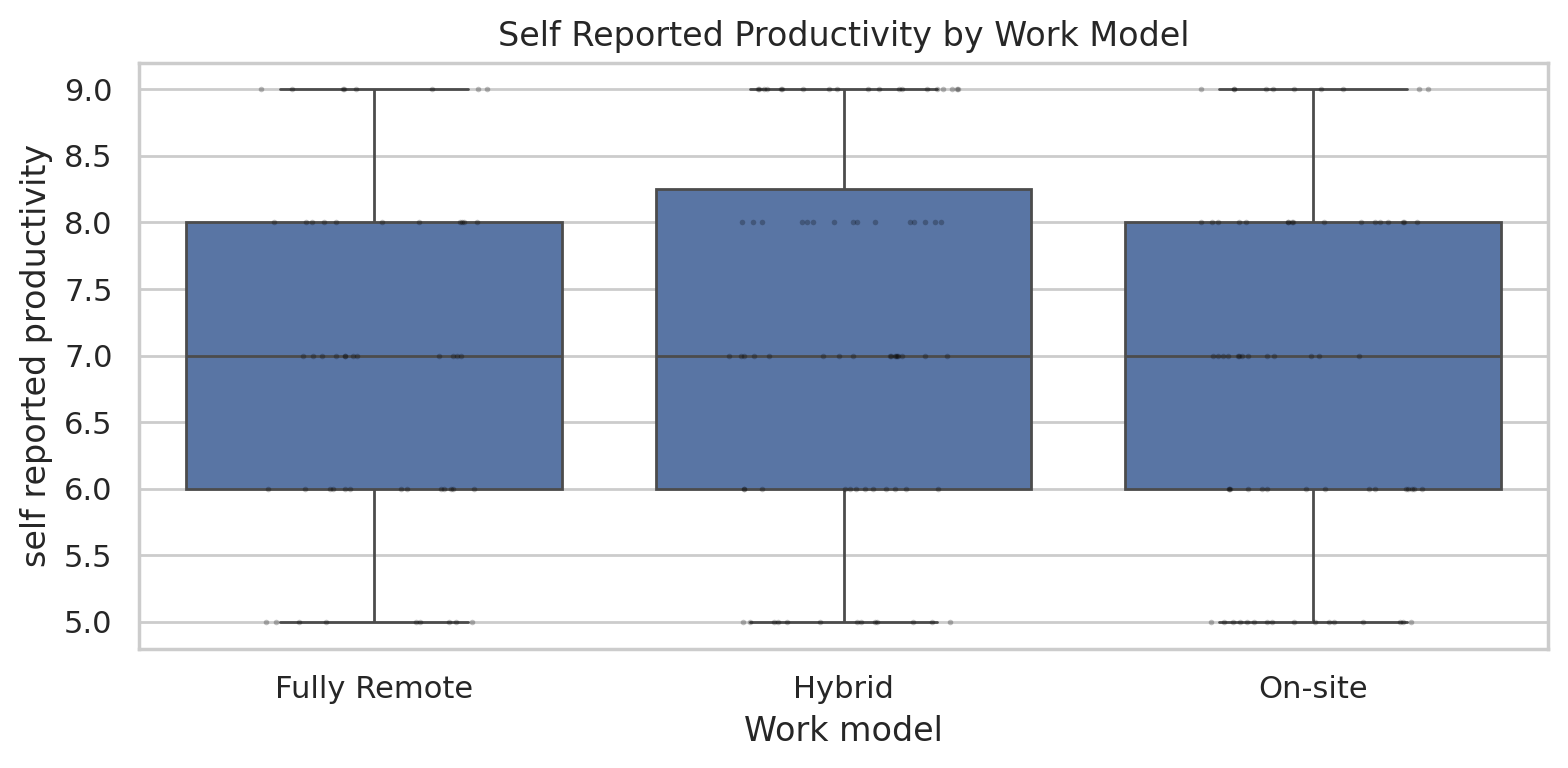
Sample box plot from Julius AI showing the distribution of self-reported productivity across work models based on a fictional data set.
Based on the results, I asked follow-up questions to gain more insights, and the tool even suggested prompts for expanding the data analysis. I really liked how Julius provided an explanation of the generated Python code. If you’re familiar with the programming language, you can make adjustments to the code and even use it on other data analysis tools like Jupyter.
Whether you’re an academic, scientist, or professional researcher, you can use Julius to analyze any data. If an error occurs during analysis, it’ll rerun the analysis and self-correct. If you’re using the paid version of Julius, you can access its advanced reasoning feature, which walks you through a multi-step logic for data analysis. Julius also lets you create custom AI data analysis agents customized to your specific workflow.
- Pros:
- Lets you upload large data files even on the free plan
- Easy to use for non-technical users
- Cons:
- Might not be suitable for in-depth data analysis
- Plans/Pricing:
- Free: 15 messages a month, .csv, .xlsx, .sav file intake, and 2GB RAM
- Plus: $20 per month, everything in Free plus .png, .jpg file intake, access to advanced open AI models, 16GB RAM, one hour extended session time, and more
- Pro: $45 per month, everything in Plus and 32 GM RAM, three hours extended session time, access to data connectors like Snowflake, BigQuery, Postgres, and more
- Enterprise: Custom price with unlimited access
5. Jenni AI: Best AI for academic writing
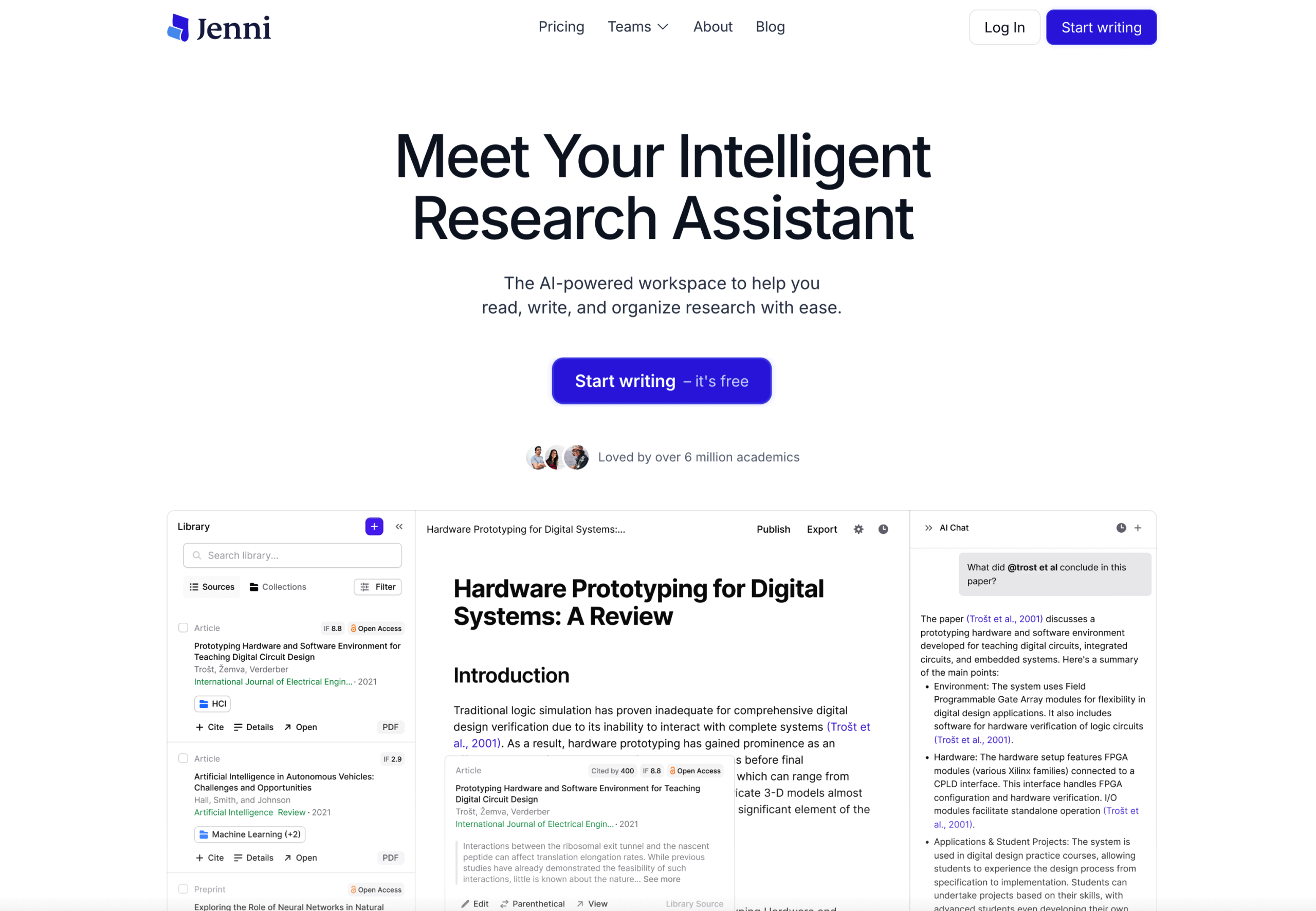
Even after conducting background research, developing your thesis, and gathering sources, writing remains one of the most demanding stages of academic research. But an AI research writing tool like Jenni supports this stage by generating outlines, writing initial drafts, reviewing written content, and organizing citations.
Once you sign up and log in to the dashboard, you’ll notice a clean, distraction-free interface. Start from scratch by prompting the AI to generate an outline and flesh out supporting text, or upload already written content in a docx file and use Jenni to enhance the writing. For my test, I started from scratch by giving Jenni a simple prompt: “Write a literature review on the topic, the impact of remote work models on knowledge worker productivity and well-being, focusing on studies published after 2020.“
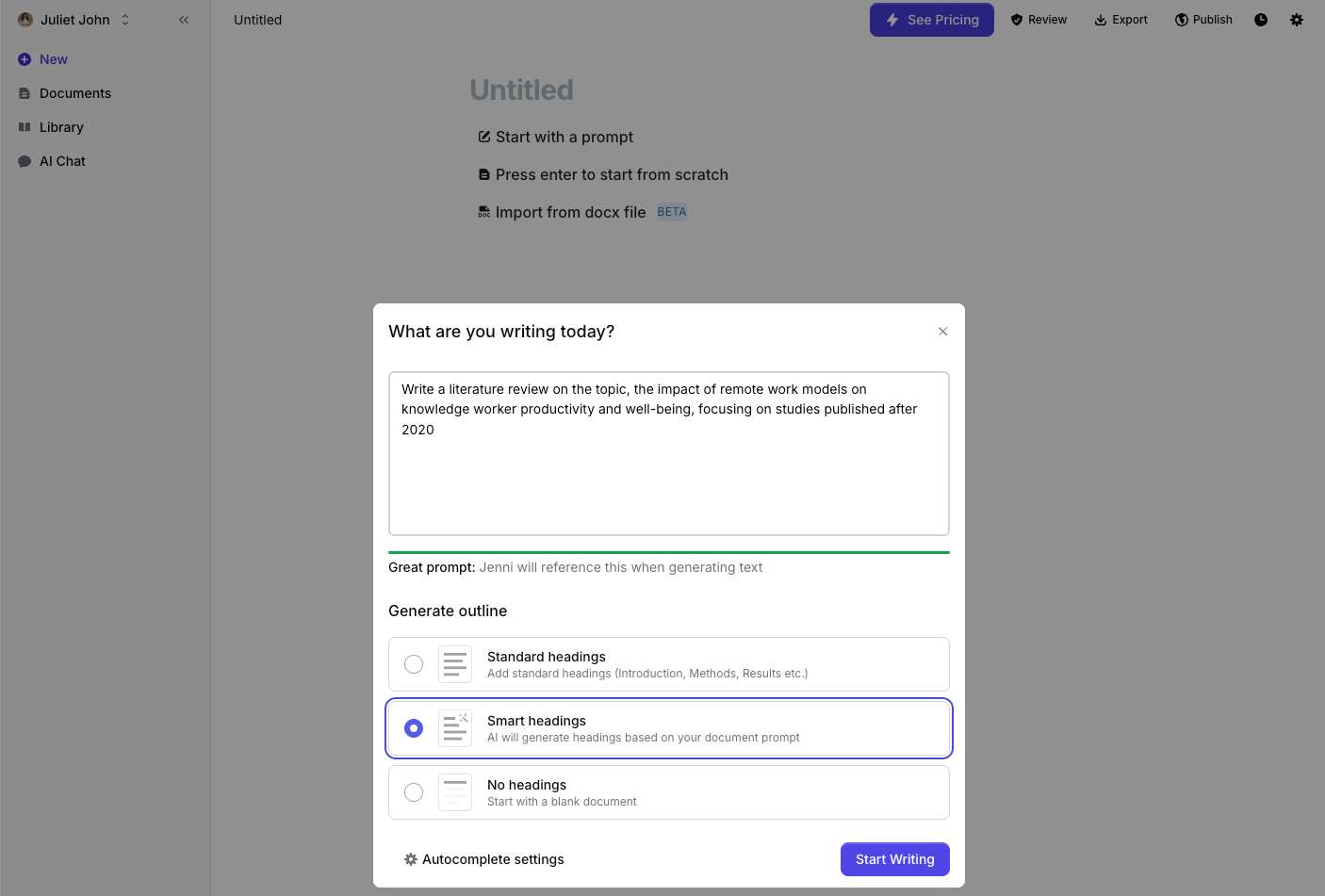
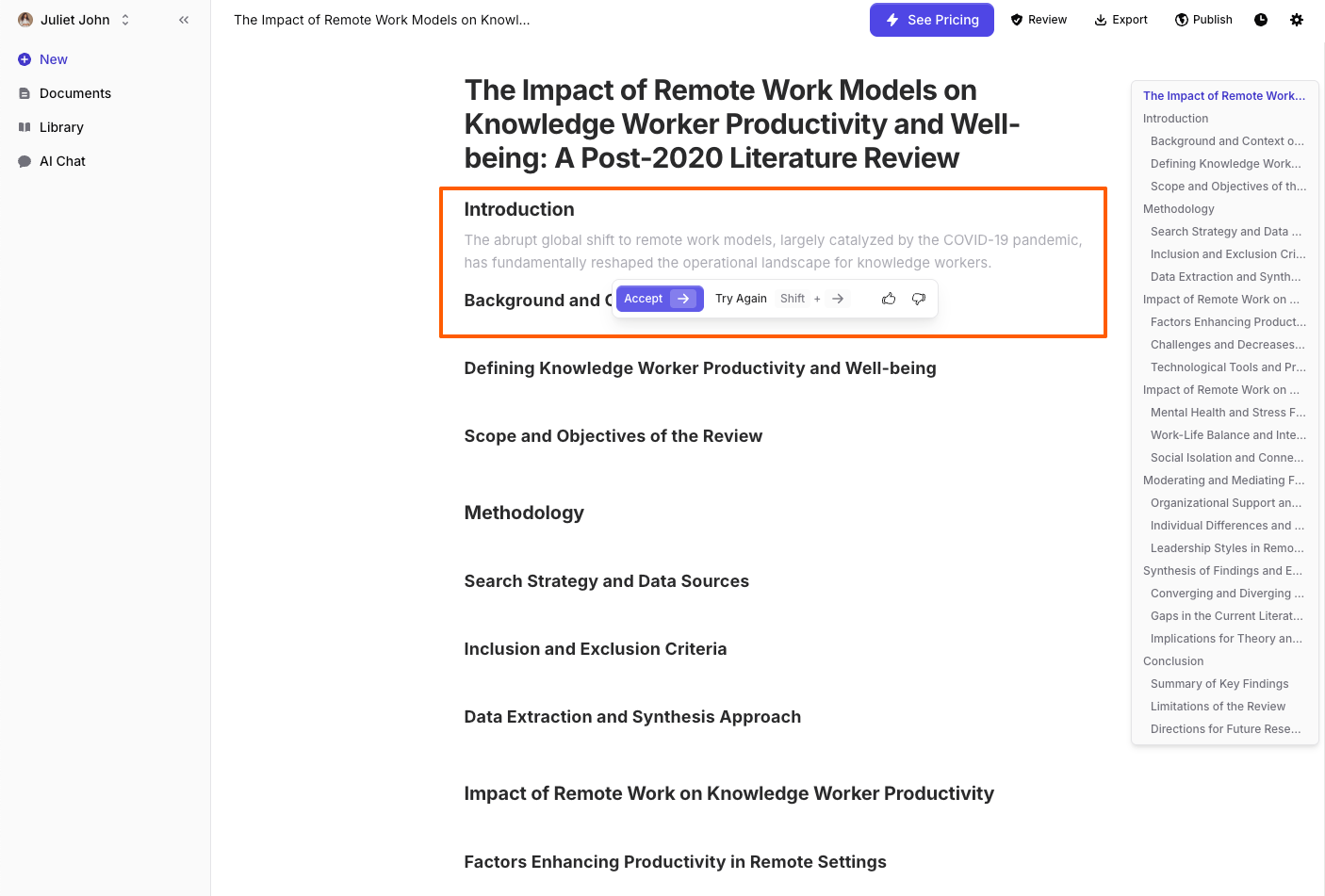
I selected smart headings for the outline, and in seconds, Jenni generated a long list of possible headings for my topic in its text editor. If you’ve yet to come up with a structure for your paper, this outline is a great place to start. You can look through the list of sections and remove any headings that are irrelevant to your topic. And when you’re ready to start writing, Jenni gives you options: First, it will suggest supporting text for your sections when you click into the space beneath the heading. If you accept, the tool brings the AI-generated content into the editor.
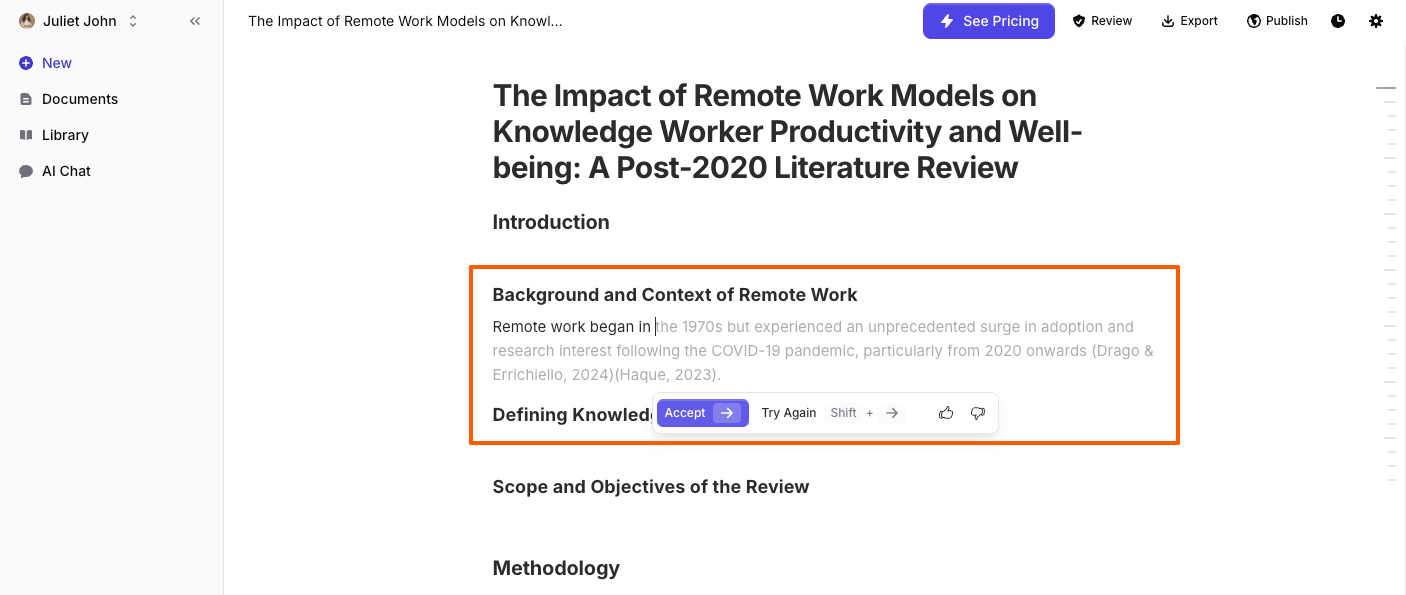
Alternatively, you can start typing, and the AI will suggest relevant content for auto-completing the section.
As Jenni generates text and you accept its suggestions, it automatically includes references to the content to save you the headache of searching for citations manually. Whether or not these citations are correct is for you to verify, but the tool nudges you with text ideas that fit your topic whenever you hit a writing block.
What really stood out to me while testing Jenni is how it keeps a natural human-like tone while generating content. Its suggestions didn’t read like AI-generated content, and since it’s designed for research writing, the tool produces text that mimics academic tone and structure. As you work through the rest of your paper using Jenni, it gives you options for enhancing your text. You can use AI commands to simplify sections academically or persuasively, strengthen your argument, or improve fluency by fixing flow issues, adding transitions, or removing redundancy.
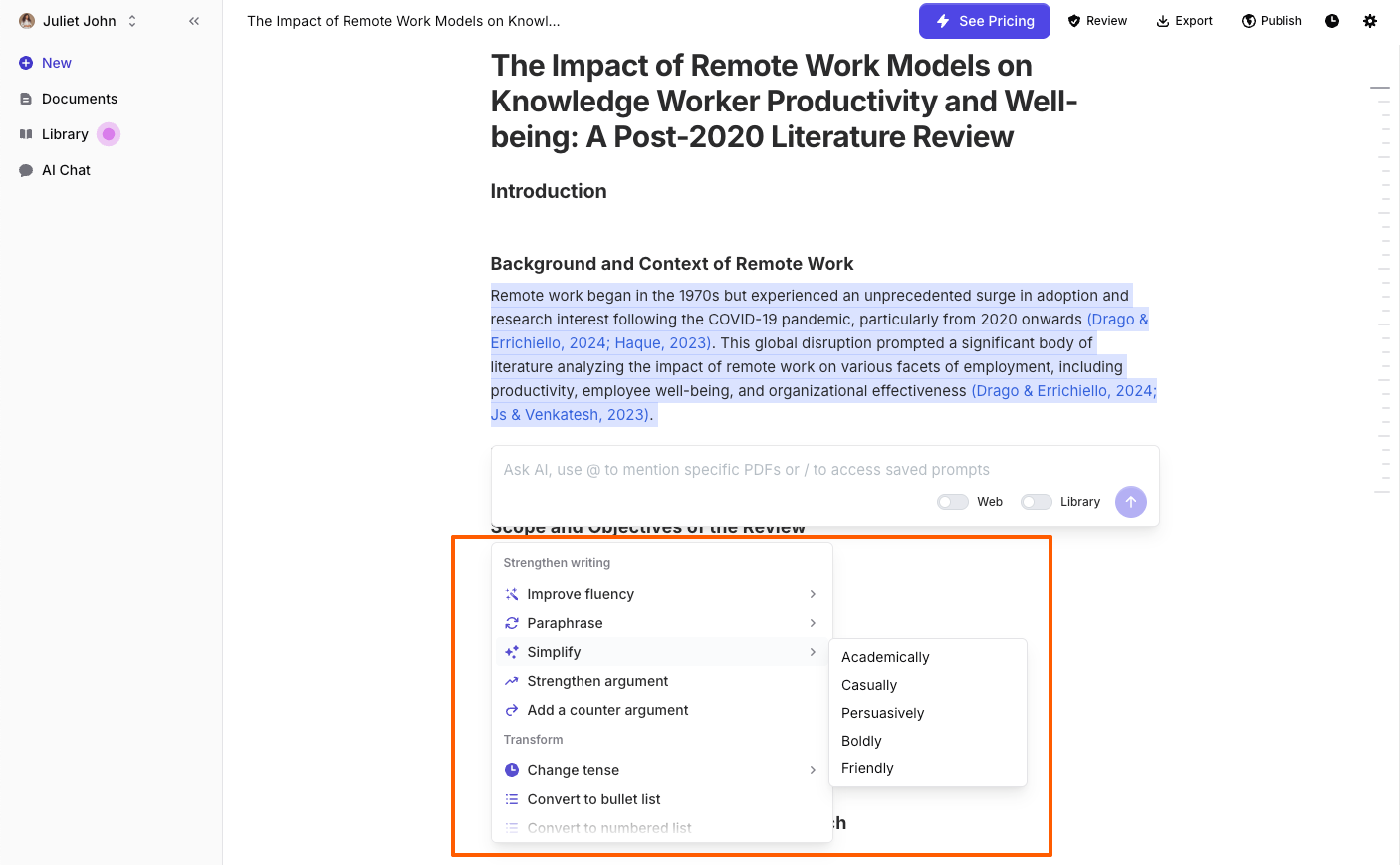
In addition to generating and enhancing text, Jenni lets you translate content into five languages, convert text to a table, and format your writing properly for publication.
- Pros:
- Very intuitive with lots of prompts that make it easy to use
- Automatically adds references and offers thousands of citation styles
- Cons:
- Potential for inaccurate and plagiarized content
- Plans/Pricing:
- Free: 10 AI autocompletes daily, five AI edits, 10 AI chat messages, 2,600 citations, and unlimited citations
- Unlimited: $12/month (billed annually), everything in Free plus unlimited access to AI, writing, and editing tools.
- Team/institutional: Custom pricing
6. Grammarly: Best for editing and polishing drafts

Once your draft is complete, the next step is editing and polishing to correct grammar and syntax, improve flow, and ensure your writing aligns with the intended audience. An AI writing tool like Grammarly is built for editing and refining your writing to improve clarity, consistency, and readability without changing its meaning or voice.
After you sign up with Grammarly and go into its editor, you can paste your entire writing or upload the paper for review. With your content in the editor, the AI tool first proofreads and evaluates it, and then awards you a writing quality score.
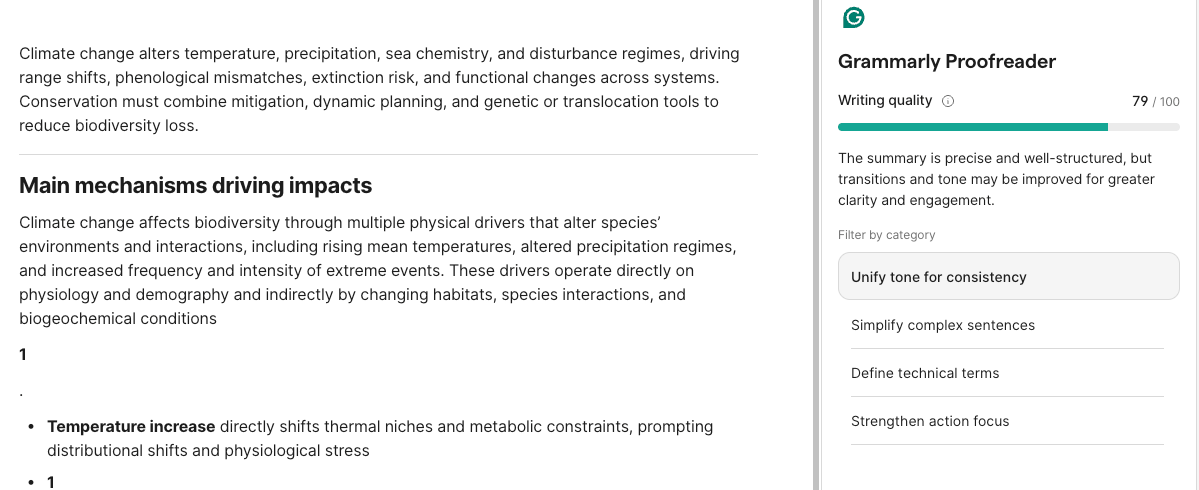
For scores below 100, it offers recommendations to improve grammar, unify tone, or maintain style consistency. You can click accept or dismiss to implement or discard the suggestions. As you work through the recommended edits, Grammarly suggests ways to enrich your content. For example, you can turn sections of your text into callouts or tables to make them scannable.
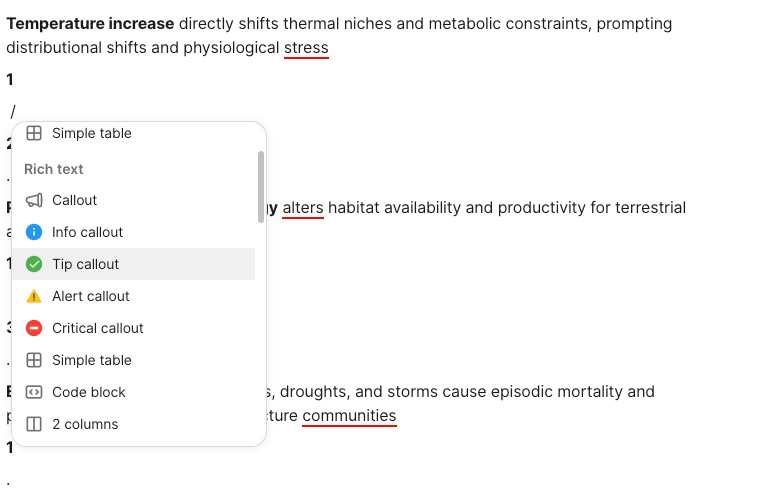
When you need help refining sections, Grammarly has an AI chatbot and rewriter that suggests relevant changes to improve your writing. The tool also includes research-focused features such as a plagiarism checker, citation suggestions, and basic fact-checking support, which are helpful for academic and professional writing where accuracy and originality matter. Grammarly integrates natively with Google Workspace and Microsoft Word through dedicated add-ons so you can get real-time spelling, grammar, and tone suggestions for more polished research first drafts.
- Pros:
- Real-time grammar and spelling checks
- Integrates with a broad range of platforms
- Cons:
- Potential to generate inaccurate citations
- Plans/Pricing:
- Free: Unlimited spelling and grammar checks, tone checks, 100 AI prompts for text generation
- Pro: $12 per month, everything in Free, plus sentence rewrites, unlimited personalized suggestions, plagiarism checker, and 2,000 AI prompts
- Enterprise: Custom
Streamline your research process with Jotform
Once information is available, the AI tools we’ve covered in this post can support the grunt work of literature discovery, review, citation management, data analysis, and drafting. This frees you up to focus on identifying gaps in existing studies and developing new perspectives. However, most AI research tools don’t address a critical part of the research lifecycle: how data is collected and workflows are managed at the very beginning of a study. And that’s where Jotform fits into a modern research stack.
Jotform helps researchers collect data, manage interactions, and automate early-stage workflows without technical setup or custom development. It gives you intelligent AI agents that extract data from multiple sources, automate workflows, and share findings more effectively.
Jotform AI Agents let you turn standard research forms into dynamic chat-like experiences that make it easier to gather insights from respondents in an accurate, thoughtful manner. For instance, through conversational surveys, the Correlational Research Survey AI Agent can
- Collect data on consumer behavior for market research
- Gather feedback on social issues for academic research
- Analyze relationships between health variables in public health studies
Similarly, the User Researcher AI Agent smooths the process of obtaining participant consent and registering them for research studies. These AI agents engage participants in friendly conversations, ensuring they understand the research details before collecting the vital information essential to your study. By using interactive dialogue, Jotform AI guides respondents to provide deeper insights into the research problem, ultimately improving the quality of your research data while adhering to research protocol.
In addition to collecting nuanced insights from respondents, Jotform AI agents can
- Search websites or knowledge bases for relevant answers
- Curate lists of papers or reports
- Share explainer videos or supporting materials during data collection
- Send API requests to external research platforms
- Schedule interviews or trigger workflows automatically
Jotform offers a directory of 7,000-plus AI agent templates tailored to specific research needs. All agents include features such as chatbot conversations, live chat, phone, and voice functionality to engage respondents across multiple channels. You can train your Jotform AI Agent using your own documents, web links, or custom text to ensure it understands your topic and collects accurate information.
Getting started with Jotform is easy. You can clone one of our 7,000-plus AI agent templates, tailor the conversation flow to your use case, and customize its appearance to match your branding. Or you can turn any of your Jotform forms into an AI agent or build a custom AI agent in our intuitive AI agent builder. Either way, you’ll access forms, actions, tools, integrations, and multichannel support, as well as enjoy an end-to-end research assistant that collects data, automates workflows, and shares your findings effectively.
This article is for academic researchers, market analysts, content strategists, and anyone who wants to streamline research tasks using AI tools that improve efficiency, automate data handling, and enhance the quality of writing and analysis.
Frequently asked questions
Grok 3 (from Elon Musk’s ecosystem) is popular for its speed and ease of integration in conversational contexts, especially on social media. However, the best AI for research depends on your goal. Grok generates fast answers, but a more specialized academic research tool provides citation-focused outputs better aligned with research needs.
The best AI tools for market research depend on what stage of the process you’re focusing on. Tools like Jotform help you gather primary insights, while analysis tools like Julius AI support trend identification and reporting.
Better depends on your specific AI need. If you’re looking for an AI tool for casual conversation or general problem-solving, Grok or Bard might feel more natural or creative in certain contexts. If you’re looking for research-specific tools, Elicit or SciSpace will outperform ChatGPT.
Yes, ChatGPT has a deep research feature that summarizes information, generates literature reviews, and analyzes topics if prompted properly. But it doesn’t guarantee verified information or evidence linkage, as it isn’t a specialized AI research tool.



































































































Send Comment:
1 Comment:
March 15, 2026
this is good and i will like to use it frequently.