
The Dietary Menu Matcher App helps diners discover dishes that suit their stated food preferences. Restaurants, cafés, caterers, hospitality teams, and nutrition-focused food services can use this app template to offer a more helpful menu browsing experience. Guests can submit dietary preferences, review relevant dish cards, and open individual pages to learn more about each option. This approach reduces the effort required to scan a full menu, helps staff respond to common menu questions, and gives customers a convenient self-service resource before ordering or visiting. It can also support seasonal menus, catered events, workplace dining programs, and other settings where people need to compare food choices.
Jotform makes the Dietary Menu Matcher App easy to adapt with a no-code app builder and drag-and-drop interface. Teams can update pages, dish information, images, navigation, and the connected preference form without programming. The app can connect data collection with tables, notifications, and other workflow steps, helping staff maintain organized menu information as offerings change. Once ready, it can be shared through a direct link or QR code for mobile-friendly access, making Jotform App Templates a practical starting point for creating a branded digital menu experience.
Related templates

Order Ahead App
Wondering how to let customers order ahead online? Giving customers the freedom to order ahead makes everything easier for both parties. With this Order Ahead App, you can collect orders for pick-up or delivery, and take payments with debit or credit cards, or even with PayPal. Customers can open your app from any device, contact your restaurant or leave reviews, and download your app to their smartphone, tablet, or computer.Want to customize your Order Ahead App to match your restaurant’s branding? Our drag-and-drop interface makes it easy to add or change forms, choose fonts and colors, upload your logo or menu thumbnail images, update the app name or text, and more — all with zero coding. After that, simply share the link on your website or social media, and you’re off and running! Make ordering ahead a breeze and sell orders online with your own personal Order Ahead App.
Go to Category:Restaurant Apps
Cookie Sales Tracker App
Wondering how to sell cookies online? A Cookie Sales Tracker App is a great tool for pop-ups and bakeries alike to take cookie orders and track sales. Using this app, customers can place orders online by filling out general contact information, choosing a delivery date, and specifying if the order is for pick-up or delivery. Under order details, there are a variety of customizable options such as flavor, icing, add-ons, cookie shape, and custom order packaging. Your online orders are then stored and compiled in an easy-to-read spreadsheet in Jotform Tables, which you can access from any device.Want to personalize this Cookie Sales Tracker App? Our drag-and-drop interface makes it easy to add or change forms, choose fonts and colors, upload your bakery’s logo, update the app name or text, and more — all without any coding. Once you’re satisfied with the look and feel, just share your app via link on your website or social media and customers can open and download it on any smartphone, tablet, or computer. Sell cookies online with this Cookie Sales Tracker App!
Go to Category:Food & Beverage Apps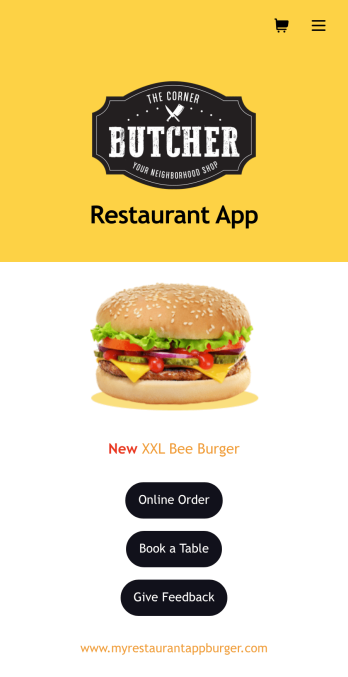
Burger Restaurant App
A burger restaurant app makes it easy for customers to place orders, make reservations, and submit feedback from any device. Whether you cook classic burgers, specialty burgers, or veggie burgers, take your restaurant to the next level with Jotform’s free and customizable Burger Restaurant App. Customers can download your app onto their computer or any iOS or Android device and fill out your online forms from anywhere. You’ll receive form submissions instantly, ready to view in your secure Jotform account.Customize this Burger Restaurant App without any coding. Using our drag-and-drop interface, you can upload your logos and branding, add or remove forms, and include other app elements such as documents, links, buttons, images, and much more. When it’s ready, your app can be shared on your website and social media accounts via the app link — sell burgers online faster than ever. Make it easier for customers to quickly and easily order your tasty burgers with a fully-custom Burger Restaurant App!
Go to Category:Delivery Apps
Restaurant Mobile App
You’ve got your hands full trying to run a busy restaurant — so the last thing you want to learn is how to sell food online. Make it easier on yourself with Jotform's free Restaurant Mobile App. With this ready-to-use template, customers can reserve a table, place orders for pick-up or delivery, pay ahead with credit card or through PayPal, and leave reviews for your restaurant. You can upload images to use for the online menu, and even showcase signature dishes on your splash page! Just share a link to your app on your website or social media, and customers can access and download it on any smartphone, tablet, or computer.Want to customize your Restaurant Mobile App to match your restaurant’s branding? Our drag-and-drop interface makes it easy to add or change forms, choose fonts and colors, upload your logo, update the app name or text, and more — all with zero coding. Take your restaurant digital to sell food online and make reservations and orders a breeze with this Restaurant Mobile App.
Go to Category:Booking Apps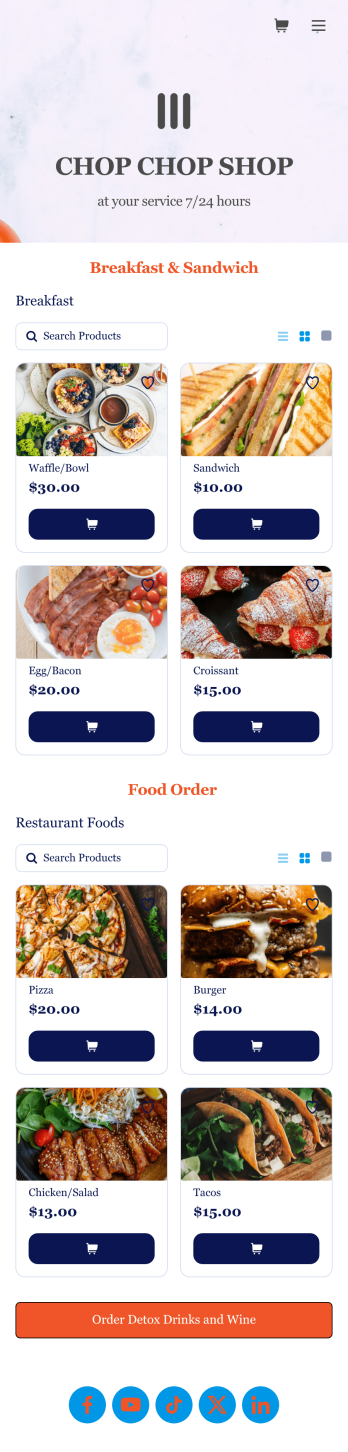
Food Order App
Discover how to sell food orders online with Jotform. No matter what type of cuisine you serve, make online ordering easy for your customers and sell food orders online with Jotform’s free Food Order App! This customizable mobile app bundles together multiple order forms and contact forms. Once they’ve downloaded your app onto their favorite device, customers can easily place their orders and submit payments all in one go. You’ll receive form submissions instantly, so you can begin fulfilling orders without delay.Customize this Food Order App for your business in just a few clicks. Jotform’s drag-and-drop interface makes it easy to create and attach forms, upload logos, add links, and include other elements in your mobile app. When you’re done customizing, share your app with customers by posting the link on your website, social accounts, or in newsletter emails. Customers can save your Food Order App onto their computer or any iOS or Android device, so they can order your food no matter where they are!
Go to Category:Delivery Apps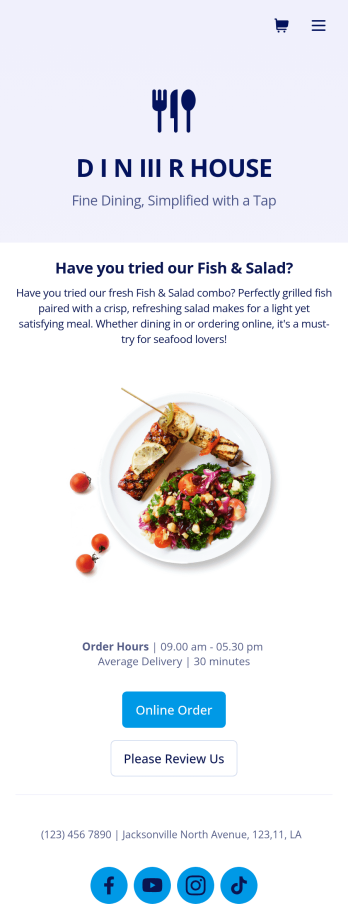
Food Delivery App
A food delivery app is used by food delivery services to communicate with customers, and drivers, while also providing an enhanced customer experience. This template is ideal for restaurants, food trucks, or anyone who may deliver the food ordered by their customers. Wondering how to sell food deliveries online? Whether you've got a restaurant, diner, or small cafe, our Food Delivery App is the perfect way to take online delivery orders and payments. This app template comes readymade with a product list where customers can view your menu and input their delivery address and payment information. You can even showcase signature and seasonal dishes, run promotional campaigns, and gather feedback. Customers can open and download your app on any smartphone, tablet, or computer.Want to make this Food Delivery App your own? Our drag-and-drop interface allows you to add forms, change fonts and colors, upload your logo and thumbnail images for menu items, and completely customize the look of your app icon — with no coding necessary. After that, simply share the link on your website or social media and you’re off and running. Start taking online delivery orders today to sell food deliveries online with this free Food Delivery App!Please refer to our article for further tips on creating a food ordering and delivery app.
Go to Category:Delivery Apps