Drink Order App helps cafés, juice bars, coffee kiosks, concession stands, and pop-up beverage vendors take drink requests in one simple place. Guests can start a quick order, pick items from a product list, and send their request without waiting in line, while staff can keep tabs on what’s coming in through an easy order tracking area. It also supports lighter-touch service moments such as sharing contact options like calling the shop or sending an email message, which is useful for special requests and follow-ups.
With Jotform, you can turn this drink ordering flow into a polished self-service experience using App Templates and a no-code app builder. Customize pages with a drag-and-drop interface, connect your order form to workflows that route requests to the right team, and keep data collection organized so orders are easier to review and manage. Publish and share your app through a link or QR code, then update the menu and ordering experience anytime without coding.
Related templates
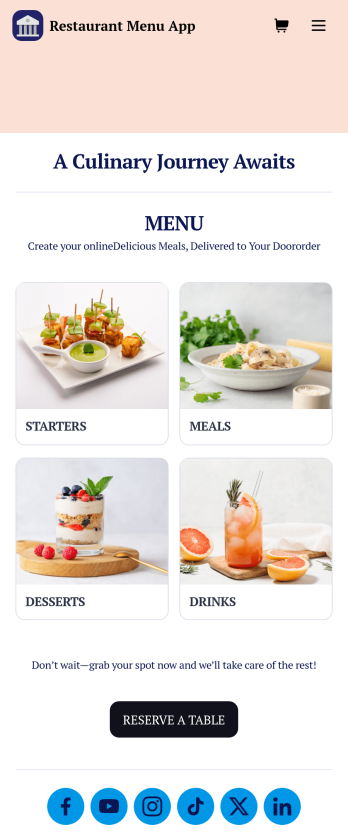
Restaurant Menu App
Need to know how to sell restaurant food online? A restaurant menu app is used by restaurants, cafes, and diners for managing table reservations and taking food and drink orders. This Restaurant Menu App contains three forms which allow customers to reserve tables and order from separate food and drink menus. Customers can place orders before they get to the restaurant, or specify orders for pick-up or delivery. Submissions are instantly synced to your Jotform account, which you and your staff can access from any device.Customize this app template to match your restaurant’s branding using Jotform’s no-code form builder. Just drag and drop to add or change form elements, choose fonts and colors, upload your logo, create a custom app icon, and more. You can also include thumbnail images for menu items and showcase popular dishes on your app’s splash screen. After you’re done, simply share a link on your website or social media, and customers can access and download your app on any smartphone, tablet, desktop. Manage reservations and sell restaurant food online from one convenient app with this Restaurant Menu App.
Go to Category:Food & Beverage Apps
QR Code Menu App
Want to learn how to sell menu items online? A QR menu app is used by restaurants, cafes, and diners who wish to replace a traditional menu with a QR code menu. With this app template, customers can scan a QR code with their smartphones to access your online menu. Once scanned, diners will be presented with your app’s splash screen, where they can navigate between drink and food menus and place no-contact orders for dine-in, pick-up, or delivery. Orders received through your app are automatically synced to your online account, which can be accessed by servers and kitchen staff from any device.Customize this app template to fit your needs using Jotform’s intuitive form builder. No coding required — simply drag and drop to add or change form elements, upload your logo, choose fonts and colors, attach thumbnail images to menu items, and more. You can even create a custom splash screen to run promotions or showcase popular dishes. Once you’re finished, connect your app to a unique QR code, and customers can then scan and access your menu from any smartphone or tablet. Build a custom no-contact online menu in minutes and sell item items online with this free QR Menu App from Jotform.
Go to Category:Food & Beverage Apps
Local Food App
Whether you’re in charge of the local farmer’s market or run a local food business, you may be wondering how to sell local food online. Use this free Local Foods App to sell local food online with ease! The app includes a product list for ordering local foods, Farm Business Registration Form, Product Feedback Survey, and Contact Form so you can collect all the information you need. Once you receive responses, you’ll be able to view them in your secure Jotform account instantly.Need to make changes to this Local Foods App template? Change the background image or app icon, integrate your form with your preferred payment processor, and make other changes with no coding. Your app can then be shared with a link or via email to be downloaded onto any computer, tablet, or smartphone. Sell local food products online with a free Local Foods App from Jotform.
Go to Category:Delivery Apps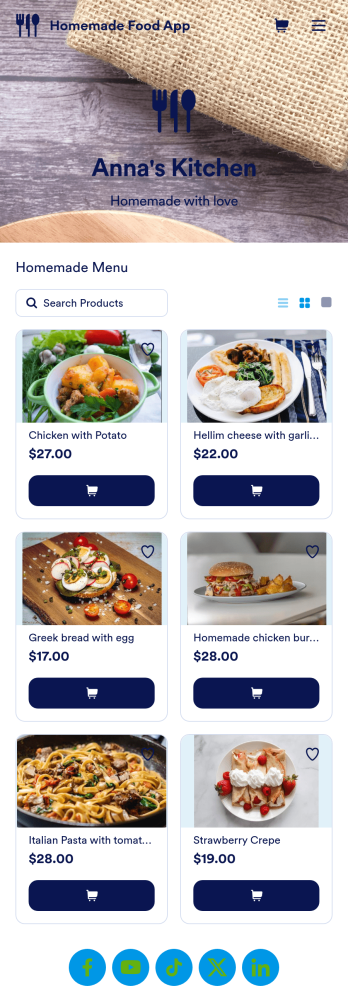
Homemade Food App
Need an easy way to sell your delicious homemade food? With Jotform’s Homemade Food App, you can make your own personalized homemade marketplace in minutes. Begin your app creating journey by starting from scratch or by choosing one of our ready-made app templates to get things cooking. List all the products you have for sale and update as products change. You can even customize your listings with personal product images and descriptions.Customize your Homemade Food App to your liking by using Jotform’s app builder. Our intuitive drag-and-drop store builder allows you to create a store you’re proud of. Integrate with different types of useful widgets and pick from our 25+ payment processors to make checkout a positive experience for you and your patrons. Share your custom app with your customers via link, scannable QR code, or by directly embedding it in your restaurant or bakery’s website. Feed your community and create your own Homemade Food App today.
Go to Category:Delivery Apps
Bazaar App
Want to learn how to sell bazaar items online? A bazaar app makes it easier for customers to purchase goods from your bazaar or marketplace. No matter what you sell, take your store online with Jotform’s free Bazaar App. This app template comes with multiple order options for various product categories, so you can more easily organize and process orders. Customers can use any smartphone, tablet, or computer to place orders and submit their payment information, so you can get orders no matter where you or your customers are.Want to customize this Bazaar App for your store? No problem — just use our drag and drop builder to make changes to the app template. Without coding, you can add forms, links, buttons, and other app elements to create the app you want. Once you’re happy with the look and feel of your custom app, post the app link on your website or social media accounts to share it with customers and begin collecting orders. Grow your market and sell bazaar items online with a custom Bazaar App that works from any device.
Go to Category:Online Store Apps
Order Ahead App
Wondering how to let customers order ahead online? Giving customers the freedom to order ahead makes everything easier for both parties. With this Order Ahead App, you can collect orders for pick-up or delivery, and take payments with debit or credit cards, or even with PayPal. Customers can open your app from any device, contact your restaurant or leave reviews, and download your app to their smartphone, tablet, or computer.Want to customize your Order Ahead App to match your restaurant’s branding? Our drag-and-drop interface makes it easy to add or change forms, choose fonts and colors, upload your logo or menu thumbnail images, update the app name or text, and more — all with zero coding. After that, simply share the link on your website or social media, and you’re off and running! Make ordering ahead a breeze and sell orders online with your own personal Order Ahead App.
Go to Category:Restaurant Apps