

Restaurant Management Apps

Restaurant Mobile App
You’ve got your hands full trying to run a busy restaurant — so the last thing you want to learn is how to sell food online. Make it easier on yourself with Jotform's free Restaurant Mobile App. With this ready-to-use template, customers can reserve a table, place orders for pick-up or delivery, pay ahead with credit card or through PayPal, and leave reviews for your restaurant. You can upload images to use for the online menu, and even showcase signature dishes on your splash page! Just share a link to your app on your website or social media, and customers can access and download it on any smartphone, tablet, or computer.Want to customize your Restaurant Mobile App to match your restaurant’s branding? Our drag-and-drop interface makes it easy to add or change forms, choose fonts and colors, upload your logo, update the app name or text, and more — all with zero coding. Take your restaurant digital to sell food online and make reservations and orders a breeze with this Restaurant Mobile App.
Go to Category:Booking Apps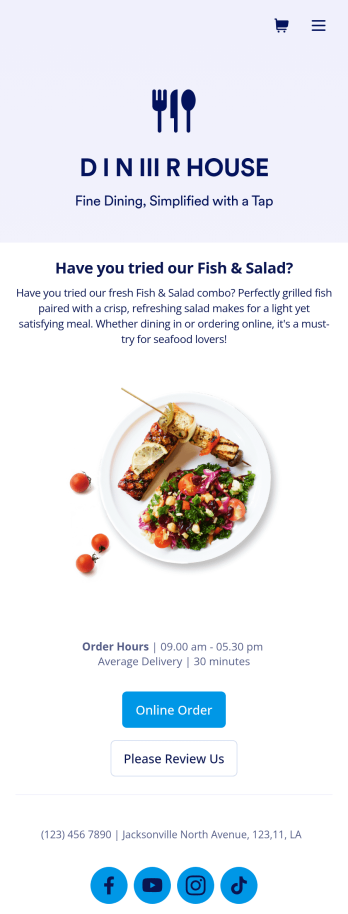
Food Delivery App
A food delivery app is used by food delivery services to communicate with customers, and drivers, while also providing an enhanced customer experience. This template is ideal for restaurants, food trucks, or anyone who may deliver the food ordered by their customers. Wondering how to sell food deliveries online? Whether you've got a restaurant, diner, or small cafe, our Food Delivery App is the perfect way to take online delivery orders and payments. This app template comes readymade with a product list where customers can view your menu and input their delivery address and payment information. You can even showcase signature and seasonal dishes, run promotional campaigns, and gather feedback. Customers can open and download your app on any smartphone, tablet, or computer.Want to make this Food Delivery App your own? Our drag-and-drop interface allows you to add forms, change fonts and colors, upload your logo and thumbnail images for menu items, and completely customize the look of your app icon — with no coding necessary. After that, simply share the link on your website or social media and you’re off and running. Start taking online delivery orders today to sell food deliveries online with this free Food Delivery App!Please refer to our article for further tips on creating a food ordering and delivery app.
Go to Category:Delivery Apps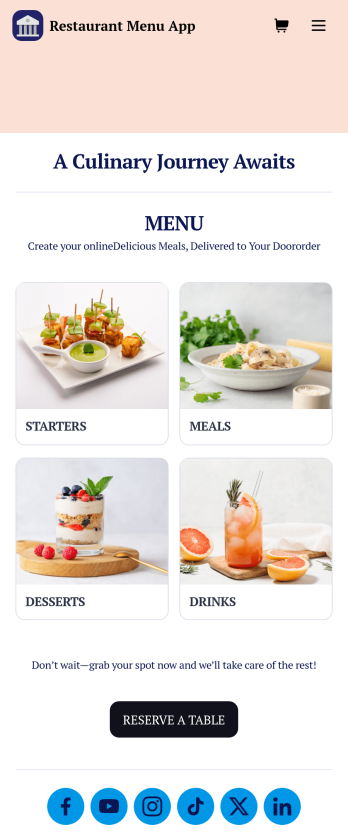
Restaurant Menu App
Need to know how to sell restaurant food online? A restaurant menu app is used by restaurants, cafes, and diners for managing table reservations and taking food and drink orders. This Restaurant Menu App contains three forms which allow customers to reserve tables and order from separate food and drink menus. Customers can place orders before they get to the restaurant, or specify orders for pick-up or delivery. Submissions are instantly synced to your Jotform account, which you and your staff can access from any device.Customize this app template to match your restaurant’s branding using Jotform’s no-code form builder. Just drag and drop to add or change form elements, choose fonts and colors, upload your logo, create a custom app icon, and more. You can also include thumbnail images for menu items and showcase popular dishes on your app’s splash screen. After you’re done, simply share a link on your website or social media, and customers can access and download your app on any smartphone, tablet, desktop. Manage reservations and sell restaurant food online from one convenient app with this Restaurant Menu App.
Go to Category:Food & Beverage Apps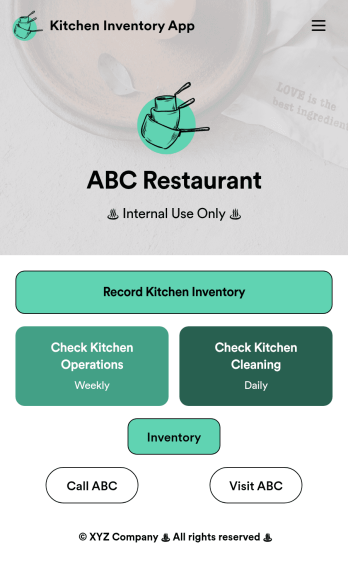
Kitchen Inventory App
Tracking inventory in your kitchen is the key to success for your restaurant. Make inventory a breeze with our free, customizable Kitchen Inventory App! It lets you bundle multiple forms in one app, so you can access our Restaurant Inventory Template and other kitchen forms from anywhere. Supervisors or employees can open the app on any smartphone, tablet, or computer to record stock inventory, report on kitchen operations, and track daily cleaning.This Kitchen Inventory App is ready to use as is, but feel free to make any modifications if necessary. Without any coding, you can add forms, text, images, links, and more. You can even change the name, icon, and splash page for your app for a fully-custom design! Monitor food usage and keep track of your inventory more efficiently with a custom Kitchen Inventory App for your restaurant.
Go to Category:Inventory Apps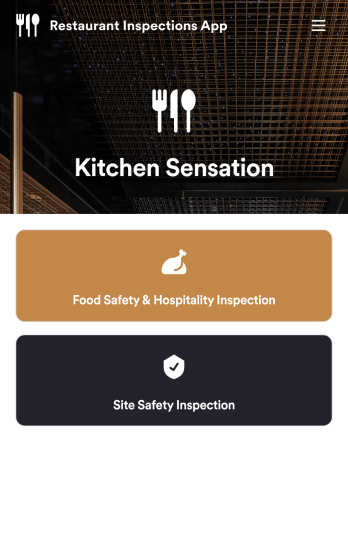
Restaurant Checklist App
A restaurant checklist app is used by restaurant owners and managers to document the condition of a restaurant by filling out inspection forms. This Restaurant Checklist App includes two forms: a food safety and hospitality inspection checklist for recording the cleanliness of the restaurant interior, and a site inspection checklist for recording the safety and cleanliness of the kitchen and service areas. Both checklists allow restaurant inspectors to date and sign inspections using an e-signature field. Reports are instantly synced and stored in your secure Jotform account for ease of access.Customize this app template to match your restaurant’s branding with Jotform’s no-code app builder. Simply drag and drop to add form elements, edit checklist items, personalize your app icon and splash screen, and more. After you’re done, you can share your app by sending a link in an email invite, and employees can then download it onto any smartphone, tablet, or computer. Ensure your restaurant is compliant with health and safety standards by creating your own fully-customizable Restaurant Checklist App.
Go to Category:Checklist Apps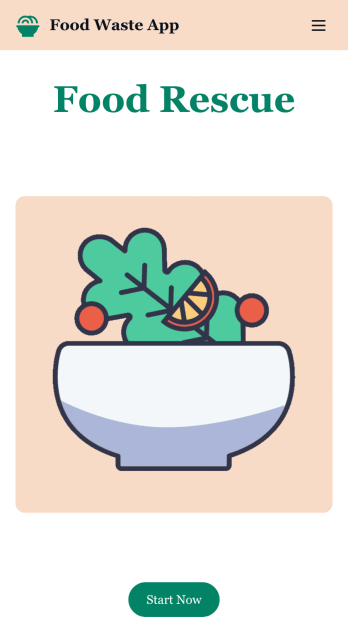
Customizable Food Waste App
Run a nonprofit organization that deals with food waste? Take action to prevent food waste and donate food to charitable organizations with this free Food Waste App from Jotform. Send food requests and schedule pickup times and locations with restaurants, airports, and catering companies by filling out online forms. Responses are stored in your secure Jotform account to be viewed and shared within your organization.Make this Food Waste App your own without any coding knowledge. Drag and drop to add or change form fields and checklist items, create new pages, choose fonts and colors, upload your organization’s unique branding, install helpful widgets and integrations, and much more. After you’re finished, share your app by sending email invites or the app link to businesses. Prevent food waste and help those in need with a fully-customizable Food Waste App that works on any device.
Go to Category:Booking Apps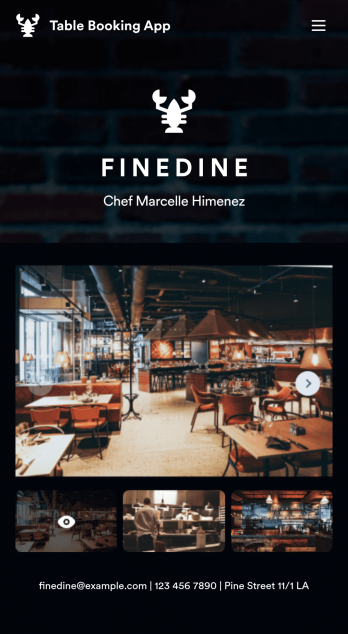
Table Booking App
A table booking app is a great way to build a micro-website for your restaurant. This free and mobile-ready app template allows diners to make table reservations days ahead of time, view photos of the dining area and menu items, and contact your restaurant via email or phone. You can also create additional pages and add them to your app’s topbar with the click of a button. Reservations are instantly stored and synced to your secure Jotform account, and can be accessed by restaurant staff from any device.Making changes to this Table Booking App template is a cinch with Jotform’s intuitive no-code app builder. Simply drag and drop to customize your table reservation page, upload images of your restaurant and entrées to the main page image carousel, add social media widgets, choose fonts and colors, and add your own branding with just a few clicks. Embed a link to your app in your website or share it on social media — diners can then make table reservations from their favorite device. Create a fully customizable mobile-ready app for your restaurant in minutes with this Table Booking App from Jotform.
Go to Category:Booking Apps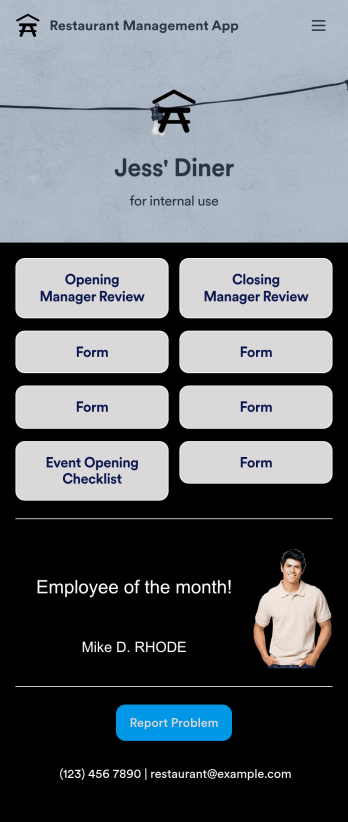
Restaurant Management App
A restaurant management app for internal use makes it easier to track inventory, manage staff, and keep your restaurant running smoothly. No matter what type of cuisine your restaurant serves, build your own app with our free Restaurant Management App template. This pre-made template keeps opening and closing checklists and manager review forms in one place. Members of your staff will be able to open and download the app onto any smartphone, tablet, or computer.Customize this Restaurant Management App for your restaurant in just a few clicks. No coding necessary — simply drag and drop to add or delete forms, text, images, links, and much more. When it’s ready, you can download the app onto any device or share it with members of your staff to save onto their own devices. You’ll receive form entries instantly in your secure Jotform account. Manage all restaurant operations from one place with a fully-custom Restaurant Management App.
Go to Category:Management Apps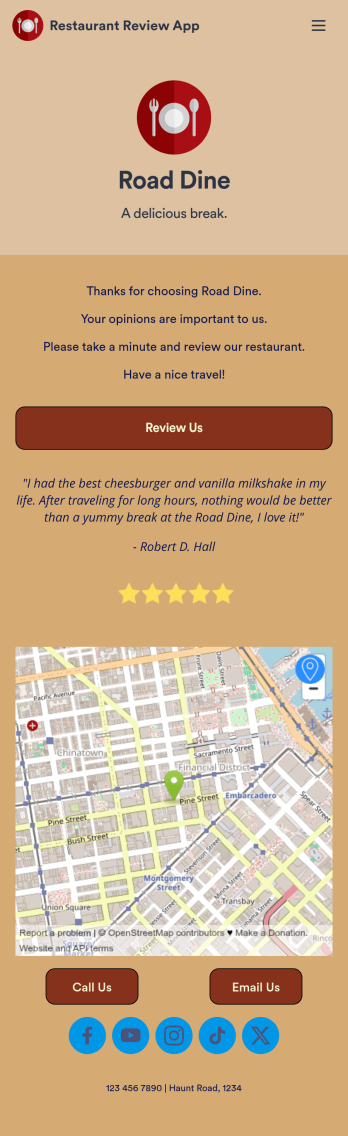
Restaurant Review App
A restaurant review app is used to gather reviews from a restaurant’s customers. With Jotform’s free Restaurant Review App, you can gather customer feedback for your restaurant seamlessly on any device! This app already comes with a review submission form, but you can add new forms and other information with our easy-to-use drag-and-drop builder.Feel free to add more forms to your app, update the splash screen, upload your logo, and customize other elements with no coding knowledge required. Once you’ve got it looking exactly how you like, share your app with your customers to either download on their mobile device or fill out on kiosk, embed the app in your website, or share it directly with customers to collect responses. Receive customer reviews fast with a free Restaurant Review App!
Go to Category:Customer Portal Apps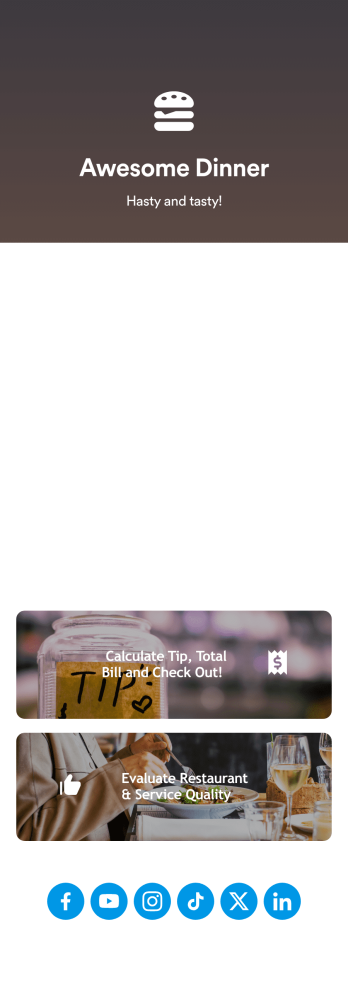
Tip Calculator App
Help your customers checkout and calculate the right tip with Jotform’s free Tip Calculator App. No matter what type of business you run, it’s always a nice touch to add a tip calculator at checkout. Customers can easily download your business’ custom app on any Android or iOS device. All receipts and payments will be automatically saved to your Jotform account — making for a convenient and secure way to store records.Match your app to your business’ branding and customize to your heart’s content. Change up how your app looks with Jotform’s no-code drag-and-drop app builder by uploading your restaurant or cafe’s logo, integrating with your payment collector of choice, and more. You can share your app by embedding it in your website, linking it in direct messages, or by generating a scannable QR code. Go contactless and paperless with Jotform’s free Tip Calculator App.
Go to Category:Restaurant Apps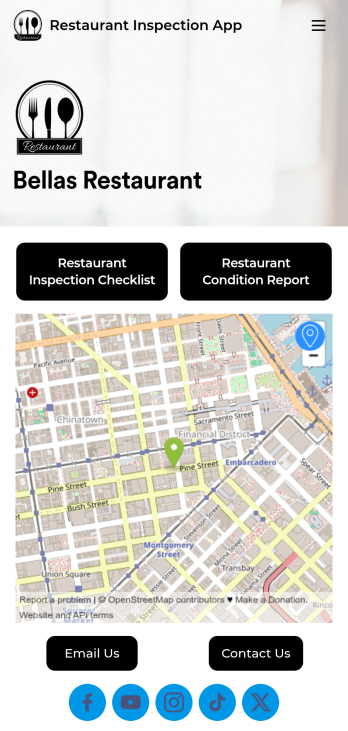
Restaurant Health Inspection App
A restaurant health inspection app is used by restaurant owners and managers to record the overall condition of a restaurant. This Restaurant Health Inspection App includes two forms for conducting inspections. The restaurant inspection checklist is for documenting food and safety compliance, while the restaurant condition report is for documenting the condition of the interior and exterior of the building. Both forms include a digital signature box for managers to sign upon completing the inspection. Form data is compiled in an easy-to-read table in your account, and can be viewed and managed from any device. You can also share and export reports with just a few clicks.Customizing your app is easy. No coding necessary — just use our drag-and-drop form builder to add form elements, edit checklists, choose fonts and colors, and upload your own logo. When you’re finished, you can share your app via link, where it can be downloaded on any smartphone, table, or desktop. Keep detailed inspection reports of your restaurant in one convenient location with this free Restaurant Health Inspection App.
Go to Category:Inspection Apps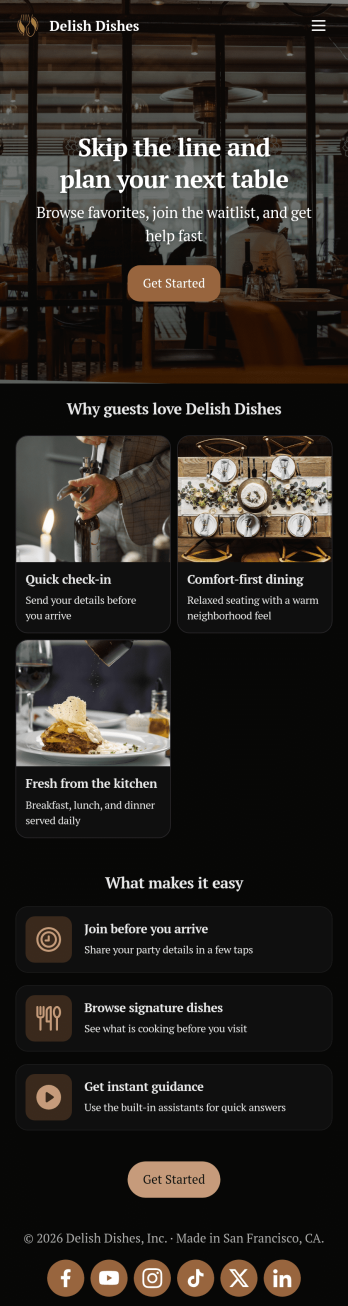
Restaurant Waitlist App
No matter what cuisine your restaurant serves, our free Restaurant Wailist App makes scheduling reservations easy for your customers. This ready-to-use app includes a Restaurant Reservation Form that can be filled out from any smartphone, tablet, or computer. Customers can enter the amount of guests, select an occasion, and add special requests to place their reservation requests. You can then view entries in your Restaurant Reservation Sheet and even set up an automated approval flow with our Restaurant Reservation Approval Process Template.Need more from this Restaurant Waitlist App? No problem — simply use our drag-and-drop builder to make any changes you’d like to this app template. You can add a dropdown calendar to the reservation form, create more forms or surveys, embed links to your menu, upload your logo, and include your branding with ease. When your app is ready to use, display the app link on your website for customers to download onto their own device. Make the reservation process easier than ever with a custom Restaurant Waitlist App!
Go to Category:Booking Apps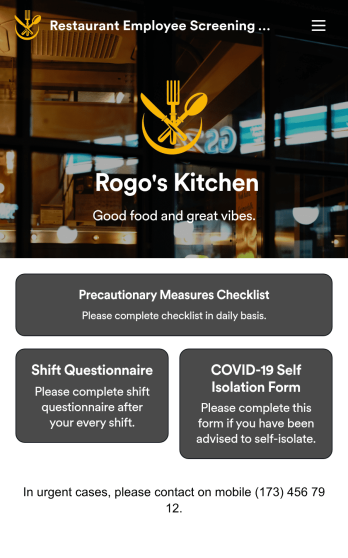
Restaurant Employee Screening App
A restaurant employee screening app is used by restaurant managers to screen employees for COVID-19 before shifts. With Jotform’s Restaurant Employee Screening App — which includes a COVID-19 Self Isolation Form, Staff Shift Questionnaire, and Precautionary Measures Checklist — you can collect all the information and e-signatures you need to ensure a safe environment for both your employees and your customers.Need to make changes to this free app? Add or remove forms, include your branding, and personalize other design elements to make this app work better for you. Employees can then download your app onto any device in a few quick clicks! All form responses are stored securely in your Jotform account and can be protected with HIPAA friendly features. Ditch messy paper forms and get organized with this Restaurant Employee Screening App.
Go to Category:Healthcare Apps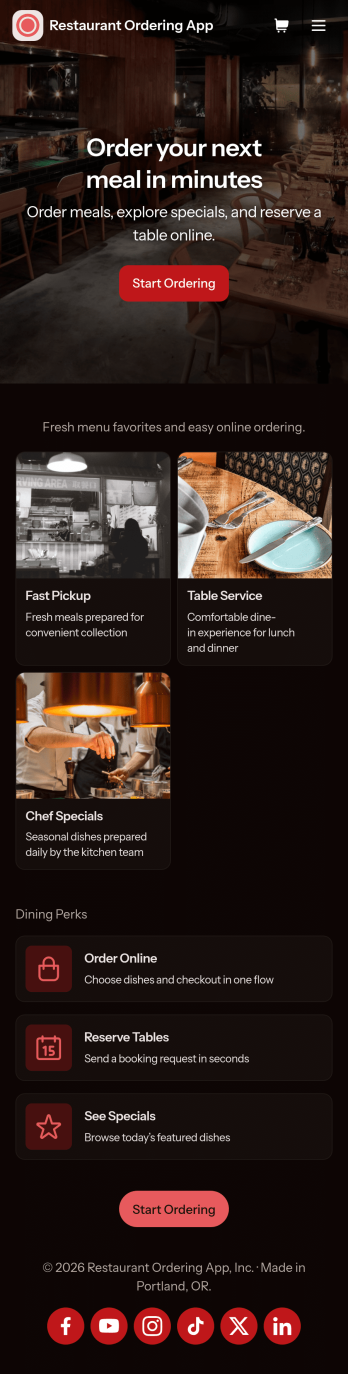
Restaurant Ordering App
Restaurant Ordering App gives customers a simple way to explore your menu and place orders online from one mobile-friendly hub. Guests can browse dishes, view key item details like price and ingredients, and jump into ordering with clear calls to action, while also finding quick links to reserve a table or check today’s specials. It’s a practical fit for restaurants, cafés, food trucks, and pop-ups that want to reduce phone orders, keep menu information consistent, and make it easier for guests to choose what they want without waiting on hold.Jotform makes it easy to create and publish app templates like this using a no-code app builder with a drag-and-drop interface. Connect the app experience to forms and workflows for data collection, route order details to the right people, and keep information updated without rebuilding the whole experience. Share your Restaurant Ordering App with a link or QR code, customize branding to match your restaurant, and keep online self-service available wherever your customers are.
Go to Category:Restaurant Apps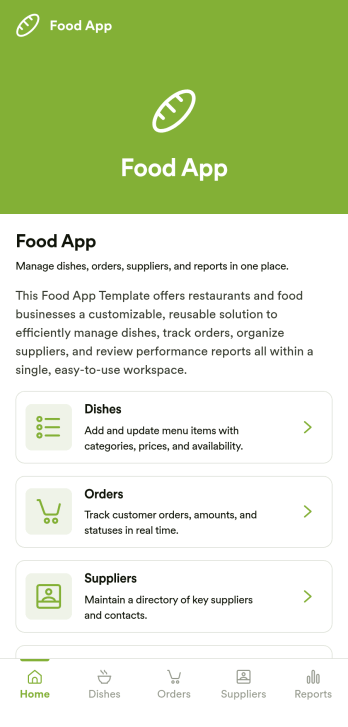
Food App
Food App is an app template designed to streamline the process of managing customer orders for restaurants, cafés, food trucks, and other food businesses. The template serves as a centralized platform where restaurant owners, managers, kitchen staff, and cashiers can receive, organize, update, and track dine-in, takeaway, and delivery orders. In addition to handling orders, the app also provides features to manage menus, update order statuses, process payments, and cater to customer requests. This cohesive interface brings all the essential tasks under one roof, fostering operational efficiency, reducing the risk of mix-ups, and making the dining experience smoother for customers. It’s best for businesses seeking a comprehensive solution to handle multiple aspects of their food service operations.Jotform's Food App offers a no-code, drag-and-drop interface that allows for easy customization of the app to resonate with your brand. Be it swapping forms, choosing fonts and colors, or uploading your logo, everything can be done effortlessly without any coding knowledge. With cross-platform compatibility, your staff and customers can access the app on any smartphone, tablet, or desktop. The Food App also supports payment integrations with popular processors, enabling you to collect payments directly through the app without any additional transaction fees charged by Jotform. With Jotform's Food App, managing your food business operations becomes a seamless, intuitive, and efficient process.
Go to Category:Food & Beverage Apps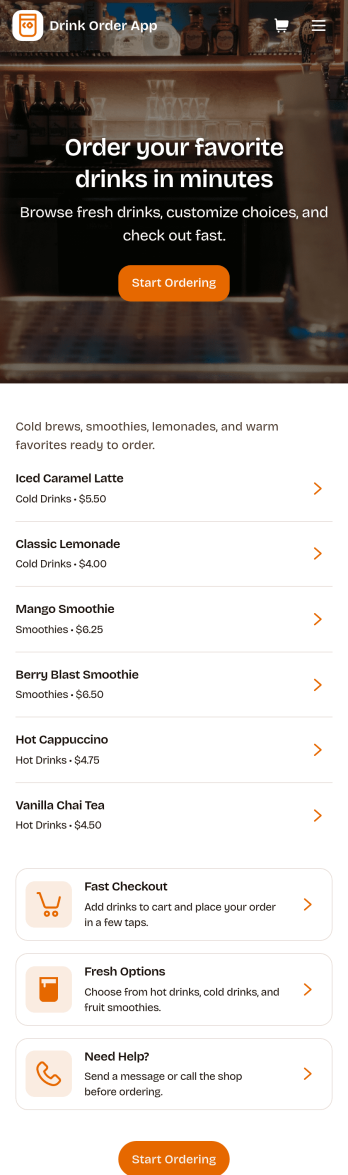
Drink Order App
Drink Order App helps cafés, juice bars, coffee kiosks, concession stands, and pop-up beverage vendors take drink requests in one simple place. Guests can start a quick order, pick items from a product list, and send their request without waiting in line, while staff can keep tabs on what’s coming in through an easy order tracking area. It also supports lighter-touch service moments such as sharing contact options like calling the shop or sending an email message, which is useful for special requests and follow-ups.With Jotform, you can turn this drink ordering flow into a polished self-service experience using App Templates and a no-code app builder. Customize pages with a drag-and-drop interface, connect your order form to workflows that route requests to the right team, and keep data collection organized so orders are easier to review and manage. Publish and share your app through a link or QR code, then update the menu and ordering experience anytime without coding.
Go to Category:Food & Beverage Apps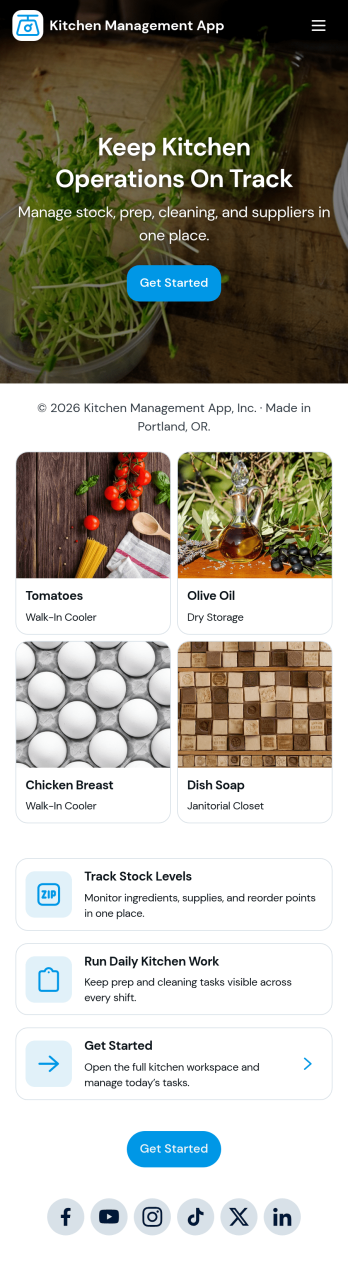
Kitchen Management App
Kitchen Management App brings daily kitchen operations into one place so teams can stay organized during busy shifts. Use it to track inventory items, assign and follow prep tasks, run cleaning checks by area, and log issues as they come up. It’s a practical fit for restaurants, cafés, catering teams, and food trucks that need clearer handoffs between managers, cooks, and opening or closing staff without relying on scattered notes or messages.Jotform makes it easy to turn this kitchen workflow into a shareable, mobile-friendly experience with a no-code app builder and a drag-and-drop interface. Connect the app to forms for fast data collection, keep records organized for your team, and build simple workflow steps around restocking, prep planning, sanitation routines, and issue reporting. With Jotform App Templates, you can customize pages, branding, and navigation, then publish and share the app with the people who need it most.
Go to Category:Restaurant Management Apps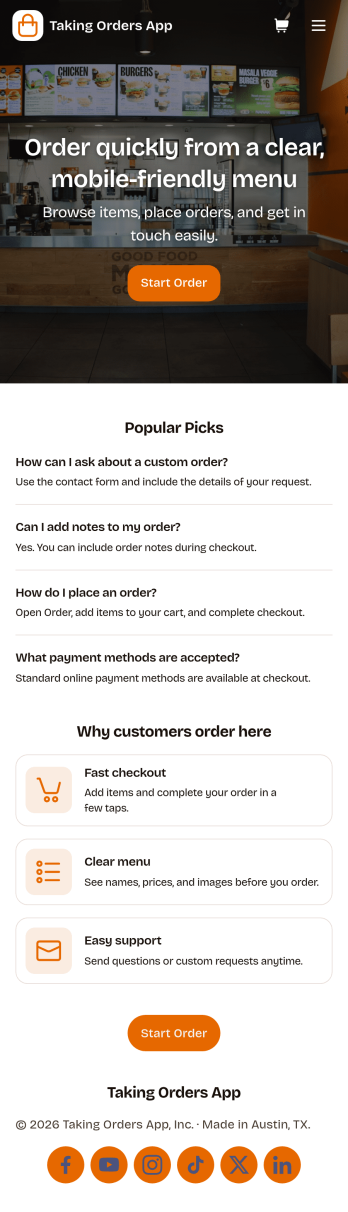
Taking Orders App
Taking Orders App helps food and beverage teams capture customer orders in a clean, mobile-friendly experience. Use it to highlight popular picks, guide customers into starting an order from a product list, and offer a simple way to reach your business through the contact page. It’s a great fit for cafés, food trucks, bakeries, pop-up kitchens, caterers, and small restaurants that need a lightweight ordering flow for pickup or pre-orders without juggling messages across multiple channels.With Jotform, you can turn this app template into a branded ordering hub using a no-code app builder and a drag-and-drop interface. Connect the app to a form for reliable data collection, keep requests organized, and build a smoother workflow for your team from order intake to fulfillment. Share the app with a link or QR code, update menus and content in minutes, and provide customers with convenient self-service ordering from any device.
Go to Category:Order & Shipping Portal Apps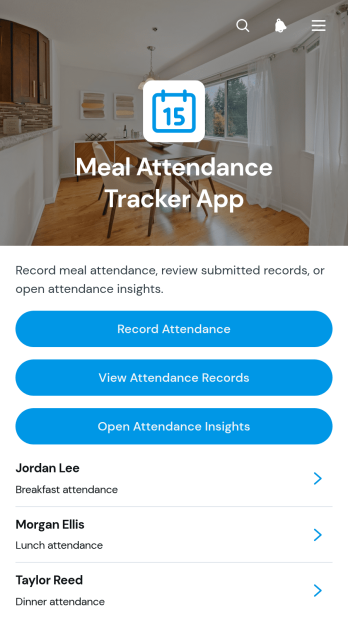
Meal Attendance Tracker App
Meal Attendance Tracker App is a ready-to-use app template for recording who attends scheduled meal periods and reviewing participation over time. It gives schools, workplaces, community programs, residential facilities, event teams, and food service coordinators one organized place to record attendance, browse attendance records, and open participation insights. Staff can document an attendee’s status, associated meal period, and relevant notes without relying on paper sheets or disconnected files. This clearer process supports accurate headcounts, reveals attendance patterns, and helps teams plan meal quantities while reducing avoidable waste.Jotform App Templates make it easy to turn recurring administrative tasks into accessible digital experiences. Using Jotform’s no-code app builder and drag-and-drop interface, teams can adapt the Meal Attendance Tracker App to their terminology, branding, and workflow without writing code. Connected forms support consistent data collection, while organized records make follow-up and reporting more convenient. Publish the app with a direct link or QR code so authorized staff can use it from phones, tablets, or computers, whether they are working at a cafeteria entrance, event venue, office, school, or community meal site.
Go to Category:Food and Nutrition Tracking Apps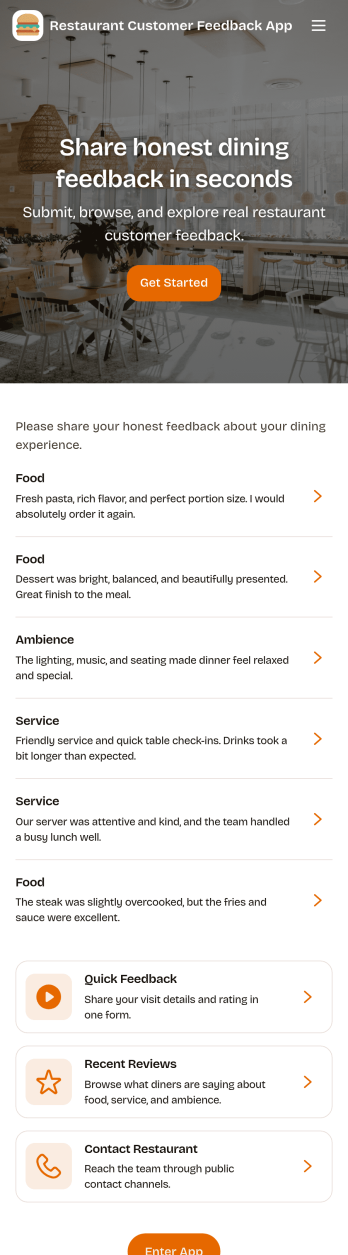
Restaurant Customer Feedback App
Restaurant Customer Feedback App gives restaurants a simple, guest-friendly place to collect comments right after a meal and learn what to improve next. Guests can tap Leave Feedback to share their experience, while staff can Browse Reviews to see recent entries and open a detailed review from the list. This works well for quick post-visit feedback, tracking recurring issues by shift or day, and capturing compliments you can share with the team.Jotform makes it easy to turn this idea into a polished, shareable experience using App Templates and a no-code app builder with a drag-and-drop interface. Connect your app to forms for data collection, keep feedback organized, and route insights into your workflow without extra tools. Publish a link or QR code so guests can use self-service feedback on their phones, and update pages, branding, and navigation as your restaurant grows.
Go to Category:Food & Beverage Apps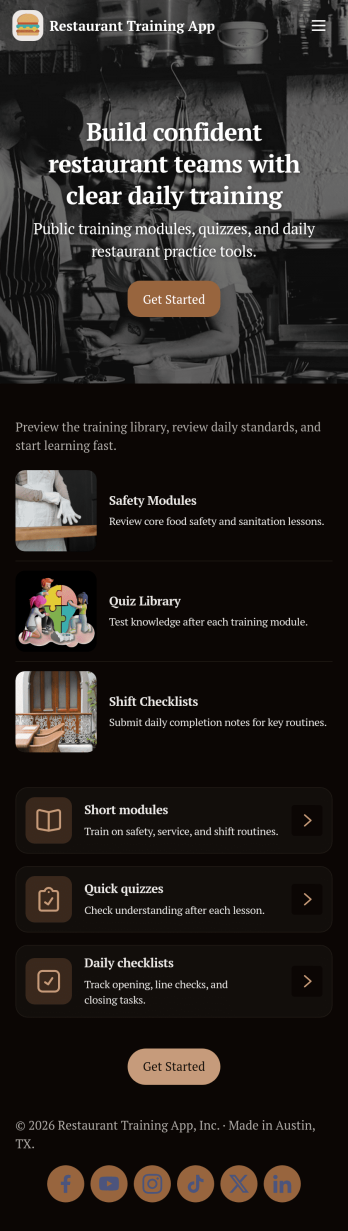
Restaurant Training App
Restaurant Training App helps restaurants onboard and coach staff with a simple, structured training experience they can follow on any device. Use it to share training modules by role, guide new hires through daily practice check-ins, and give managers a clear view of progress as training moves from learning to real service scenarios. It’s a great fit for independent restaurants, multi-location groups, and franchises that want consistent service standards without relying on printed manuals or scattered messages.With Jotform, you can customize this app template with a no-code app builder and a drag-and-drop interface, then connect it to your training workflow for smoother data collection and self-service. Link the app to forms and tables to capture practice entries, review records in one place, and keep everyone aligned as your menu, policies, and service steps evolve. Share the app by link or QR code so staff can access training anytime, and update content instantly without rebuilding your process.
Go to Category:Restaurant Management Apps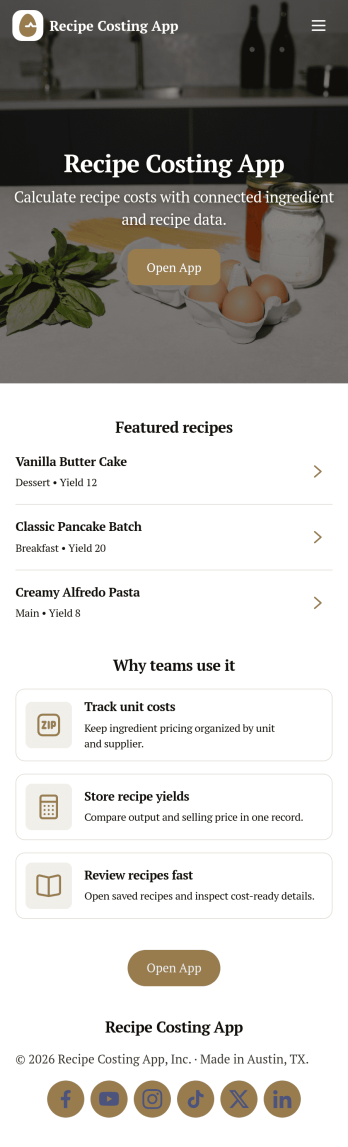
Recipe Costing App
Recipe Costing App helps food businesses calculate recipe costs using a simple, repeatable workflow. Use it to store ingredients with current prices, build recipes from those ingredients, and review costing details when menu planning or updating pricing. It’s a practical fit for restaurants, caterers, food trucks, bakeries, meal-prep brands, and culinary teams that need consistent numbers across locations or shifts without relying on scattered spreadsheets.With Jotform, you can turn this app template into a branded, shareable tool using a no-code app builder and a drag-and-drop interface. Connect forms to capture ingredient and recipe data collection, keep information organized for quick self-service browsing, and update costs as pricing changes. Publish your app in minutes, share it with your team, and keep your costing workflow moving with less manual follow-up.
Go to Category:Restaurant Inventory Apps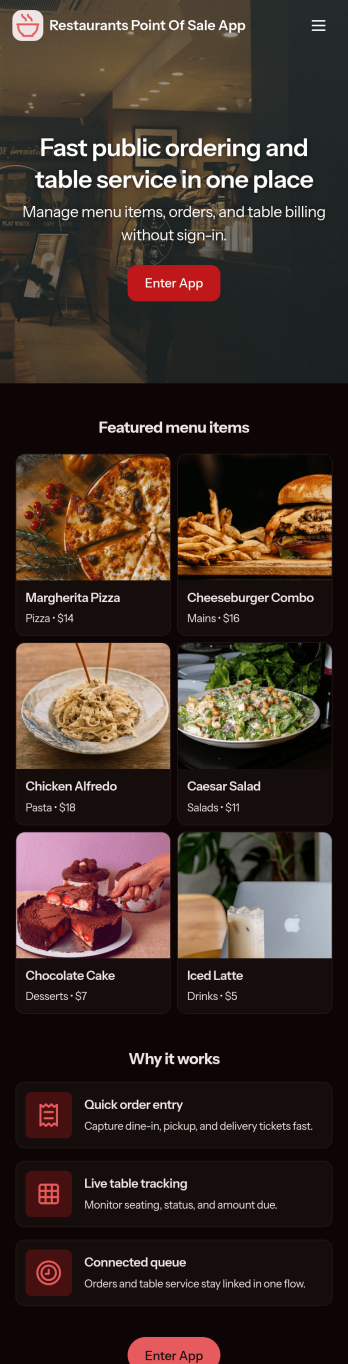
Restaurants Point of Sale App
Restaurants Point of Sale App helps food and beverage teams take orders, record sales, and keep daily transactions organized in one place. Staff can start an order from a simple product list, jump into open orders to keep service moving, and log new sale records for accurate tracking across shifts. It’s a practical fit for quick-service counters, cafés, food trucks, bars, and small dining rooms that want a clear, consistent way to handle order flow without relying on scattered notes or multiple systems.Built with Jotform, this app template can be adapted with a no-code app builder and a drag-and-drop interface so you can match your menu, workflow, and front-of-house process. Connect the app to your forms and data collection tables to store sales records, review activity over time, and keep information accessible for the right team members. Share it with your staff through a link so they can use a mobile-friendly self-service experience on the floor, at the counter, or wherever orders happen.
Go to Category:Restaurant Management Apps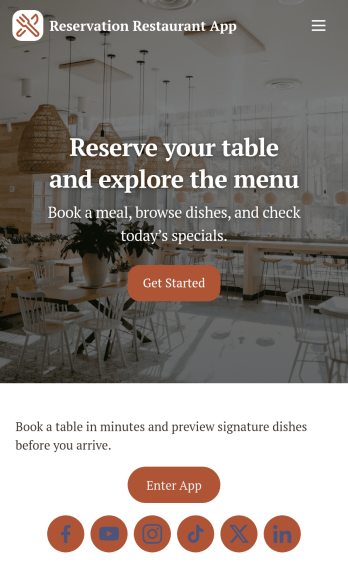
Reservation Restaurant App
Reservation Restaurant App helps restaurants offer a simple way for guests to reserve a table and browse the menu from one place. Use it to reduce missed calls during peak hours, keep reservations organized, and give diners clear next steps when they are deciding where to eat. It works well for independent restaurants, cafés, pop-ups, and small groups that want a mobile-friendly reservation experience, plus a quick contact option for guests who prefer to call.With Jotform, you can turn this app template into a branded self-service experience using a no-code app builder and a drag-and-drop interface. Connect the reservation flow to a form for data collection, manage booking details in connected workflows, and publish updates in minutes without relying on developers. Share your Jotform app through a link or QR code so guests can reserve, view menu items, and reach your team fast.
Go to Category:Reservation AppsAbout Restaurant Management Apps
Restaurant Management Apps are specialized applications designed to streamline the various facets of operating a restaurant. These apps serve a multitude of functions, such as handling reservations, managing inventory, and coordinating staff schedules. They are indispensable in the food service industry, which ranges from small cafes to large dining chains, as they offer a comprehensive solution to optimize workflows and enhance operational efficiency. By digitizing everyday tasks, Restaurant Management Apps enable businesses to focus more on delivering exceptional customer experiences and less on administrative burdens.
Jotform Apps emerges as an ideal no-code app builder for creating Restaurant Management solutions. Leveraging Progressive Web App (PWA) technology, Jotform Apps can be installed directly via a browser, eliminating the need for an App Store and ensuring seamless functionality across iOS, Android, tablets, and desktops. This versatility means that restaurant managers can maintain centralized data through Jotform Tables, fostering a cohesive workflow that is accessible from any device. By simplifying app creation, Jotform Apps empowers restaurant professionals to build customized management solutions tailored to their specific operational needs.
Why Use Restaurant Management Apps?
- Restaurant Management Apps streamline communication among staff members, ensuring that everyone is on the same page regarding daily operations and special events. This improved communication translates to fewer misunderstandings and a more cohesive team dynamic.
- These apps enhance the efficiency of order management by integrating with POS systems and kitchen displays, reducing wait times and minimizing errors. As a result, customers enjoy faster service, which can significantly boost satisfaction and loyalty.
- Inventory management becomes more precise with the use of these apps, allowing for real-time tracking of stock levels. This capability helps in reducing waste and ensuring that popular menu items are always available, contributing to better financial management.
- By facilitating online reservations and waitlist management, Restaurant Management Apps help optimize seating arrangements and improve the dining experience. This automation reduces the workload on front-of-house staff and ensures a smoother flow of guests.
- The ability to analyze sales data and customer feedback in real-time provides restaurant owners with valuable insights into performance trends. This data-driven approach aids in making informed decisions that can drive business growth and operational improvements.
Common Problems Solved by Restaurant Management Apps
- One of the major challenges in the restaurant industry is managing peak dining hours without overwhelming staff and resources. Restaurant Management Apps provide scheduling tools that help balance workloads and ensure efficient service during busy periods.
- Handling customer complaints and feedback is a critical aspect of restaurant management. These apps offer platforms for collecting and analyzing customer feedback, enabling managers to quickly address issues and enhance the overall dining experience.
- Keeping track of reservations and walk-in guests can be chaotic without a streamlined system. Restaurant Management Apps offer reservation management features that simplify this process, reducing the likelihood of overbooking and waitlist mismanagement.
- Inventory mismanagement can lead to significant financial losses, either through overordering or running out of key ingredients. With real-time inventory tracking, these apps help maintain optimal stock levels, preventing both shortages and excessive waste.
Matching Use Cases to Features
- Restaurant managers looking to streamline operations can benefit from the Drag-and-Drop Interface to easily customize their app layout, resulting in an intuitive and user-friendly app design. This feature enables quick adjustments in response to changing business needs.
- For establishments that want to enhance customer engagement, Push Notifications can be utilized to send timely updates about special promotions or events directly to customers' devices. This feature keeps customers informed and encourages repeat visits.
- Payment Integrations such as Stripe and PayPal enable restaurants to process payments directly through the app, making it convenient for customers to settle bills digitally. This not only speeds up transactions but also aligns with modern payment preferences.
- Restaurants aiming to expand their reach can utilize Publish Options to make their app accessible publicly or restrict it to specific user groups. This flexibility allows businesses to tailor their app's visibility according to their operational strategies.
- By using Workflow Automation, restaurants can automate repetitive tasks such as order processing or reservation confirmations. This feature reduces manual effort and increases overall efficiency, allowing staff to focus on more customer-centric activities.
- Sharing Methods like Direct Link and QR Code make it easy for restaurants to distribute their app to customers and staff. This seamless sharing capability promotes wider app adoption and enhances communication channels.
- Centralized Data through Jotform Tables ensures that all collected data is stored in a single location, simplifying data management and reporting. This feature supports informed decision-making by providing comprehensive insights into operational metrics.
How to Create a Restaurant Management App
- Choose a category-relevant template from the Template List or start from scratch.
- Customize using the Drag-and-Drop Interface. Personalize the app’s look and functionality to align with your restaurant's branding and operational requirements.
- Share via Link, QR Code, or Embed. This ensures that your app is easily accessible to both staff and customers, fostering a seamless user experience.
Top Use Cases for Restaurant Management Apps
- For Managers: Restaurant Management Apps empower managers to oversee operations seamlessly, allowing them to access real-time data on sales, inventory, and staff performance. This comprehensive oversight helps in making strategic decisions that enhance efficiency and profitability. Managers can also use these apps to schedule staff shifts and manage reservations effortlessly, ensuring optimal resource allocation. Furthermore, the ability to analyze customer feedback enables managers to implement improvements that elevate the dining experience.
- For Teams: For restaurant teams, these apps provide a centralized platform for communication and task management. Teams can coordinate shifts, share updates, and manage orders without the chaos of traditional paper-based systems. This leads to improved teamwork and a more organized workflow, as everyone is aligned on daily objectives. Additionally, with features like push notifications, team members can stay informed about changes or special instructions, enhancing their ability to deliver excellent service.
- For Customers: Restaurant Management Apps enhance the customer experience by offering conveniences such as online reservations and digital menus. Customers can book tables, view menu options, and place orders directly from their devices, reducing wait times and enhancing satisfaction. The apps also provide a channel for customers to give feedback, which restaurants can use to refine their service offerings. By streamlining interactions, these apps contribute to a more personalized and enjoyable dining experience.
Summarizing Restaurant Management Apps
Restaurant Management Apps are a transformative asset for the food service industry, providing a digital backbone to streamline operations and enhance customer engagement. By leveraging the capabilities of Jotform's no-code app builder, businesses can create tailored solutions that address specific operational challenges. These apps foster a more efficient, data-driven approach to management, enabling restaurants to optimize resources and improve service quality. In a competitive industry, the ability to adapt quickly and meet customer expectations is crucial, and these apps provide the tools necessary to achieve that goal.
Frequently Asked Questions
1) Is it free to create and use Restaurant Management apps on Jotform?
Jotform offers a Starter plan that allows users to create and use apps at no cost. This plan provides essential features and is ideal for small businesses or those just beginning to explore app-based management solutions. As your needs grow, Jotform offers various pricing tiers with additional functionalities to support more complex requirements.
2) Are the data and payments collected through the app secure?
Yes, data and payments collected through Jotform Apps are secure. Jotform implements industry-standard security measures, including GDPR compliance, to ensure that user data is protected. Additionally, payment integrations such as Stripe and PayPal offer secure transaction processing, safeguarding sensitive financial information.
3) Do I need any coding skills to create a Restaurant Management app with Jotform?
No, you do not need any coding skills to create a Restaurant Management app with Jotform. Jotform's no-code app builder features an intuitive Drag-and-Drop Interface, making app creation accessible to users of all technical backgrounds. This ease of use empowers anyone to design and deploy apps tailored to their business needs.
4) Can I collect payments for services directly through the app?
Yes, you can collect payments for services directly through the app using integrated payment processors like Stripe and PayPal. These integrations facilitate seamless financial transactions, allowing customers to pay for their meals or services conveniently. This feature enhances the customer experience and streamlines the payment process for your restaurant.
5) Does Jotform support offline data collection for Restaurant Management apps?
Yes, Jotform supports offline data collection for Restaurant Management apps through its Mobile Forms feature. This capability allows you to gather data even when not connected to the internet, ensuring that operations can continue smoothly in any environment. Once connectivity is restored, the app automatically syncs the collected data.
6) Are Jotform Apps compatible with both iOS and Android devices?
Jotform Apps are fully compatible with both iOS and Android devices. Built on Progressive Web App (PWA) technology, these apps function seamlessly across various platforms, including tablets and desktops. This cross-platform compatibility ensures consistent performance and accessibility for all users.
7) How can Restaurant Management Apps improve staff scheduling?
Restaurant Management Apps improve staff scheduling by providing tools to plan and communicate shifts efficiently. Managers can use these apps to create schedules that balance workload and accommodate employee availability, reducing conflicts and ensuring optimal coverage during peak times. This streamlined process leads to more satisfied staff and better service delivery.
8) What benefits do Restaurant Management Apps offer for customer engagement?
Restaurant Management Apps enhance customer engagement by offering features such as online reservations, digital menus, and push notifications. These functionalities provide customers with convenient ways to interact with your restaurant, from booking tables to receiving updates on promotions. By improving the overall customer experience, these apps foster loyalty and encourage repeat business.