
Driver Performance Dashboard App gives fleet managers, dispatch teams, transportation companies, and field service operators one place to review driver activity and support safer, more accountable operations. Teams can maintain driver records, log trips, monitor distance and safety scores, record incidents, and check trip status without relying on scattered documents. Vehicle inspection records and follow-up actions help supervisors identify issues that may require attention, while consolidated reports make it easier to compare performance and prepare coaching conversations. This app template is especially useful for small and midsize fleets seeking clearer oversight of drivers, vehicles, trips, and inspections.
Jotform App Templates help teams turn recurring processes into accessible digital experiences without writing code. Customize this Driver Performance Dashboard App with the no-code app builder and its drag-and-drop interface, then adjust pages, navigation, colors, fonts, and branding to match your operation. Connected forms support data collection for new drivers, trips, and inspections, while organized records help keep each workflow accessible. Share the finished app through a direct link or QR code so authorized team members can open it from a phone, tablet, or computer. Jotform also makes it easy to connect app activity with tables, notifications, approvals, and other operational processes.
Related templates
Cargo Delivery App
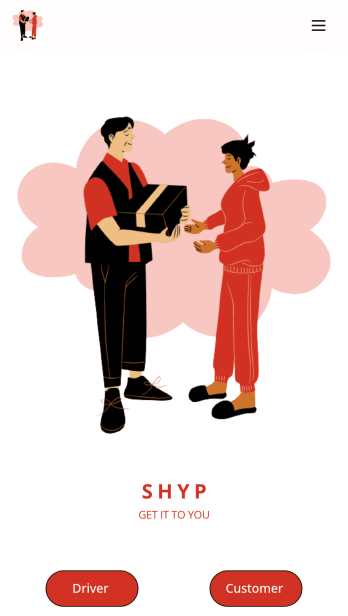
A cargo delivery app is used by both delivery companies and their customers to keep track of deliveries. Drivers can download this free app onto any device and fill out delivery receipts with dates, addresses, customer information, item descriptions, and delivery charges. Upon delivery, drivers can date and sign delivery reports using an e-signature form. Customers are able to schedule deliveries by filling out a form with general contact information and selecting a delivery date via an interactive calendar.Need to make changes to this Cargo Delivery App to match your company’s branding? Jotform’s drag-and-drop app builder allows you to add form elements, edit text fields and delivery checklist items, choose fonts and colors, upload your unique logo, and more — all without any coding knowledge. You can also use Jotform’s 30+ payment gateways to collect fees directly through your app. Make tracking shipments a breeze with our free Cargo Delivery App.
Go to Category:Fleet Tracker Apps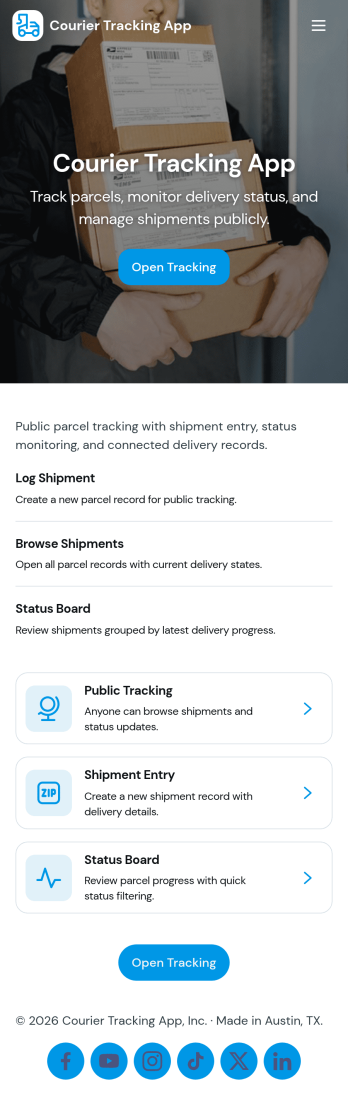
Courier Tracking App
Courier Tracking App helps delivery teams and customer support keep shipments visible from pickup to drop-off. Give customers a simple place to track a shipment by tracking number, browse existing shipments, and view key details in a shipment page without hunting through messages. It also supports day-to-day operations by letting couriers or dispatchers submit status updates in one consistent flow, so everyone stays aligned when routes change, packages are delayed, or proof-of-progress needs to be recorded.Jotform makes it easy to turn this courier tracking app template into a branded self-service experience using a no-code app builder and a drag-and-drop interface. Connect pages to your data collection workflows, organize shipment records in one place, and share the app through a link or QR code for quick access in the field. With Jotform, you can adjust what users see, standardize updates, and keep your delivery workflow moving without building a custom system from scratch.
Go to Category:Delivery Apps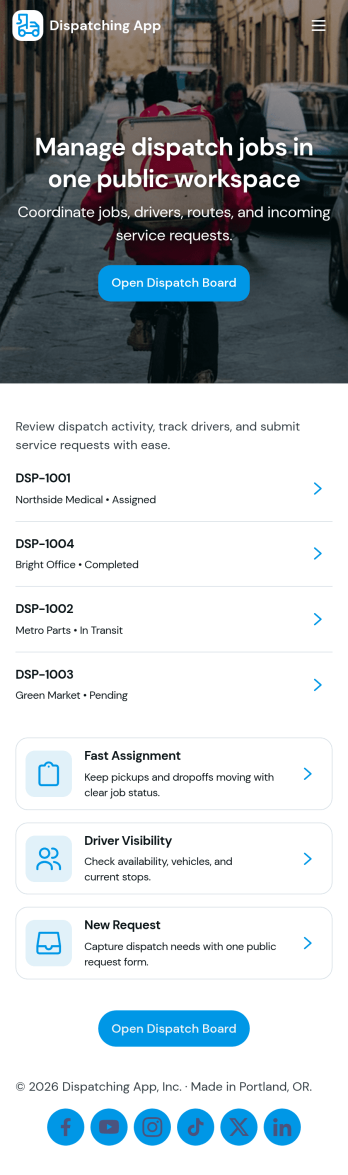
Dispatching App
Dispatching App helps teams coordinate service requests, assign active jobs, and keep day-to-day operations moving without losing track of drivers or vehicles. It’s a practical fit for delivery companies, field service businesses, transportation teams, and operations managers who need one place to add dispatch jobs, view what’s in progress, and route work to the right people fast.With Jotform, you can turn this app template into a branded, mobile-friendly self-service experience using a no-code app builder and a drag-and-drop interface. Connect the app to forms for data collection, keep job, driver, and fleet details organized, and adjust each workflow as your dispatch process evolves. Share the app by link or QR code so dispatchers and teams can access the latest information wherever they are.
Go to Category:Delivery Apps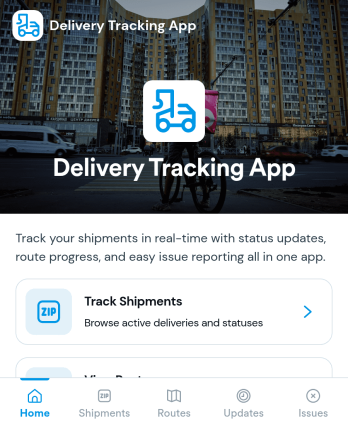
Delivery Tracking App
Delivery Tracking App helps teams monitor shipments and keep delivery information up to date in one place. It’s a practical fit for couriers, local delivery services, field operations, and logistics teams that need a clear view of what’s in transit, what’s delivered, and what needs attention. With a shipment list organized by tracking ID, a summary view for quick oversight, and a simple path to update status, the app supports consistent communication across dispatchers, drivers, and customer-facing staff.Built with Jotform, this app template can be tailored with a no-code app builder and a drag-and-drop interface so your workflow matches how your operation runs. Connect the app to your shipment records table to centralize data collection, reduce manual follow-ups, and keep statuses current as changes happen. Share it as a self-service experience for internal teams, set up role-based pages for day-to-day updates, and publish a mobile-friendly tracking hub that stays easy to navigate as volumes grow.
Go to Category:Delivery Apps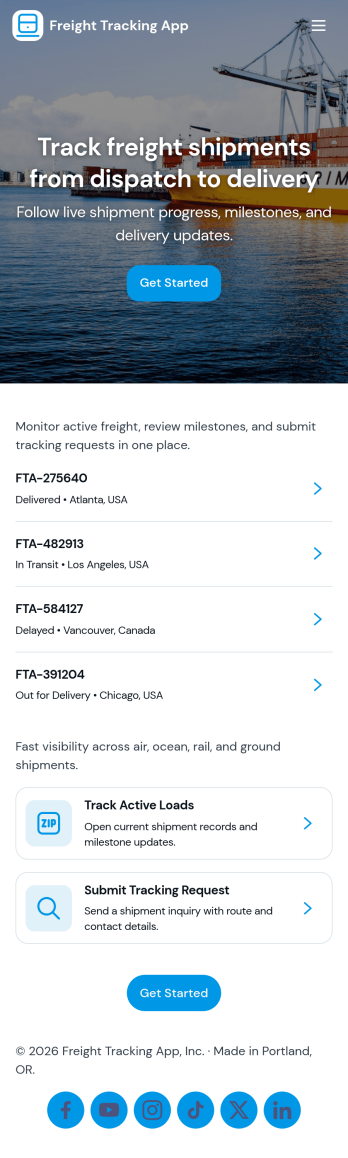
Freight Tracking App
Freight Tracking App helps logistics teams, dispatchers, and customer service staff keep shipments organized and visible from one place. Use it to browse shipments by tracking number, open a shipment record to review route and delivery details, and maintain a clear history as freight moves through each stage. It’s a practical fit for carriers, freight brokers, warehouses, and operations teams that need quick lookups, fewer missed updates, and a consistent way to report progress across multiple shipments.Built with Jotform App Templates, this app template is easy to tailor with Jotform’s no-code app builder and drag-and-drop interface. Connect shipment records and status update forms to your workflows, keep information in sync with linked tables, and share the app as a self-service experience for internal teams or partners. With Jotform, you can publish updates faster, centralize data collection, and keep freight tracking simple as volumes grow.
Go to Category:Operations & Logistics Portal Apps
Custom Logistics Management App
A logistics management app is used by logistic companies to log important company information. With this Logistics Management App from Jotform, managers can keep track of vehicles, drivers, and driver availability information. Drivers can download this app on their mobile devices to record trip information such as truck number, departure date, and total mileage using a Drivers Log Sheet. You can also manage driver job applicants from an easy-to-understand Driver Application Tracking Log.Making changes to this Logistics Management App is easy with Jotform’s no-code app builder. Simply drag and drop to add or change form elements, edit text fields and checklist items, choose fonts and colors, upload your company’s branding, and much more. Share your custom app with management and other drivers by sending email invites or the app link, where they can then download it on any device. Ditch the paperwork and use this Logistics Management App to keep digital records of all your vehicle and driver information.
Go to Category:Automotive Apps