Medication Reconciliation App helps healthcare teams compile, review, and compare a patient’s medication information in one place so changes are easier to spot during transitions of care. Use it to log current medications, capture patient details, and organize lists that support consistent review at intake, discharge, referrals, or follow-up visits. It fits clinics, hospitals, pharmacies, and care coordination teams that want a clear way to document what a patient reports versus what’s on record, reducing missed updates and duplicated work.
With Jotform, you can publish this app template as a secure, mobile-friendly experience that connects to the forms behind each list for reliable data collection and ongoing updates. Customize pages with a drag-and-drop interface, adjust fields to match your workflow, and keep information organized for staff who need quick access. Share a link or QR code with internal teams, route entries through approvals when needed, and use connected records to keep medication histories consistent over time.
Related templates

Medication Log App
For patients and clinics alike, keeping track of your patients' medications can be daunting — so streamline the process for everyone with our Medication Log App! This readymade app provides your patients with a single online portal to log and update their medical history, medication regimen, and general contact information. Patients can then access and download your app on any smartphone, tablet, or desktop computer.This Medication Log App is ready to use and doesn't require any coding, but you can easily customize this app template to better suit your needs. With our drag-and-drop interface, you can add forms, choose fonts and colors, and customize your app name, icon, and splash screen. Make it easier for your patients to keep track of their medications with a custom Medication Log App they can use from any device!
Go to Category:Healthcare Apps
Medical History App
A medical history app is used by healthcare professionals to collect medical history data from their patients. Whether you work for a hospital, doctor’s office, or other healthcare provider, enjoy a more efficient way to collect and manage patient information with this Medical History App. All of the data you collect — including intake forms, e-signatures, and file uploads — is stored with powerful security measures, including an option for HIPAA friendly features.Update this app to better match your practice with no coding needed. Add your logo, choose a new app icon, update the splash screen, include extra intake forms, and more using our drag-and-drop builder. To share your app after getting the look you want, copy and paste the app link so employees can save it to their smartphone, tablet, or computer for easy access. Collect medical data more securely with Jotform’s Medical History App.
Go to Category:HIPAA Apps
Patient Registration App
A patient registration app is used by clinics and hospitals for managing patient information. Our readymade Patient Registration App makes it easy for front desk staff to register new patients and record patient medical history in a central database. This app also includes a COVID-19 self declaration form and COVID-19 liability waiver for patients to fill out and digitally sign upon entering the building. All patient data is instantly synced and stored in your secure Jotform account, which you can access from any device for ease of use.This Patient Registration App is ready to go, but if you’d like to make it your own, just use Jotform’s no-code app builder to make changes in seconds. Simply drag and drop to add or change form elements, edit form text and fields, upload images and documents, choose fonts and colors, and more. After you’re done, you can access and download your app onto any device in your office with the app link. Easily record and compile patient data with the touch of a button using Jotform’s fully-customizable Patient Registration App.
Go to Category:Healthcare Apps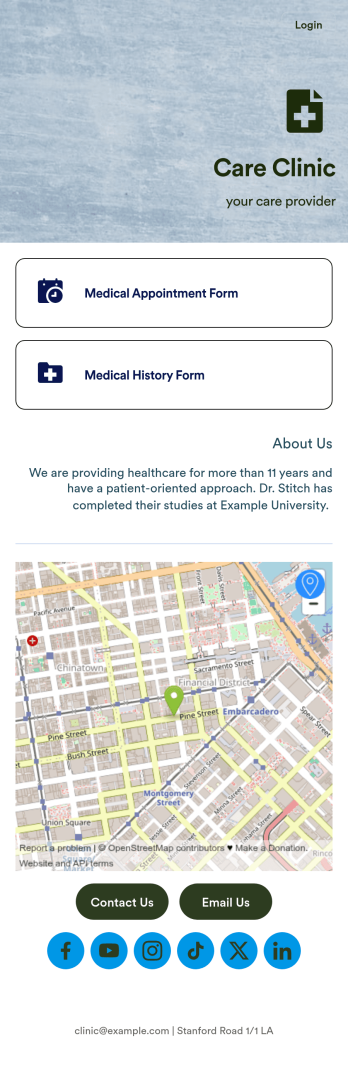
Medical Appointments App
A medical appointments app makes it easier for patients to schedule doctor’s appointments from any device. Simplify appointments for your hospital or health clinic with our free Medical Appointments App Template. This ready-to-use app includes an appointment scheduling form and a medical history form that patients can easily fill out from their smartphone, tablet, or computer. Submissions will be received instantly, stored in your dashboard, and encrypted if you opt for HIPAA friendly features in your Jotform plan.Customize this Medical Appointments App in just a few clicks with our drag-and-drop builder. It’s easy to create and add more healthcare forms, embed links to other webpages, update the provided text and images, upload branding elements, and even change the app name, icon, and splash page. Once it’s ready, share your app on your website or send it to patients directly to open and download onto their favorite device. Take the pain out of appointment scheduling by streamlining the process with a professional Medical Appointments App for your organization.
Go to Category:Booking Apps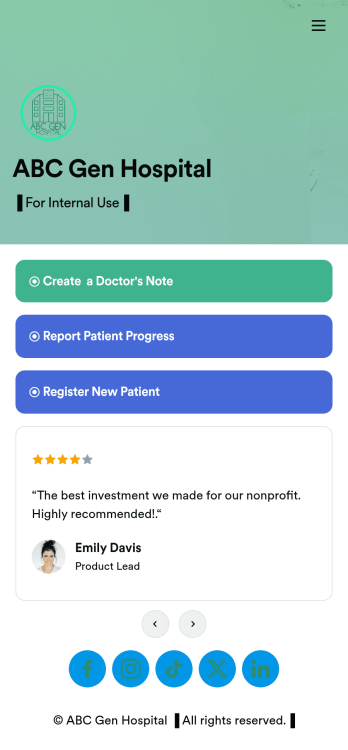
Doctors Note App
A doctor’s note app is used by hospitals and medical professionals to document a medical appointment when a patient is feeling unwell. Doctors can record general information about the patient and hospital, provide a medical diagnosis, and sign off on the note with a digital signature. Once submitted, a PDF of the doctor’s note will be automatically generated using our Doctor’s Note Template. Doctors can report patient progress and update treatment plans in a separate form through this app.Want to customize your Doctor’s Note App? No coding required — our drag-and-drop interface allows you to add forms and text, choose fonts and colors, change your app icon and splash screen, and more. After you’re done, you can share notes and progress updates with patients via link, where they can be viewed and downloaded on any smartphone, tablet, or desktop. Simplify the paperwork and let your patients focus on getting well with this customizable Doctor’s Note App.
Go to Category:HIPAA Apps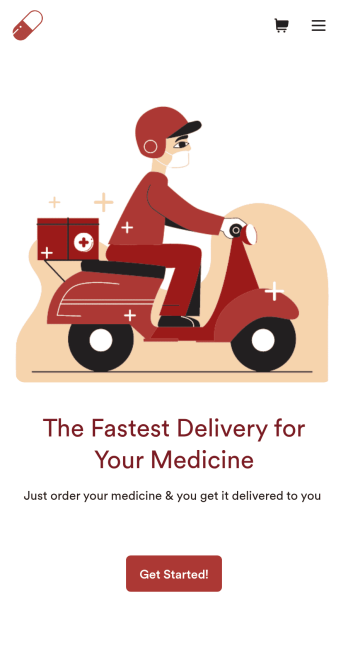
Medicine Delivery App
If your pharmacy offers medicine delivery services and is wondering how to sell medicine deliveries online, collect orders and payments from any device with Jotform’s free Medicine Delivery App. This customizable app includes a medicine order form as well as a feedback form that patients can fill out using any computer, tablet, or smartphone. Submitted orders will be received instantly, so you and your pharmaceutical staff can begin filling prescriptions without any delay.Customize this Medicine Delivery App for your pharmacy without coding. Simply drag and drop to add forms, tables, links, documents, text, images, logos, and other app elements. Then share your app with patients by sending them email invites to download it onto their own devices, or by posting the app link on your website. With a fully-custom Medicine Delivery App that works anywhere, you can sell medicine deliveries online and ensure that patients can refill their prescriptions with ease.
Go to Category:Delivery Apps