

HIPAA Apps

Custom Patient Management App
Patient Management App is an app template designed to streamline the workflows of healthcare providers, clinics, hospitals, and medical practices. By offering a centralized system that manages patient information, appointments, and care plans, the app helps improve operational efficiency. Suitable for healthcare administrators who are tasked with scheduling patients, updating medical records, tracking treatment plans, and facilitating communication throughout the patient care journey, it collects critical data in a structured and consistent manner. The app's value lies in its ability to simplify complex operational tasks, thus reducing the likelihood of errors and enhancing the quality of care provided.Jotform's intuitive design tools make it easy to customize the Patient Management App to match your healthcare practice's branding. Using Jotform's No-Code App Builder, you can quickly adjust forms, pick fonts and colors, and upload your logo without writing a single line of code. Once set up, your patients can access and download the app onto any device; be it a smartphone, tablet, or desktop, through a shareable link. This ease of access maximizes the app's adoption and use, further improving the efficiency of your healthcare practice. The Patient Management App from Jotform embodies the perfect blend of utility and usability, making patient management a breeze.
Go to Category:HIPAA Apps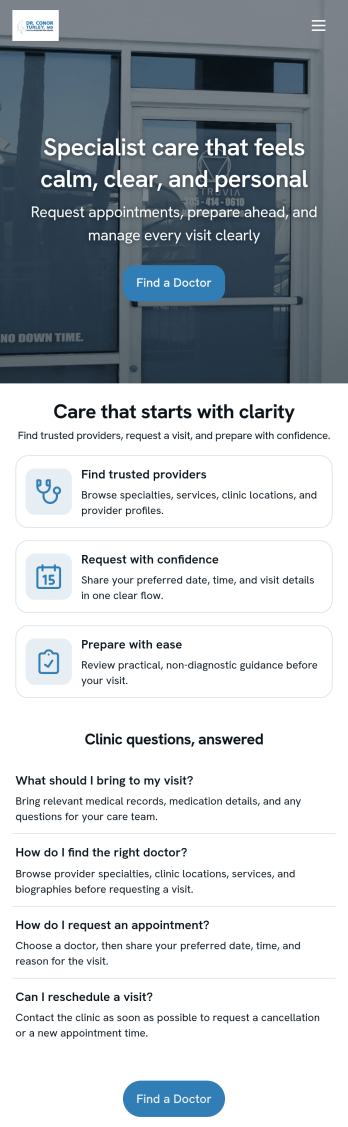
Doctor Appointment App
A doctor appointment app is used by healthcare providers to book appointments and collect patient information. Using Jotform’s Doctor Appointment App — complete with forms for collecting medical history, informed consent, and appointment requests—doctors or nurses can collect and manage patient information and store it securely online. With Jotform’s advanced security measures, you can even further protect data with HIPAA compliance features.Need to customize this app template to better match your practice? Include more links or forms, add your branding and logo, change the background or app icon, and make other changes with our simple drag-and-drop builder. Use Jotform’s easily trainable AI Chatbot guides users through your app and answers questions in real time. Once your app is ready to go, share it with a link to download instantly onto your office’s computer or tablet for easy access. Give your patients a cleaner alternative to messy paper forms with a powerful Doctor Appointment App.
Go to Category:Appointment & Booking Apps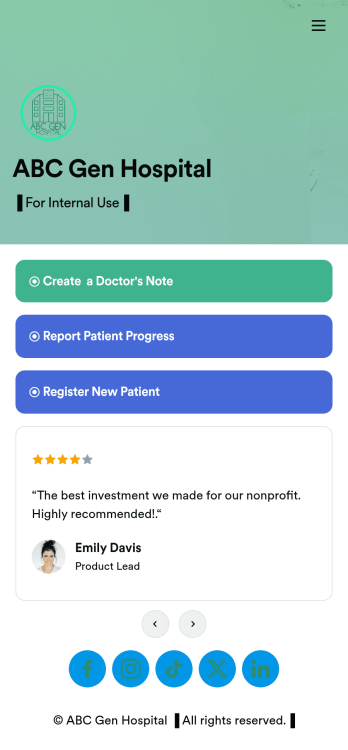
Doctors Note App
A doctor’s note app is used by hospitals and medical professionals to document a medical appointment when a patient is feeling unwell. Doctors can record general information about the patient and hospital, provide a medical diagnosis, and sign off on the note with a digital signature. Once submitted, a PDF of the doctor’s note will be automatically generated using our Doctor’s Note Template. Doctors can report patient progress and update treatment plans in a separate form through this app.Want to customize your Doctor’s Note App? No coding required — our drag-and-drop interface allows you to add forms and text, choose fonts and colors, change your app icon and splash screen, and more. After you’re done, you can share notes and progress updates with patients via link, where they can be viewed and downloaded on any smartphone, tablet, or desktop. Simplify the paperwork and let your patients focus on getting well with this customizable Doctor’s Note App.
Go to Category:HIPAA Apps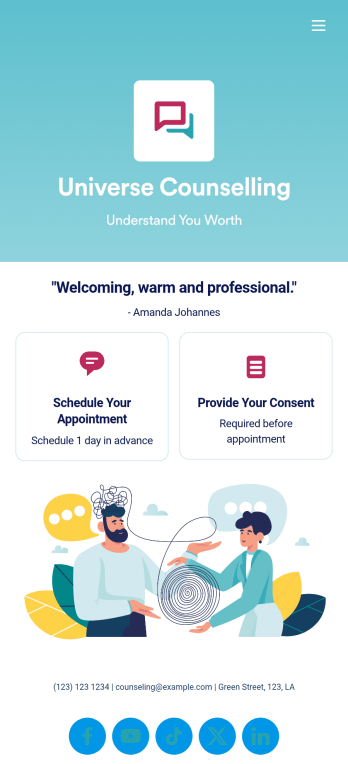
Custom Counseling App
A counseling app provides easier access to mental health resources and tools. Whether you’re a school counselor, family therapist, or life coach, build a fully-custom app for your counseling services with our free Counseling App Template. This ready-to-use app template comes with multiple forms — including a client information form, COVID-19 consent form, and appointment booking form — so clients can access and fill out your forms all from one place.Make this Counseling App your own by customizing it in just a few clicks. Without any coding, you can create and add new forms, embed links to other sites, update the provided text, upload different images, and change app settings. Once you’re satisfied with the app design, embed the app link in your website or send it directly to clients to download on their preferred devices. Make it easier for clients to get the help they need with a professional Counseling App for your services.
Go to Category:Consulting Apps
Dentist App
A dentist app is used by dental practitioners to gather patient information. With Jotform’s powerful Dentist App, your practice can collect patient dental history, consent forms with e-signatures, and schedule appointments from any device. All responses are stored securely in your Jotform account, which is protected by advanced security methods and the ability to opt into HIPAA compliance.Feel free to update the design of this app template by including your practice’s logo, adding or removing forms, updating the background image, and more with our drag-and-drop no-code app builder. Once your app is ready to go, share it with your staff to download onto any smartphone, tablet, or computer — so it can be filled out fast with no messy paperwork. Improve the patient experience with a free Dentist App from Jotform.
Go to Category:Booking Apps
Medication Log App
For patients and clinics alike, keeping track of your patients' medications can be daunting — so streamline the process for everyone with our Medication Log App! This readymade app provides your patients with a single online portal to log and update their medical history, medication regimen, and general contact information. Patients can then access and download your app on any smartphone, tablet, or desktop computer.This Medication Log App is ready to use and doesn't require any coding, but you can easily customize this app template to better suit your needs. With our drag-and-drop interface, you can add forms, choose fonts and colors, and customize your app name, icon, and splash screen. Make it easier for your patients to keep track of their medications with a custom Medication Log App they can use from any device!
Go to Category:Healthcare Apps
Patient Registration App
A patient registration app is used by clinics and hospitals for managing patient information. Our readymade Patient Registration App makes it easy for front desk staff to register new patients and record patient medical history in a central database. This app also includes a COVID-19 self declaration form and COVID-19 liability waiver for patients to fill out and digitally sign upon entering the building. All patient data is instantly synced and stored in your secure Jotform account, which you can access from any device for ease of use.This Patient Registration App is ready to go, but if you’d like to make it your own, just use Jotform’s no-code app builder to make changes in seconds. Simply drag and drop to add or change form elements, edit form text and fields, upload images and documents, choose fonts and colors, and more. After you’re done, you can access and download your app onto any device in your office with the app link. Easily record and compile patient data with the touch of a button using Jotform’s fully-customizable Patient Registration App.
Go to Category:Healthcare Apps
Medical History App
A medical history app is used by healthcare professionals to collect medical history data from their patients. Whether you work for a hospital, doctor’s office, or other healthcare provider, enjoy a more efficient way to collect and manage patient information with this Medical History App. All of the data you collect — including intake forms, e-signatures, and file uploads — is stored with powerful security measures, including an option for HIPAA friendly features.Update this app to better match your practice with no coding needed. Add your logo, choose a new app icon, update the splash screen, include extra intake forms, and more using our drag-and-drop builder. To share your app after getting the look you want, copy and paste the app link so employees can save it to their smartphone, tablet, or computer for easy access. Collect medical data more securely with Jotform’s Medical History App.
Go to Category:HIPAA Apps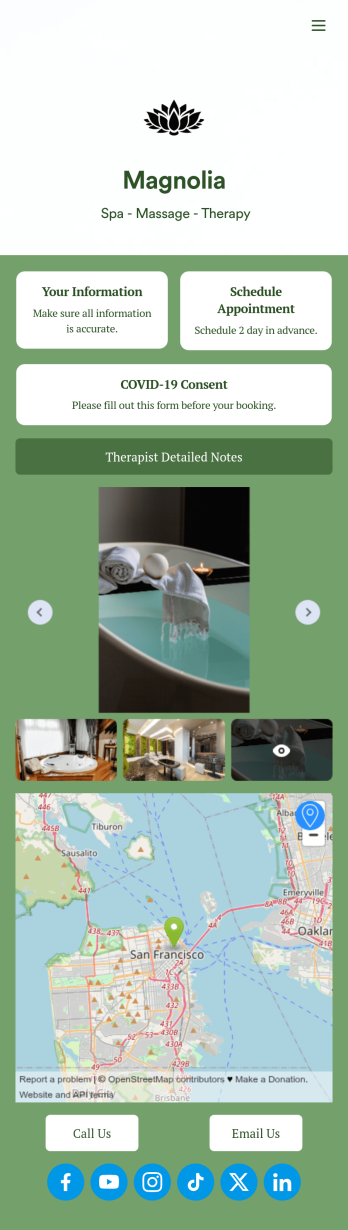
Therapist App
Eliminate stress with our free Therapist App for massage therapists and salons. This ready-to-use app shares multiple forms in one place, so you can register new clients with a Physical Therapy Intake Form, schedule appointments with a Therapy Booking Form, and receive signed Massage Therapy Consent Form responses with ease. Clients can open and download your custom app on their favorite device, be it a smartphone, tablet, or computer.Customize your Therapist App in just a few clicks with our drag-and-drop builder. Without any coding, you can easily create new forms, include links, and change the app name, icon, splash page, and background image to better match your branding. Once you’re ready to share your app, send it to clients directly via email or embed the app link in your website. Give your clients —and yourself — peace of mind with a secure and easy-to-use Therapist App for your spa.
Go to Category:Customizable Beauty Salon Apps
Nurse Notes App
A nurse notes app is used by nurses to manage information for their patients. Hospitals, doctor’s offices, and other healthcare centers can use this free Nurse Notes App to securely record patient information from any device! Your nurse notes are kept safe with Jotform’s advanced security measures, including optional HIPAA friendly features.This free app already includes forms for assessments, exams, and general notes, but feel free to add more forms, update the app icon or splash screen, and make other changes with no coding required. Your custom app can then be shared with a link and quickly downloaded onto nurses’ smartphones, tablets, or computers. Upgrade from messy paper forms with an all-in-one Nurse Notes App.
Go to Category:Healthcare Apps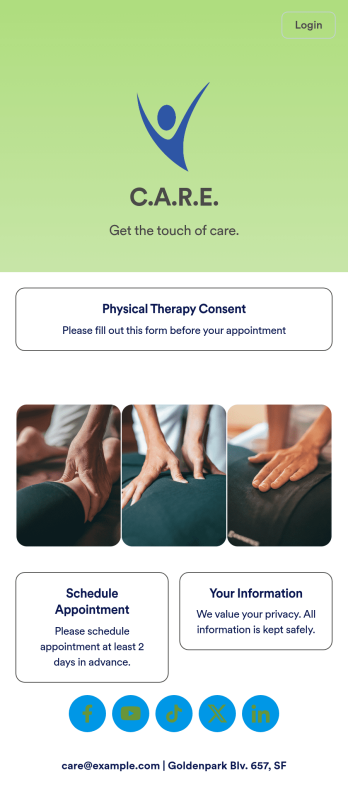
Physical Therapy App
A physical therapy app is used by hospitals and clinics for collecting patient information and scheduling appointments. This free Physical Therapy App includes a Physical Therapy Intake Form for new patients, a Physical Therapy Informed Consent Form with digital signature box, and a Request an Appointment Form for scheduling therapy appointments. All patient submissions are instantly synced to your account, where you can sort, filter, and search through entries. From here you can also export professional-looking PDFs with your own branding with just a few clicks.Customizing your app is easy with Jotform’s drag-and-drop interface. With no coding you can add or change forms, update your splash page, upload your logo or images of your clinic, and more. After you’re finished, patients can access and download your app with a link, or you can use it in-house on any devices you may have. Streamline your patient intake and appointment scheduling process with this fully-customizable Physical Therapy App.
Go to Category:Healthcare Apps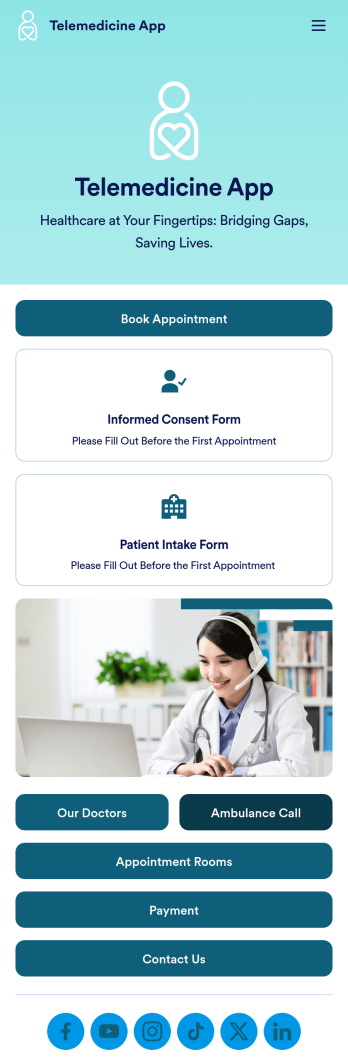
Telemedicine App
A telemedicine app is a type of mobile application used by healthcare professionals and healthcare service providers to collect important patient information. With this ready-made Telemedicine App from Jotform Apps, you can build an app that collects patient consent forms, copayments, appointment requests, and more. Want to change how this Telemedicine App Template looks to better match your needs? No problem. Use our drag-and-drop, no-code app builder to add or remove forms, change colors and fonts, select a custom app logo, upload branding assets, and more. You can even integrate your app with 250+ platforms to send patient data to your other accounts automatically. Securely collect patient data and provide health services with this Telemedicine App.
Go to Category:Appointment & Booking Apps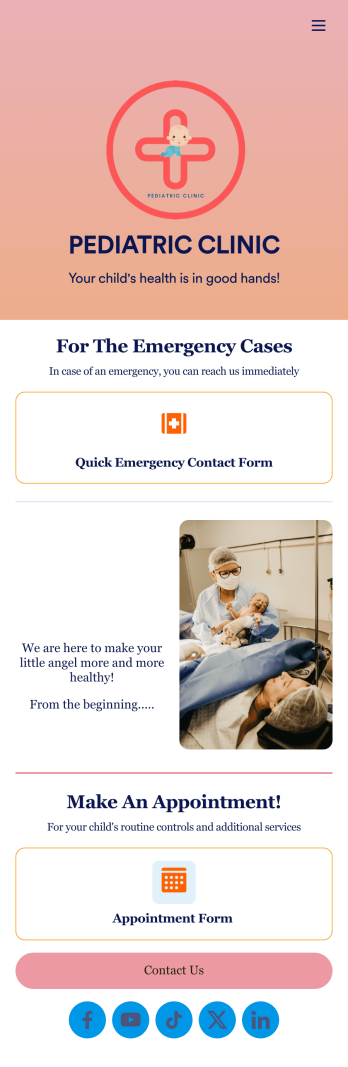
Pediatric Clinic App
Monitoring a newborn’s condition is important for keeping them and their families on the right track for health and wellness. For pediatric doctors that need to oversee their patients’ conditions closely, try this handy Pediatric Clinic App from Jotform. Collect daily or weekly reports, process fees and payments online, upload instructional videos or images, add scheduling forms for follow up appointments, and more.Customize this Pediatric Clinic App to match your clinic’s needs more closely with our easy-to-use app builder. Drag and drop to integrate with helpful widgets, add useful pages for first time parents, change fonts and colors, upload images and medical reports, and connect with your clinic’s favorite payment processors. Then simply share with your patients’ parents via link, QR code, or by linking to your app within your patient portals.
Go to Category:Appointment & Booking Apps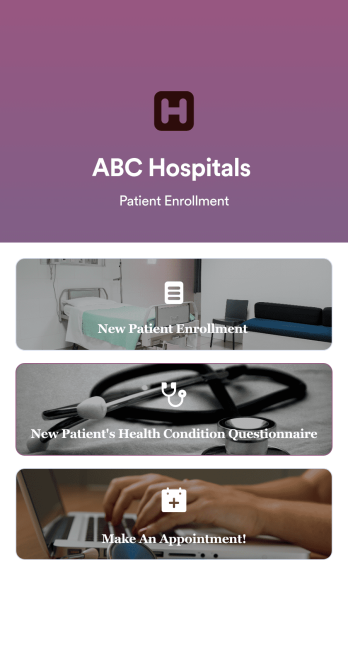
Patient Enrollment App
Is your clinic or hospital tired of signing patients up via messy paper forms? Well, this Patient Enrollment App from Jotform might be the app for you. Ditch manual form-filling in favor of an all-in-one app that includes health questionnaires, enrollment forms, appointment scheduling, e-sign consent forms, and more. Jotform even offers HIPAA compliance features via our upgraded plan.Use this app ready-made or customize the look and feel of your Patient Enrollment App to match the needs of your healthcare organization. Drag and drop to upload personal branding assets, change fonts and colors, integrate with payment processors or scheduling tools, and more. Once you’re done designing, all you have to do is send your app via link, QR code, or by embedding it directly into your clinic’s online portal.
Go to Category:Healthcare Apps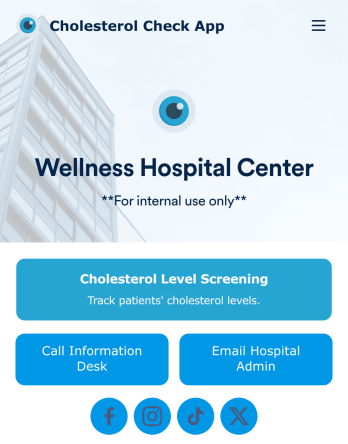
Cholesterol Check App
A cholesterol check app is used by healthcare providers to measure and keep track of patients’ cholesterol levels. With Jotform’s free Cholesterol Check App, nurses or doctors get an easy way to track patients’ cholesterol readings on their office smartphone, tablet, or computer — with no paperwork needed! Submissions through the Cholesterol Screening Form are stored securely in a Cholesterol Screening Sheet, which can be reinforced with HIPAA compliance features.With no coding knowledge needed, you can quickly customize this app template to better suit your needs. Upload your logo, change the background image, include additional forms, or add helpful documents with our drag-and-drop builder. Once you’re done, share the app with a link to save it to any device in seconds. Manage patient data more efficiently with a powerful Cholesterol Check App for your practice.
Go to Category:Healthcare Apps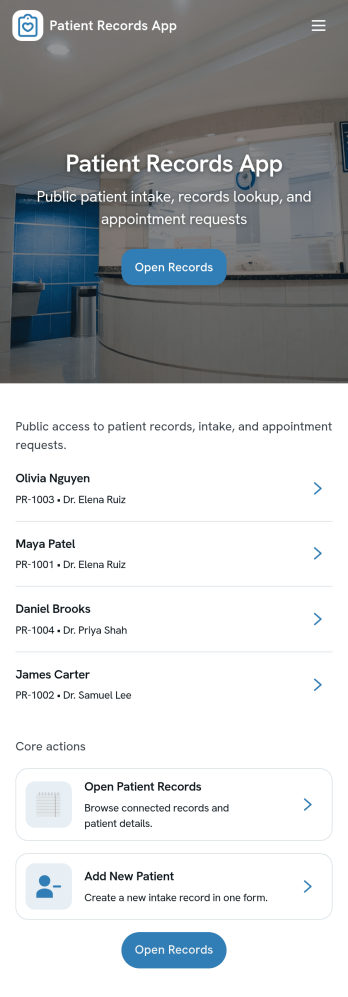
Patient Records App
Patient Records App gives clinics, private practices, and care teams a simple way to organize patient profiles and document medical activity in one place. Use it to browse a patient list, open an individual patient page for quick context, and add new patients or records as visits happen. It’s a practical fit for front-desk staff, nurses, and providers who need a consistent process for capturing information and keeping records easy to find across day-to-day operations.With Jotform, you can turn patient recordkeeping into a guided self-service workflow that’s easy to share with your team. Start with this app template, customize pages with a drag-and-drop interface, and connect forms and tables for reliable data collection and ongoing updates. As your workflow evolves, you can adjust what users see, keep information organized across pages, and publish a polished app experience without writing code.
Go to Category:Healthcare Apps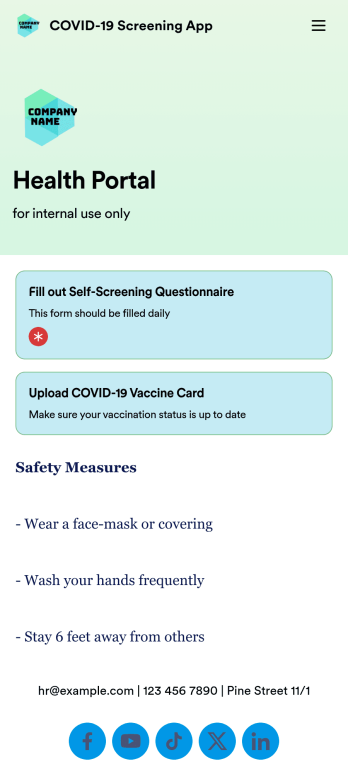
COVID-19 Screening App
A COVID-19 screening app is used by companies, businesses, or organizations to screen people for COVID-19 and collect vaccination information. Whether you’re screening employees, customers, or visitors, do it seamlessly from any device with Jotform’s free COVID-19 Screening App! The app can be filled out on your building’s computer or tablet, or downloaded instantly onto any smartphone for more frequent access.Customize this app template without coding using our drag-and-drop builder — you can upload your logo, add more forms, choose a new background image, and make other changes at the touch of a button. All submissions are stored in your secure Jotform account and can be further reinforced with HIPAA-friendly features. Make the switch from messy paper forms to improve the way you screen for COVID-19 with this powerful COVID-19 Screening App.
Go to Category:Healthcare Apps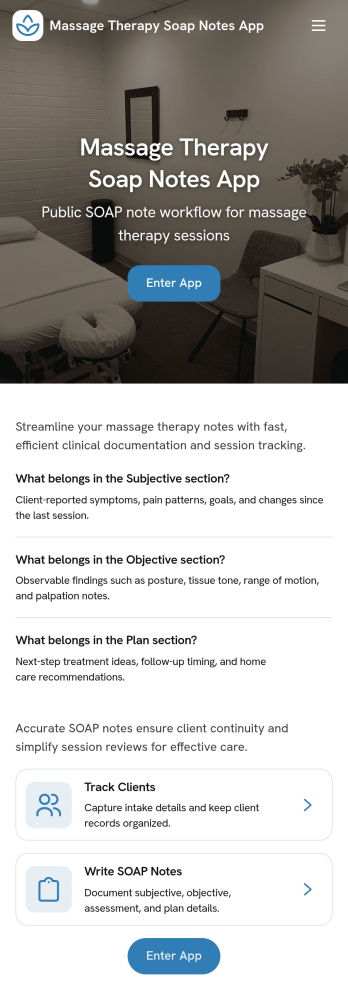
Massage Therapy Soap Notes App
Massage Therapy Soap Notes App helps massage therapists capture intake details and keep session documentation organized in a simple, repeatable format. With quick access to New Intake and a Recent Notes view, you can move from gathering client information to writing clear treatment notes, then pull up a specific client record when you need to review what happened in previous visits.Jotform makes it easy to publish this kind of self-service documentation hub using a no-code app builder and a drag-and-drop interface. Connect the app to a form for data collection, keep records consistent across your workflow, and share a mobile-friendly link with your team so notes stay accessible during busy clinic days.
Go to Category:Healthcare Apps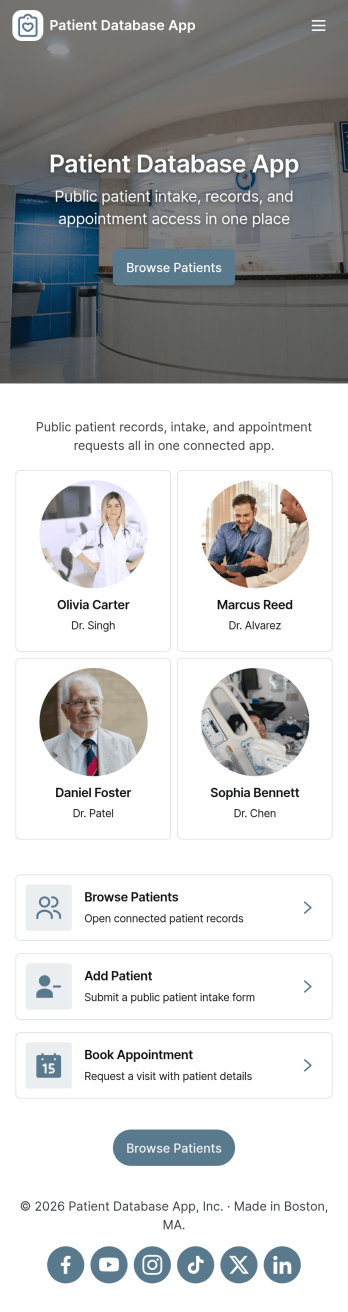
Patient Database App
Patient Database App brings patient records, intake, and appointment details into one place so clinics and healthcare teams can find information quickly and keep daily work organized. Use it to browse a patient list, open an individual record to review key contact, clinical, and address details, and start a new intake when a patient needs to be added or updated. It’s a practical fit for private practices, outpatient clinics, counseling centers, and multi-provider offices that want a consistent way to manage patient information without digging through scattered spreadsheets or inbox threads.Jotform makes it easy to turn processes like patient intake and record tracking into a guided self-service experience using a no-code app builder and drag-and-drop interface. Connect the app to forms and tables to centralize data collection, route internal workflows, and keep records accessible from a single link. With Jotform, you can tailor pages, navigation, and branding to match how your team works, then share the app with staff so they can view records, submit requests, and stay on top of appointments from anywhere.
Go to Category:Healthcare Apps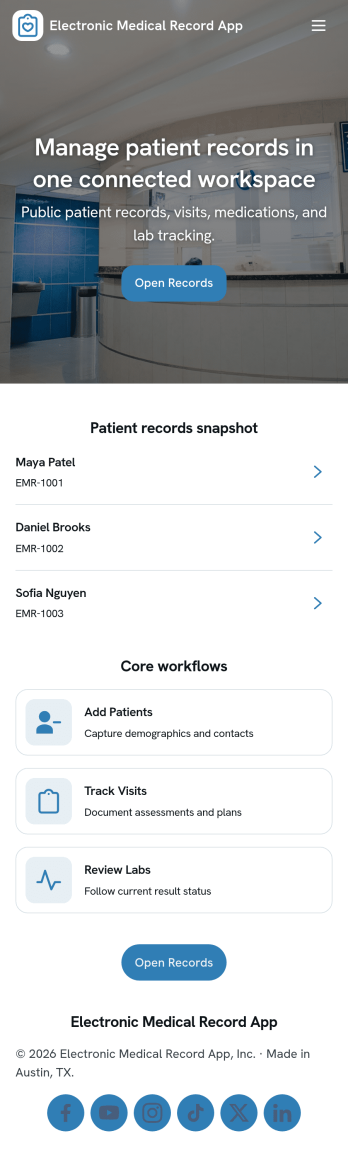
Electronic Medical Record App
Electronic Medical Record App helps clinics and private practices keep patient information organized in one place, from first-time intake to ongoing visit documentation. Use it to collect new patient details, create encounter notes right after appointments, and review record history when planning follow-ups or coordinating care. It’s a practical fit for medical offices, outpatient clinics, telehealth providers, and multidisciplinary teams that need a consistent way to capture patient data and quickly find recent patients without digging through scattered files.Built with Jotform, this app template combines easy navigation with connected forms and tables so teams can manage data collection and day-to-day workflow from a single self-service experience. Customize pages, buttons, and branding in Jotform’s no-code app builder with a drag-and-drop interface, then share the app by link for fast access across devices. As records grow, you can keep everything searchable and structured by linking your patient list and medical records to Jotform Tables.
Go to Category:Healthcare Apps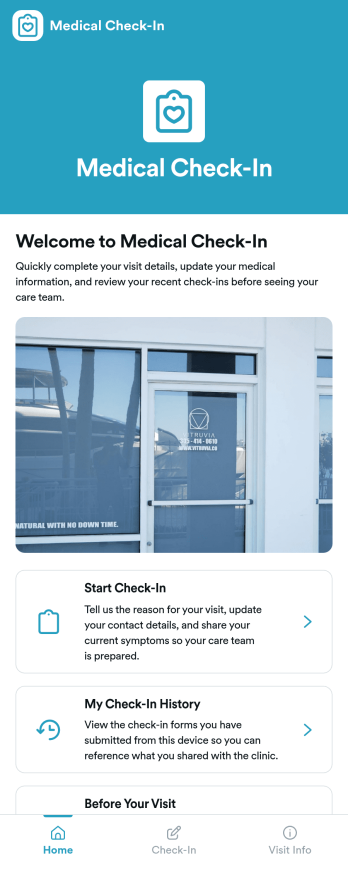
Medical Check-In App
Medical Check-In App gives clinics and private practices a simple way to welcome patients, collect check-in details before arrival, and keep past check-ins easy to find. Patients can start a check-in from one clear entry point, review their check-in history, and read visit prep guidance so they show up ready. This works well for front desks managing busy schedules, providers who want cleaner intake, and organizations that need a consistent check-in experience across multiple staff members or locations.Jotform makes it easy to create and publish patient-facing experiences with a no-code app builder and a drag-and-drop interface. Customize pages, add branded visuals, and connect your check-in form to the app so data collection stays organized and actionable. Share the app with a link or QR code, guide patients to the right next step, and support smoother workflows from arrival prep to recordkeeping.
Go to Category:Healthcare Apps
Health Test App
Health Test App helps organizations run a simple screening experience from one place, so people can start a health check, submit responses, and review outcomes without confusion. It’s a practical fit for clinics, workplace wellness teams, schools, event organizers, and community programs that need a clear path from “Start screening” to “View results,” with the option to open a screening form again for a new entry. With access to individual records and an “All records” area, teams can quickly find past screenings and keep routine check-ins organized.Jotform makes it easy to turn this app template into a branded self-service experience using a no-code app builder and a drag-and-drop interface. Connect your screening form to the app for consistent data collection, guide users through the right workflow with buttons and navigation, and manage records in one connected place. Customize pages, add helpful text and images, and share the app with a direct link so your screening process stays accessible on any device.
Go to Category:Healthcare Apps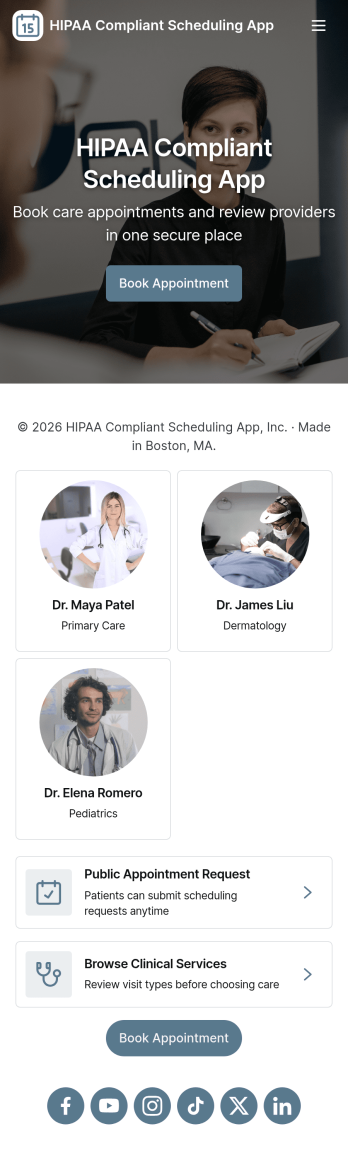
Hipaa Compliant Scheduling App
Hipaa Compliant Scheduling App helps healthcare teams and patients coordinate appointments in one place while keeping scheduling communication organized. Use it to offer a clear path to book appointments, view appointment details, and contact the care team without confusion or missed steps. It’s a practical fit for clinics, private practices, therapy providers, and medical offices that want a simple self-service experience for scheduling requests and intake, plus an easy way for staff to route patients to the right next action.Jotform makes it easy to turn these workflows into a polished app experience using App Templates and a no-code app builder with a drag-and-drop interface. Connect buttons and pages to forms for data collection, centralize information for quick navigation, and share the app through a link or QR code for convenient self-service. As your workflow evolves, you can update pages, adjust navigation, and keep everything consistent across teams without needing to code.
Go to Category:HIPAA Apps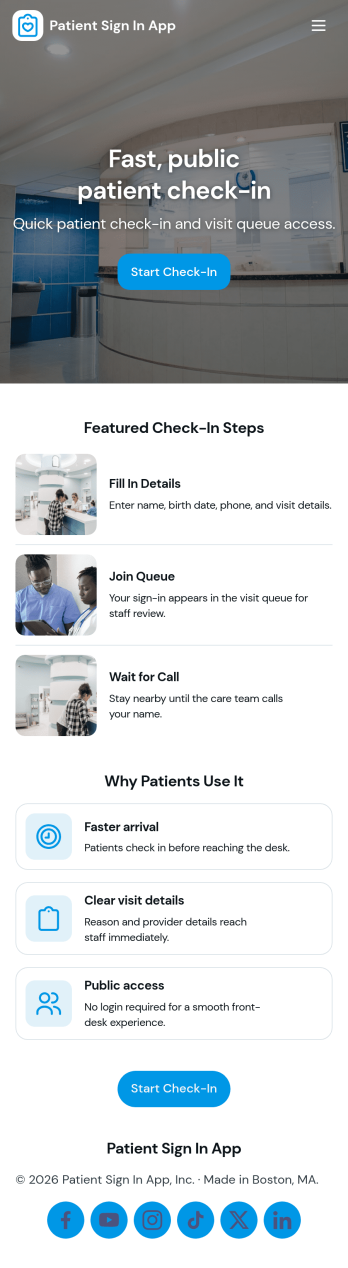
Patient Sign In App
Patient Sign In App helps clinics and healthcare teams manage patient arrivals with a simple, guided sign-in experience and a clear view of who is waiting. Patients or front-desk staff can start sign-in from a central entry point, then move through the process without confusion. The queue view supports day-to-day flow by showing the current line at a glance, while My Sign-Ins makes it easy to revisit past check-ins when questions come up or when staff need to confirm timing. Use this app at reception desks, urgent care centers, therapy practices, imaging clinics, and any setting where reducing lobby bottlenecks and keeping check-in consistent matters.Jotform makes it easy to turn this workflow into a polished, shareable experience using App Templates and a no-code app builder. With a drag-and-drop interface, you can update pages, adjust navigation buttons, and connect the app to your sign-in form for reliable data collection. Share the app by link or QR code, keep records organized in connected tables, and collaborate with your team so check-ins and queue visibility stay consistent across locations and shifts.
Go to Category:Healthcare AppsAbout HIPAA Apps
HIPAA Apps are specialized mobile or web applications designed to ensure compliance with the Health Insurance Portability and Accountability Act. These apps facilitate the secure handling of sensitive healthcare information, streamline patient data management, and improve communication within healthcare organizations. Common operational use cases include patient registration, appointment scheduling, and secure messaging between healthcare providers and patients. Industries such as hospitals, clinics, and private practices benefit from integrating HIPAA Apps into their workflows, ensuring that patient information remains confidential and accessible only to authorized personnel.
Jotform Apps serve as a robust no-code app builder specifically catered to creating HIPAA Apps, leveraging Progressive Web App (PWA) technology. This allows users to install apps directly via their browser, circumventing the need for an App Store, and ensuring seamless functionality across iOS, Android, tablets, and desktops. The centralized data capability using Jotform Tables enhances workflow efficiency by providing a single source of truth for all patient-related information. This approach simplifies data management and ensures that healthcare professionals can focus on delivering quality care without being bogged down by technical complexities.
Why Use HIPAA Apps?
- HIPAA Apps ensure that healthcare organizations comply with stringent privacy and security regulations, reducing the risk of data breaches and legal penalties. By integrating these apps into daily operations, organizations can foster trust with patients by demonstrating a commitment to safeguarding their personal information.
- These apps streamline administrative tasks such as patient intake and appointment scheduling, allowing healthcare staff to focus more on patient care rather than paperwork. This operational efficiency translates into improved patient satisfaction and more effective use of personnel resources.
- With HIPAA Apps, healthcare providers can enhance communication with patients through secure messaging systems, leading to better patient engagement and adherence to treatment plans. This improved communication pathway is crucial for monitoring patient progress and providing timely medical advice.
- By utilizing HIPAA Apps, organizations can centralize patient data, making it easier to access and manage. This centralization reduces the risk of errors and ensures that all healthcare providers have up-to-date information, improving the overall quality of care.
- These apps offer a scalable solution for managing healthcare operations, allowing facilities to grow without compromising data security or operational efficiency. As a result, healthcare organizations can adapt to increasing patient loads without the need for significant infrastructure changes.
Common Problems Solved by HIPAA Apps
- One significant challenge in healthcare is maintaining compliance with evolving data protection regulations. HIPAA Apps address this by embedding compliance into their framework, ensuring that all patient interactions and data handling meet regulatory standards.
- Healthcare organizations often grapple with inefficient data management systems that lead to errors and delays in patient care. HIPAA Apps streamline data collection and management, reducing the likelihood of errors and ensuring that healthcare providers have access to accurate patient information when needed.
- Communication breakdowns between healthcare providers and patients can lead to poor health outcomes. HIPAA Apps facilitate secure and direct communication channels, enabling timely updates and consultations that are critical for patient care continuity.
- Many healthcare facilities face the challenge of integrating various systems and processes. HIPAA Apps provide a unified platform that can integrate with existing workflows, ensuring seamless operations and a cohesive approach to patient management.
- The need for secure, remote access to patient data has become increasingly important. HIPAA Apps offer offline access capabilities, ensuring that healthcare providers can continue their work uninterrupted even in areas with limited internet connectivity.
Matching Use Cases to Features
- For healthcare organizations looking to streamline their patient data management, the Drag-and-Drop Interface of Jotform Apps offers a user-friendly way to customize apps to fit specific operational needs, enhancing productivity and reducing setup time.
- The Store Builder feature is ideal for clinics offering telehealth services, allowing them to create a virtual storefront where patients can book appointments and access services, thereby expanding access to healthcare.
- Push Notifications can be employed by healthcare providers to send timely reminders to patients about upcoming appointments or medication schedules, improving patient adherence to treatment plans and reducing no-show rates.
- Payment Integrations with platforms like Stripe and PayPal enable clinics to collect payments for services directly through the app, simplifying billing processes and improving cash flow management.
- Publish Options such as Public, Private, or Company-only allow healthcare organizations to control app access, ensuring that sensitive information is only available to authorized users, thereby protecting patient privacy.
- Sharing Methods like Direct Link, Email, QR Code, and Social Media make it easy for healthcare providers to distribute their apps to patients and staff, enhancing accessibility and encouraging widespread adoption.
- Workflow Automation can be utilized to automate routine administrative tasks, such as patient check-ins and follow-ups, freeing up staff to focus on more critical areas of patient care.
How to Create a HIPAA App
- Choose a category-relevant template from the Template List or start from scratch.
- Customize using the Drag-and-Drop Interface to tailor the app to your specific operational requirements.
- Share via Link, QR Code, or Embed to ensure easy access and distribution among patients and staff.
Top Use Cases for HIPAA Apps
- For Managers: Managers in healthcare organizations can leverage HIPAA Apps to ensure regulatory compliance and streamline operations. By providing a centralized platform for data management and communication, these apps enable managers to monitor workflows efficiently and make informed decisions. Additionally, the apps' scalability allows for seamless adaptation to organizational growth without compromising data security or operational integrity.
- For Teams: Healthcare teams benefit from HIPAA Apps by gaining access to a cohesive platform that enhances collaboration and communication. Secure messaging and data sharing capabilities ensure that all team members are on the same page, reducing errors and improving patient outcomes. By automating routine tasks, these apps allow teams to focus more on patient care and less on administrative duties.
- For Customers: Patients using HIPAA Apps enjoy a more interactive and secure healthcare experience. These apps provide easy access to personal health information, appointment scheduling, and direct communication with healthcare providers. By enhancing patient engagement and providing timely information, HIPAA Apps contribute to better patient satisfaction and adherence to treatment plans.
Summarizing HIPAA Apps
In summary, HIPAA Apps play a vital role in modernizing healthcare operations by embedding compliance, enhancing communication, and streamlining data management. Jotform’s no-code app builder empowers healthcare organizations to create custom apps that meet specific operational needs while ensuring patient data security. By leveraging the capabilities of Jotform Apps, healthcare providers can improve efficiency, reduce costs, and deliver higher-quality care, ultimately leading to better patient outcomes and satisfaction.
Frequently Asked Questions
1) Is it free to create and use HIPAA apps on Jotform?
Creating and using HIPAA apps on Jotform is accessible through the Starter plan, which is free of charge. This plan allows users to explore the basic functionalities of Jotform Apps without any financial commitment. However, for more advanced features and increased usage limits, upgrading to a paid plan may be necessary.
2) Are the data and payments collected through the app secure?
Yes, all data and payments collected through Jotform Apps are secure and comply with industry standards, including GDPR. Jotform employs advanced encryption methods to protect sensitive information and ensure that all transactions are conducted securely. This commitment to security helps build trust with users and safeguards against data breaches.
3) Do I need any coding skills to create a HIPAA app with Jotform?
No coding skills are required to create a HIPAA app with Jotform. The no-code app builder features an intuitive Drag-and-Drop Interface that allows users to customize their apps easily. This user-friendly approach enables anyone, regardless of technical expertise, to develop functional and professional-grade applications.
4) Can I collect payments for services directly through the app?
Yes, Jotform Apps supports payment collection directly through the app using integrations with Stripe and PayPal. This functionality simplifies the billing process for healthcare providers, allowing them to manage payments efficiently and enhance the overall patient experience.
5) Does Jotform support offline data collection for HIPAA apps?
Jotform supports offline data collection through its Mobile Forms feature, which is particularly beneficial for HIPAA apps. This capability ensures that healthcare providers can continue to collect and manage data even in areas with limited internet connectivity, maintaining operational continuity.
6) Are Jotform Apps compatible with both iOS and Android devices?
Yes, Jotform Apps are fully compatible with both iOS and Android devices, thanks to their Progressive Web App (PWA) technology. This cross-platform compatibility ensures that users have consistent access to their apps, regardless of the device they are using, enhancing flexibility and reliability.
7) How do HIPAA Apps enhance patient engagement in healthcare settings?
HIPAA Apps enhance patient engagement by providing secure, direct communication channels between patients and healthcare providers. Features such as appointment scheduling and push notifications keep patients informed and involved in their healthcare journey, leading to better adherence to treatment plans and improved health outcomes.
8) What measures are in place to ensure HIPAA compliance in Jotform Apps?
Jotform Apps incorporate several measures to ensure HIPAA compliance, such as data encryption, access controls, and audit logs. These features help healthcare organizations protect sensitive patient information and maintain compliance with regulatory requirements, reducing the risk of data breaches and associated penalties.