Restaurant Directory App brings your restaurant listings into one place so customers, tourists, and local communities can quickly discover where to eat. Use it to publish a curated guide for a neighborhood, campus, hotel concierge desk, food festival, or chamber of commerce, with list-style browsing and dedicated restaurant pages that highlight key details. Visitors can explore options, open a restaurant profile, and take action with one-tap calling or a direct website link, while your team keeps the directory consistent and easy to navigate.
Jotform makes it simple to turn this restaurant directory app template into a branded, mobile-friendly experience using a no-code app builder and a drag-and-drop interface. Connect your directory to data collection with linked forms, route updates through a workflow your team controls, and publish changes fast without relying on developers. Share your Jotform app through a link or QR code so people can access the directory anytime and suggest new restaurants as your guide grows.
Related templates
Restaurant Checklist App
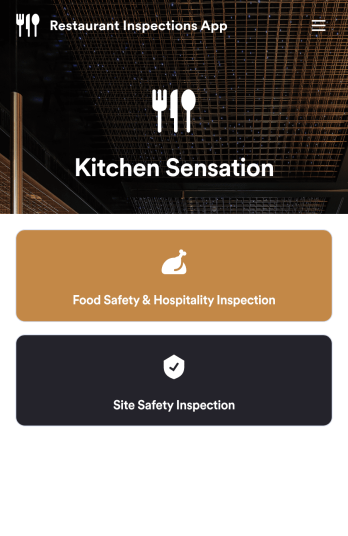
A restaurant checklist app is used by restaurant owners and managers to document the condition of a restaurant by filling out inspection forms. This Restaurant Checklist App includes two forms: a food safety and hospitality inspection checklist for recording the cleanliness of the restaurant interior, and a site inspection checklist for recording the safety and cleanliness of the kitchen and service areas. Both checklists allow restaurant inspectors to date and sign inspections using an e-signature field. Reports are instantly synced and stored in your secure Jotform account for ease of access.Customize this app template to match your restaurant’s branding with Jotform’s no-code app builder. Simply drag and drop to add form elements, edit checklist items, personalize your app icon and splash screen, and more. After you’re done, you can share your app by sending a link in an email invite, and employees can then download it onto any smartphone, tablet, or computer. Ensure your restaurant is compliant with health and safety standards by creating your own fully-customizable Restaurant Checklist App.
Go to Category:Checklist Apps
QR Code Menu App
Want to learn how to sell menu items online? A QR menu app is used by restaurants, cafes, and diners who wish to replace a traditional menu with a QR code menu. With this app template, customers can scan a QR code with their smartphones to access your online menu. Once scanned, diners will be presented with your app’s splash screen, where they can navigate between drink and food menus and place no-contact orders for dine-in, pick-up, or delivery. Orders received through your app are automatically synced to your online account, which can be accessed by servers and kitchen staff from any device.Customize this app template to fit your needs using Jotform’s intuitive form builder. No coding required — simply drag and drop to add or change form elements, upload your logo, choose fonts and colors, attach thumbnail images to menu items, and more. You can even create a custom splash screen to run promotions or showcase popular dishes. Once you’re finished, connect your app to a unique QR code, and customers can then scan and access your menu from any smartphone or tablet. Build a custom no-contact online menu in minutes and sell item items online with this free QR Menu App from Jotform.
Go to Category:Food & Beverage Apps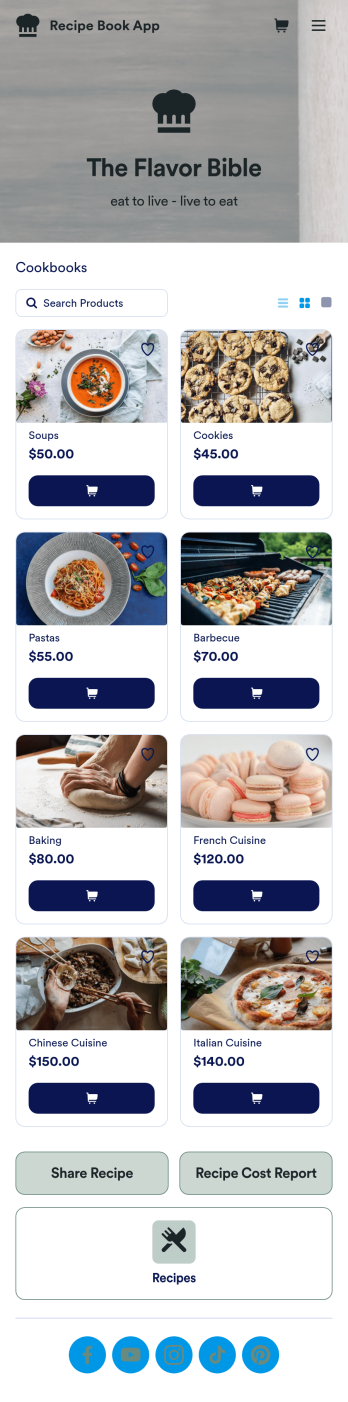
Custom Recipe Book App
As a chef, you’ve probably got a million recipes floating around in your head — so why not keep them all in one convenient place with this Recipe Book App? This free app includes a form where you can record dish type, prep time, ingredients, number of servings, and more — all of which can be viewed and sorted in an easy-to-understand spreadsheet from your Jotform account! There is also an upload form where you can attach notes and images to individual recipes.Want to customize the look of this Recipe Book App? With just a few clicks, our drag-and-drop interface allows you to add or change forms, upload images, change fonts and colors, and more — all with no coding. You can even share your app with other people, who can then add their own recipes to your recipe book from any smartphone, tablet, or computer. Never forget a recipe again with this free Recipe Book App.
Go to Category:Online Store Apps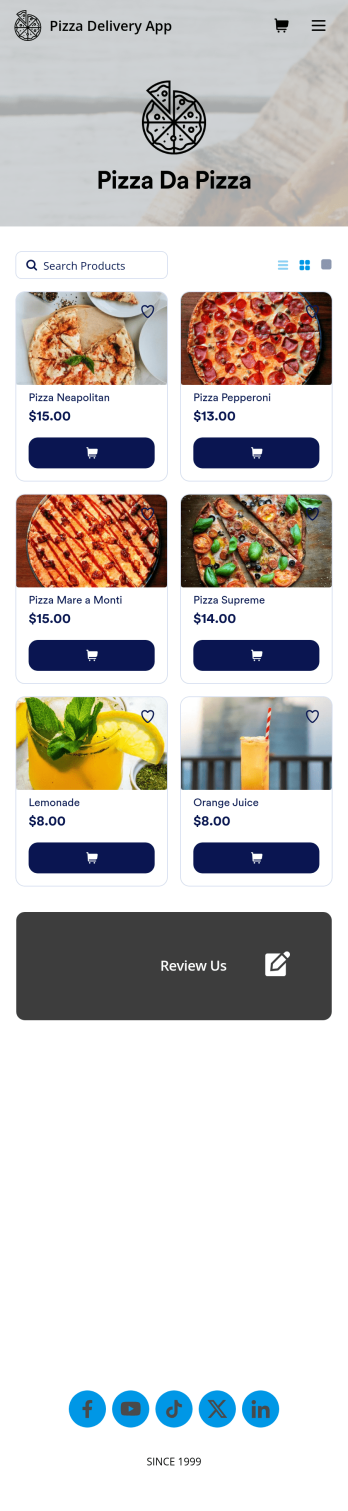
Custom Pizza Delivery App
Need to know how to sell pizza online to take your business to next level? Give your customers an easier way to order pizzas for delivery with this free Pizza Delivery App from Jotform. Start by adding your pizza and topping options to the app using our drag-and-drop builder, then connect the app with your preferred payment gateway to gather payments online — all while paying no extra transaction fees to Jotform! All orders are stored in your Jotform account, ready to be viewed, prepared, and delivered by you and your team.Need to make other changes to this Pizza Delivery App template? Drag and drop to add your company logo, change fonts and colors, and make other design updates with no coding. Not only does the app’s order form integrate with 30+ gateways like PayPal, Stripe, and Square, but it also connects with 100+ apps so you can track orders in other accounts too. Ditch time-consuming phone calls and enjoy a more efficient way to sell pizza online with a Pizza Delivery App.
Go to Category:Delivery Apps
Order Ahead App
Wondering how to let customers order ahead online? Giving customers the freedom to order ahead makes everything easier for both parties. With this Order Ahead App, you can collect orders for pick-up or delivery, and take payments with debit or credit cards, or even with PayPal. Customers can open your app from any device, contact your restaurant or leave reviews, and download your app to their smartphone, tablet, or computer.Want to customize your Order Ahead App to match your restaurant’s branding? Our drag-and-drop interface makes it easy to add or change forms, choose fonts and colors, upload your logo or menu thumbnail images, update the app name or text, and more — all with zero coding. After that, simply share the link on your website or social media, and you’re off and running! Make ordering ahead a breeze and sell orders online with your own personal Order Ahead App.
Go to Category:Restaurant Apps
Customizable Coffee Shop App
Wondering how to sell coffee online? A coffee shop app is used by coffee shops as a way to collect orders from customers. With this app template, you can create an online menu with product thumbnails, descriptions, and prices, and customers can place to-go and delivery orders from their favorite device. You can also easily include item discounts, customer testimonials, location, and contact number, as well as social media links. Orders are immediately synced to your secure Jotform account, which baristas can access from a tablet or desktop at the counter.Want to make changes to this app template? Jotform's intuitive app builder makes it easy for anyone to customize the look and feel of their app with just a few clicks. No coding required — just drag and drop to add or change form elements, choose custom color schemes to match your branding, upload your logo, add payment integrations, and more. Once you’re satisfied with the look and feel of your online menu, you can share your app with customers by embedding it in your website or generating a custom QR code to hang in the window of your coffee shop. Give your customers the option to order ahead from any device and sell coffee online with this Coffee Shop App from Jotform.
Go to Category:Food & Beverage Apps