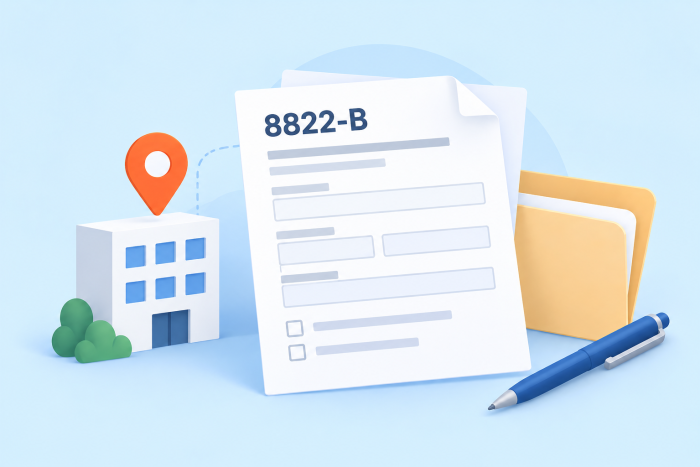
The following suggestions are for informational purposes only. For current requirements, see the IRS information for Form 8822-B.
Keeping your entity’s IRS records current is essential for receiving notices, refunds, and correspondence. Form 8822-B is the form businesses and other entities with an EIN use to notify the IRS of a change in business mailing address, business location, or responsible party.
What is Form 8822-B?
Form 8822-B, Change of Address or Responsible Party—Business, updates the IRS’s record for an entity that has an EIN application on file. It is not an income-tax return and should not be attached to a return. Use it to report a new business mailing address, a new business location, a new responsible party, or more than one of those changes.
Who needs to file Form 8822-B?
Businesses and other entities with EINs use Form 8822-B when their mailing address, business location, or responsible party changes. The form can apply to corporations, partnerships, LLCs, trusts, estates, exempt organizations, and entities that are not actively conducting a trade or business.
A responsible-party change must be reported to the IRS within 60 days. The responsible party is generally the individual who ultimately owns or controls the entity or exercises effective control over it; a temporary nominee is not the right person to list. If you are changing only a personal home address, use Form 8822 instead of Form 8822-B.
What to gather before you begin
- The entity’s legal business name and EIN
- The old and new mailing addresses, including suite, P.O. box, or foreign-address details when applicable
- The new business-location address, if the physical location changed
- The new responsible party’s legal name and taxpayer identification number. The responsible party is generally an individual, not another entity, except in limited cases such as certain government entities.
- Confirmation that the signer has authority to sign for the entity
How to fill out Form 8822-B, step by step
1. Check every box the change affects
At the top of the form, select the categories affected by the change. Line 1 covers employment, excise, income, and other business returns. Line 2 applies to employee-plan returns. Line 3 applies when the business location itself changes. Select all that apply, rather than assuming an address change affects only one category.
2. Enter the business name and EIN on lines 4a and 4b
Enter the entity’s legal name and EIN exactly as they appear in IRS records. This identifies the entity whose account will be updated. An incorrect EIN or a trade name that does not match IRS records can delay processing.
3. Complete the old mailing address on line 5
Enter the former mailing address so the IRS can match the request to its existing record. Include the address fully, including room or suite number, city, state, ZIP code, and foreign-address information where required. If a P.O. box is used, follow the form instructions.
4. Enter the new mailing address on line 6
Use line 6 for the mailing address where the entity should receive IRS correspondence. This can be different from the physical business location. A USPS change-of-address request does not replace notifying the IRS directly, so file the form even if mail forwarding has been arranged.
5. Report the new business location on line 7, if applicable
Line 7 is for the physical business location. Complete it when the business has moved, even if the mailing address is unchanged. If the entity uses a separate mailing service or registered office, make sure you distinguish the mailing address from the location where the business operates.
6. Report a new responsible party on lines 8 and 9
Enter the new responsible party’s name on line 8 and the appropriate taxpayer identification number on line 9. The responsible party is generally the individual who owns, controls, or exercises effective control over the entity and its funds or assets. Do not list a nominee, organizer, or another person with only limited authority.
7. Sign and date the form
An authorized owner, officer, partner, fiduciary, or other authorized person must sign and date Form 8822-B. Review the form for complete identity, address, and responsible-party information before signing.
How to submit Form 8822-B
Mail Form 8822-B to the IRS address shown in the current form instructions. Do not attach it to a tax return. Keep a copy of the signed form and proof of mailing with the entity’s records. The IRS generally takes four to six weeks to process an address or responsible-party change. If you do not receive confirmation of a responsible-party change within 60 days, mail another copy of the form and write “Second Request” on it. If a representative signs the form, attach a copy of the representative’s power of attorney.
Form 8822 vs. Form 8822-B
Form 8822 is used by individuals to update a home mailing address with the IRS. It applies to personal tax records and certain non-business returns; it does not update an entity’s EIN records.
Form 8822-B is used by businesses and other entities with an EIN application on file. It reports changes to a business mailing address, physical business location, or responsible party.
If you are a business owner who changed both your personal home address and the entity’s business address, you may need to submit both forms.
Common Form 8822-B mistakes to avoid
Review the form carefully before mailing it to help ensure the IRS updates the correct entity records.
- Using the wrong form: Use Form 8822 for a personal address change and Form 8822-B for business or entity information.
- Leaving out the former address: Include the old mailing address so the IRS can identify the record to update.
- Mixing up addresses: A business mailing address and physical business location can be different; complete the applicable fields for each change.
- Listing a nominee: Name the person who owns, controls, or exercises effective control over the entity, not an organizer or nominee with limited authority.
- Reporting a responsible-party change late: Submit Form 8822-B within 60 days of the change.
- Attaching the form to a tax return: Mail Form 8822-B separately to the IRS address shown on the form.
- Using inconsistent records: Make sure the entity name, EIN, and updated information match IRS and business records.
Pro Tip
Updating your business information with the IRS is only one part of keeping your tax records organized. A reliable tax form management process helps you track changes, maintain accurate business details, and keep completed forms accessible when you need them.
Form 8822-B Generator by Jotform
Form 8822-B helps businesses and other entities keep their IRS mailing address, business location, and responsible-party information current. Jotform’s Form 8822-B Generator lets you enter the required details online and download a completed PDF for review before mailing it to the IRS.
Organize entity-change information
Use the labeled fields to gather the entity’s legal name, EIN, former mailing address, new address or business location, and responsible-party details. Keeping this information together can make it easier to verify that the change is complete before signing.
Distinguish address and responsible-party changes
A mailing-address change, business-location change, and responsible-party change may require different fields on the form. Review each selection carefully so the IRS updates the information that actually changed.
Keep business information secure
Form 8822-B can include EINs, addresses, and responsible-party identification details. Jotform protects submissions with 256-bit SSL encryption and GDPR- and CCPA-enabled features. You can also use Encrypted Forms for additional protection.
Download a completed copy for mailing
After completing the fields, download the PDF for review and signature. Jotform does not submit Form 8822-B to the IRS; the entity remains responsible for mailing the signed form to the correct IRS address and retaining proof of submission.
Keep your IRS business records up to date with Form 8822-B
Once you’ve completed Form 8822-B, take a moment to verify that the business name, EIN, mailing address, location, and responsible-party information match your IRS records. Check that the form is signed by an authorized individual and keep a copy with your business tax documents. If the responsible party has changed, remember to submit the form within 60 days of the change.
Need help preparing the form? Jotform’s Form 8822-B Generator lets you enter your business information online, download a PDF, and review it before mailing it to the IRS.
Form 8822-B FAQs
The IRS says responsible-party changes must be reported within 60 days.
No. Use Form 8822 for a personal home-address change. Form 8822-B is for business or entity information.
AS ALWAYS, CONSULT AN ATTORNEY AND/OR OTHER APPLICABLE PROFESSIONALS BEFORE RELYING ON ANY INFORMATION ON THIS PAGE. THE CONTENT ABOVE IS FOR INFORMATIONAL PURPOSES ONLY. JOTFORM IS NOT PROVIDING LEGAL, TAX, FINANCIAL OR OTHER ADVICE.
This article is for business owners, accountants, tax professionals, and administrators who need to complete IRS Form 8822-B to report changes to a business address, location, or responsible party accurately.





























Send Comment: