Not to be confused with Page Background.
You can choose your form’s level of transparency according to your design needs. You can have the background of a form fully transparent, fully opaque, or something in between.
To change your form background’s opacity
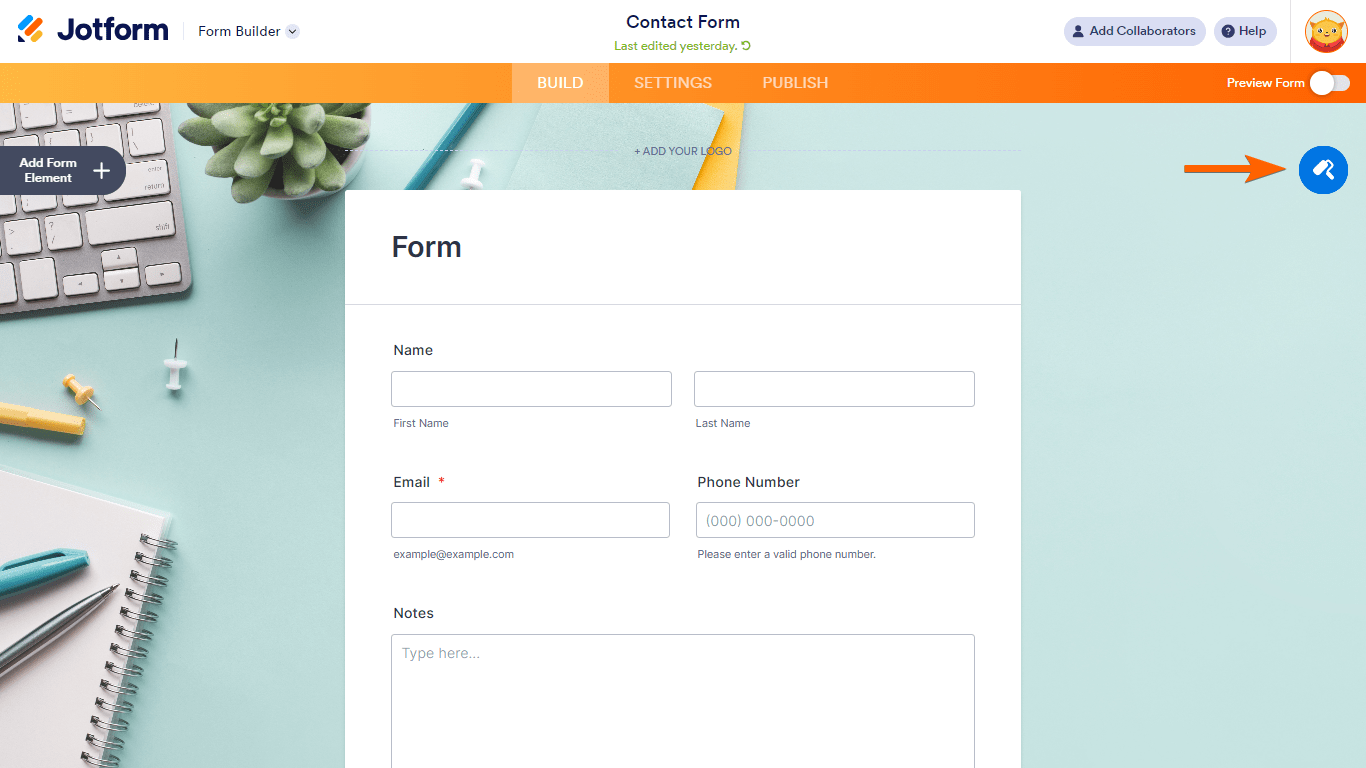
- In the Form Builder, open the Form Designer on the right.
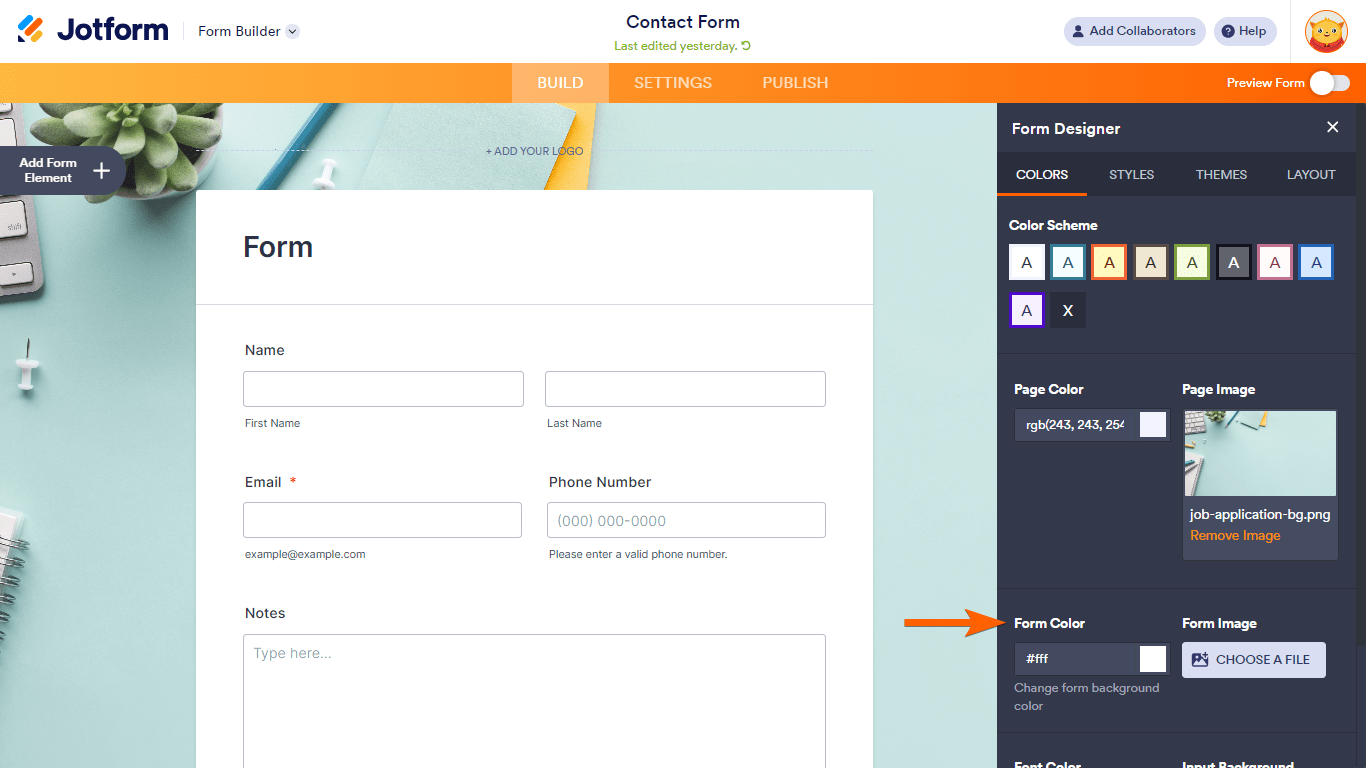
- Select Form Color.
- Enter your desired Alpha (“A”) value in the dialog.
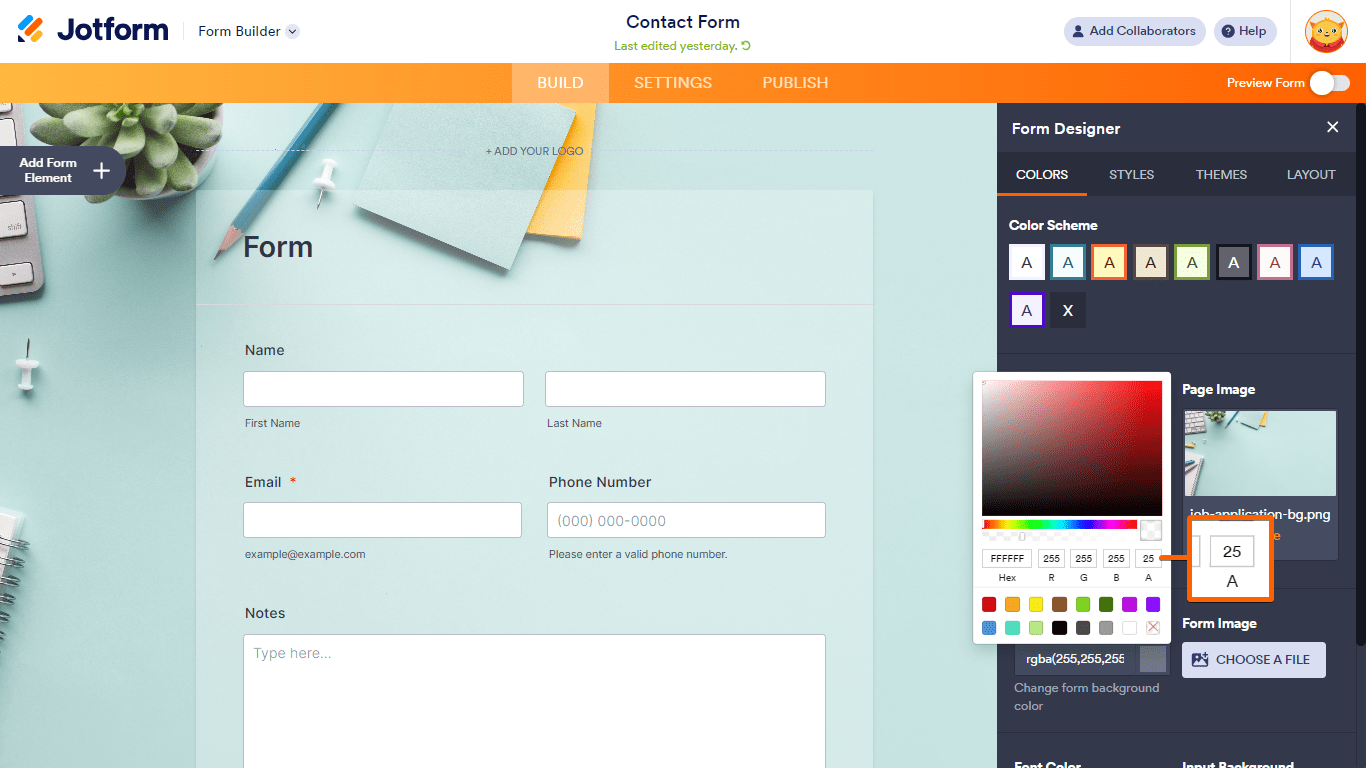
Alpha describes the transparency level where 100 is fully opaque and 0 is completely transparent.
See also: How to Make the Form Background Transparent.

Send Comment:
9 Comments:
December 14, 2014
wow , looks cool
i click some product and it will calculate automatically, How do you make it?
I'm curious
Please teach me :)
December 13, 2014
rene bussibg, please contact me via email (email@TeckStyle.co.uk) or message my Facebook page ( to discuss installing this form to your website or Facebook page :)
December 13, 2014
please help me use this form i want to use it but cannot copy on designer form, this not posible on disigner? i want to use select shirt.
December 13, 2014
Great! Congratulations!
December 12, 2014
Now we need to know how to create one of these..LOL..
December 12, 2014
great form!
December 12, 2014
thanks!.. from thousands of entries around the world and the prestigious panel of judges, I really had no expectation of coming close- or winning!... Massive thanks to those that voted and the panel for choosing my form :)
December 12, 2014
What a form! congratulations indeed!
December 12, 2014
Congratulations!