With Jotform’s Get Form Page URL widget, you can automatically capture the page URL of your form when it is embedded on another website so you can see exactly where your submissions are coming from and better understand how users interact with your forms across different pages.
Here are a few ways to use it:
- Track where embedded forms are being filled out across your websites
- Add it to signup forms.
- Use it on registration forms.
- Include it with order forms.
Whether you’re starting fresh or updating a form, adding and setting up the Get Form URL widget takes only a few steps. Here’s a quick how-to:
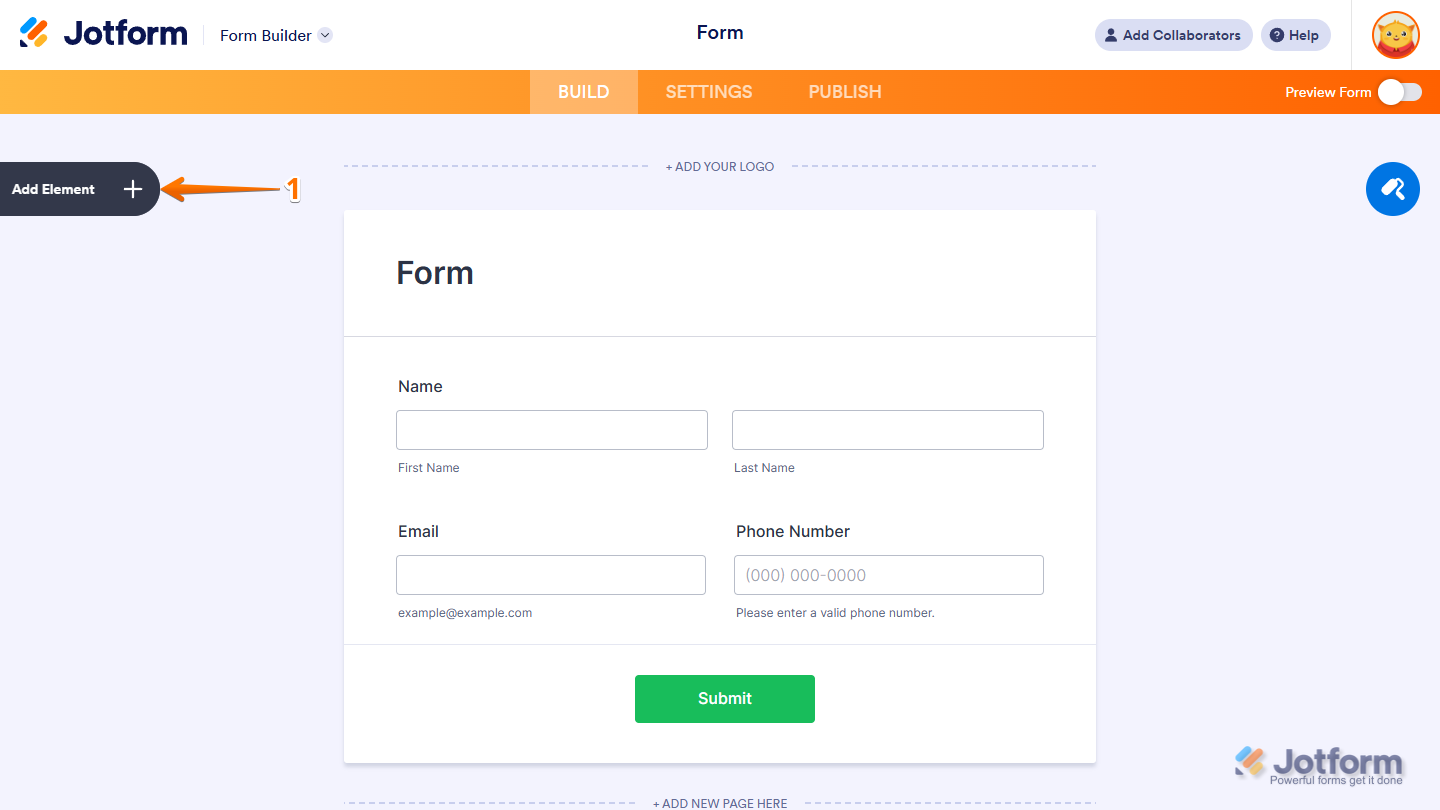
- In Form Builder, click on Add Element on the left side of the page.
- Now, in the Form Elements menu, under the Widgets tab, search for Get Form Page URL and click on it. Or, just drag and drop it to where you want it to be on your form.
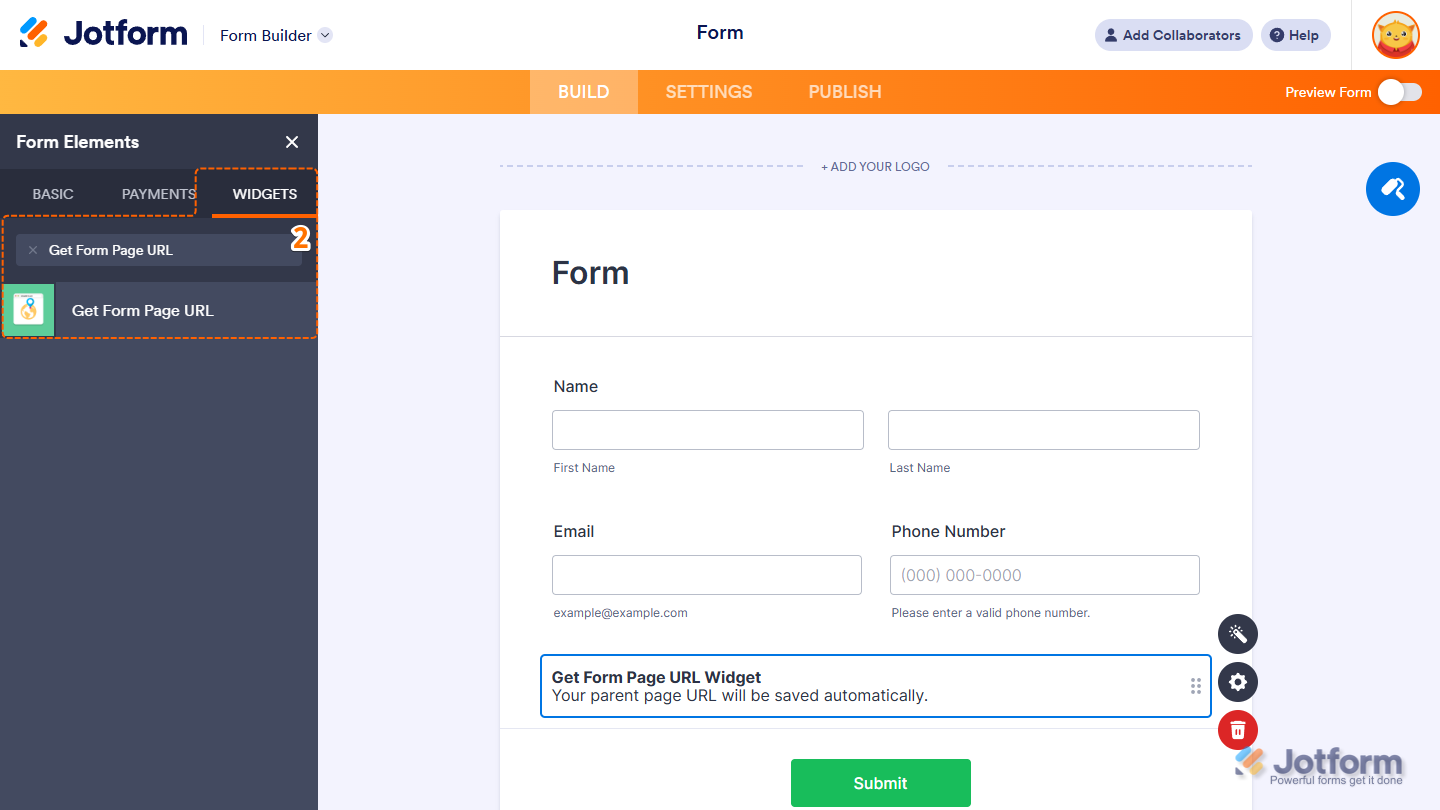
That’s it. Now you’ve added and set up the Get Form Page URL widget on your form. It’s now ready to capture the page URL whenever someone fills it out. Want to see how it works? Check out this live demo form.
Note
- Your users won’t see this widget. It just quietly grabs the page link when they submit the form.
- You can also configure the widget properties, like alignment, labels, size, visibility, and more, to control how it looks and behaves in your form. Check out our guide on How to Access and Configure the Question Properties of a Widget to learn more.

Send Comment: