With Jotform’s iOS 7 Date widget, you can give users a familiar and intuitive way to select dates in your form. Inspired by the iOS 7 interface, this widget displays a clean dropdown date selector when users click the field. You can adjust the labels to match your form, making date selection simple and user-friendly.
Here are a few ways to use it:
- Add an iOS-style date picker to your form.
- Let users select custom dates easily.
- Provide a familiar mobile-inspired interface.
- Improve the overall date selection experience.
Whether you’re creating a new form or updating an existing one, you can add and set up the iOS7 Date in a few easy steps. Here’s how to do it:
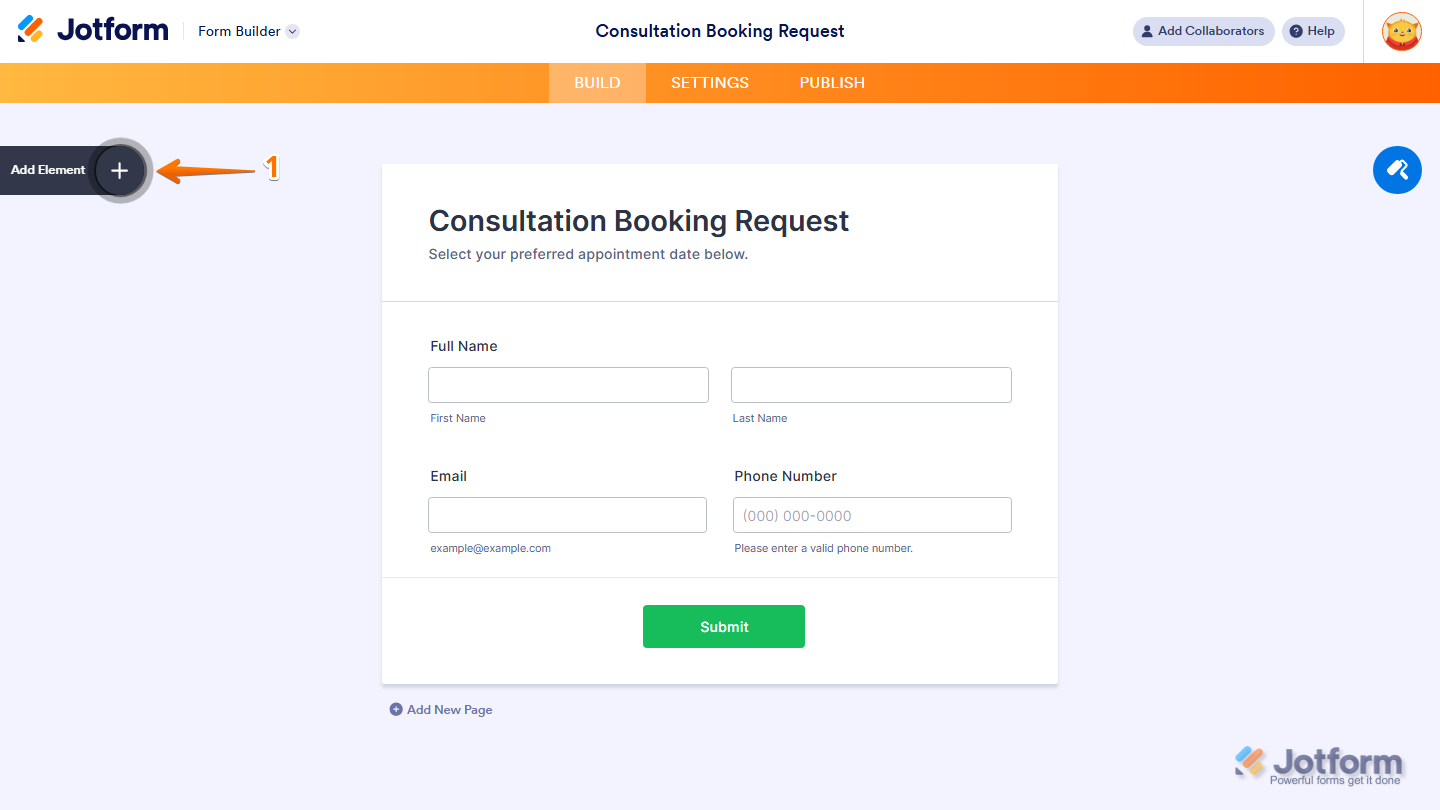
- In Form Builder, click on Add Element on the left side of the page.
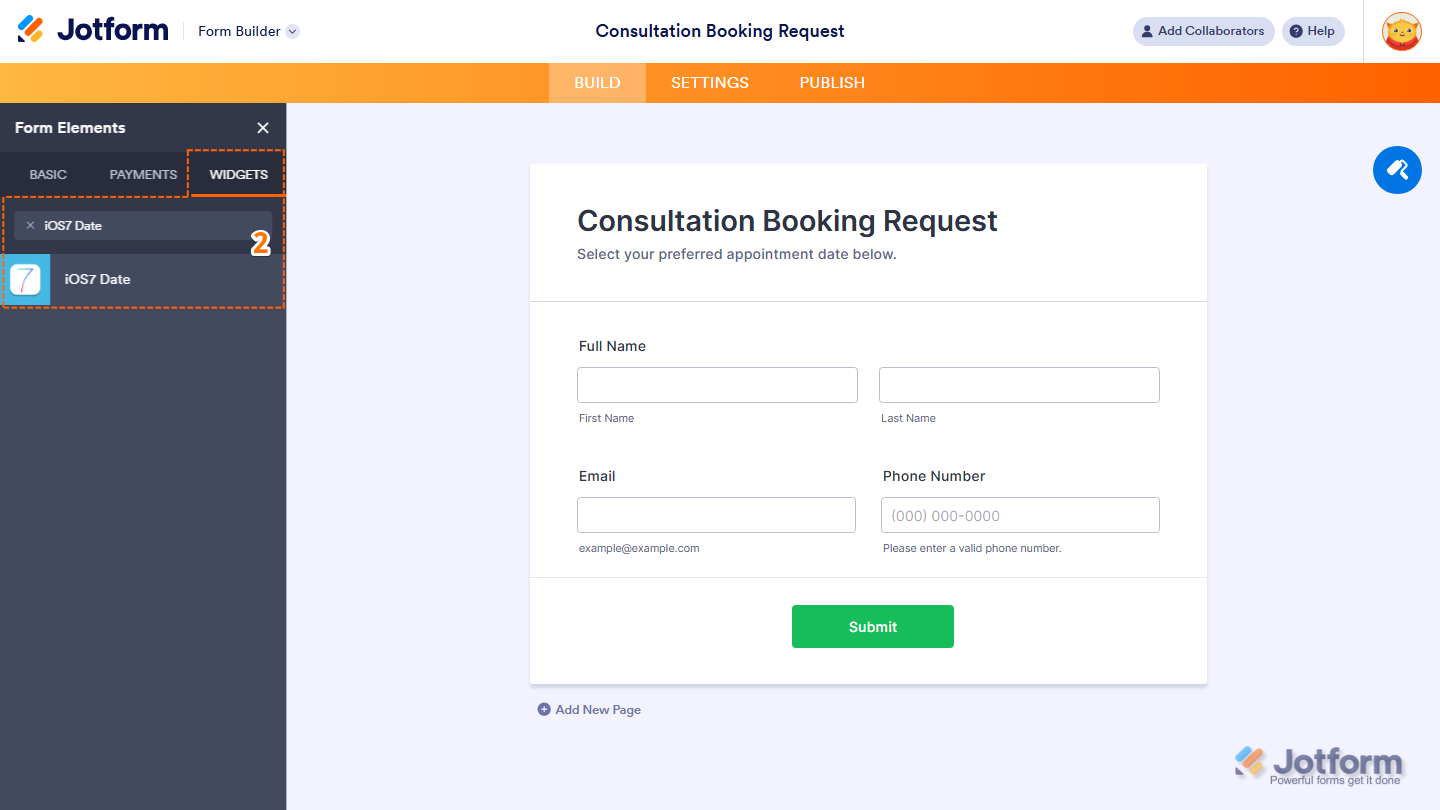
- Now, in the Form Elements menu, under the Widgets tab, search for iOS7 Date and click on it. Or, just drag and drop it to where you want it to be on your form.
That’s it. You’ve successfully added and set up the iOS7 widget on your form.
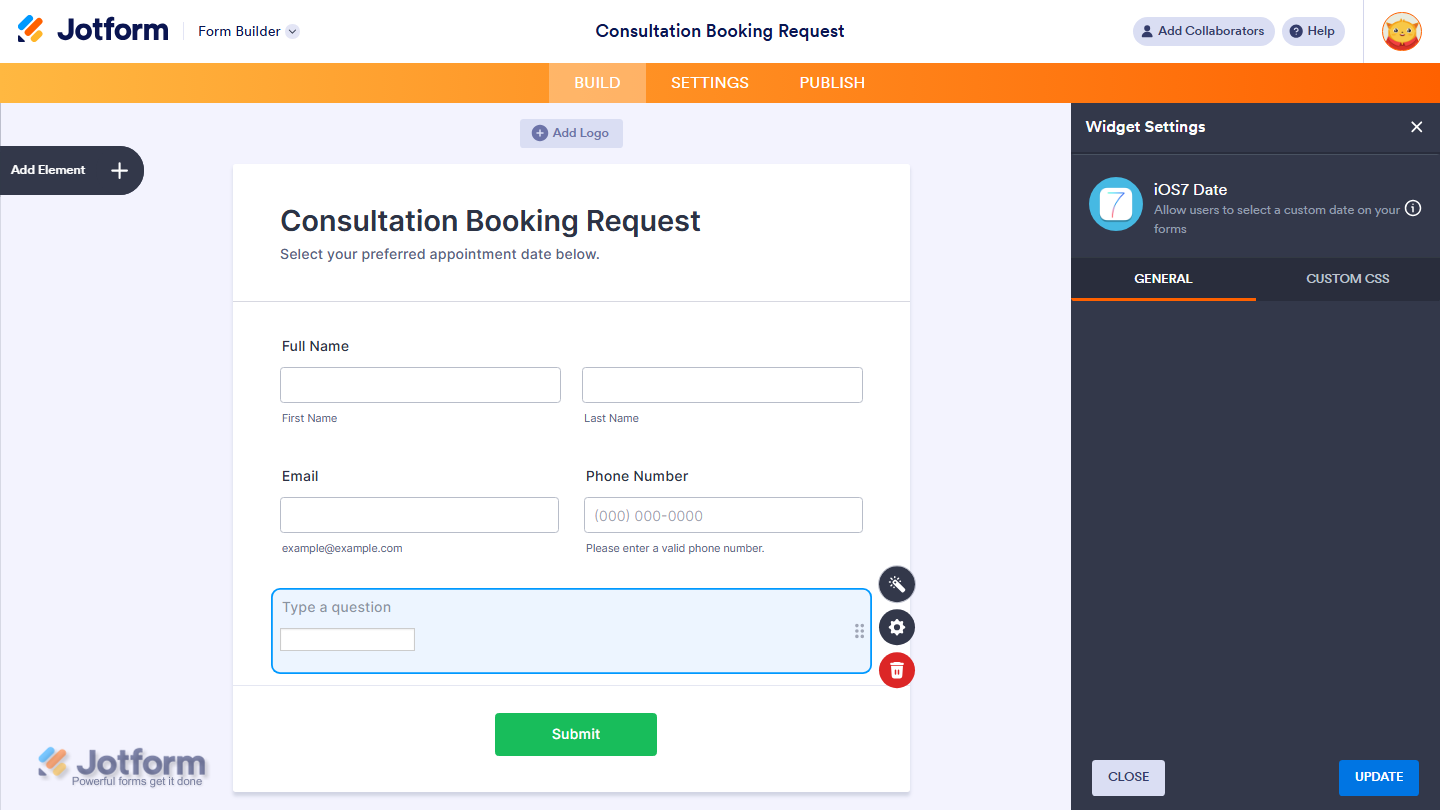
Wondering how it looks in action? Check out this demo form.
Note
You can also configure the widget properties, like alignment, labels, size, visibility, and more, to control how it looks and behaves in your form. Check out our guide on How to Access and Configure the Question Properties of a Widget to learn more.

Send Comment: