Jotform makes it easy to improve form accessibility with the Text Resizer widget. This tool lets users increase or decrease the text size while filling out your form, helping them read content more comfortably. It’s especially helpful for users who need visual accommodations or prefer larger on-screen text for better clarity.
Here are a few ways to use it:
- Let users adjust text size based on their preference
- Provide visual accommodations for accessibility
- Make long or detailed forms easier to read
- Enhance user comfort and overall form experience
- And more!
Whether you’re creating a new form or updating an existing one, you can add and set up the Accessibility Enhancer widget in a few easy steps. Here’s how to do it:
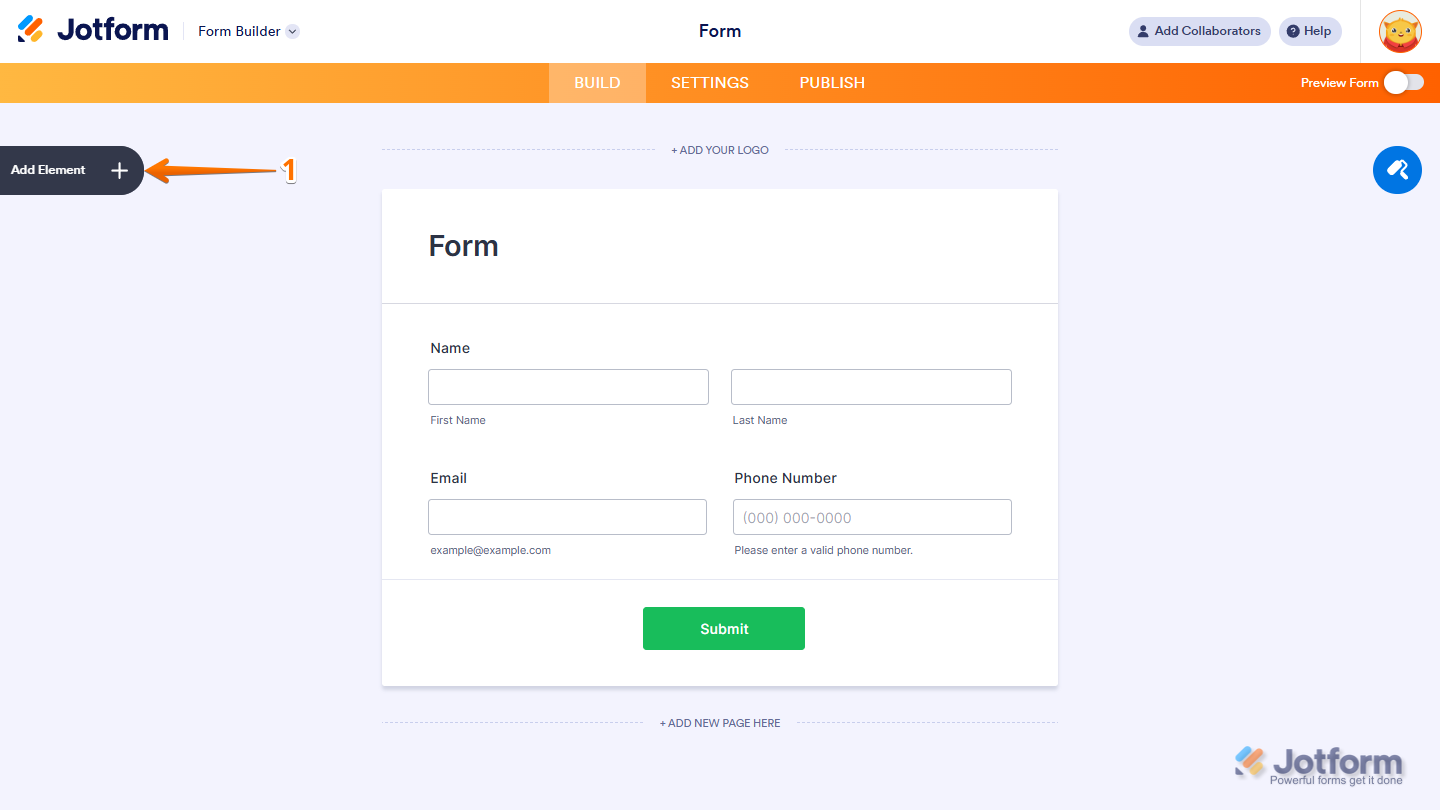
- In Form Builder, click on Add Element on the left side of the page.
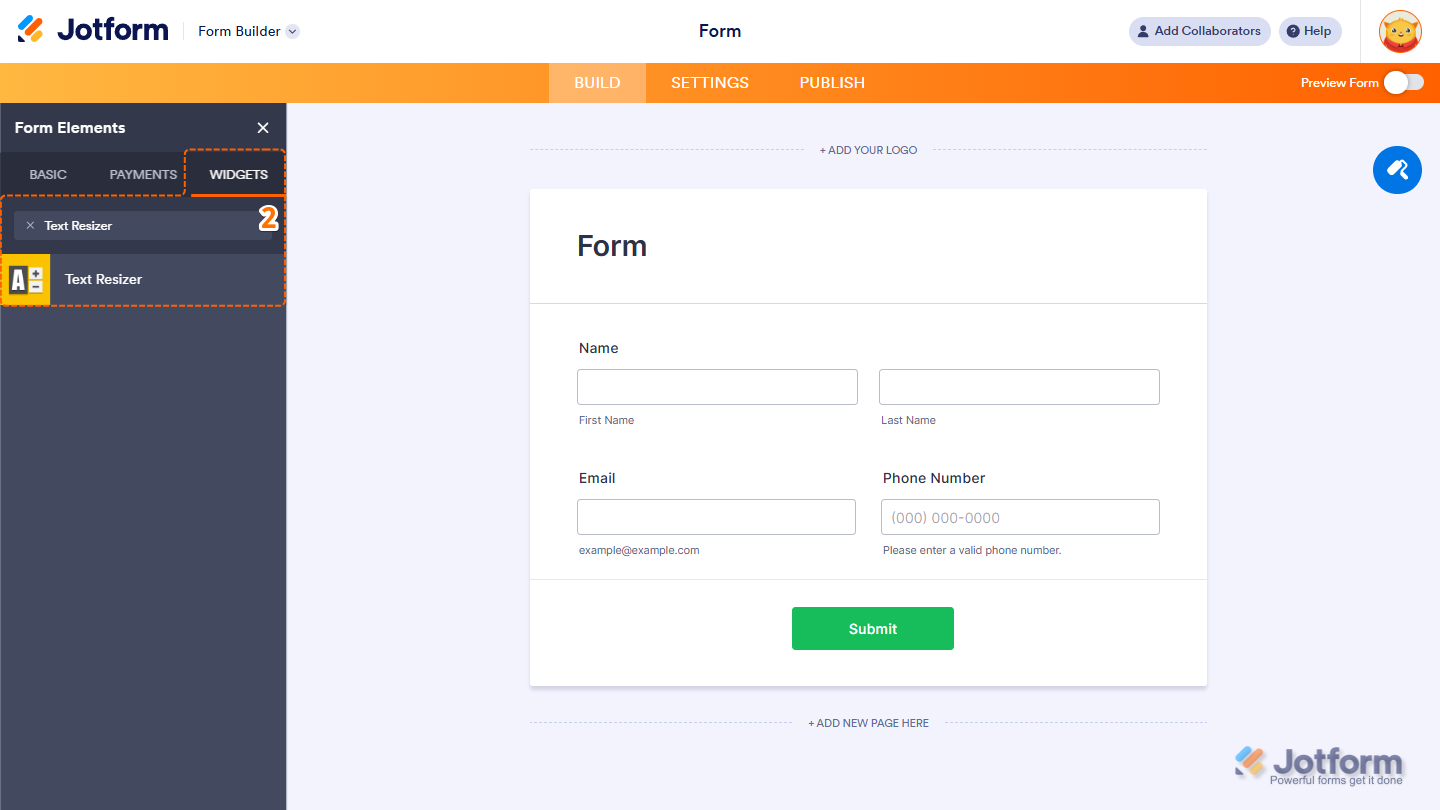
- Now, in the Form Elements menu, under the Widgets tab, search for Text Resizer and click on it. Or, just drag and drop it to where you want it to be on your form.
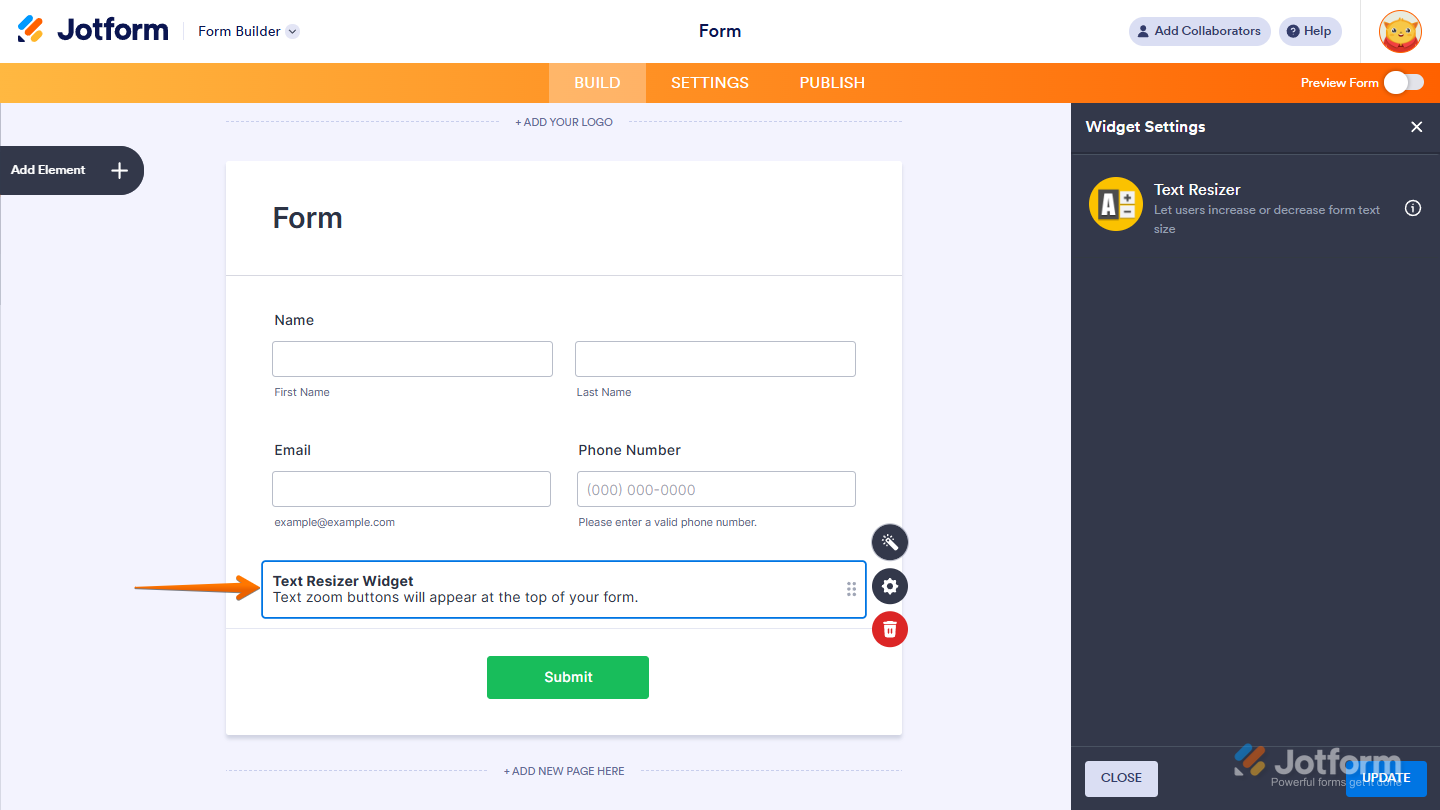
That’s it. You’ve successfully added and set up the Text Resizer widget on your form.
Wondering how it looks in action? Check out this demo form.
Note
- Once the Text Resizer widget is added, the resize buttons will automatically appear at the top of your form.
- ou can also configure the widget properties, like alignment, labels, size, visibility, and more, to control how it looks and behaves in your form. Check out our guide on How to Access and Configure the Question Properties of a Widget to learn more.

Send Comment: