The Tic Tac Toe widget is a playful way to add a little fun or creativity to your form. Whether you want to keep users entertained, create an interactive break in a long form, or simply add a unique touch that makes your form memorable, this widget brings a classic game right into the experience. It’s a lighthearted element that can make filling out a form feel less like a task and more like a moment of engagement.
Setting up the Tic Tac Toe widget is quick and beginner-friendly, so you don’t need any technical skills to get it working. Just add it to your form, adjust a few simple settings, and you’re ready to offer your users a fun little challenge. It’s an easy way to boost interaction, reduce form fatigue, and create a form that feels more inviting from start to finish.
Here are a few ways to use it:
- Add a Lighthearted Break in Long Forms — If your form is on the longer side, a quick game of tic tac toe can serve as a mini breather for your users. It helps break up the flow and keeps people from feeling rushed or overwhelmed, almost like a tiny mental stretch in between sections.
- Make Quizzes and Learning Activities More Fun — For teachers, trainers, or team leads, this widget can be a playful element in interactive quizzes or learning modules. Even if it’s just for fun, it adds a warm, engaging touch that makes the experience less formal and more enjoyable.
- Include an Icebreaker in Onboarding Forms — Sometimes forms can feel stiff, especially onboarding or team-building ones. A quick round of tic tac toe can lighten the mood and set a friendly tone right from the start. It’s a simple way to say, “Hey, relax — this won’t be boring!”
- Boost Engagement in Event or Workshop Forms — If you’re setting up a registration or participation form for workshops, youth activities, or creative events, the Tic Tac Toe widget acts like a fun little bonus. It gives people something interactive to remember your form by.
Adding and Setting Up the Tic Tac Toe Widget
Adding the Tic Tac Toe widget to your form gives users a fun, interactive way to play a quick game right inside your form. You can set it up like this:
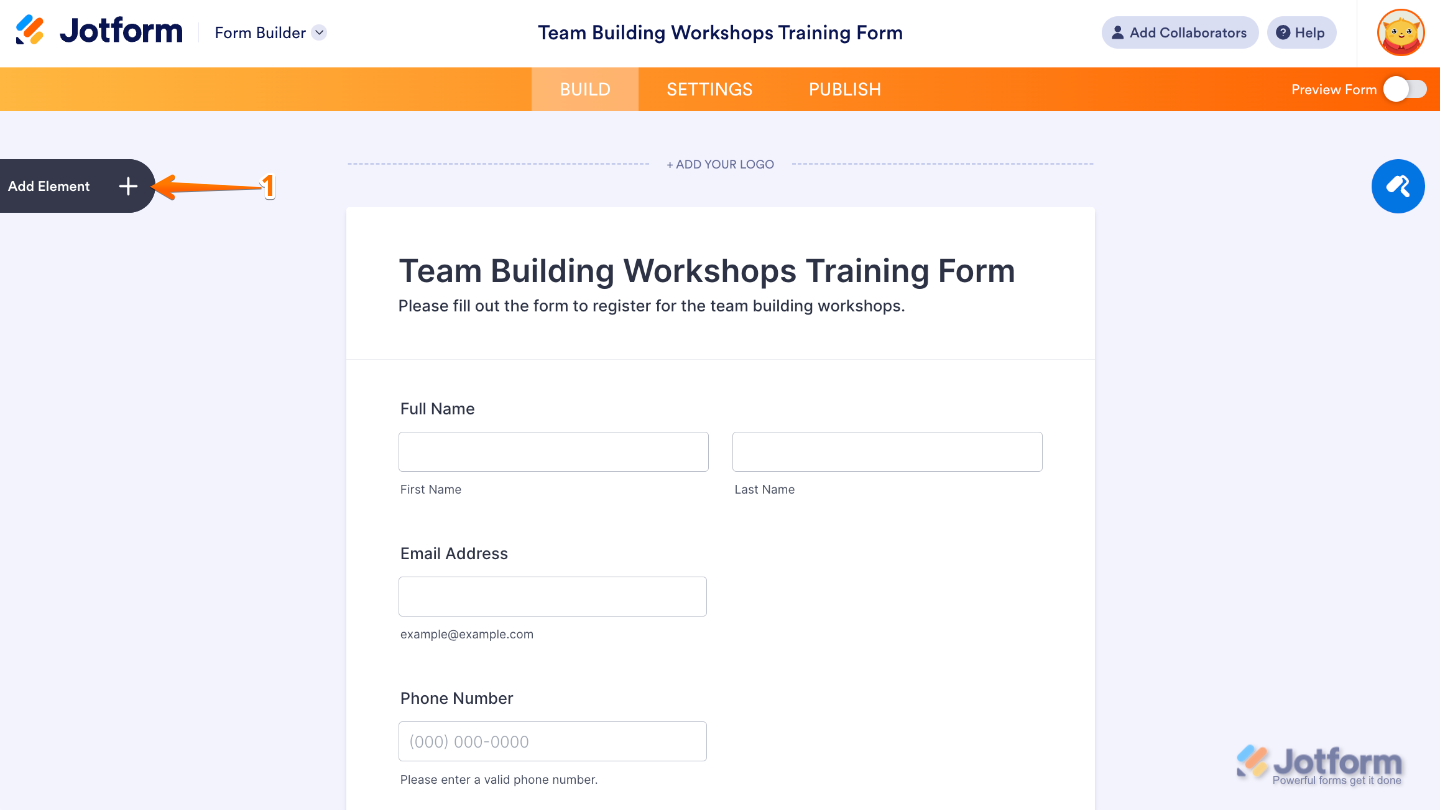
- In Form Builder, click on Add Element on the left side of the page.
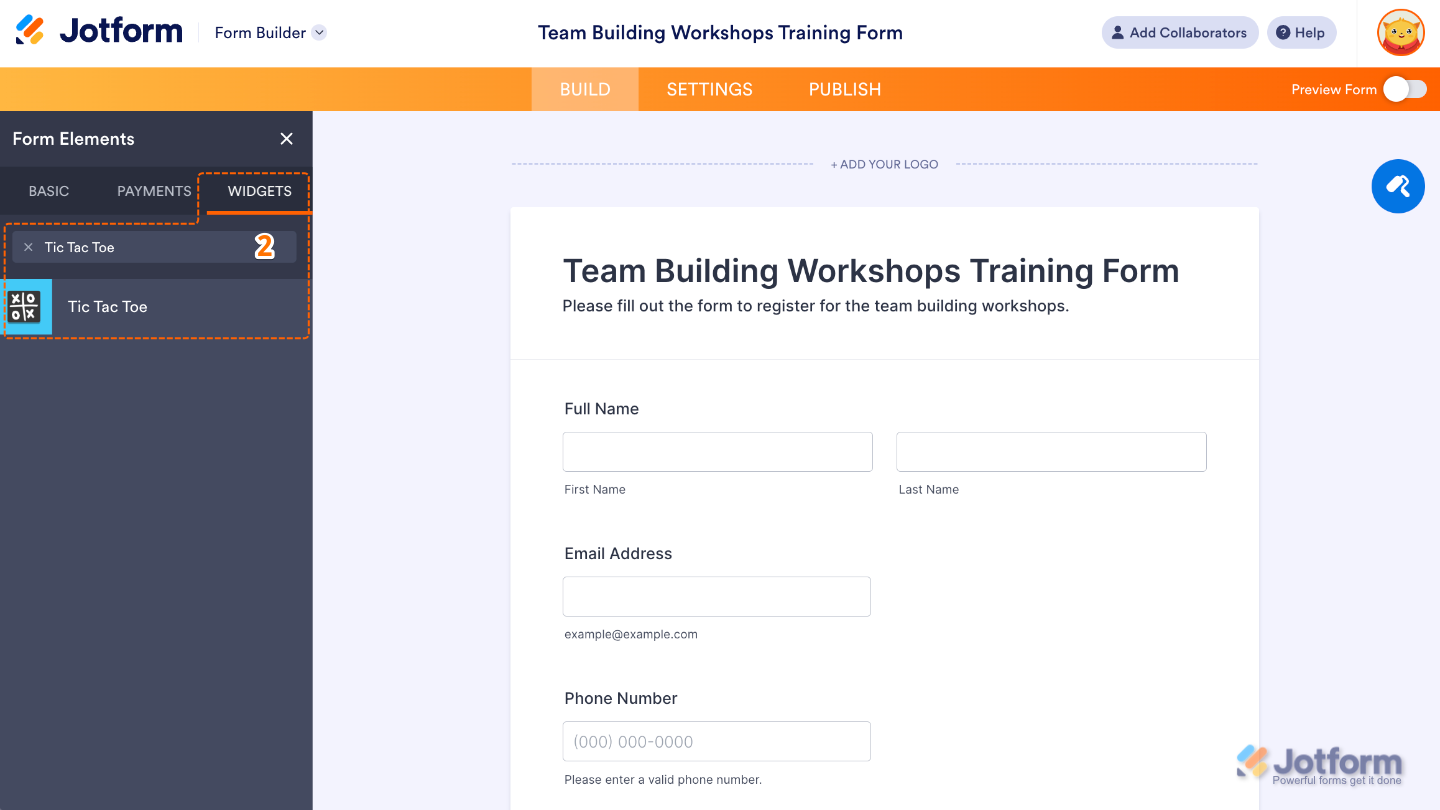
- Now, in the Form Elements menu, under the Widgets tab, search for Tic Tac Toe and then click on it. Or, just drag and drop it to where you want it to be on your form.
That’s it. You’ve successfully added and set up the Tic Tac Toe widget on your form. Now your users can enjoy a quick, interactive game right on the page, adding a fun and engaging touch to their form experience. Curious how it works on a live form? Check out this Demo Form.
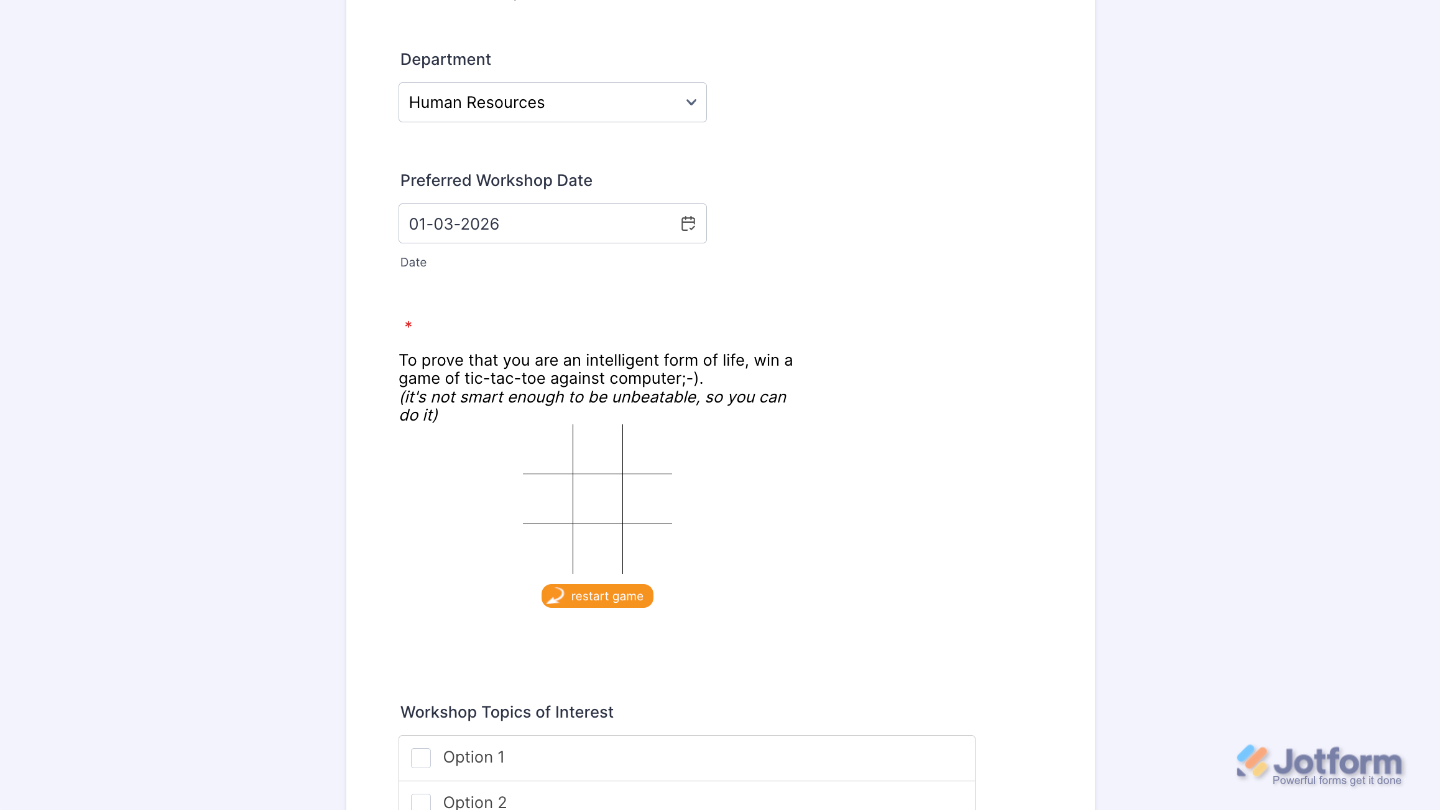
To further customize your Tic Tac Toe field appearance, just click on the Gear icon to open its properties.
Note
For advanced styling, you can add your own custom CSS under the Custom CSS tab in the widget settings and style the Tic Tac Toe field. Our guide on How to Inject CSS Codes to Widgets walks you through everything.
Pro Tips
- The Tic Tac Toe widget is perfect when you want to lighten the mood—great for game-themed forms, engagement activities, icebreakers, or just giving users a playful moment.
- Because it’s a visual, tap-heavy game, giving it enough room makes gameplay smoother—especially for mobile users with smaller screens.

Send Comment: