Jotform Apps is a versatile app builder that makes it easy to create your own mobile apps, whether you’re building something for personal use, your team, or your customers. You can include a variety of elements such as forms, headings, paragraphs, images, or links, and arrange them in any way that suits your workflow. This flexibility allows you to design a fully customized user experience, guiding users step by step and making your app both functional and engaging. To get started, check out our guide on Creating Apps.
Adding New Elements in Apps
Adding new elements to your app is quick and easy, letting you build a more interactive and engaging experience for your users. Here’s the quick way to do it:
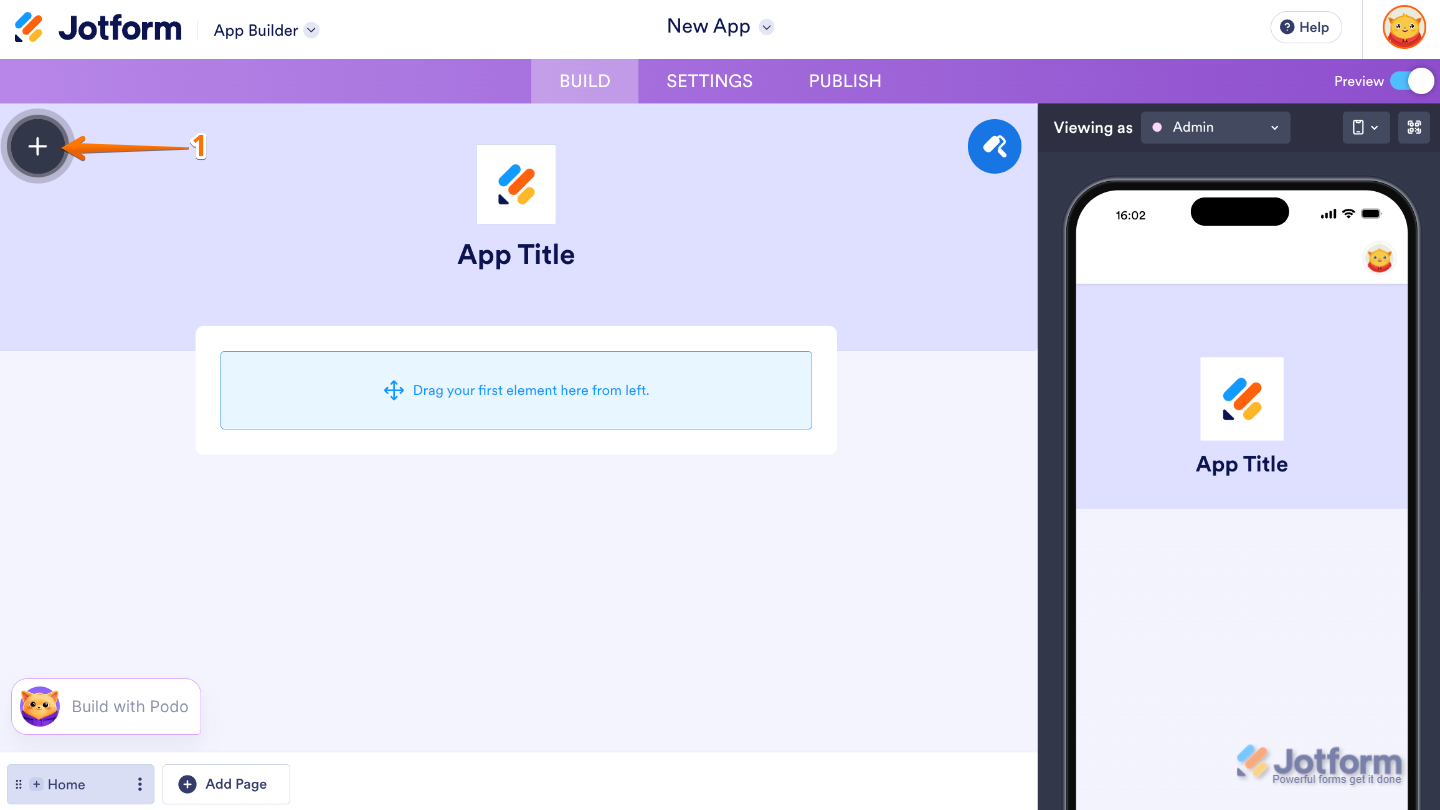
- In App Builder, click on the Plus icon on the left side of the page.
- Now, in the Apps Elements menu, under the Basic tab, click on the element you want to use. Or, just drag and drop it to where you want it to be on your app.
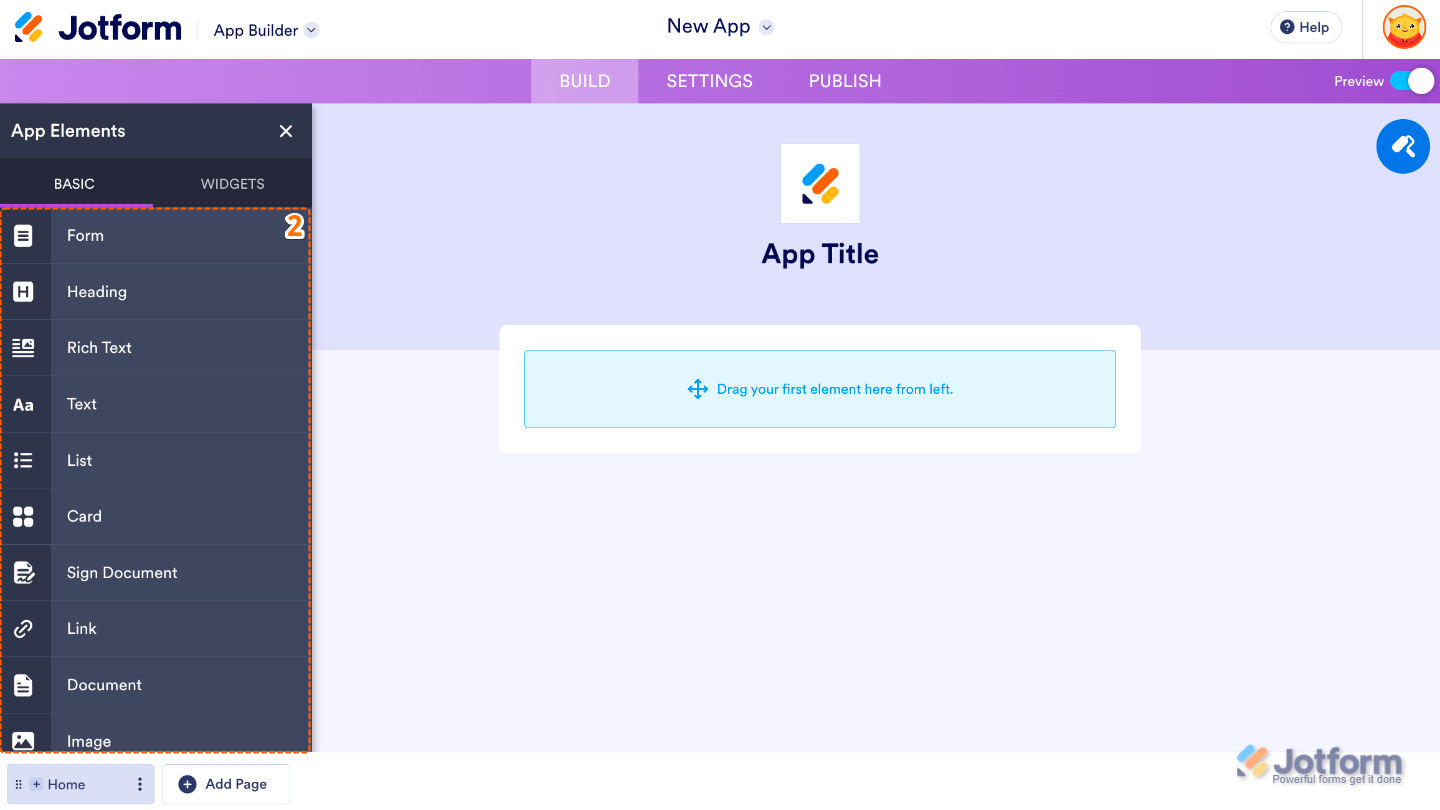
Here are some of the features you can add to your app using app elements to make it more interactive and useful:
- Form Integration — The Form element lets you add one or multiple forms directly into your app, so users can fill them out smoothly while keeping your data collection organized.
- Headers and Sections — The Heading element helps you structure your app by adding clear titles and dividing content into easy-to-follow sections.
- Rich Content — With the Paragraph element, you can add formatted text, links, and images to share information in a clear and engaging way.
- External Links — The Link element allows you to direct users to other websites or pages, making it easy to guide them to additional resources.
- Document Sharing — The Document element lets you share files like PDFs, spreadsheets, and more, so users can access important materials right within your app.
- Visual Elements — The Image element helps bring your app to life by adding visuals that make your content more engaging and easier to understand.
- Interactive Buttons — The Button element acts as a call-to-action, letting you link to a page, send an email, make a call, or navigate within your app with a single tap.
- Connected Item Actions — You can enhance user flow by setting your List element to open a Dynamic Page, allowing users to explore details or take quick actions like visiting a website or jumping to another section of the app.
- Content Display — The Card element makes it easy to highlight key products or services by combining images, text, and action buttons, so users can quickly explore, navigate, or get in touch.



Send Comment:
2 Comments:
April 14, 2025
Does creating a form automatically go to your app? I made the form, but I can't add it to the app I'm making.
September 19, 2024
I have been using jotform for about a year. My one form does not show up in my account. I need to modify my form but I am not sure how to do that. Please advise.
Thank you...