With Jotform Apps, beyond adding your business logo and brand colors, you can also personalize your App’s URL. This customization lets you include your organization and app name in the link, making it more recognizable, professional, and easy to share.
Customizing your App’s URL only takes a second—here’s what to do:
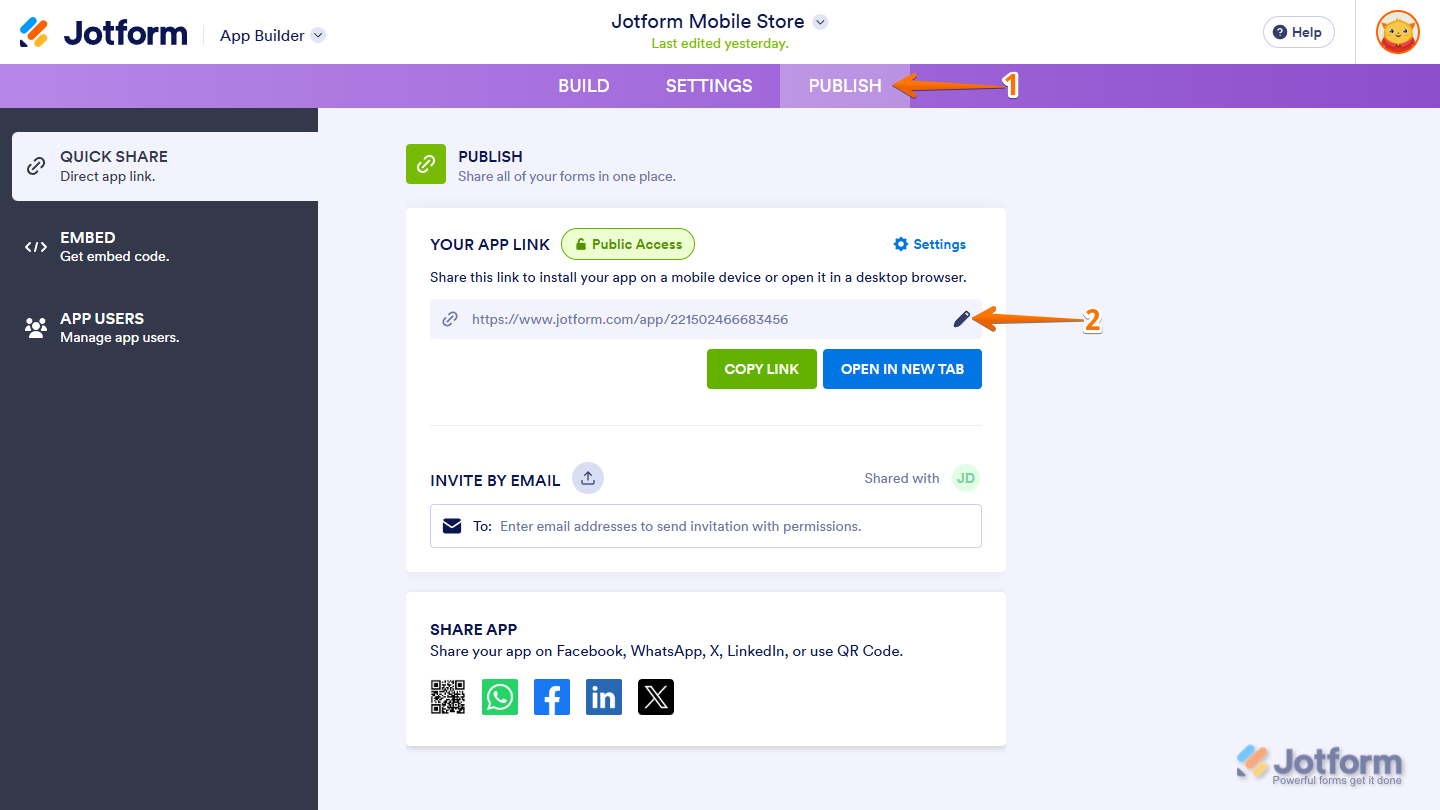
- In App Builder, in the purple navigation bar at the top of the screen, click on Publish.
- Then, in the Quick Share page, under the Publish section, click on the Pencil icon.
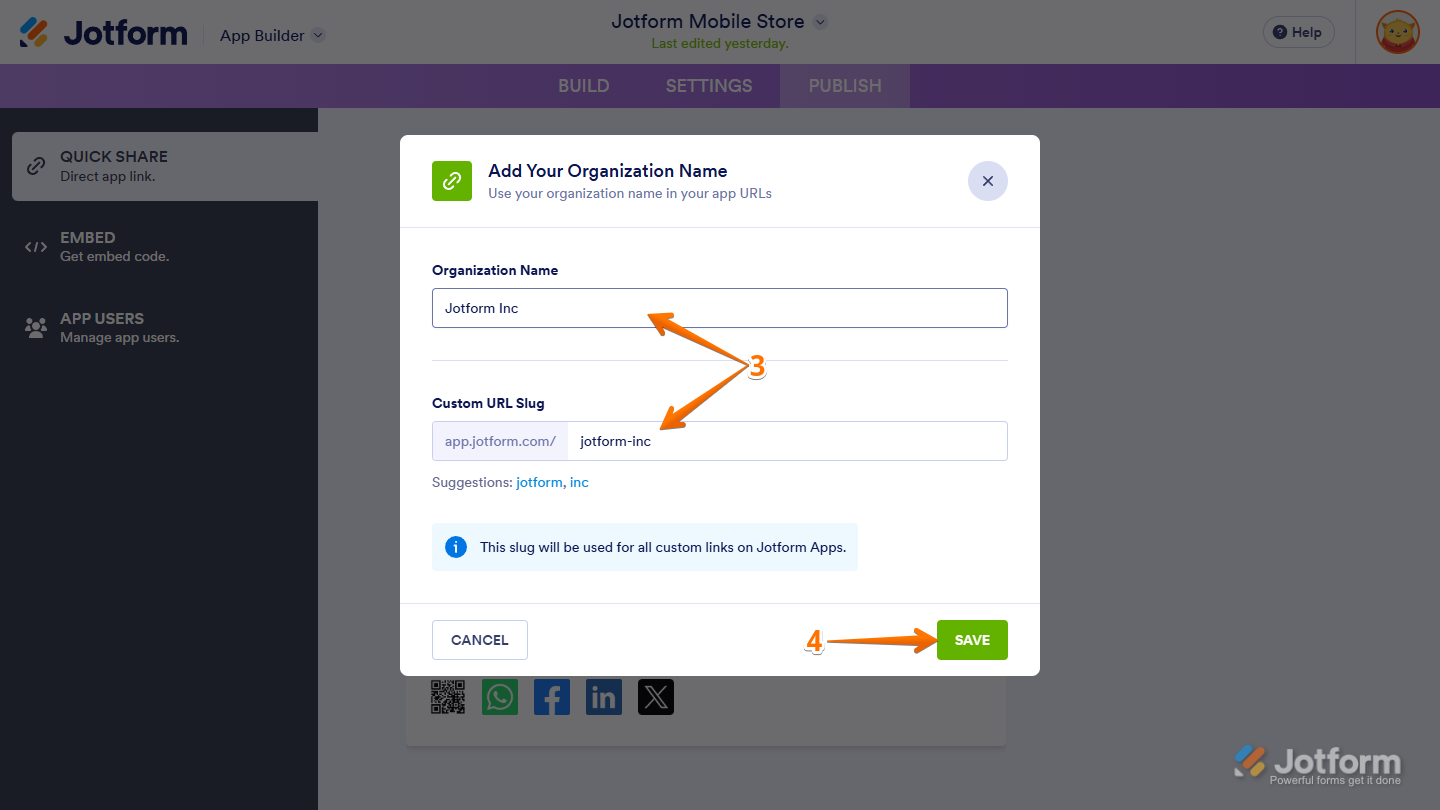
- Next, in the Add Your Organization Name window that opens, complete these fields:
- Organization Name — Enter the name of your organization that will appear as part of your app’s URL.
- Custom URL Slug — Set the unique, customizable portion of your app’s URL. You can keep the suggested slug based on your organization’s name or set a custom one.
- Once you’re done, click on Save.
Notes
- Once set, the Organization Name and Custom URL Slug can only be changed again on the Account page.
- Keep in mind that changing the Custom URL Slug through your profile settings will also automatically update your app’s URL. If you make this change, be sure to inform your users and update any shared links to avoid access issues.
- Similarly, removing the Custom URL Slug from your profile settings will automatically revert your app’s URL to Jotform’s default format.
- If you’ve already set both the Organization Name and Custom URL Slug prior to this setup, you can skip ahead to Step #6.
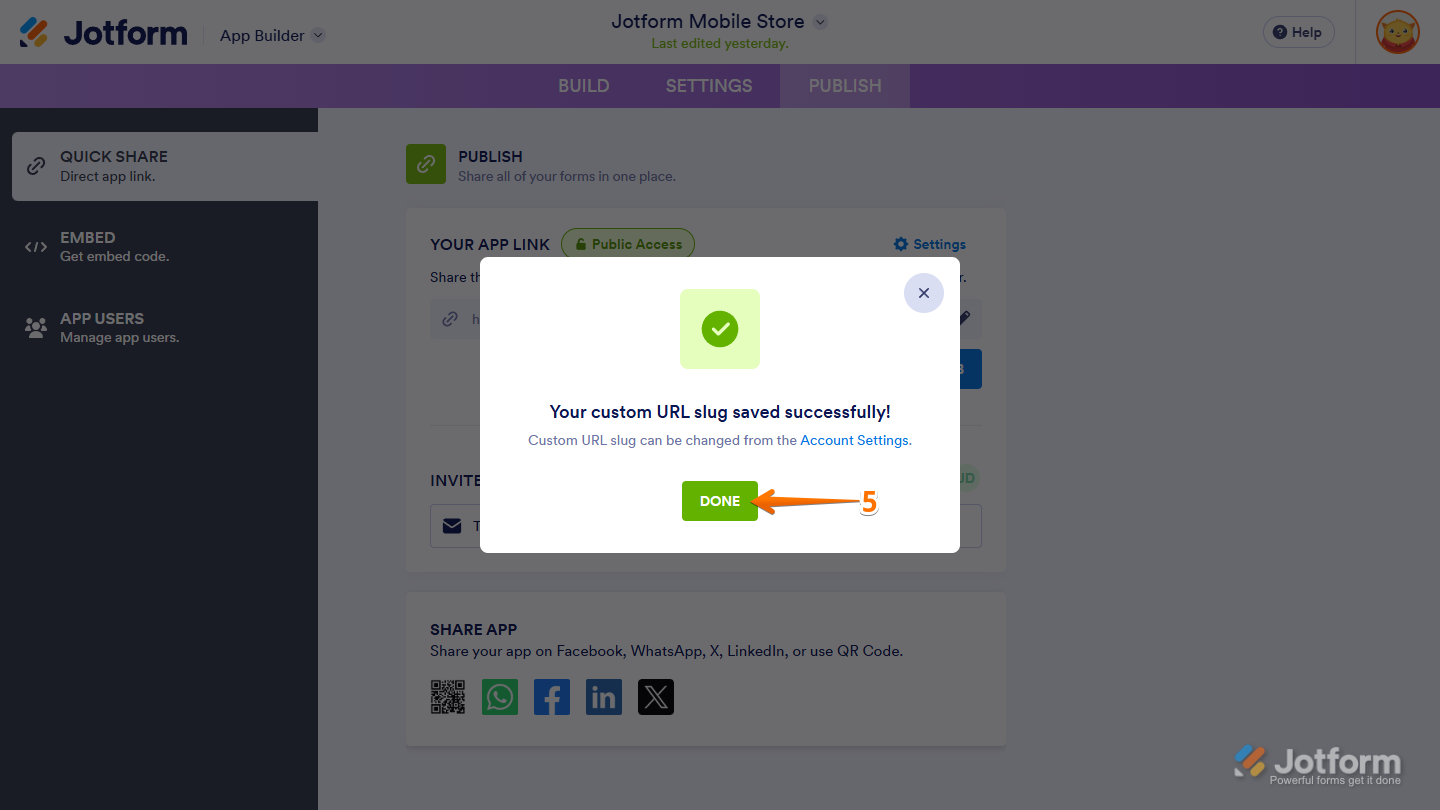
- Then, click on Done.
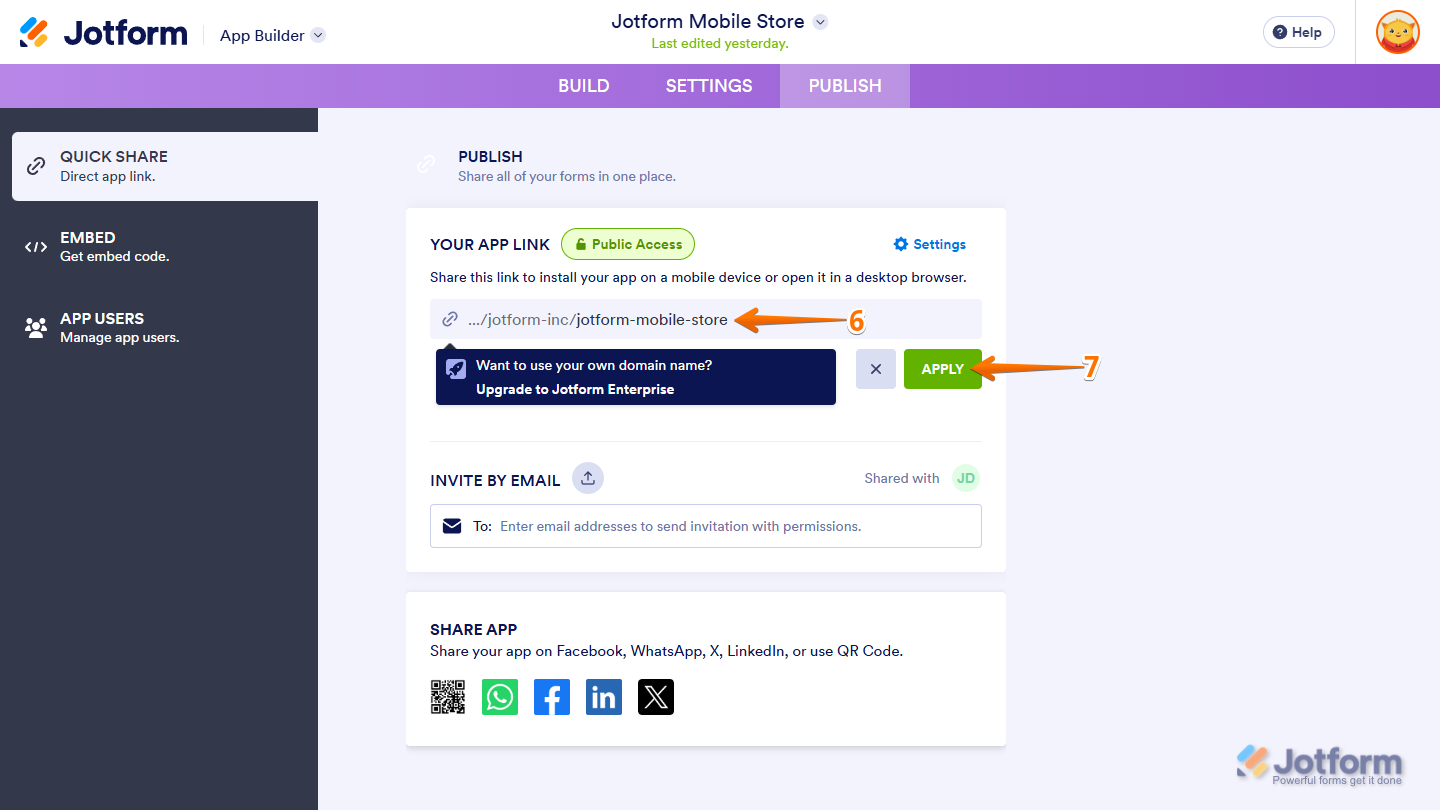
- Next, in the Your App Link section, enter your app’s custom name in the custom URL field.
- Now, click on Apply.
That’s it for customizing your App’s URL. With a personalized link in place, your app becomes easier to recognize, share, and trust—giving your users a more seamless and professional experience.

Send Comment:
7 Comments:
February 4, 2026
Pregunta. Puedo crear app hacer el procedimiento que indicas y monetizarla?
September 29, 2025
Vraiment je pas reçu l’examen théorique ? que vous m’avez promis
September 21, 2025
Salut je besoin de créer l'application stp je dois faire comment
September 17, 2025
The best site to create an application for your business project... Excellent for the hard work
March 4, 2025
Mi declaración de impuestos
September 27, 2023
I am having great trouble with making my custom made custom url slug. I kept trying to keep making a new custom url slug, but it keeps telling me "Link is already taken." I've tried and I am still getting nowhere. What can I do to get past this obstacle? How can I make a custom name for my url that hasn't been taken?
January 6, 2023
Can I have a completely custom Url such as myapp.com?