Jotform has you covered if you’ve been using Google Forms but you’re ready for more flexibility and advanced features. With Jotform’s Google Forms Import Tool, you can easily bring your existing Google Forms into your Jotform account without having to rebuild them from scratch. It’s a quick and hassle-free way to upgrade your forms and start taking advantage of everything Jotform has to offer.
Once your form’s imported, you can make it truly your own. Use Jotform’s Form Designer to customize the look and feel, add powerful integrations with other apps, and even include payment options—all in just a few clicks. Whether you’re collecting feedback, processing orders, or managing registrations, Jotform helps you create forms that are not only functional but also engaging and professional.
Importing Google Forms Using the Google Forms Migration Portal
Importing your Google Forms into your Jotform account is a simple, no-stress process—no technical skills needed. In just a few clicks, you can bring over your existing forms and start enjoying Jotform’s flexible design tools and advanced features. Here’s the quick way to do it:
- Go to the Google Forms Migration Portal.
- Now, on the lower-left side of the page, click on Migrate Your Forms to Jotform.
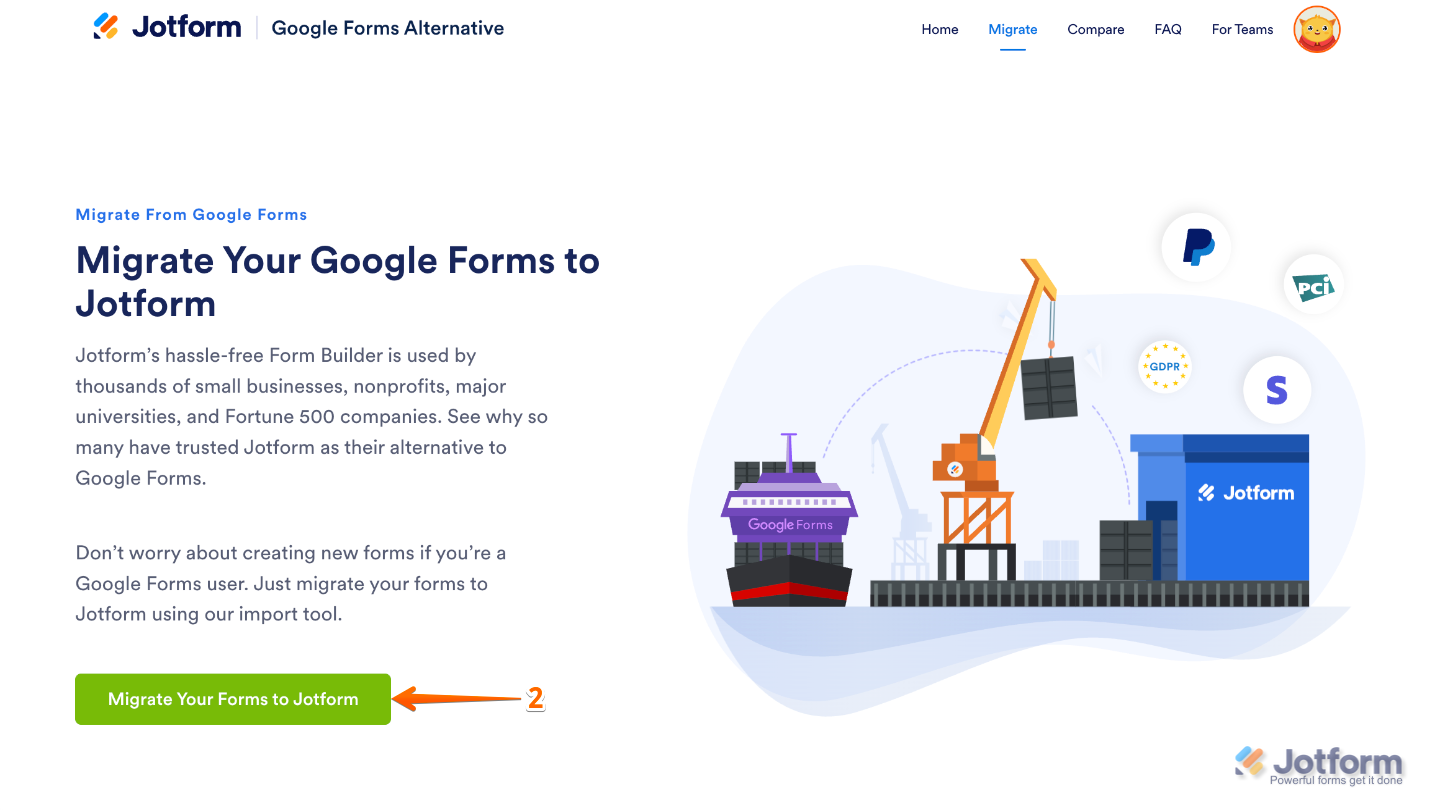
- In the Access Required window that pops up, click on Continue.
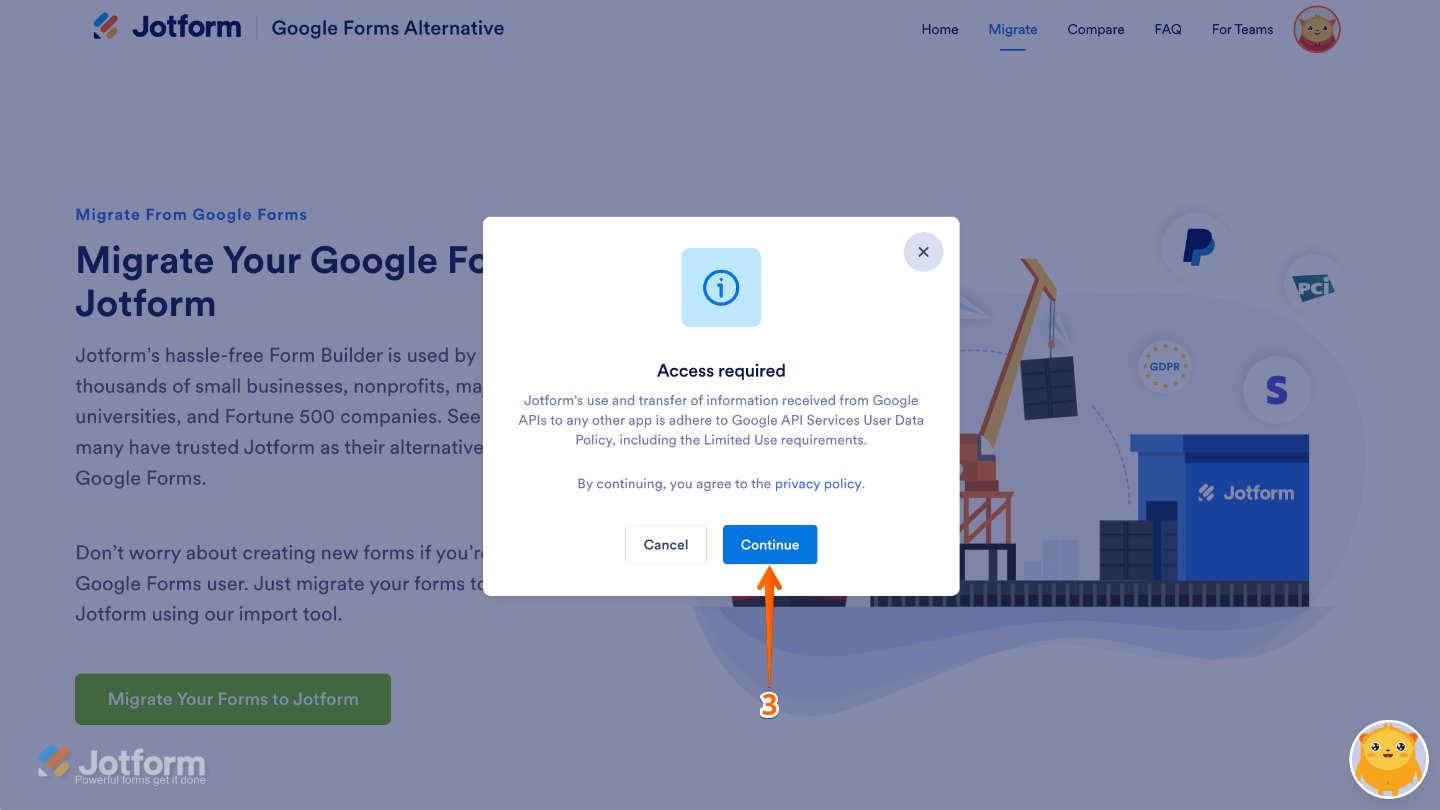
- Next, log in to your Google account, and be sure to check all permissions when prompted. Then, click on Allow to continue.
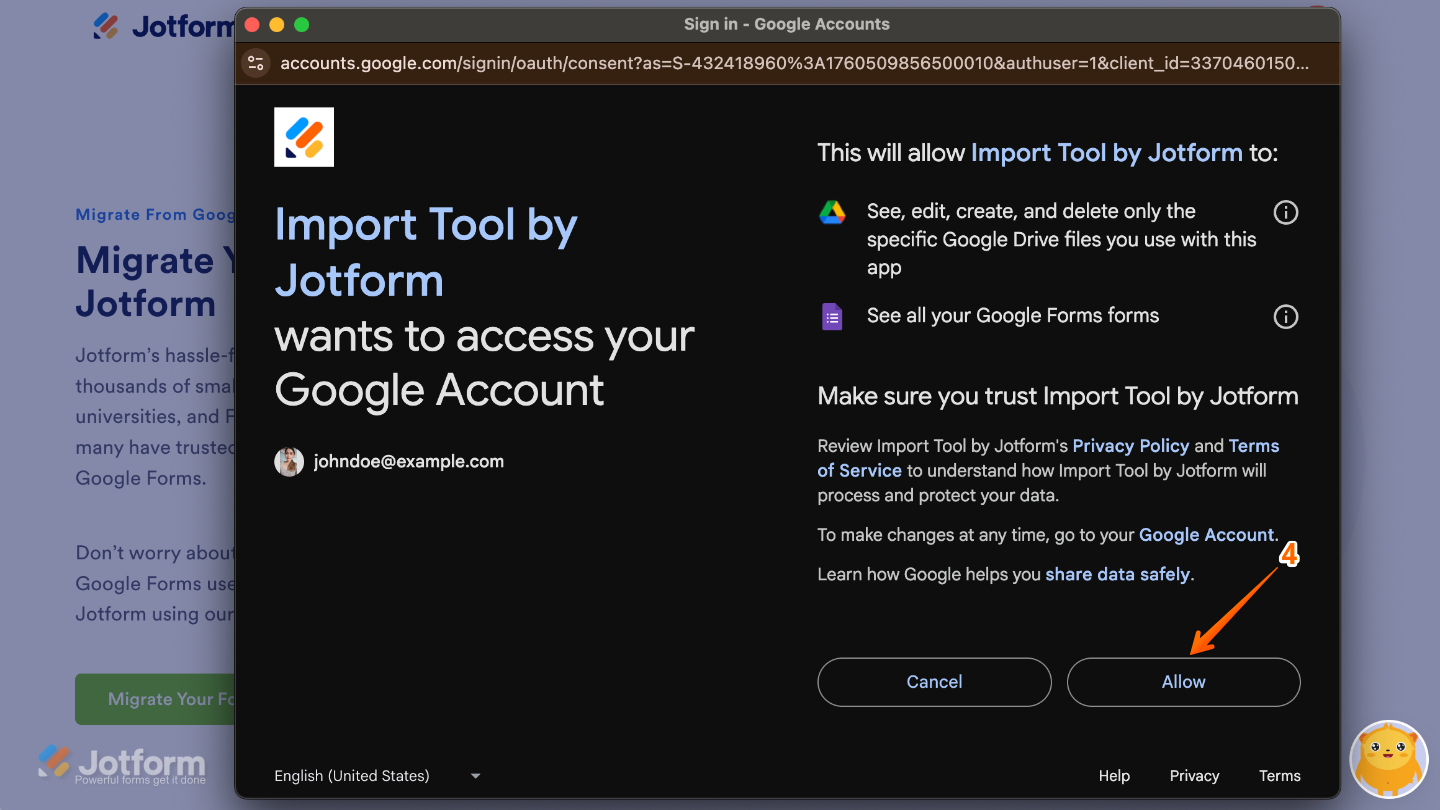
- Now, select the forms you want to import from the list.
- Once you’re done, click on Migrate to start the import process.
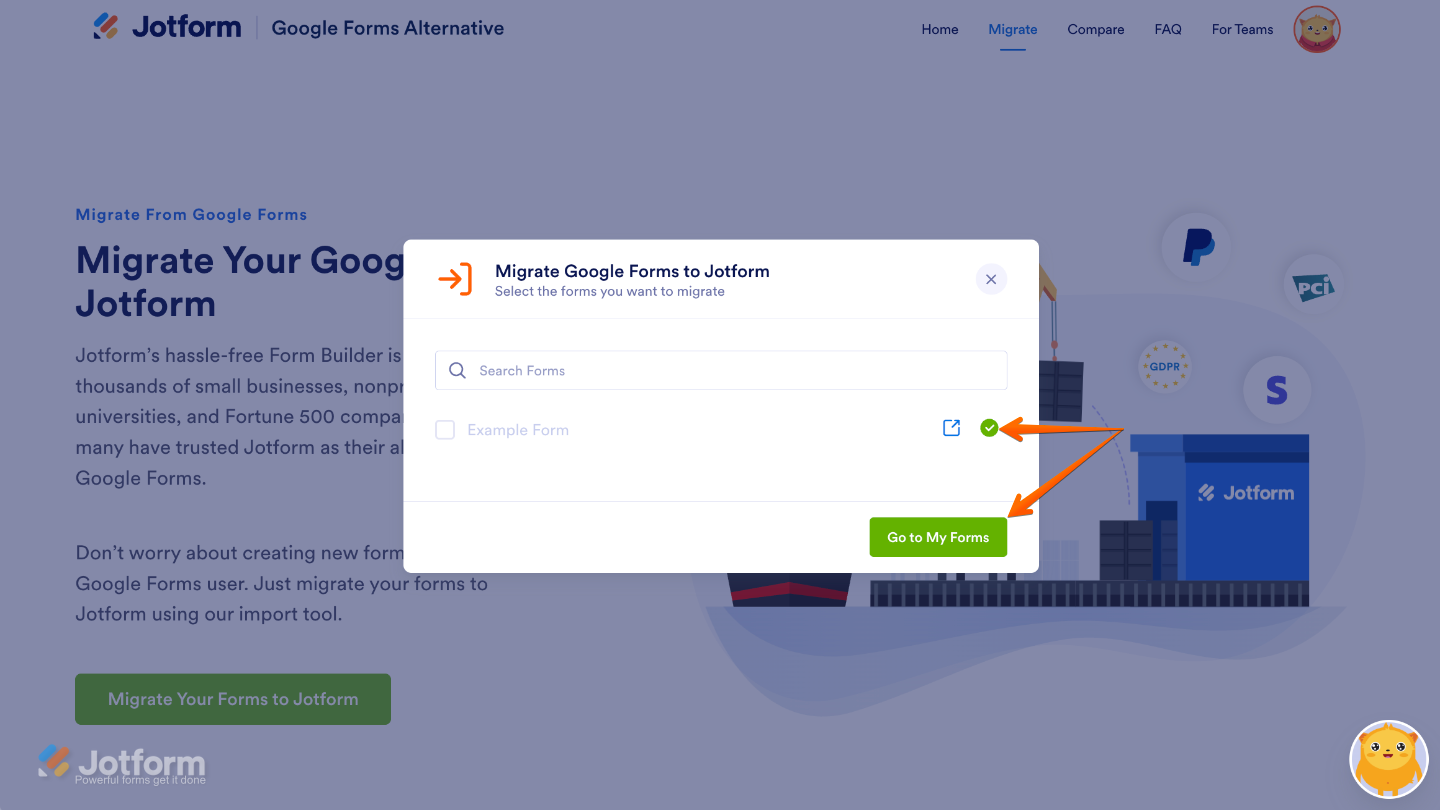
Once the import is complete, you’ll see a green checkmark next to each form that’s been successfully imported—a nice little confirmation that everything went smoothly! From there, just click on the Go to My Forms button to view your newly imported forms in Jotform.
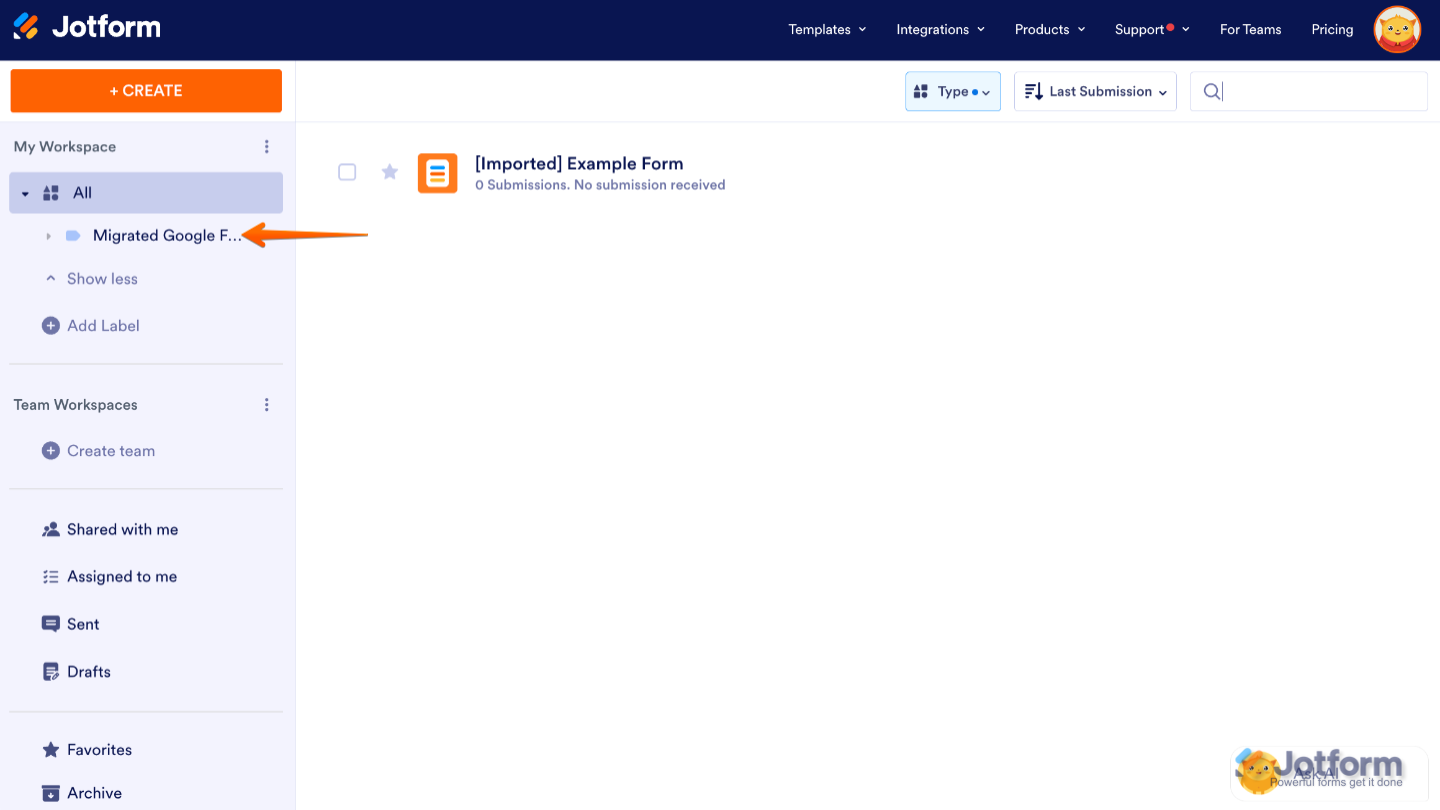
As part of the import process, Jotform will automatically create a new folder called Migrated Google Forms to keep all your imported forms neatly organized. Each form will also have the prefix Imported added to its title, so you can easily spot which ones came from Google Forms. Of course, you can rename them anytime to fit the naming style you want to use.

Send Comment:
12 Comments:
November 12, 2025
Such a helpful guide! Importing Google Forms into Jotform makes it so much easier to upgrade your forms with advanced features and better customization. A great tip for anyone streamlining their workflow!
Love Poetry
May 28, 2025
Great post! I really appreciate the insights you’ve shared—it’s clear a lot of thought went into this. The examples were especially helpful and made the topic easier to understand. Looking forward to more content like this!
May 20, 2025
Hi, I own a daily puzzle website Daily Wordle Puzzle People Send me suggestions for new ords through Google Forms. Can you help me how can I export these through Jotforms in Wordpress?
May 13, 2025
Thanks for sharing such helpful instructions, really appreciate your article.
January 11, 2025
still not working, its in a loop asking for rights, it doesnt show the next screen which for; to import
November 14, 2024
Migrated survey successfully, but did not migrate survey data. :(
October 15, 2024
my form not found pls fix this asap
February 27, 2024
Says "under construction. There is no migrate tool feature. This does not work. This should be the number one priority for you to get Google users to use your platform.
February 27, 2024
Too bad your tool says 'under construction.' Guess I'm staying with Google.
December 29, 2023
I need this, for a website called my website but when I try this it always gives an error and it's a bit difficult for me to use it. Can you help me?
October 18, 2023
The only thing that migrated was the title to one of my surveys (but not the titles of the other two). None of the questions migrated from any of the three surveys.
October 7, 2023
thanks for knowledge