Jotform makes it easy to protect your app content by requiring users to log in before accessing specific pages. The Require Login feature lets you control who can view sensitive or private information, ensuring only authorized, signed-in users can access it. This is especially useful for apps that handle internal tools, client-only content, or data that shouldn’t be publicly available.
By adding an extra layer of access control, you can keep your app secure without making the experience complicated or frustrating for users. It’s a simple, effective way to balance security and usability—so your audience can focus on what matters, while you stay confident that your content is protected.
You can set specific pages in your form to require users to log in before accessing them. Here’s what to do:
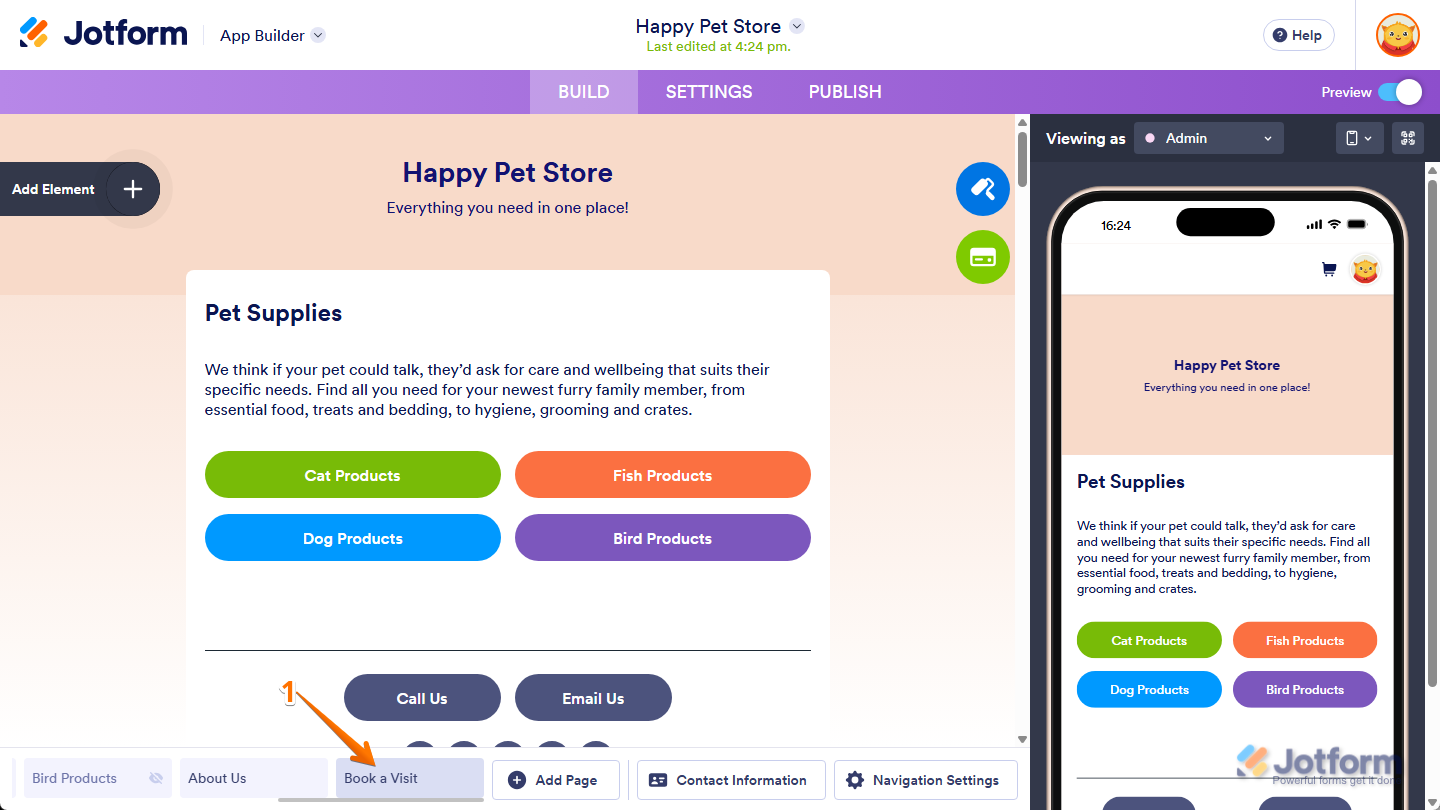
- At the bottom of App Builder, click on the tab for the page you want to require login for.
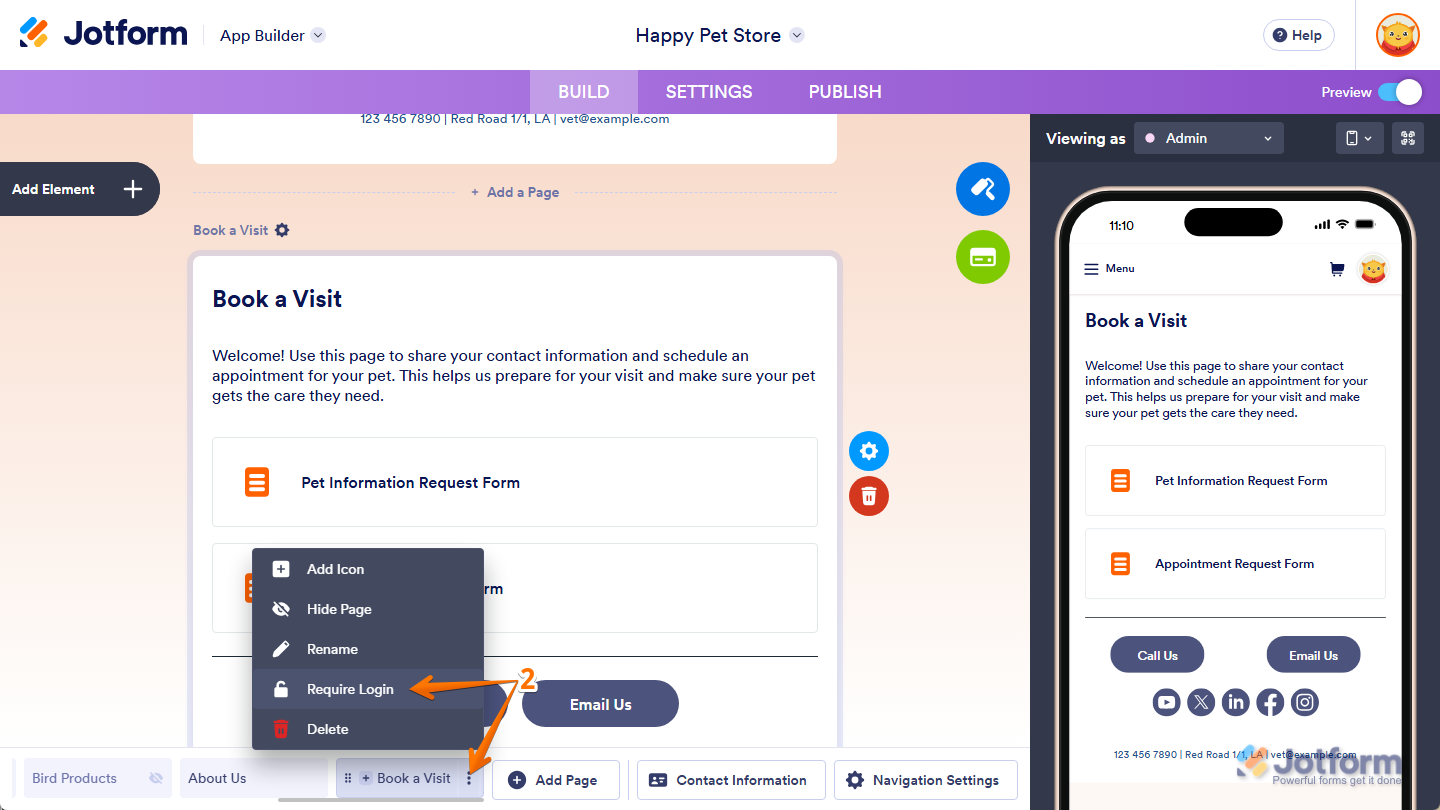
- Now, on the right side of it, click on the Three Dots icon and then, in the menu that comes up, select Require Login.
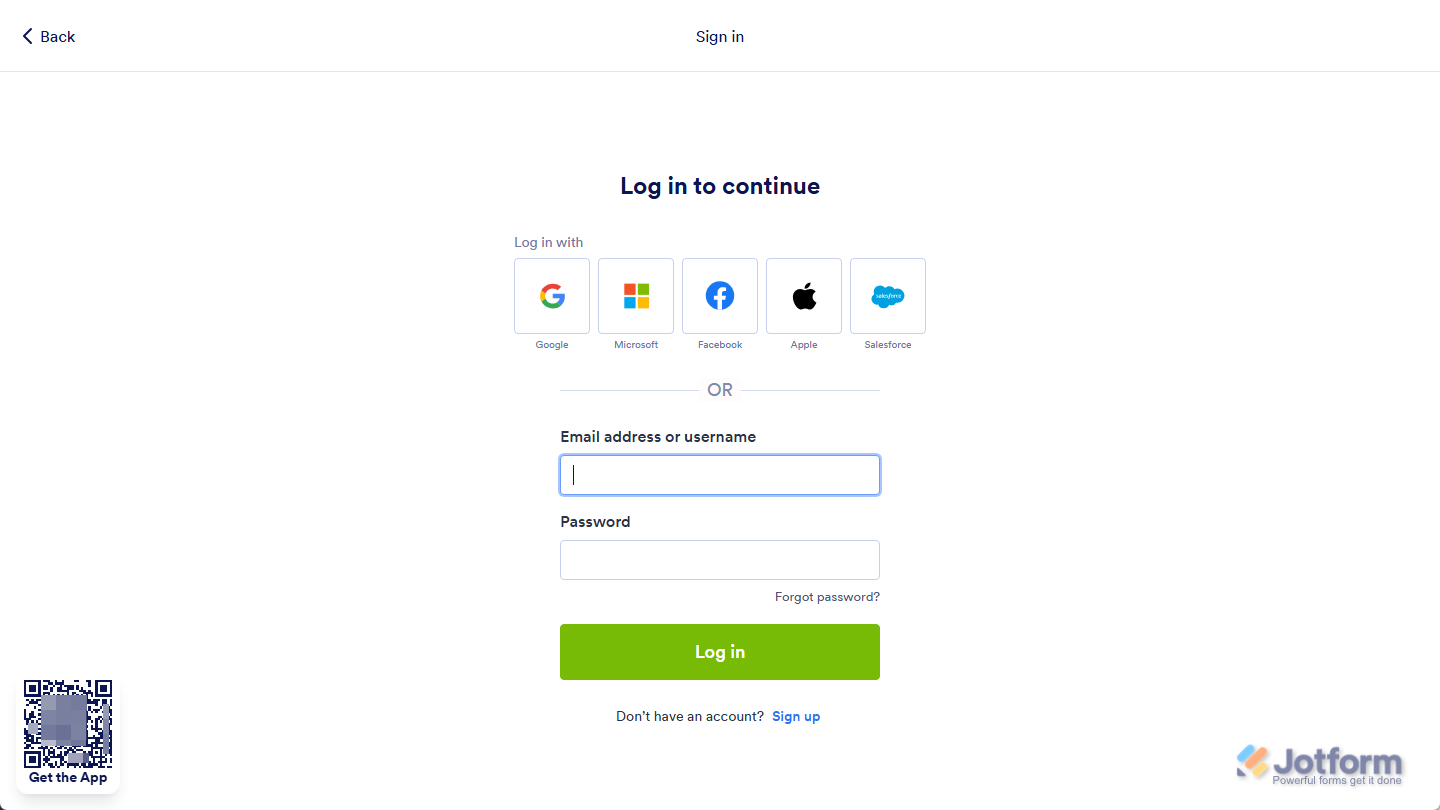
And that’s it! Now, when users navigate to the page you’ve set to require login, they’ll be prompted to sign in before they can access it.

Send Comment: