

メンテナンス計画表 テンプレート

ヒヤリハット報告書
ヒヤリハット報告書フォームで現場の危険事象を記録し、共有と振り返りを通じて再発防止に役立てられます。製造、物流、施設管理などの安全活動で使えるフォームテンプレートです。
カテゴリーへ移動:レポートフォーム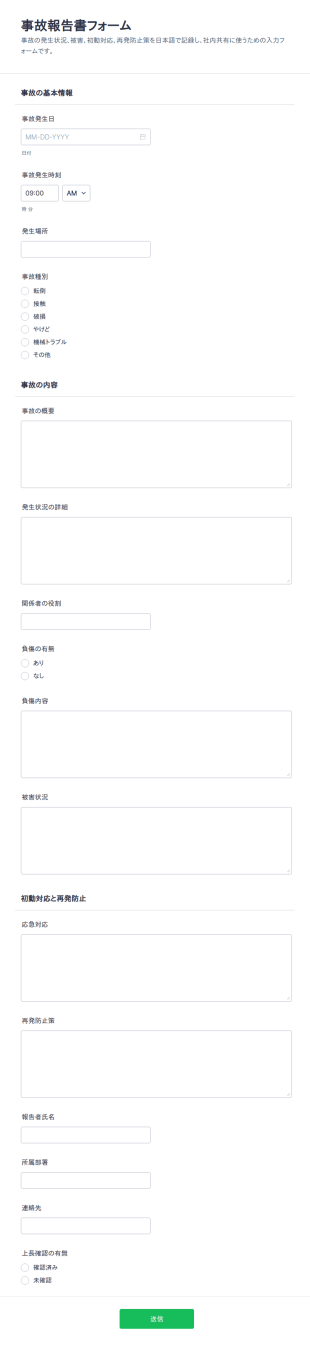
事故報告書 チェックリスト
事故報告書フォームは、社内の事故やヒヤリハットの内容をオンラインで記録し、関係者への共有と原因分析を進めたい現場責任者や管理部門に役立つフォームテンプレートです。
カテゴリーへ移動:レポートフォーム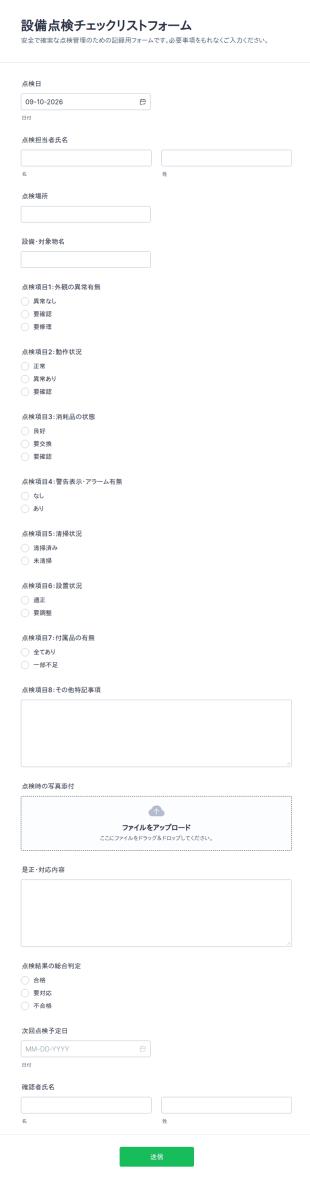
点検表チェックリスト
設備点検チェックリストフォームで日常点検や定期点検の記録をオンライン化し、Jotformのフォームテンプレートで設備管理や保全業務のデータ収集とフォームの回答管理を行えます。
カテゴリーへ移動:サービスフォーム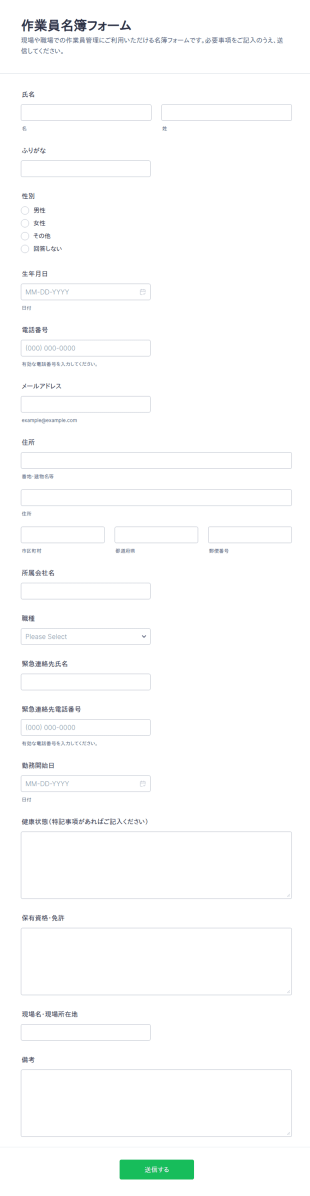
作業員名簿チェックリスト
作業員名簿フォームを使って、現場の作業員情報をオンラインで取りまとめ、連絡先や配置管理のためのデータ収集を行いたい建設業者や協力会社に役立てられます。
カテゴリーへ移動:ビジネスフォーム
労災事故報告書フォーム
労災事故報告フォームで、職場の事故やけがの報告を社内用にまとめ、再発防止に必要な情報共有とデータ収集を進めたい事業所や安全衛生担当者に役立ちます。
カテゴリーへ移動:レポートフォーム

メンテナンス計画表チェックリスト
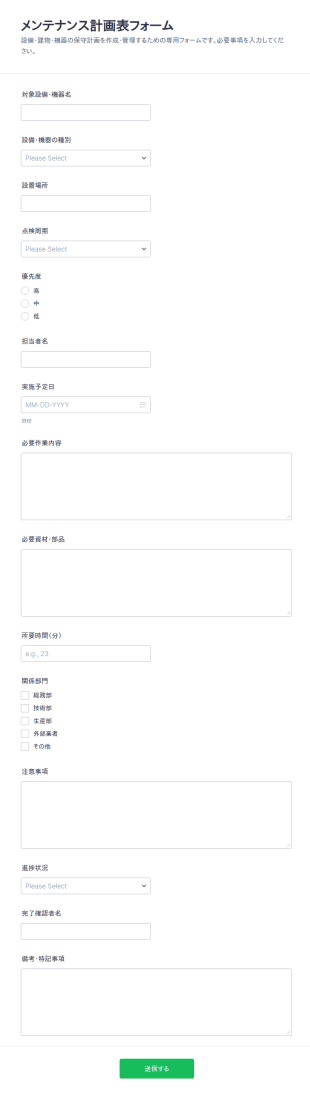
メンテナンス計画表フォームで、設備点検や保守作業の予定と進捗をまとめて管理し、施設管理や製造現場のデータ収集とフォームの回答整理をスムーズに進められます。
カテゴリーへ移動:サービスフォーム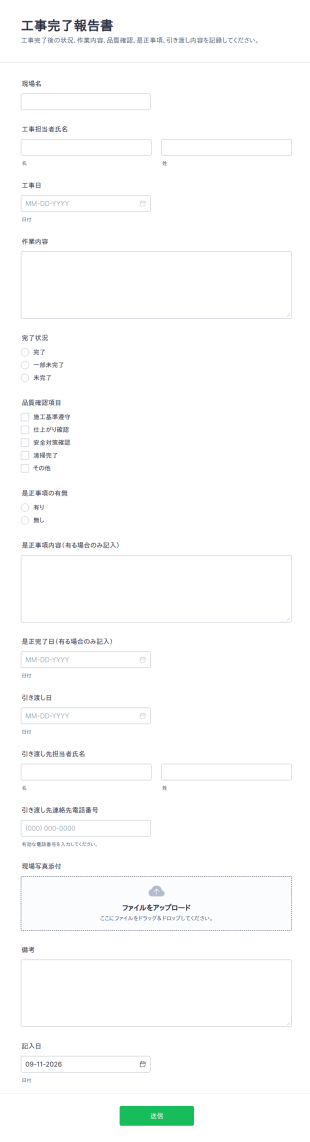
工事完了報告書 チェックリスト
工事完了報告書フォームで、工事完了後の報告内容をオンラインでまとめて管理し、建設会社や工務店のデータ収集とフォームの送信確認をスムーズに行えます。
カテゴリーへ移動:ビジネスフォーム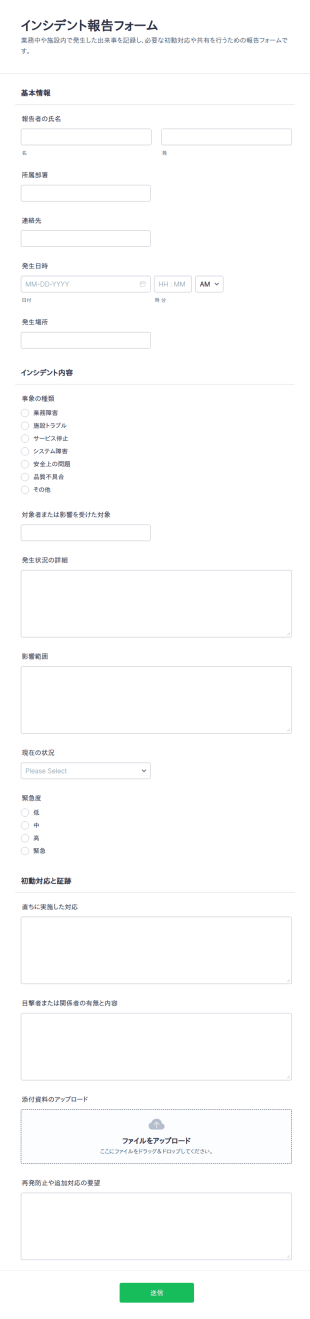
修理依頼書
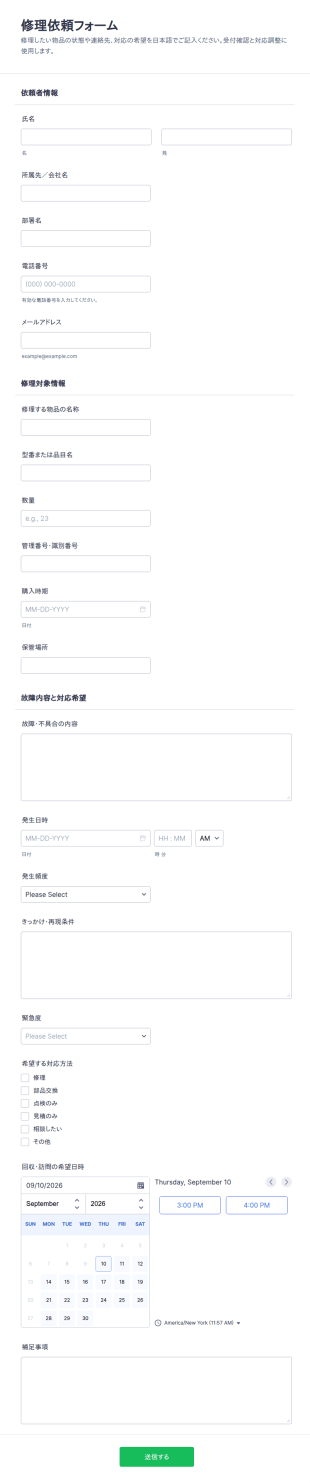
修理依頼フォームは、物品の不具合連絡から回収や訪問の調整までを一つにまとめ、総務や施設管理、情報システム部門のデータ収集を円滑にするフォームテンプレートです。
カテゴリーへ移動:サービスフォームメンテナンス計画表 テンプレートについて
メンテナンス計画表は、さまざまな業界におけるメンテナンス業務の管理や記録を効率化するために設計されたデジタルフォームです。メンテナンス依頼の記録、定期点検や保守作業の追跡、完了した作業の記録などに使用され、すべてのメンテナンス業務を効率的かつ体系的に実施できるようにします。実際の現場では、施設管理、製造業、不動産管理などの業界で幅広く活用されており、修理が必要な箇所の正確な記録、定期点検のスケジュール管理、安全基準への準拠状況の記録などに役立ちます。メンテナンス業務のプロセスを標準化することで、見落としのリスクを大幅に減らし、業務全体の効率向上につながります。
Jotformは、メンテナンス計画表を作成できる優れたオンラインフォーム作成ツールとして、メンテナンス業務のワークフローを改善したい企業に強力なソリューションを提供します。Jotformの直感的なインターフェースを使えば、業務上の具体的なニーズに合わせてフォームを簡単にカスタマイズでき、データ収集プロセスを効率的に自動化できます。また、Jotformテーブルを通じてデータを一元管理できるため、メンテナンス担当者は複数の部門やプロジェクトにわたるデータを簡単に追跡・分析できます。これにより、すべての関係者がリアルタイムの情報にアクセスできるようになり、的確な意思決定と予防的なメンテナンス管理を促進できます。
メンテナンス計画表テンプレートを使う理由は?
- メンテナンス計画表テンプレートは、設備の状態、修理履歴、メンテナンススケジュールなどの詳細を正確に記録できるため、メンテナンスデータの精度を確保するうえで欠かせません。デジタルフォームを使用することで、メンテナンスチームは手作業によるデータ入力ミスをなくし、データの信頼性を向上させることができます。
- これらのフォームは、メンテナンス依頼の提出から処理までのプロセスを効率化し、メンテナンス業務を大幅に迅速化します。電子的に提出することで即座に通知され、より迅速な対応が可能になるため、ダウンタイムを削減し、業務効率を向上させることができます。向上させることができます。
- プロフェッショナルなデータ管理も、メンテナンス計画表の重要なメリットの一つです。Jotformが提供するような安全なデータ管理機能を利用することで、すべてのメンテナンス記録を安全に保管し、業界の規制や基準への準拠を確保することができます。
- メンテナンス計画表を活用することで、チームメンバーや部門間でスムーズなコミュニケーションと連携が可能になります。データを一元的に共有できるため、メンテナンス業務の調整や連携をより効果的に行うことができます。
- デジタルのメンテナンス計画表を使用することで、紙ベースの業務を減らし、サステナビリティ目標の達成を支援できます。この環境に配慮した取り組みは、環境負荷の軽減だけでなく、紙の保管や廃棄にかかるコストの削減にもつながります。
メンテナンス計画表テンプレートで解決できる一般的な課題
- メンテナンス計画表によって解決できる主な課題の一つは、従来の紙ベースの作業が煩雑でミスが発生しやすいことです。メンテナンス記録をデジタル化することで、手作業による記録に伴う非効率や不正確さを解消できます。
- メンテナンスデータを手作業で入力すると、情報の紛失や置き場所が分からなくなるといった問題が発生しがちですが、デジタルフォームを使用することで効果的に防ぐことができます。すべてのデータが安全に保存され、必要なときに簡単に確認できるため、メンテナンス計画表を活用すれば重要な情報の見落としを防げます。
- メンテナンス依頼の処理の遅れは、業務の生産性に大きな影響を与える可能性があります。メンテナンスフォームを活用することで、依頼の提出や承認プロセスを迅速化し、必要なメンテナンス作業に速やかに対応できます。
- 古いシステムに頼っていると、メンテナンススケジュールの把握や管理が難しくなることがあります。メンテナンス計画表テンプレートでは、リマインダーや更新情報を自動で通知できるため、メンテナンスチームがスケジュールどおりに作業を進め、点検や整備の漏れを減らすことができます。
活用例に適した機能
- 大量のデータを収集・整理する必要がある施設では、ドラッグ&ドロップ式フォームビルダーを使って、特定のメンテナンスニーズに合わせたフォームを作成できます。これにより、必要なデータを効率的に収集し、簡単に確認できるようになります。
- 条件分岐を使用すると、ユーザーの回答に応じて表示内容を動的に切り替えられるため、メンテナンス計画表の利便性が向上します。ユーザーには関連する項目だけが表示されるため、フォームへの入力をよりスムーズに進められます。
- メンテナンス計画表 テンプレートに電子サインを組み込むことで、コンプライアンス対応や確認プロセスを強化し、完了したメンテナンス作業を安全かつ検証可能な形で承認できます。
- The integration of 30+ Payment Gateways, such as Stripe or PayPal, allows businesses to seamlessly collect payments for maintenance services rendered, providing a convenient and secure transaction method.
- オフラインデータ収集(Jotformモバイルフォーム)は、インターネット接続が不安定または利用できない環境で作業するチームに特に役立ちます。メンテナンスデータをオフラインで収集・保存し、インターネット接続が復旧した際に同期できます。
- Jotformテーブルによる安全なデータ管理により、メンテナンス管理者は進行中および完了済みのすべての作業を一元的に把握でき、パフォーマンスを確認して改善すべき点を特定できます。
- 承認ワークフローを活用することで、メンテナンス依頼の確認・承認プロセスを効率化できます。必要かつ承認された作業のみを実施できるため、リソースを最適に配分できます。
メンテナンス計画表テンプレートの作り方
- まず、テンプレート一覧からニーズに合ったメンテナンス計画表のテンプレートを選択します。特定の要件がある場合は、空白のフォームから作成することもできます。
- ドラッグ&ドロップ式フォーム作成ツールを使ってデザインやフィールドをカスタマイズし、必要なデータをすべて収集できるようにするとともに、業務プロセスに合ったフォームに仕上げます。
- ダイレクトリンク、メール、ウェブサイトへの埋め込みを使ってフォームを公開・共有し、メンテナンス業務に関わるすべての関係者が簡単にアクセスできるようにします。
メンテナンス計画表テンプレートの主な活用例
- 管理者向け:メンテナンス計画表テンプレートは、管理者がメンテナンス業務全体を管理するための包括的なツールとして活用できます。すべてのデータを1つのプラットフォームに集約することで、進行中の作業状況を簡単に把握し、リソースを効率的に配分しながら、メンテナンススケジュールの遵守を徹底できます。こうした一元的な管理により、傾向を把握して問題に先回りして対応し、メンテナンス戦略を最適化することで、全体的な生産性を向上させることができます。
- チーム向け:メンテナンスチームは、メンテナンス計画表テンプレートによって業務プロセスを効率化できます。タスクの割り当てや更新情報をリアルタイムで確認できるため、チームメンバー同士が効果的に連携し、すべての作業を期限内かつ所定の基準に沿って完了できます。また、オフラインでもデータを収集できるため、遠隔地やインターネット接続が不安定な環境で作業する場合でも、業務を中断することなく正確な記録を残すことができます。
- マネージャー向け:メンテナンス計画表テンプレートを活用することで、顧客へのサービス品質と満足度を向上させることができます。顧客はメンテナンス依頼を簡単に送信でき、受付確認をすぐに受け取れるほか、対応状況を明確に確認できます。進捗状況を適切なタイミングで知らせ、すべての問題に迅速に対応することで、企業は顧客サービスへの評価を高め、長期的な関係を築くことができます。
メンテナンス計画表のまとめ
メンテナンス計画表は、メンテナンス管理に欠かせないツールであり、データの正確性、業務効率、関係者間の連携を大幅に向上させます。Jotformのオンラインフォーム作成ツールを活用することで、企業は独自の業務要件に合わせてフォームを自由にカスタマイズし、あらゆるメンテナンス業務を円滑かつ効率的に進めることができます。さらに、安全なデータ管理や自動化されたワークフローなどの高度な機能を組み合わせることで、メンテナンス計画表の利便性がさらに高まり、メンテナンス業務の最適化を目指すあらゆる組織にとって重要なツールとなります。
よくあるご質問
1. メンテナンス計画表テンプレートとは何ですか?
メンテナンス計画表テンプレートとは、修理、点検、定期メンテナンスなどの保守作業を報告、追跡、記録するために使用されるデジタルまたは紙の文書です。
2. メンテナンス計画表が重要な理由は?
メンテナンス業務の報告・進捗管理・対応完了までを効率化し、稼働停止のリクを抑えながら、高額な設備トラブルの予防にもつながります。
3. メンテナンス計画表には、どのような情報を含めるべきですか?
リクエスト送信者の詳細、場所、問題や作業内容の説明、優先度、日付、チェックリスト項目、署名などが一般的なフィールドです。
4. メンテナンス計画表テンプレートには、どのような種類がありますか?
はい。一般的なタイプには、予防保守点検のチェックリスト、修理依頼フォーム、検査レポート、サービス完了確認書などがあります。
5. メンテナンス計画表テンプレートは、通常誰が利用しますか?
施設管理者、保守管理チーム、物件管理者、業者、資産や建物の維持管理を担当するすべての方。
6. メンテナンス計画表テンプレートはワークフローをどのように改善しますか?
データ収集を標準化し、通知を自動化し、すべてのメンテナンス活動の明確な記録を提供することで、タスクの管理と優先順位付けが容易になります。
7. メンテナンス計画表から送信された情報は安全ですか?
Maintenance Forms provide a structured way to document all maintenance activities, ensuring that all tasks are performed according to industry regulations and safety standards. This documentation can serve as proof of compliance during audits.
8. メメンテナンス計画表テンプレートは、特定の業界向けにカスタマイズできますか?
もちろん可能です。メンテナンス計画表は、不動産管理、製造業、医療、教育など、各業界の固有のニーズに合わせてカスタマイズできます。